> ## Documentation Index
> Fetch the complete documentation index at: https://docs.partnero.com/llms.txt
> Use this file to discover all available pages before exploring further.
# Embeddable earnings calculator
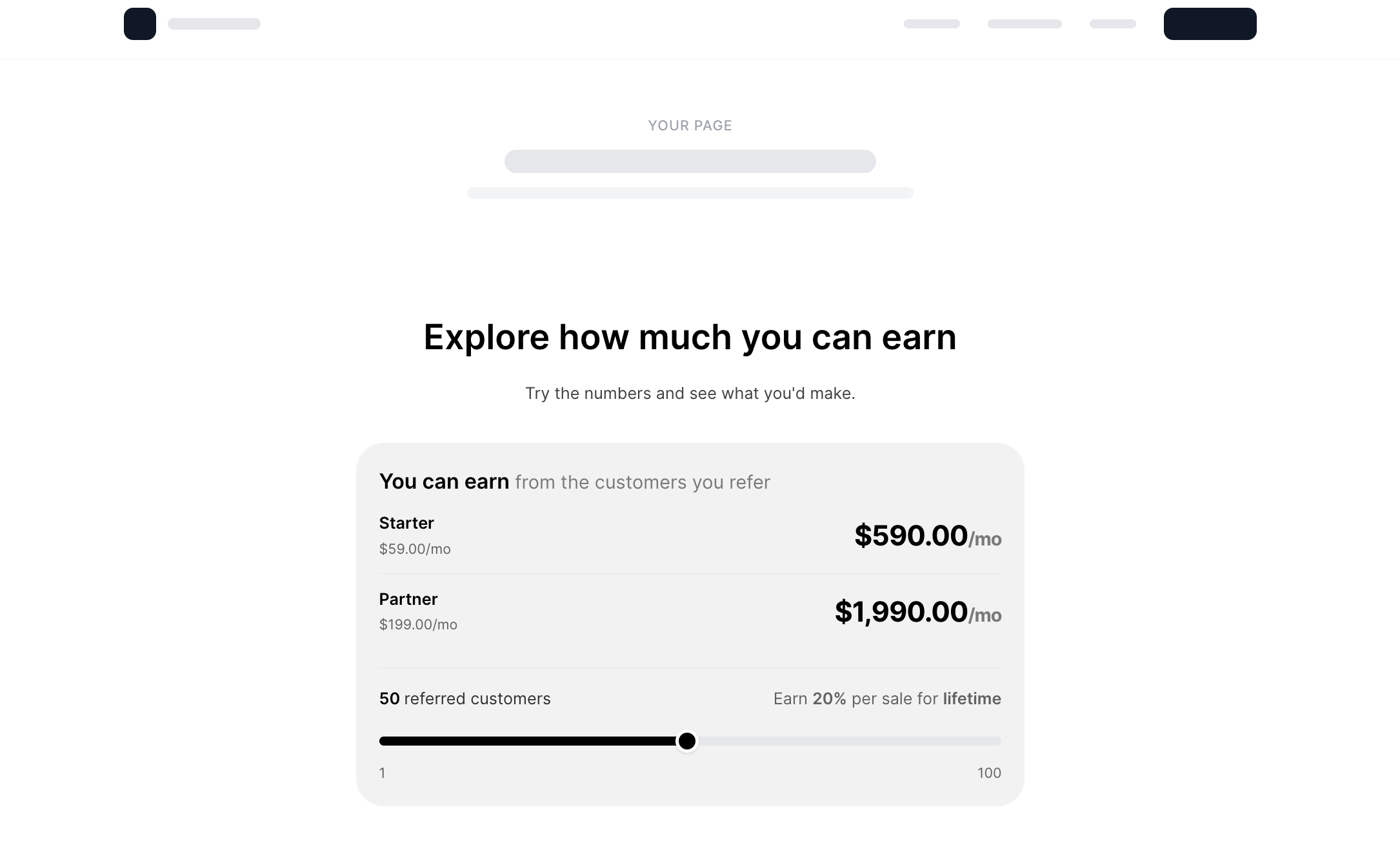
Help prospective partners see the earning potential before they join. Visitors move a slider to see projected earnings, calculated from your actual commission rates and pricing plans.
***
### How it works
Visitors move the slider to adjust a variable, such as the number of referrals, and the calculator shows projected earnings in real time. Because it's pulling from your actual commission rates and pricing plans, the numbers reflect what a partner could realistically earn in your program.
 ***
### How to customize the calculator
Customize the layout, branding, colors, and text, with a live preview that updates as you make changes.
1. Go to **Partner portal** > **Forms** tab > **Earnings calculator**.
***
### How to customize the calculator
Customize the layout, branding, colors, and text, with a live preview that updates as you make changes.
1. Go to **Partner portal** > **Forms** tab > **Earnings calculator**.
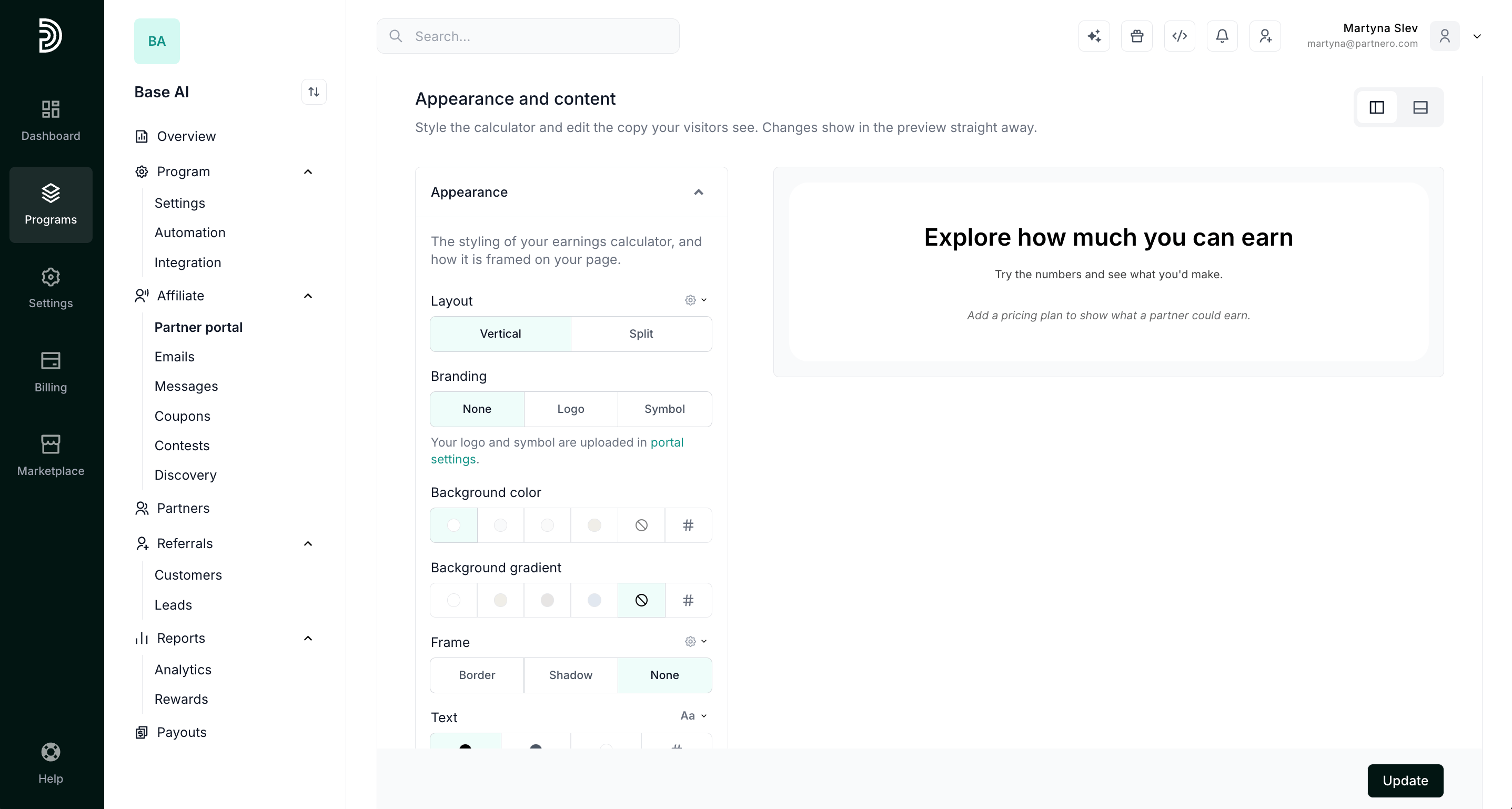
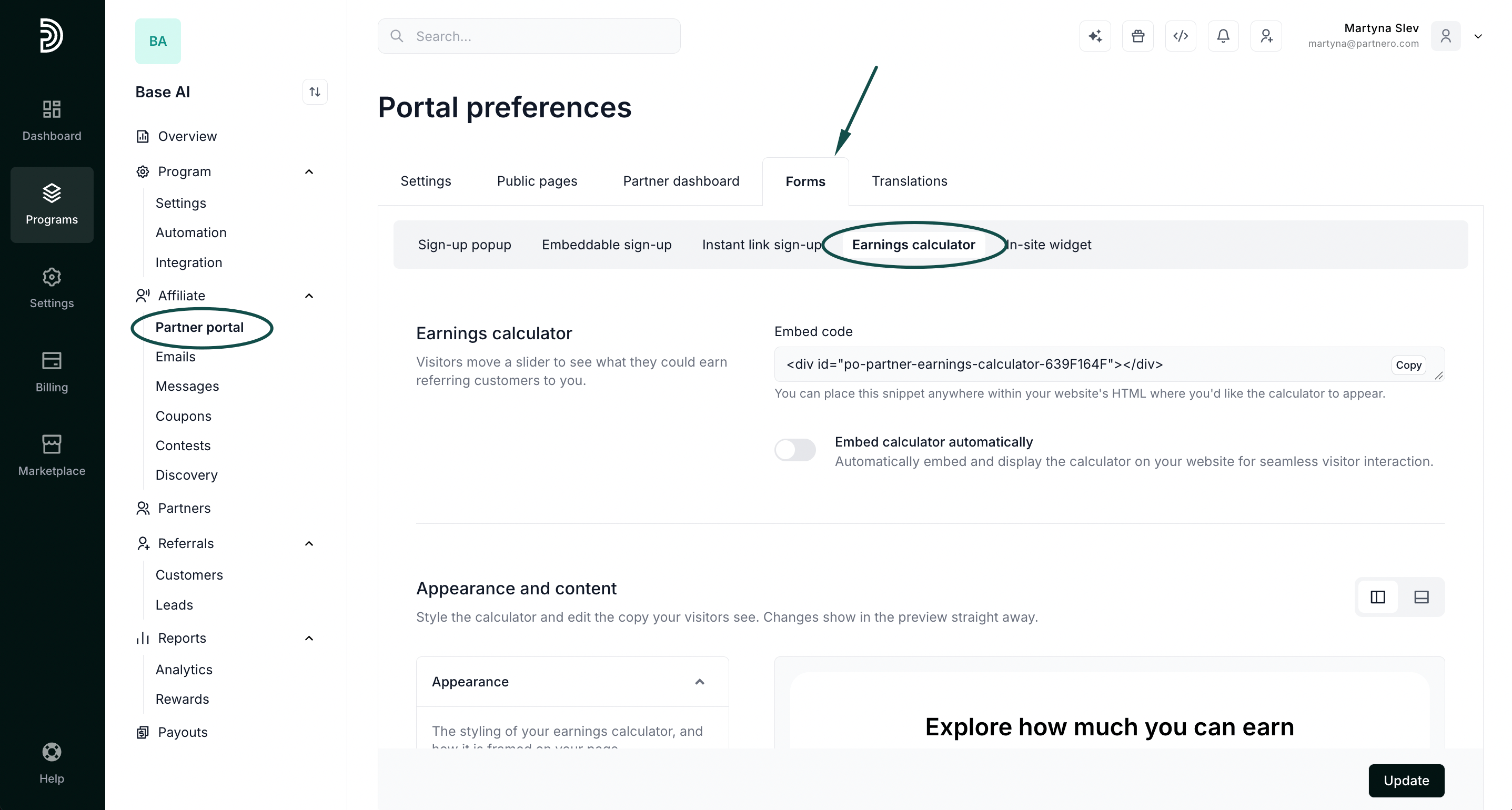 2. Scroll to the **Appearance and content** section. Expand **Appearance** to customize branding, layout, and colors.\\
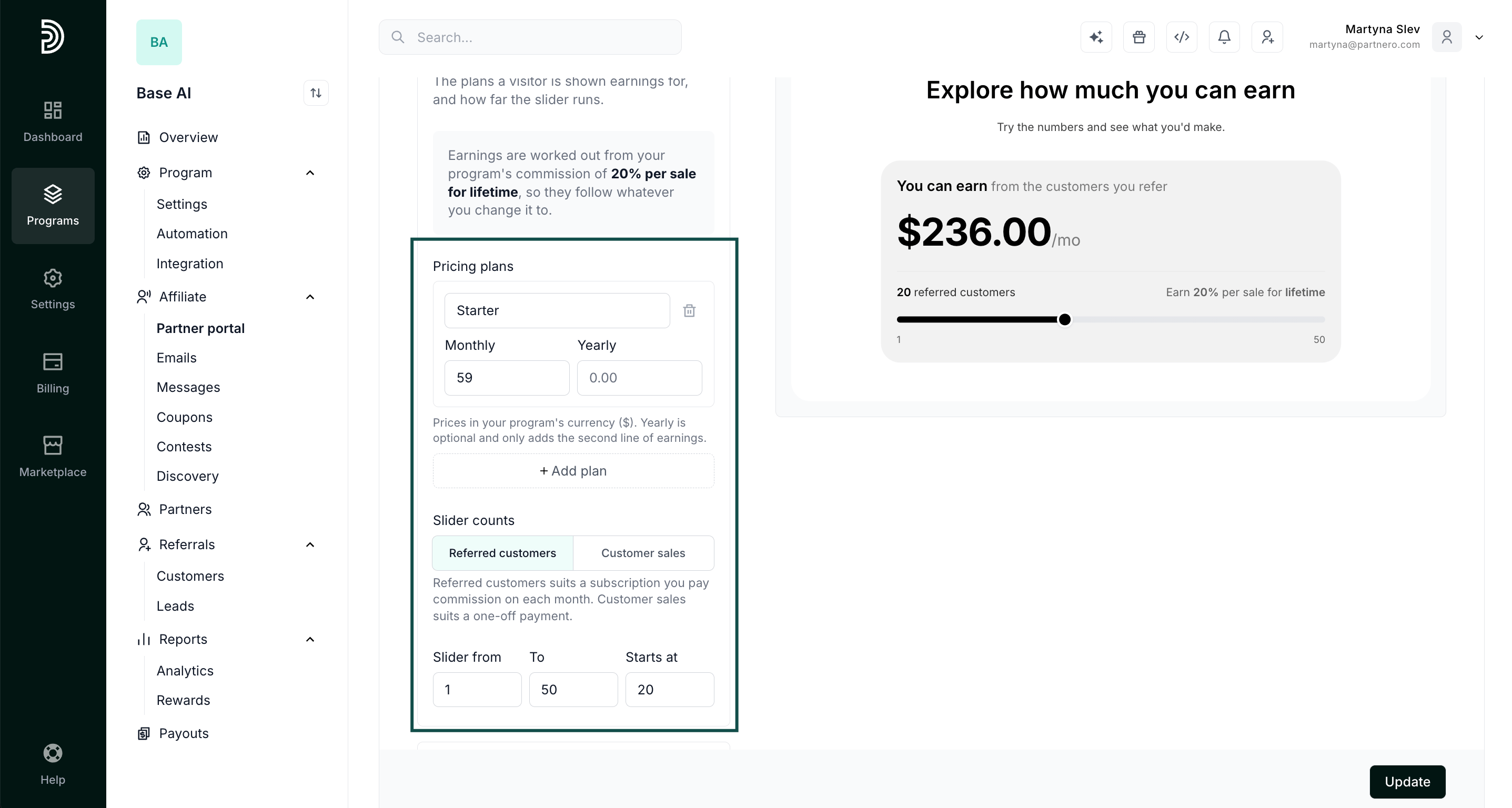
 Expand **Plans** to add your pricing plans and customize the slider defaults.
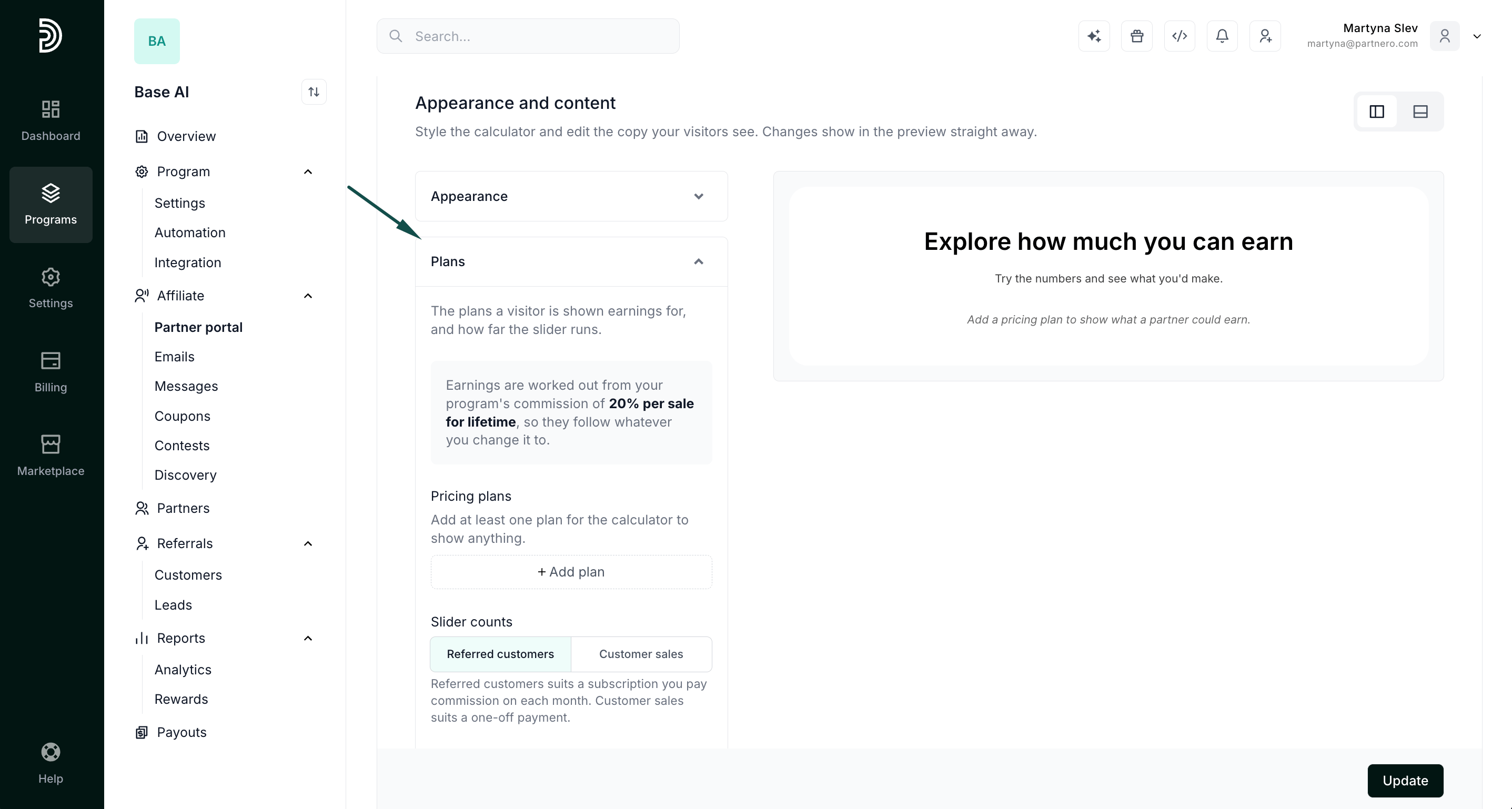 Click **+Add plan**, and enter your pricing options. You can add as many pricing plans, as needed.
Then customize the widget slider by defining start and end points and where the default lands. You'll see the changes reflected in the preview on the right.
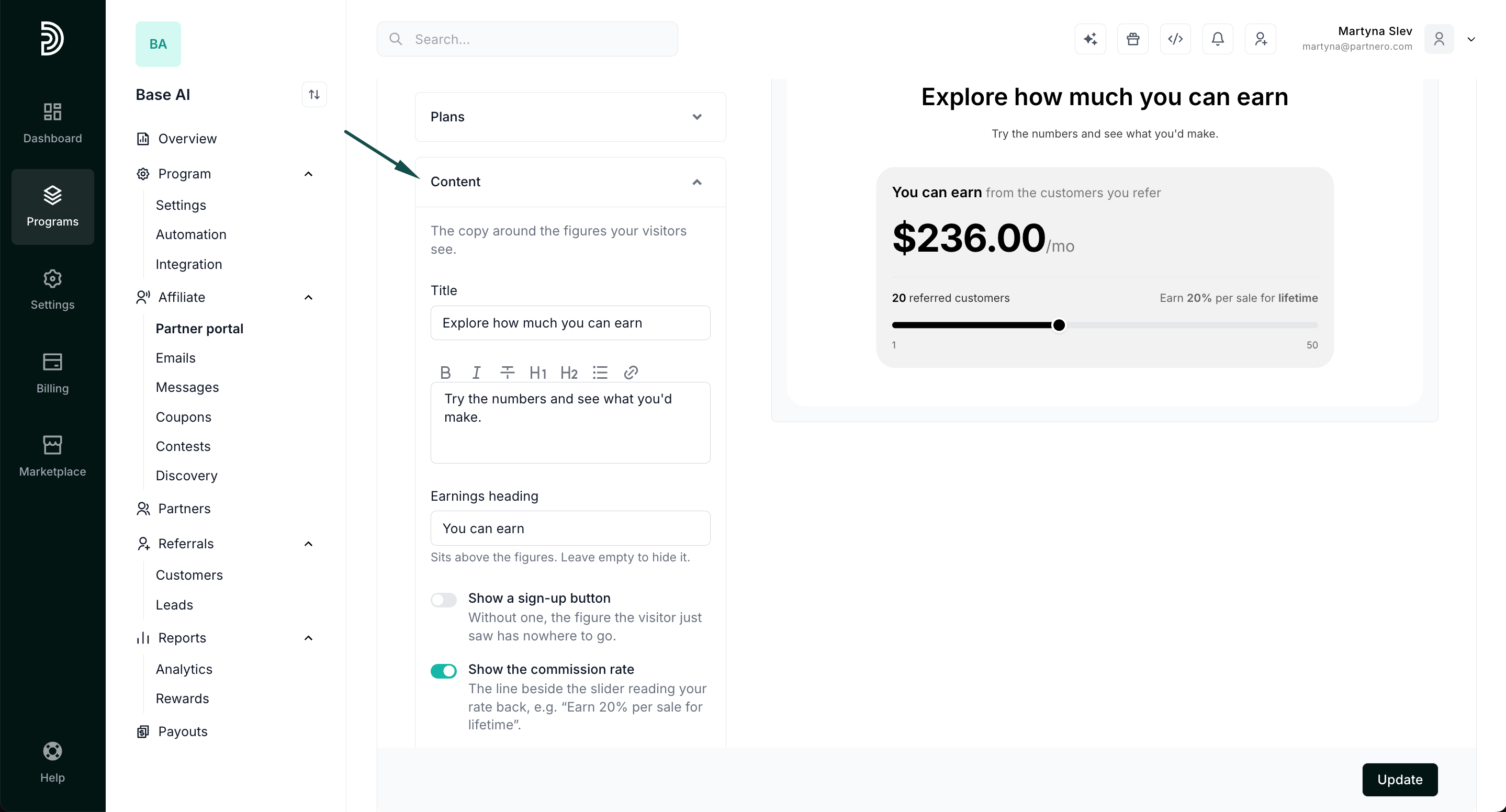
 3. Expand **Content** to edit the calculator's copy.
 4. Click **Update** to save your work.
***
### Getting the calculator on the page
To add the calculator to your page:
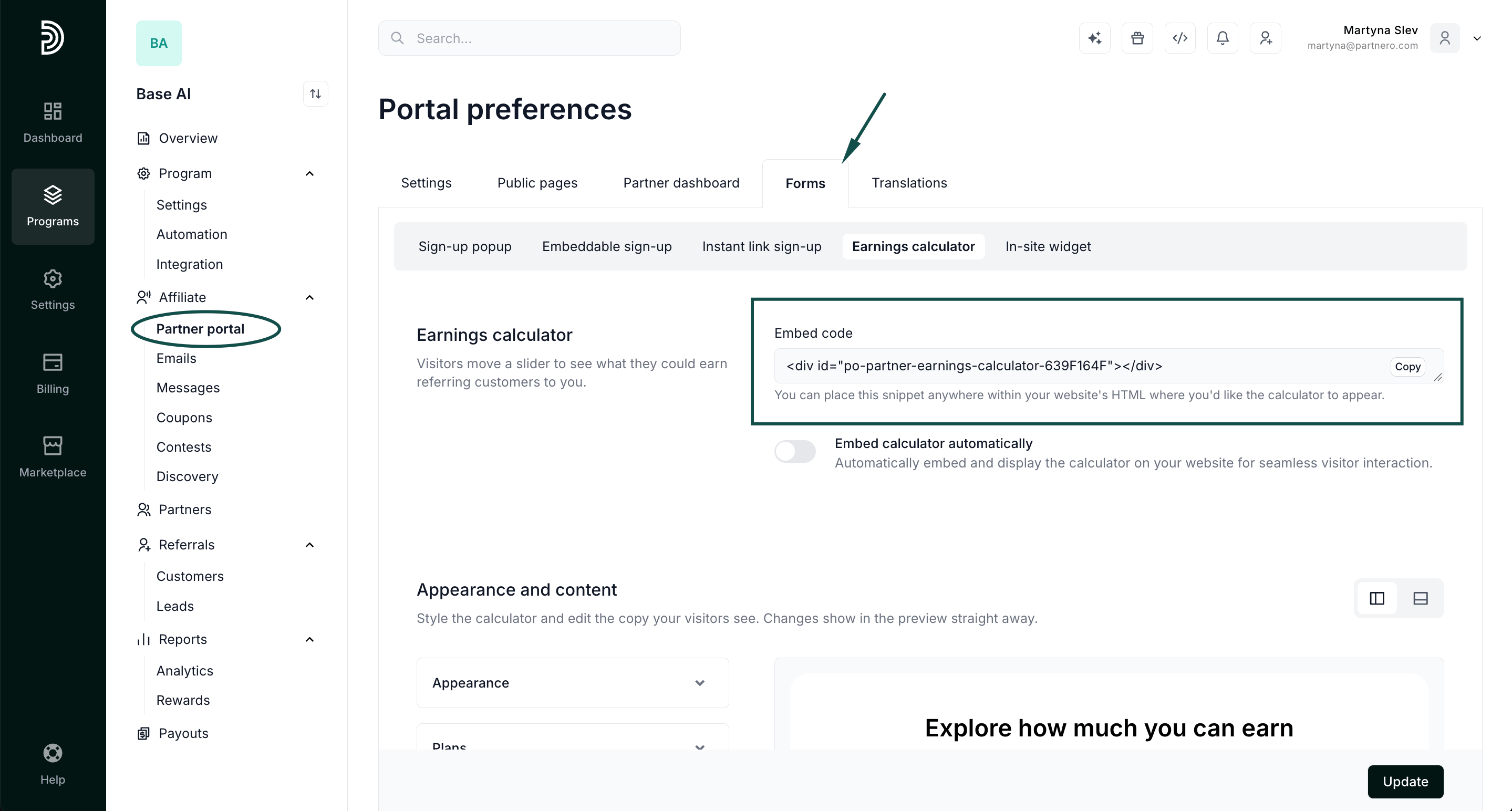
1. Go to Partner portal > **Forms** tab > **Earnings calculator**.
2. Copy the embed code and add it to your site. Once it's live, visitors can use the slider to see their projected earnings right there on the page.
4. Click **Update** to save your work.
***
### Getting the calculator on the page
To add the calculator to your page:
1. Go to Partner portal > **Forms** tab > **Earnings calculator**.
2. Copy the embed code and add it to your site. Once it's live, visitors can use the slider to see their projected earnings right there on the page.
 This documentation is built and hosted on [Mintlify](https://mintlify.com), a developer documentation platform.