> ## Documentation Index
> Fetch the complete documentation index at: https://docs.partnero.com/llms.txt
> Use this file to discover all available pages before exploring further.
# Integrate Attio
Connect your Partnero program to Attio CRM to keep partner, customer, and transaction data in sync across both platforms automatically.
The integration works in both directions: records created or updated in Partnero are pushed to Attio, and deal-won events in Attio create transactions and trigger partner commissions in Partnero.
***
### Requirements
* A Partnero paid subscription (the integration can be tested on a free trial, but a subscription is required for ongoing use)
* An Attio account with permission to install integrations
***
### Step 1: Connect Attio in Partnero
1. In your Partnero dashboard, open the program you want to connect.
2. Go to **Integrations: 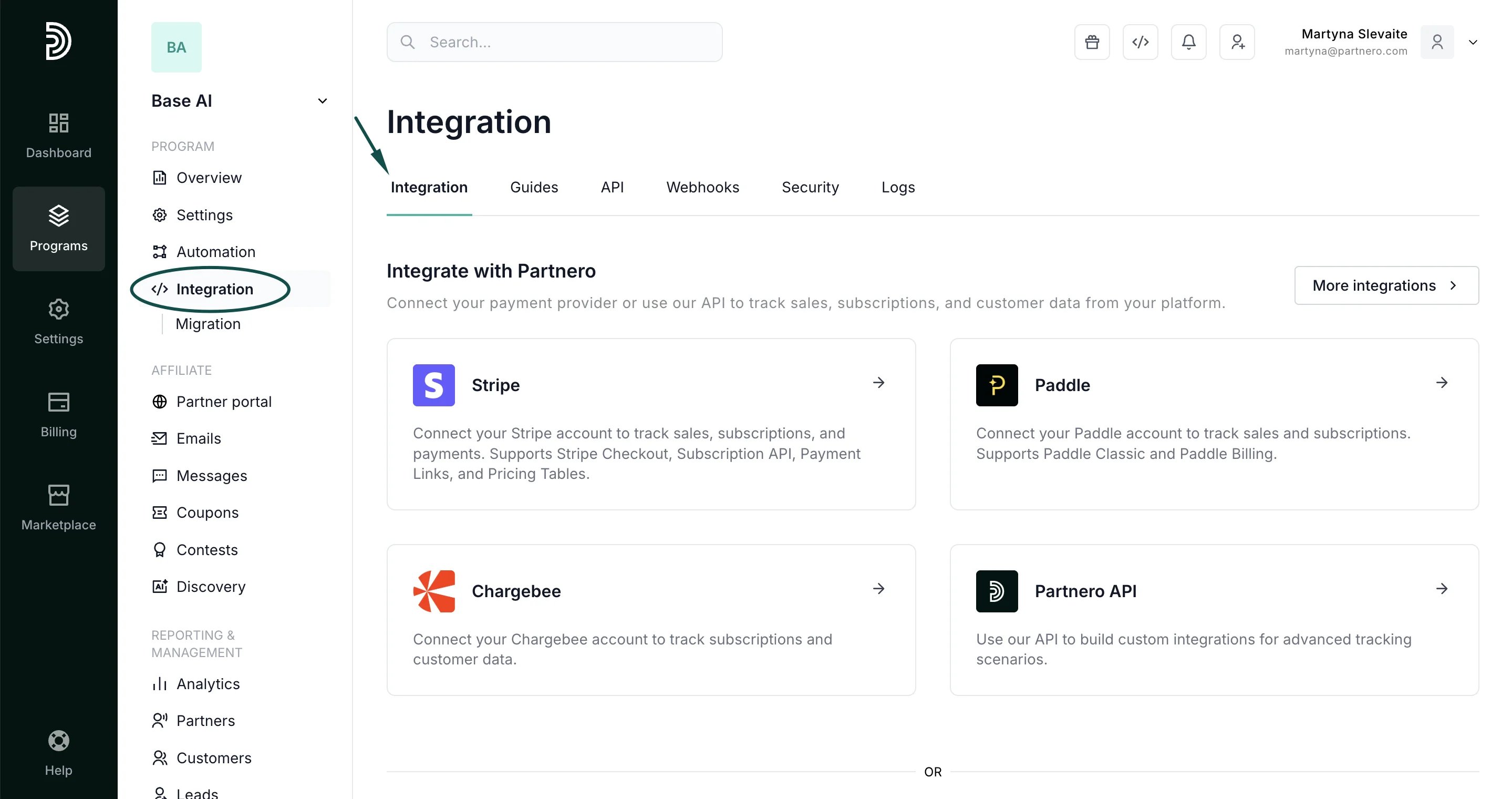 **
3. Scroll down to CRM and click **Connect** next to **Attio**:
**
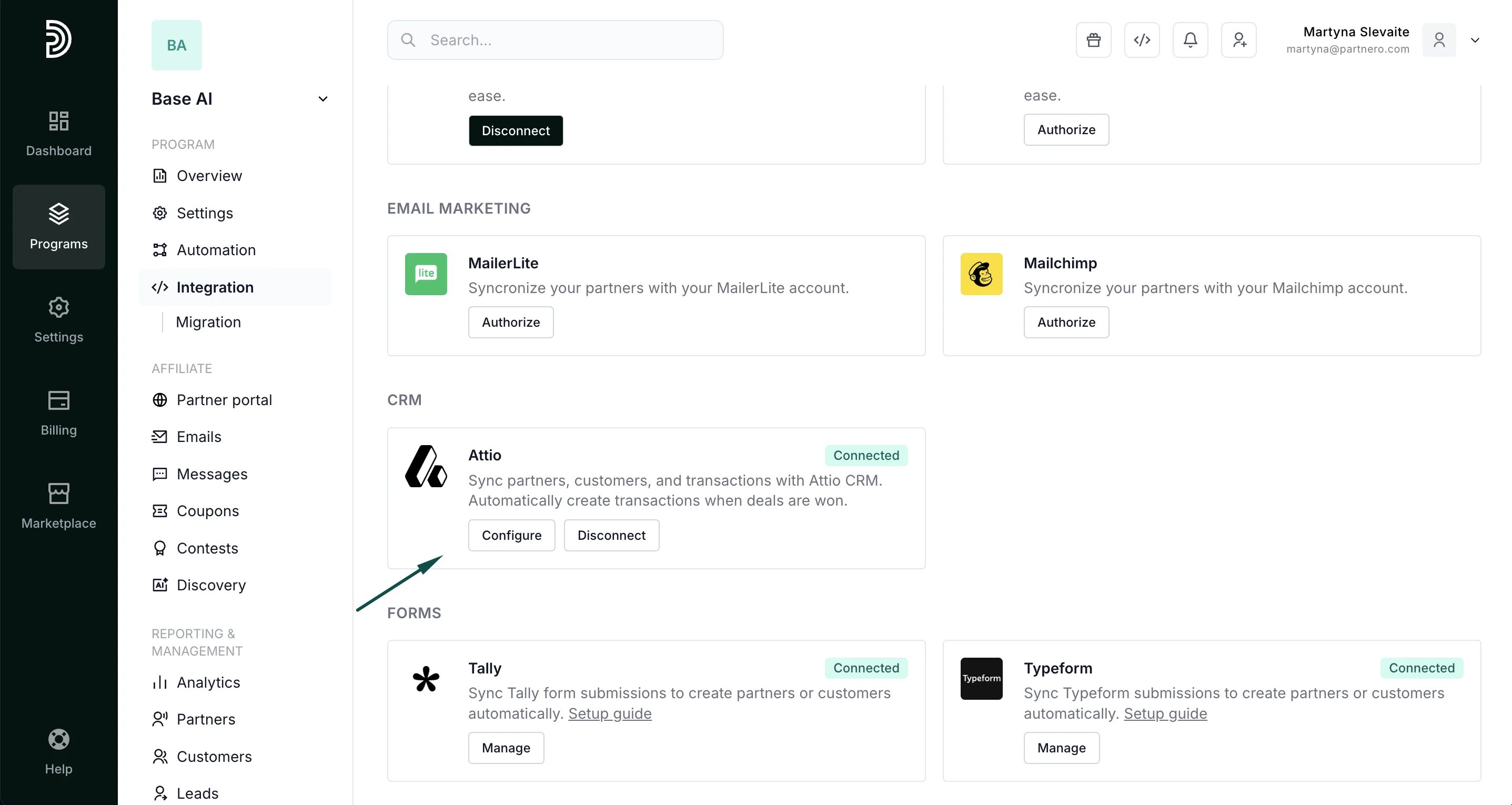
3. Scroll down to CRM and click **Connect** next to **Attio**: 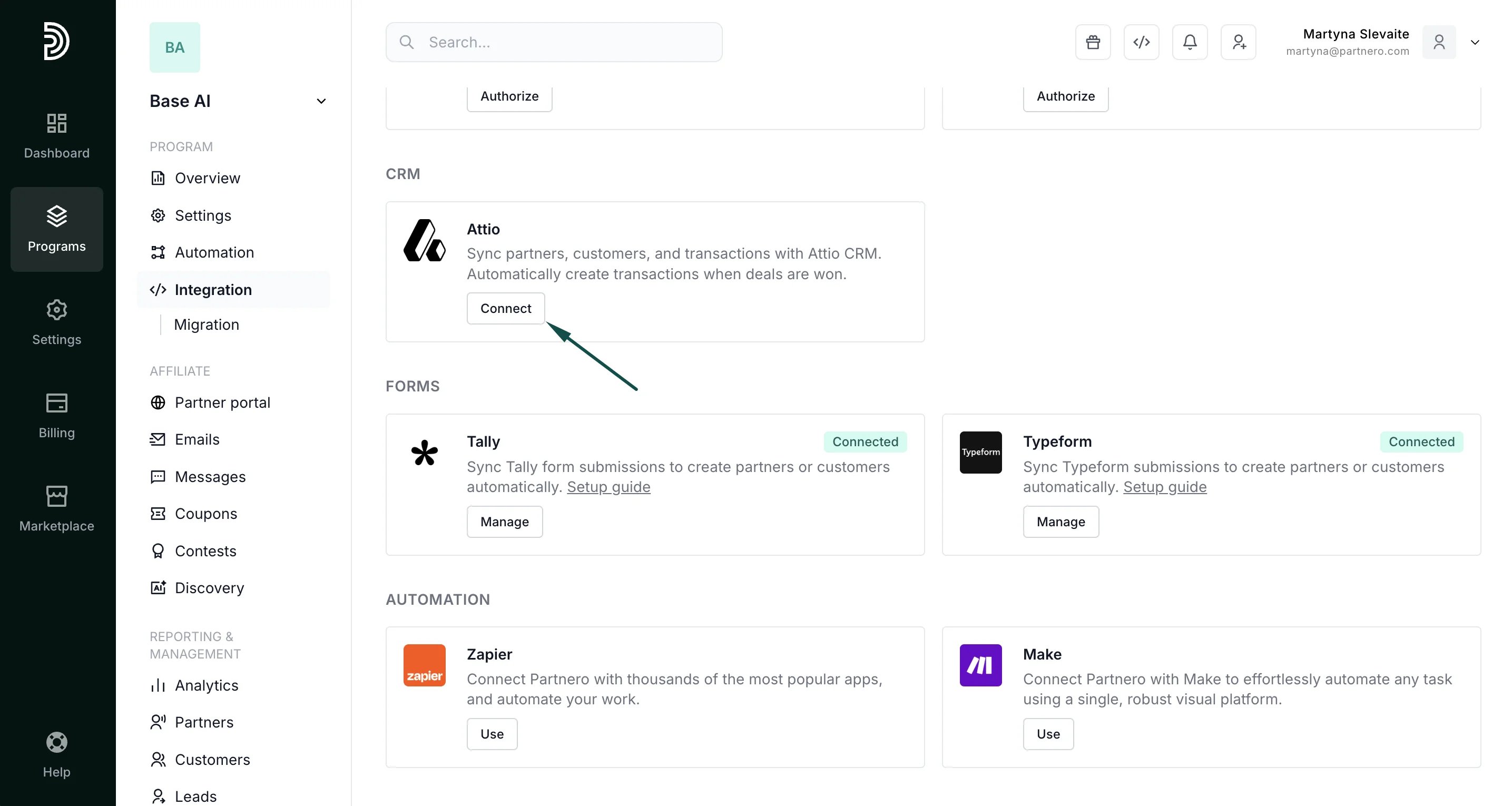 4. You'll be redirected to Attio to authorize the connection. Once you approve, you'll be automatically returned to Partnero. You'll see the "Connected" sign and the option to configure the integration:
  ***
### Step 2: Configure field mapping
Click **Configure** to open the mapping modal.
Use the tabbed field mapping interface to control which fields are synced between the two platforms. There are separate tabs for **General**, **Partners**, **Customers**, and **Deals**.
* **General**: enable two-way sync for partners, customers, and deals.
***
### Step 2: Configure field mapping
Click **Configure** to open the mapping modal.
Use the tabbed field mapping interface to control which fields are synced between the two platforms. There are separate tabs for **General**, **Partners**, **Customers**, and **Deals**.
* **General**: enable two-way sync for partners, customers, and deals. 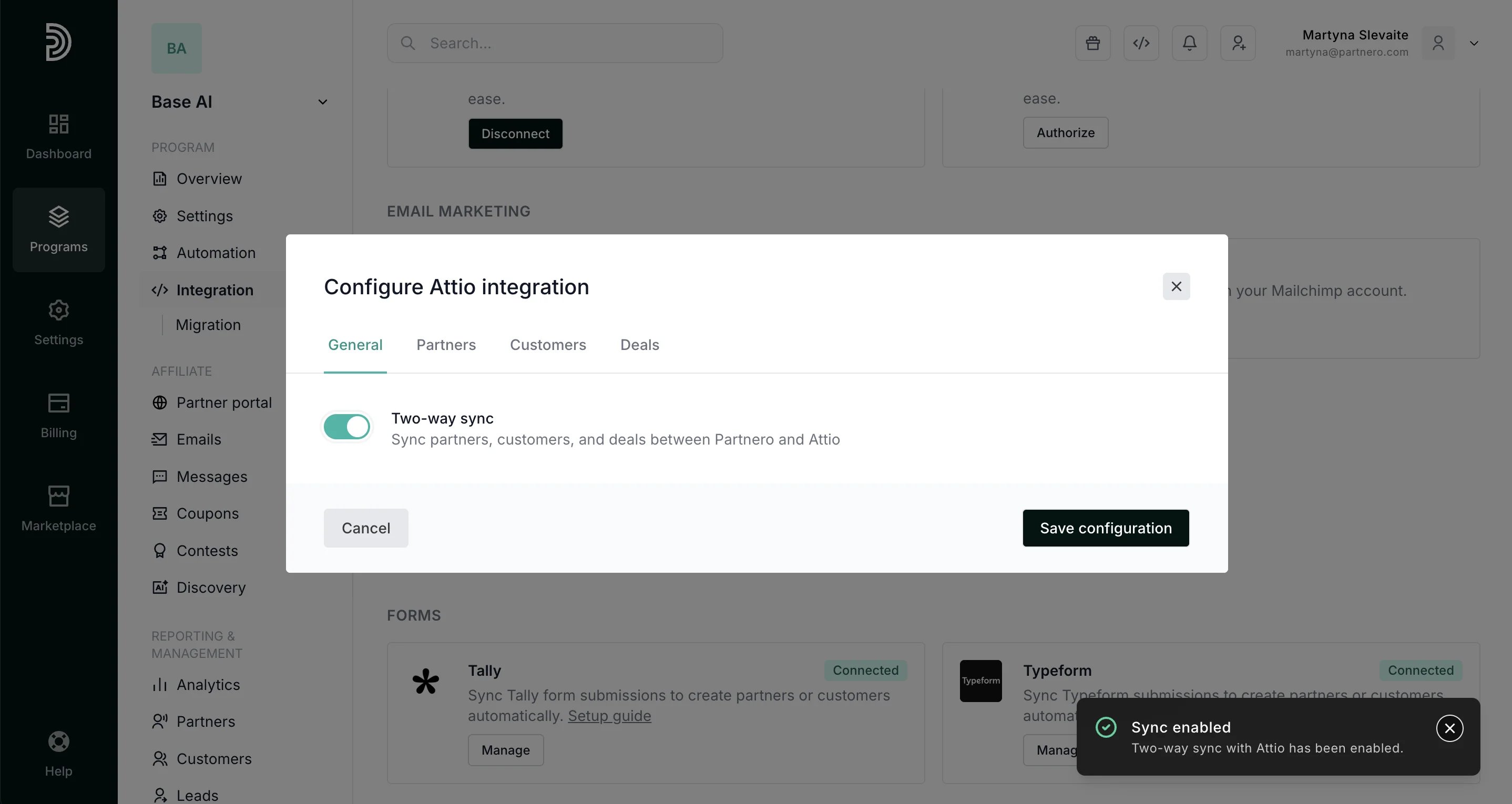 * **Partners**: map partner fields to any Attio object (People, Companies, or a custom object). Optional.
 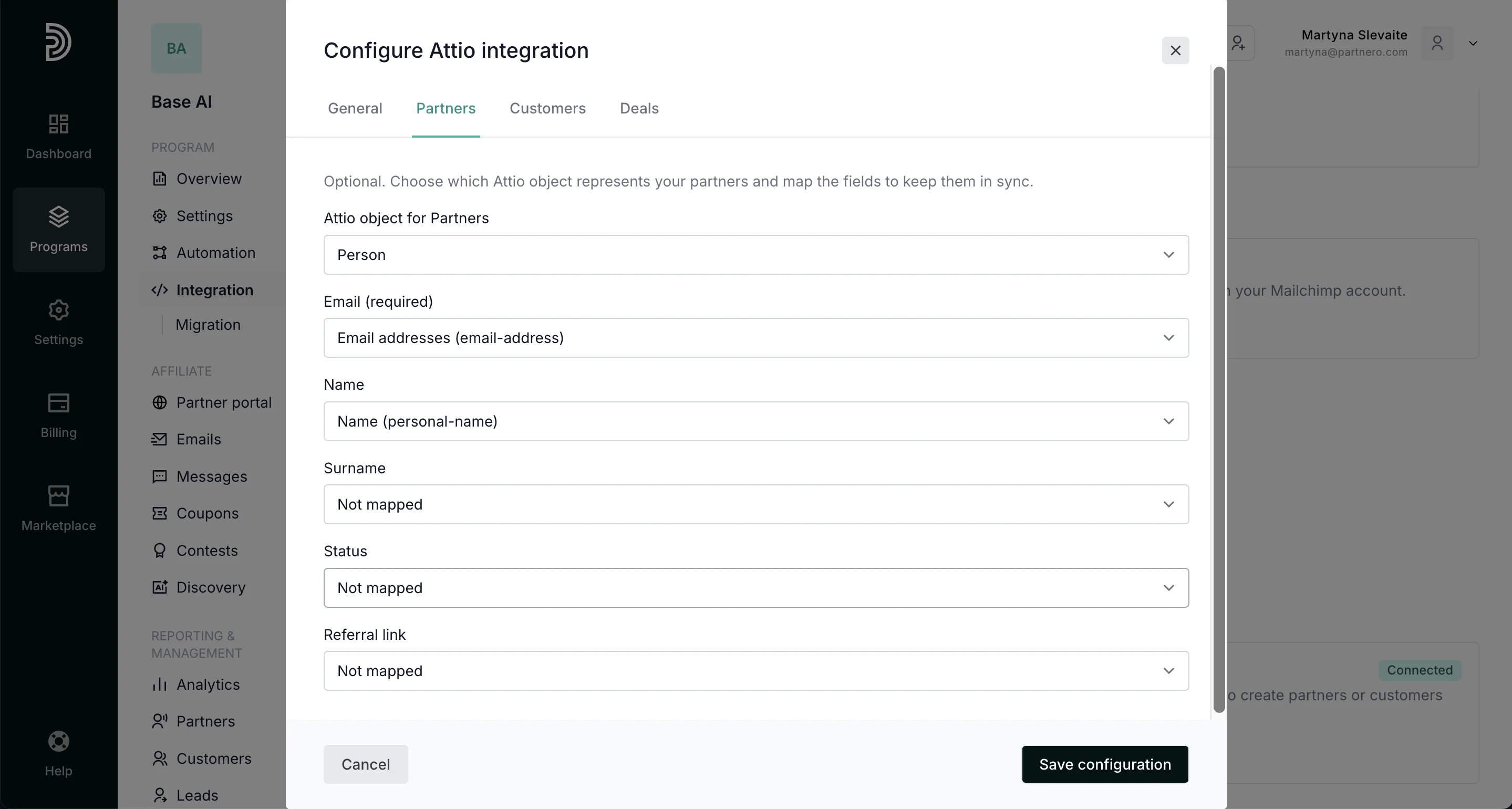 * **Customers**: map customer fields to Attio. Skip this if your customers already exist in Attio to avoid duplicates. Optional.
 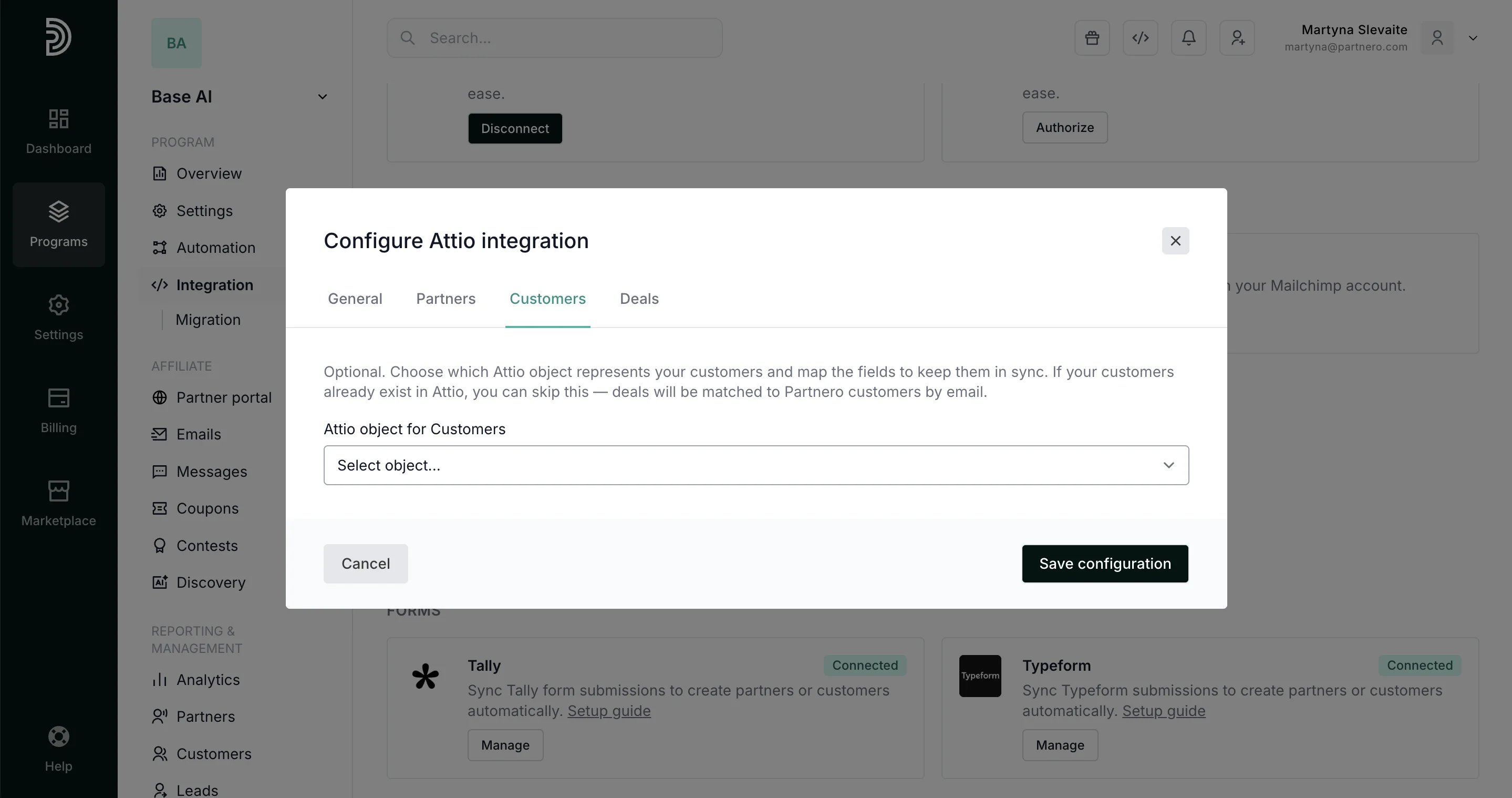 * **Deals**: map transaction fields to Attio Deals, including amount, currency, and customer link.
 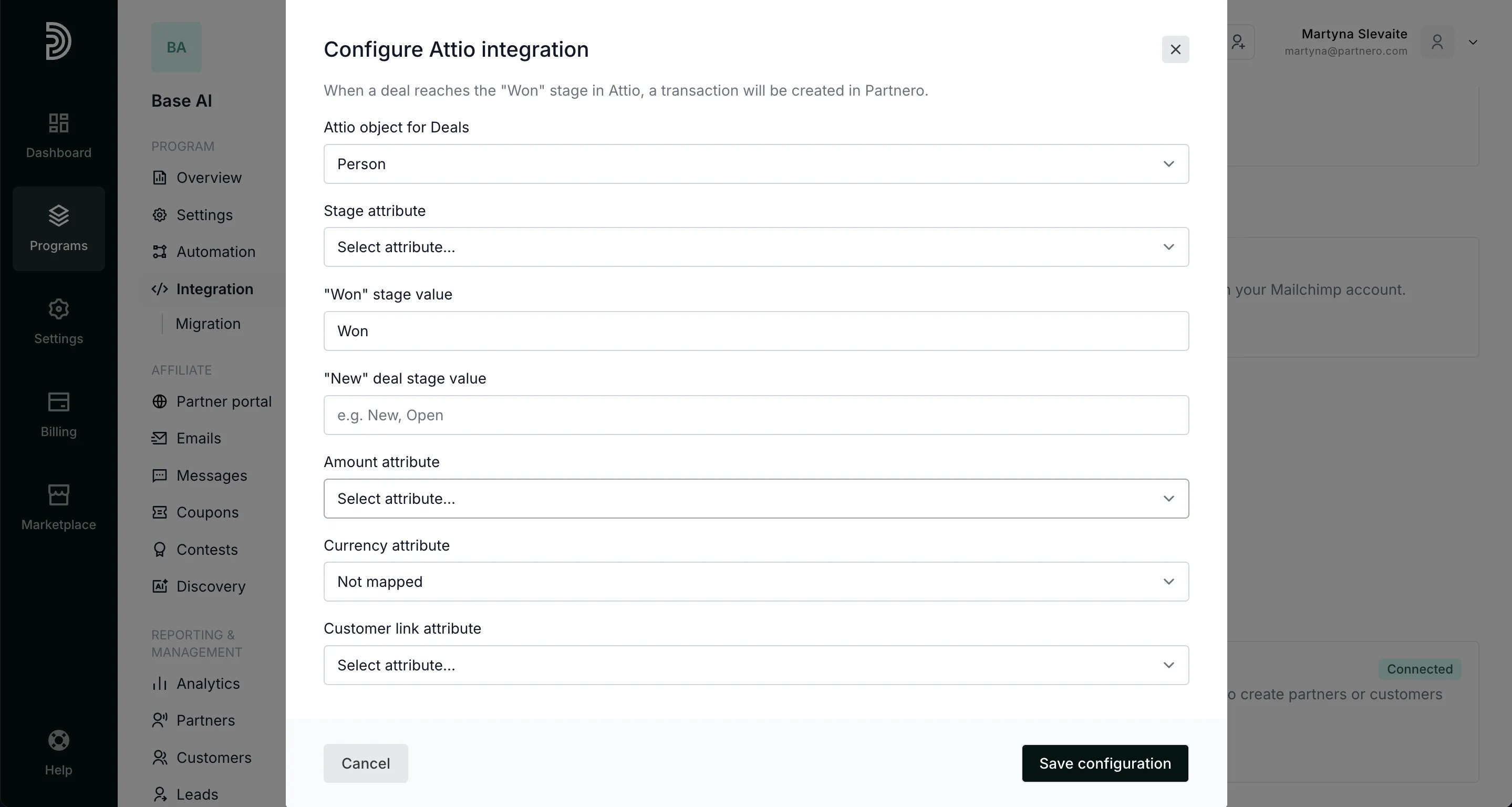 Click **Save configuration**.
***
### How data flows
**Partnero → Attio**
| Data | Trigger |
| - | - |
| Partners | Partner created or updated |
| Customers | Customer created or updated |
| Transactions | Transaction created |
**Attio → Partnero**
| Data | Trigger |
| - | - |
| Transactions + commissions | Deal stage changes to the configured "won" stage |
| Customer updates | Customer record created or updated in Attio |
***
### Notes
* The integration is scoped per program. If you run multiple programs, each connects to Attio separately.
* Customer records synced from Attio to Partnero are matched by email.
* The integration includes safeguards to prevent duplicate transactions and sync loops.
This documentation is built and hosted on [Mintlify](https://mintlify.com), a developer documentation platform.
Click **Save configuration**.
***
### How data flows
**Partnero → Attio**
| Data | Trigger |
| - | - |
| Partners | Partner created or updated |
| Customers | Customer created or updated |
| Transactions | Transaction created |
**Attio → Partnero**
| Data | Trigger |
| - | - |
| Transactions + commissions | Deal stage changes to the configured "won" stage |
| Customer updates | Customer record created or updated in Attio |
***
### Notes
* The integration is scoped per program. If you run multiple programs, each connects to Attio separately.
* Customer records synced from Attio to Partnero are matched by email.
* The integration includes safeguards to prevent duplicate transactions and sync loops.
This documentation is built and hosted on [Mintlify](https://mintlify.com), a developer documentation platform.