> ## Documentation Index
> Fetch the complete documentation index at: https://docs.partnero.com/llms.txt
> Use this file to discover all available pages before exploring further.
# Integrate Paddle Classic
### What is Paddle Classic?
Paddle is a complete billing solution for SaaS businesses to manage payments, taxes, subscriptions, and more.
[Paddle Billing](/integrations/paddle) is the default Paddle experience for customers who sign up now. **Paddle Classic** is only available for customers who signed up before August 8th, 2023.
***
### How does the Paddle Classic integration work?
Paddle can be integrated for both affiliate and refer-a-friend programs. There are two main parts to the integration:
1. Tracking referral visits and sign-ups. This can be done via **Partnero API** or **Partnero JS** integrations.
2. Attributing customer's purchases. This is done by authorizing Paddle Classic.
We'll cover both steps in this article.
***
### Track referral visits and signups
Referral visits and signups can be tracked via **Partnero API** or **Partnero JS** integration. Every affiliate and refer-a-friend program contains an integration guide with unique code snippets. To find the integration guides:
1. Open the program you'd like to integrate;
2. Go to **Integration** > **Guides** tab. 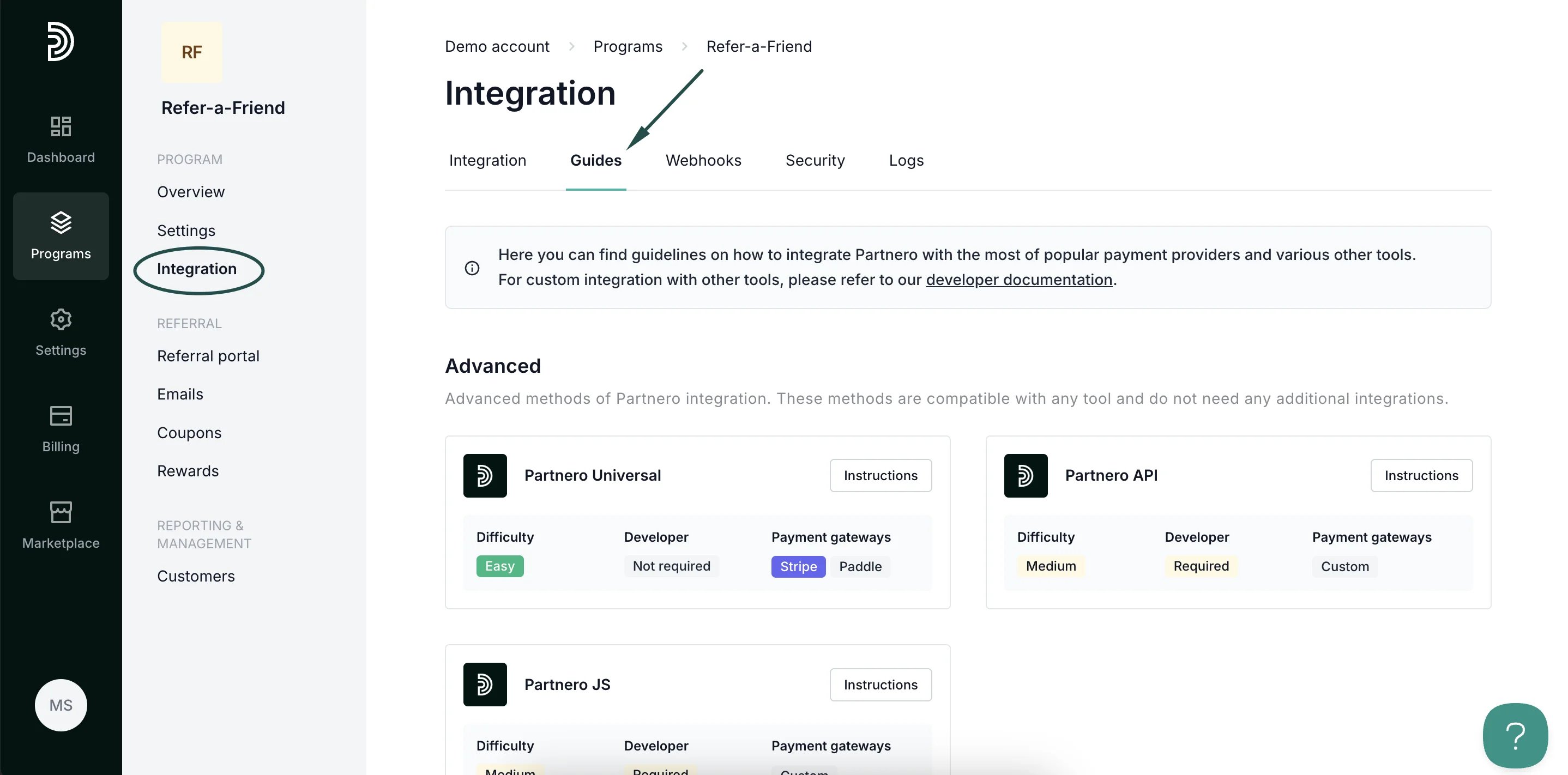 3. Scroll down to Payment gateways and click **Instructions** next to **Paddle Classic**:
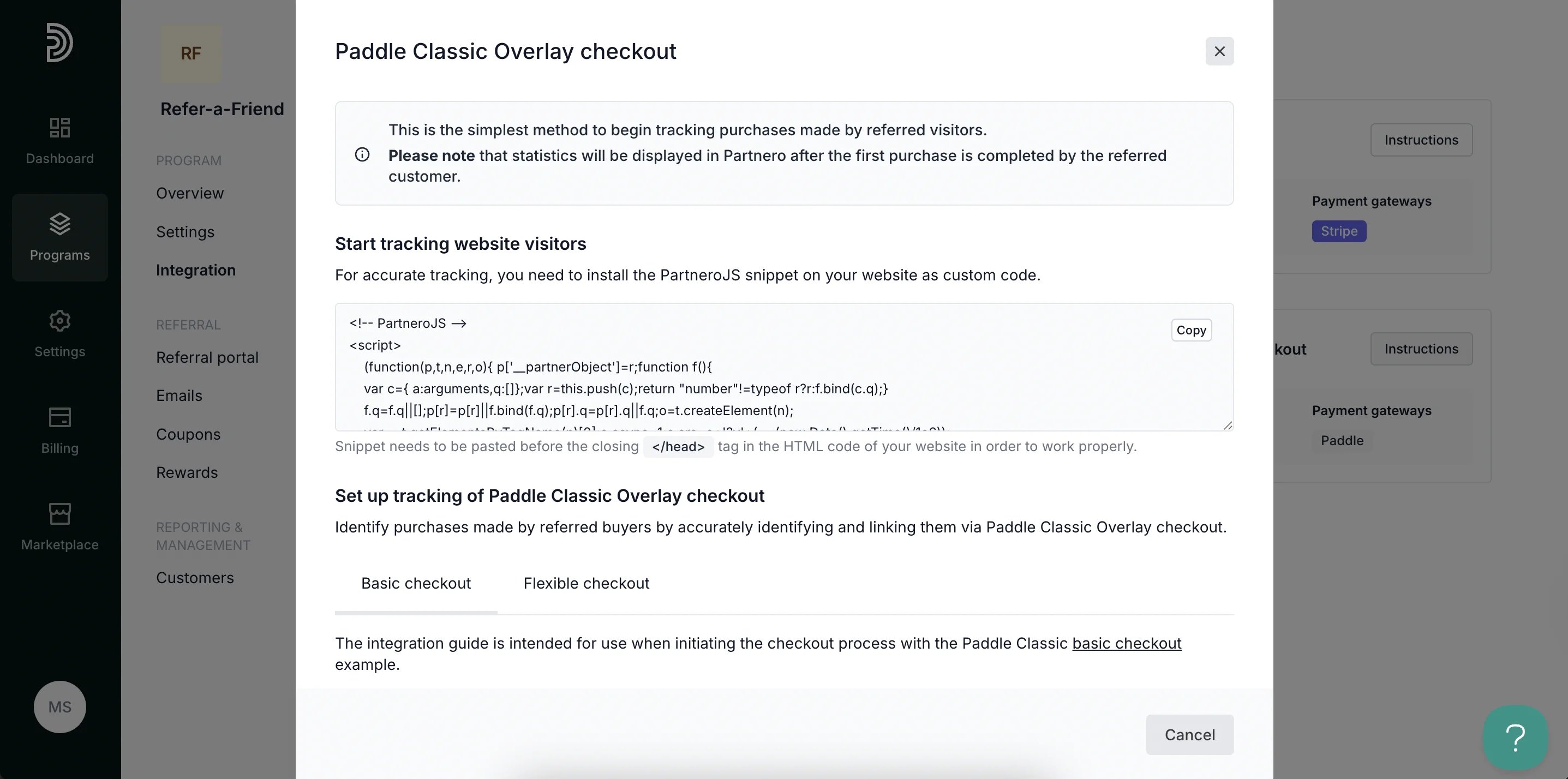
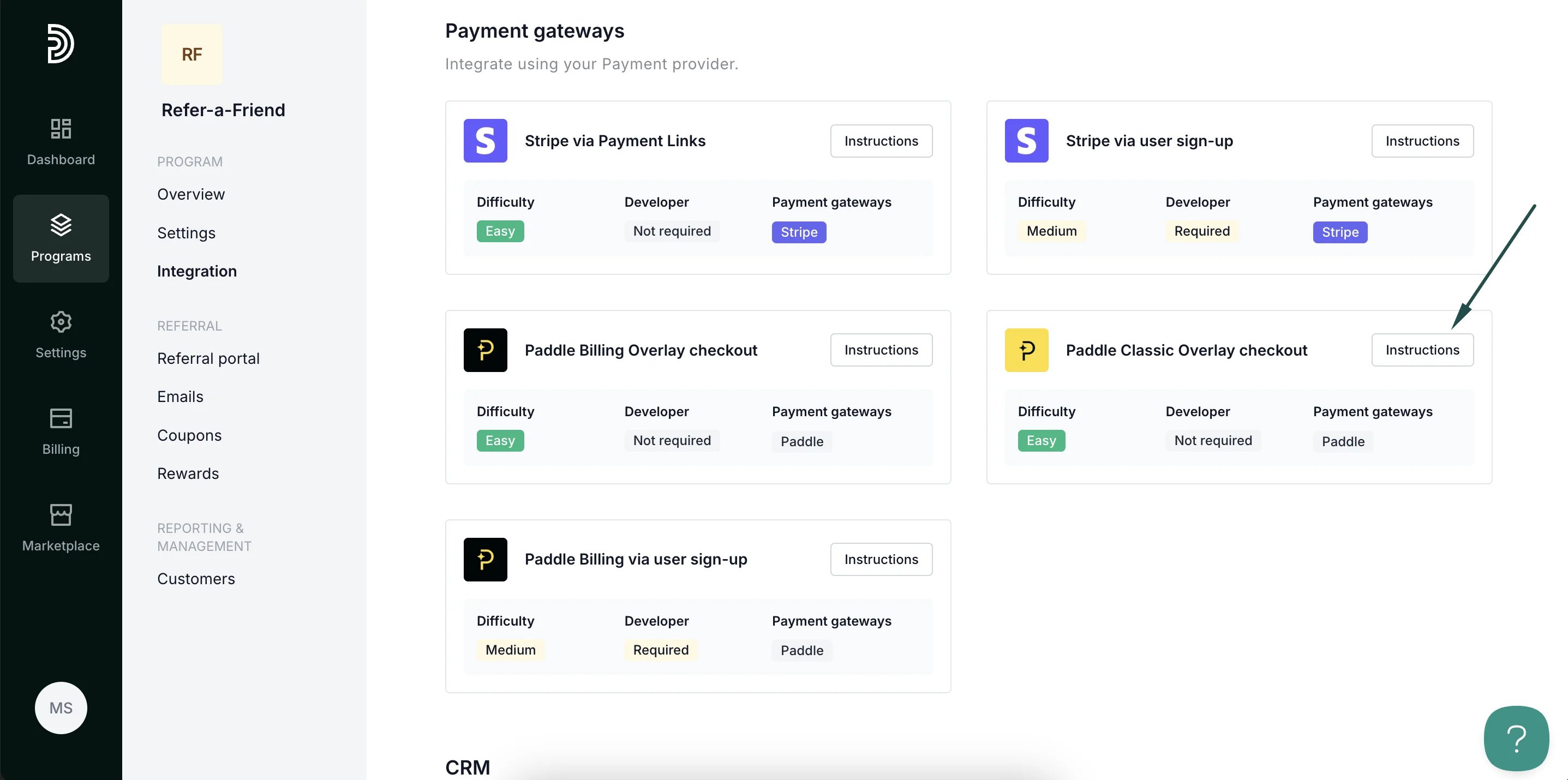 4. Follow the instructions in the modal to complete the integration:
 ***
### Authorize Paddle Classic to attribute sales
The last step is to authorize your Paddle Classic account to send data about subsequent or recurring purchases made by referred customers.
> **Important**: This step is an addition to the integration methods listed above. Purchase tracking relies on the assumption that the customer has already been created on Partnero via one of the methods listed above.
1. Go to **Integration** under **Program**.
2. Scroll down to **Apps & integrations** and click **Authorize** next to **Paddle Classic**:
***
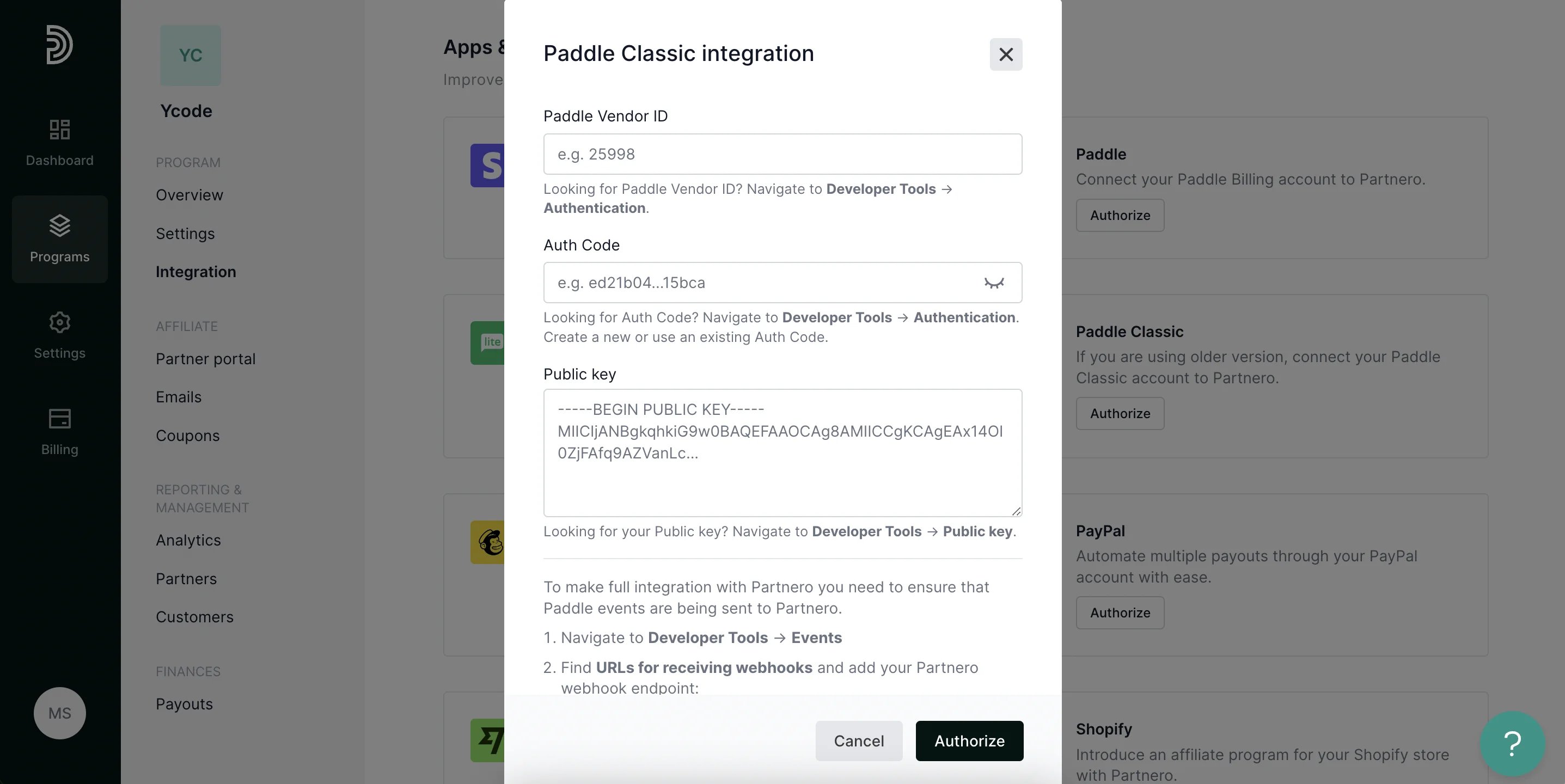
### Authorize Paddle Classic to attribute sales
The last step is to authorize your Paddle Classic account to send data about subsequent or recurring purchases made by referred customers.
> **Important**: This step is an addition to the integration methods listed above. Purchase tracking relies on the assumption that the customer has already been created on Partnero via one of the methods listed above.
1. Go to **Integration** under **Program**.
2. Scroll down to **Apps & integrations** and click **Authorize** next to **Paddle Classic**: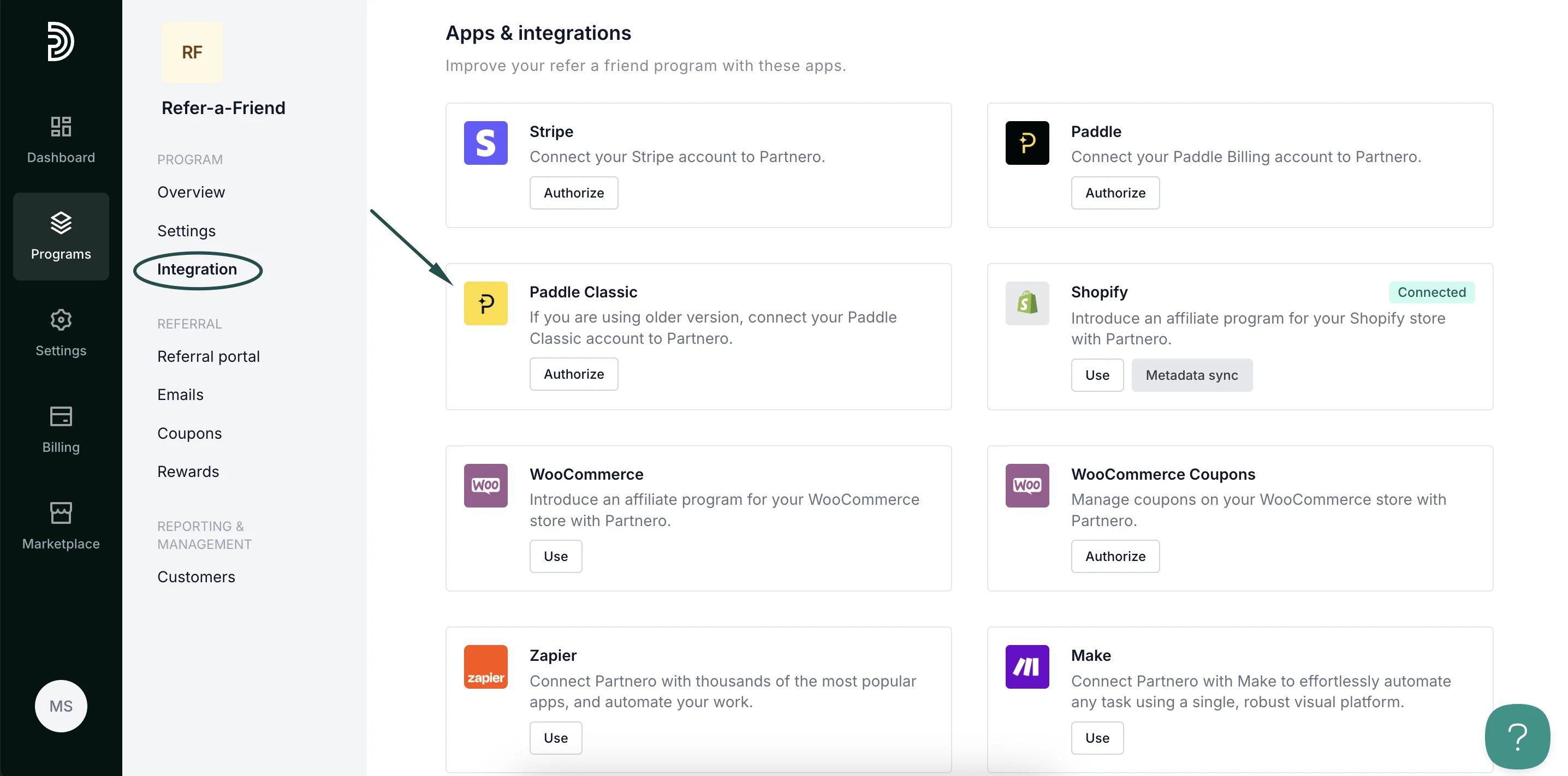 3. Follow the steps in the modal to complete the integration:
 ***
This documentation is built and hosted on [Mintlify](https://mintlify.com), a developer documentation platform.
***
This documentation is built and hosted on [Mintlify](https://mintlify.com), a developer documentation platform.