> ## Documentation Index
> Fetch the complete documentation index at: https://docs.partnero.com/llms.txt
> Use this file to discover all available pages before exploring further.
# Integrate SamCart
This guide explains how to integrate Partnero affiliate tracking into your SamCart checkout pages and funnels.
These instructions can also be found on your Partnero account, under **Integration** > **Guides** tab > **SamCart**: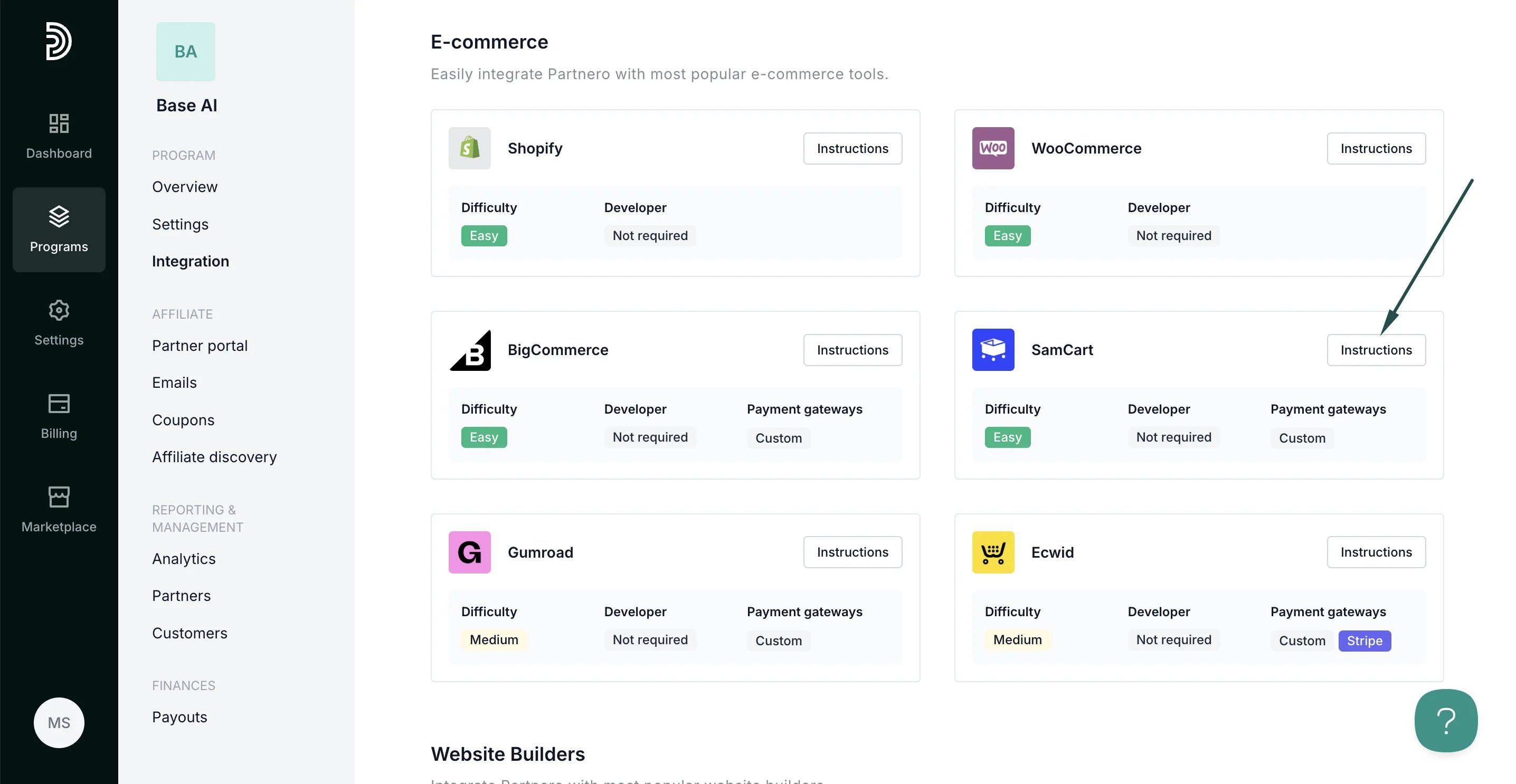 ***
### Step 1: Start tracking website visitors
To track visitors on your website, you need to install the PartneroJS snippet as custom code.
#### Install the PartneroJS Snippet
1. Go to **Integration** > **Guides** tab > **SamCart**. Click **Instructions**.
2. Copy the PartneroJS snippet:
***
### Step 1: Start tracking website visitors
To track visitors on your website, you need to install the PartneroJS snippet as custom code.
#### Install the PartneroJS Snippet
1. Go to **Integration** > **Guides** tab > **SamCart**. Click **Instructions**.
2. Copy the PartneroJS snippet: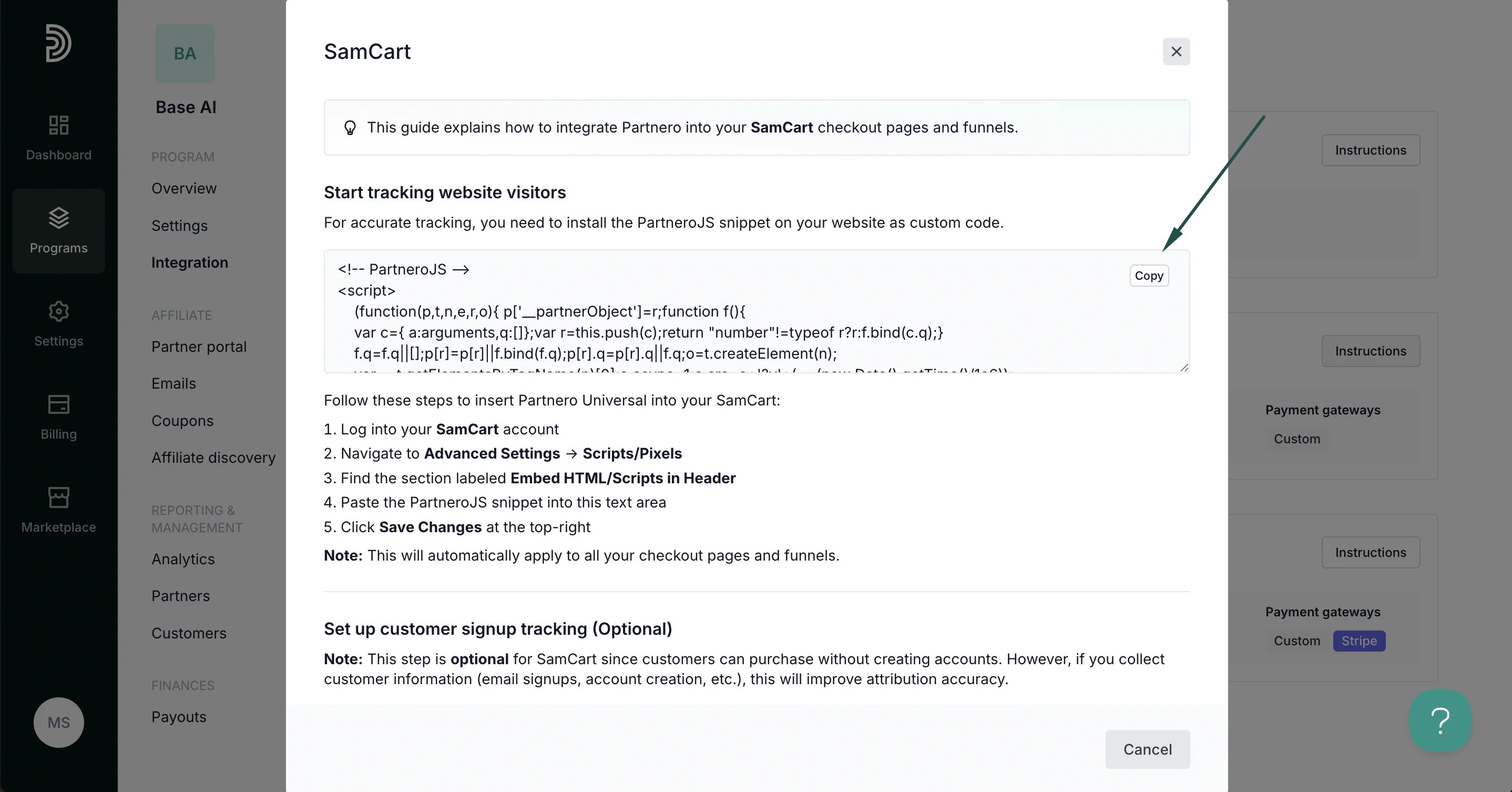 3. On your SamCart account, navigate to **Advanced Settings** → **Scripts/Pixels**
4. Find the section labeled **Embed HTML/Scripts in Header**
5. Paste the PartneroJS snippet into this text area
6. Click **Save Changes** at the top-right
Note: This will automatically apply to all your checkout pages and funnels.
***
### Step 2: Customer sign-up tracking (optional)
This step is optional for SamCart since customers can purchase without creating accounts. However, if you collect customer information (email signups, account creation, etc.), this will improve attribution accuracy.
##### When to use signup tracking:
* Have email opt-in forms before checkout
* Require customer account creation
* Use lead magnets or free offers
* Want to track newsletter signups
For direct purchases only: Skip this step and proceed directly to the transaction tracking section below.
Track customer registrations:
1. On Partnero, copy the customer signup tracking snippet:
3. On your SamCart account, navigate to **Advanced Settings** → **Scripts/Pixels**
4. Find the section labeled **Embed HTML/Scripts in Header**
5. Paste the PartneroJS snippet into this text area
6. Click **Save Changes** at the top-right
Note: This will automatically apply to all your checkout pages and funnels.
***
### Step 2: Customer sign-up tracking (optional)
This step is optional for SamCart since customers can purchase without creating accounts. However, if you collect customer information (email signups, account creation, etc.), this will improve attribution accuracy.
##### When to use signup tracking:
* Have email opt-in forms before checkout
* Require customer account creation
* Use lead magnets or free offers
* Want to track newsletter signups
For direct purchases only: Skip this step and proceed directly to the transaction tracking section below.
Track customer registrations:
1. On Partnero, copy the customer signup tracking snippet: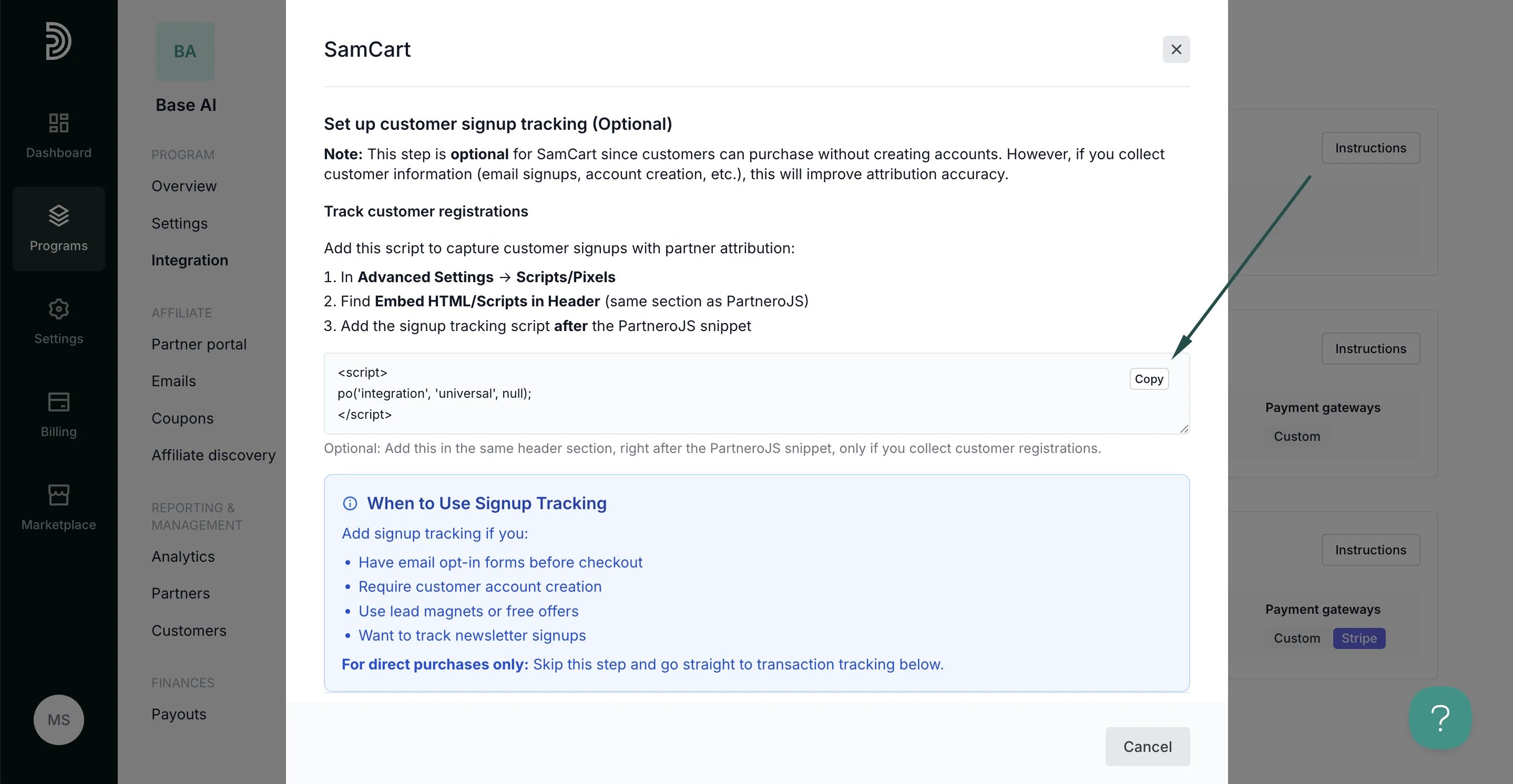 2. On SamCart, navigate to **Advanced Settings** → **Scripts/Pixels**
3. Find **Embed HTML/Scripts in Header** (same section as PartneroJS)
4. Paste the signup tracking script after the PartneroJS snippet.
***
### Step 3: Transaction tracking
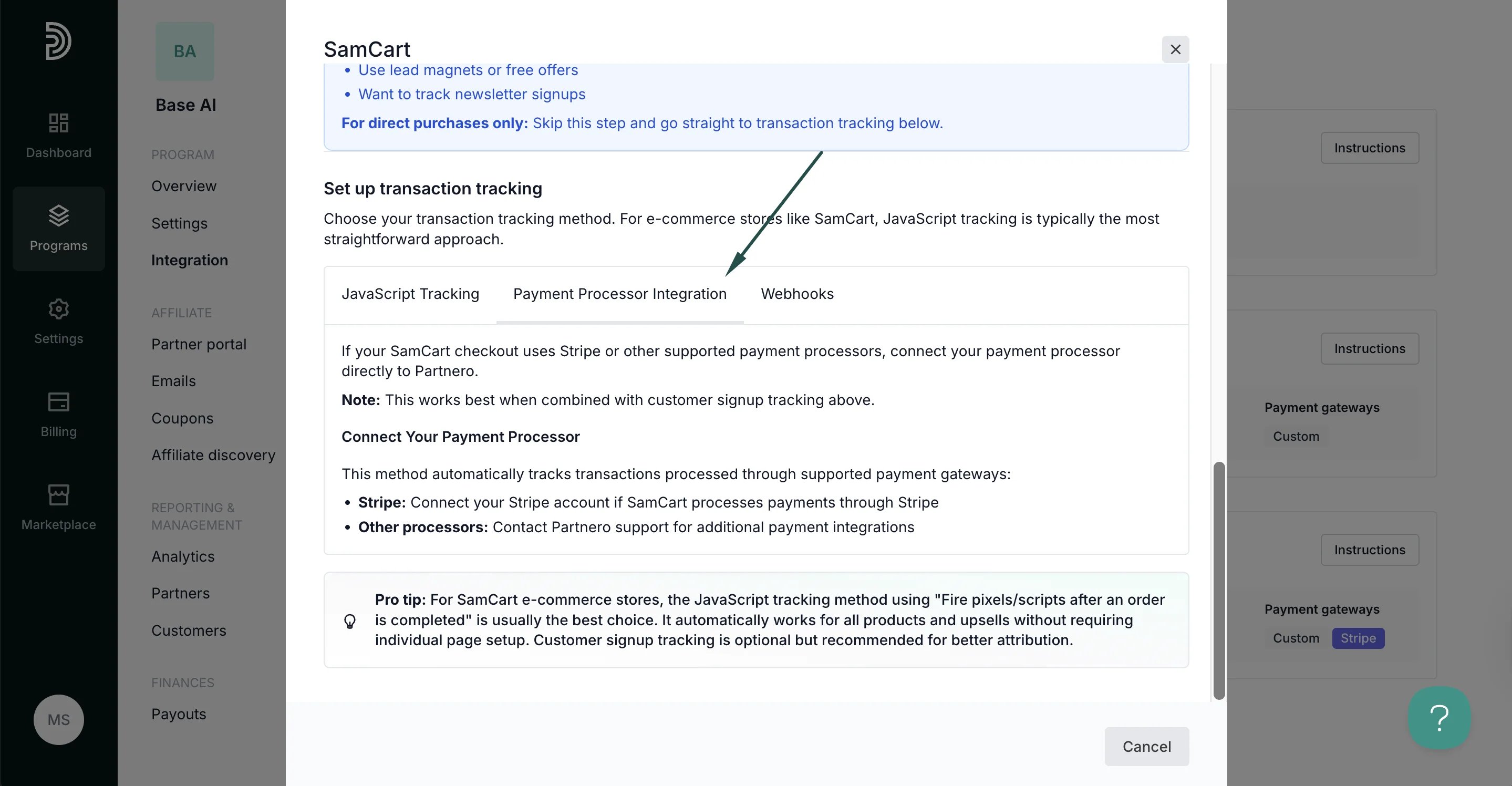
Partnero offers three transaction tracking methods, each with unique instructions. Select one that works best for your setup and follow the instructions provided in the SamCart integration guide under **Integration** > **Guides** tab > **SamCart**.
For e-commerce stores like SamCart, JavaScript tracking (Method 1) is typically the most straightforward approach.
#### Method 1: JavaScript tracking
Track all purchases globally using SamCart's built-in conversion tracking. This is the most straightforward method for e-commerce stores.
2. On SamCart, navigate to **Advanced Settings** → **Scripts/Pixels**
3. Find **Embed HTML/Scripts in Header** (same section as PartneroJS)
4. Paste the signup tracking script after the PartneroJS snippet.
***
### Step 3: Transaction tracking
Partnero offers three transaction tracking methods, each with unique instructions. Select one that works best for your setup and follow the instructions provided in the SamCart integration guide under **Integration** > **Guides** tab > **SamCart**.
For e-commerce stores like SamCart, JavaScript tracking (Method 1) is typically the most straightforward approach.
#### Method 1: JavaScript tracking
Track all purchases globally using SamCart's built-in conversion tracking. This is the most straightforward method for e-commerce stores.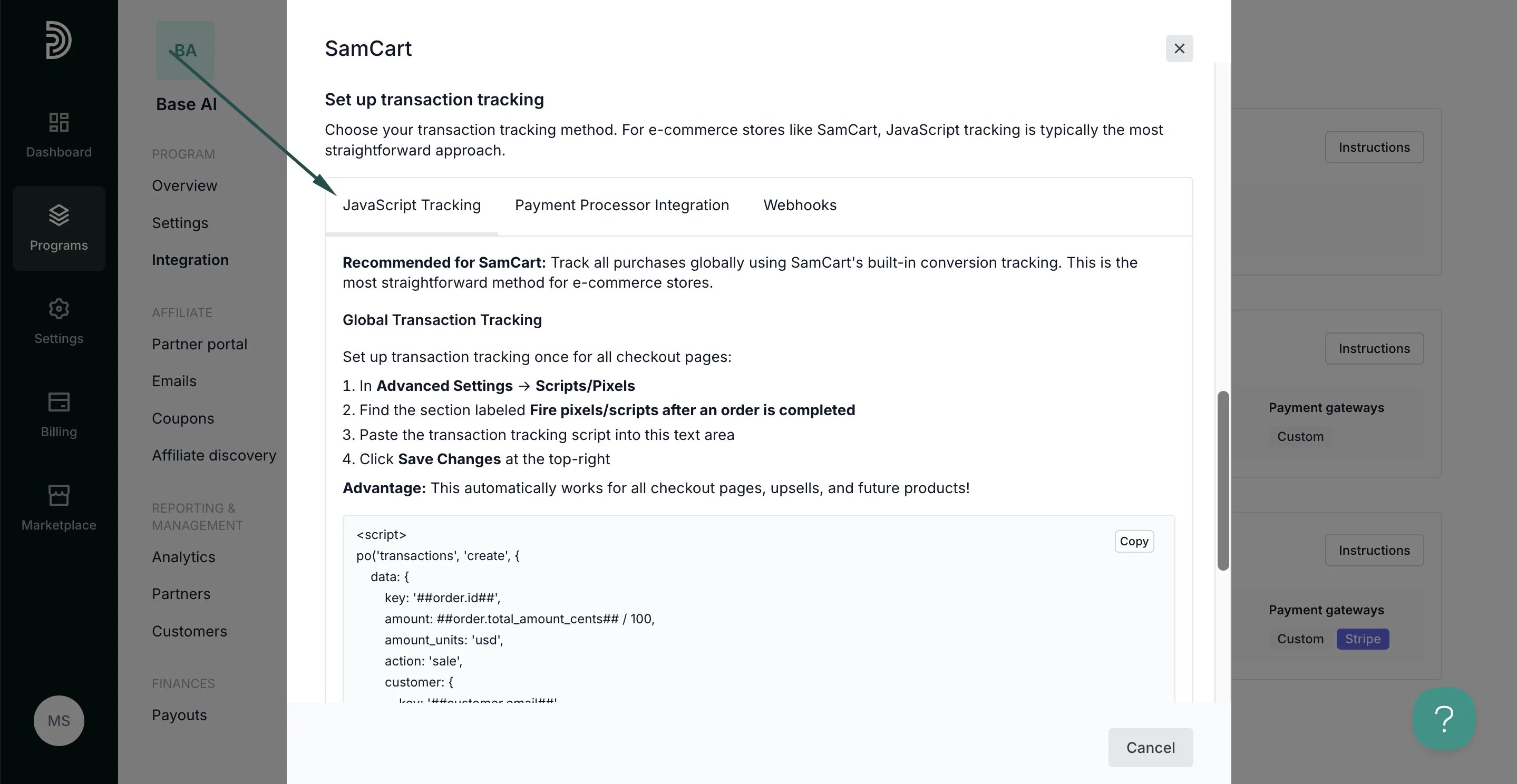 #### Method 2: Payment processor integration
Use this method if your SamCart checkout uses Stripe or other supported payment processors; connect your payment processor directly to Partnero.
####
#### Method 2: Payment processor integration
Use this method if your SamCart checkout uses Stripe or other supported payment processors; connect your payment processor directly to Partnero.
####  Method 3: Webhooks
Use webhooks to receive purchase notifications from SamCart automatically.
Method 3: Webhooks
Use webhooks to receive purchase notifications from SamCart automatically.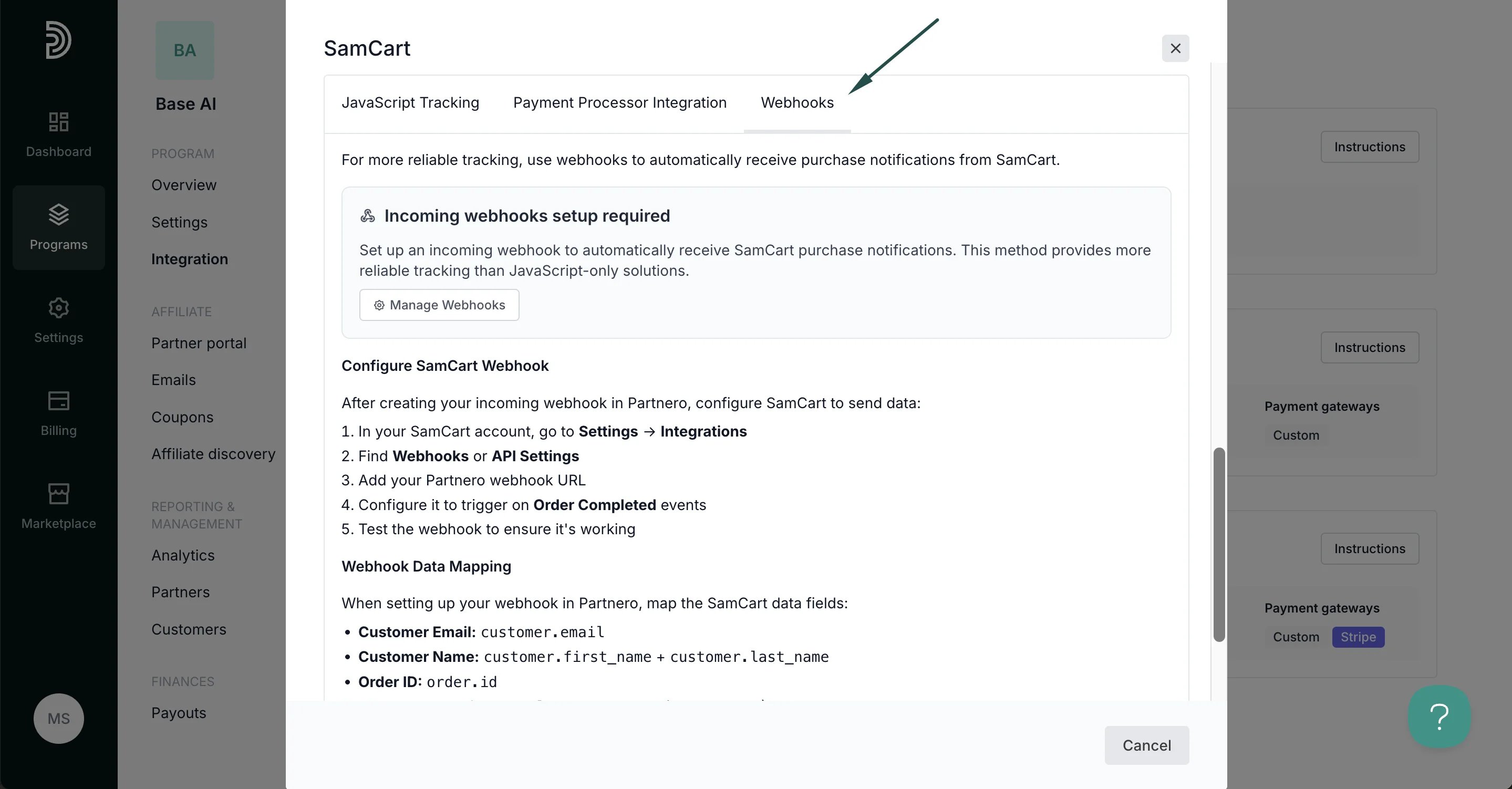 ***
Your integration with SamCart is now complete! We strongly recommend testing the integration by purchasing through an affiliate link.
This documentation is built and hosted on [Mintlify](https://mintlify.com), a developer documentation platform.
***
Your integration with SamCart is now complete! We strongly recommend testing the integration by purchasing through an affiliate link.
This documentation is built and hosted on [Mintlify](https://mintlify.com), a developer documentation platform.