> ## Documentation Index
> Fetch the complete documentation index at: https://docs.partnero.com/llms.txt
> Use this file to discover all available pages before exploring further.
# Integrate Systeme.io
This guide explains how to integrate Partnero into your systeme.io marketing platform to track referral-driven sales and leads. These instructions can also be found on your Partnero account, under **Integration** > **Guides** tab > **systeme**\*\*.io\*\*: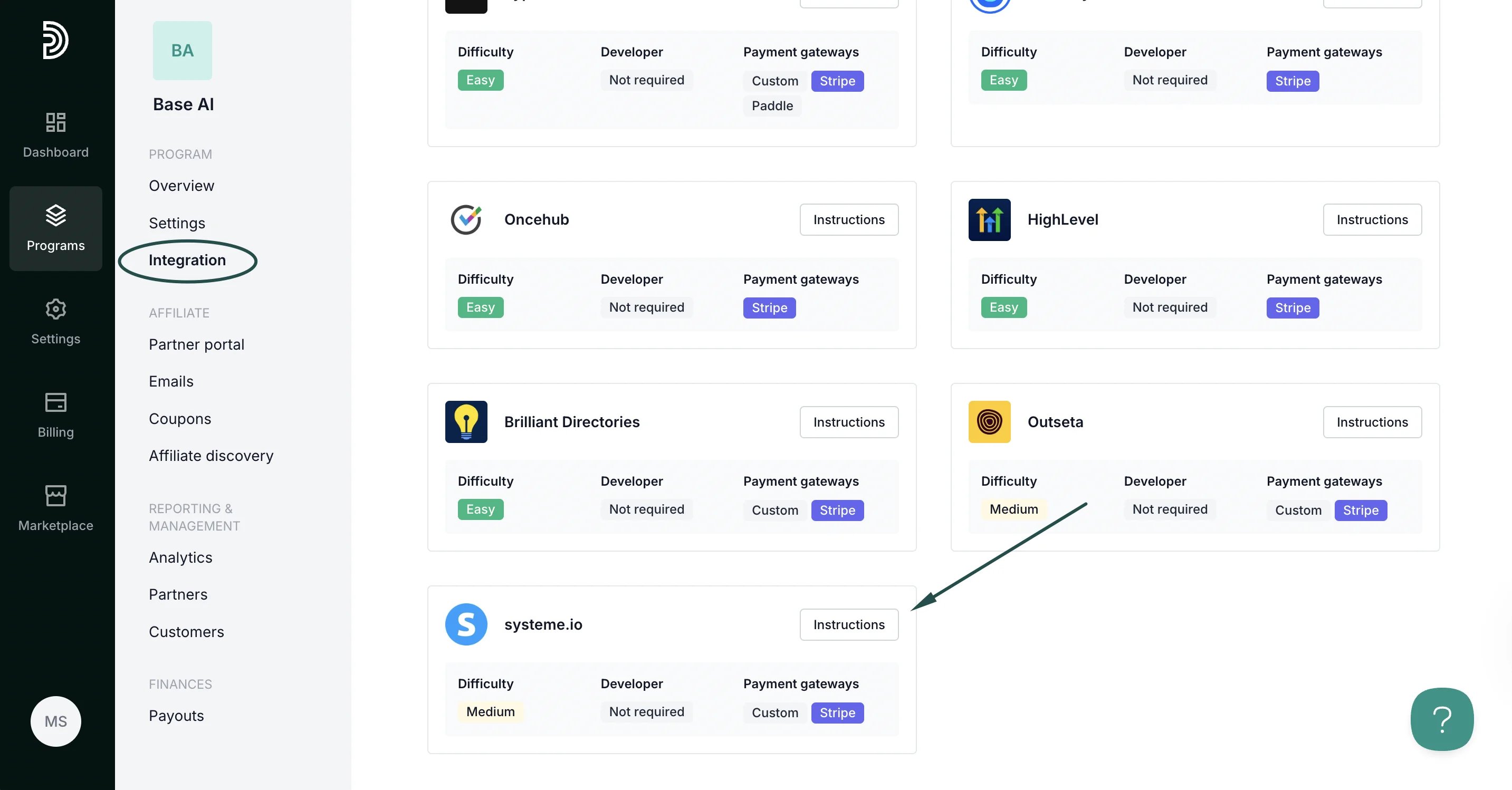 ***
### Step 1: Start tracking website visitors
To track visitors on your website, you need to install the PartneroJS snippet as custom code.
#### Install the PartneroJS Snippet
1. On Partnero, go to **Integration** > **Guides** tab > **systeme.io**. Click **Instructions**.
2. Copy the PartneroJS snippet:
***
### Step 1: Start tracking website visitors
To track visitors on your website, you need to install the PartneroJS snippet as custom code.
#### Install the PartneroJS Snippet
1. On Partnero, go to **Integration** > **Guides** tab > **systeme.io**. Click **Instructions**.
2. Copy the PartneroJS snippet: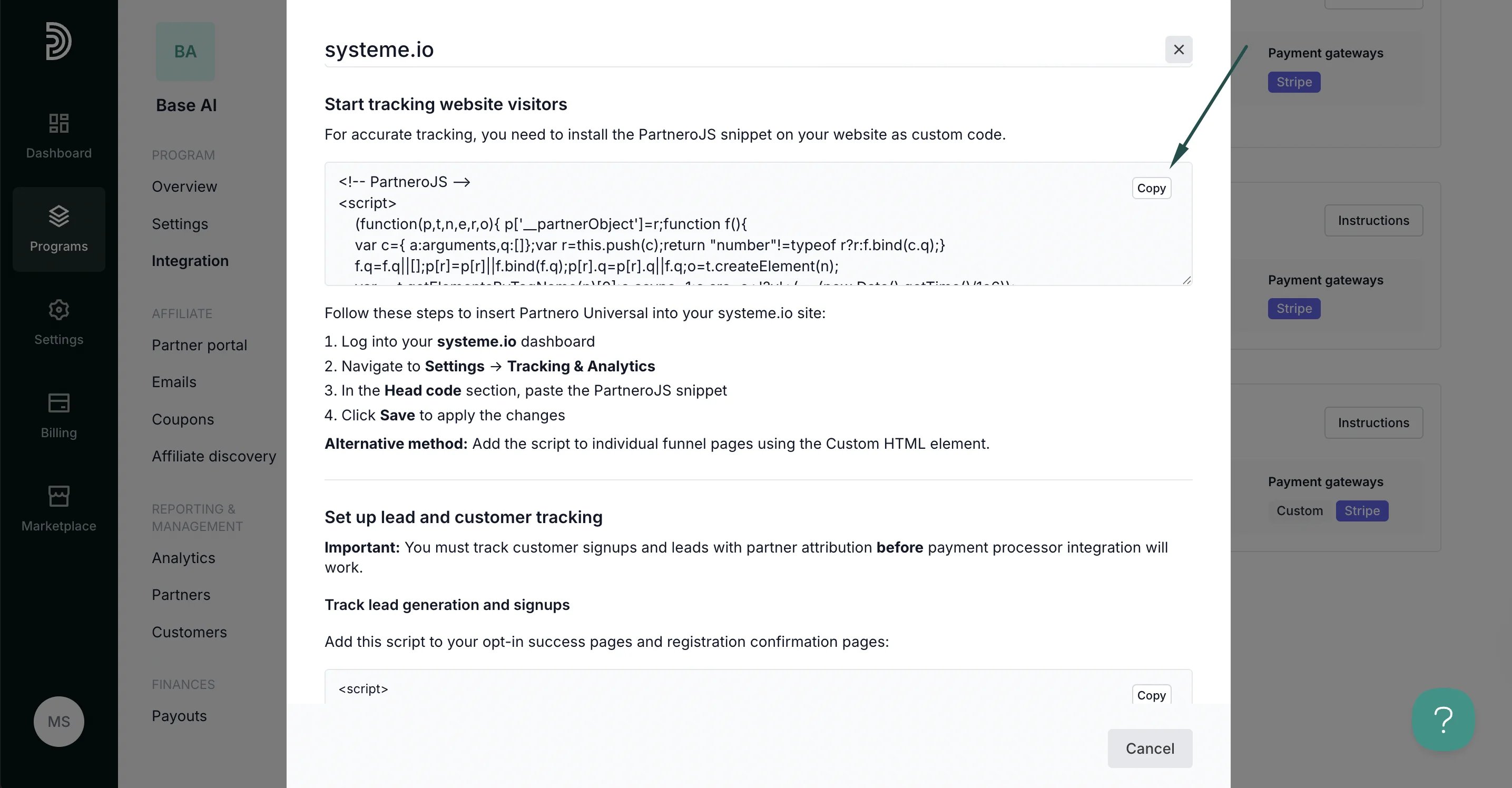 3. Log in to your systeme.io dashboard.
4. Navigate to **Settings** → **Tracking & Analytics**.
5. In the **Head code** section, paste the PartneroJS snippet.
6. Click **Save** to apply the changes.
Alternative method: Add the script to individual funnel pages using the Custom HTML element.
***
### Step 2: Lead and customer sign-up tracking
⚠️ **Important**: You must track customer signups and leads with partner attribution before payment processor integration will work.
1. On the Partnero integration guide, copy the sign-up tracking script:
3. Log in to your systeme.io dashboard.
4. Navigate to **Settings** → **Tracking & Analytics**.
5. In the **Head code** section, paste the PartneroJS snippet.
6. Click **Save** to apply the changes.
Alternative method: Add the script to individual funnel pages using the Custom HTML element.
***
### Step 2: Lead and customer sign-up tracking
⚠️ **Important**: You must track customer signups and leads with partner attribution before payment processor integration will work.
1. On the Partnero integration guide, copy the sign-up tracking script: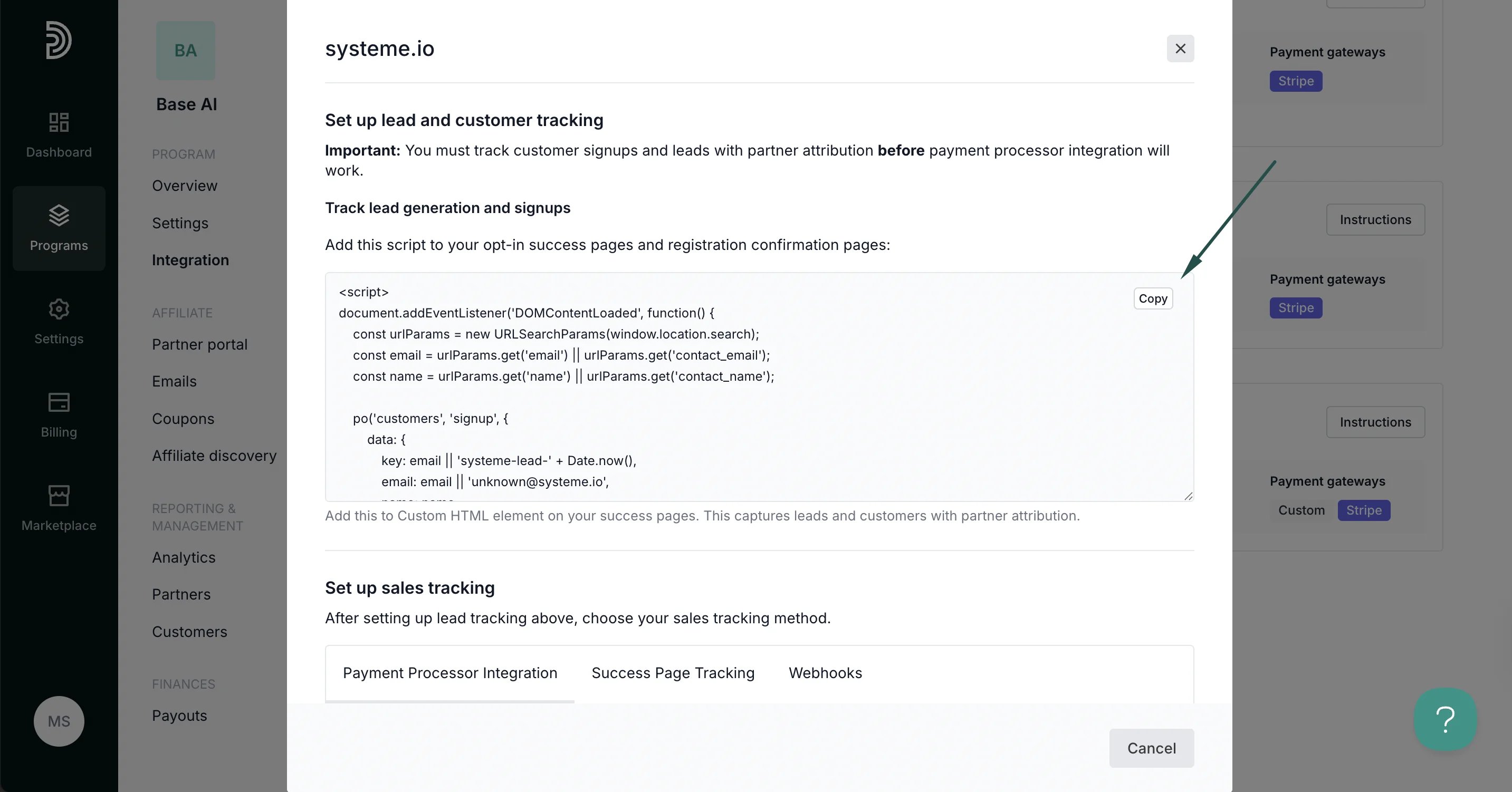 2. Add this script to your opt-in success pages and registration confirmation pages.
***
### Step 3: Sales tracking
Partnero offers four integration methods to track transactions; choose one that suits your setup best. Each method has unique instructions available on the systeme.io integration guide.
#### Method 1: Payment processor integration
**Recommended**: If your systeme.io account uses Stripe or other supported payment processors, connecting your payment processor directly to Partnero provides the most reliable tracking.
**Prerequisite**: Customer/lead tracking (Step 2) must be implemented first.
2. Add this script to your opt-in success pages and registration confirmation pages.
***
### Step 3: Sales tracking
Partnero offers four integration methods to track transactions; choose one that suits your setup best. Each method has unique instructions available on the systeme.io integration guide.
#### Method 1: Payment processor integration
**Recommended**: If your systeme.io account uses Stripe or other supported payment processors, connecting your payment processor directly to Partnero provides the most reliable tracking.
**Prerequisite**: Customer/lead tracking (Step 2) must be implemented first.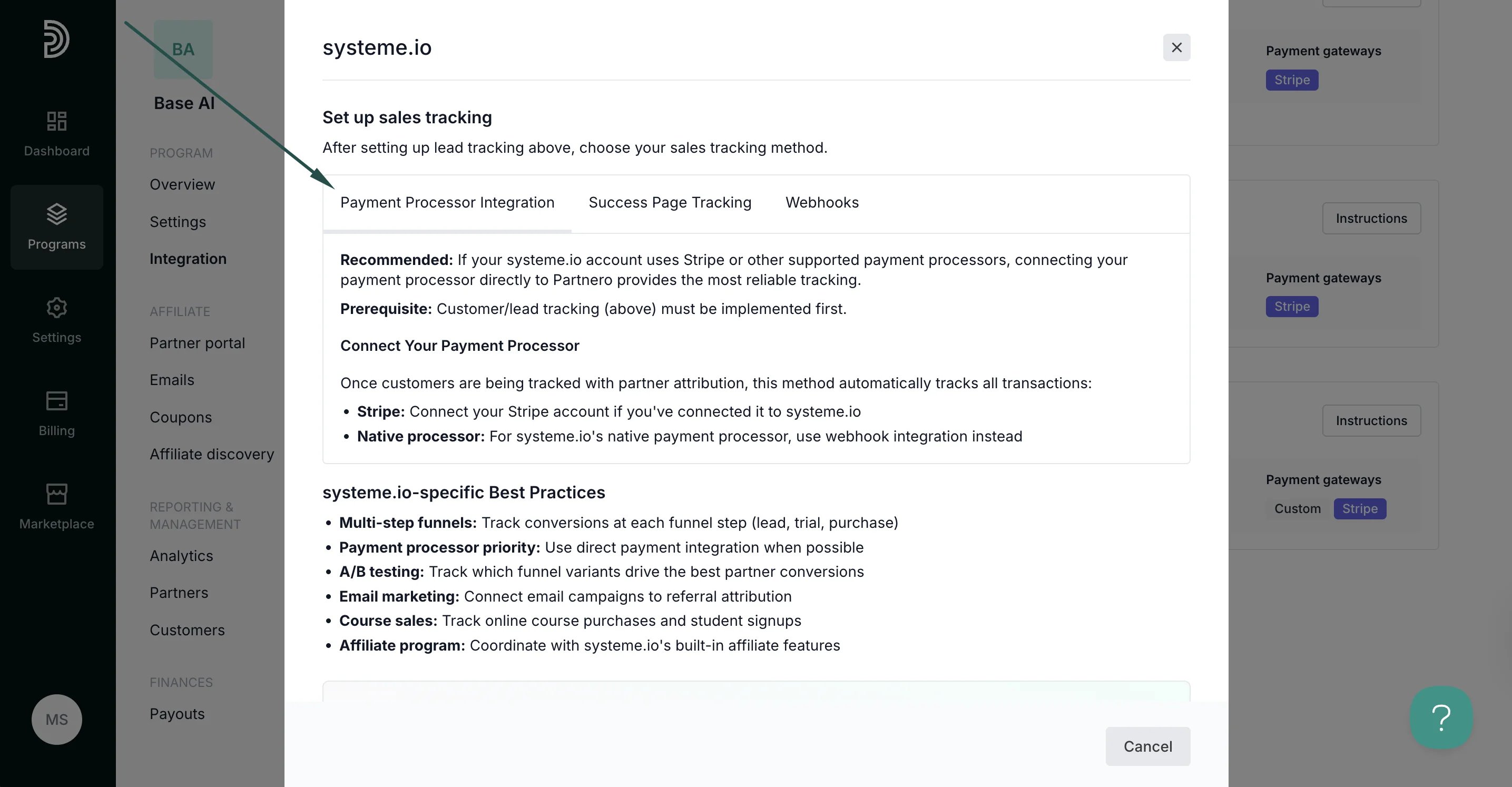 #### Method 2: Success page tracking
Track sales conversions by adding tracking scripts to your purchase success pages in systeme.io funnels when payment processor integration is not available.
#### Method 2: Success page tracking
Track sales conversions by adding tracking scripts to your purchase success pages in systeme.io funnels when payment processor integration is not available.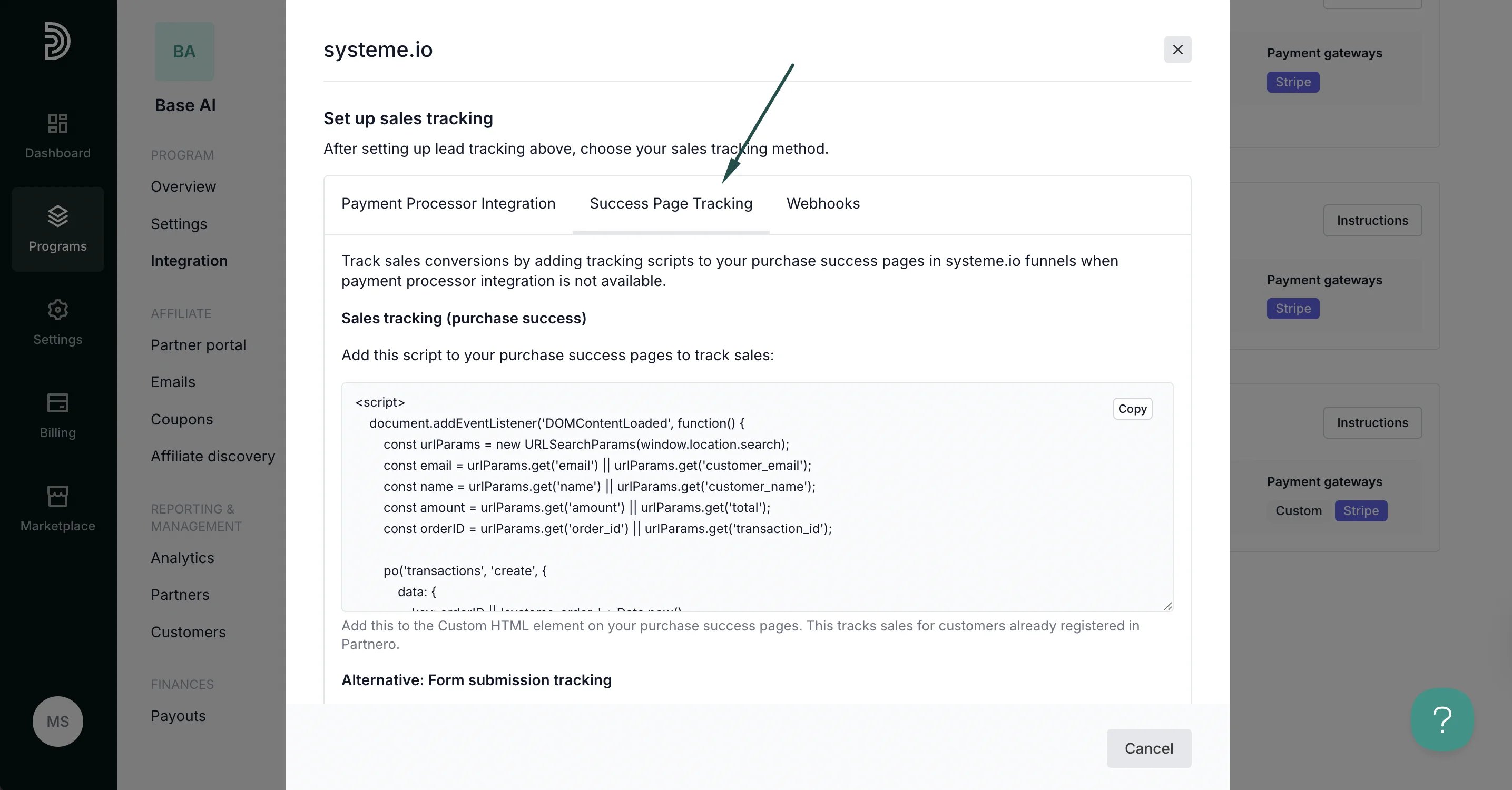 #### Method 3: Webhooks
For the most reliable tracking when payment processor integration isn't available, use webhooks to automatically receive notifications from systeme.io.
#### Method 3: Webhooks
For the most reliable tracking when payment processor integration isn't available, use webhooks to automatically receive notifications from systeme.io.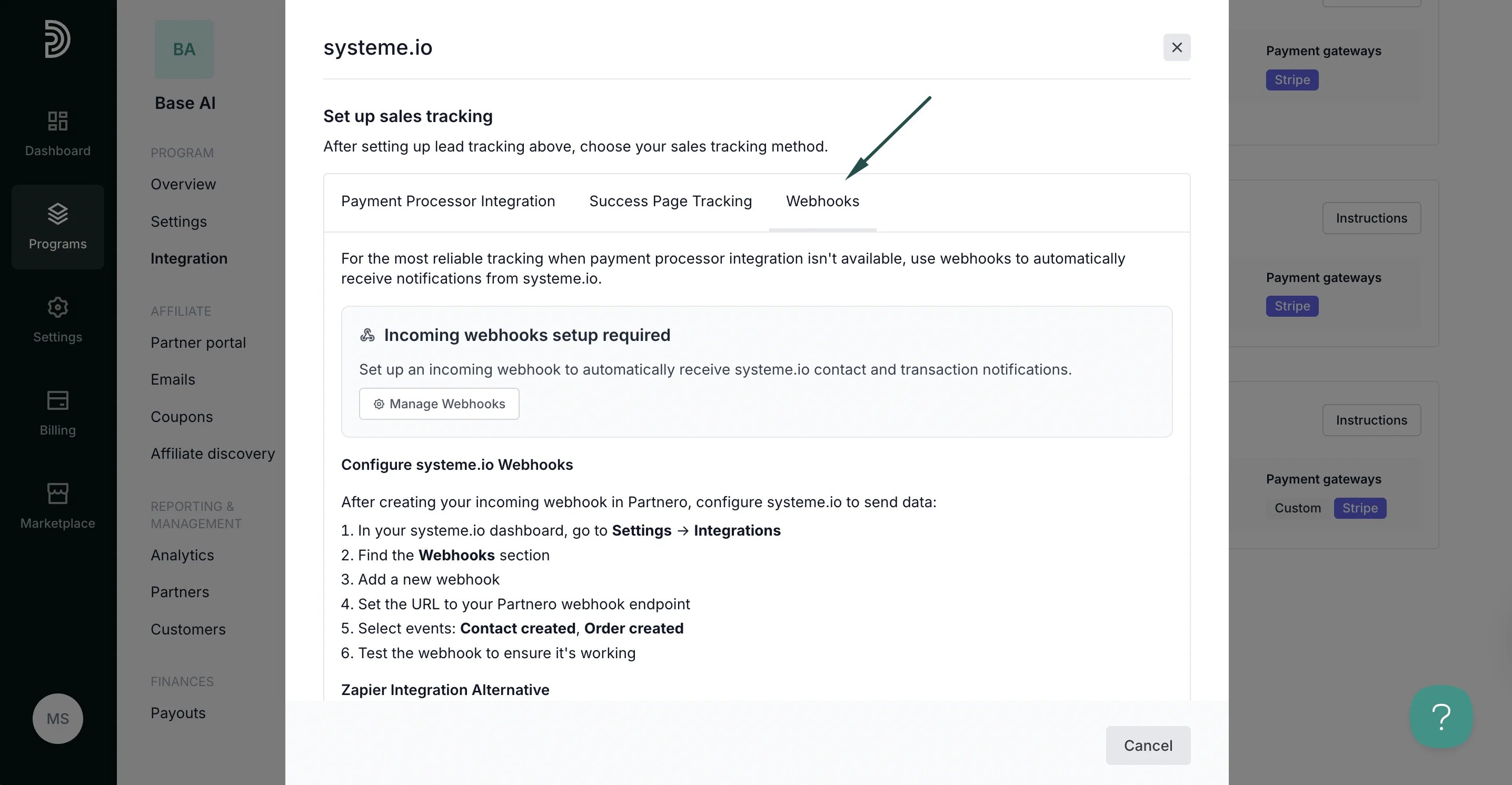 ***
Your integration with systeme.io is now complete! We strongly recommend testing the integration by purchasing through an affiliate link.
This documentation is built and hosted on [Mintlify](https://mintlify.com), a developer documentation platform.
***
Your integration with systeme.io is now complete! We strongly recommend testing the integration by purchasing through an affiliate link.
This documentation is built and hosted on [Mintlify](https://mintlify.com), a developer documentation platform.