> ## Documentation Index
> Fetch the complete documentation index at: https://docs.partnero.com/llms.txt
> Use this file to discover all available pages before exploring further.
# Integrate Teachable
This guide explains how to integrate Partnero into Teachable to track referral-driven actions. These instructions can also be found on your Partnero account, under **Integration** > **Guides** tab > **Teachable**: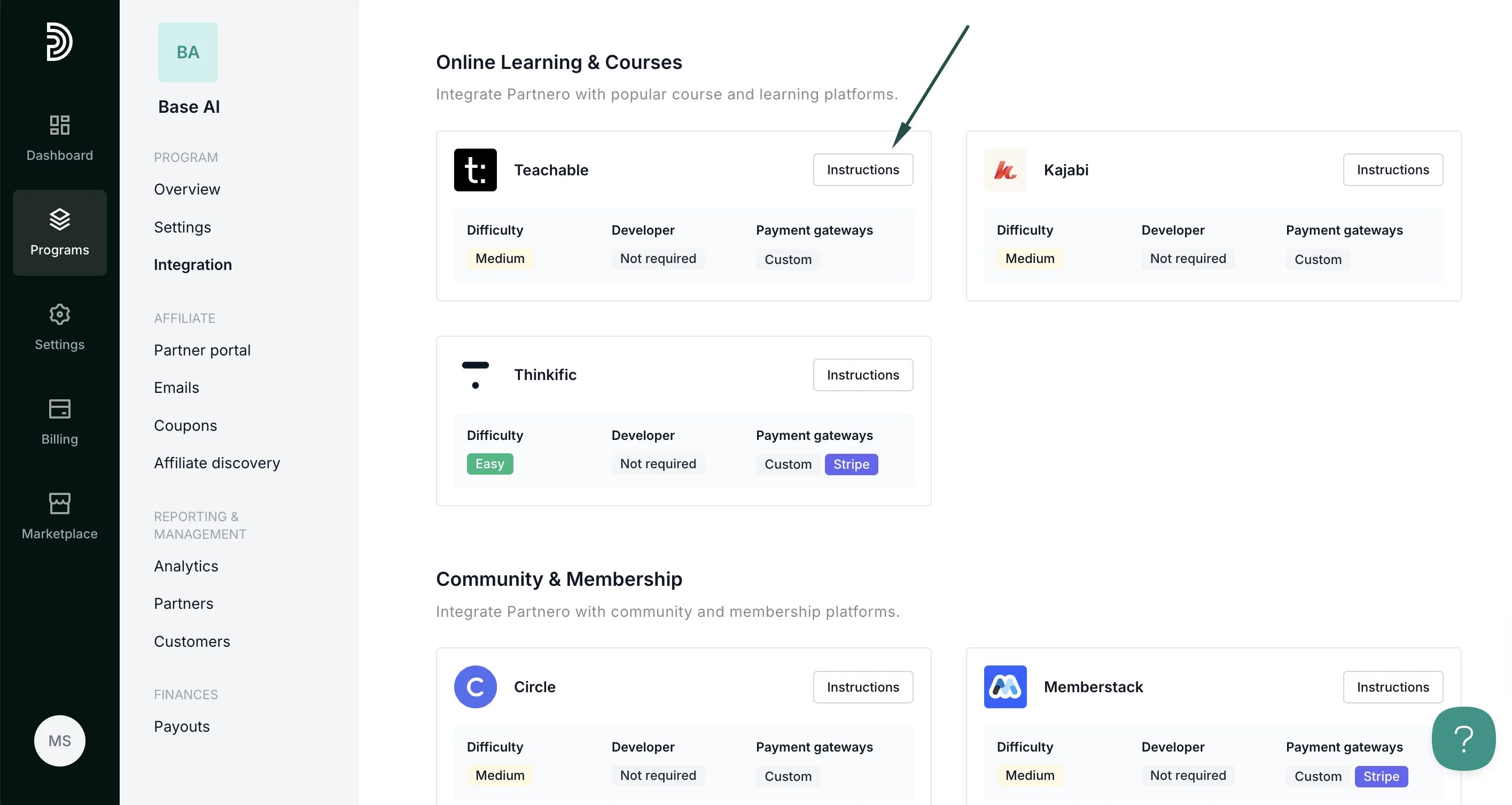 ***
### Step 1: Start tracking website visitors
To track visitors on your website, you need to install the PartneroJS snippet as custom code.
#### Install the PartneroJS Snippet
1. On Partnero, go to **Integration** > **Guides** tab > **Teachable**. Click **Instructions**.
2. Copy the PartneroJS snippet:
***
### Step 1: Start tracking website visitors
To track visitors on your website, you need to install the PartneroJS snippet as custom code.
#### Install the PartneroJS Snippet
1. On Partnero, go to **Integration** > **Guides** tab > **Teachable**. Click **Instructions**.
2. Copy the PartneroJS snippet: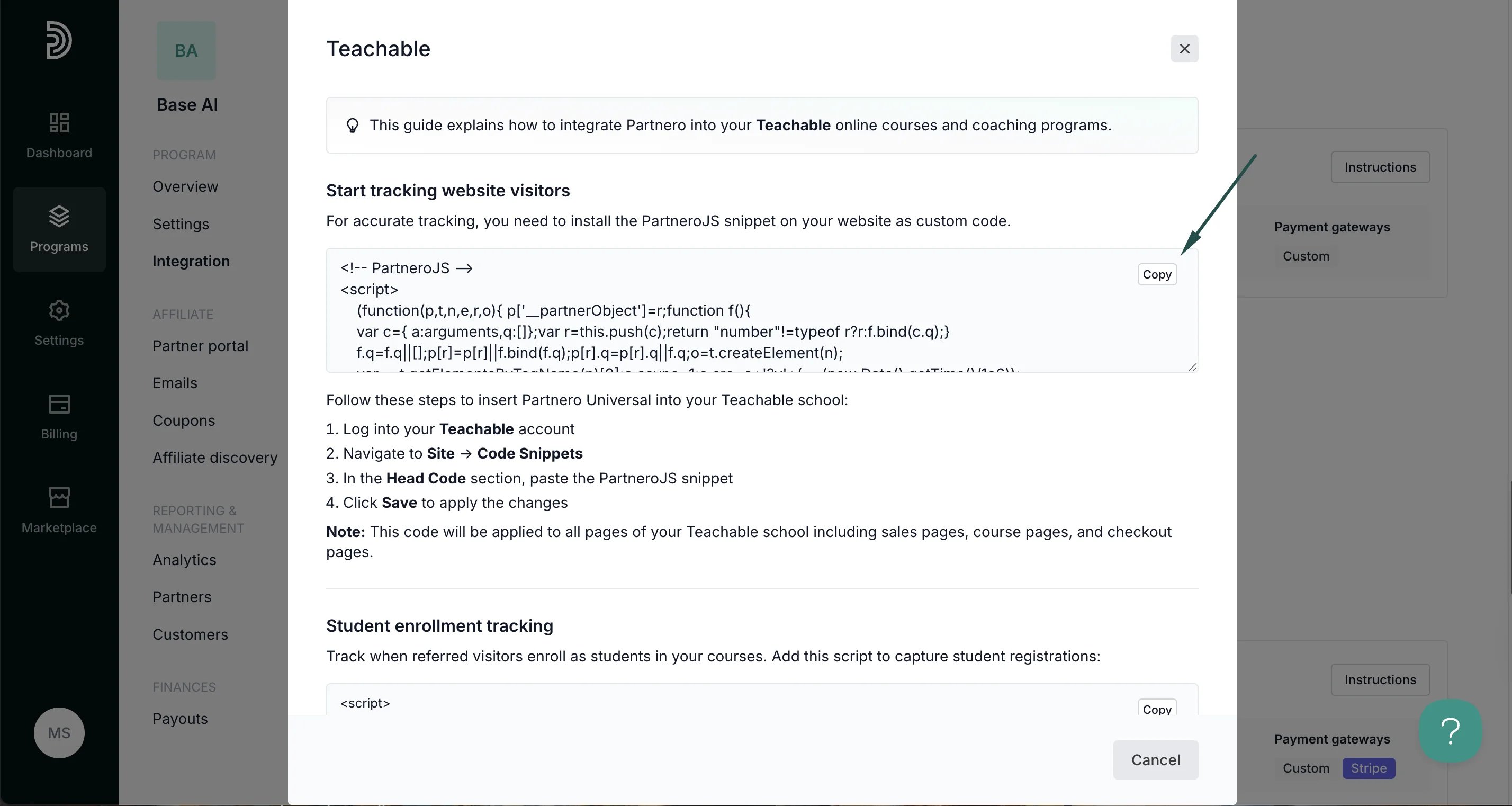 3. Log into your Teachable account.
4. Navigate to **Site** > **Code Snippets**.
5. In the **Head Code** section, paste the PartneroJS snippet.
6. Click **Save** to apply the changes.
**Note**: This code will be applied to all pages of your Teachable school, including sales pages, course pages, and checkout pages.
***
### Step 2: Student enrollment tracking
Track when referred visitors enroll as students in your courses.
1. On Partnero, open the Teachable integration guide and copy the snippet provided under the **Student enrollment tracking** section:
3. Log into your Teachable account.
4. Navigate to **Site** > **Code Snippets**.
5. In the **Head Code** section, paste the PartneroJS snippet.
6. Click **Save** to apply the changes.
**Note**: This code will be applied to all pages of your Teachable school, including sales pages, course pages, and checkout pages.
***
### Step 2: Student enrollment tracking
Track when referred visitors enroll as students in your courses.
1. On Partnero, open the Teachable integration guide and copy the snippet provided under the **Student enrollment tracking** section: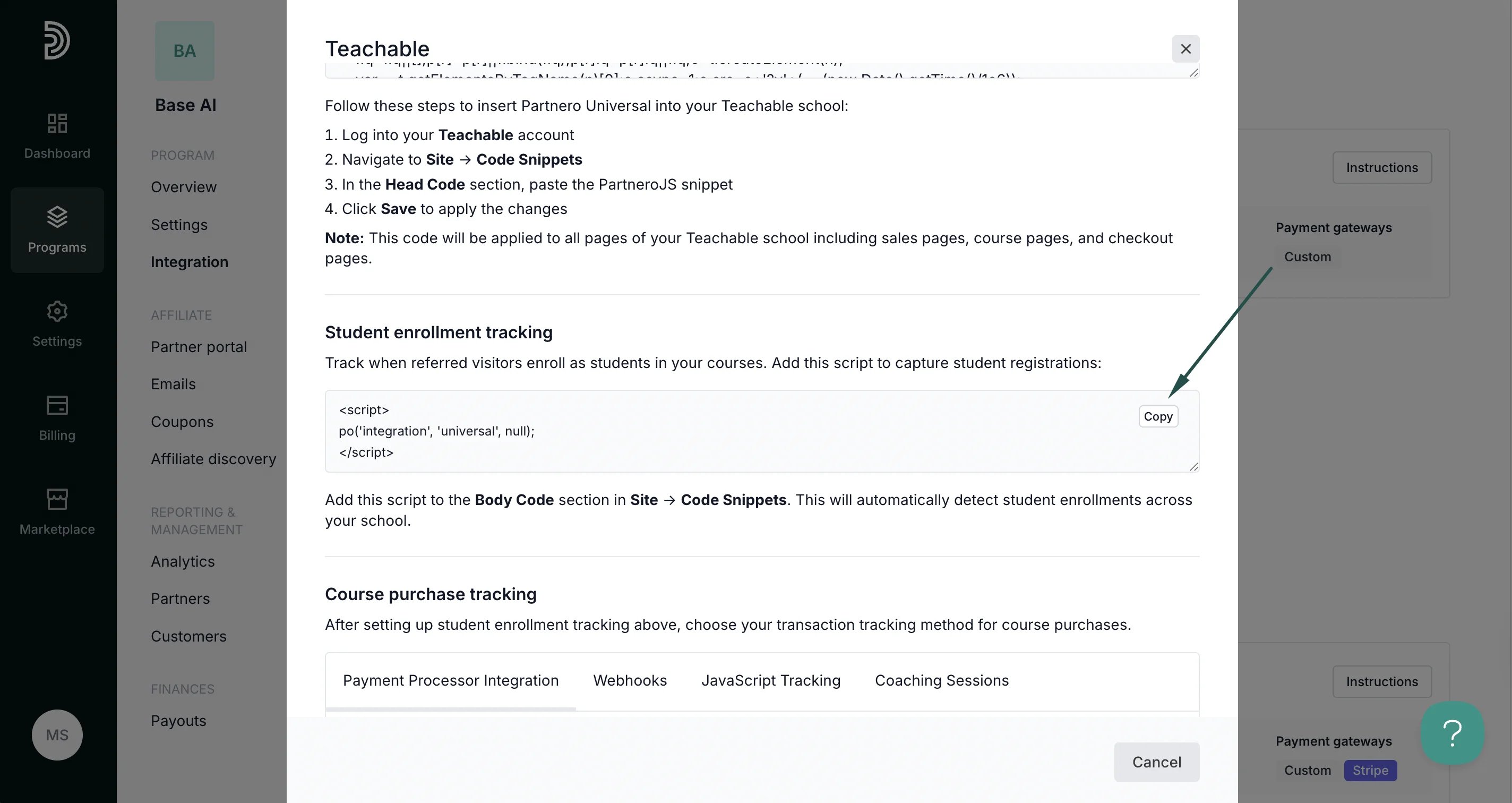 2. Return to Teachable; **Site** > **Code Snippets** > **Body code** section. Paste the script and save.
***
### Step 3: Course purchase tracking
Partnero offers four transaction tracking methods. Select one that works best for your setup and follow the instructions provided in the Teachable integration guide under **Integration** > **Guides** tab > **Teachable**.
#### Method 1: Payment processor integration
**Recommended**: If your Teachable school processes payments through Stripe or other supported payment processors, connect your payment processor directly to Partnero.
Prerequisite: Student enrollment tracking (above) must be implemented first.
2. Return to Teachable; **Site** > **Code Snippets** > **Body code** section. Paste the script and save.
***
### Step 3: Course purchase tracking
Partnero offers four transaction tracking methods. Select one that works best for your setup and follow the instructions provided in the Teachable integration guide under **Integration** > **Guides** tab > **Teachable**.
#### Method 1: Payment processor integration
**Recommended**: If your Teachable school processes payments through Stripe or other supported payment processors, connect your payment processor directly to Partnero.
Prerequisite: Student enrollment tracking (above) must be implemented first.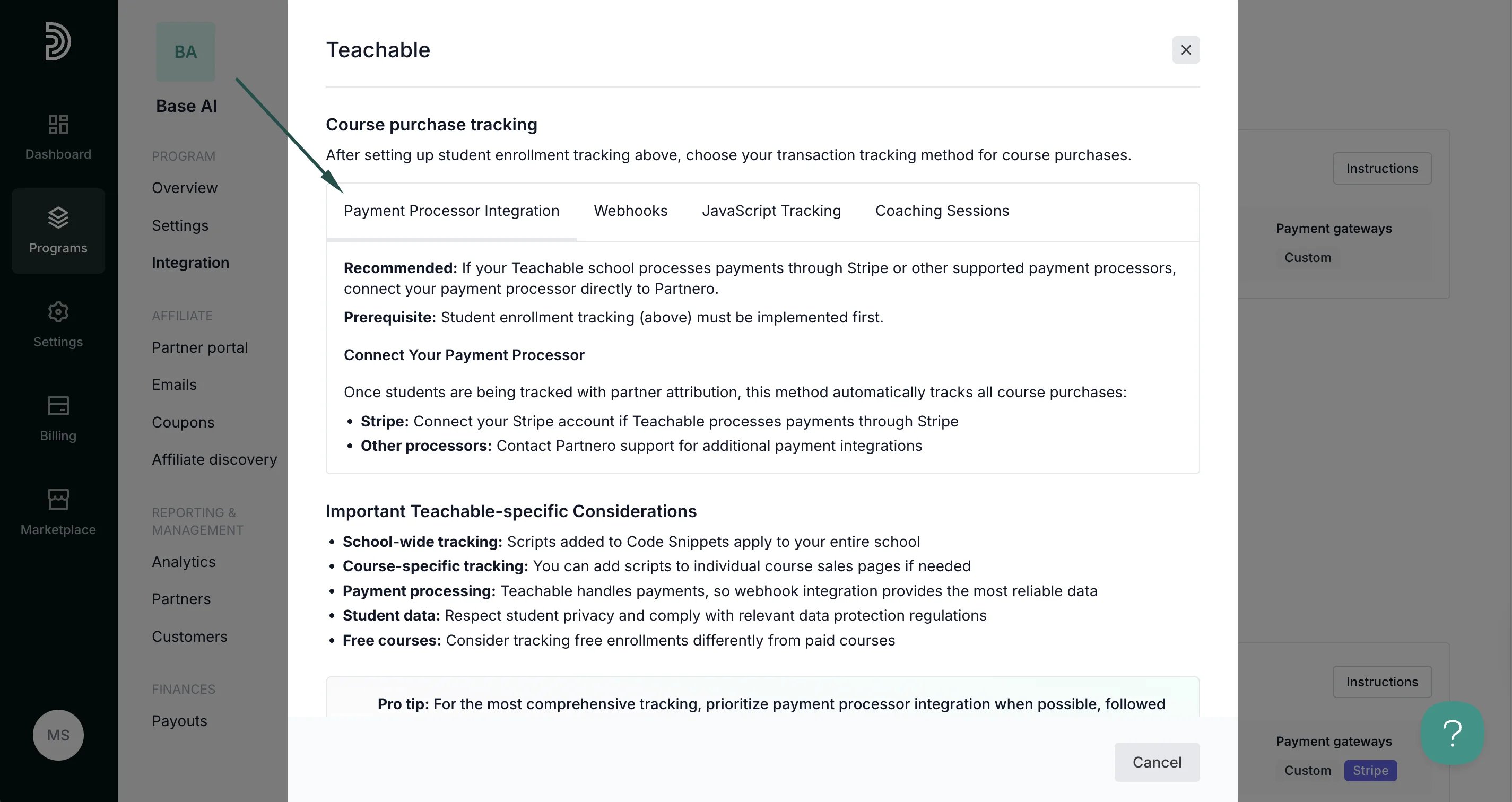 #### Method 2: Webhooks
Recommended: Use Teachable webhooks to automatically send purchase data to Partnero when payment processor integration is not available.
#### Method 2: Webhooks
Recommended: Use Teachable webhooks to automatically send purchase data to Partnero when payment processor integration is not available.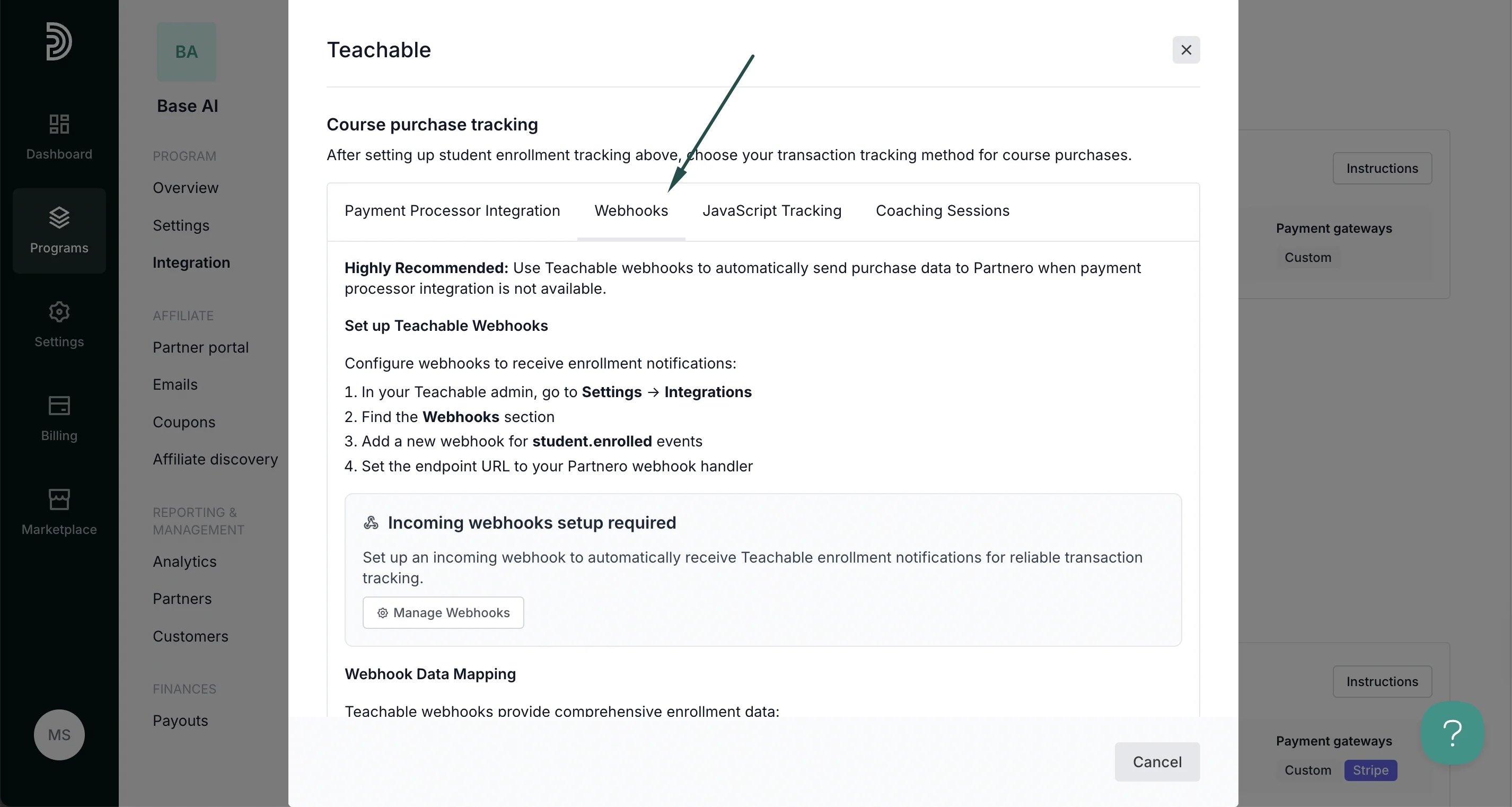 #### Method 3: JavaScript tracking
Use JavaScript tracking on custom thank you pages when webhook integration is not available. Since Teachable doesn't provide direct access to order variables in the frontend, this method requires custom setup.
#### Method 3: JavaScript tracking
Use JavaScript tracking on custom thank you pages when webhook integration is not available. Since Teachable doesn't provide direct access to order variables in the frontend, this method requires custom setup.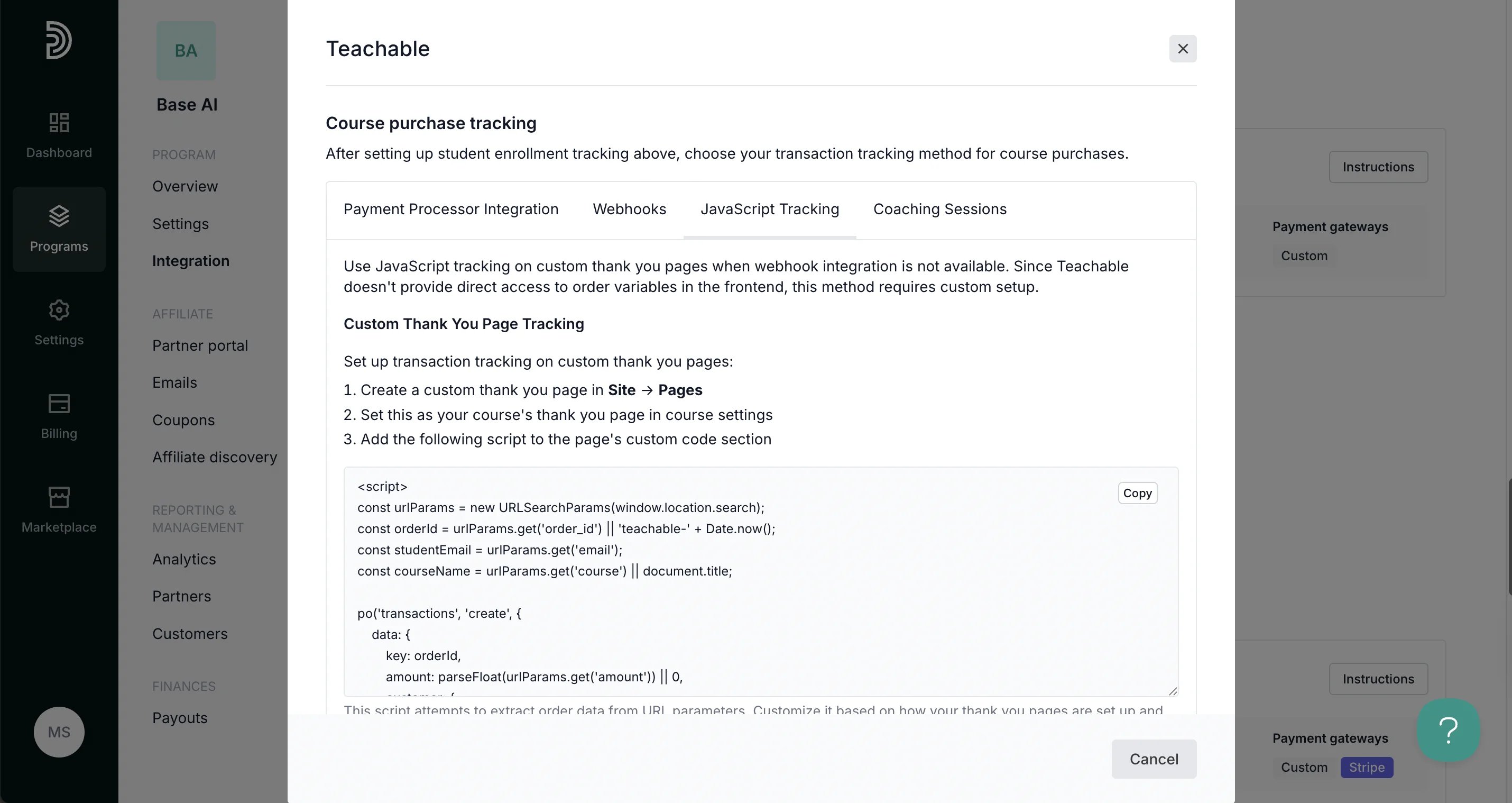 #### Method 4: Coaching sessions
Track coaching session bookings if you offer one-on-one or group coaching through Teachable's coaching features.
#### Method 4: Coaching sessions
Track coaching session bookings if you offer one-on-one or group coaching through Teachable's coaching features.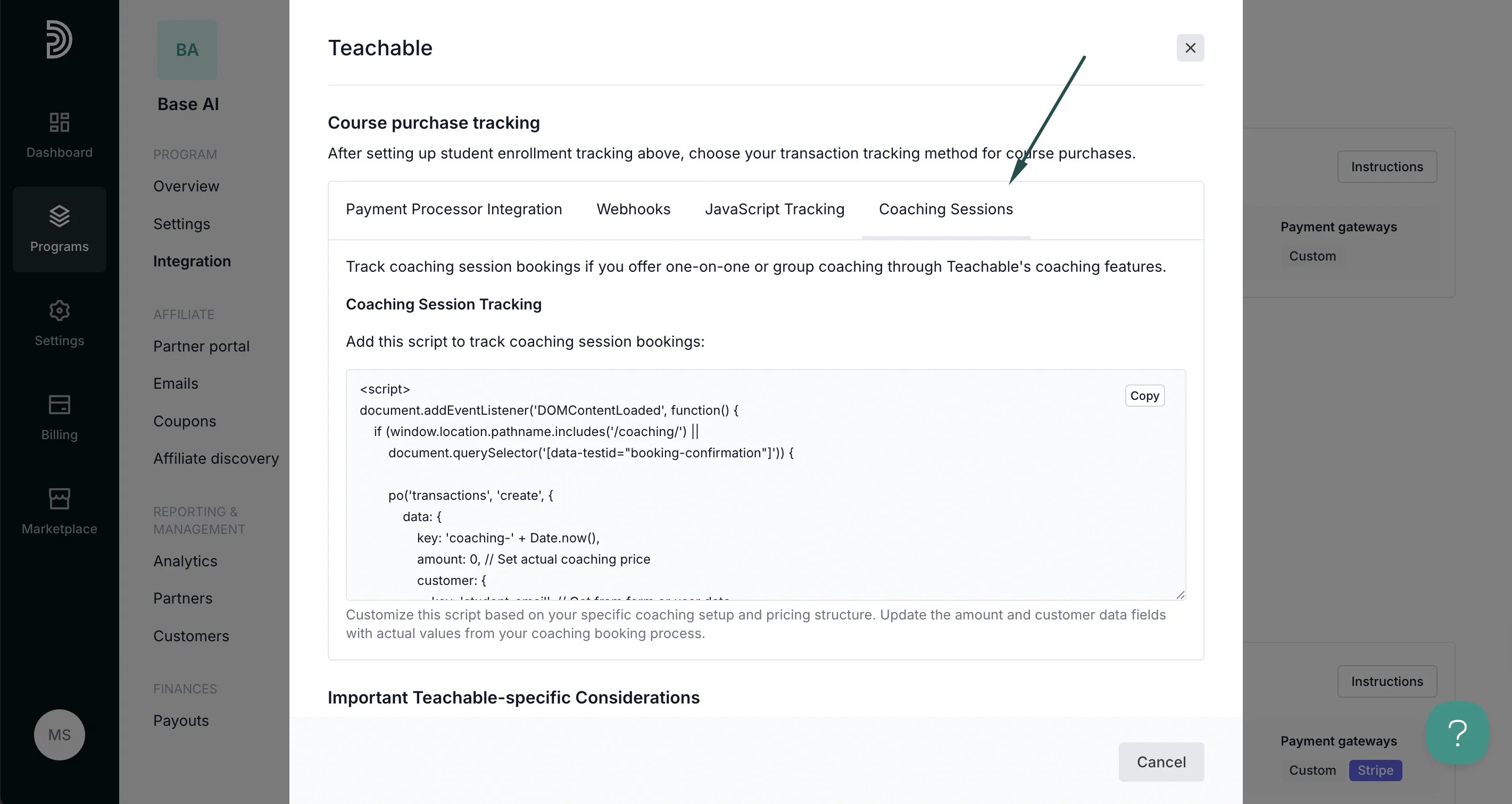 > 💡 Pro tip: For the most comprehensive tracking, prioritize payment processor integration when possible, followed by Teachable webhooks for reliable enrollment data. Always track student enrollment first, then course purchases for proper attribution flow
***
Your integration with Teachable is now complete! We strongly recommend testing the integration by purchasing through an affiliate link.
This documentation is built and hosted on [Mintlify](https://mintlify.com), a developer documentation platform.
> 💡 Pro tip: For the most comprehensive tracking, prioritize payment processor integration when possible, followed by Teachable webhooks for reliable enrollment data. Always track student enrollment first, then course purchases for proper attribution flow
***
Your integration with Teachable is now complete! We strongly recommend testing the integration by purchasing through an affiliate link.
This documentation is built and hosted on [Mintlify](https://mintlify.com), a developer documentation platform.