> ## Documentation Index
> Fetch the complete documentation index at: https://docs.partnero.com/llms.txt
> Use this file to discover all available pages before exploring further.
# How to request a payout
Each program has its own payout threshold and payment terms set by the program owner. These cannot be changed or overridden.
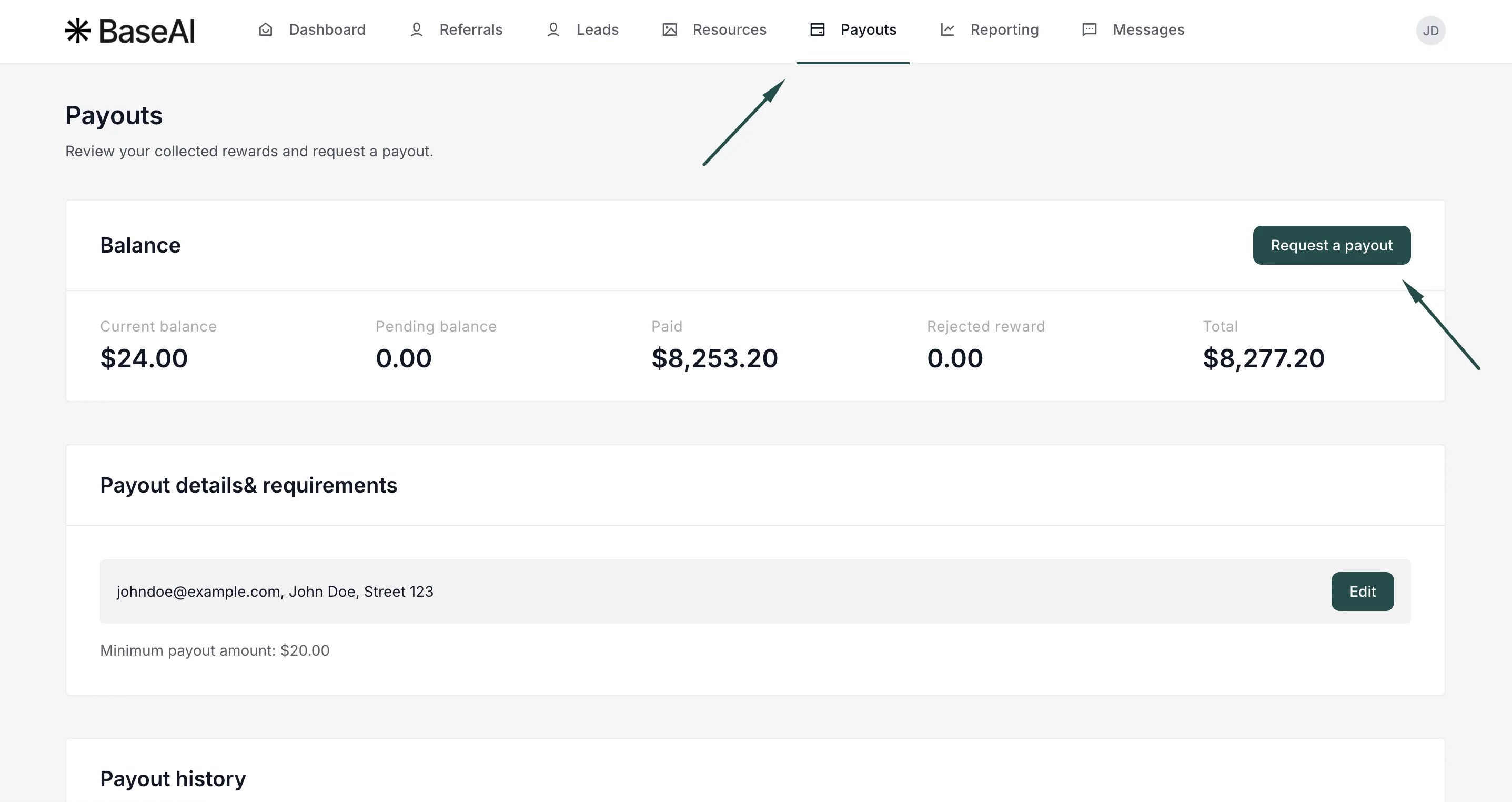
**Minimum payout amount (Payout threshold)** is the minimum commission balance you need to reach before you can request a payout. For example, if the threshold is set to $50, the Request a payout option won't be available until you have at least $50 in your balance. You can view the minimum payout amount in the *Payouts* section, next to *Payouts & Requirements*.
**Payment terms** define which payout methods are available to you. This depends on what the program owner has enabled — options may include PayPal, Venmo, bank transfer (via Wise), or crypto.
***
### How to request a payout
1. Log in to the Partner portal (each program has a unique URL).
2. Go to **Payouts** and click **Request a payout**:
\*\* \*\*
3. Fill out the Request form:
\*\*
3. Fill out the Request form: 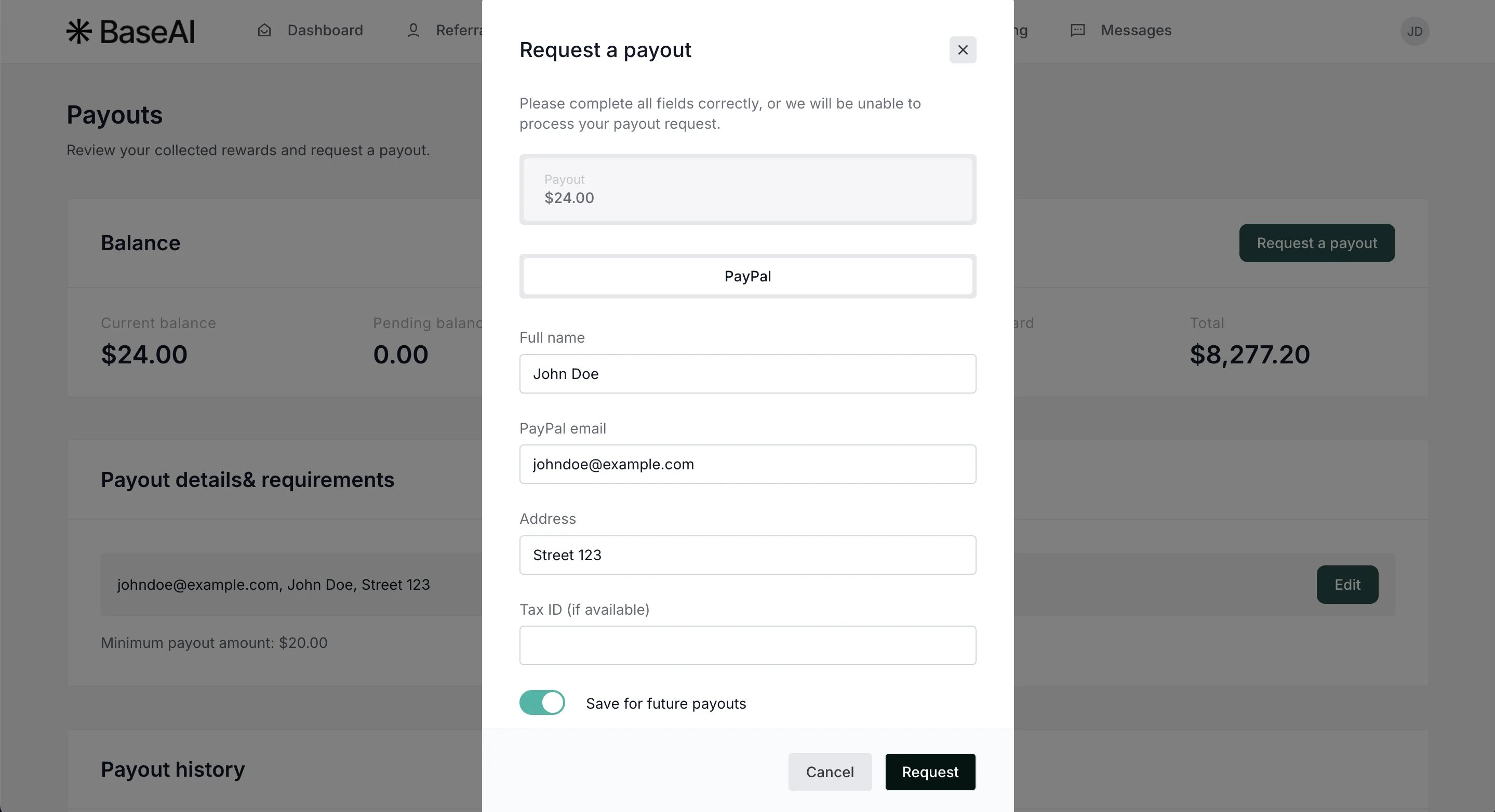 \_**Important:** Available payment options depend on the program owner's permitted payment types.
\_Toggle **Save for future payments** to save the information for upcoming requests.
4. Click **Request**.
Processing time depends on the program's payment terms. For questions about when to expect payment, contact the program owner directly.
This documentation is built and hosted on [Mintlify](https://mintlify.com), a developer documentation platform.
\_**Important:** Available payment options depend on the program owner's permitted payment types.
\_Toggle **Save for future payments** to save the information for upcoming requests.
4. Click **Request**.
Processing time depends on the program's payment terms. For questions about when to expect payment, contact the program owner directly.
This documentation is built and hosted on [Mintlify](https://mintlify.com), a developer documentation platform.