> ## Documentation Index
> Fetch the complete documentation index at: https://docs.partnero.com/llms.txt
> Use this file to discover all available pages before exploring further.
# Automatically delete inactive customers
Partnero's [automation](/knowledge-base/automation/automation) feature lets you automatically delete customer records that have not made a purchase within a set number of days. This helps keep your customer list clean by removing records that are no longer relevant to your program.
***
### How it works
The **Has no purchases for X days** trigger runs a daily check on your customer records. If a customer has not made a purchase within the number of days you configure, Partnero automatically deletes that customer record from your program.
***
### How to set it up
1. In your program, navigate to **Automation** under **Program**.
2. Click **Create automation**: 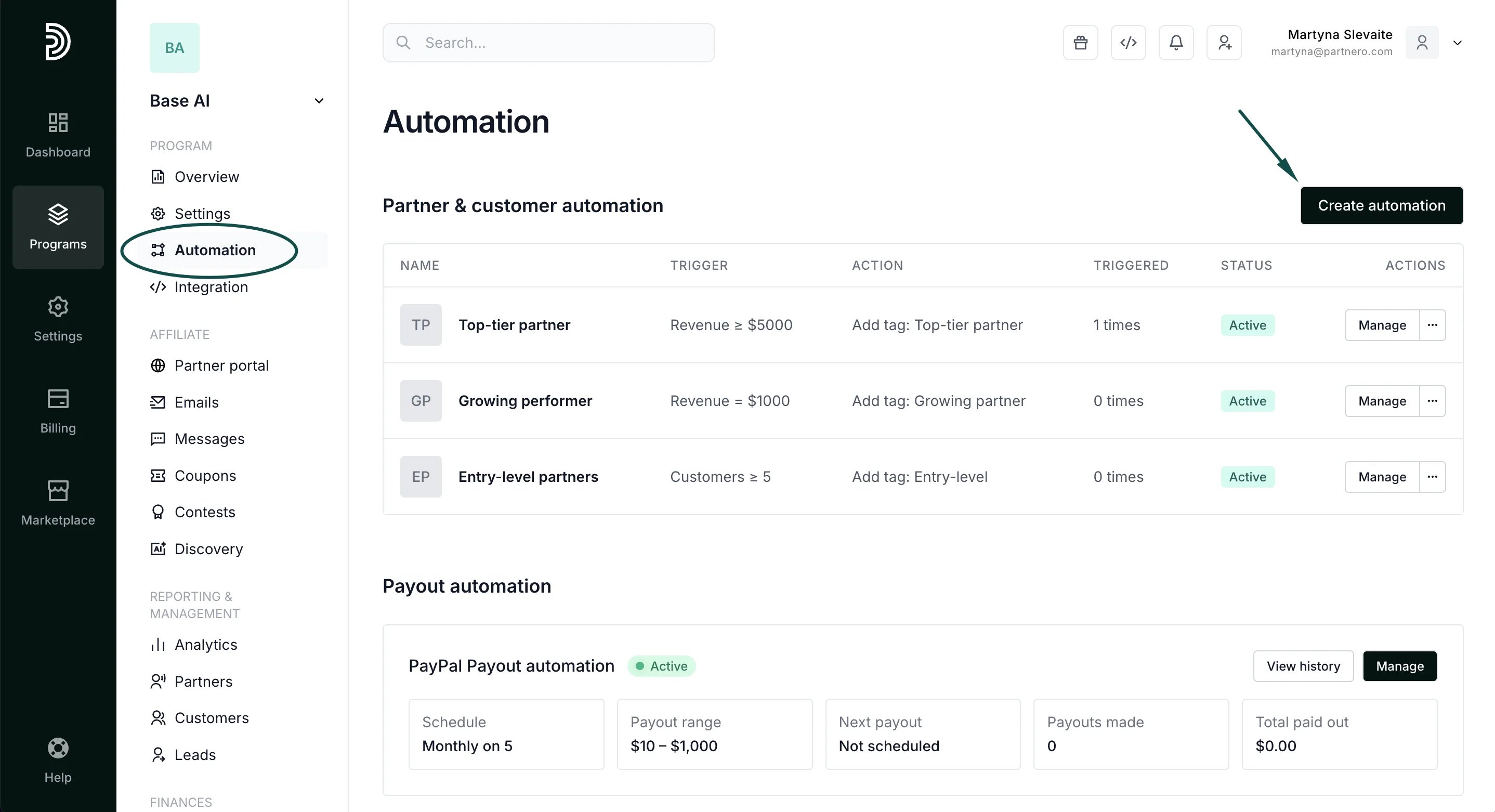 3. Give the automation a name, for example, *Delete inactive customers.*
4. Configure the automation:
**For** → **Customer**
**When** → **Has no purchases for X days**
Enter the number of days.
3. Give the automation a name, for example, *Delete inactive customers.*
4. Configure the automation:
**For** → **Customer**
**When** → **Has no purchases for X days**
Enter the number of days.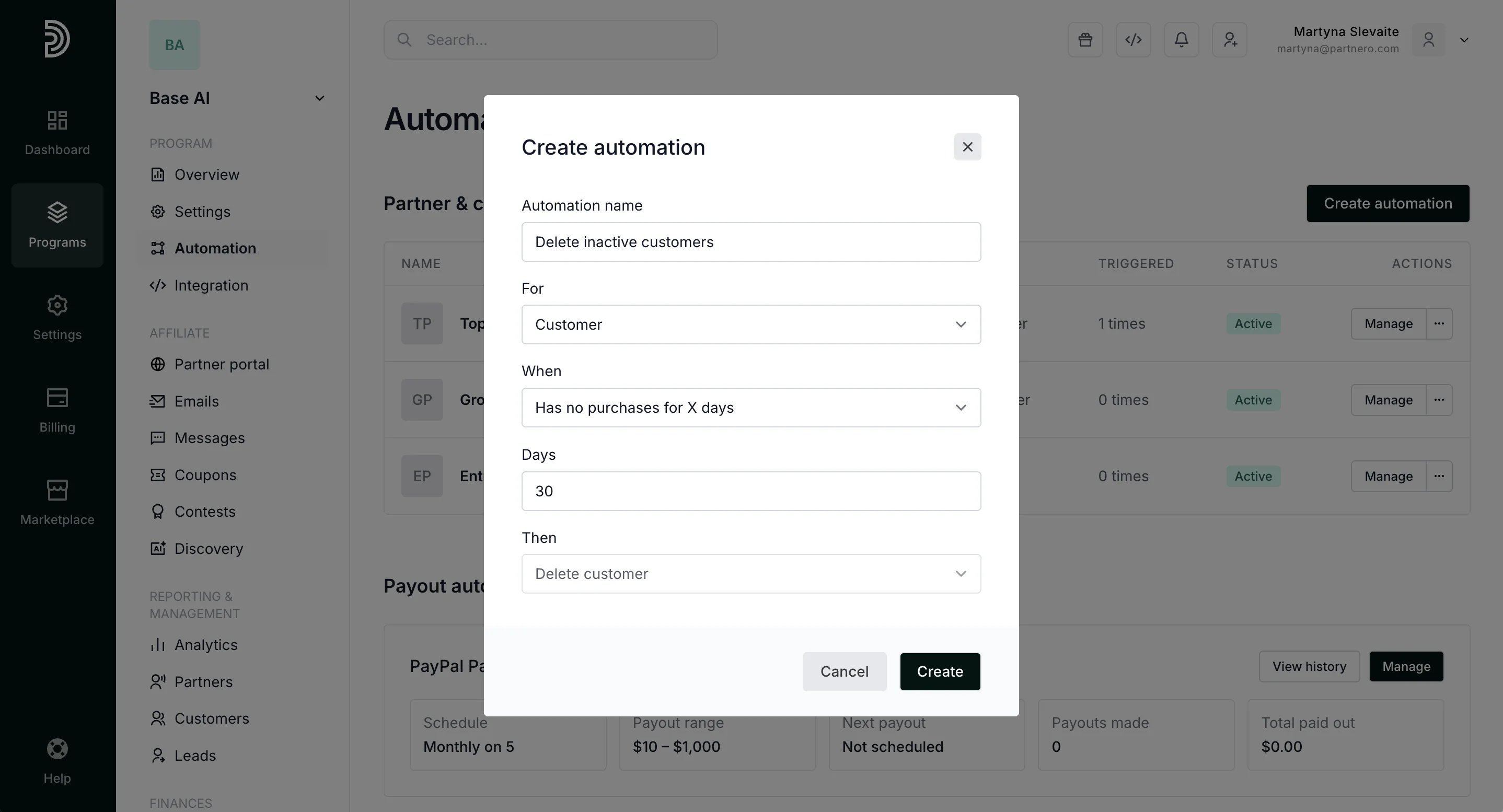 5. Click **Create**.
The automation will run daily and delete any customer records that meet the condition.
***
This documentation is built and hosted on [Mintlify](https://mintlify.com), a developer documentation platform.
5. Click **Create**.
The automation will run daily and delete any customer records that meet the condition.
***
This documentation is built and hosted on [Mintlify](https://mintlify.com), a developer documentation platform.