

How to set up an automation
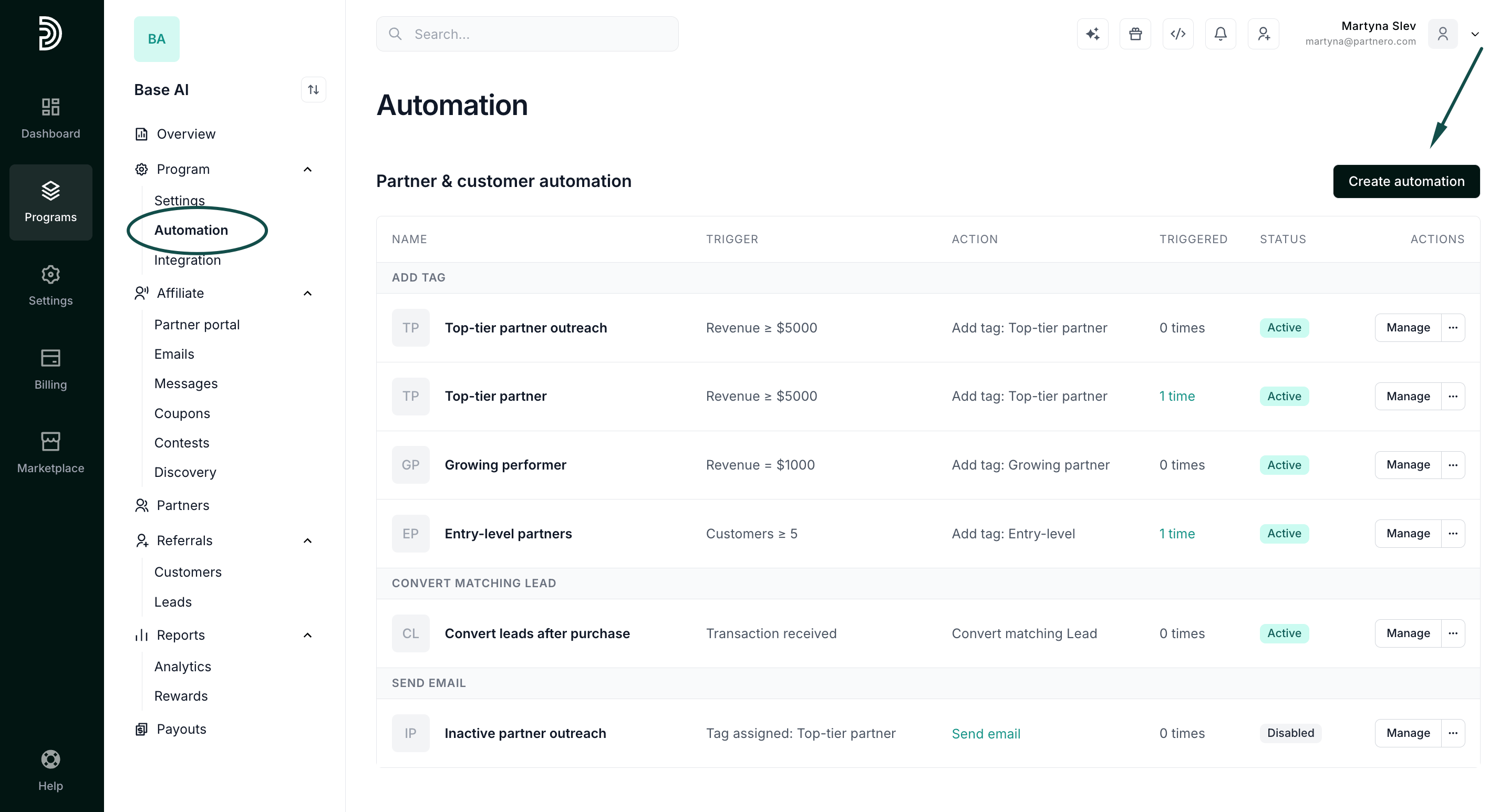
To set up an automation:- In your program, navigate to Automation under Program.
- Click Create automation:\
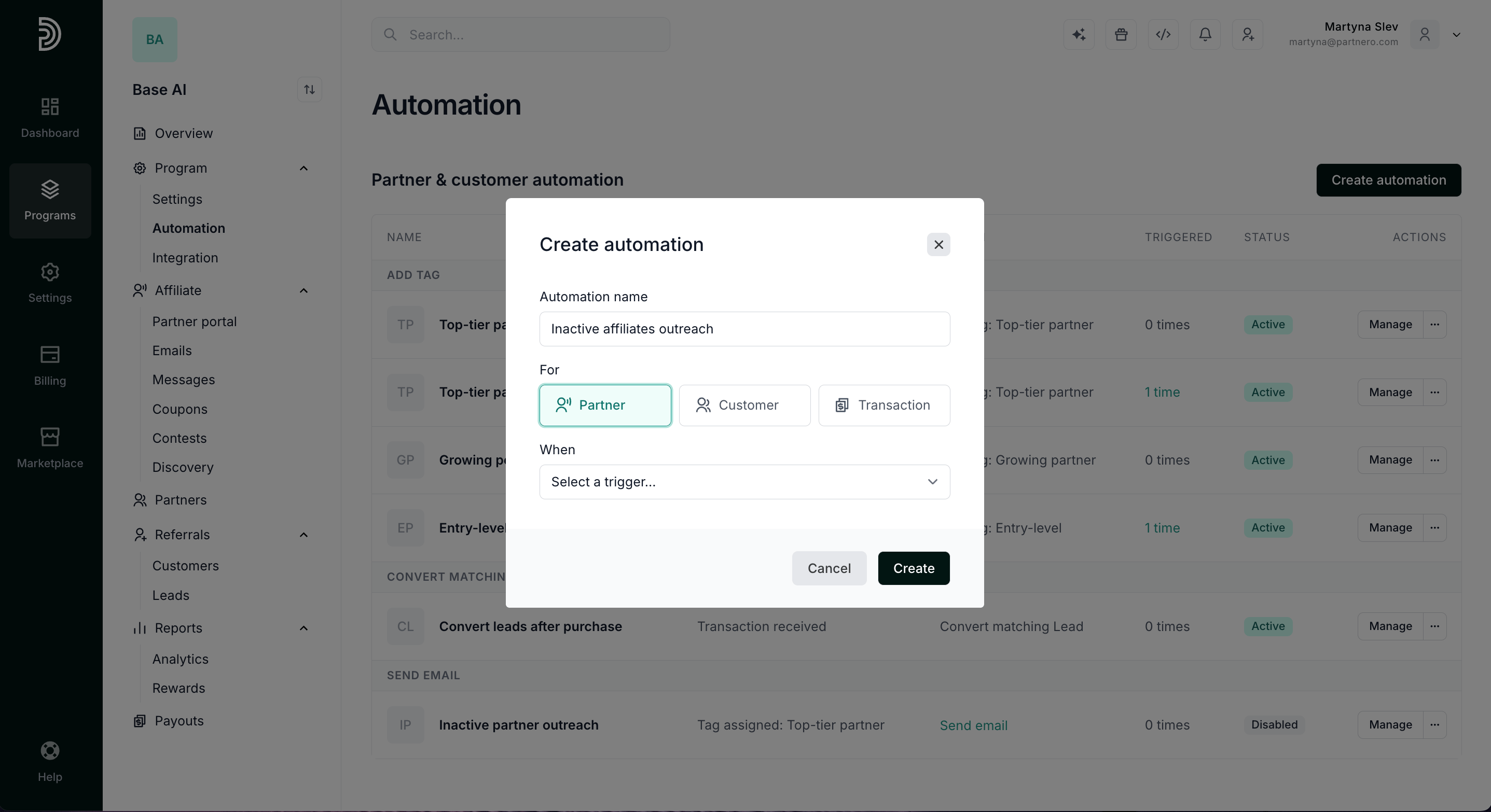
- Add the automation name and select whether the automation is for partners, customers, or transactions:
- Continue configuration:
Automation name: add a name that will help you remember what the automation does.
For: partner, customer, or transaction.
When: select the action that triggers the automation (full list of triggers below).
Then: select the action, add a tag, remove a tag, or send an email.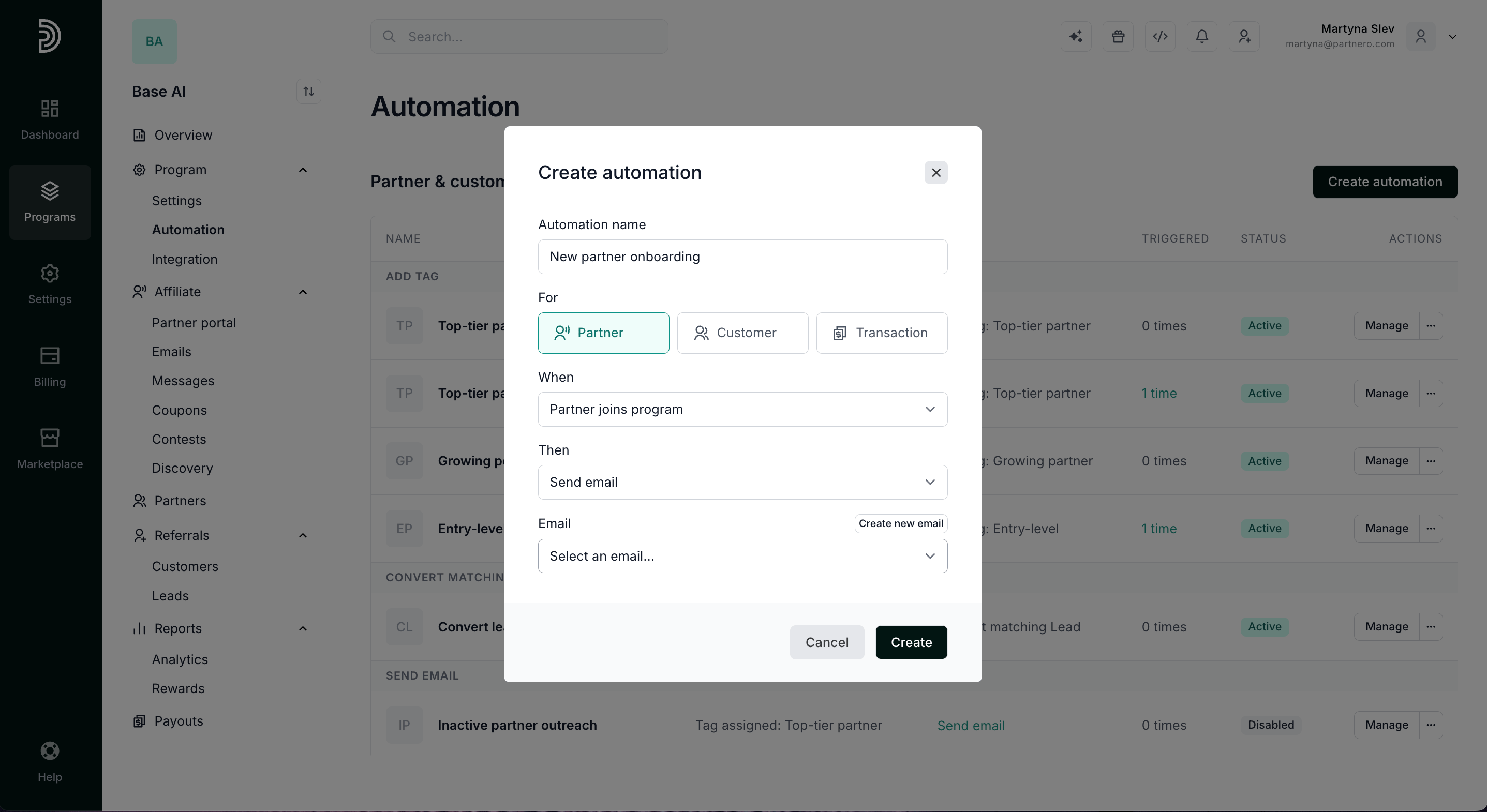
- Click Create.
Sending emails from automations
In addition to adding or removing tags, automations can also send an email automatically when a trigger fires. This works with any trigger, including Tag is assigned to partner. For details on setting this up:- Automatically send emails based on partner activity
- Automatically send emails when a tag is assigned
Available triggers
Triggers are actions that activate the automation. For partners, you can choose from the following options:
For customers, the following options are available:
For transactions, the following options are available:
Triggers review and use cases
Let’s review each trigger and how to use them. 1. Partner joins program Description: Triggers immediately when a new partner signs up for the affiliate program. Use cases:- Welcome new partners with a “new” or “onboarding” tag
- Segment partners by signup source or campaign
- Mark partners for follow-up outreach
2. Partner makes first signup Description: Triggers when a partner generates their first signup (someone signs up through their referral link). Use cases:
- Identify partners who’ve started generating leads
- Celebrate first milestone
- Move from “inactive” to “active” segment
3. Partner generates first sale Description: Triggers when a partner’s referral makes their first purchase/conversion. Use cases:
- Identify partners who can convert leads to customers
- Qualify partners for higher commission tiers
- Trigger congratulatory outreach
4. Partner earns first commission Description: Triggers when a partner earns their first commission payment (reward amount > $0). Use cases:
- Mark partners as revenue-generating
- Qualify for VIP programs
- Trigger payment setup reminders
5. Partner reaches milestone Description: Triggers when a partner reaches a specific threshold for signups, customers, or revenue. Metrics available:
Use cases:
- Tier upgrades (Bronze → Silver → Gold)
- Unlock special perks
- Identify top performers
- Tag partners as “High MRR” when recurring revenue generated in the last 1 month reaches $500.
6. Partner anniversary Description: Triggers X days after the partner joined the program. Runs daily. Use cases:
- Anniversary celebrations (30 days, 1 year)
- Loyalty rewards
- Check-in milestones
7. Partner inactive for X days Description: Triggers when a partner hasn’t had any activity (login or referrals) for X days. Runs daily. Use cases:
- Re-engagement campaigns
- Identify at-risk partners
- Clean up inactive accounts
8. No referrals for X days Description: Triggers when a partner hasn’t generated any new referrals for X days. Runs daily. Use cases:
- Identify partners who stopped promoting
- Trigger re-activation campaigns
- Offer incentives to restart promotion