> ## Documentation Index
> Fetch the complete documentation index at: https://docs.partnero.com/llms.txt
> Use this file to discover all available pages before exploring further.
# Automation logs
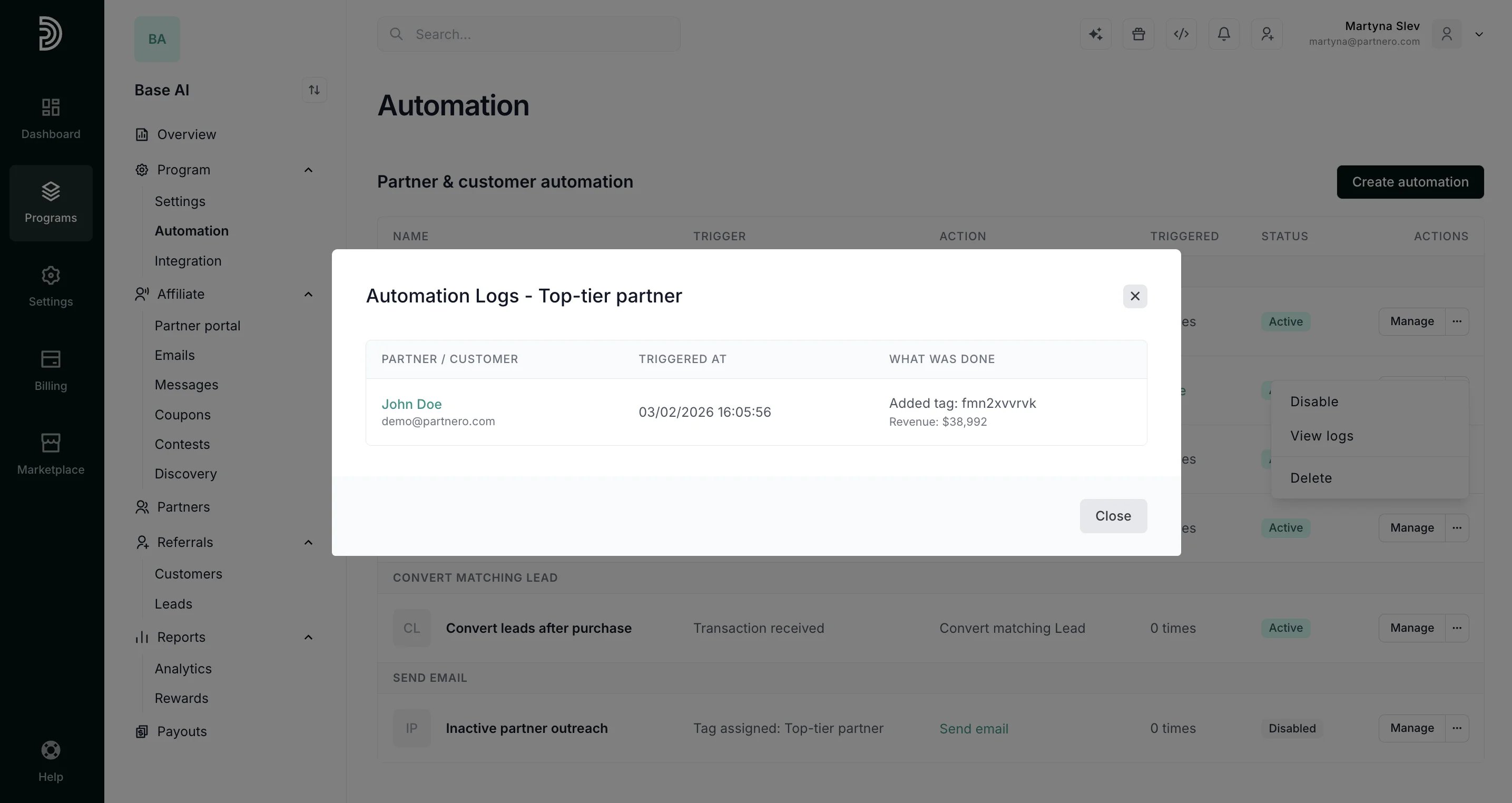
Automation logs are per-automation records of exactly who was affected, when, and what action was taken, including tag additions and removals, email sends, lead conversions, and customer deletions.
**To view automation logs**:
1. Navigate to **Automation** under **Program.**
2. Click the three dots next to **Manage** and click **View logs**: 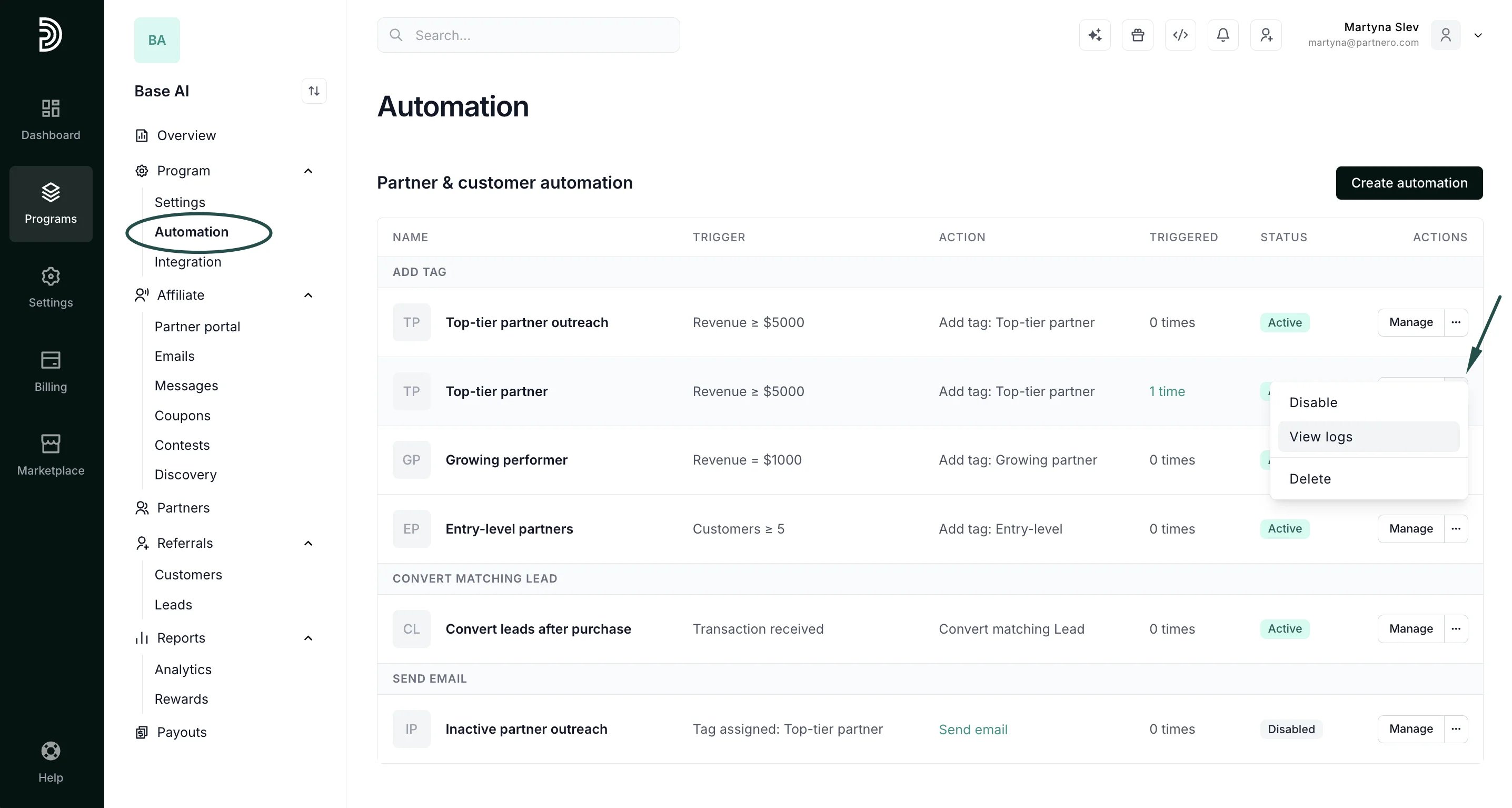 3. You'll be presented with the automation log:
  This documentation is built and hosted on [Mintlify](https://mintlify.com), a developer documentation platform.