> ## Documentation Index
> Fetch the complete documentation index at: https://docs.partnero.com/llms.txt
> Use this file to discover all available pages before exploring further.
# Automatically convert a lead when a transaction is received
You can use automation to automatically convert a lead when a transaction is received for that contact. This removes the need to manually update lead status after a purchase comes through. Currently, the automation works with Stripe integration only.
***
### How to set it up
To set up the automation:
1. In your program, navigate to **Automation** under **Program**.
2. Click **Create automation**. 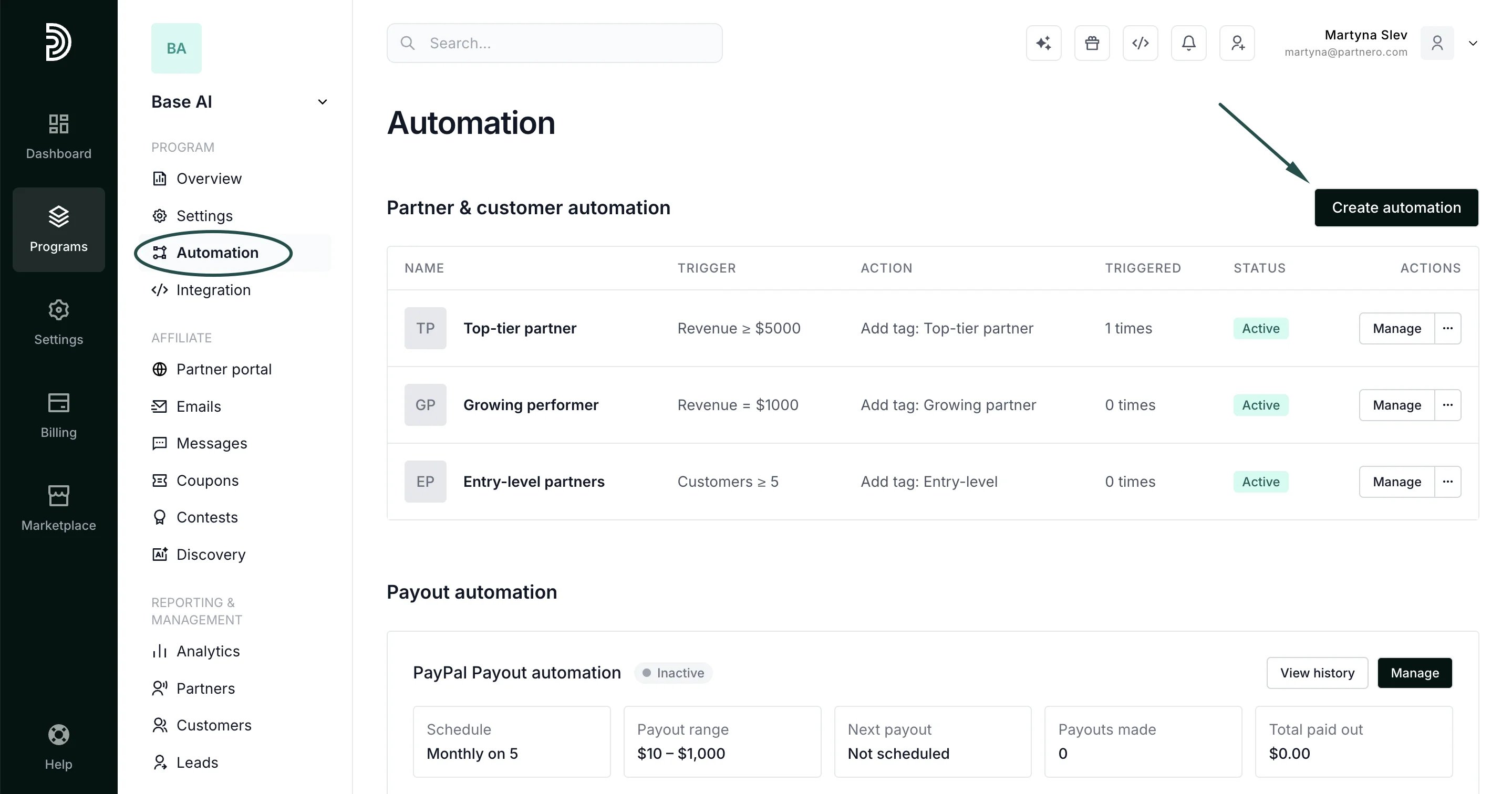 3. Name the automation and set:
**For →** Transaction.
**When** → Transaction received
**Then →** Convert matching lead.
3. Name the automation and set:
**For →** Transaction.
**When** → Transaction received
**Then →** Convert matching lead. 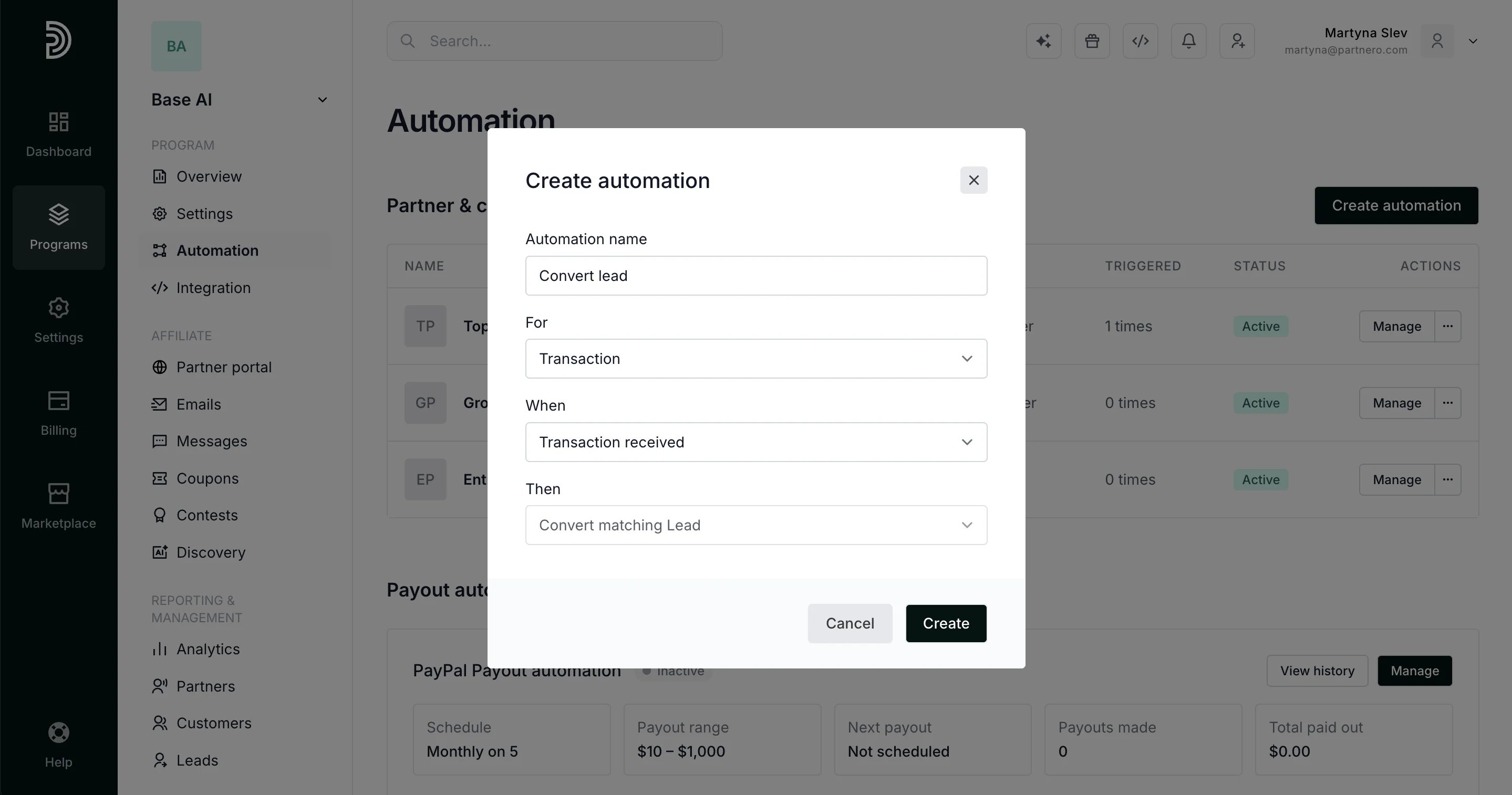 4. Click **Create**.
Once active, the automation will look for a lead matching the transaction and convert it automatically.
***
### When does it trigger
The automation fires when a transaction is received in your program. If a lead with a matching identifier exists, it is converted at that point. Currently, the automation works with Stripe integration only.
***
### Use case
This is useful when leads are tracked separately, and you want conversions to reflect automatically once a payment comes through — without requiring a manual status update for each one.
***
This documentation is built and hosted on [Mintlify](https://mintlify.com), a developer documentation platform.
4. Click **Create**.
Once active, the automation will look for a lead matching the transaction and convert it automatically.
***
### When does it trigger
The automation fires when a transaction is received in your program. If a lead with a matching identifier exists, it is converted at that point. Currently, the automation works with Stripe integration only.
***
### Use case
This is useful when leads are tracked separately, and you want conversions to reflect automatically once a payment comes through — without requiring a manual status update for each one.
***
This documentation is built and hosted on [Mintlify](https://mintlify.com), a developer documentation platform.