> ## Documentation Index
> Fetch the complete documentation index at: https://docs.partnero.com/llms.txt
> Use this file to discover all available pages before exploring further.
# Create dynamic commissions
Dynamic commissions offer different incentives based on the affiliate partner's performance, partner or customer tags, and other variables, and are a great way to keep your partners motivated and engaged.
For example, you can offer a better commission rate to partners who have generated more than X sales or have brought in a certain amount of revenue.
***
### How to set up dynamic commissions
1. Open the affiliate program you'd like to work with or create a new program.
2. Go to **Commission** under **Settings** and click **Set up rules**: 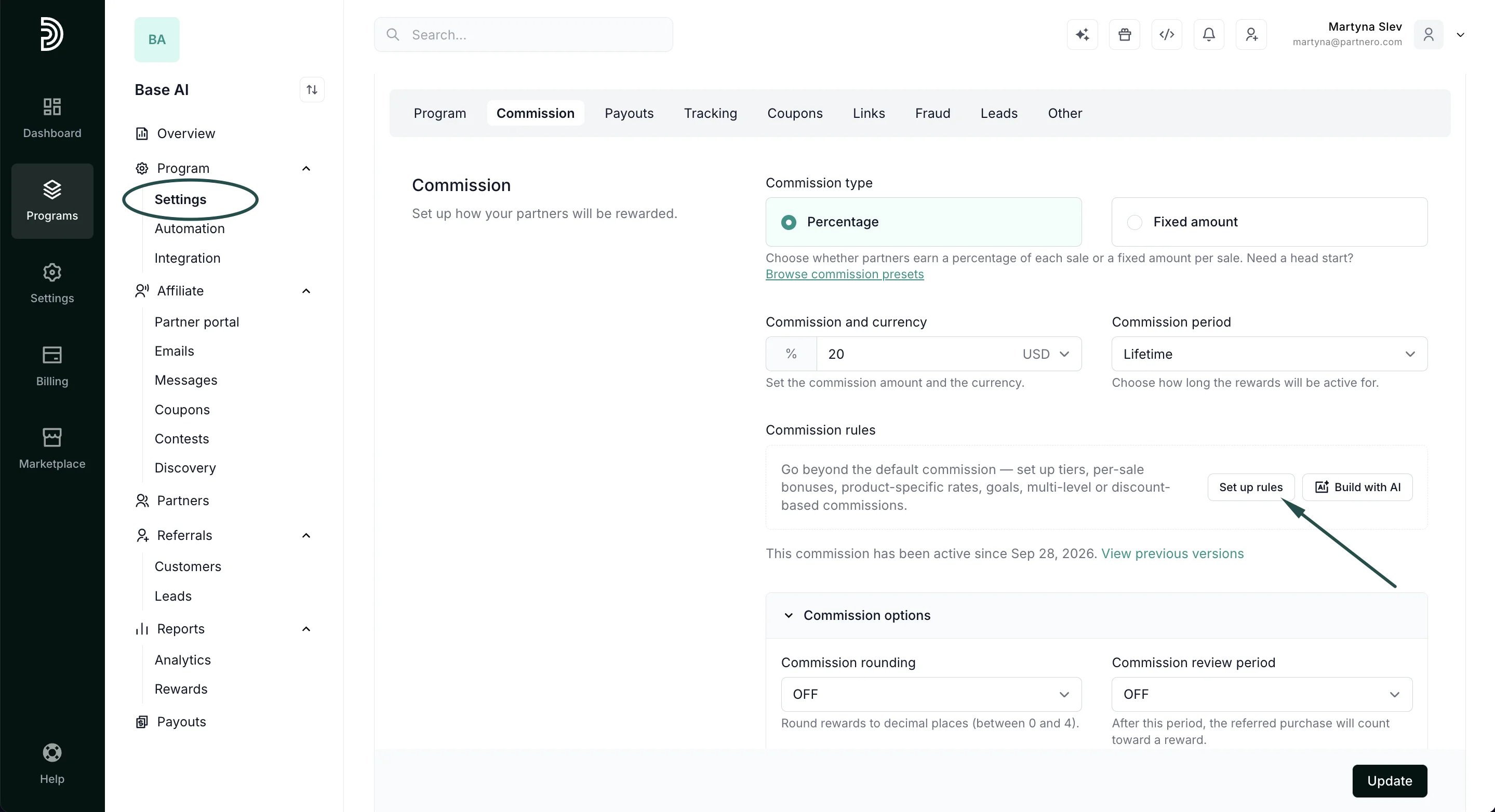 3. In the modal, under the **Dynamic commissions** tab, click \*\*+\*\***Add tier**:
 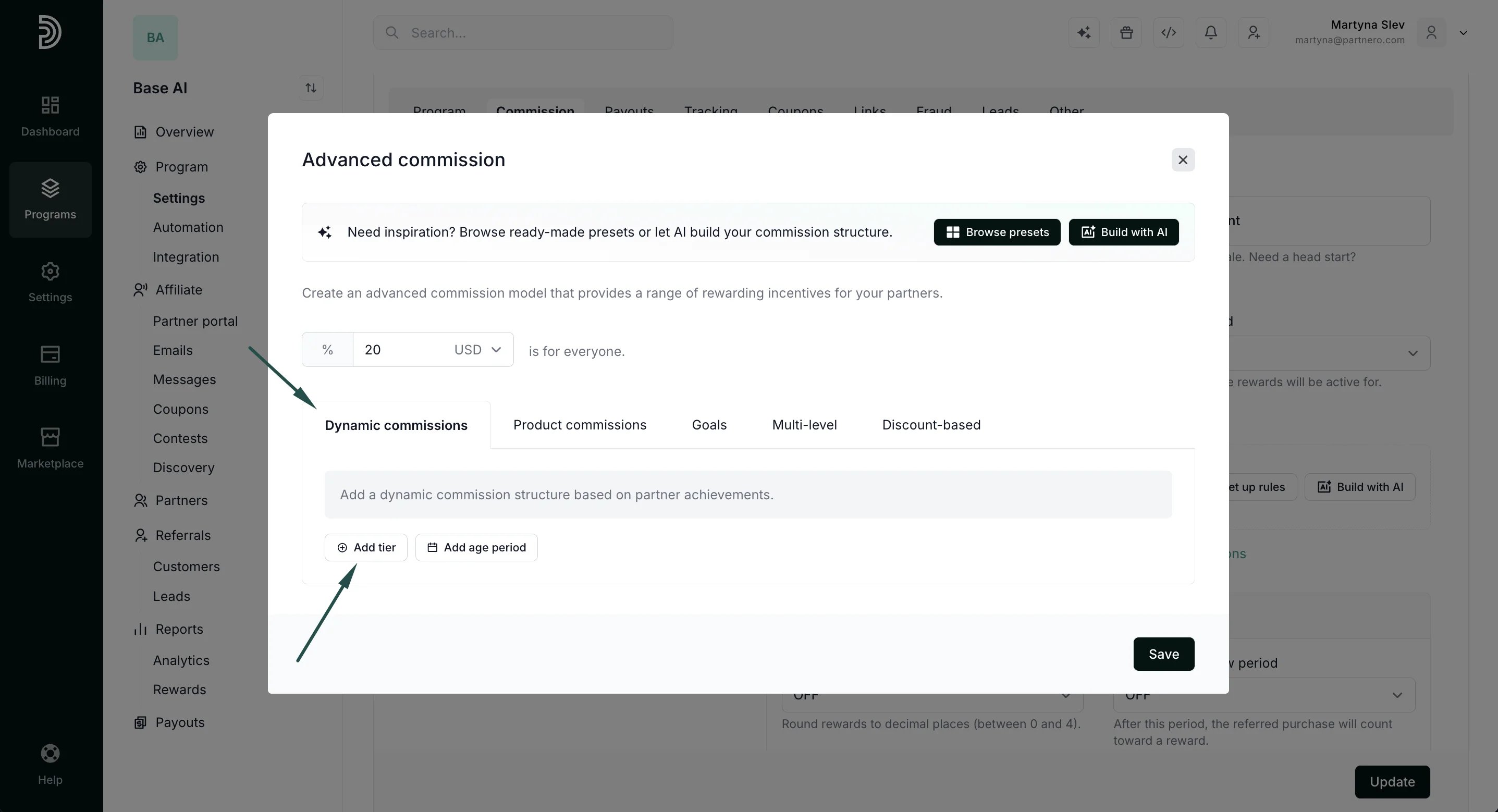 Variables you can choose from are tiers (*signups*, *customers,* *revenue),* per-sale (*single sale*, *first sale),* or tags *(partner, customer):
 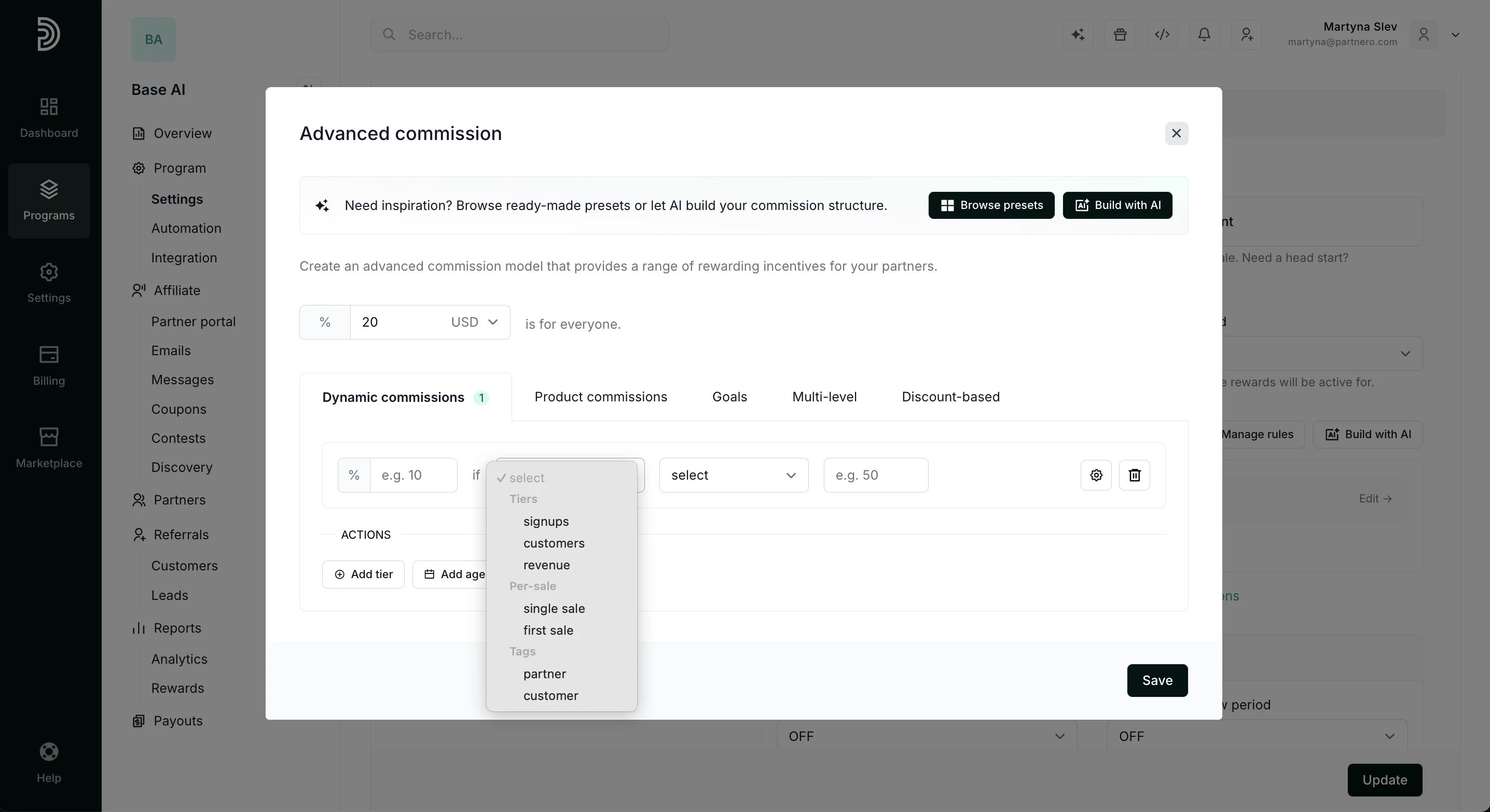 * **Tiers:**
*-* *signups:* trigger a different reward when a partner generates a certain number of signups
\- *customers:* trigger a different reward when a partner generates a certain number of sales
\- *revenue*: trigger a different reward when a partner generates a certain amount of revenue
**Per-sale**:
\- *single sale*: trigger a different reward when a single sale amount exceeds a certain amount
\- *first sale*: trigger a different reward for the first sale from a partner
**Tags**:
\- *partner*: trigger a different reward based on [partner tags](/knowledge-base/partner-management/partner-tags-overview)
\- *customer:* trigger a different reward based on [customer tags](/knowledge-base/customers-leads/customer-tags-overview)
4. In this example, we'll add a dynamic reward that will offer a 25% commission after a partner has brought in over 20 customers and a 30% commission after they've brought in over 50 customers:
* **Tiers:**
*-* *signups:* trigger a different reward when a partner generates a certain number of signups
\- *customers:* trigger a different reward when a partner generates a certain number of sales
\- *revenue*: trigger a different reward when a partner generates a certain amount of revenue
**Per-sale**:
\- *single sale*: trigger a different reward when a single sale amount exceeds a certain amount
\- *first sale*: trigger a different reward for the first sale from a partner
**Tags**:
\- *partner*: trigger a different reward based on [partner tags](/knowledge-base/partner-management/partner-tags-overview)
\- *customer:* trigger a different reward based on [customer tags](/knowledge-base/customers-leads/customer-tags-overview)
4. In this example, we'll add a dynamic reward that will offer a 25% commission after a partner has brought in over 20 customers and a 30% commission after they've brought in over 50 customers: 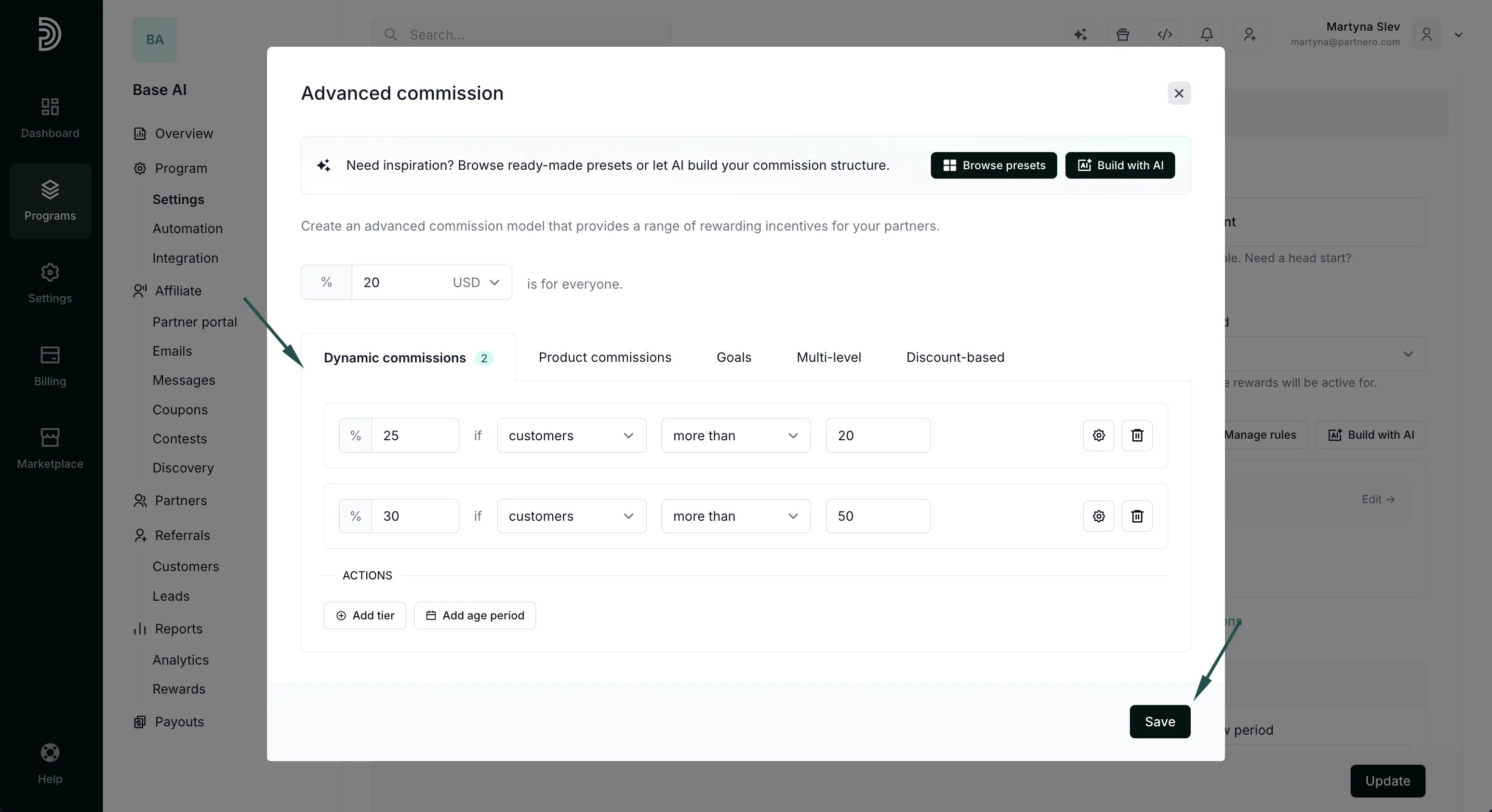 5. Add as many tiers as needed to customize your reward structure, and then click **Save**.
6. Click **Update** to save your changes:
5. Add as many tiers as needed to customize your reward structure, and then click **Save**.
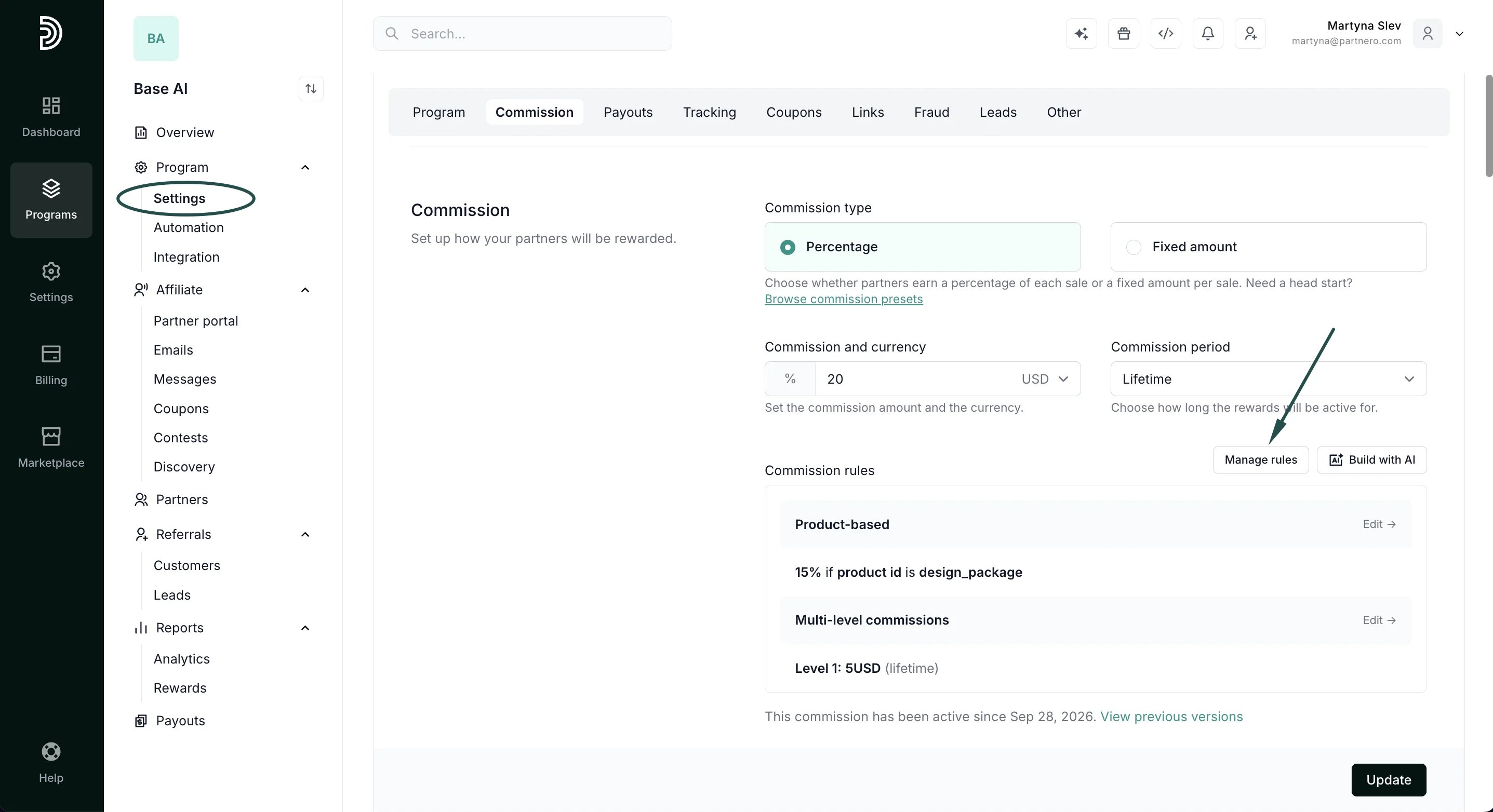
6. Click **Update** to save your changes: 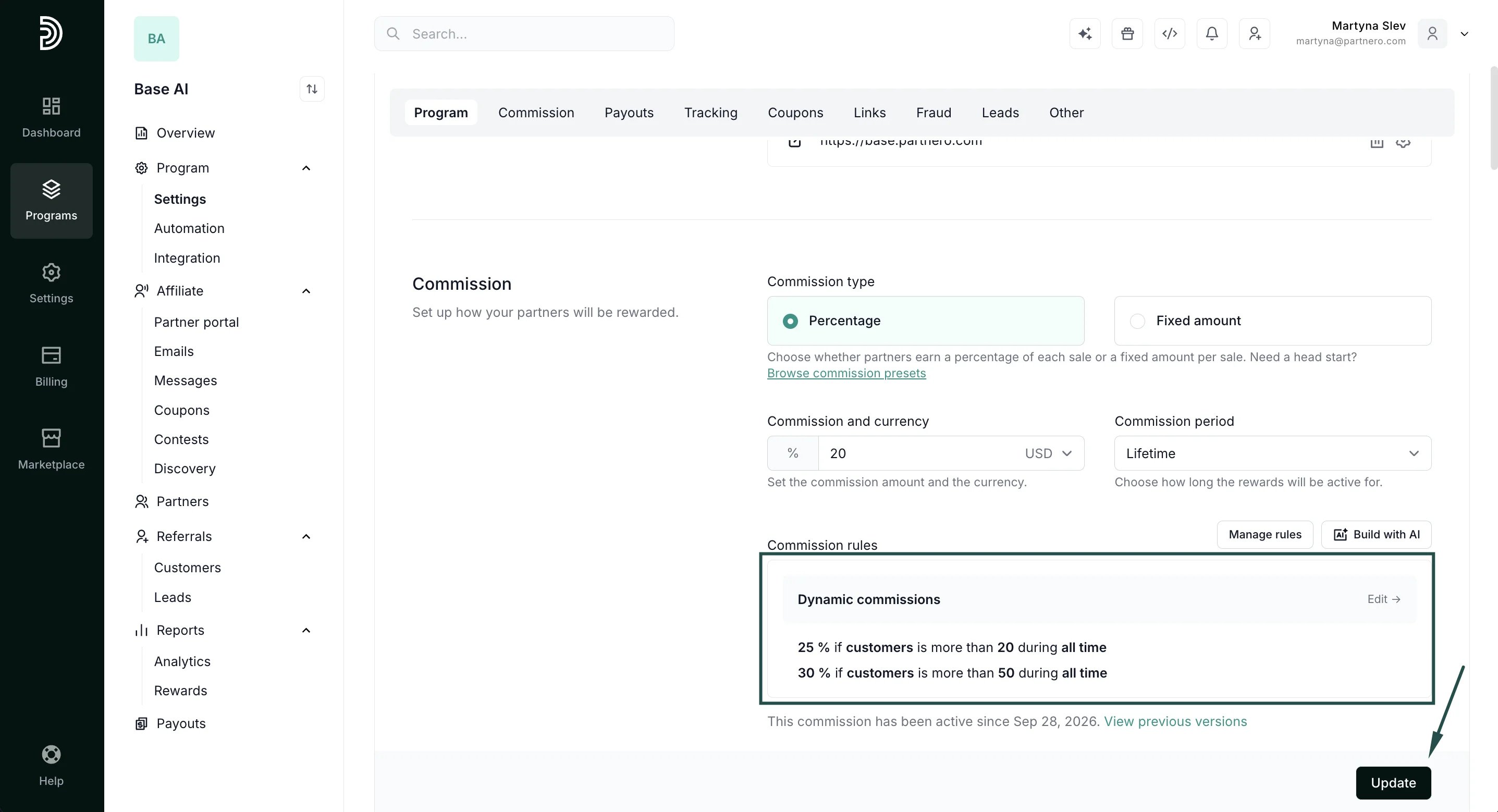 That's it! The dynamic reward structure will be displayed under Program → **Settings**. You can change the structure at any time by clicking **Manage rules**:
  Dynamic rewards can be further customized by adding a partner or customer age period. [Read more about time-based dynamic rewards.](/knowledge-base/commissions-rewards/create-time-based-dynamic-rewards)
This documentation is built and hosted on [Mintlify](https://mintlify.com), a developer documentation platform.
Dynamic rewards can be further customized by adding a partner or customer age period. [Read more about time-based dynamic rewards.](/knowledge-base/commissions-rewards/create-time-based-dynamic-rewards)
This documentation is built and hosted on [Mintlify](https://mintlify.com), a developer documentation platform.