> ## Documentation Index
> Fetch the complete documentation index at: https://docs.partnero.com/llms.txt
> Use this file to discover all available pages before exploring further.
# How to edit a customer profile
You can edit existing customer profiles to update their information, such as name or email, re-assign a customer to a different partner, and delete or archive the customer.
To edit a customer profile:
1. In your program, go to **Customers** and find the customer using their name or email address: 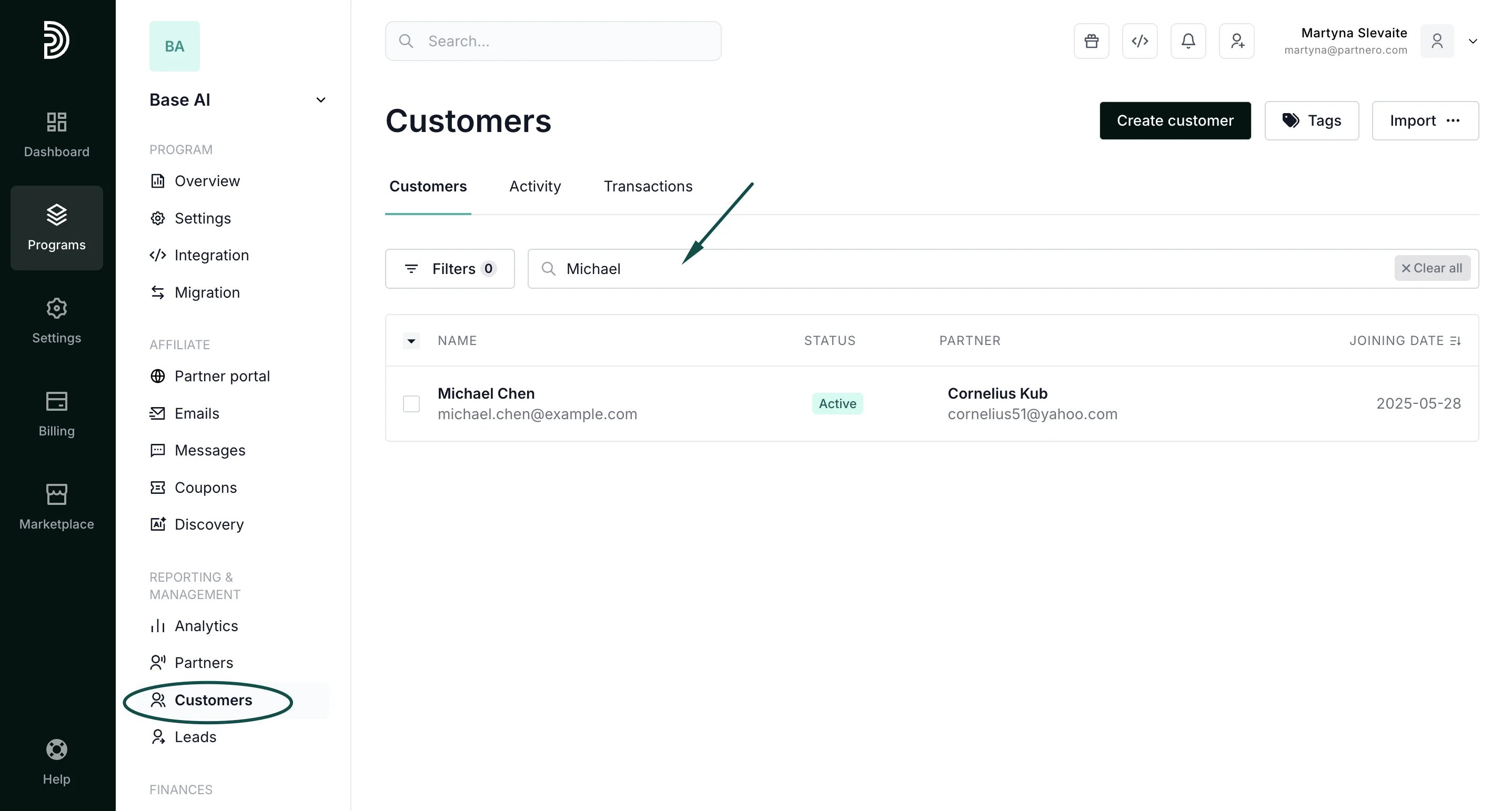 2. Open the customer profile and click on the three dots in the top right-hand corner:
 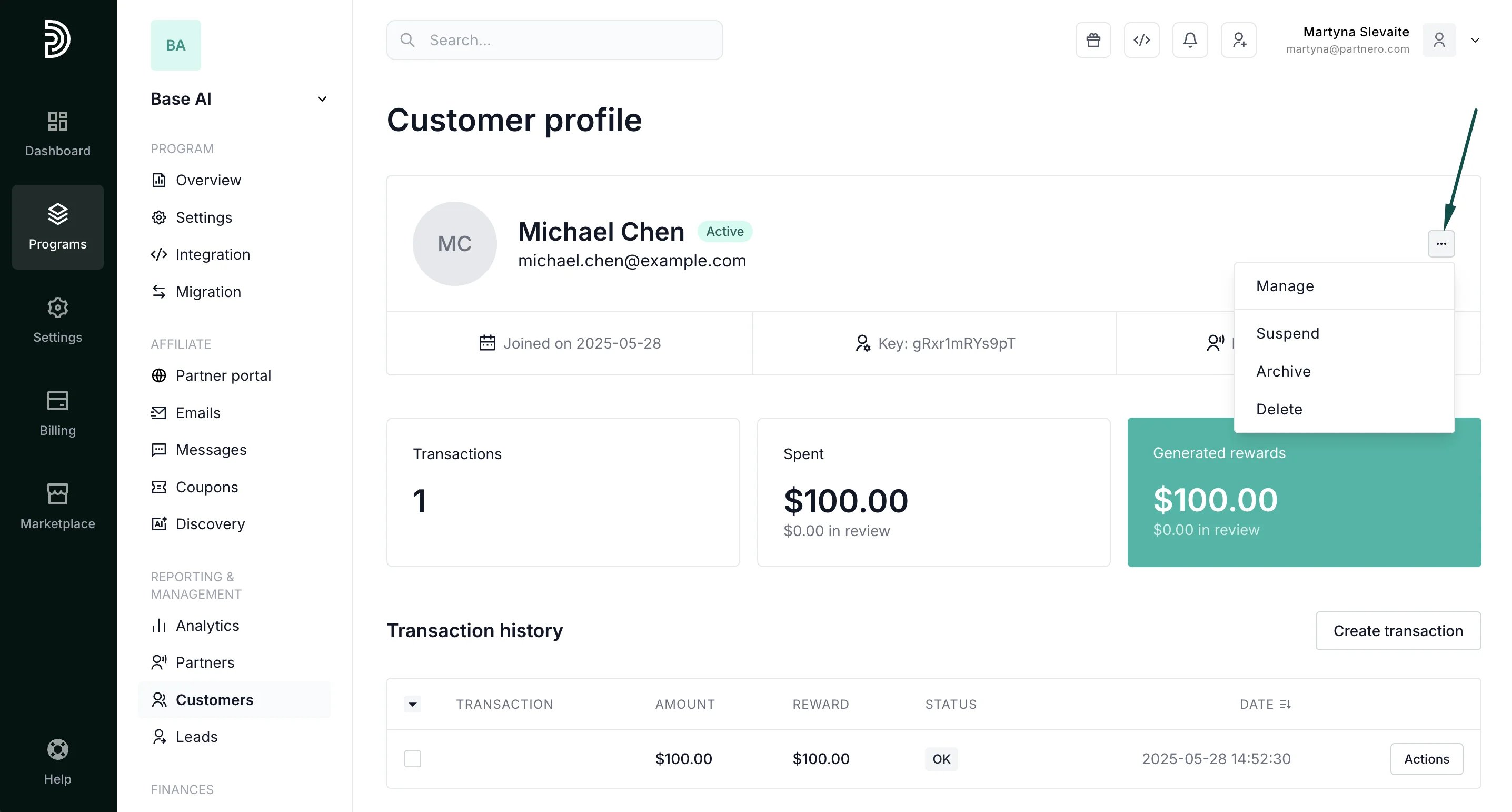 3. Here, you'll find the options to **manage**, **suspend**, **archive,** or **delete** the customer.
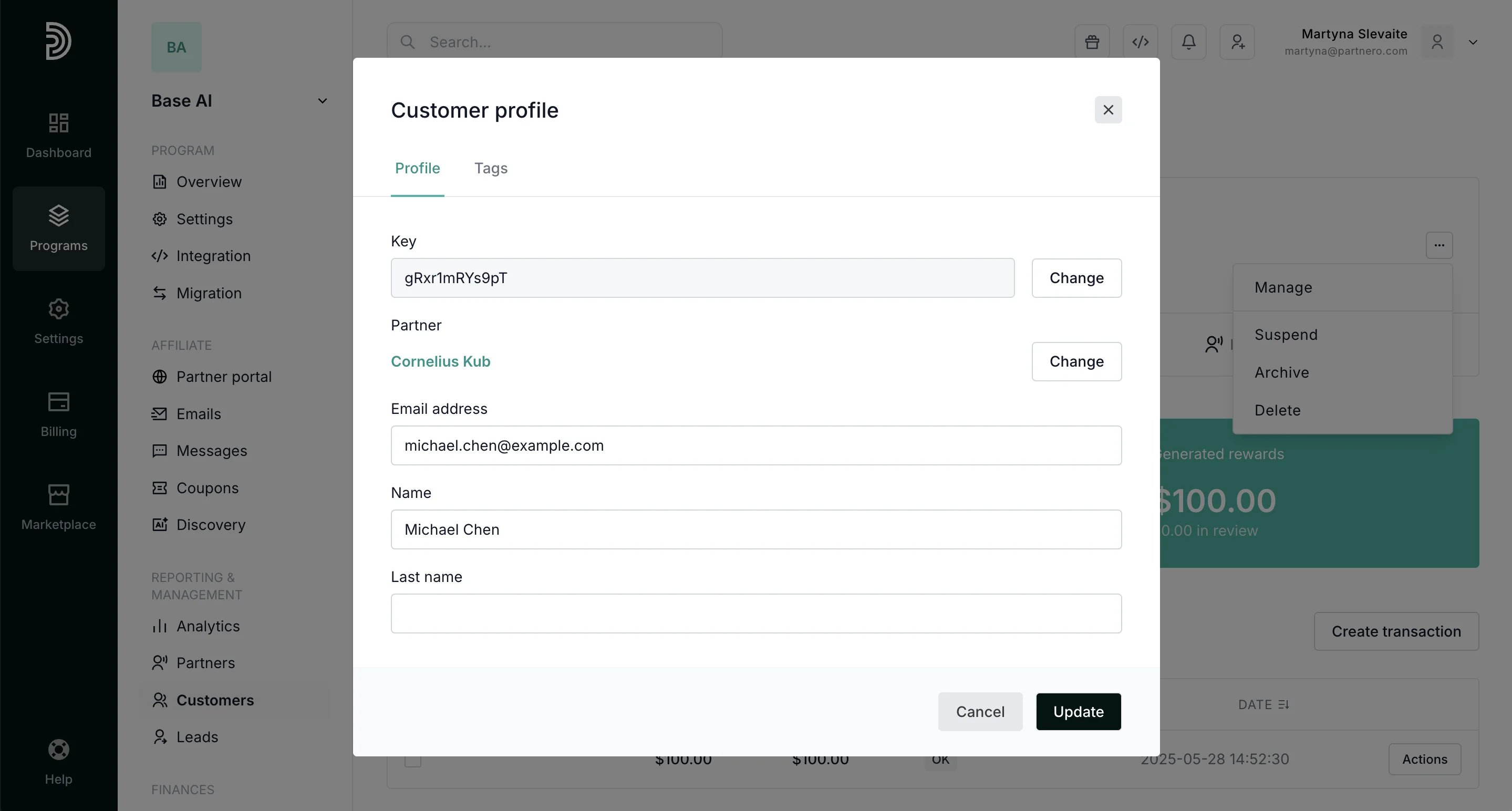
Click **Manage** to:
* edit customer key,
* change which partner the customer is assigned to,
* edit the customer email,
* edit the customer name.
3. Here, you'll find the options to **manage**, **suspend**, **archive,** or **delete** the customer.
Click **Manage** to:
* edit customer key,
* change which partner the customer is assigned to,
* edit the customer email,
* edit the customer name.
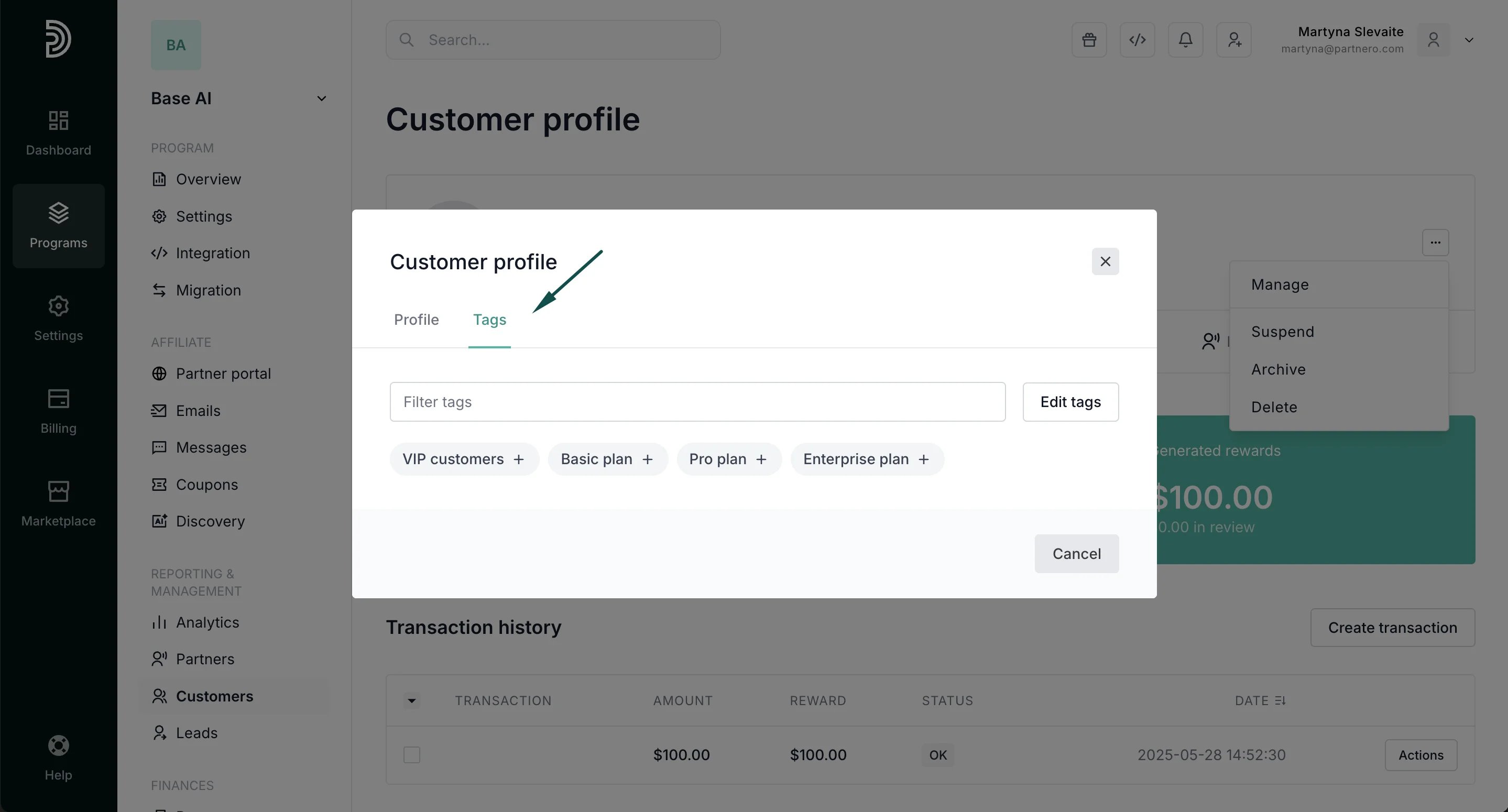
 Additionally, you can add or remove [customer tags](/knowledge-base/customers-leads/customer-tags-overview):
 Other available actions include:
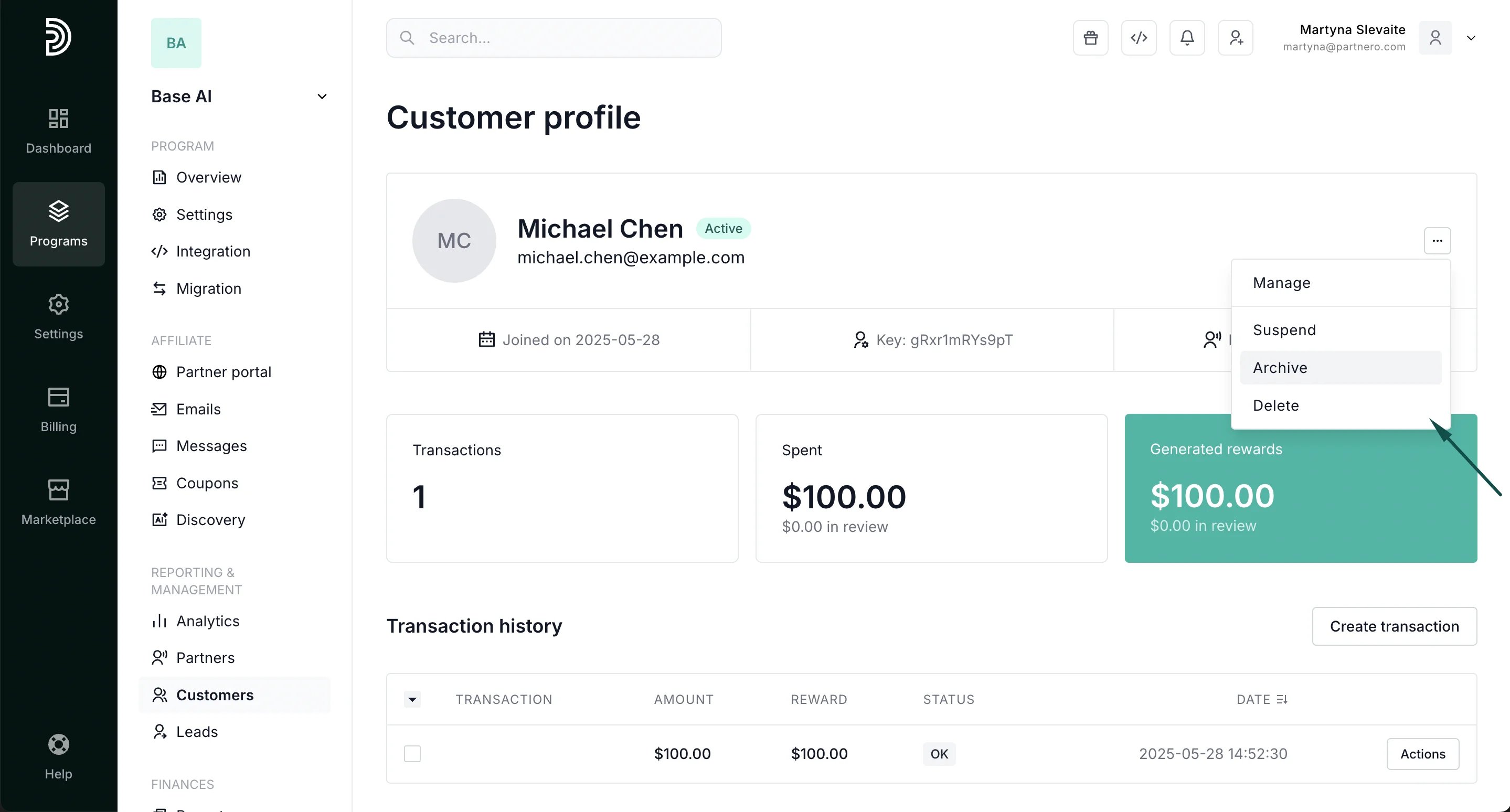 **Suspend**: You can suspend a customer if needed, for example, their referring partner has violated program terms by using paid ads. The referring partner will be able to see that this customer has been suspended.
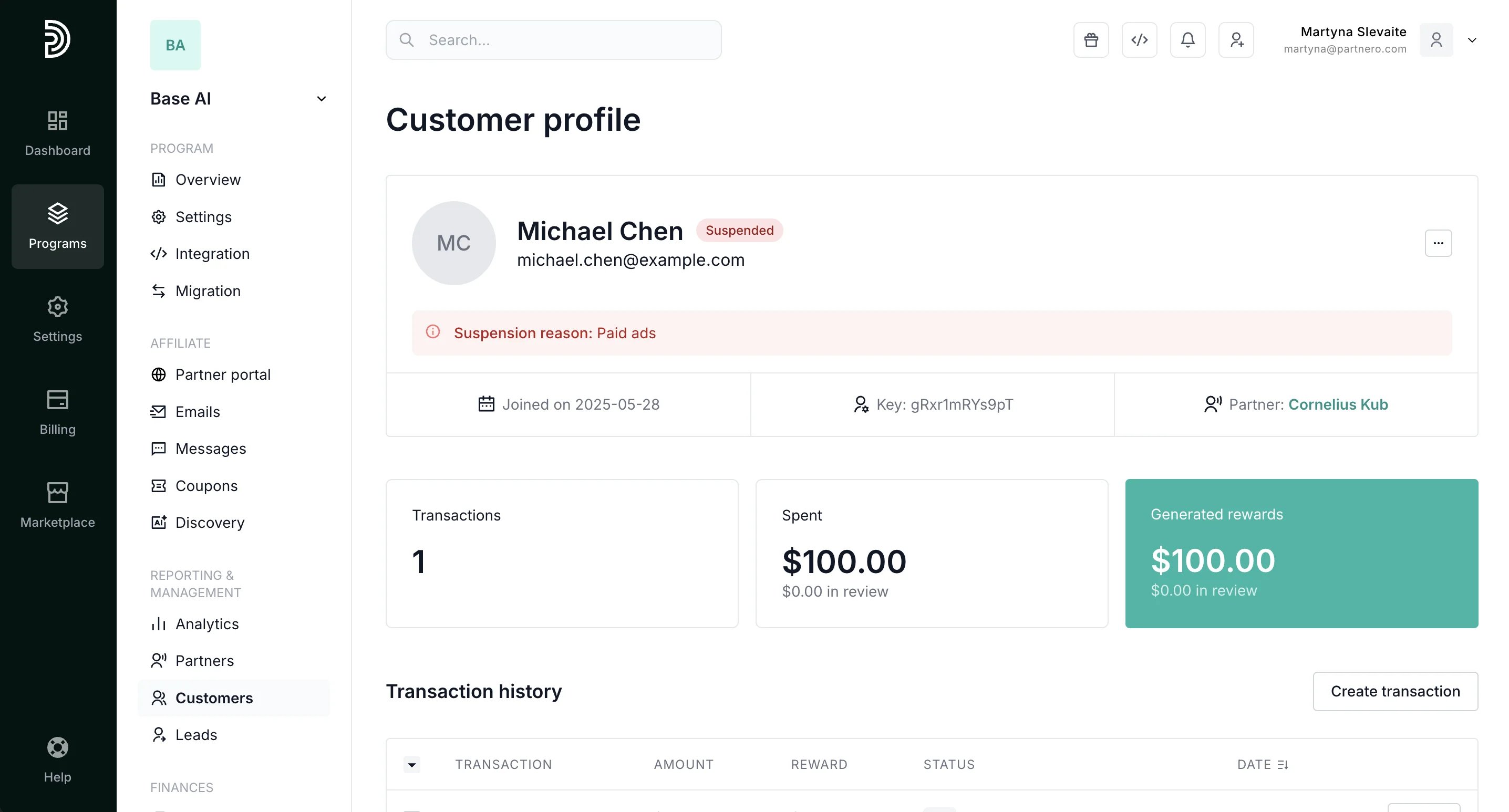 Suspended customers **can** be restored to active.
**Archive**: Archives all customer information, including transactions and associated rewards. Archived customers **can** be restored.
**Delete**: Deletes all customer information, including transactions and associated rewards. Deleted customers **cannot** be restored.
This documentation is built and hosted on [Mintlify](https://mintlify.com), a developer documentation platform.
Suspended customers **can** be restored to active.
**Archive**: Archives all customer information, including transactions and associated rewards. Archived customers **can** be restored.
**Delete**: Deletes all customer information, including transactions and associated rewards. Deleted customers **cannot** be restored.
This documentation is built and hosted on [Mintlify](https://mintlify.com), a developer documentation platform.