> ## Documentation Index
> Fetch the complete documentation index at: https://docs.partnero.com/llms.txt
> Use this file to discover all available pages before exploring further.
# How to delete my account
If you'd like to delete your Partnero account:
1. In your account, go to **Settings** on the left-hand side menu.
2. Scroll to the bottom of the page and click **Delete**: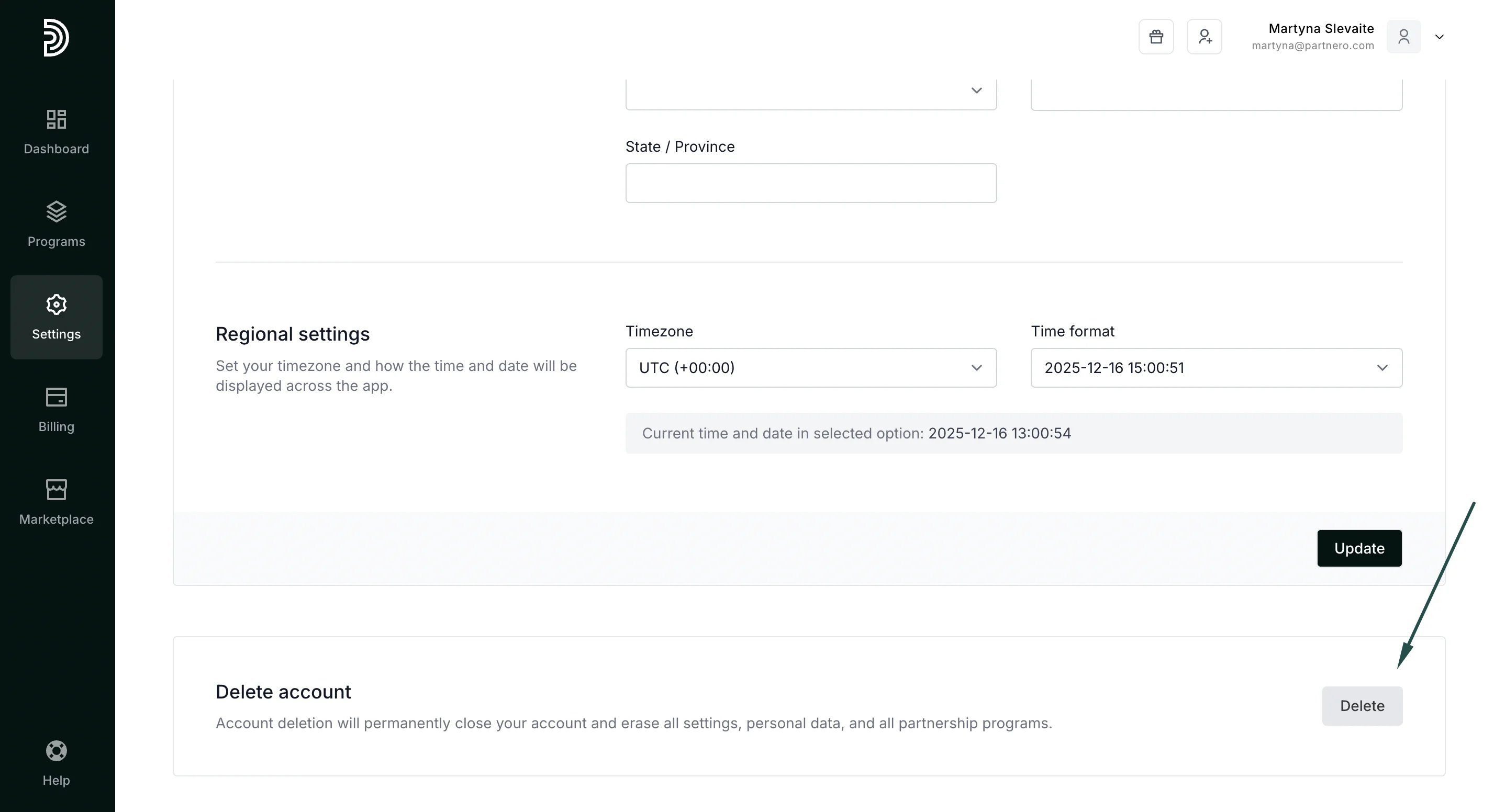 3. Select the reason for deleting the account and type *DELETE* to confirm:
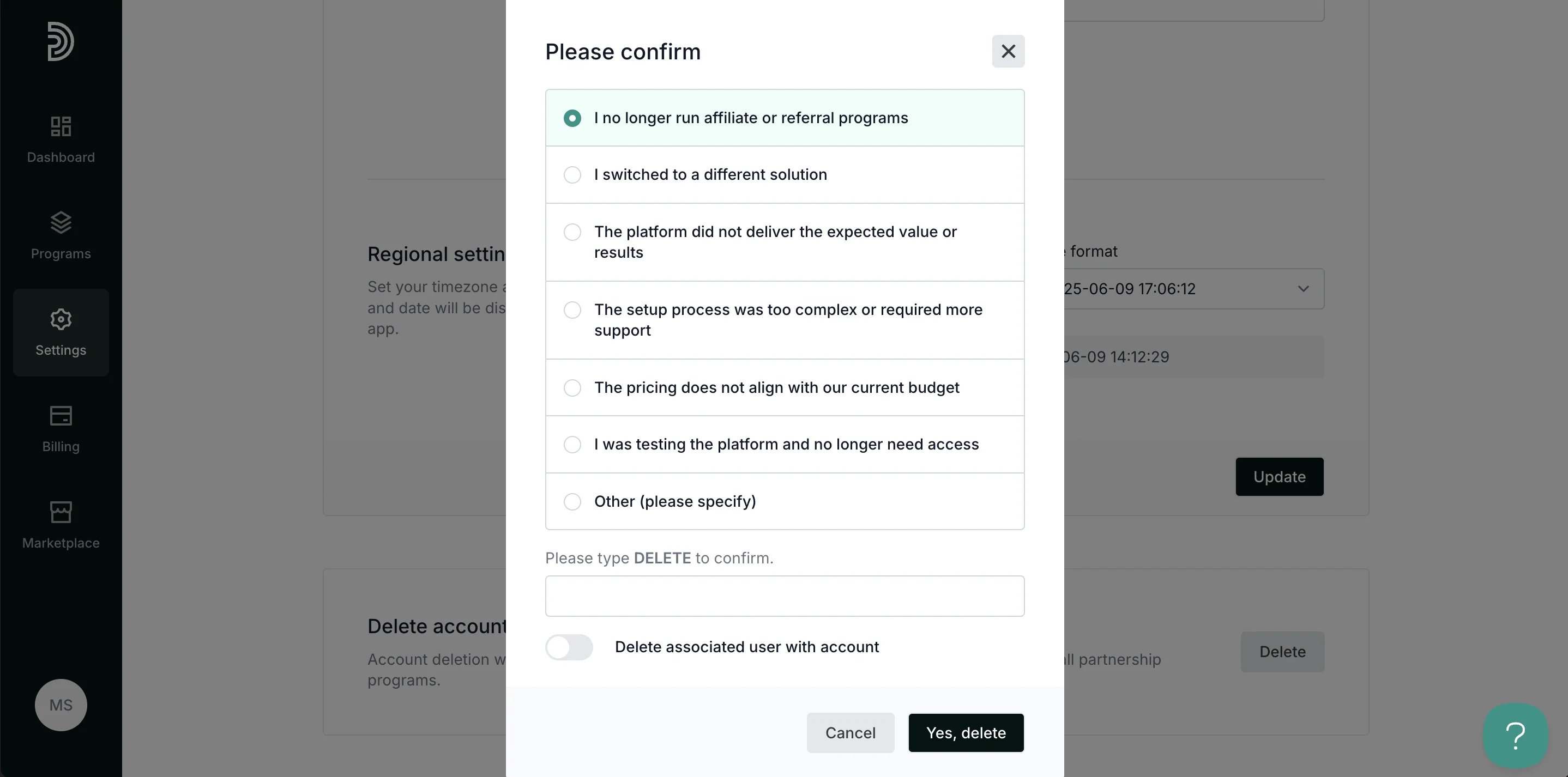 4. Click **Yes, delete**.
You'll also have the option to delete the **user data** by enabling the toggle:
4. Click **Yes, delete**.
You'll also have the option to delete the **user data** by enabling the toggle: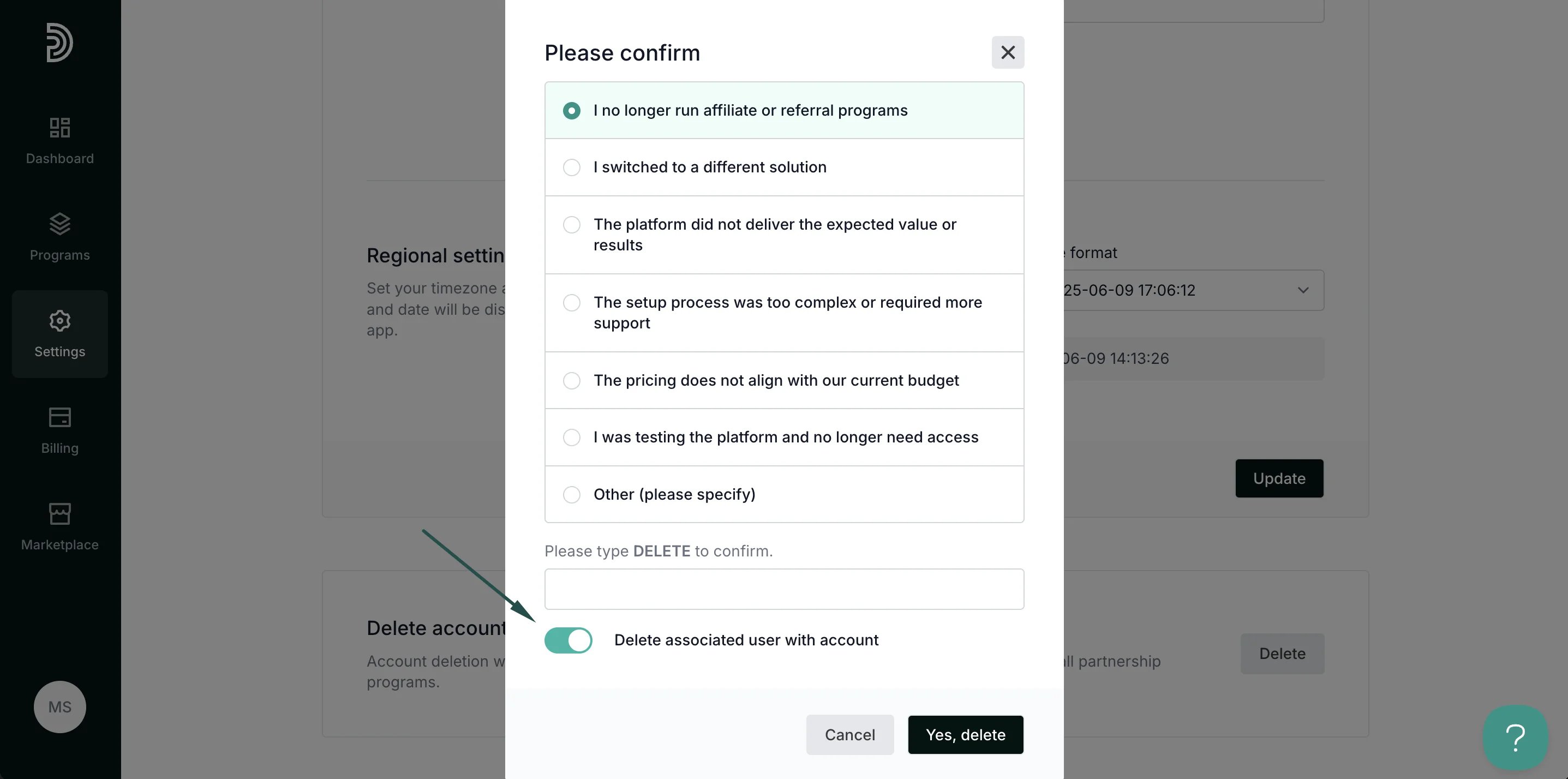 > ⚠️ **IMPORTANT**: Please note that if you have more than one account set up, the **user** should not be deleted, as this will result in loss of access to all **other accounts**.
After an account has been deleted, a 30-day period will be in effect during which account recovery is possible. After that, all data is removed permanently and cannot be restored.
This documentation is built and hosted on [Mintlify](https://mintlify.com), a developer documentation platform.
> ⚠️ **IMPORTANT**: Please note that if you have more than one account set up, the **user** should not be deleted, as this will result in loss of access to all **other accounts**.
After an account has been deleted, a 30-day period will be in effect during which account recovery is possible. After that, all data is removed permanently and cannot be restored.
This documentation is built and hosted on [Mintlify](https://mintlify.com), a developer documentation platform.