> ## Documentation Index
> Fetch the complete documentation index at: https://docs.partnero.com/llms.txt
> Use this file to discover all available pages before exploring further.
# How to invite team members
Invite your team members to join your Partnero account and help manage your programs.
To add a new team member to your account:
1. Log in to [Partnero](https://app.partnero.com/login).
2. In the sidebar, click **Settings** and select the **Team Members** tab.
3. Click **Invite** in the top rigth. 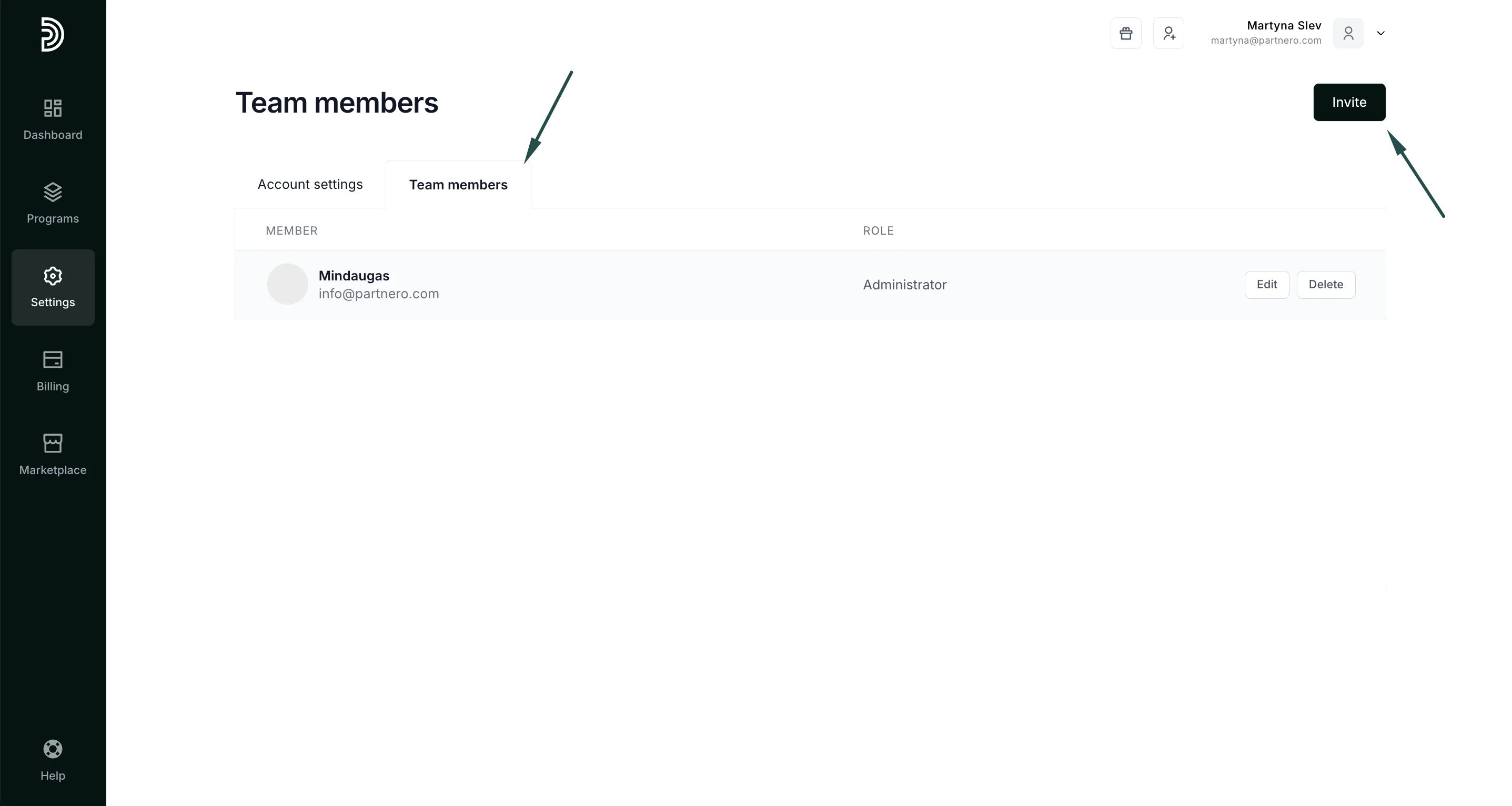 4. In the Email address field, enter the user's email address to add to your account. Select the user type (Admin or General) and select which programs this user should access:
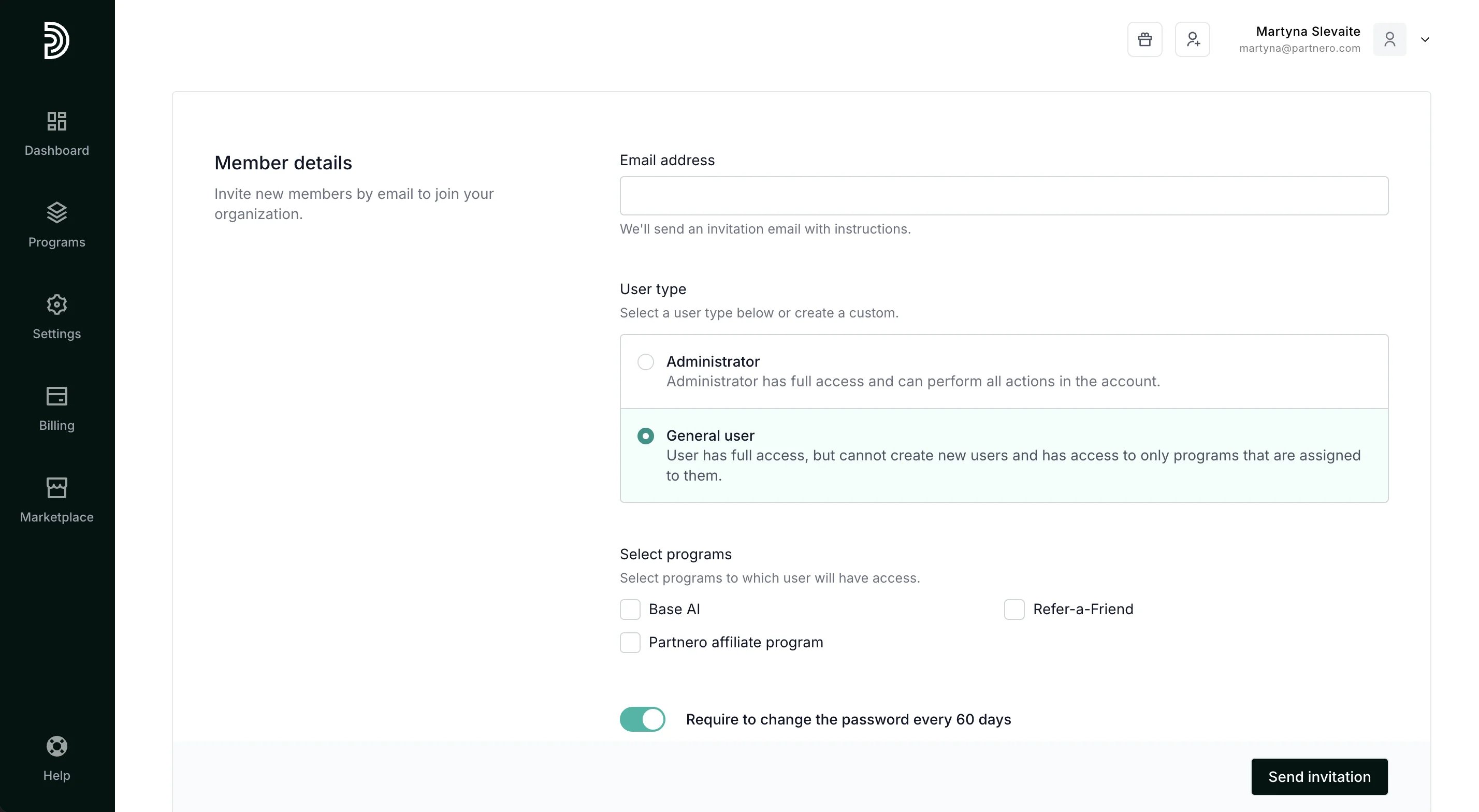 5. Select whether you'd like to prompt them to change their password every 60 days.
6. Click **Send invitation**.
An automatic email will be sent to your colleague. Their invitation will remain pending until they accept it.
You can see all pending user invitations on your Team members page. You can also use this page to **resend** or **cancel** user invitations.
***
#### How to delete a user
To delete a user from your account:
1. On your Partnero account, navigate to **Settings** and select the **Team members** tab.
2. Find the user you want to delete and click the **Delete** button next to their email address.
5. Select whether you'd like to prompt them to change their password every 60 days.
6. Click **Send invitation**.
An automatic email will be sent to your colleague. Their invitation will remain pending until they accept it.
You can see all pending user invitations on your Team members page. You can also use this page to **resend** or **cancel** user invitations.
***
#### How to delete a user
To delete a user from your account:
1. On your Partnero account, navigate to **Settings** and select the **Team members** tab.
2. Find the user you want to delete and click the **Delete** button next to their email address. 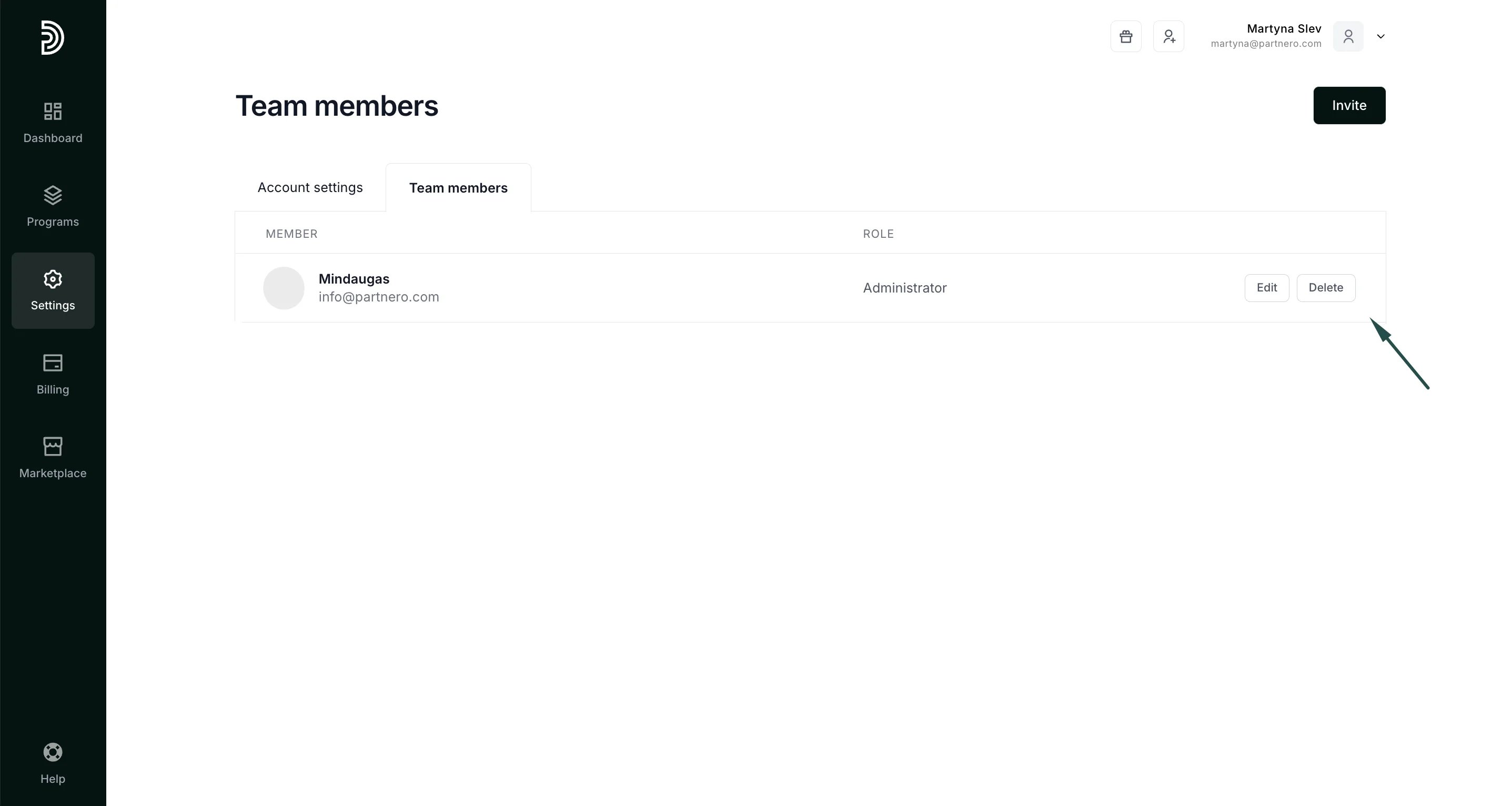 This documentation is built and hosted on [Mintlify](https://mintlify.com), a developer documentation platform.