> ## Documentation Index
> Fetch the complete documentation index at: https://docs.partnero.com/llms.txt
> Use this file to discover all available pages before exploring further.
# Authorize Stripe for newsletter referral programs
Newsletter referral programs let you send Stripe coupons to your subscribers as rewards. To do that, you'll need to authorize Stripe.
***
### How to authorize Stripe
To authorize Stripe:
1. Open the program you'd like to work with.
2. Navigate to **Integration** under **Program** and scroll down to Apps & Integrations.
3. Click **Authorize** next to Stripe: 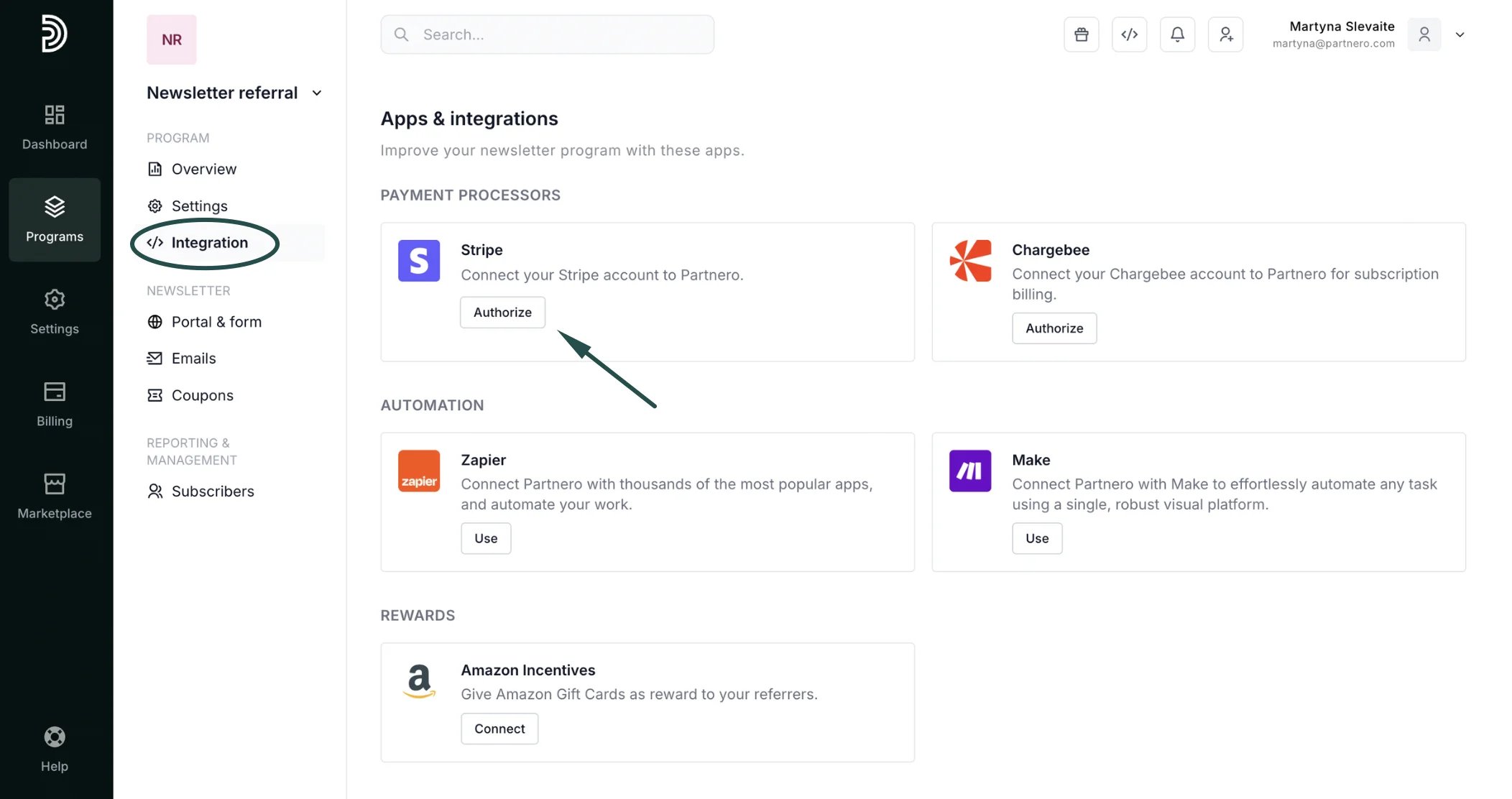 4. There are three authorization methods available:
**Stripe App**: install our official Stripe app (preferred method).
**OAuth**: click Authorize to be redirected to your Stripe account to grant Partnero access.
**API key**: authorize using your Stripe API key. Go to Developers > API keys in your Stripe dashboard. Copy the Secret key into the verification fiel.
4. There are three authorization methods available:
**Stripe App**: install our official Stripe app (preferred method).
**OAuth**: click Authorize to be redirected to your Stripe account to grant Partnero access.
**API key**: authorize using your Stripe API key. Go to Developers > API keys in your Stripe dashboard. Copy the Secret key into the verification fiel. 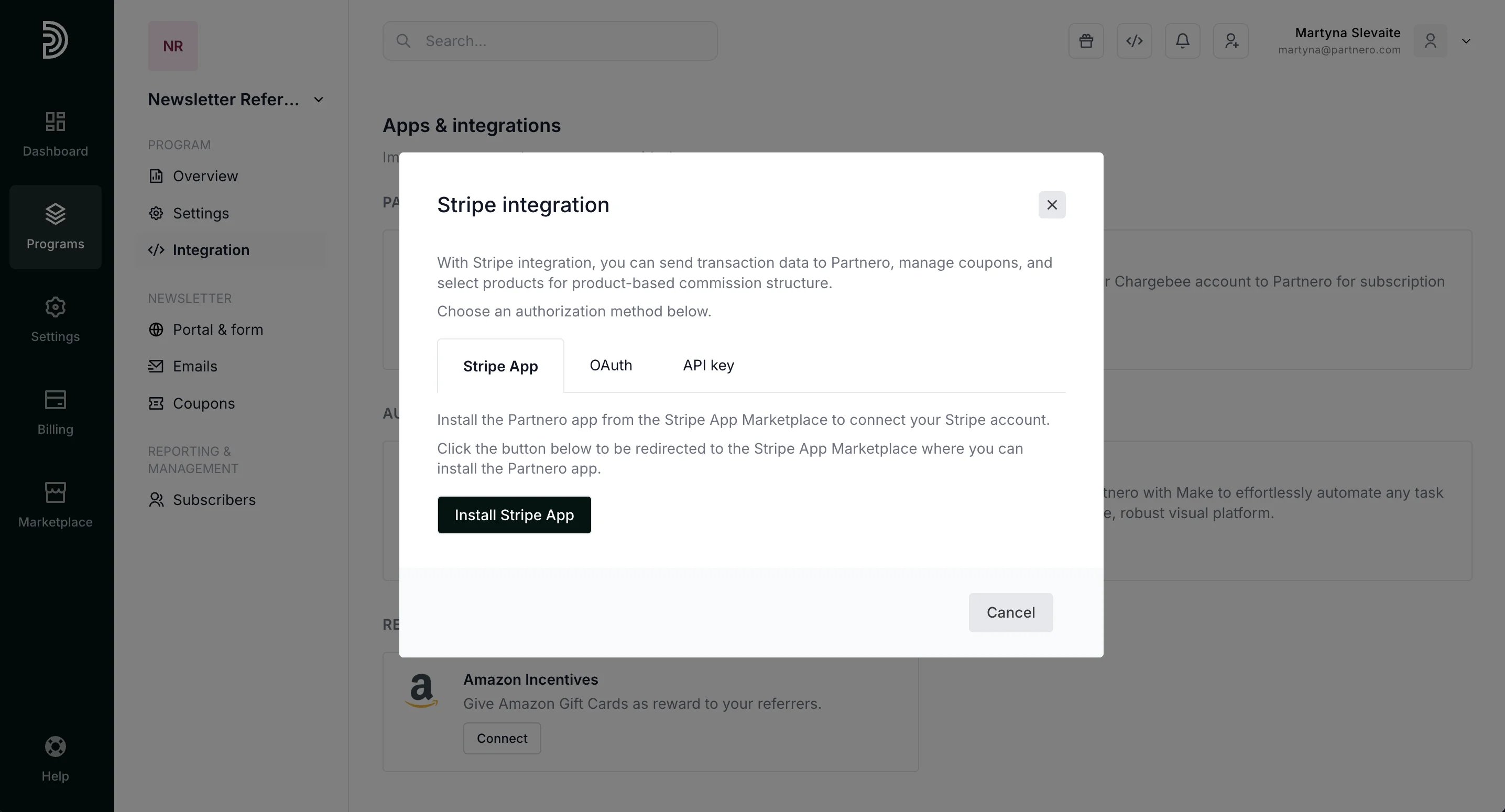 Choose the method you prefer and click **Authorize** once done.
After authorization is complete, you will see a **Connected** message:
Choose the method you prefer and click **Authorize** once done.
After authorization is complete, you will see a **Connected** message: 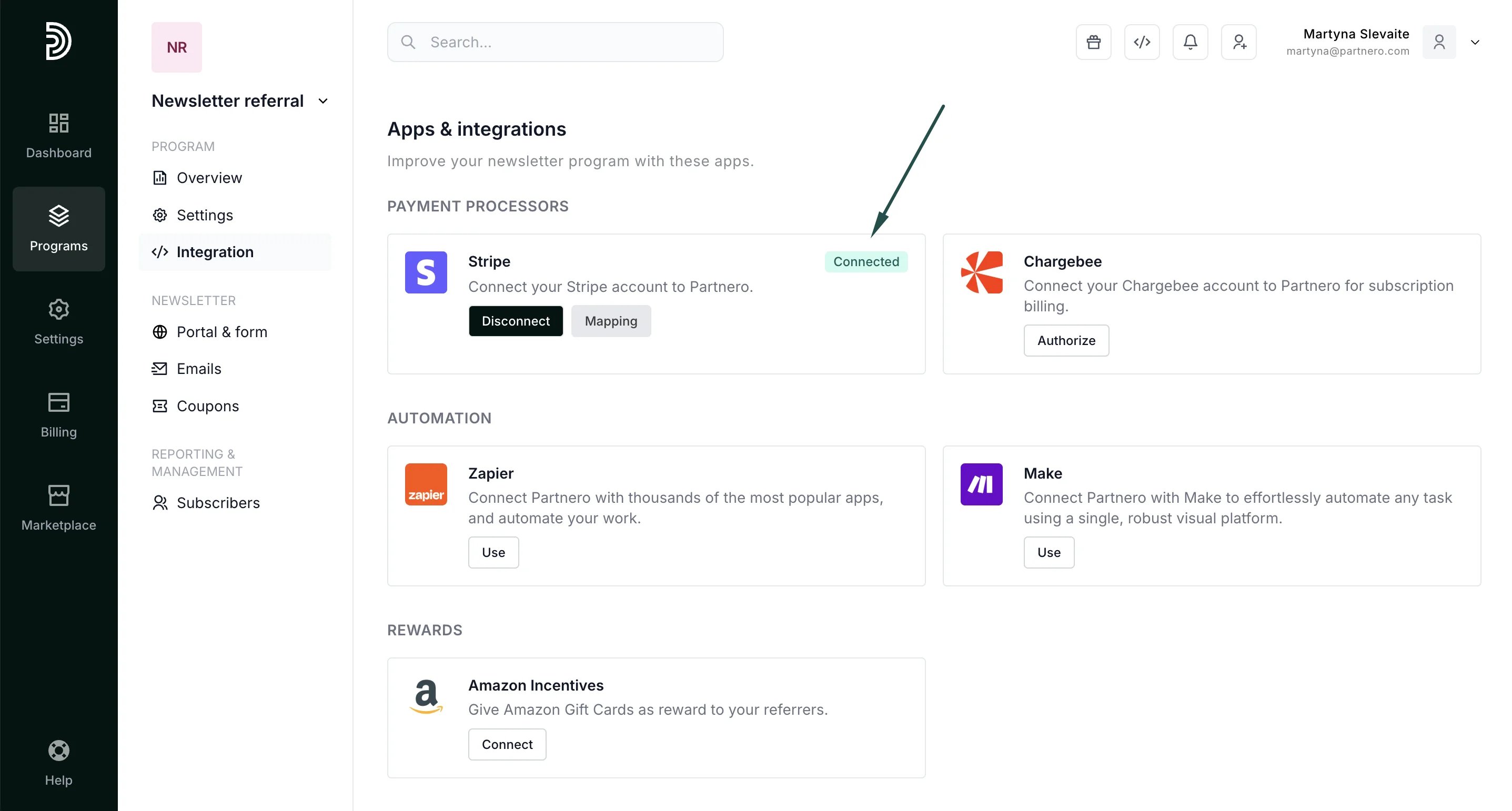 That's it! Now Stripe coupons will be available for selection when setting up rewards.
This documentation is built and hosted on [Mintlify](https://mintlify.com), a developer documentation platform.
That's it! Now Stripe coupons will be available for selection when setting up rewards.
This documentation is built and hosted on [Mintlify](https://mintlify.com), a developer documentation platform.