> ## Documentation Index
> Fetch the complete documentation index at: https://docs.partnero.com/llms.txt
> Use this file to discover all available pages before exploring further.
# Connect ConvertKit to your newsletter referral program
When [creating a newsletter referral program](/knowledge-base/newsletter-referral-programs/how-to-setup-a-newsletter-referral-program), you will be prompted to select your email service provider.
To connect ConvertKit:
1. Set up a newsletter referral program and select ConvertKit as the ESP upon creation: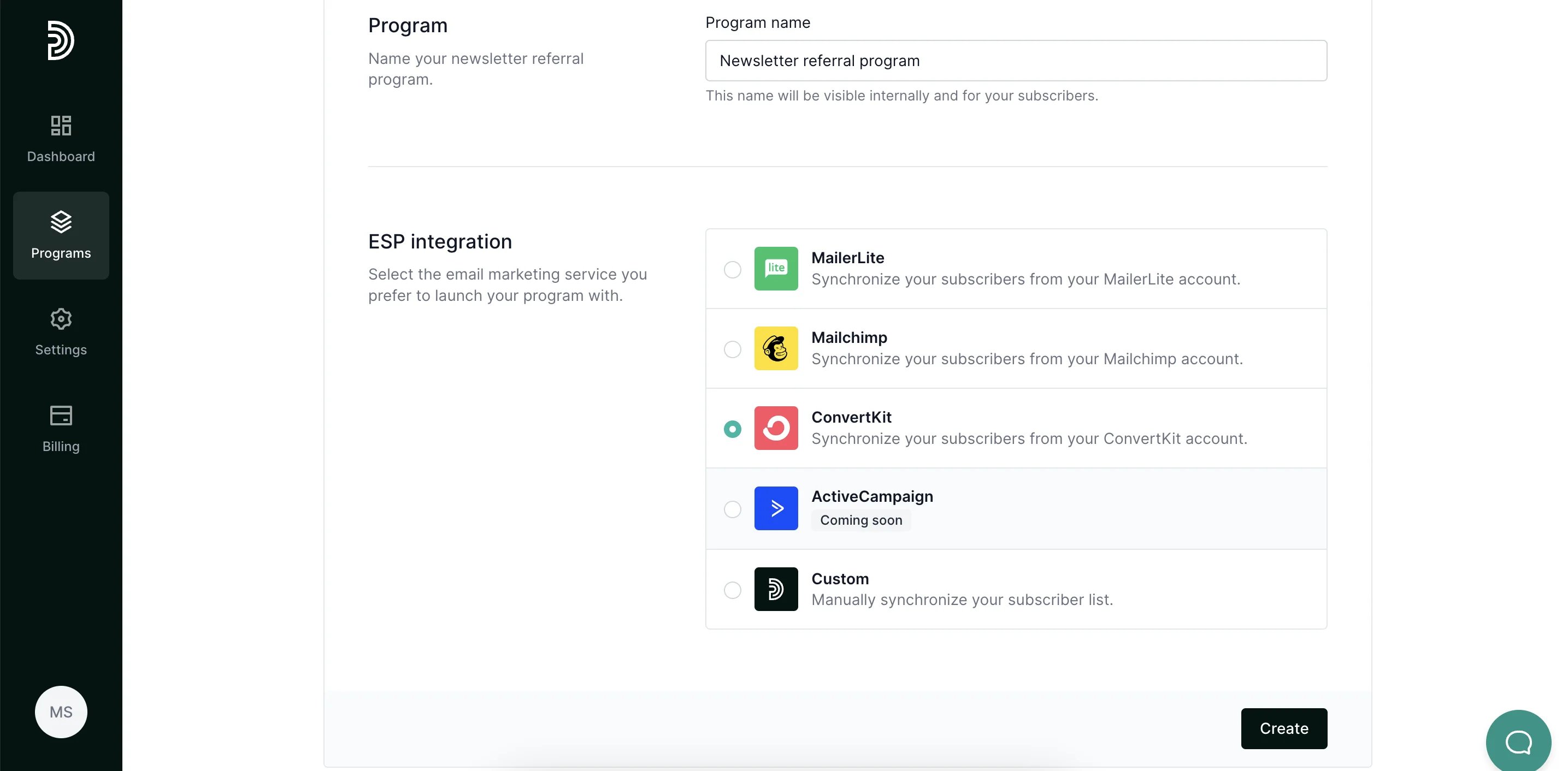 2. Click **Create**.
3. Under Program Settings, click **Authorize** next to **ConvertKit integration**:
2. Click **Create**.
3. Under Program Settings, click **Authorize** next to **ConvertKit integration**: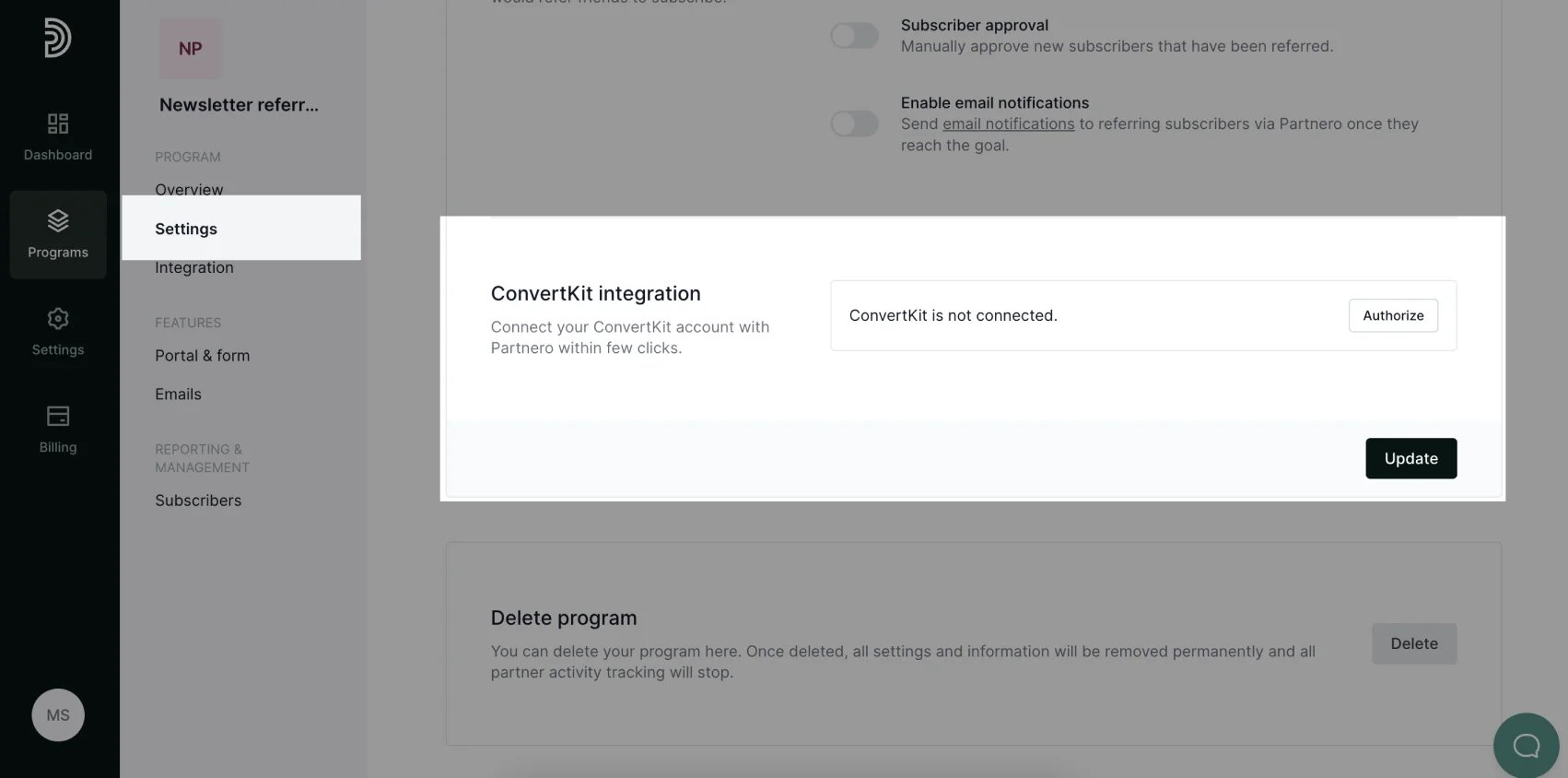 4. Enter your ConvertKit **API Key** and **API Secret**. You can find this information on your ConvertKit account, Settings > Advanced section. Click **Connect.**
5. Select the subscriber group that will participate in your referral program as well as the destination group where newly referred subscribers should be added. You can also choose an existing ConvertKit subscription to enroll new subscribers (optional).
4. Enter your ConvertKit **API Key** and **API Secret**. You can find this information on your ConvertKit account, Settings > Advanced section. Click **Connect.**
5. Select the subscriber group that will participate in your referral program as well as the destination group where newly referred subscribers should be added. You can also choose an existing ConvertKit subscription to enroll new subscribers (optional).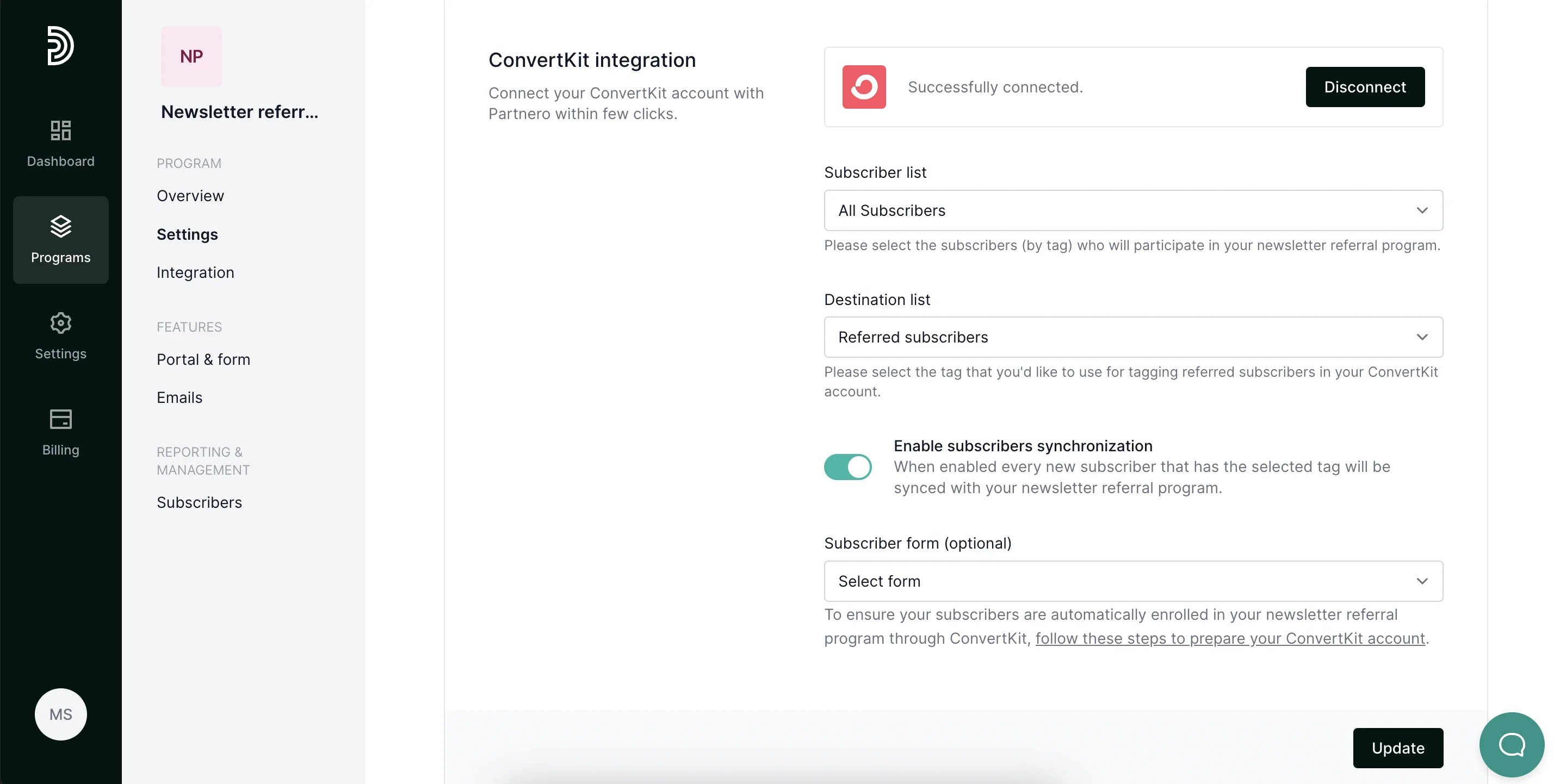 6. Click **Update**. Your subscriber list will be synchronized, and every subscriber will be assigned a unique referral link.
> Next: [Insert a referral section to your ConvertKit newsletter](/knowledge-base/newsletter-referral-programs/insert-a-referral-section-to-your-convertkit-newsletter)
This documentation is built and hosted on [Mintlify](https://mintlify.com), a developer documentation platform.
6. Click **Update**. Your subscriber list will be synchronized, and every subscriber will be assigned a unique referral link.
> Next: [Insert a referral section to your ConvertKit newsletter](/knowledge-base/newsletter-referral-programs/insert-a-referral-section-to-your-convertkit-newsletter)
This documentation is built and hosted on [Mintlify](https://mintlify.com), a developer documentation platform.