> ## Documentation Index
> Fetch the complete documentation index at: https://docs.partnero.com/llms.txt
> Use this file to discover all available pages before exploring further.
# Manually import and export subscribers for newsletter referral program
Every newsletter referral program is connected to an email service provider or a subscriber list. You might be using an in-house solution or an ESP that Partnero does not have an integration with. In these cases, you can use the **Custom** integration option to import and export your subscriber list manually.
***
#### How to import subscribers
1. When [creating a newsletter referral program](/knowledge-base/newsletter-referral-programs/how-to-setup-a-newsletter-referral-program), select the **Custom** option under **ESP integration**: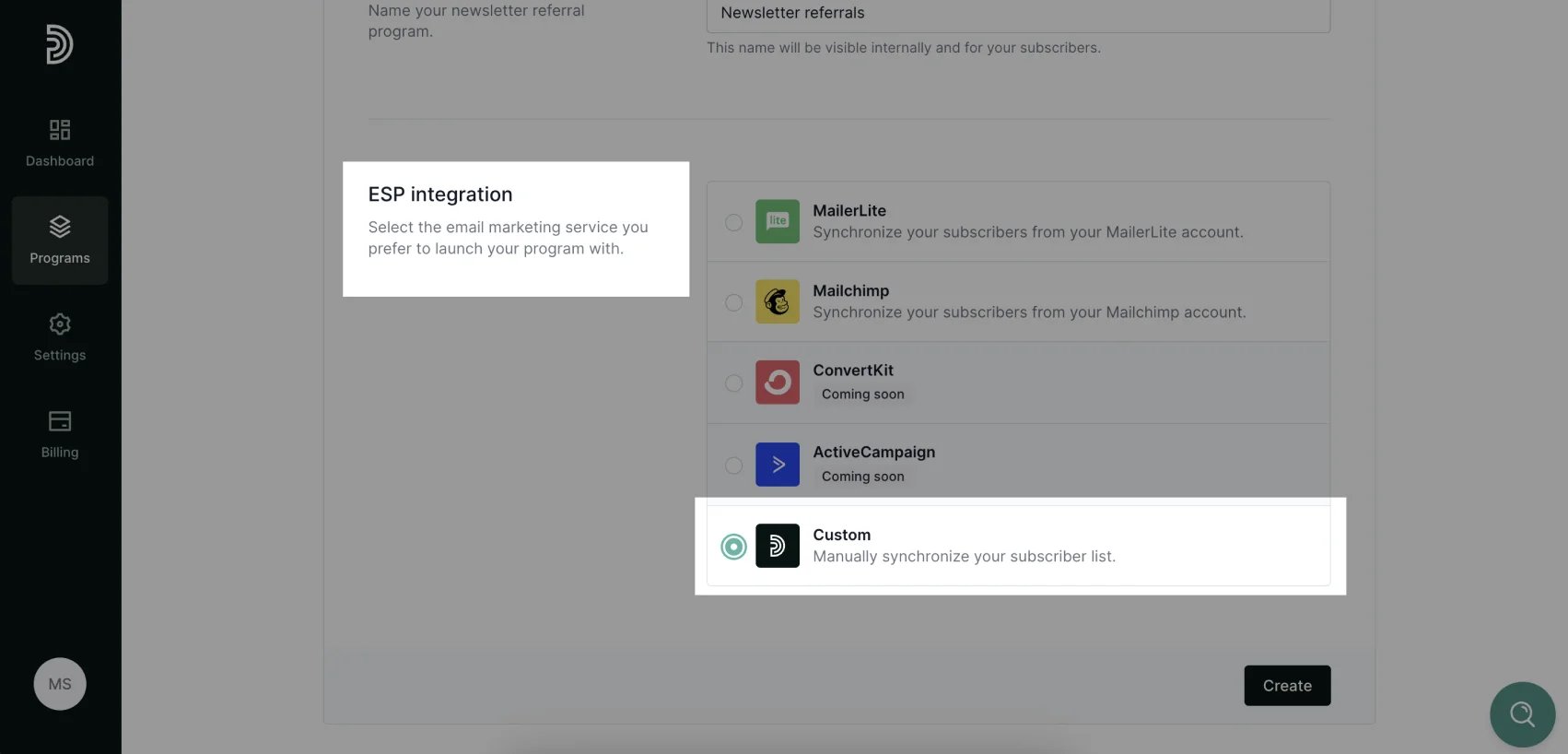 2. Click **Create**.
3. Next, go to **Subscribers** and click **Import** at the top right corner:
2. Click **Create**.
3. Next, go to **Subscribers** and click **Import** at the top right corner: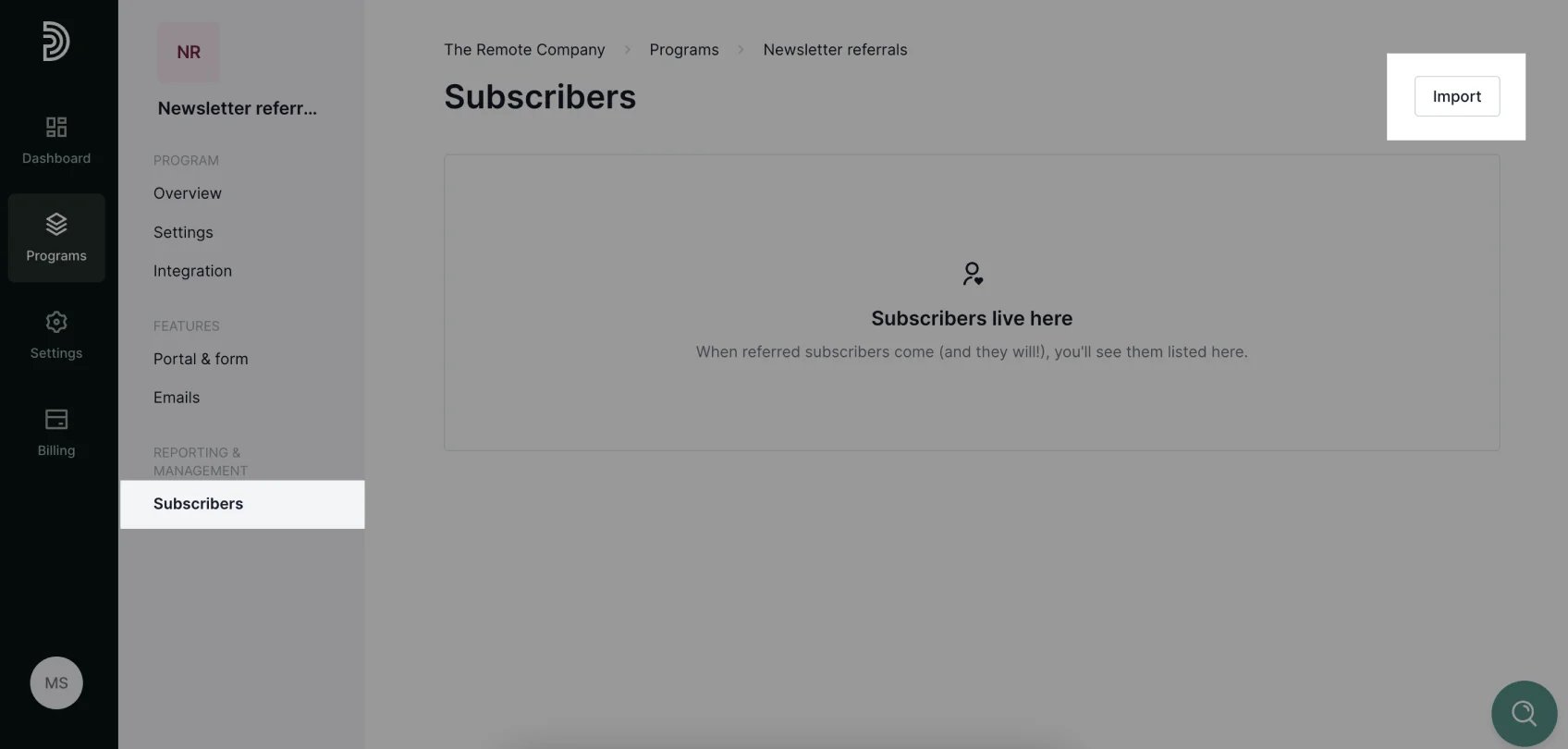 4. Select and upload a **CSV** file with your subscriber list. The list has to contain email addresses. Names are optional. Once the file is uploaded, you can match the file columns with the corresponding fields:
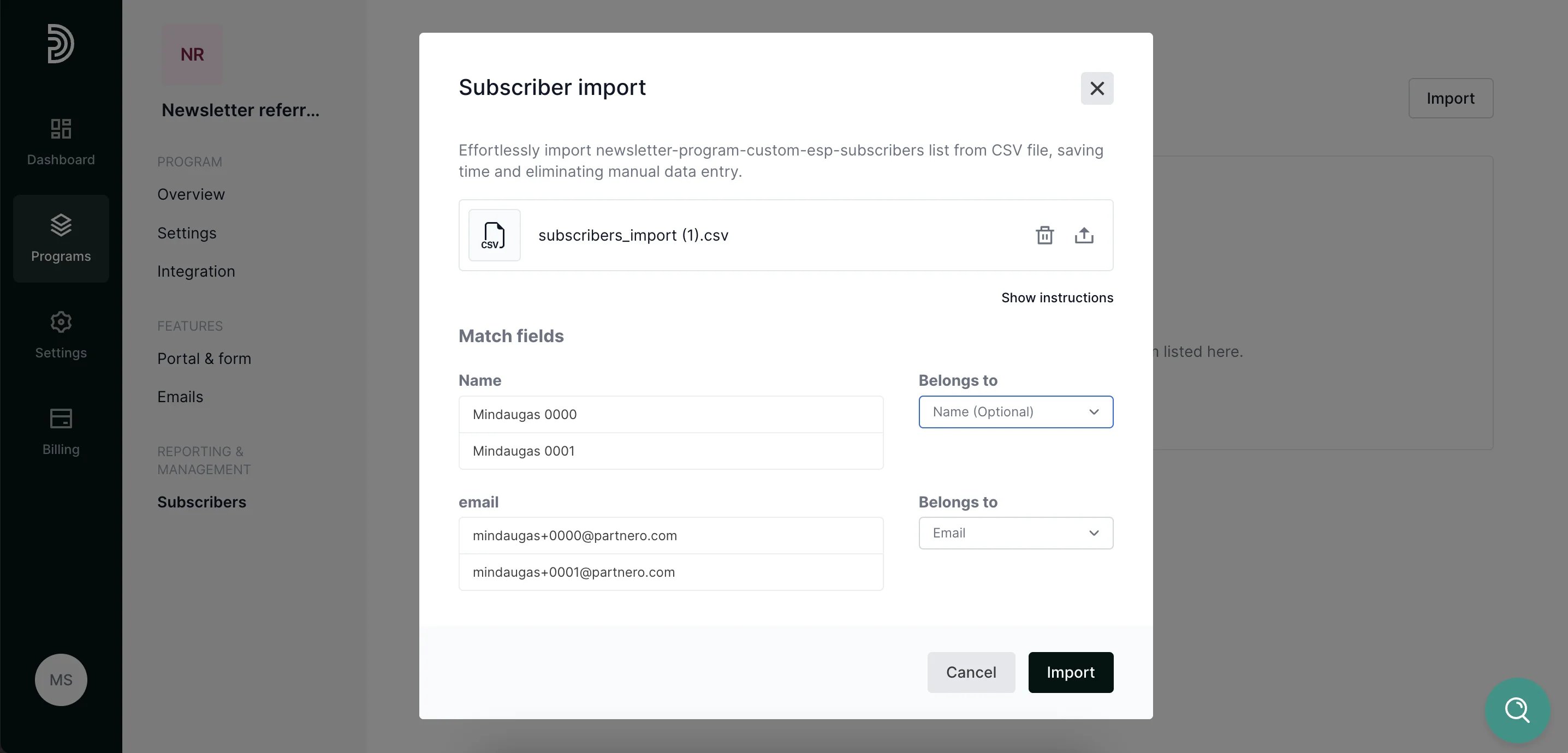 5. Click **Import**.
6. Once imported, each subscriber will be automatically assigned a unique referral link for sharing the newsletter as well as subscribe portal link to track their progress.
***
#### How to export subscribers
Once the import process has been complete and each subscriber was assigned the required information, the data can be exported and re-uploaded to ESP.
1. Go to the **Subscribers** section, select all subscribers click Export at the top right corner:
5. Click **Import**.
6. Once imported, each subscriber will be automatically assigned a unique referral link for sharing the newsletter as well as subscribe portal link to track their progress.
***
#### How to export subscribers
Once the import process has been complete and each subscriber was assigned the required information, the data can be exported and re-uploaded to ESP.
1. Go to the **Subscribers** section, select all subscribers click Export at the top right corner: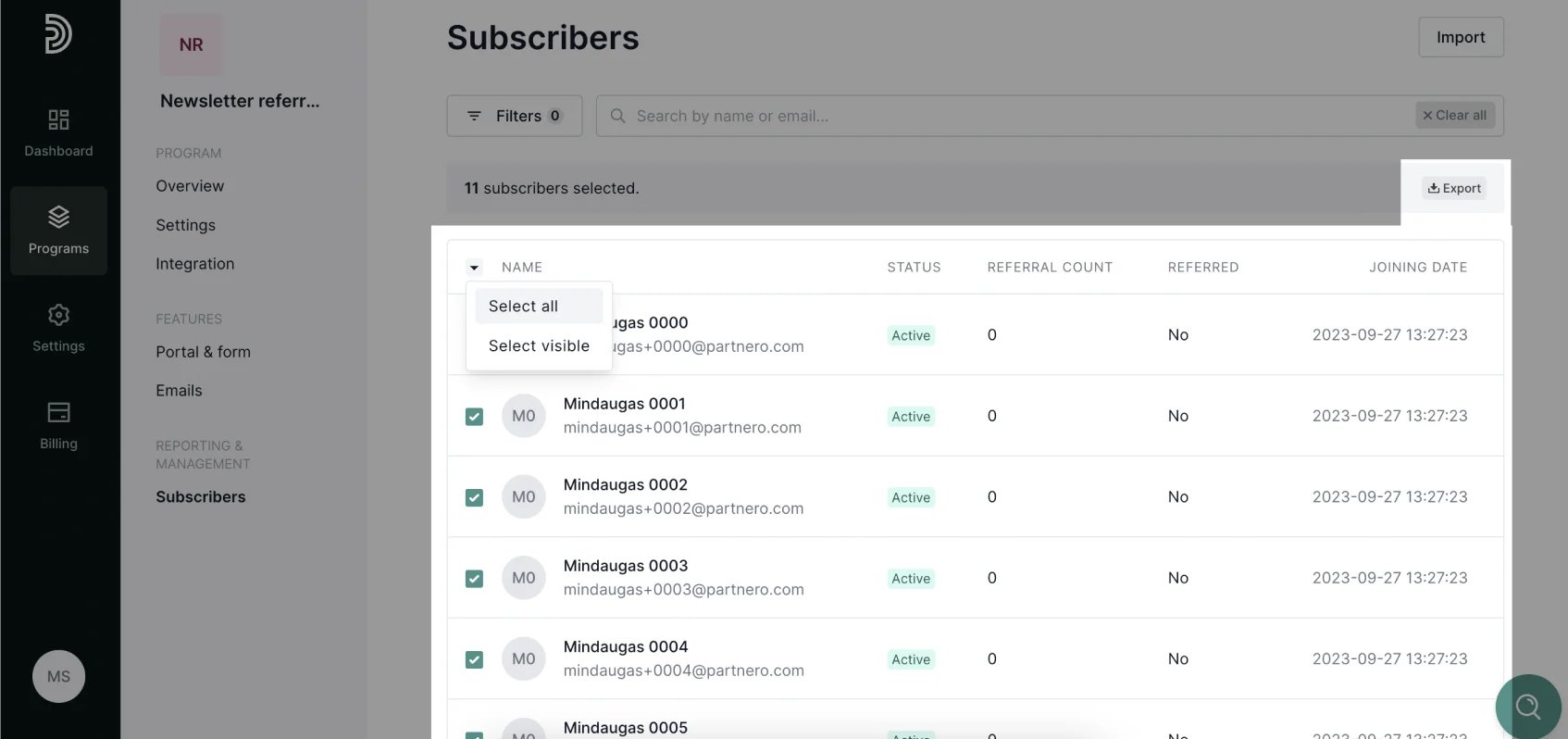 2. Once the export is ready, click **Download**:
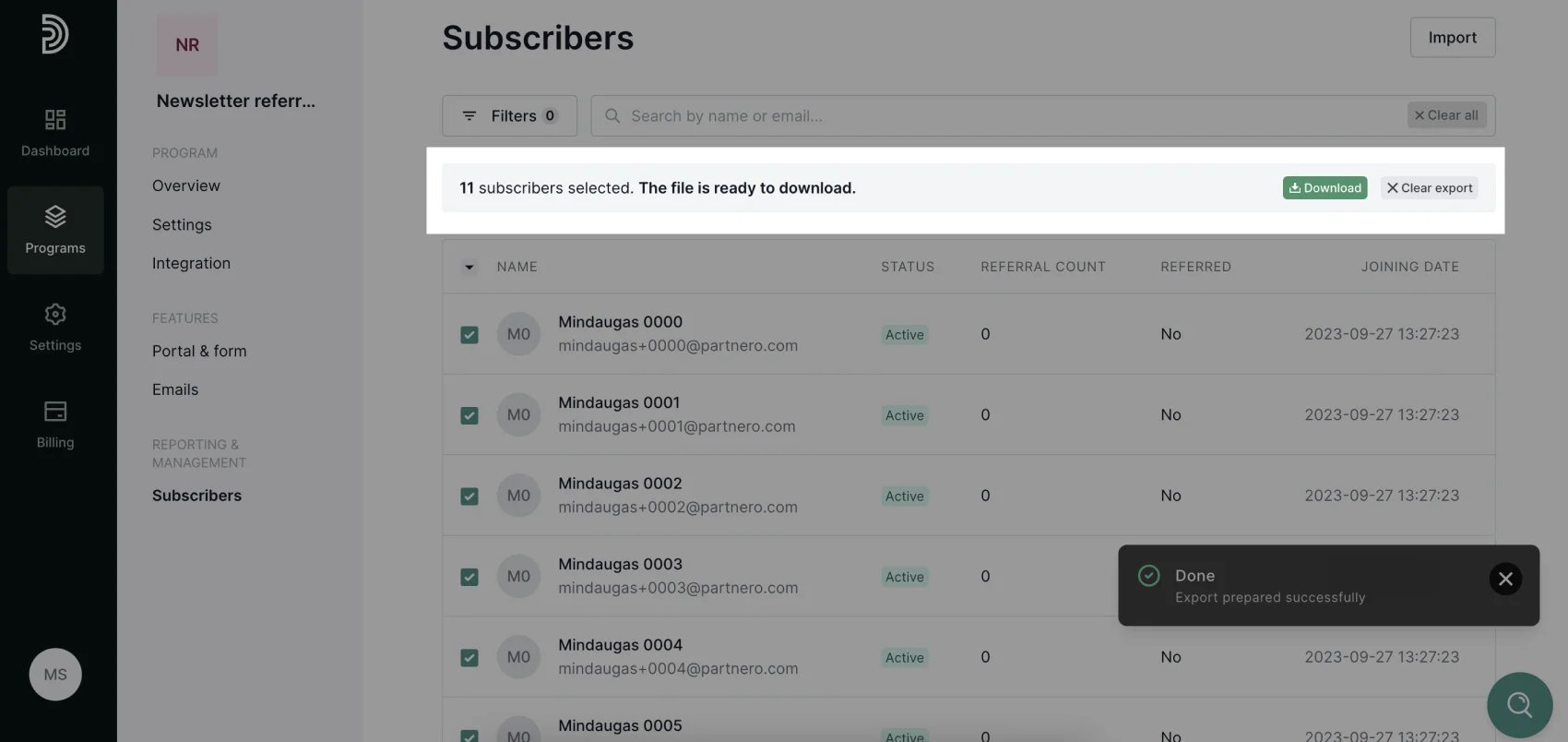 The exported list will contain the following data for each subscriber:
* unique sharing portal referral link;
* unique subscribe portal link;
* referral count.
The list is ready to be re-uploaded to your ESP!
This documentation is built and hosted on [Mintlify](https://mintlify.com), a developer documentation platform.
The exported list will contain the following data for each subscriber:
* unique sharing portal referral link;
* unique subscribe portal link;
* referral count.
The list is ready to be re-uploaded to your ESP!
This documentation is built and hosted on [Mintlify](https://mintlify.com), a developer documentation platform.