> ## Documentation Index
> Fetch the complete documentation index at: https://docs.partnero.com/llms.txt
> Use this file to discover all available pages before exploring further.
# Newsletter referral: design the subscribe portal & page
The newsletter referral program has two main partner-facing pages:
* **Subscribe portal**: a portal where your referring subscribers can track their progress and access their referral link.
* **Subscribe page**: a page where new referrals will be sent to sign up.
***
### Design and customize the Subscribe portal and Subscribe page
Open the program, and go to **Portal & form** under **Newsletter.**
#### Settings
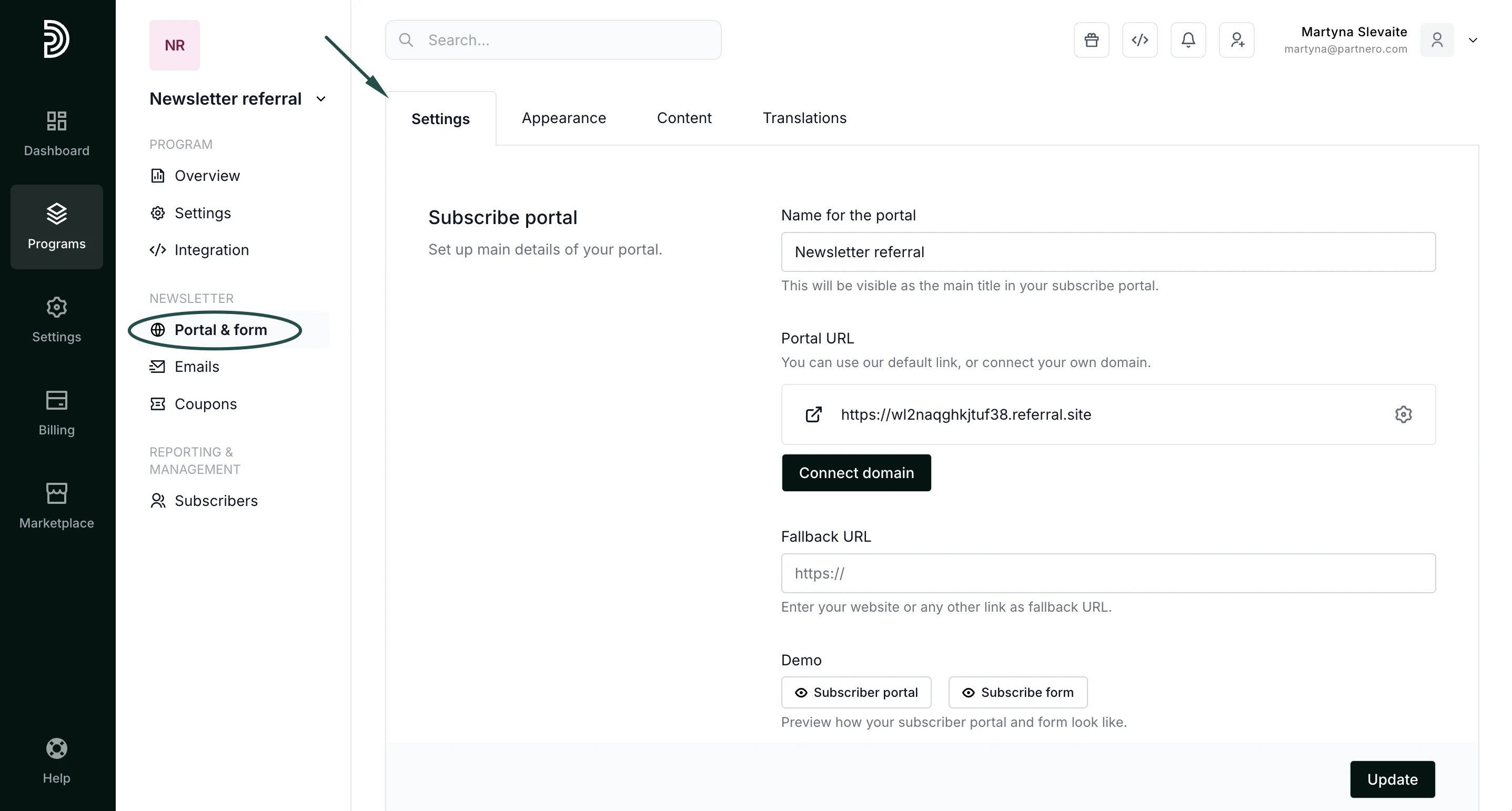
In the Settings tab, you can:
* Add the name of the portal.
* [Connect your own Subscribe portal domain](/knowledge-base/newsletter-referral-programs/connect-a-custom-subscribe-portal-domain).
* Add a fallback URL.
* Preview the subscriber portal and the subscribe form.
* Choose a preferred link structure (Link or Query);
* Connect your ESP if you haven't yet.
 #### Appearance
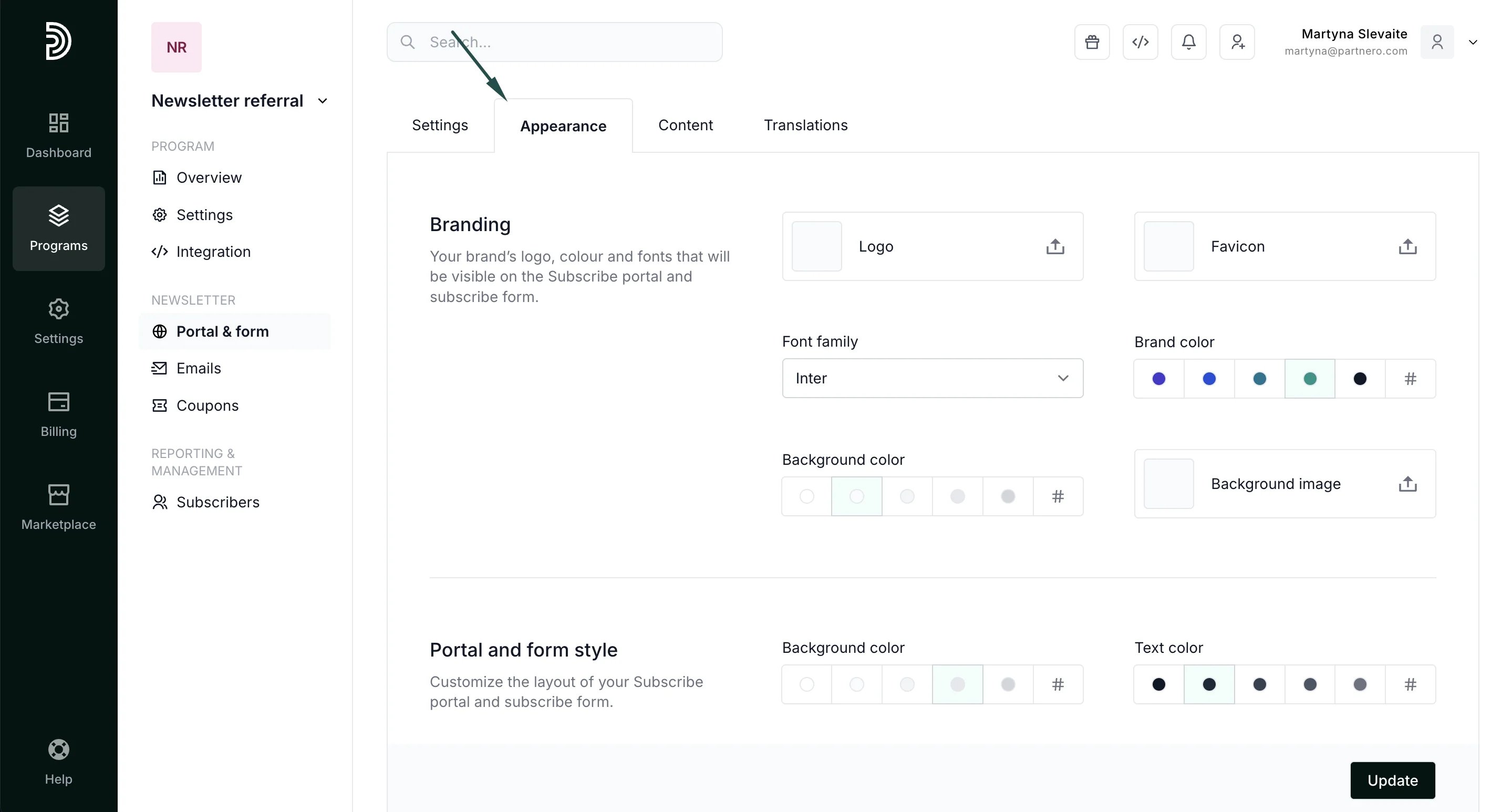
The Appearance tab allows you to add your branding and logo, choose the colors, add background images, and design the portal and form style.
#### Appearance
The Appearance tab allows you to add your branding and logo, choose the colors, add background images, and design the portal and form style.
 Additionally, you can enable Partnero branding on the portal. When enabled, Partnero branding will be shown on the portal, and you will automatically participate in our [Affiliate program](https://www.partnero.com/partnero-affiliate-program).
#### Content
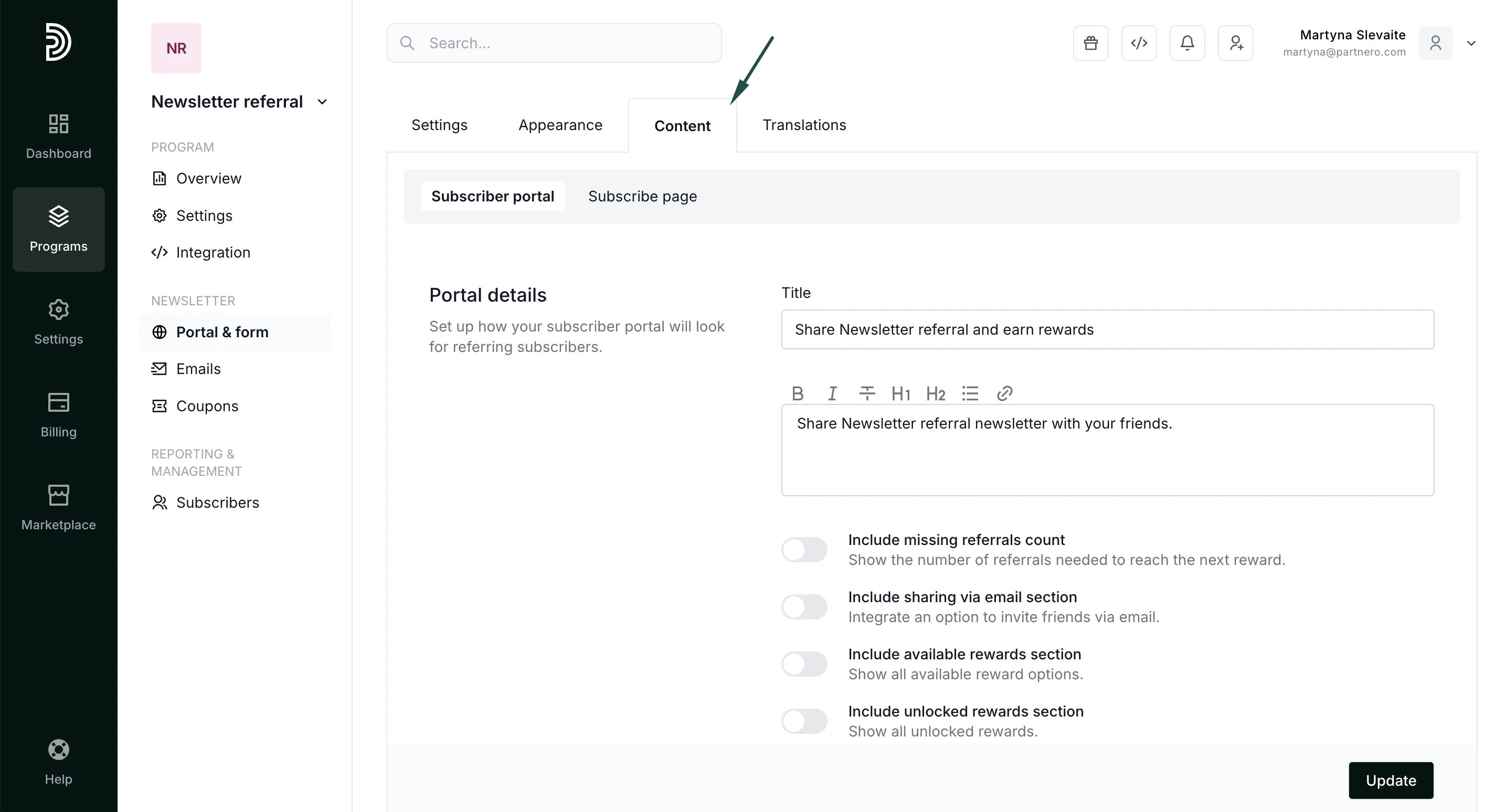
The Content tab allows you to customize the portal and subscribe page with your text and other features.
Under the **Subscribe portal**, you can enable the following customization:
* Include missing referrals count - show the number of referrals needed to reach the next reward.
* Include an option to invite friends via email.
* Show all available rewards.
* Show all unlocked rewards.
Additionally, you can enable Partnero branding on the portal. When enabled, Partnero branding will be shown on the portal, and you will automatically participate in our [Affiliate program](https://www.partnero.com/partnero-affiliate-program).
#### Content
The Content tab allows you to customize the portal and subscribe page with your text and other features.
Under the **Subscribe portal**, you can enable the following customization:
* Include missing referrals count - show the number of referrals needed to reach the next reward.
* Include an option to invite friends via email.
* Show all available rewards.
* Show all unlocked rewards.
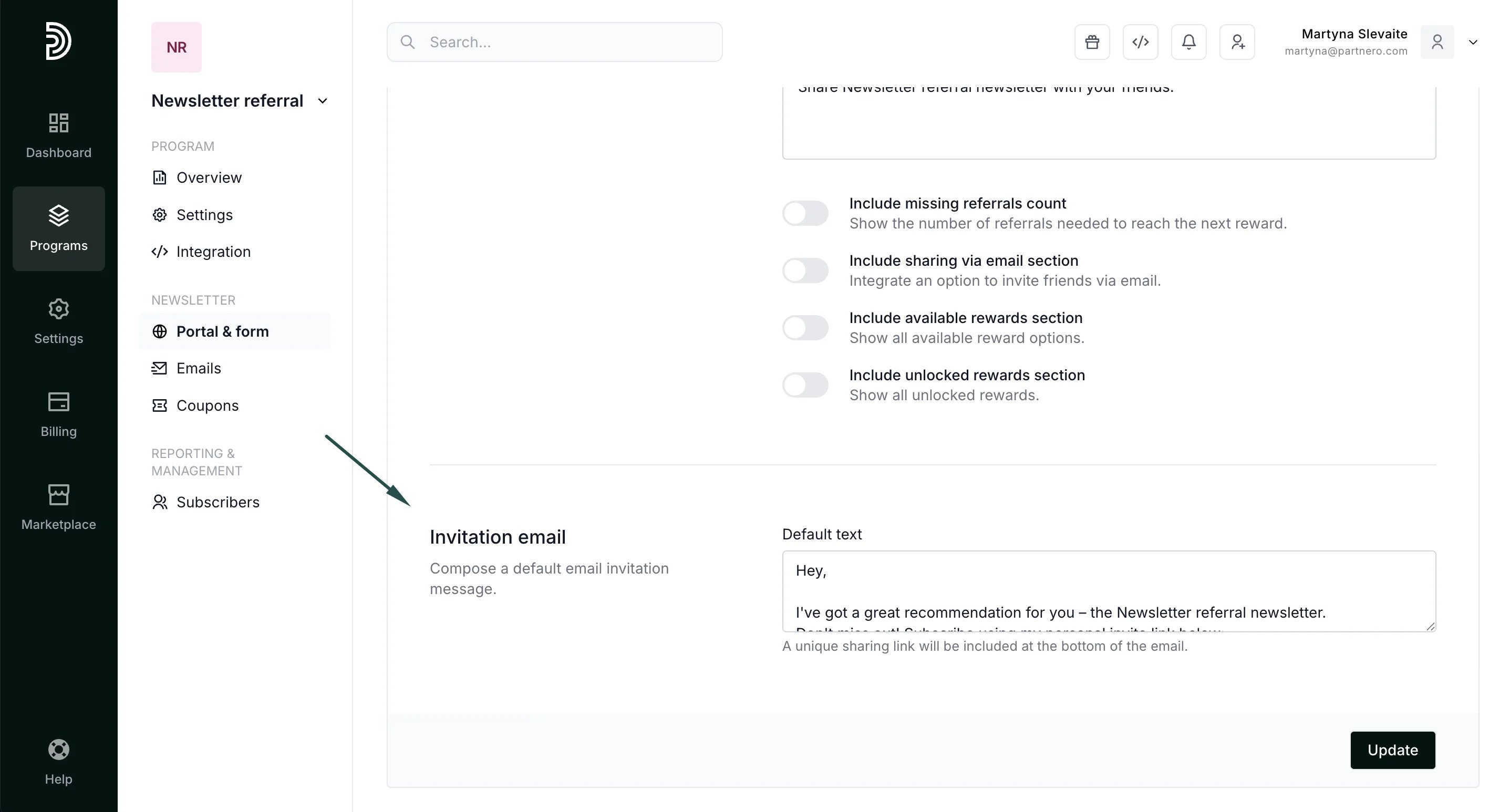
 Further down, you can customize the invitation email copy:
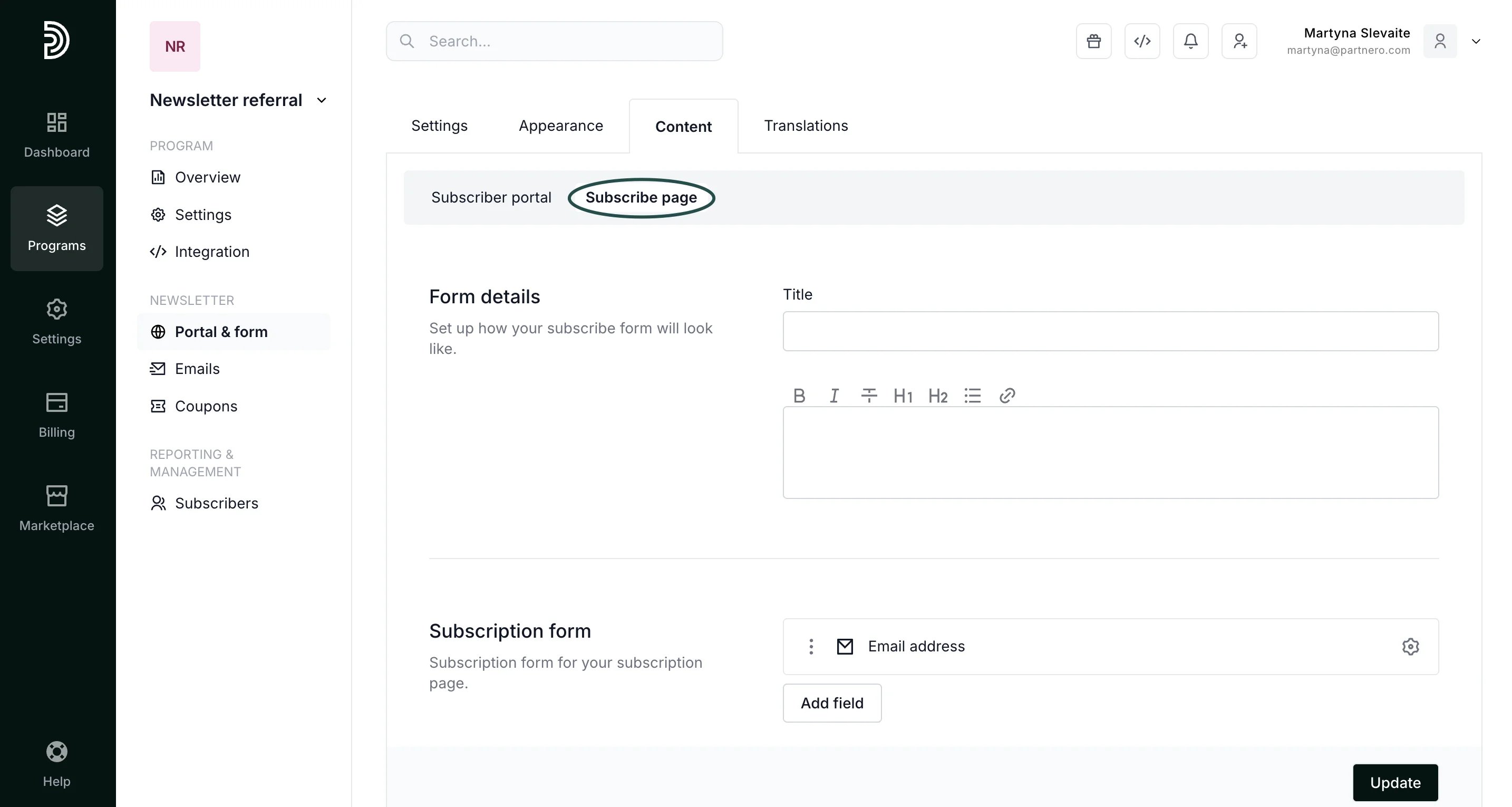
 Under **Subscribe page** you can:
* Update the subscribe page title and description.
* Customize the subscription form by adding more fields, such as name or last name.
* Add your Terms of Use.
* Collect marketing consent.
Under **Subscribe page** you can:
* Update the subscribe page title and description.
* Customize the subscription form by adding more fields, such as name or last name.
* Add your Terms of Use.
* Collect marketing consent.
 #### Translations
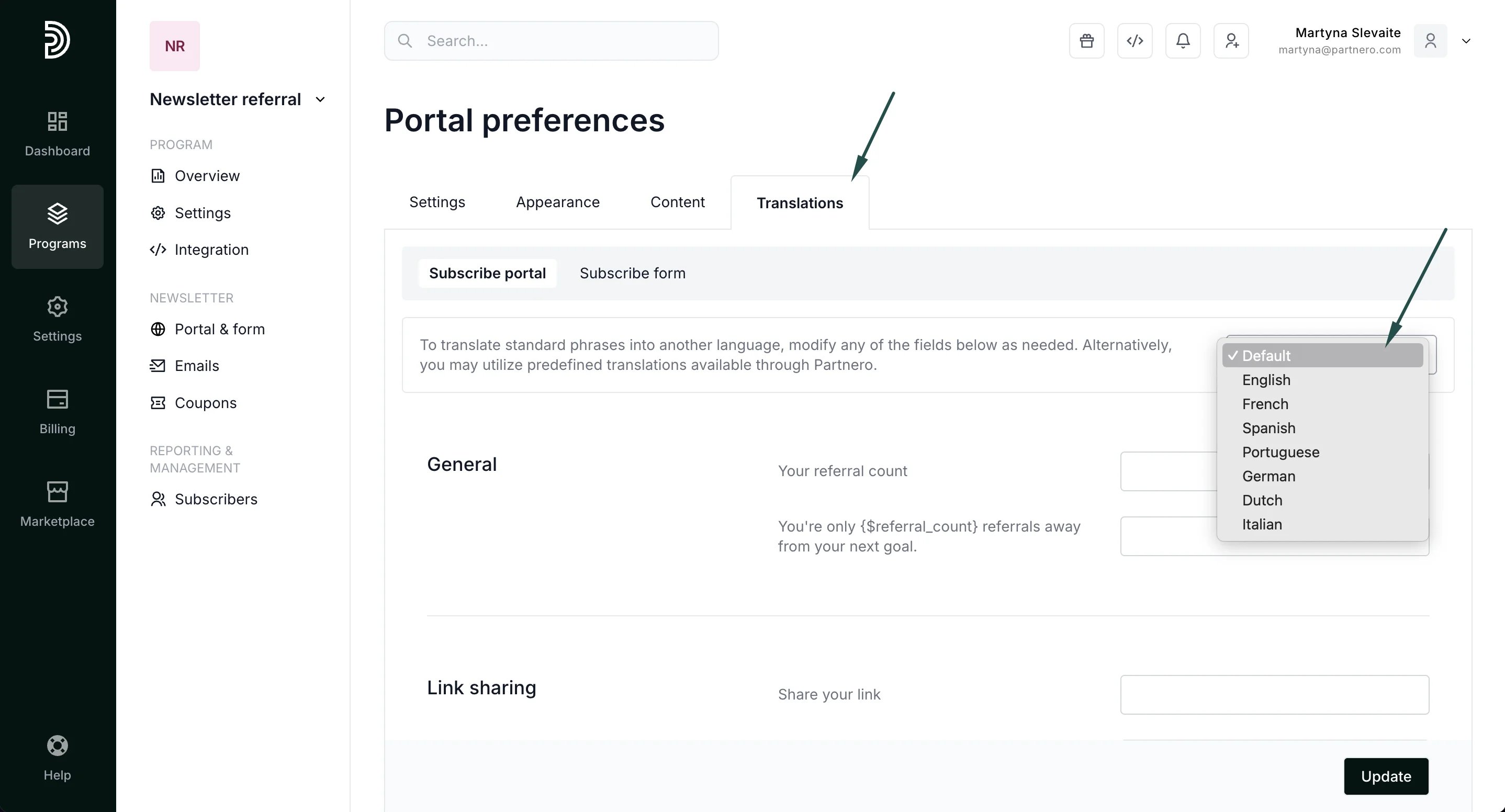
The Translations tab lets you translate any of the default texts into another language. You can use the following pre-defined translations:
* English
* French
* Spanish
* Portuguese
* German
* Dutch
* Italian
Alternatively, you can manually modify the phrases to any other language.
#### Translations
The Translations tab lets you translate any of the default texts into another language. You can use the following pre-defined translations:
* English
* French
* Spanish
* Portuguese
* German
* Dutch
* Italian
Alternatively, you can manually modify the phrases to any other language.
 Don't forget to click **Update** after you make any changes!
***
This documentation is built and hosted on [Mintlify](https://mintlify.com), a developer documentation platform.
Don't forget to click **Update** after you make any changes!
***
This documentation is built and hosted on [Mintlify](https://mintlify.com), a developer documentation platform.