> ## Documentation Index
> Fetch the complete documentation index at: https://docs.partnero.com/llms.txt
> Use this file to discover all available pages before exploring further.
# Offer Stripe coupons as subscriber rewards
Newsletter referral programs let you send Stripe coupons to your subscribers as rewards when they reach the set goal.
First, you'll need to authorize Stripe. If you haven't yet, [click here to learn how](/knowledge-base/newsletter-referral-programs/authorize-stripe-for-newsletter-referral-programs). Once Stripe is connected, you can start setting up rewards.
***
### How to sync existing Stripe coupons
If you already have coupons set up on Stripe that you would like to use, go to **Coupons** and click to **Sync Stripe coupons**: 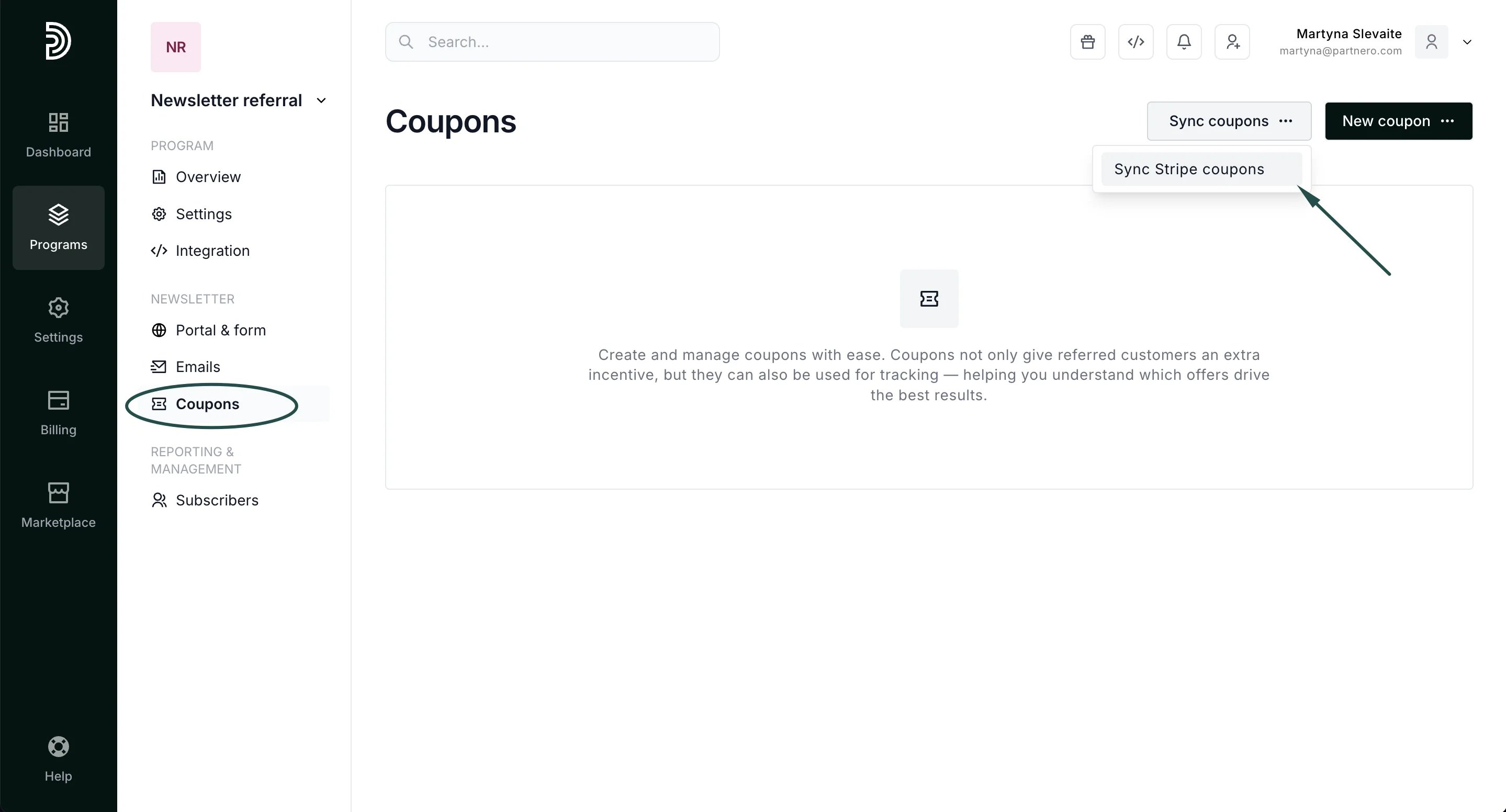 You'll be able to either sync all or select specific coupons you'd like to use:
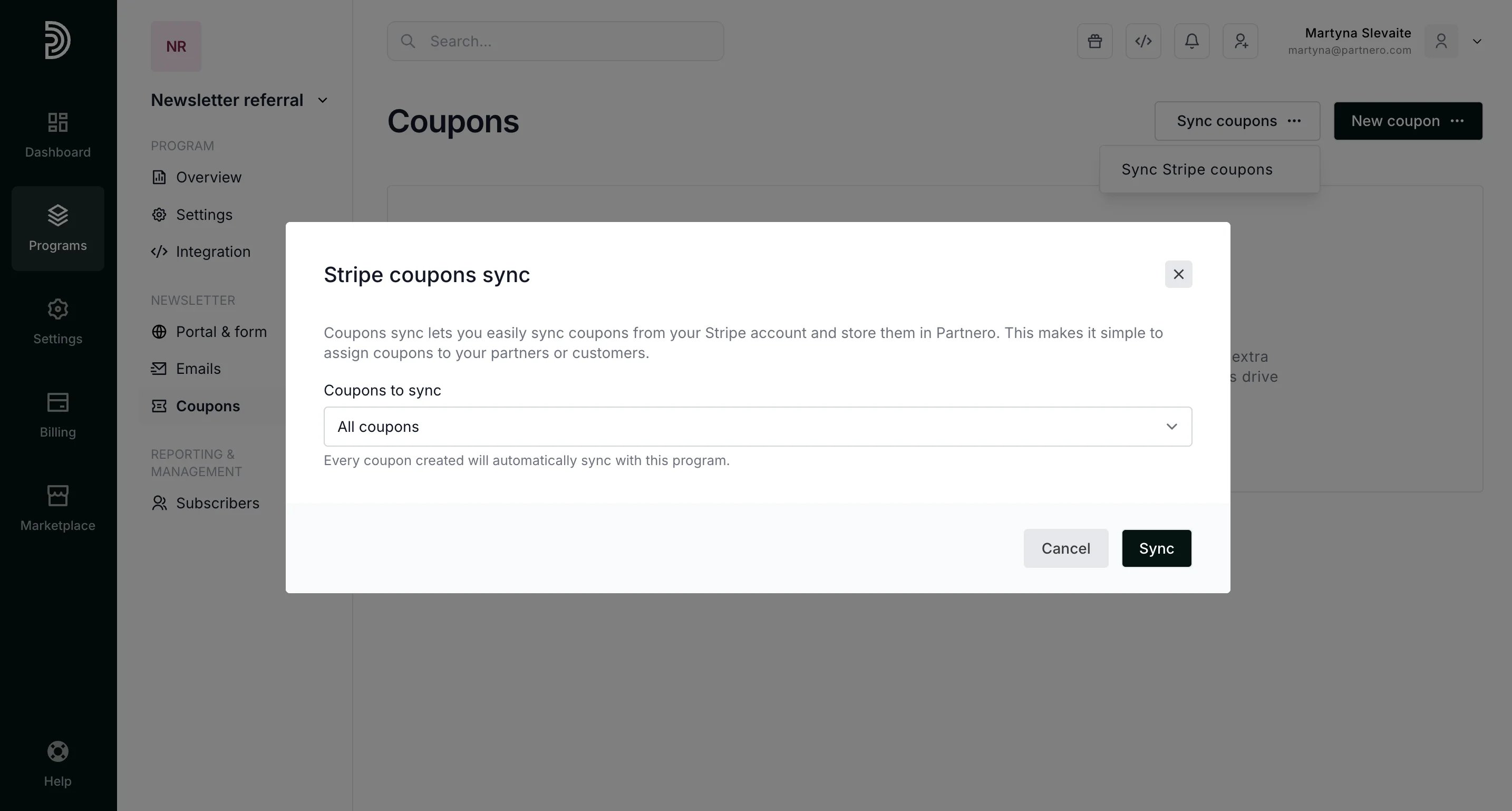 Select the coupons and click **Sync**.
***
### How to send subscribers Stripe coupons as rewards
The next step is to set up the reward.
1. Go to **Settings** under **Program** and click **Create a reward** in the Rewards section:
Select the coupons and click **Sync**.
***
### How to send subscribers Stripe coupons as rewards
The next step is to set up the reward.
1. Go to **Settings** under **Program** and click **Create a reward** in the Rewards section: 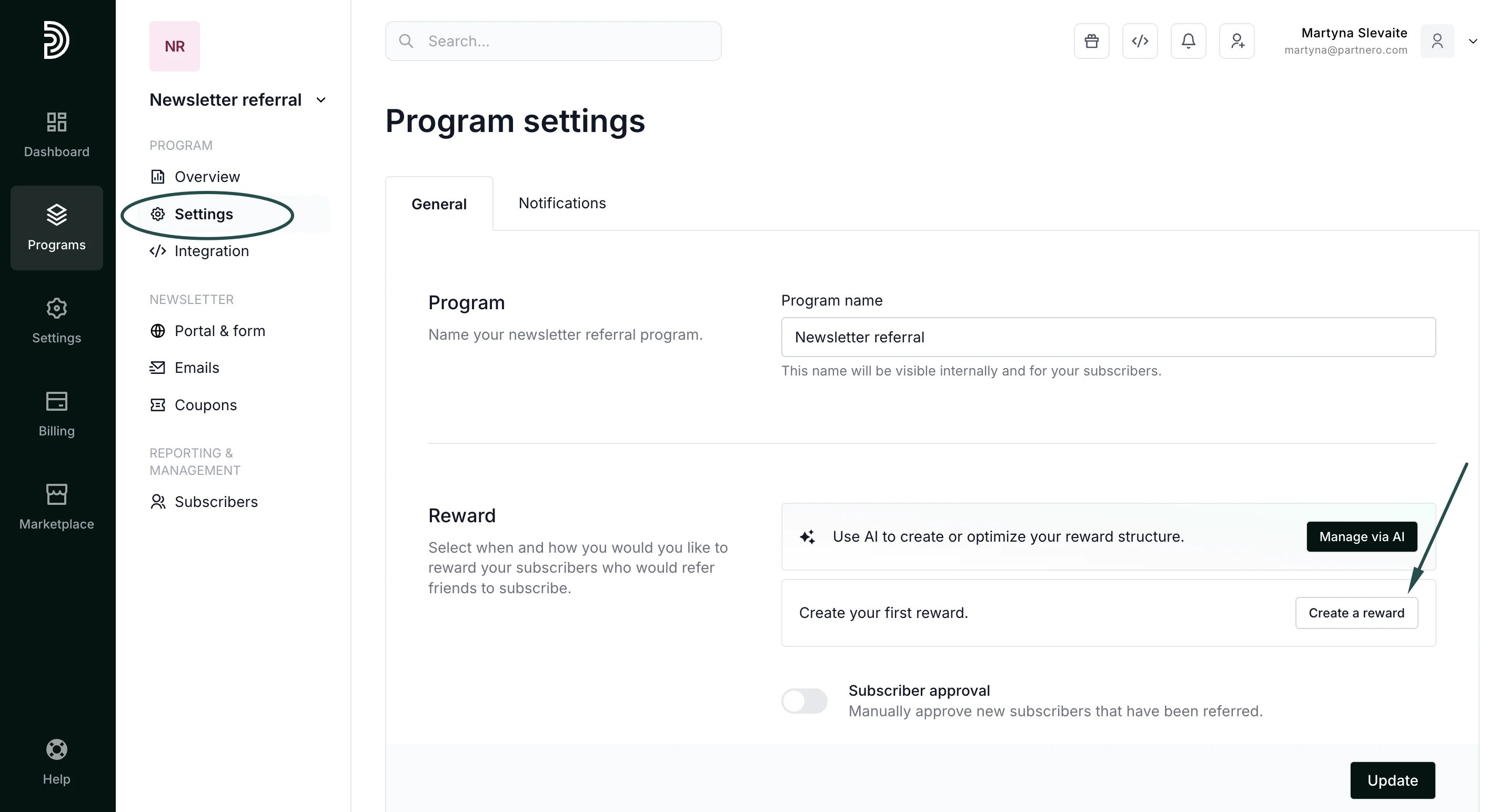 2. Enter the reward name and description. Under "What would you like to offer?" select **Stripe Coupon**:
 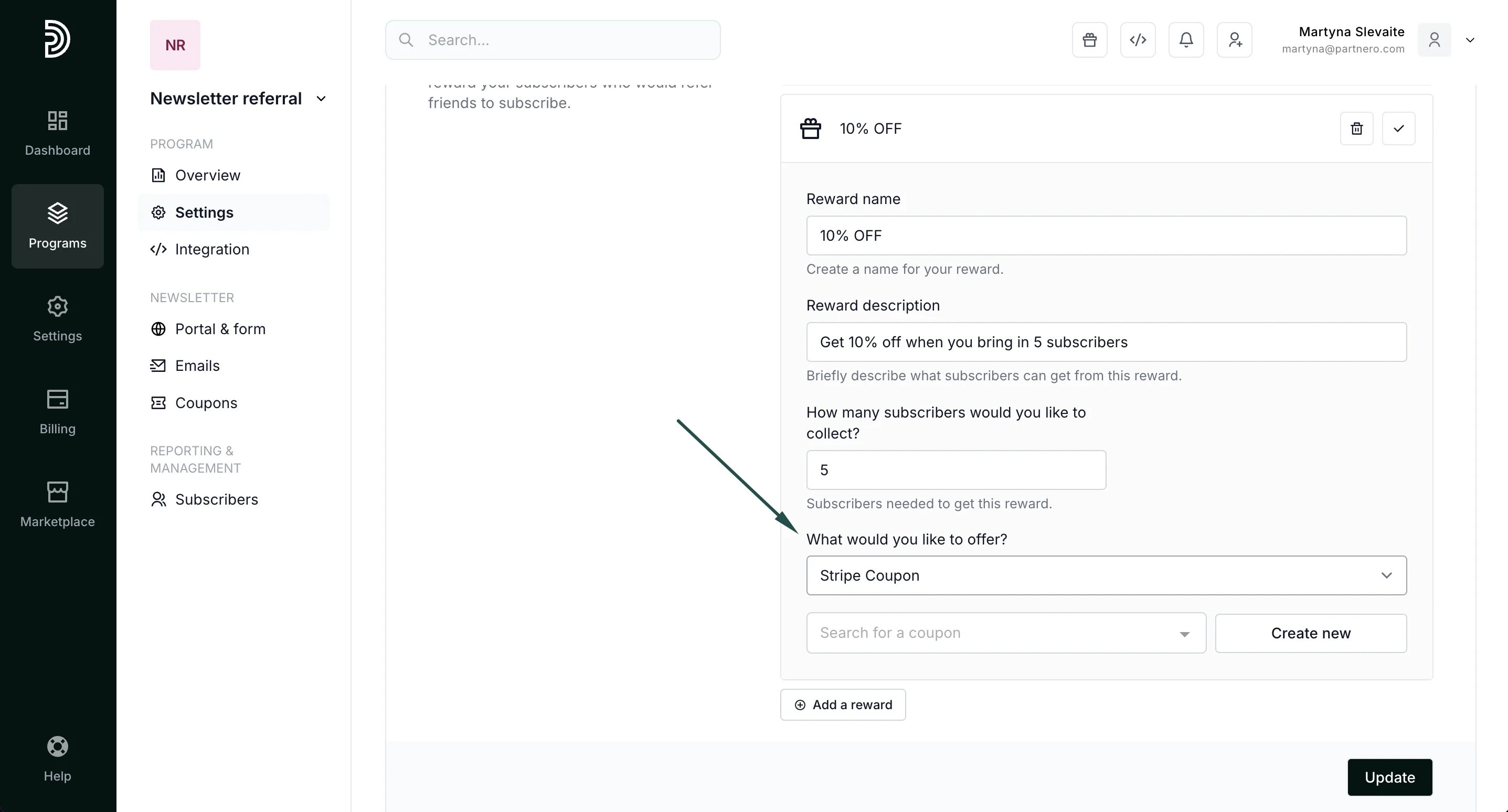 3. Here, you can search and select synced coupons or create new coupons. If you'd like to create new coupons, click on **Create new** and fill out the modal:
 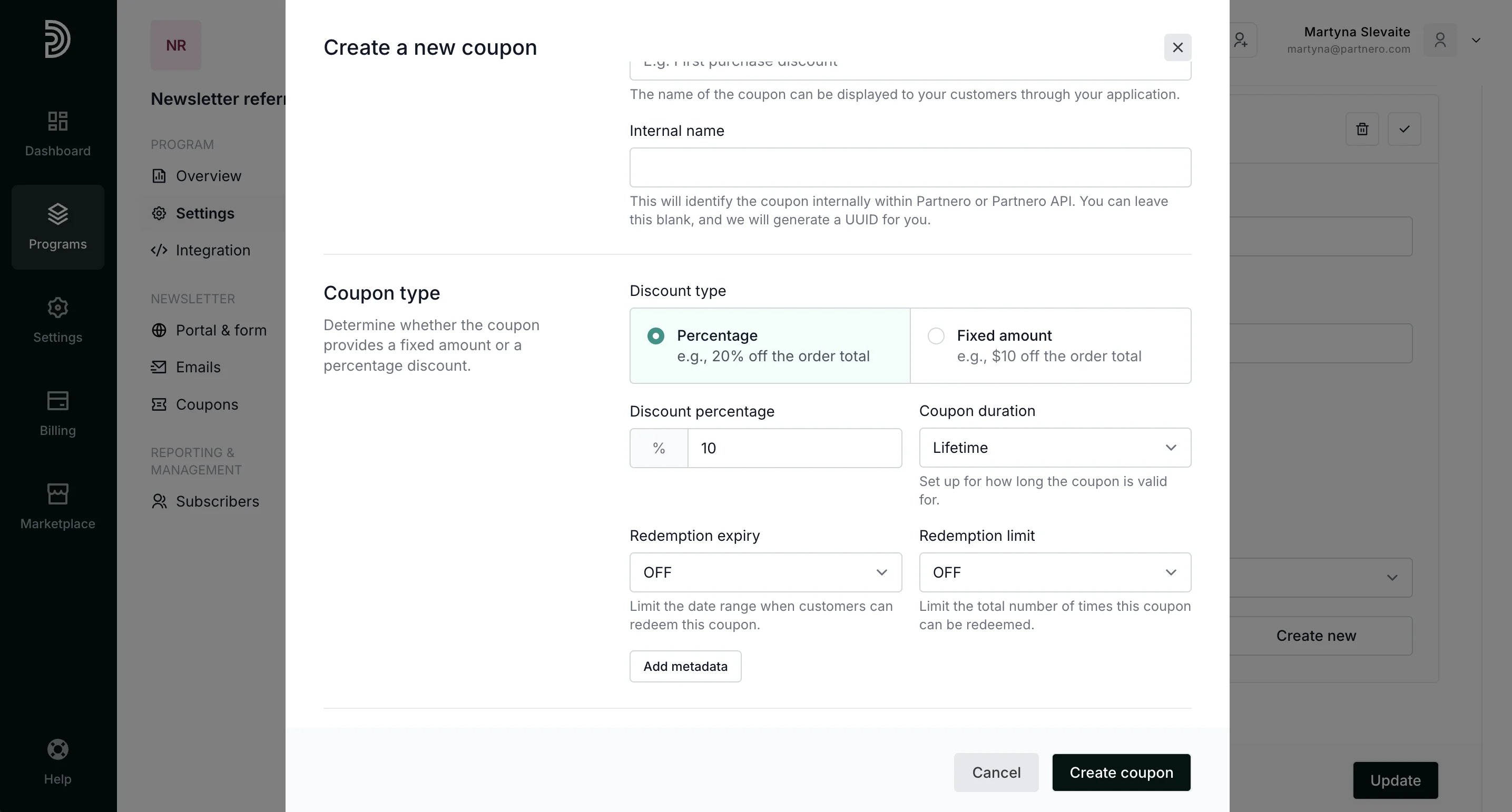 Add the coupon name and configure the discount. In our example, we'll offer a 10% discount.
Under Promotion codes, you can customize the unique codes that will be sent to your subscribers. For example, the code can include the subscriber's name and the discount amount:
Add the coupon name and configure the discount. In our example, we'll offer a 10% discount.
Under Promotion codes, you can customize the unique codes that will be sent to your subscribers. For example, the code can include the subscriber's name and the discount amount: 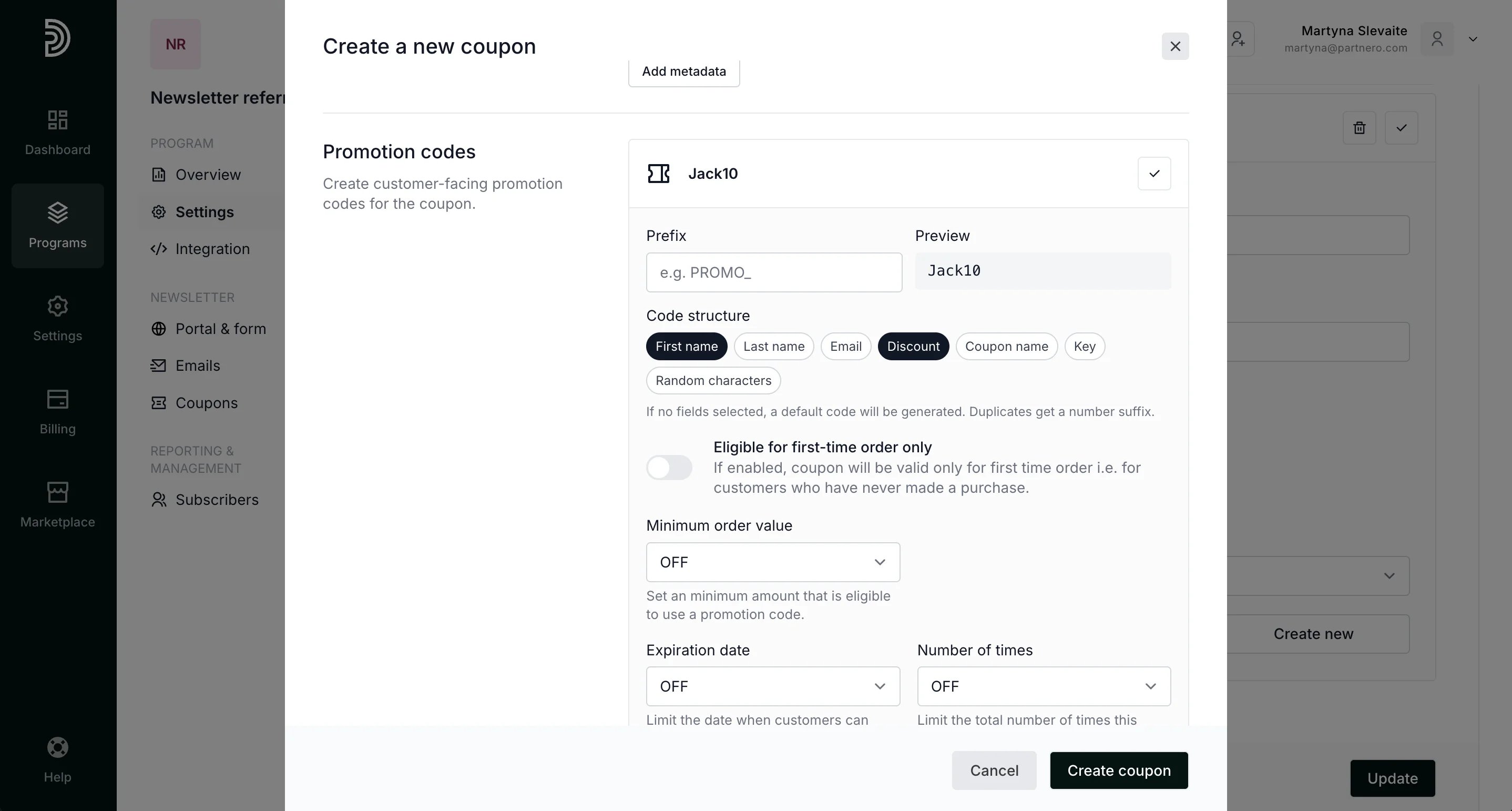 4. Once you're satisfied with the settings, click **Create coupon**.
The coupon will be created on Partnero and automatically synced with Stripe.
5. Click **Update** to save your reward.
4. Once you're satisfied with the settings, click **Create coupon**.
The coupon will be created on Partnero and automatically synced with Stripe.
5. Click **Update** to save your reward. 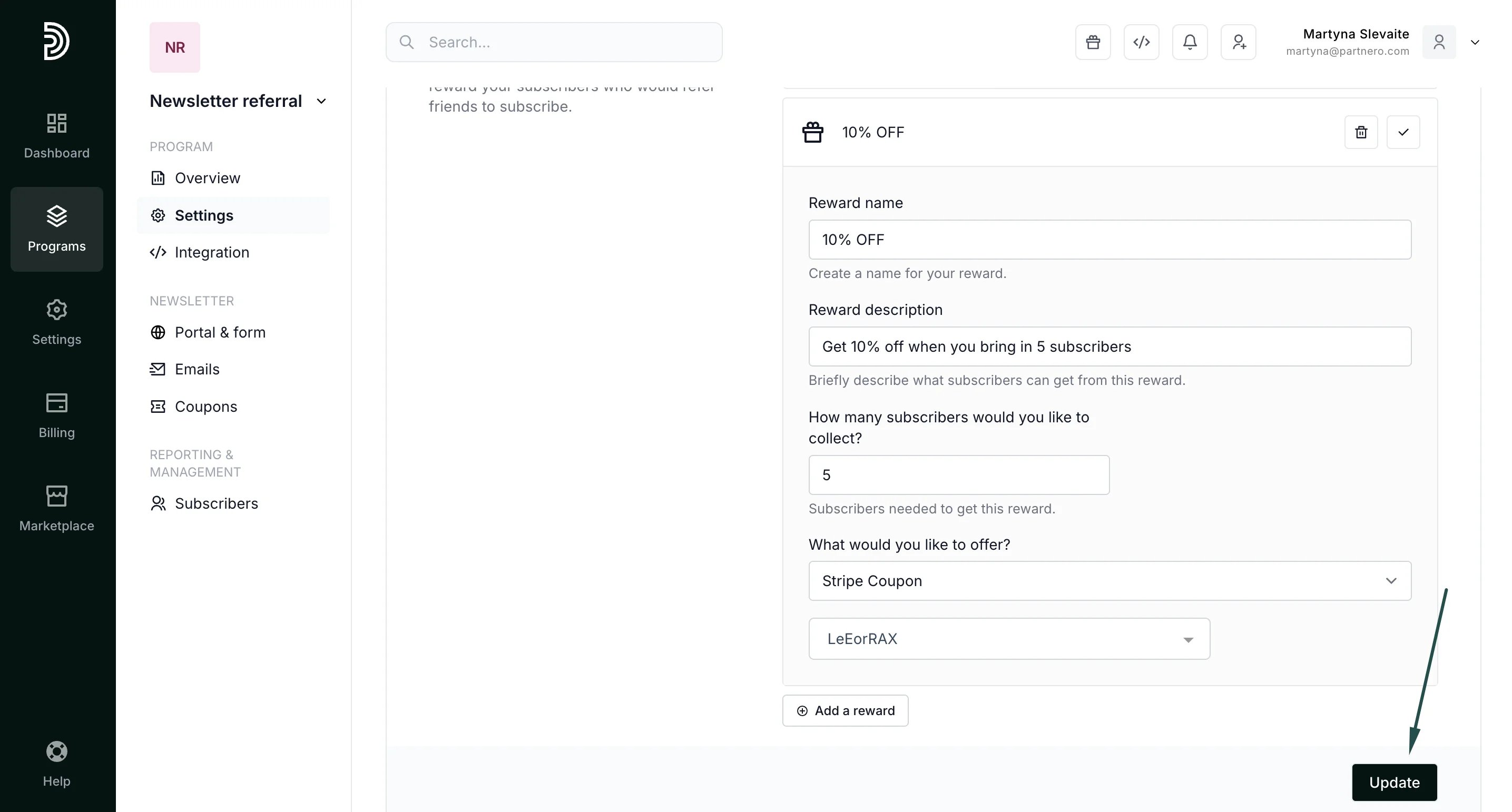 That's it! Now, every time a subscriber reaches the set goal, they will receive an email with a unique promotion code.
This documentation is built and hosted on [Mintlify](https://mintlify.com), a developer documentation platform.
That's it! Now, every time a subscriber reaches the set goal, they will receive an email with a unique promotion code.
This documentation is built and hosted on [Mintlify](https://mintlify.com), a developer documentation platform.