> ## Documentation Index
> Fetch the complete documentation index at: https://docs.partnero.com/llms.txt
> Use this file to discover all available pages before exploring further.
# How to add a manual reward to a partner
A manual reward lets you issue a reward to a partner without a transaction behind it. Once added, it's marked as available and unpaid, and it counts toward the partner's next payout. Use it for bonuses, contest prizes, goodwill payouts, or other one-off adjustments.
***
### Add a reward
To add a manual reward:
1. Open the profile of the partner you want to reward.
2. Scroll to the **Rewards distribution** section and click **Add rewar\*\*\*\*d**. 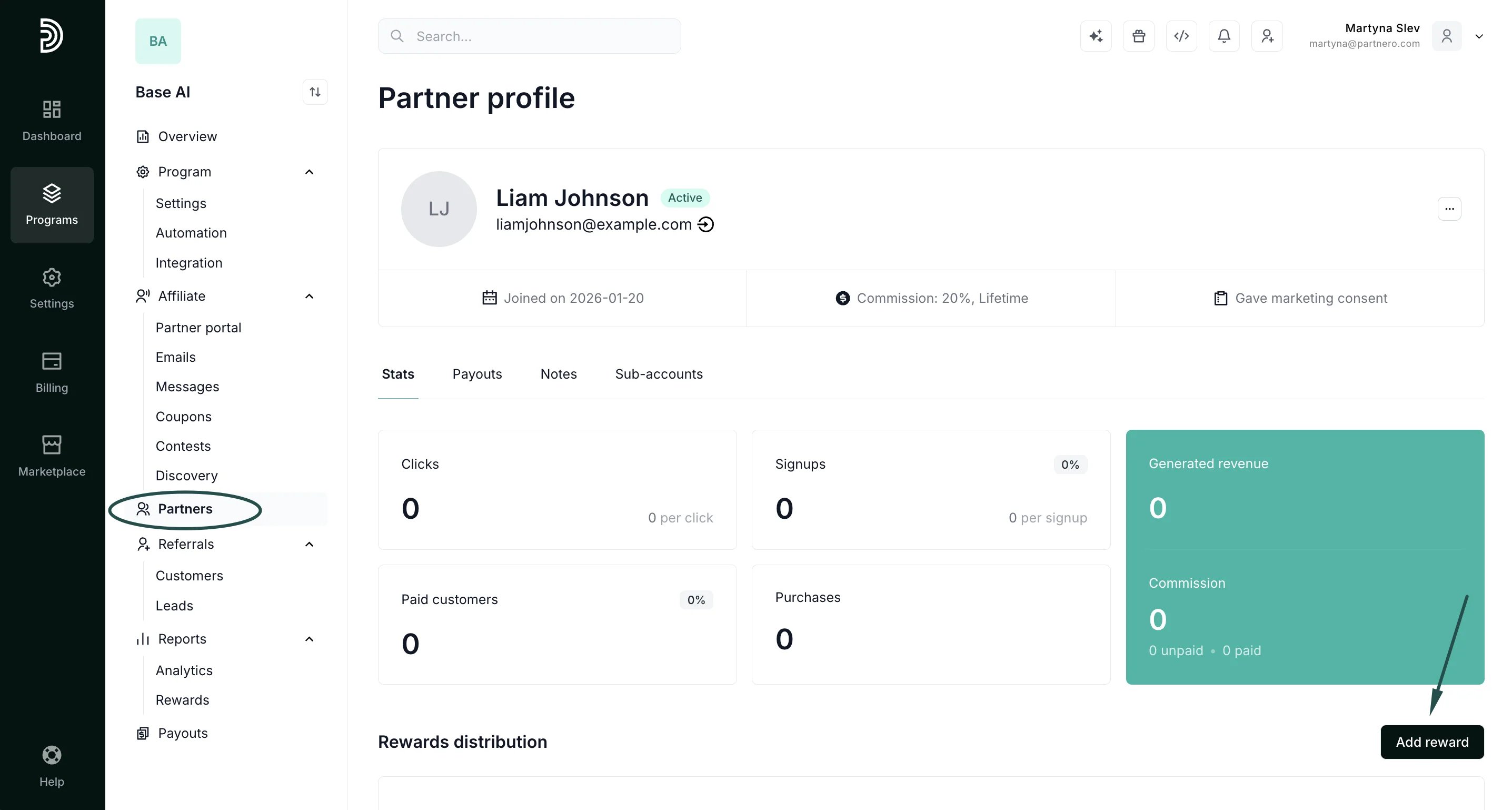 3. Fill in the form.
 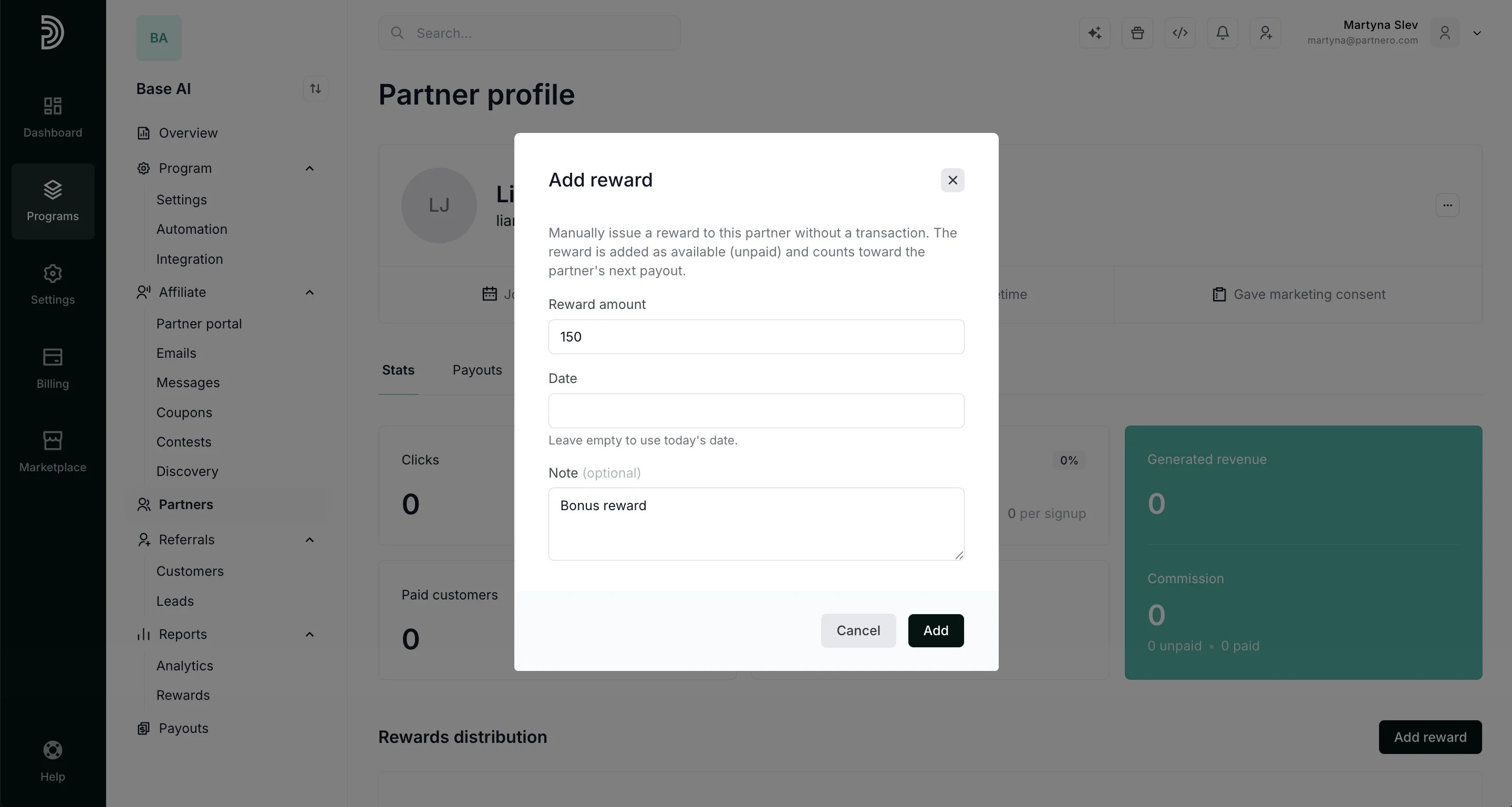 * Amount (required): the reward value, issued in the partner's commission currency
* Note (optional): a short explanation of why the reward was given, shown in the reward's details
* Date (optional): the date to record the reward on, defaults to today if left empty
4. Click **Add**.
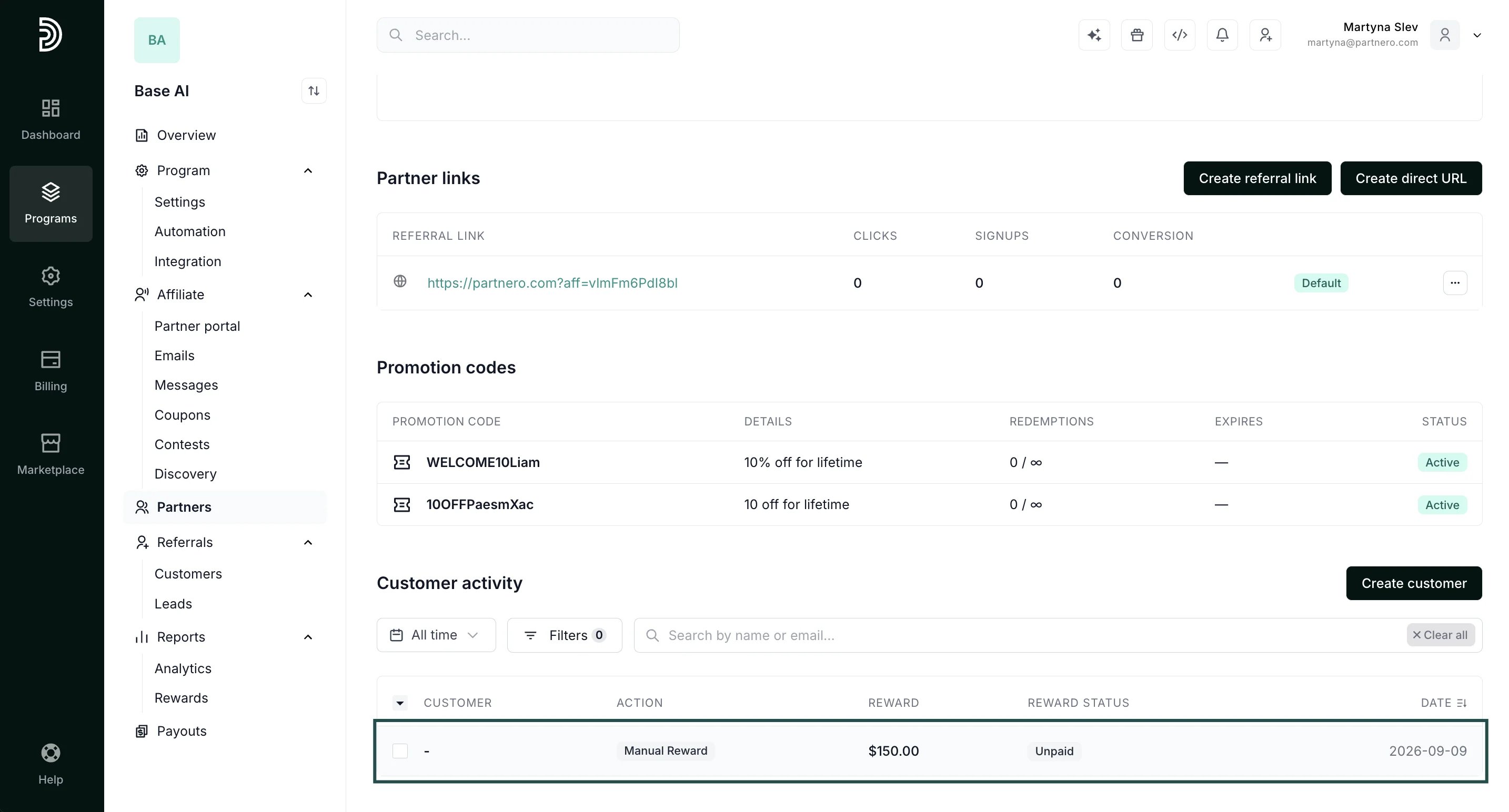
The reward is added immediately and appears in the partner's history, marked as **Manual Reward** with no associated customer:
* Amount (required): the reward value, issued in the partner's commission currency
* Note (optional): a short explanation of why the reward was given, shown in the reward's details
* Date (optional): the date to record the reward on, defaults to today if left empty
4. Click **Add**.
The reward is added immediately and appears in the partner's history, marked as **Manual Reward** with no associated customer:
 ***
#### Good to know
A manual reward behaves like any other reward. It's added to the partner's balance and becomes available to pay out. Since it isn't tied to a transaction or a commission rule, it shows as a **Manual Reward** in the partner's history and isn't counted in the Rewards distribution breakdown.
This documentation is built and hosted on [Mintlify](https://mintlify.com), a developer documentation platform.
***
#### Good to know
A manual reward behaves like any other reward. It's added to the partner's balance and becomes available to pay out. Since it isn't tied to a transaction or a commission rule, it shows as a **Manual Reward** in the partner's history and isn't counted in the Rewards distribution breakdown.
This documentation is built and hosted on [Mintlify](https://mintlify.com), a developer documentation platform.