> ## Documentation Index
> Fetch the complete documentation index at: https://docs.partnero.com/llms.txt
> Use this file to discover all available pages before exploring further.
# How to create a partner
To create a partner manually:
1. In your affiliate program, navigate to **Partners** under **Reporting and management**.
2. Click **Create partner** in the top right corner: 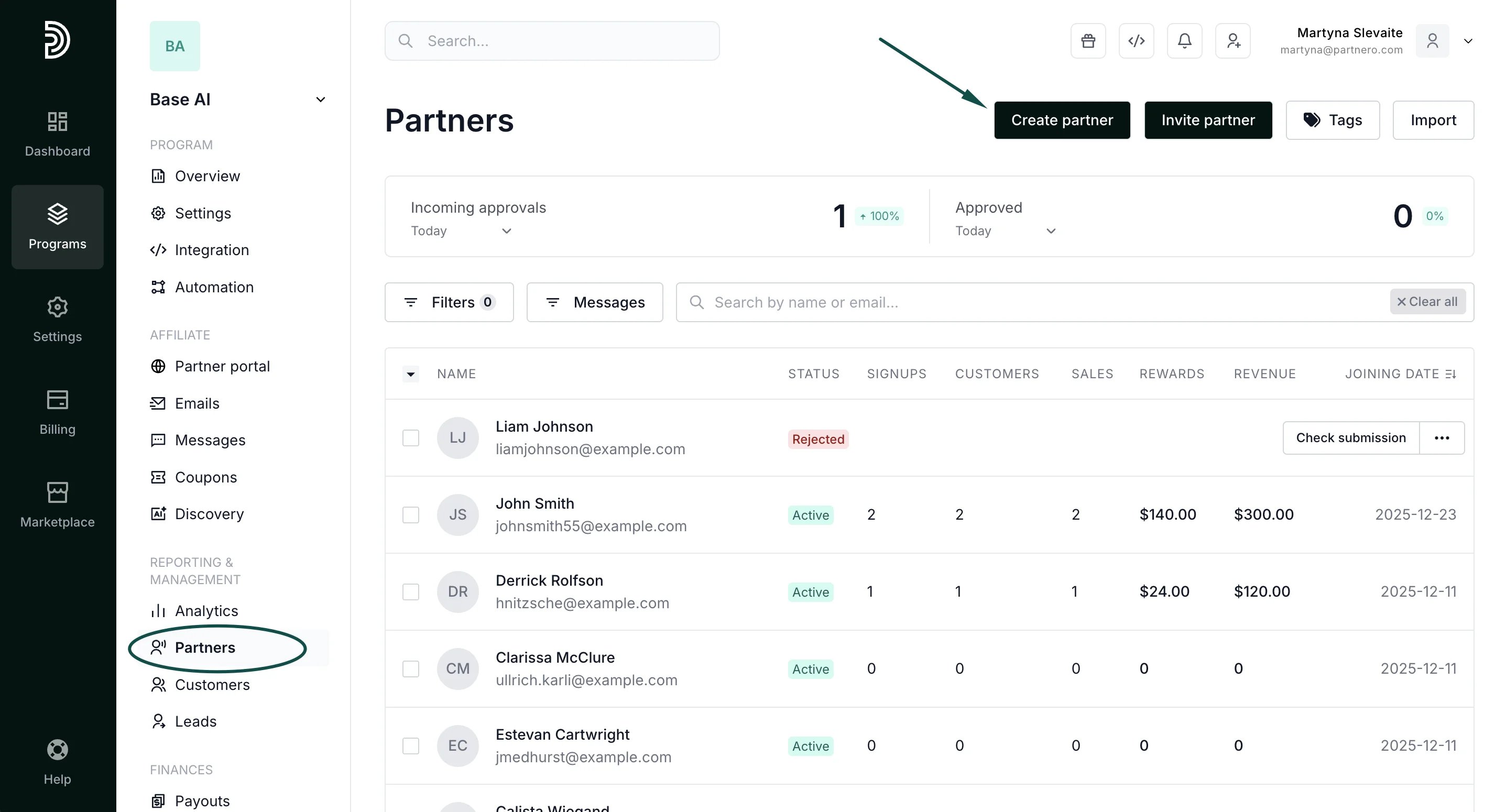 3. Enter the partner's email address and name (mandatory fields):
 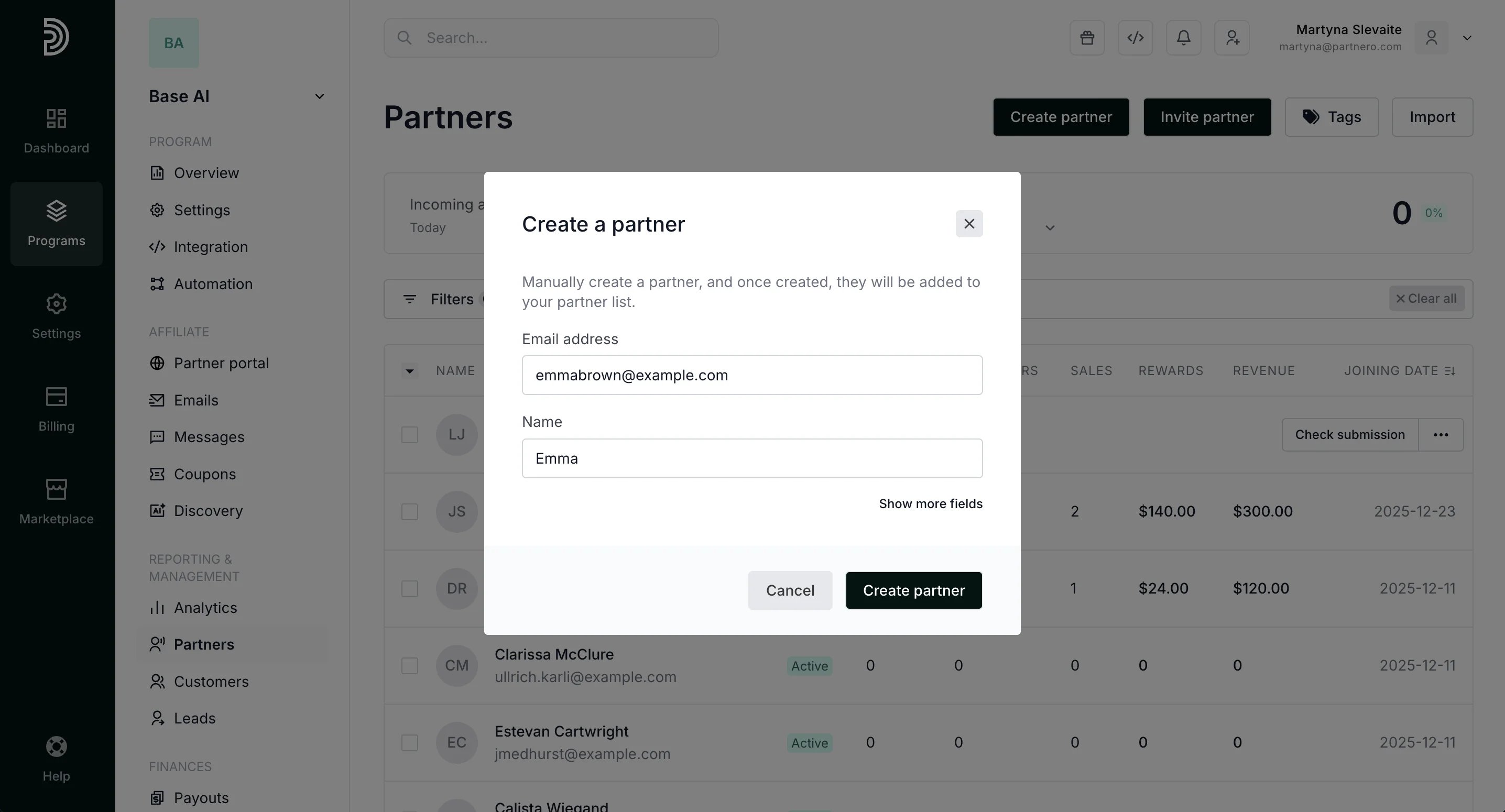 If needed, you can click **Show more fields** and enter optional information: partner's last name and key (token), partner ID, and a referring partner.
 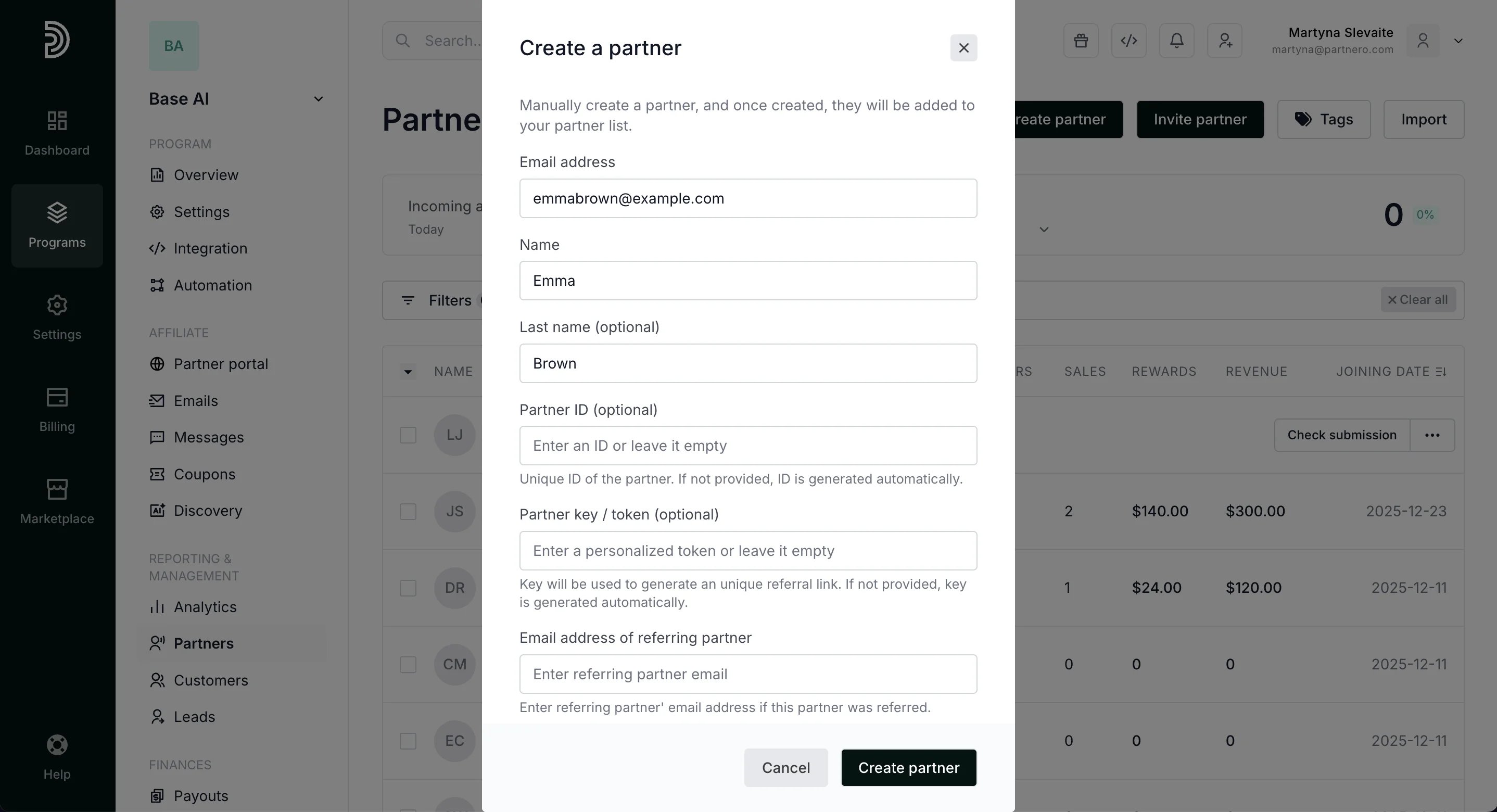 *Note: you can either enter your own Partner key or we will generate a random key if the field is left empty.*
4. Click **Create partner**.
Once the partner account is successfully created, the person will be able to request a password reset to access the partner portal (using the same email address that was used to create the account).
This documentation is built and hosted on [Mintlify](https://mintlify.com), a developer documentation platform.
*Note: you can either enter your own Partner key or we will generate a random key if the field is left empty.*
4. Click **Create partner**.
Once the partner account is successfully created, the person will be able to request a password reset to access the partner portal (using the same email address that was used to create the account).
This documentation is built and hosted on [Mintlify](https://mintlify.com), a developer documentation platform.