> ## Documentation Index
> Fetch the complete documentation index at: https://docs.partnero.com/llms.txt
> Use this file to discover all available pages before exploring further.
# How to export partners
To export partners:
1. In your affiliate program, go to **Partners** under **Reporting & Management**.
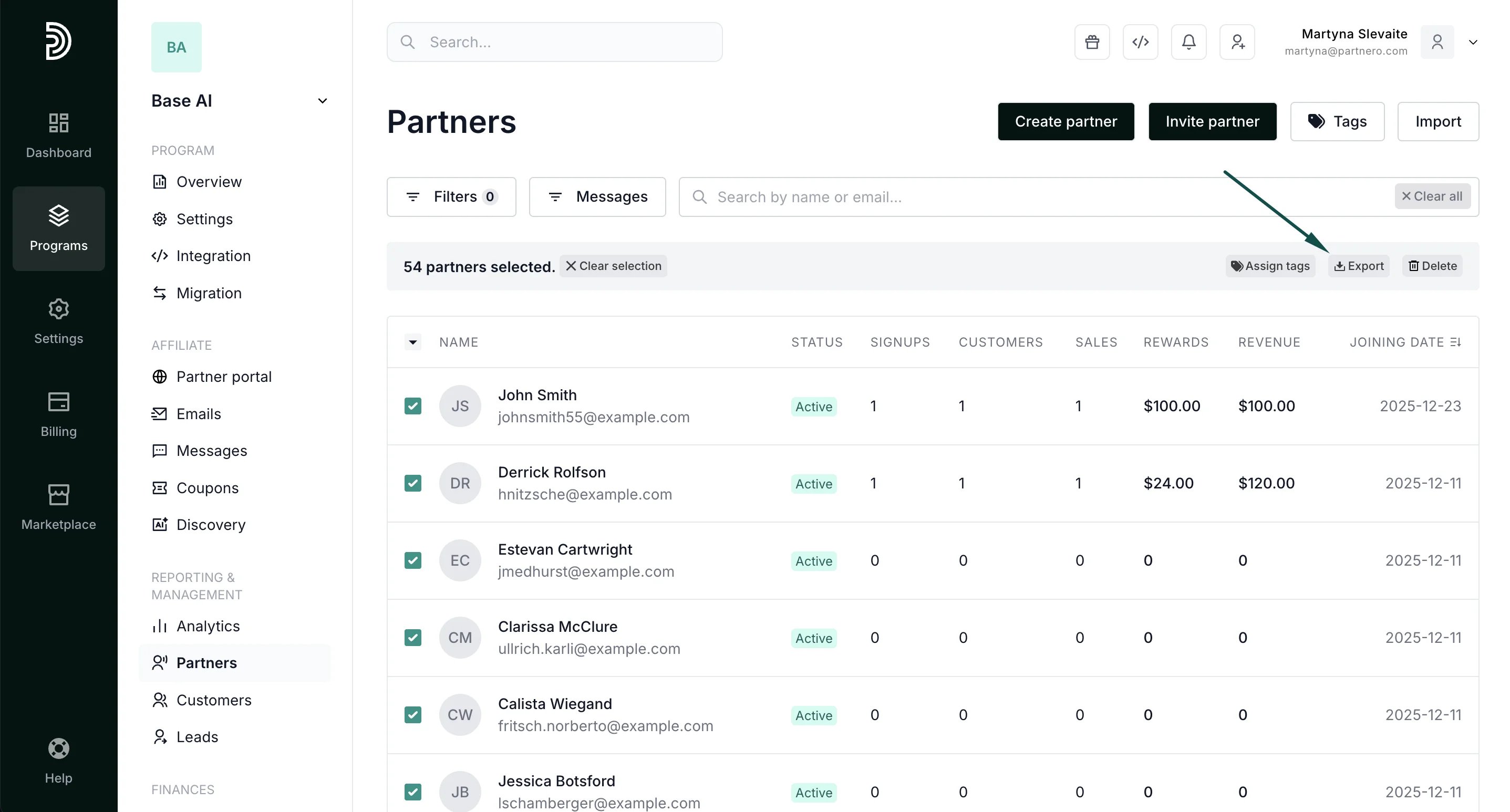
2. Select the partners you'd like to export. You can also click to *Select All* or *Select Visible*: 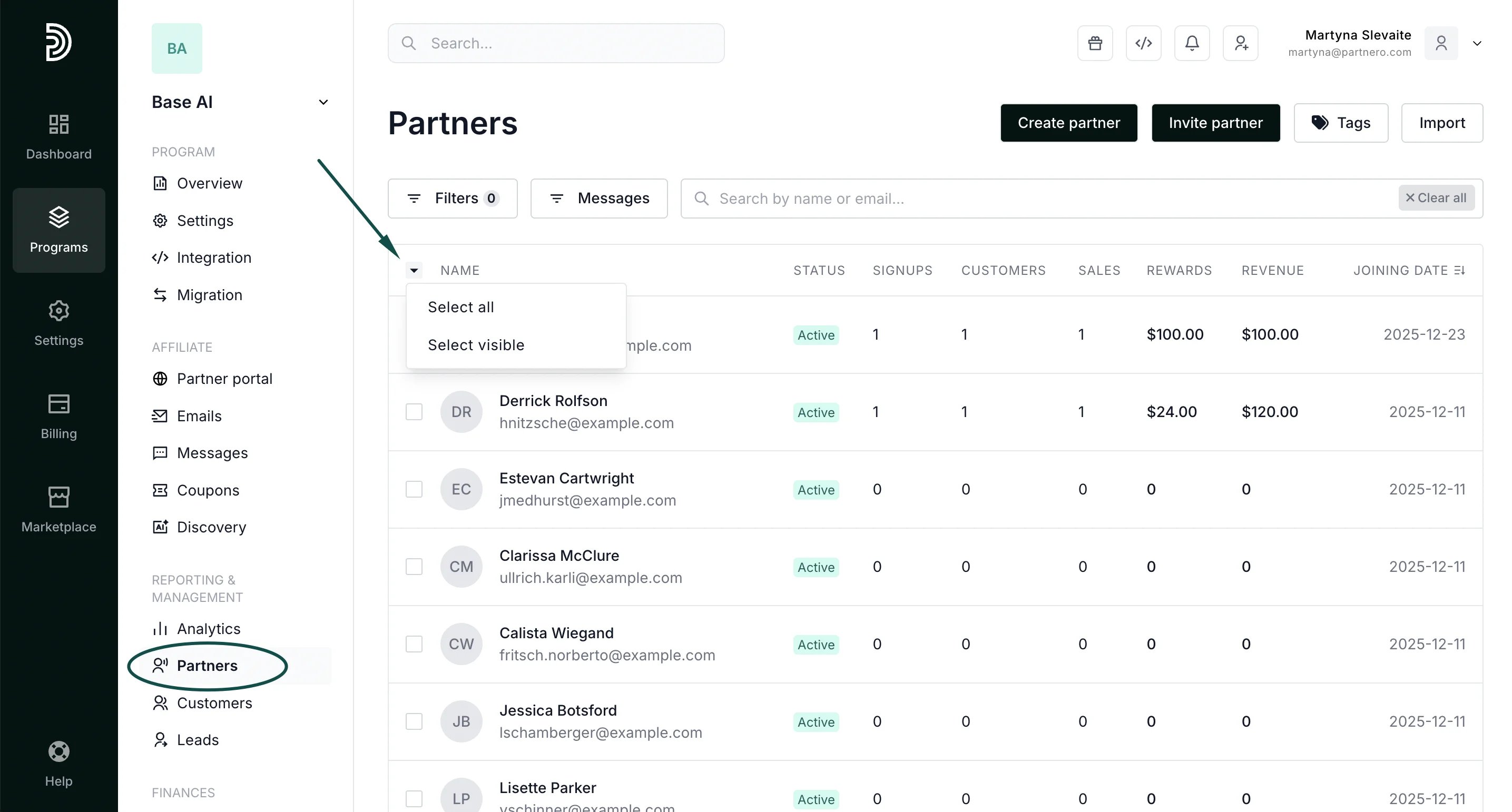 3. Click to **export**, once the selection is made:
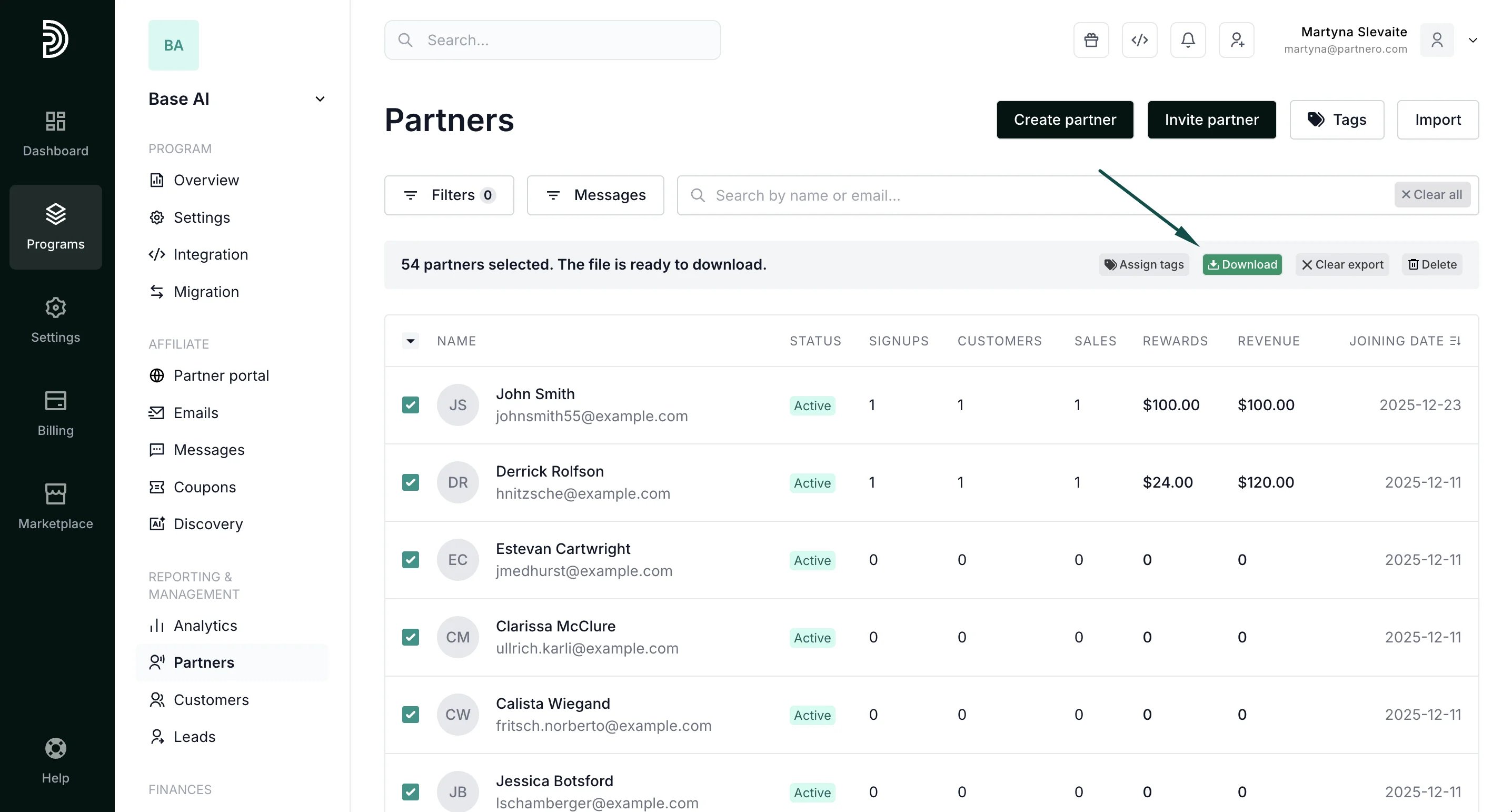
  4. You'll see an export progress bar and the option to download the list once it's finished:
  This documentation is built and hosted on [Mintlify](https://mintlify.com), a developer documentation platform.