> ## Documentation Index
> Fetch the complete documentation index at: https://docs.partnero.com/llms.txt
> Use this file to discover all available pages before exploring further.
# Allow affiliates to invite sub-affiliates via email
With Partnero, affiliates can invite new sub-affiliates to join the program by sending email invitations directly from the partner portal. This feature works alongside [multi-level commissions](/knowledge-base/commissions-rewards/multi-tier-commission) and gives your affiliates an easy way to grow their referral network beyond sharing a signup link.
Program owners and admins can also invite sub-affiliates on behalf of existing affiliates and resend invitations to those who haven't accepted yet.
***
### Prerequisites
Before enabling this feature, make sure:
* [Multi-level commissions](/knowledge-base/commissions-rewards/multi-tier-commission) are enabled and configured for your program.
* Your partner portal has a [custom domain connected](/knowledge-base/partner-portal/connect-a-partner-portal-domain).
***
### Enable affiliate invitations
To allow affiliates to send email invitations from their portal:
1. Open your affiliate program and go to **Settings** under Program.
2. Scroll down to the **Commission** section where the multi-level commission is configured. 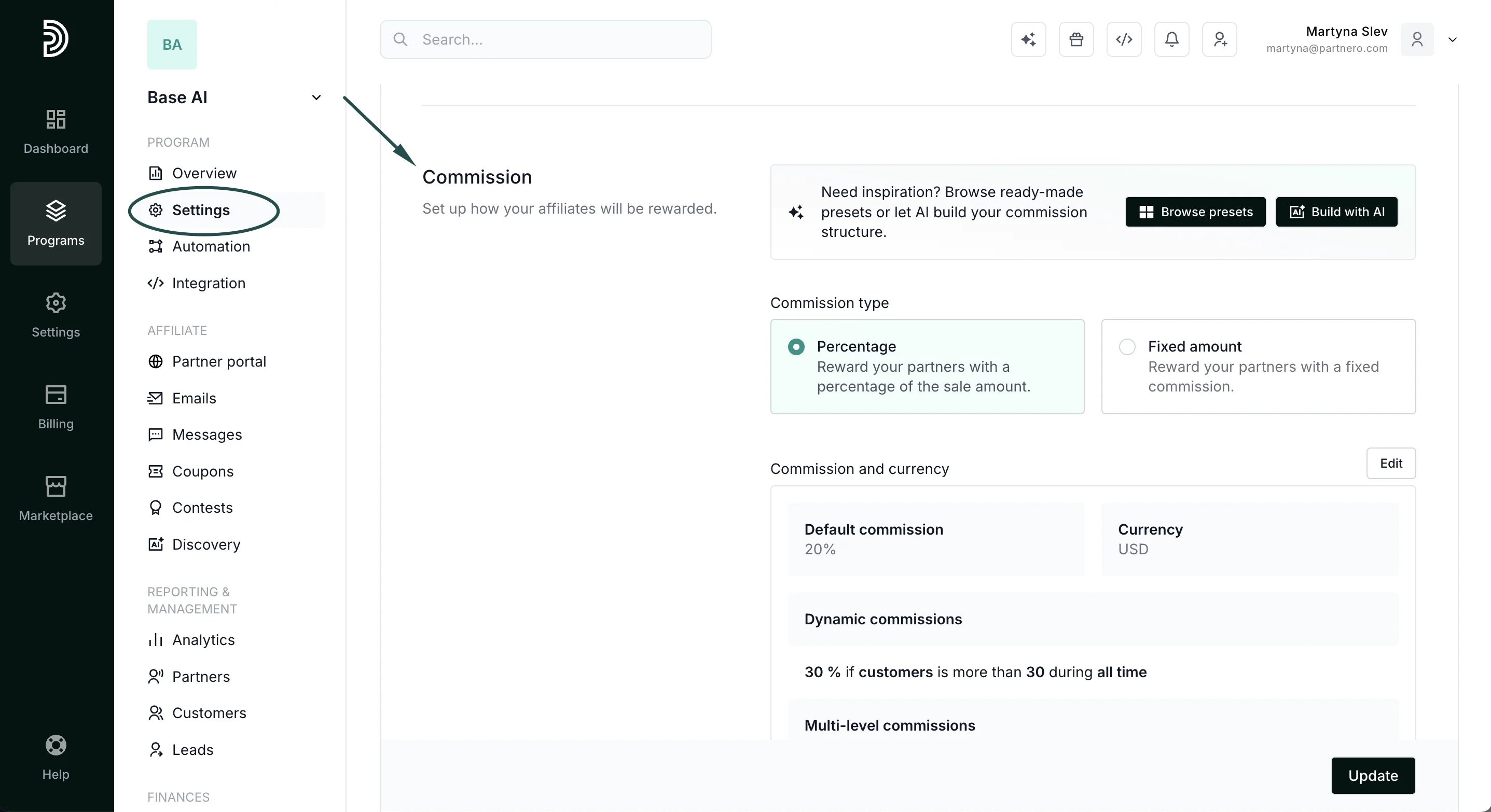 3. Toggle **Allow affiliates to invite sub-affiliates via email**:
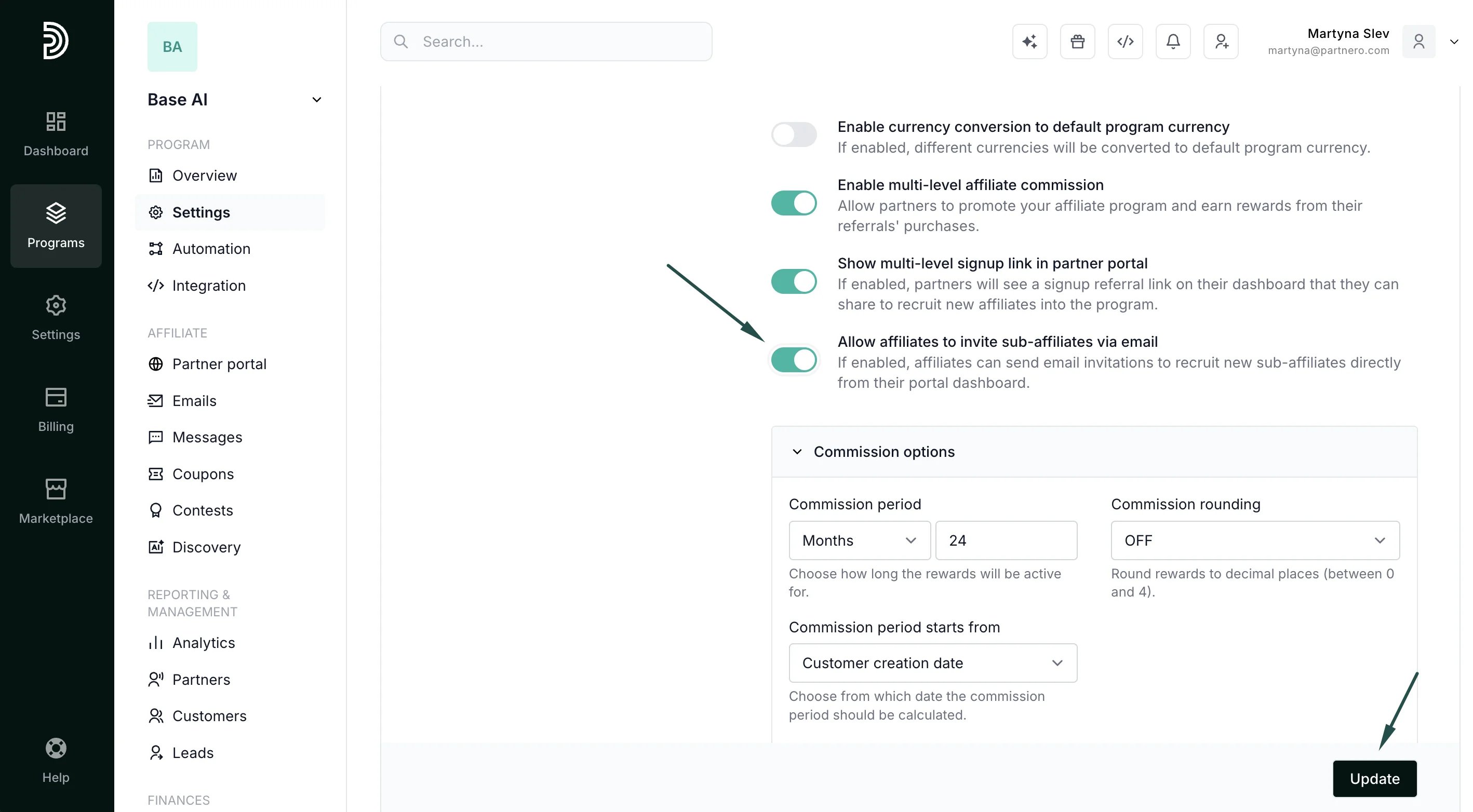 If enabled, affiliates can send email invitations to recruit new sub-affiliates directly from their portal dashboard.
4. Click **Update** to save changes.
***
### How affiliates invite sub-affiliates
Once the setting is enabled, affiliates will see an invitation card on their **Dashboard** with an **Invite affiliate** button:
If enabled, affiliates can send email invitations to recruit new sub-affiliates directly from their portal dashboard.
4. Click **Update** to save changes.
***
### How affiliates invite sub-affiliates
Once the setting is enabled, affiliates will see an invitation card on their **Dashboard** with an **Invite affiliate** button: 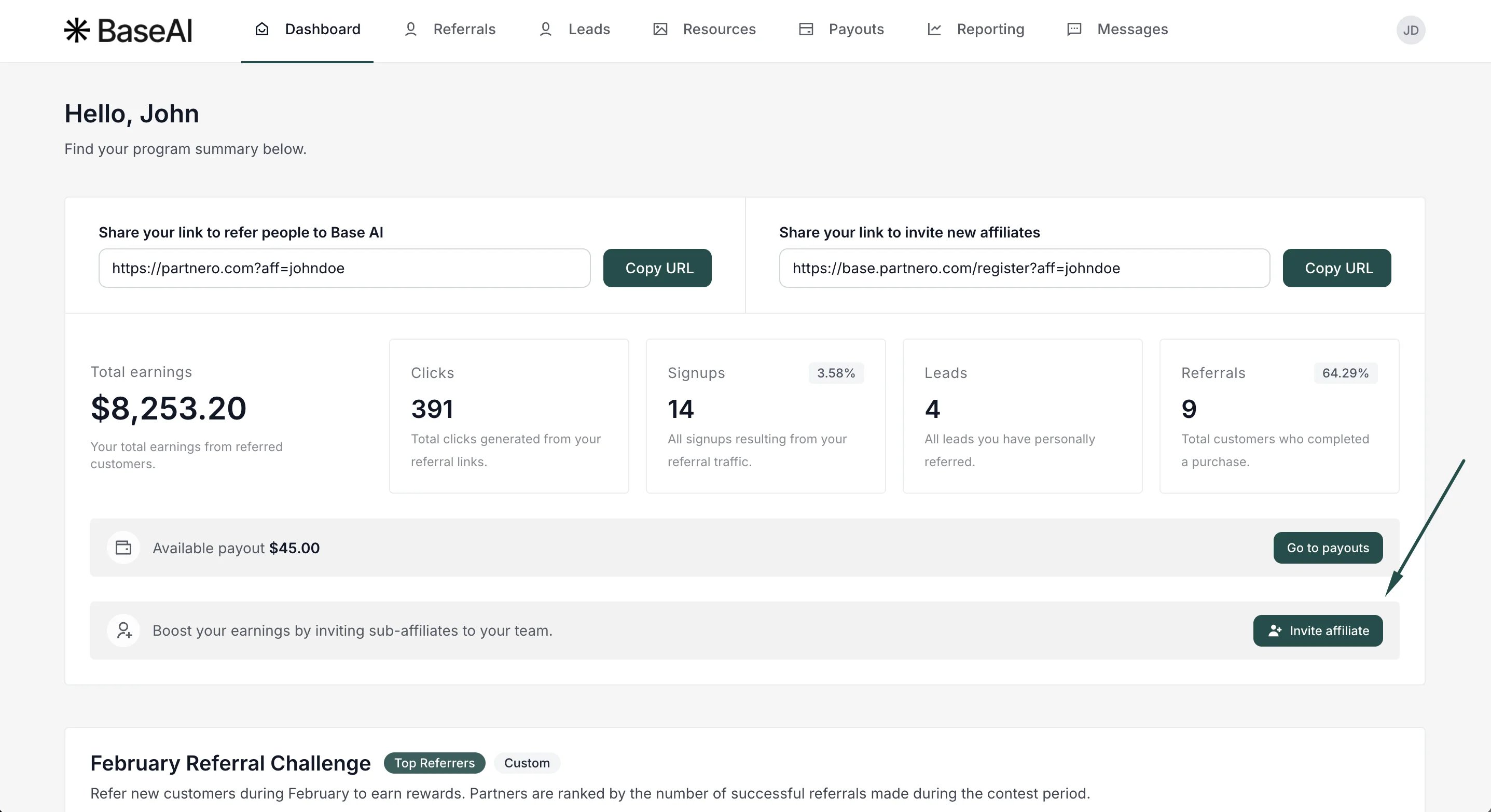 When clicked, a modal appears where the affiliate can enter the following details:
* Email (required) -- the email address of the person they want to invite.
* Name (optional) -- the first name of the invitee.
* Surname (optional) -- the last name of the invitee.
When clicked, a modal appears where the affiliate can enter the following details:
* Email (required) -- the email address of the person they want to invite.
* Name (optional) -- the first name of the invitee.
* Surname (optional) -- the last name of the invitee.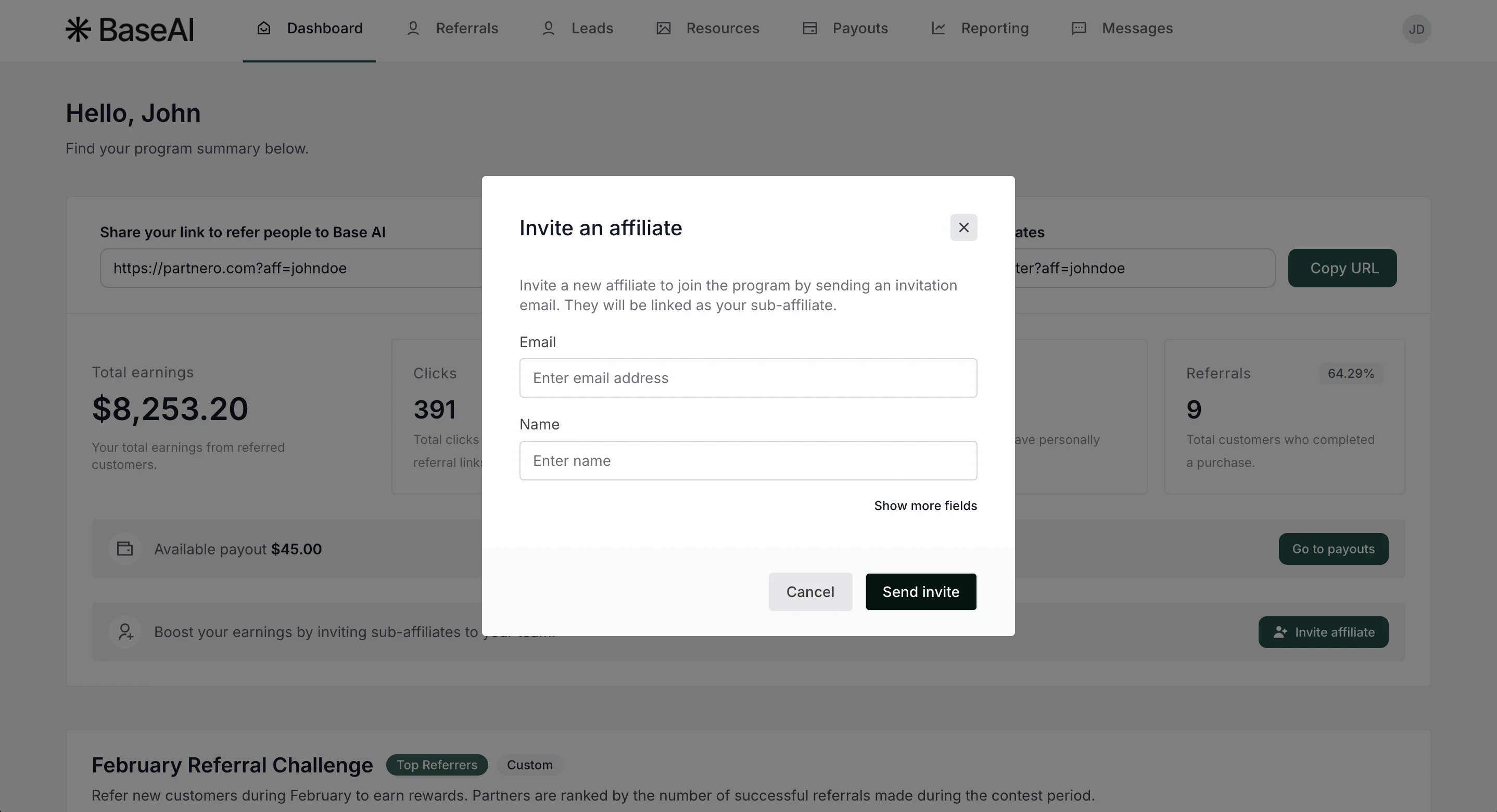 After clicking **Send invite**, the invitee receives an email with a link to join the program. Once they sign up through the invitation link, they are automatically linked as a sub-affiliate under the inviting partner.
The **Invite affiliate** button is also available on the Referrals page, next to the **Referred partners** heading, giving affiliates quick access to send invitations from either location.
After clicking **Send invite**, the invitee receives an email with a link to join the program. Once they sign up through the invitation link, they are automatically linked as a sub-affiliate under the inviting partner.
The **Invite affiliate** button is also available on the Referrals page, next to the **Referred partners** heading, giving affiliates quick access to send invitations from either location. 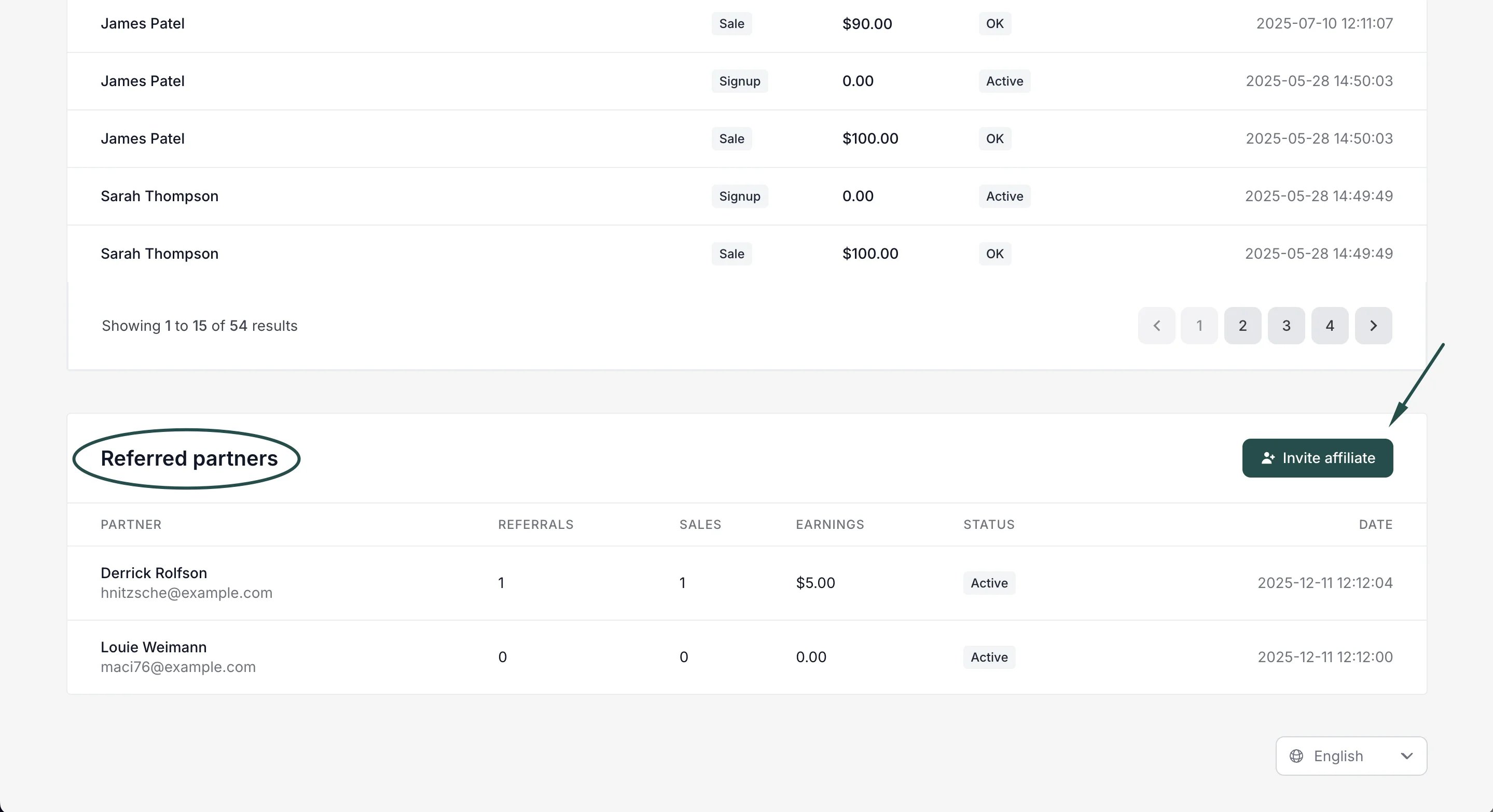 ***
### Resend invitations
If an invitee hasn't accepted their invitation, both affiliates and admins can resend the invitation email.
From the admin panel:
1. Go to **Partners** under your affiliate program.
2. Find the invited partner in the list (shown with an "**Invited**" status).
3. Click the **Resend** button on the right side of the invitation row.
***
### Resend invitations
If an invitee hasn't accepted their invitation, both affiliates and admins can resend the invitation email.
From the admin panel:
1. Go to **Partners** under your affiliate program.
2. Find the invited partner in the list (shown with an "**Invited**" status).
3. Click the **Resend** button on the right side of the invitation row. 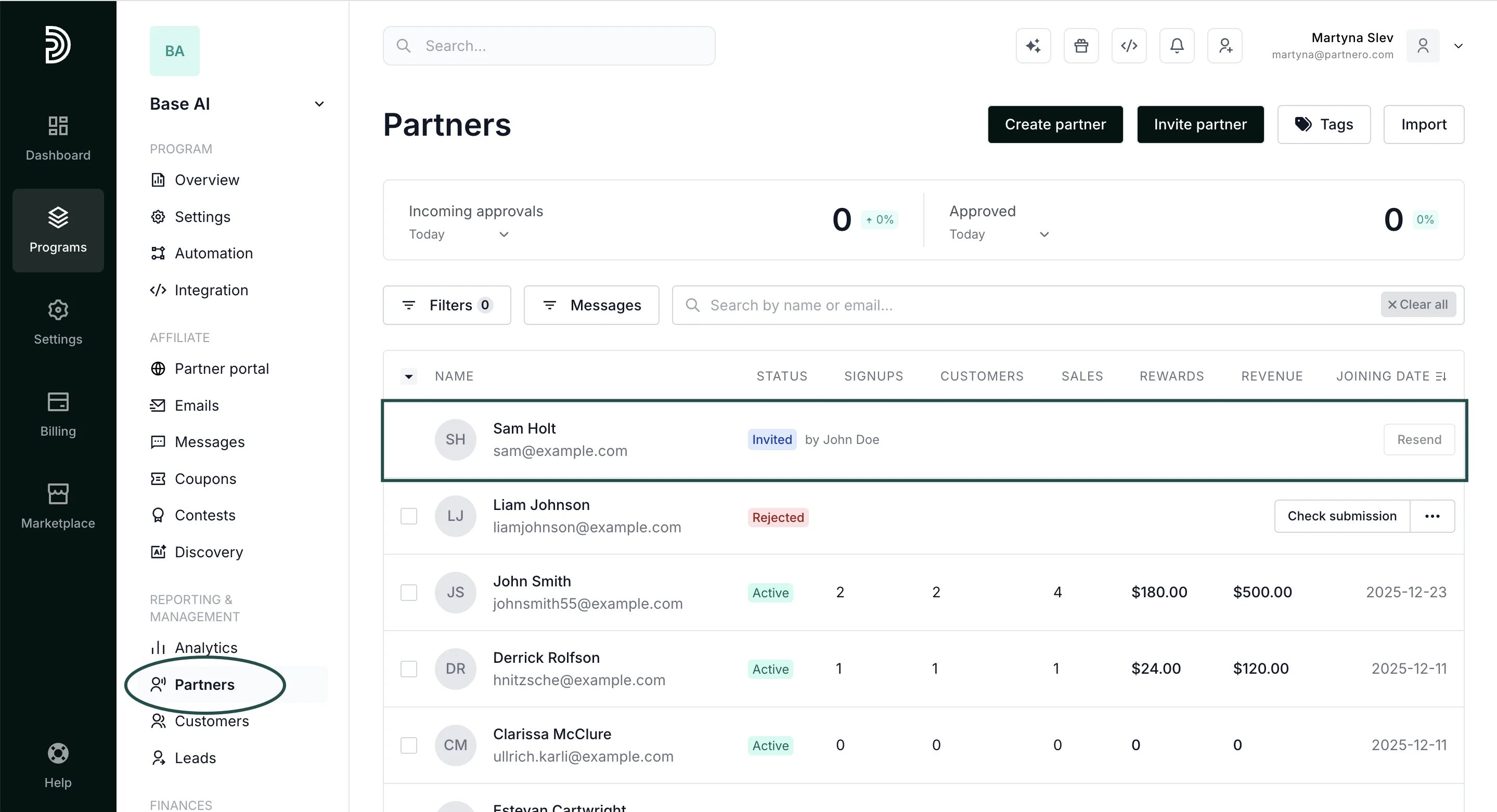 4. Confirm by clicking **Yes, resend** in the confirmation modal.
From the partner portal:
1. The affiliate navigates to the **Referrals** page.
2. In the referred partners table, pending invitations show a **Resend** button next to the "Invited" status.
4. Confirm by clicking **Yes, resend** in the confirmation modal.
From the partner portal:
1. The affiliate navigates to the **Referrals** page.
2. In the referred partners table, pending invitations show a **Resend** button next to the "Invited" status. 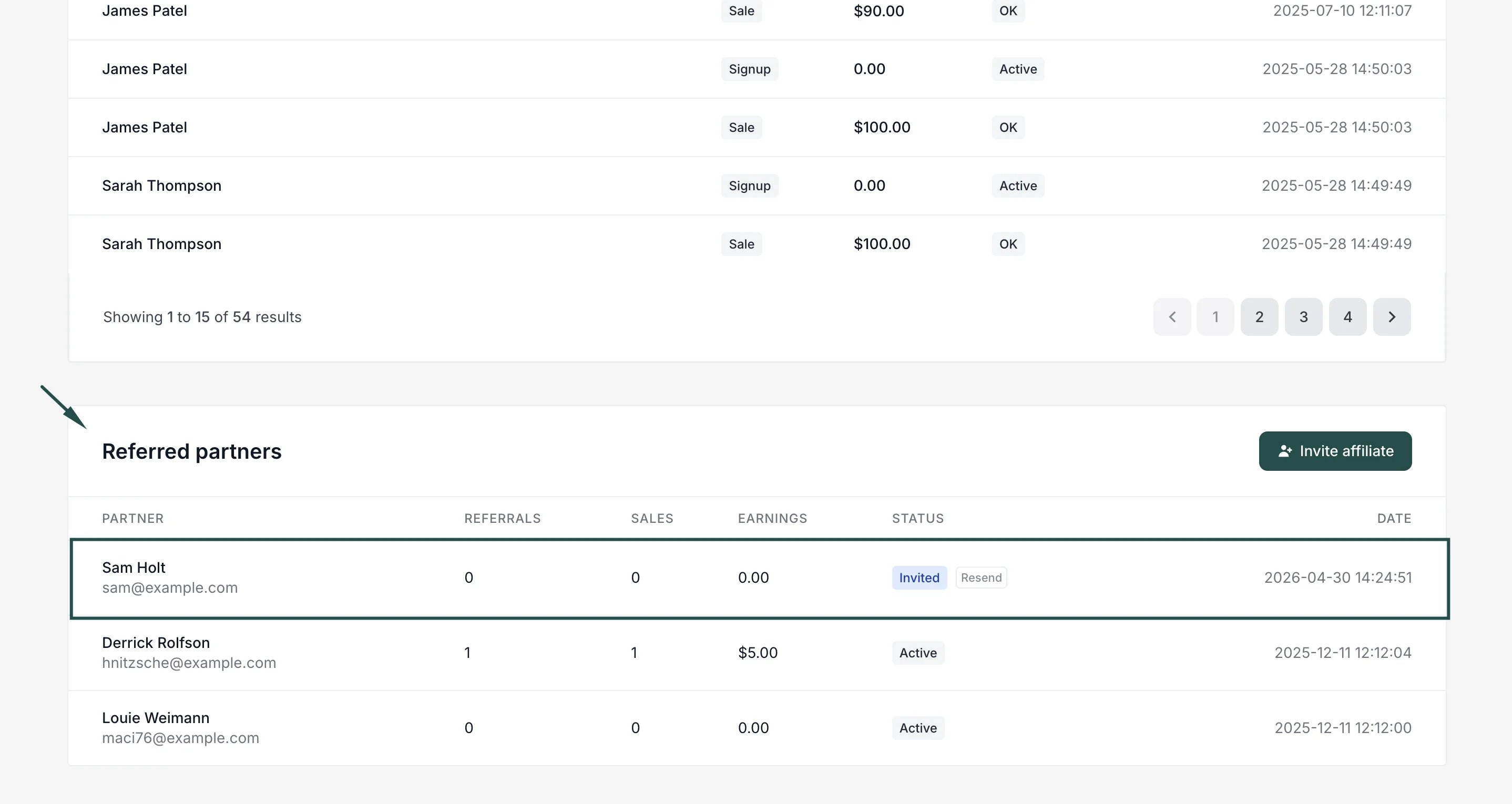 3. The affiliate clicks **Resend** and confirms in the modal.
> Note: Invitations can only be resent once every 24 hours. The Resend button will be disabled until 24 hours have passed since the last send. Expired invitations cannot be resent.
***
### Customize the invitation email
You can review and customize the invitation email under the **Emails** section:
3. The affiliate clicks **Resend** and confirms in the modal.
> Note: Invitations can only be resent once every 24 hours. The Resend button will be disabled until 24 hours have passed since the last send. Expired invitations cannot be resent.
***
### Customize the invitation email
You can review and customize the invitation email under the **Emails** section: 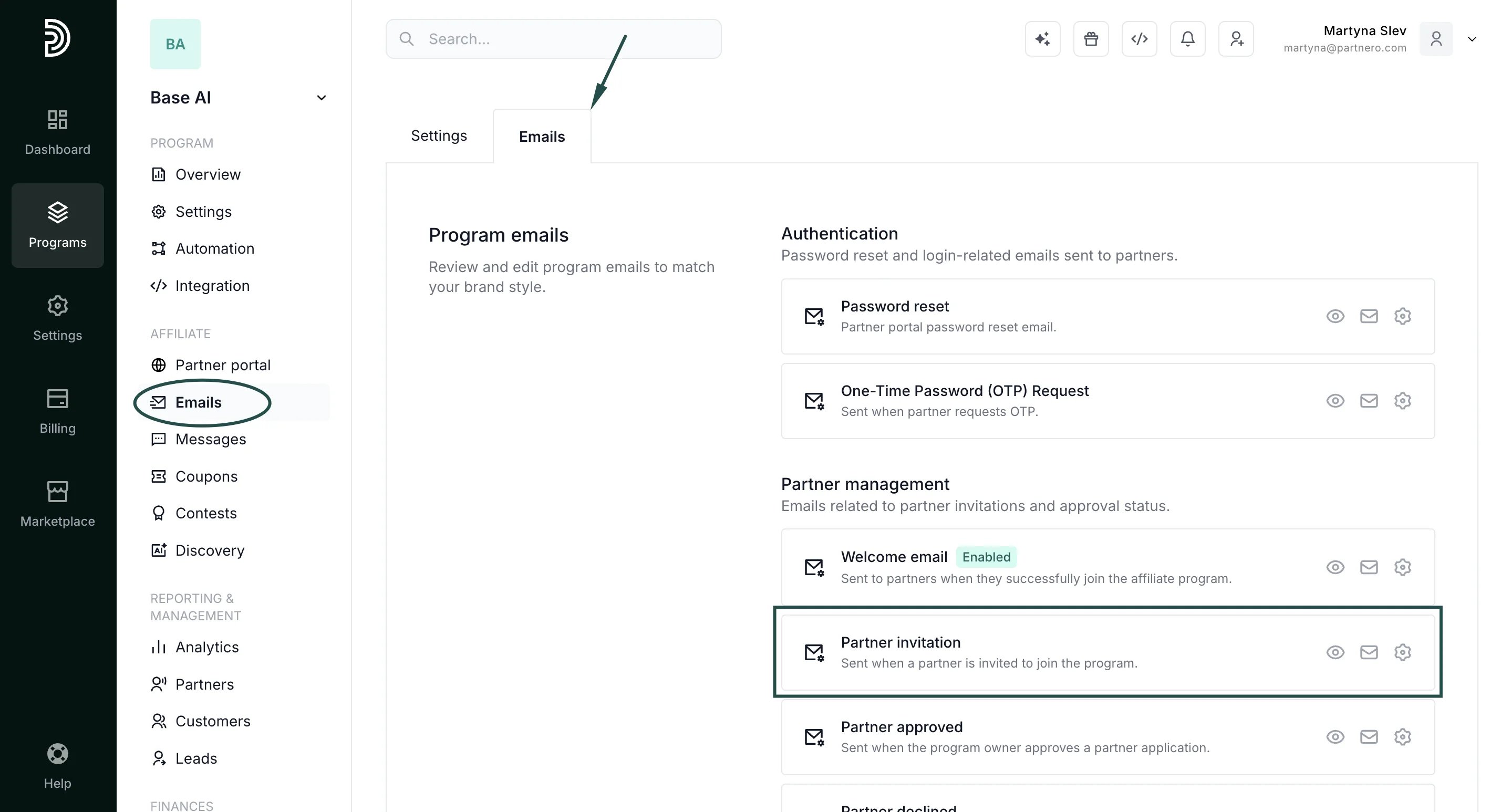 [Read more about program emails here](/knowledge-base/program-emails/email-settings).
***
### How it works with multi-level commissions
When a sub-affiliate joins through an invitation and generates sales, multi-level commissions are distributed automatically:
* The inviting affiliate earns Level 1 commissions from their sub-affiliate's sales.
* If the sub-affiliate recruits further affiliates, the original affiliate earns commissions at deeper levels (up to 5 levels), depending on your [multi-level commission configuration](/knowledge-base/commissions-rewards/multi-tier-commission).
No additional integration or setup is required; the referral relationship is established automatically when the invitee accepts the invitation.
This documentation is built and hosted on [Mintlify](https://mintlify.com), a developer documentation platform.
[Read more about program emails here](/knowledge-base/program-emails/email-settings).
***
### How it works with multi-level commissions
When a sub-affiliate joins through an invitation and generates sales, multi-level commissions are distributed automatically:
* The inviting affiliate earns Level 1 commissions from their sub-affiliate's sales.
* If the sub-affiliate recruits further affiliates, the original affiliate earns commissions at deeper levels (up to 5 levels), depending on your [multi-level commission configuration](/knowledge-base/commissions-rewards/multi-tier-commission).
No additional integration or setup is required; the referral relationship is established automatically when the invitee accepts the invitation.
This documentation is built and hosted on [Mintlify](https://mintlify.com), a developer documentation platform.