> ## Documentation Index
> Fetch the complete documentation index at: https://docs.partnero.com/llms.txt
> Use this file to discover all available pages before exploring further.
# Partner messaging
The messaging feature allows program owners to send messages directly to their affiliate partners. Messages are delivered inside the partner portal.
You can choose whether partners are allowed to reply to messages. This makes it possible to use messaging for one-way announcements or two-way communication.
Typical use cases include:
* Program announcements
* Policy or commission updates
* Important reminders or instructions
This feature is available on **Partner** and **Advanced** plans.
***
### How to send a message
To send a message to partners:
1. In your affiliate program, go to **Messages** under **Affiliate**.
2. Click **Send message**: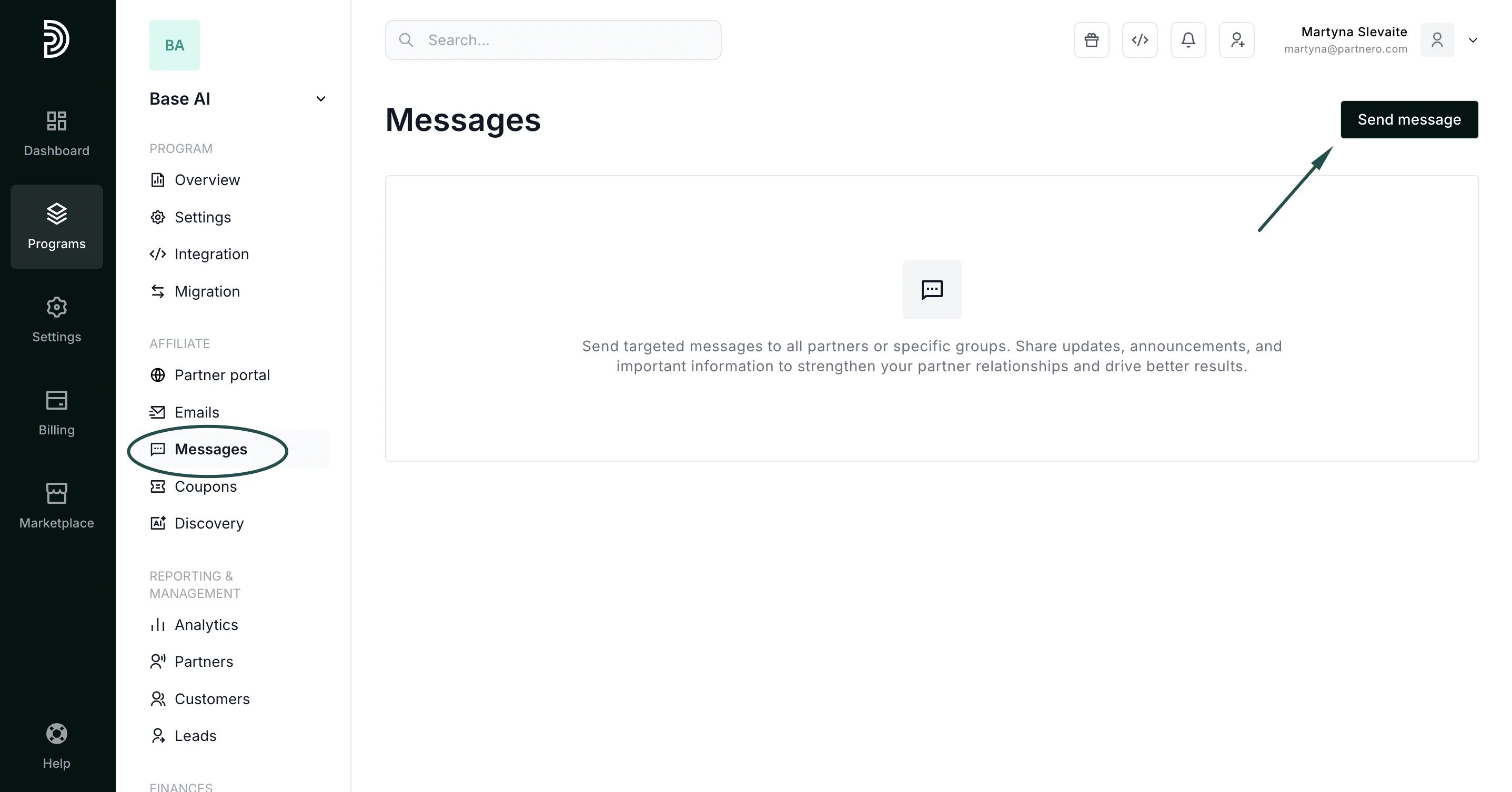 3. Add the **subject** and **message body**:
 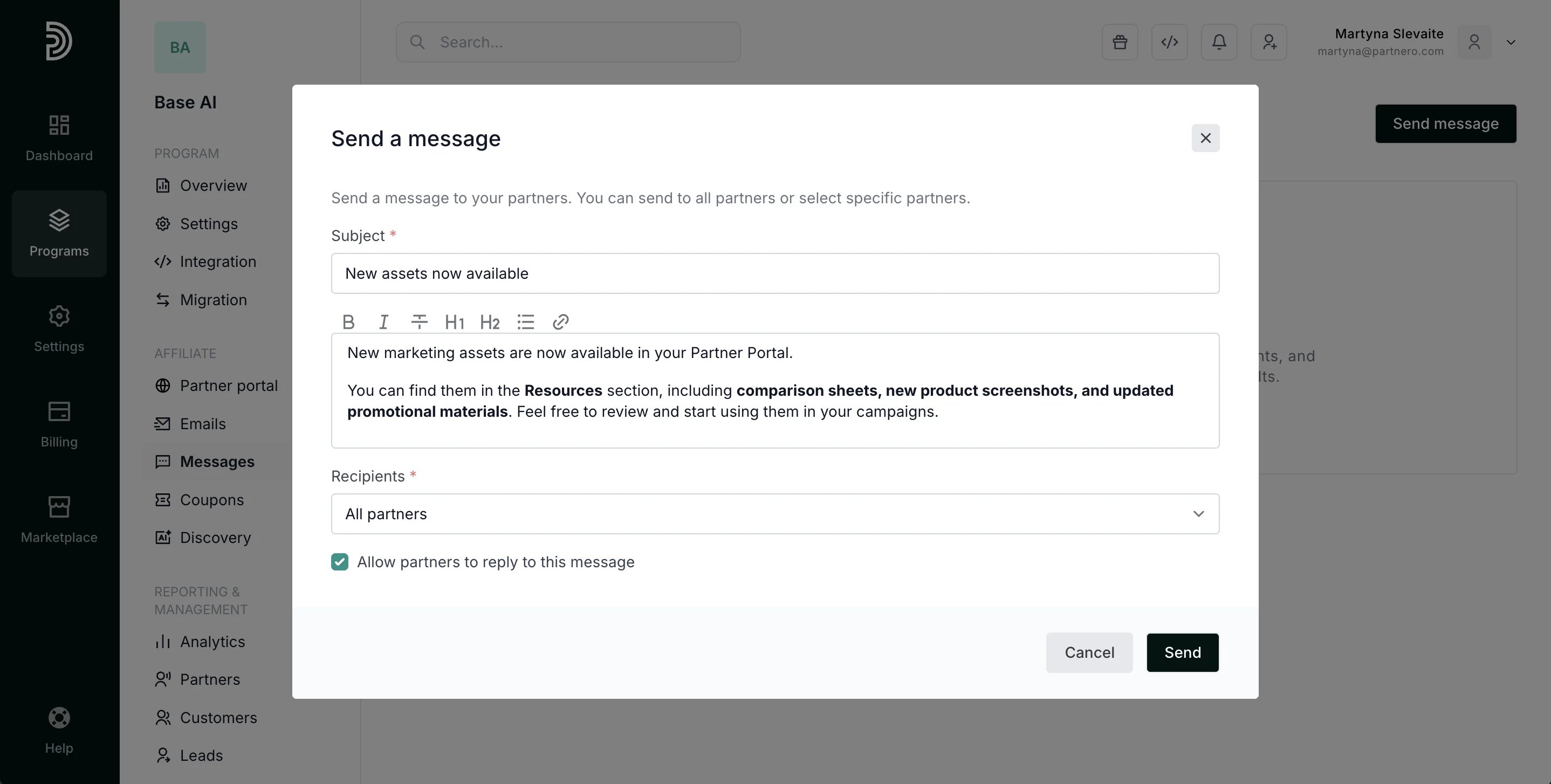 4. Select recipients:
* All partners (default):
4. Select recipients:
* All partners (default):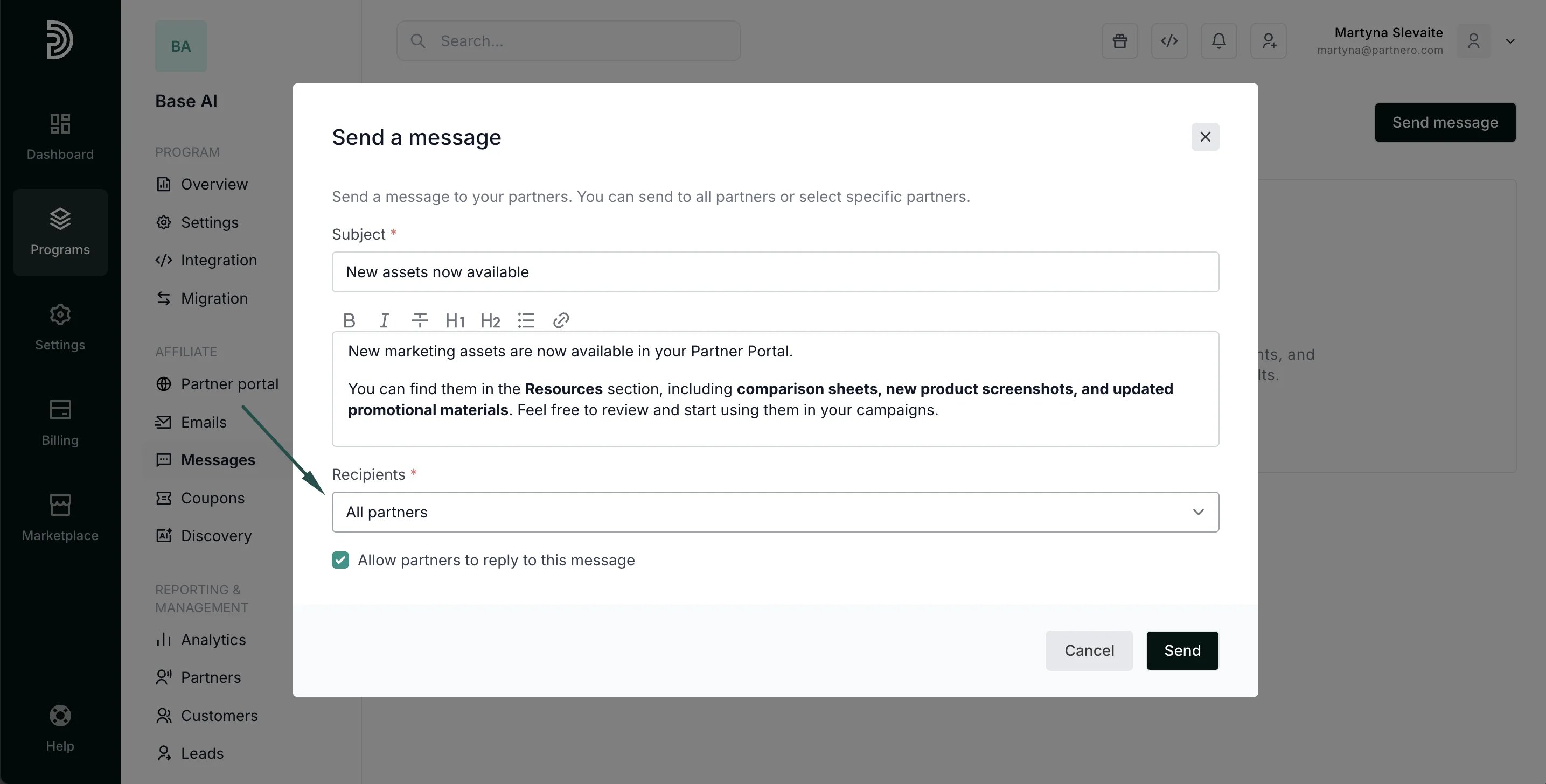 * Specific partners (search by name or email):
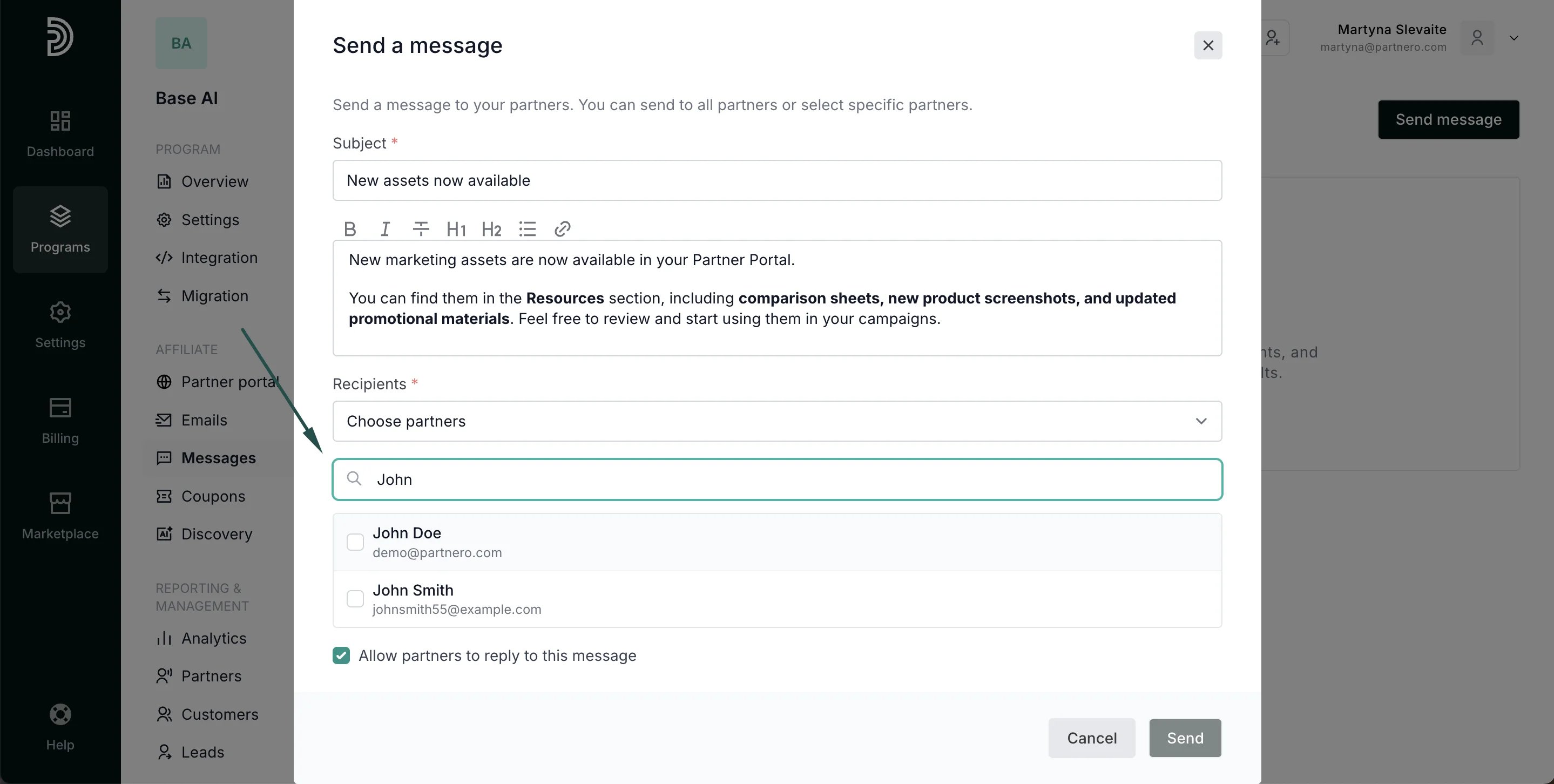 * Filtered partners (for example, by tags or performance):
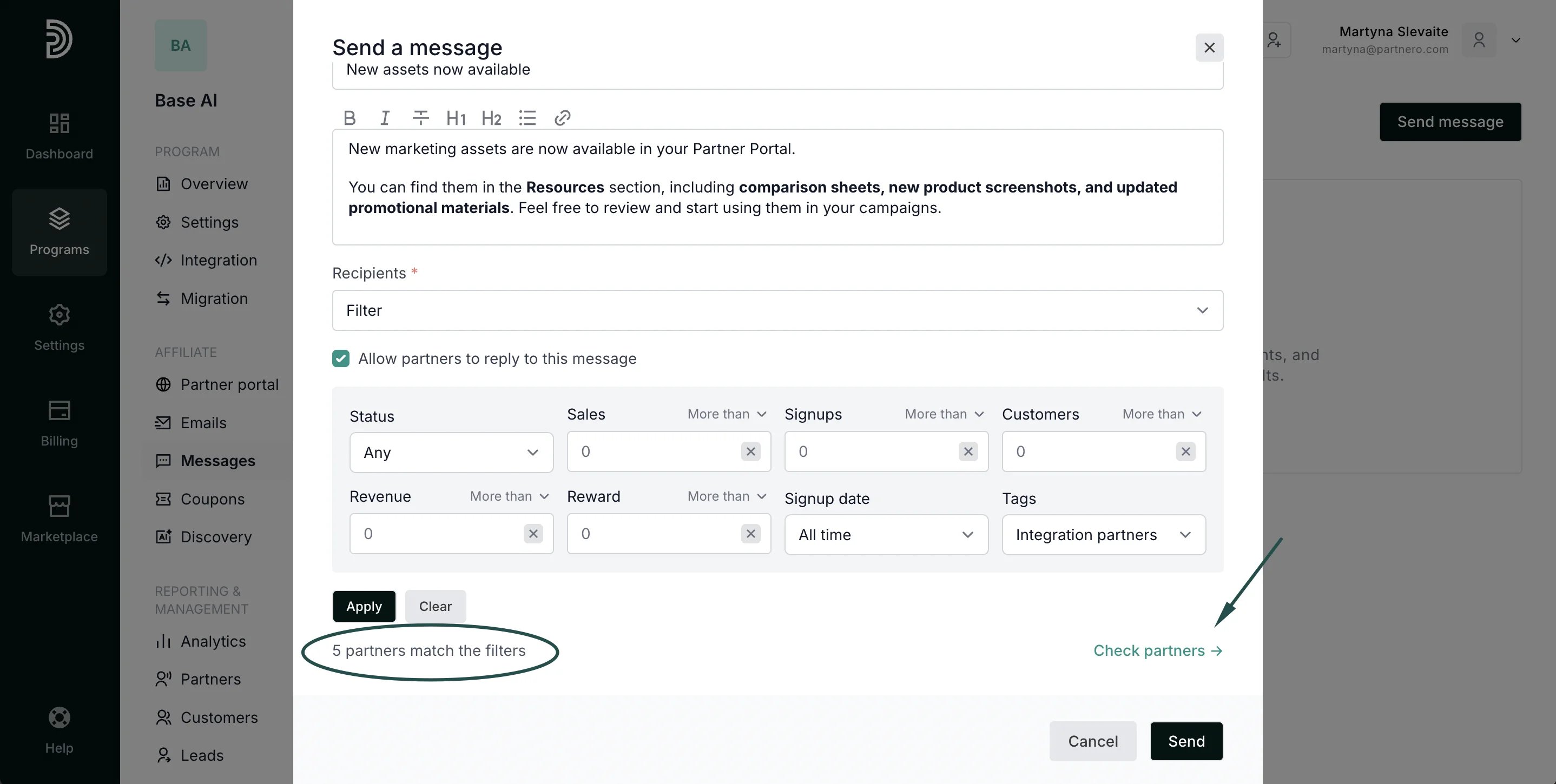
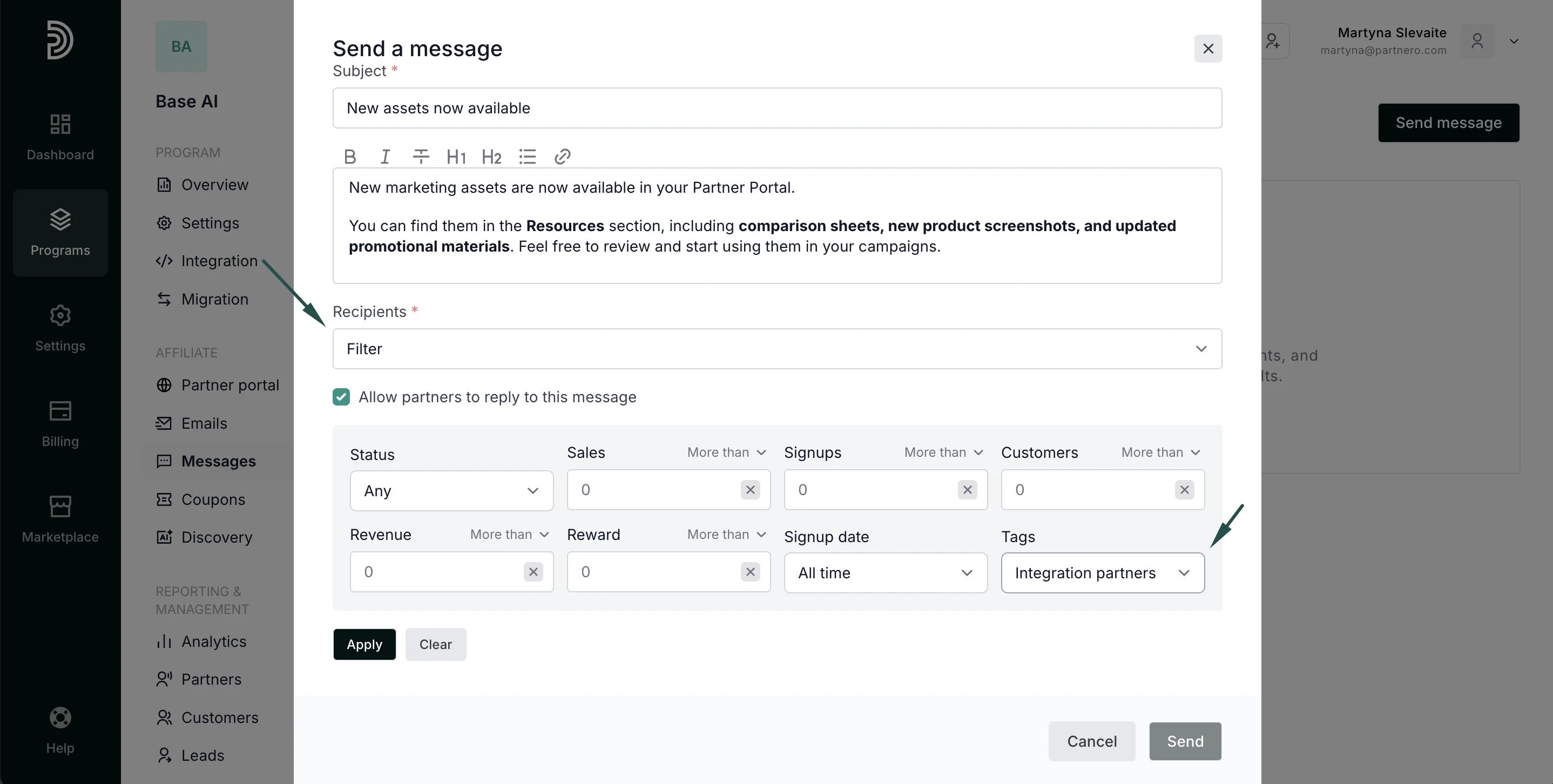 When using this option, click **Apply** after selecting the filters. You'll have the option to review the filtered list before sending:
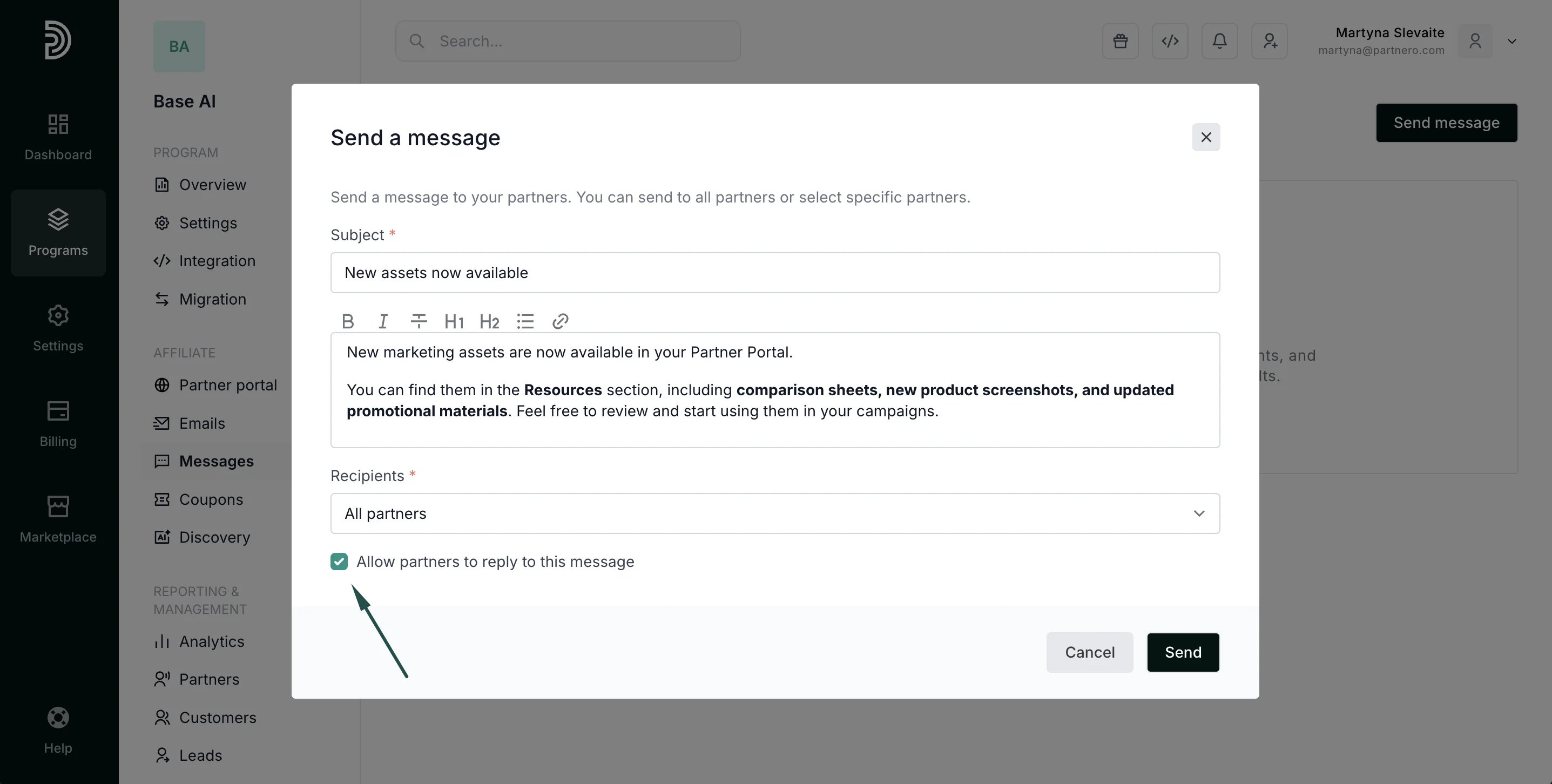
 5. Select if partners will have the option to reply:
  6. Click **Send**.
The message is delivered to selected partners in the partner portal instantly.
***
### Message performance and replies
Under **Affiliate → Messages**, you can view all sent messages and track their performance.
6. Click **Send**.
The message is delivered to selected partners in the partner portal instantly.
***
### Message performance and replies
Under **Affiliate → Messages**, you can view all sent messages and track their performance. 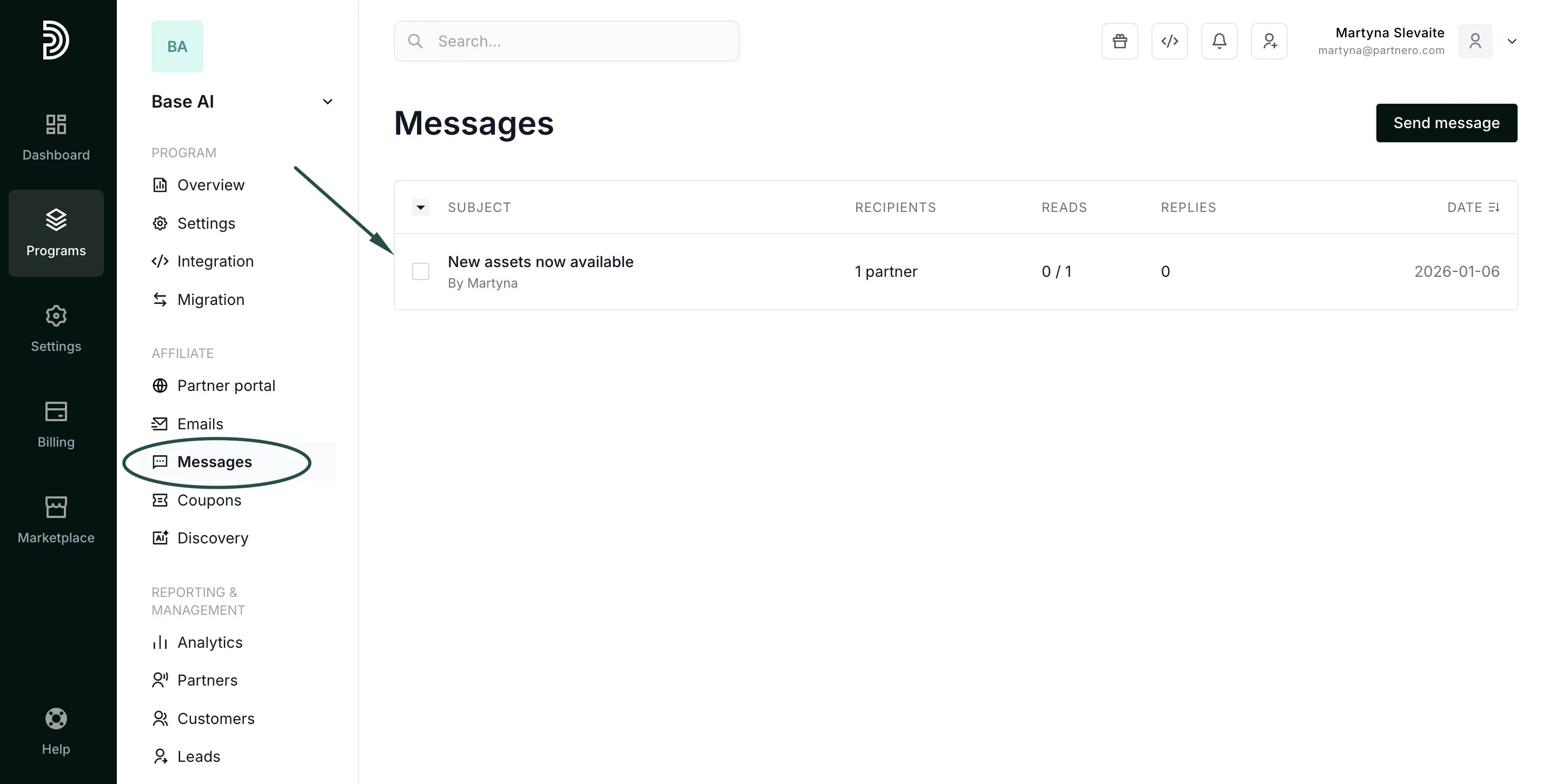 Click a message to see:
* Who sent the message and when
Click a message to see:
* Who sent the message and when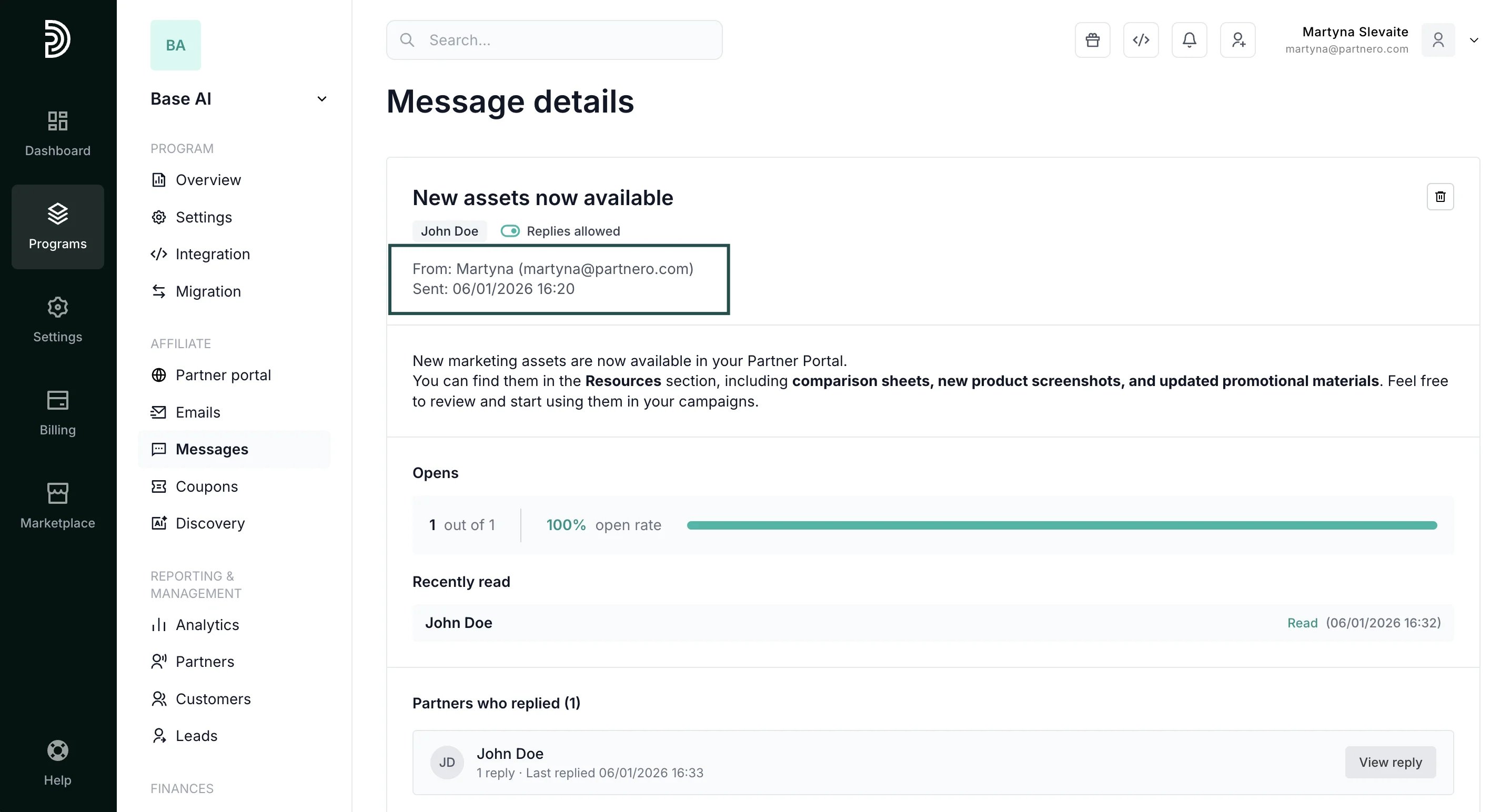 * A copy of the message content
* Number of recipients, opens, and open rate:
* A copy of the message content
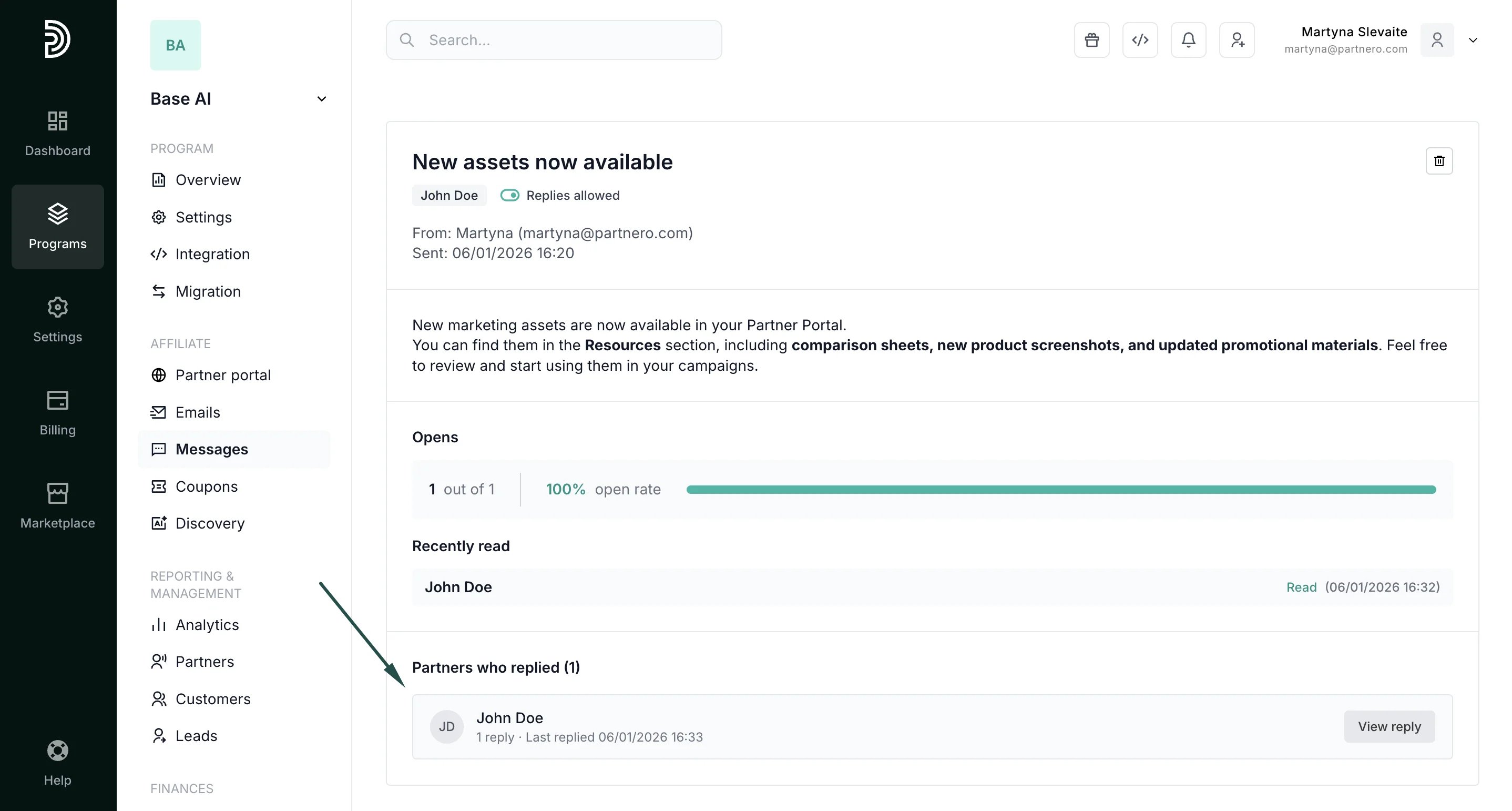
* Number of recipients, opens, and open rate: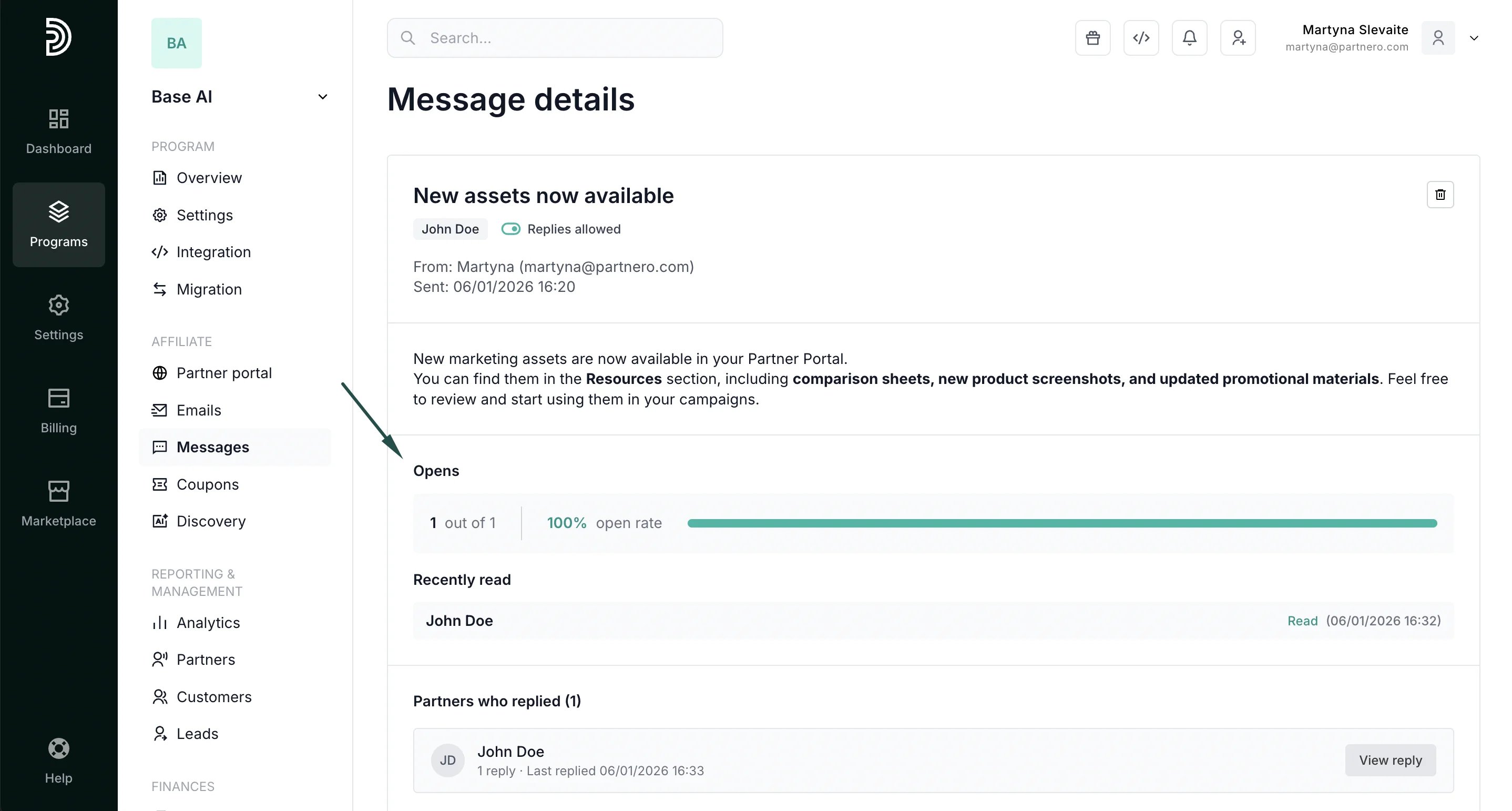 * Partners who replied (if replies are enabled):
  ***
### Replying to messages
To view or respond to a reply, open the message view as shown above and click **View reply** next to the partner’s name:
***
### Replying to messages
To view or respond to a reply, open the message view as shown above and click **View reply** next to the partner’s name: 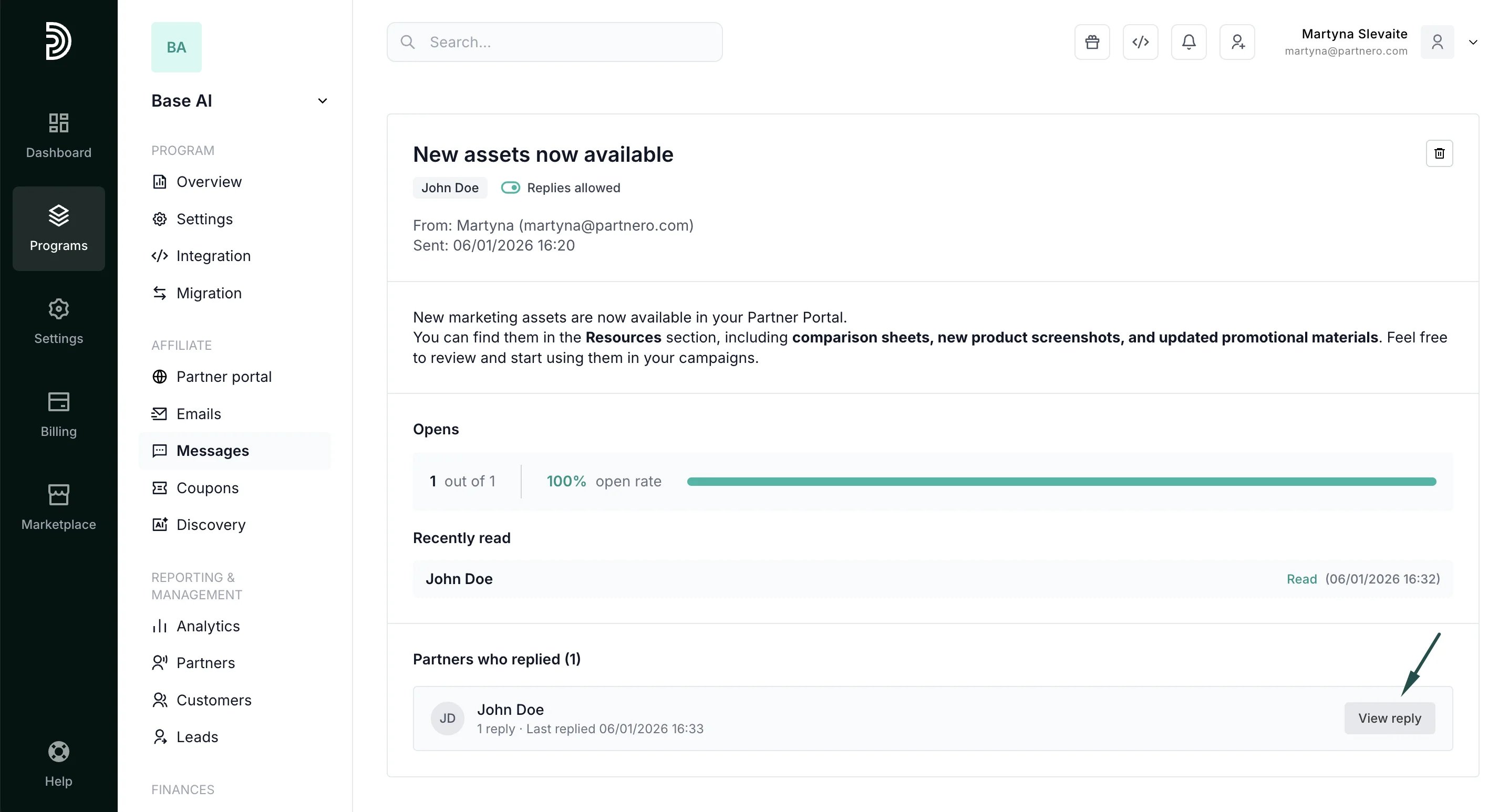 This will take you to the partner's profile. Click **View** again, this opens the conversation so you can continue the discussion directly: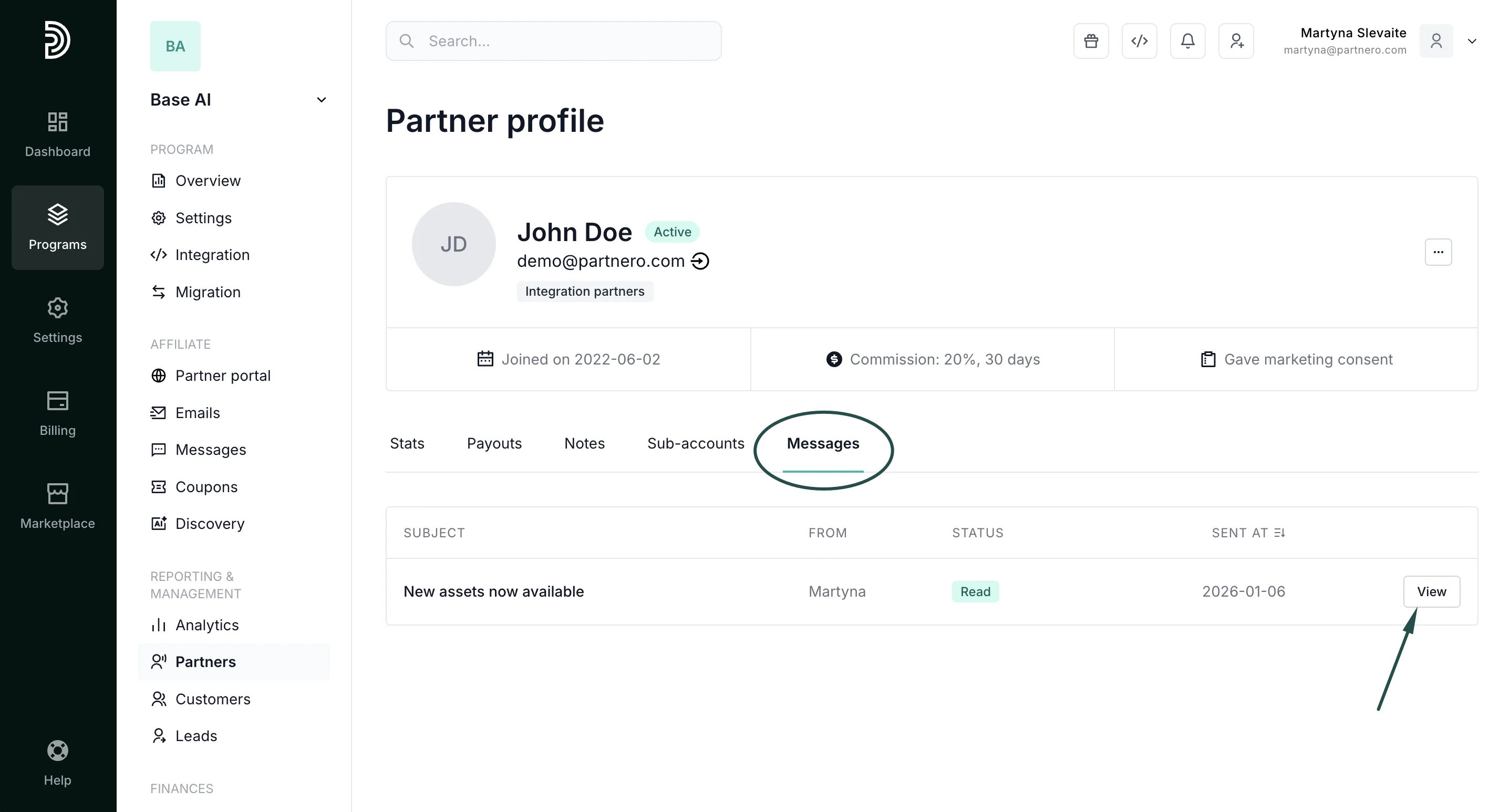
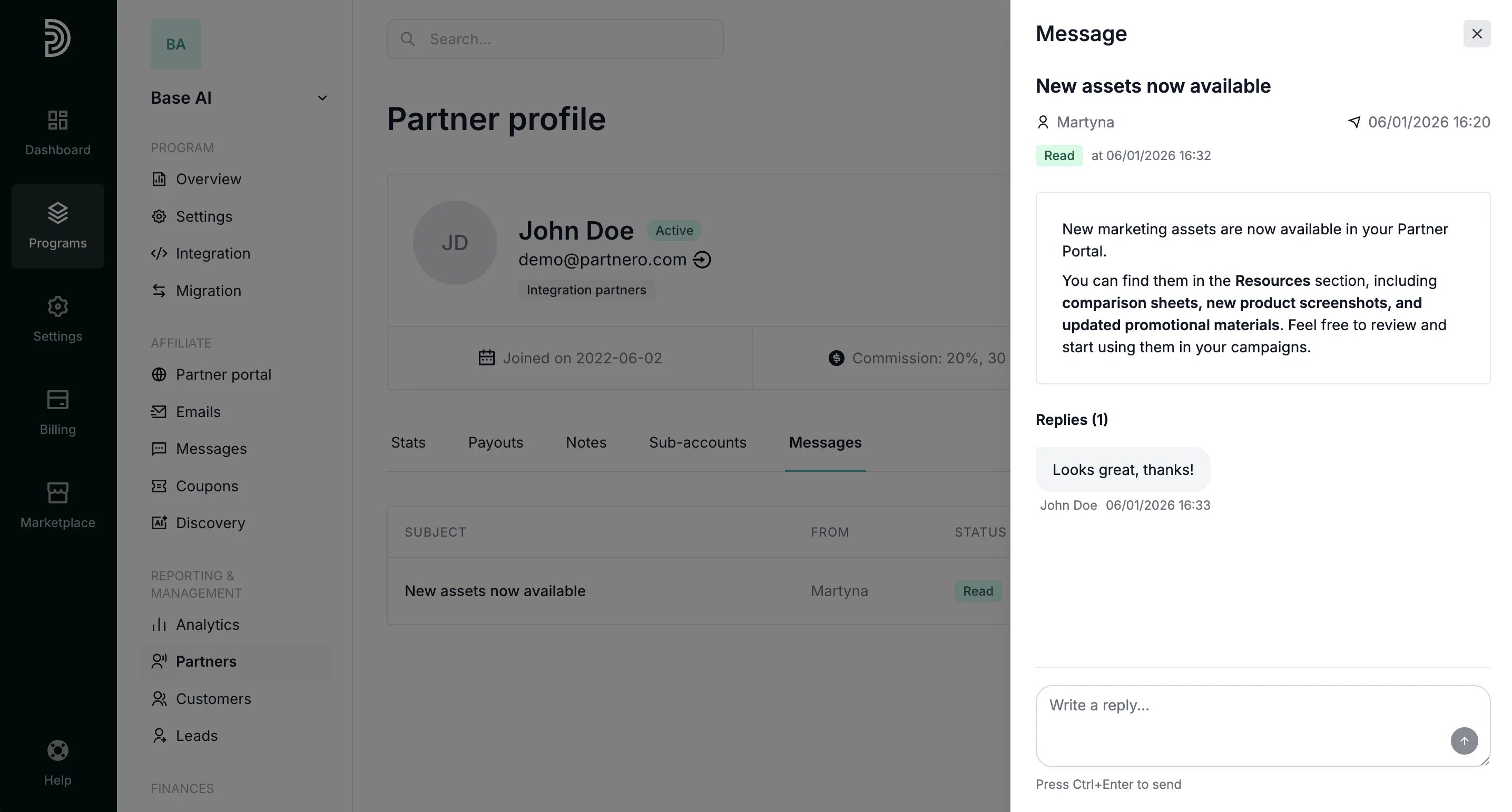 All partner messages can be viewed at any time on the **Messages** tab in their profile.
***
### Partner view
When you send a message, partners see a notification in the partner portal dashboard. A **Messages** tab appears in the portal navigation:
All partner messages can be viewed at any time on the **Messages** tab in their profile.
***
### Partner view
When you send a message, partners see a notification in the partner portal dashboard. A **Messages** tab appears in the portal navigation: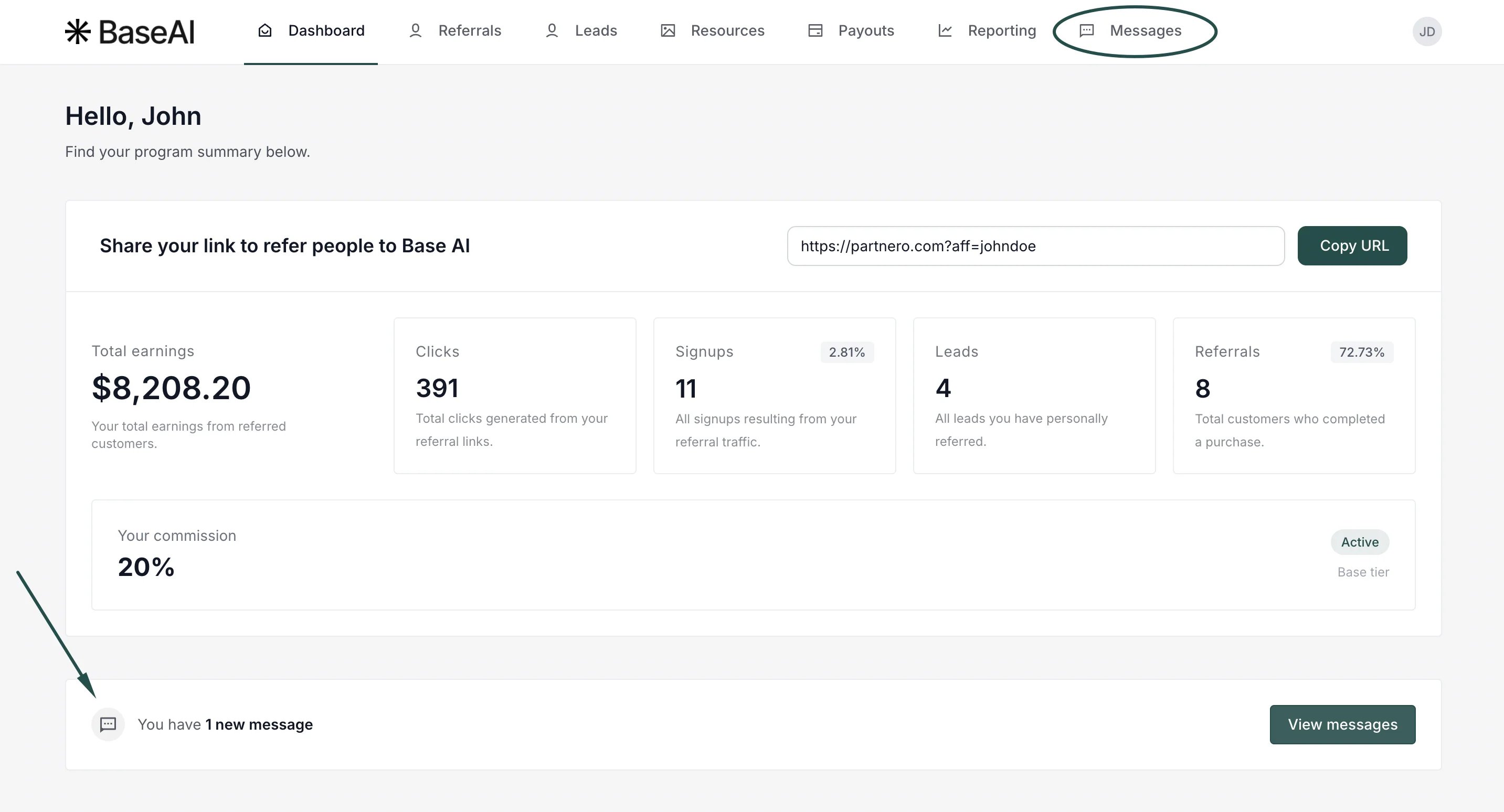 From the Messages tab, partners can:
* View all received messages:
From the Messages tab, partners can:
* View all received messages: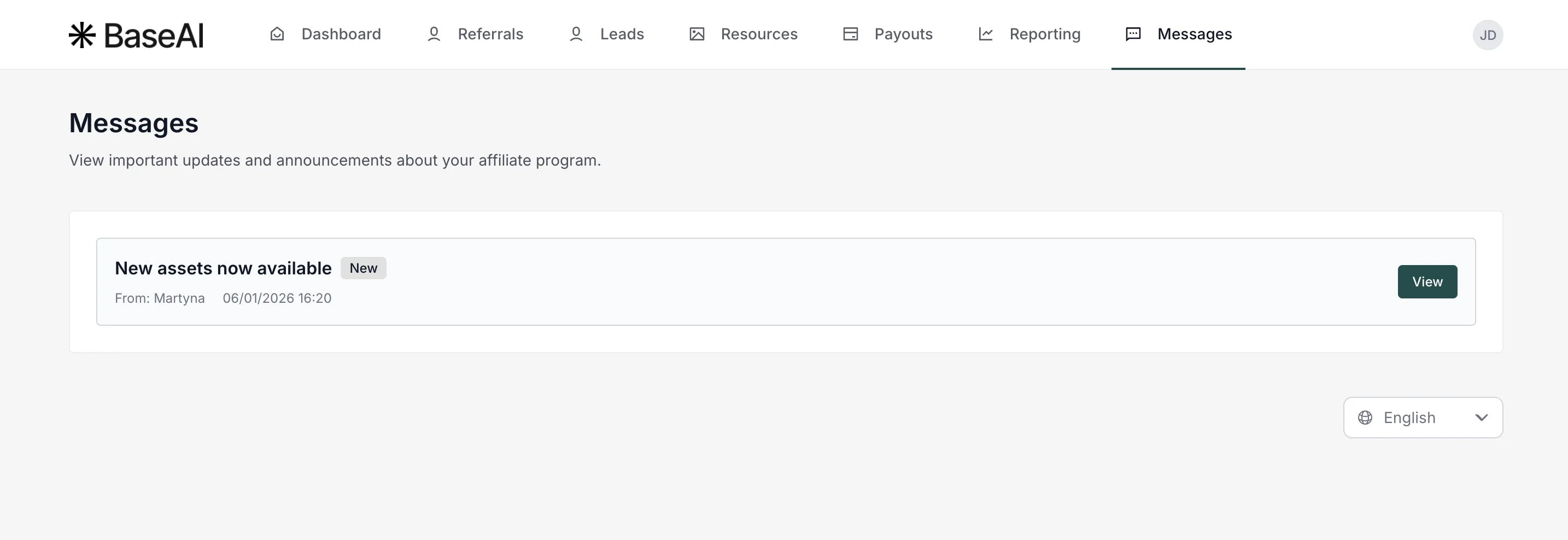 * View a message to read its contents:
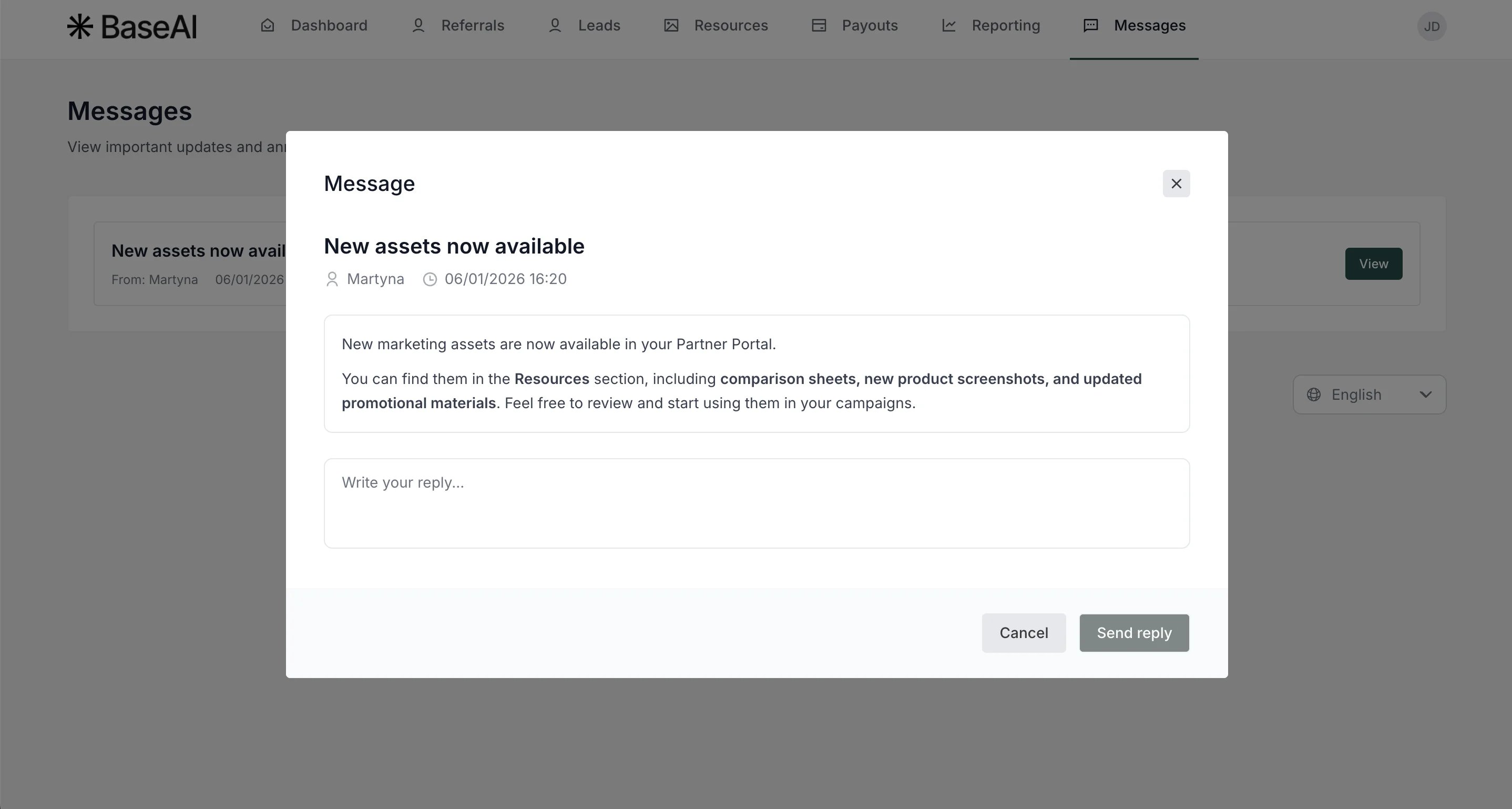 * Reply to the message if replies are enabled by the program owner: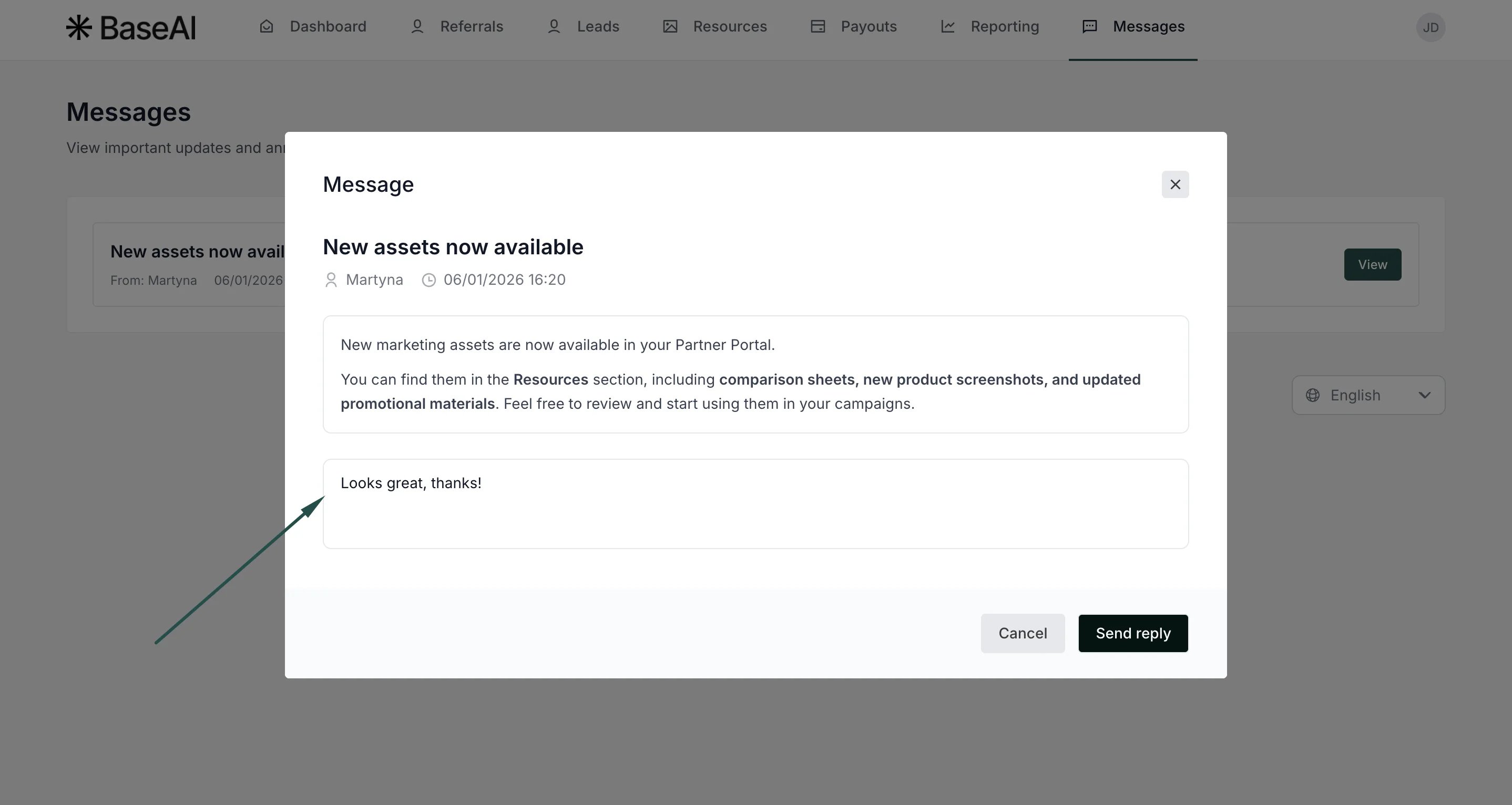
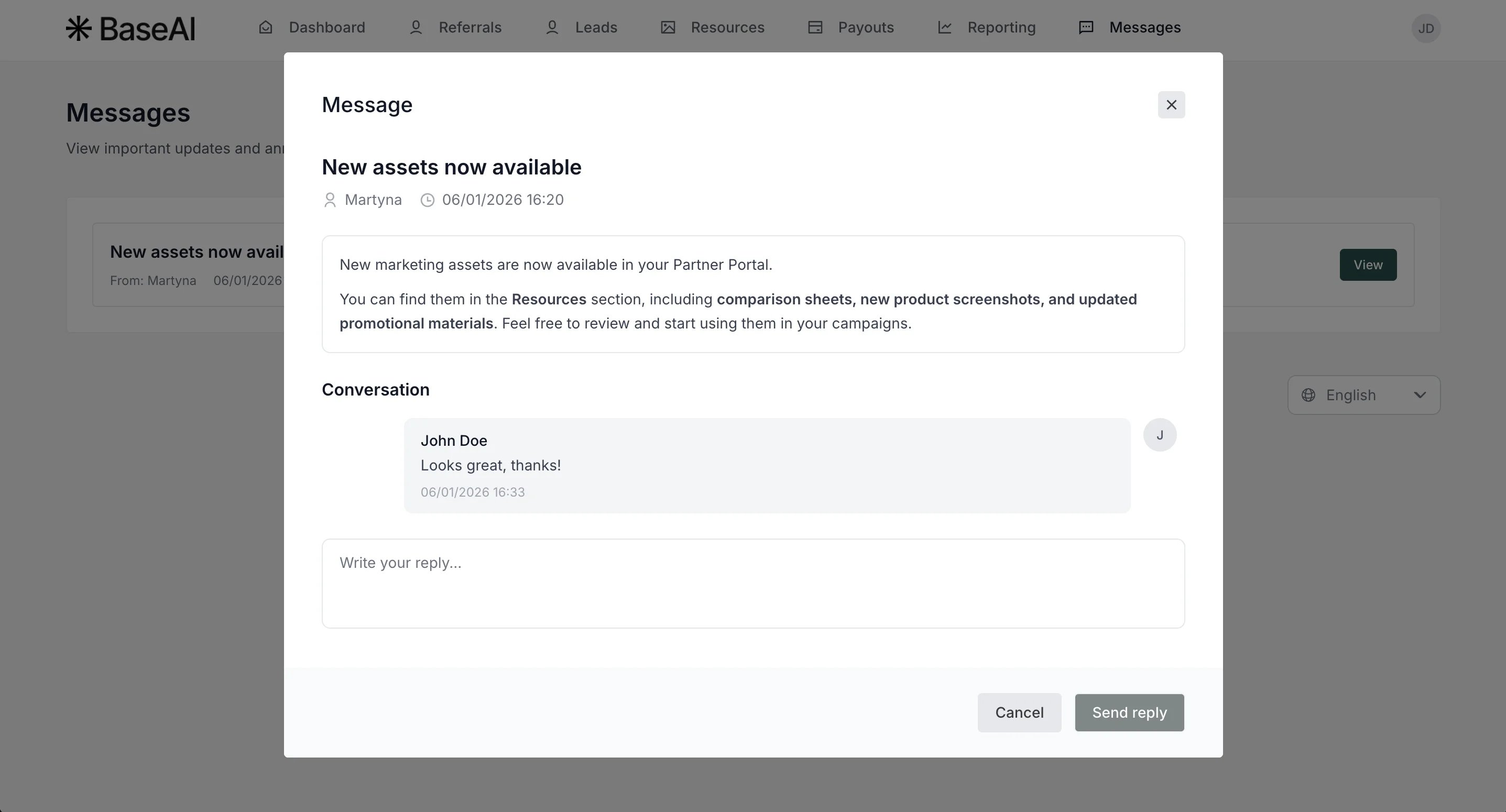 If replies are disabled, partners can still read the message, but the reply option will not be available.
This documentation is built and hosted on [Mintlify](https://mintlify.com), a developer documentation platform.
If replies are disabled, partners can still read the message, but the reply option will not be available.
This documentation is built and hosted on [Mintlify](https://mintlify.com), a developer documentation platform.