> ## Documentation Index
> Fetch the complete documentation index at: https://docs.partnero.com/llms.txt
> Use this file to discover all available pages before exploring further.
# Customize partner portal SEO and tracking
With Partnero, you can customize SEO and tracking for your partner portal.
To access the settings:
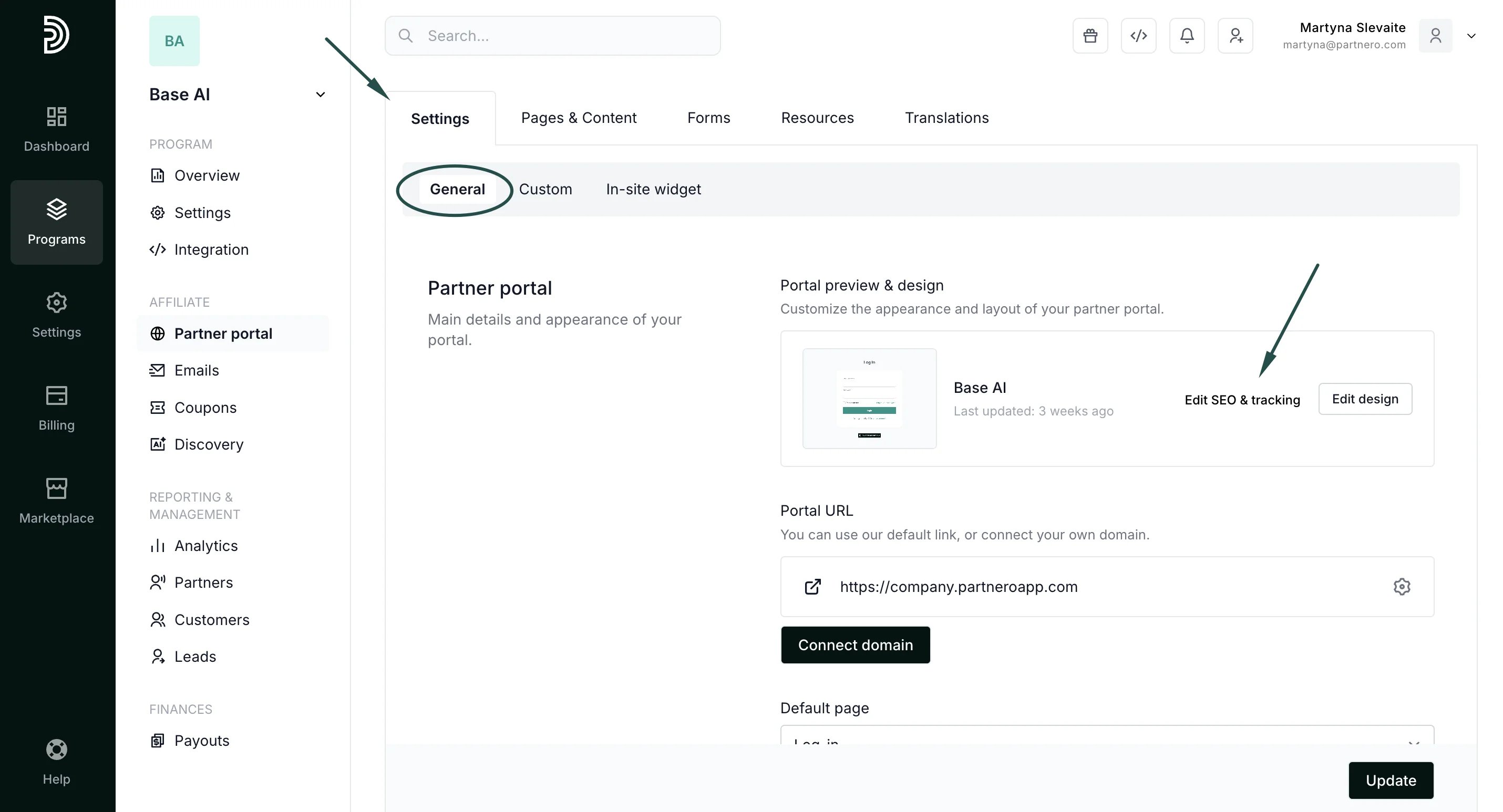
1. In your affiliate program, go to **Partner portal** under **Affiliate**: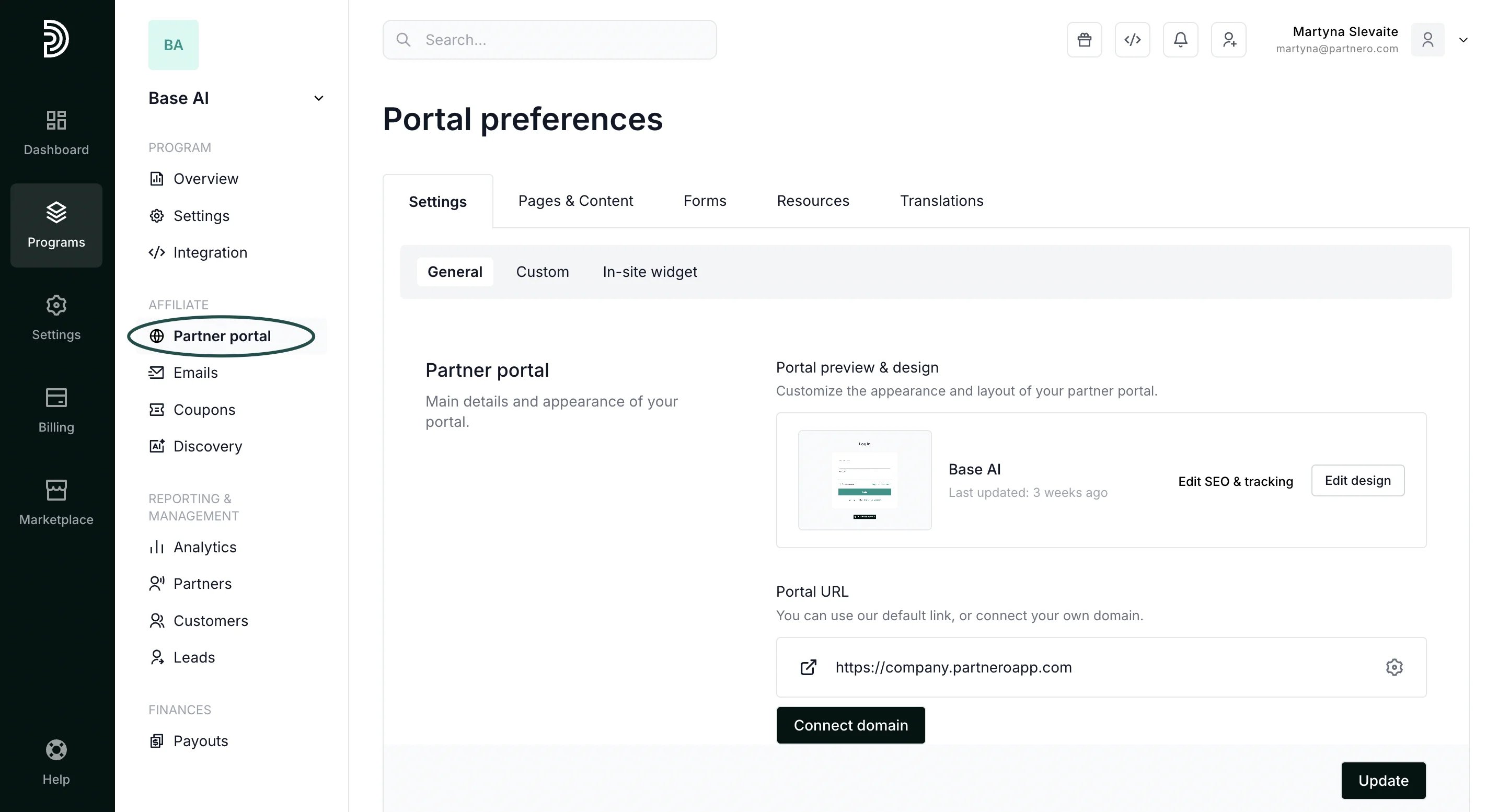 2. In the **Settings** tab, **General** section, click **Edit SEO & tracking**:
 Here, you can:
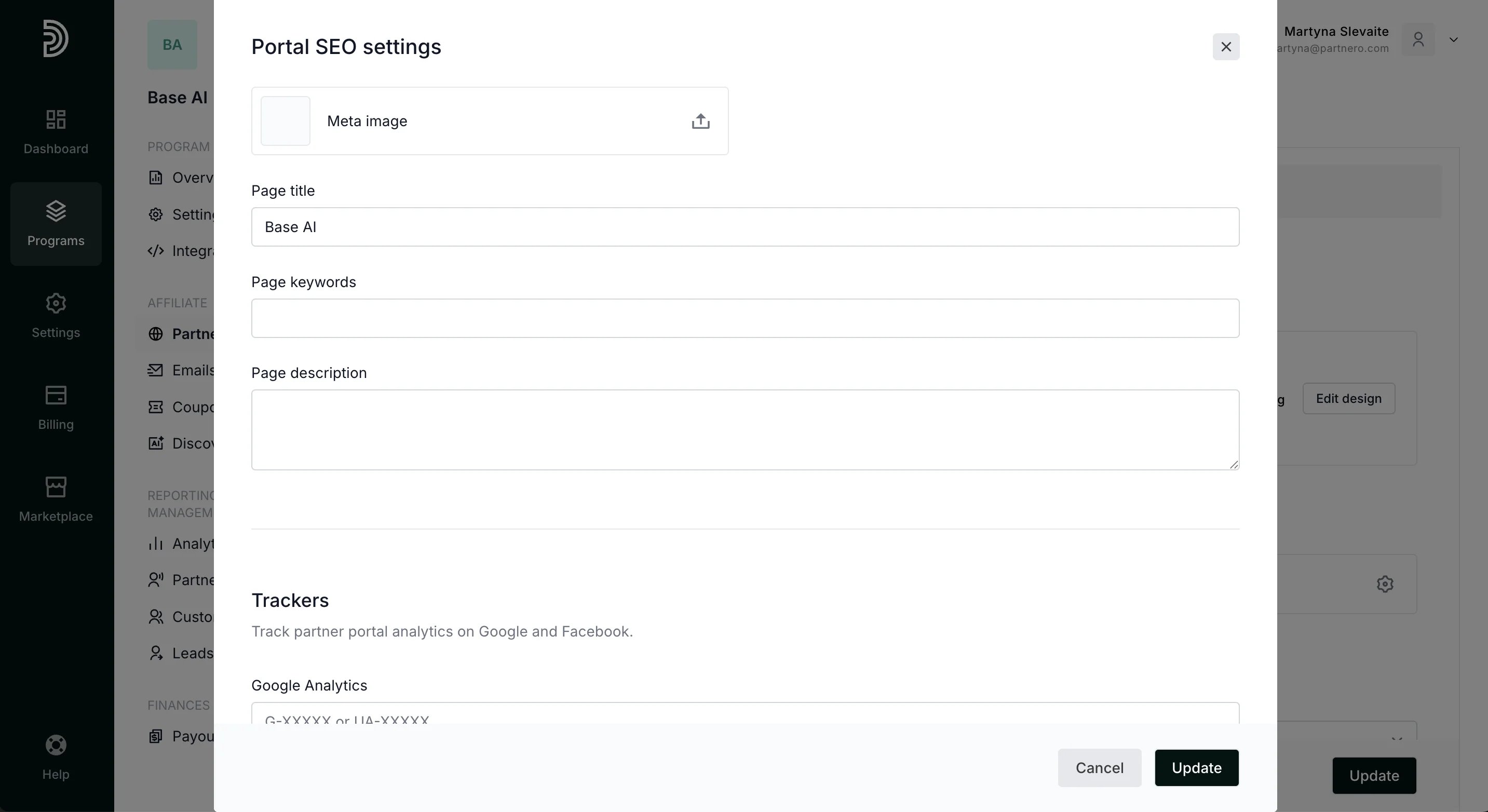
* upload meta image;
* enter the page title, keyword, and page description.
The Trackers section allows you to:
* enter your Google Analytics code to track partner activity;
* enter a Facebook Pixel ID.
Here, you can:
* upload meta image;
* enter the page title, keyword, and page description.
The Trackers section allows you to:
* enter your Google Analytics code to track partner activity;
* enter a Facebook Pixel ID.
 Click **Update** to close the modal and save your changes.
This documentation is built and hosted on [Mintlify](https://mintlify.com), a developer documentation platform.
Click **Update** to close the modal and save your changes.
This documentation is built and hosted on [Mintlify](https://mintlify.com), a developer documentation platform.