> ## Documentation Index
> Fetch the complete documentation index at: https://docs.partnero.com/llms.txt
> Use this file to discover all available pages before exploring further.
# Display commission structure in the partner dashboard
You can choose to display your commission structure in the Partner Portal dashboard so partners can clearly see how commissions are calculated.
There are two ways to show commission information, depending on the level of detail you want to provide.
***
### Option 1: Enable commission display in portal settings
Enabling this option shows the **main program-level commission** in the partner dashboard: 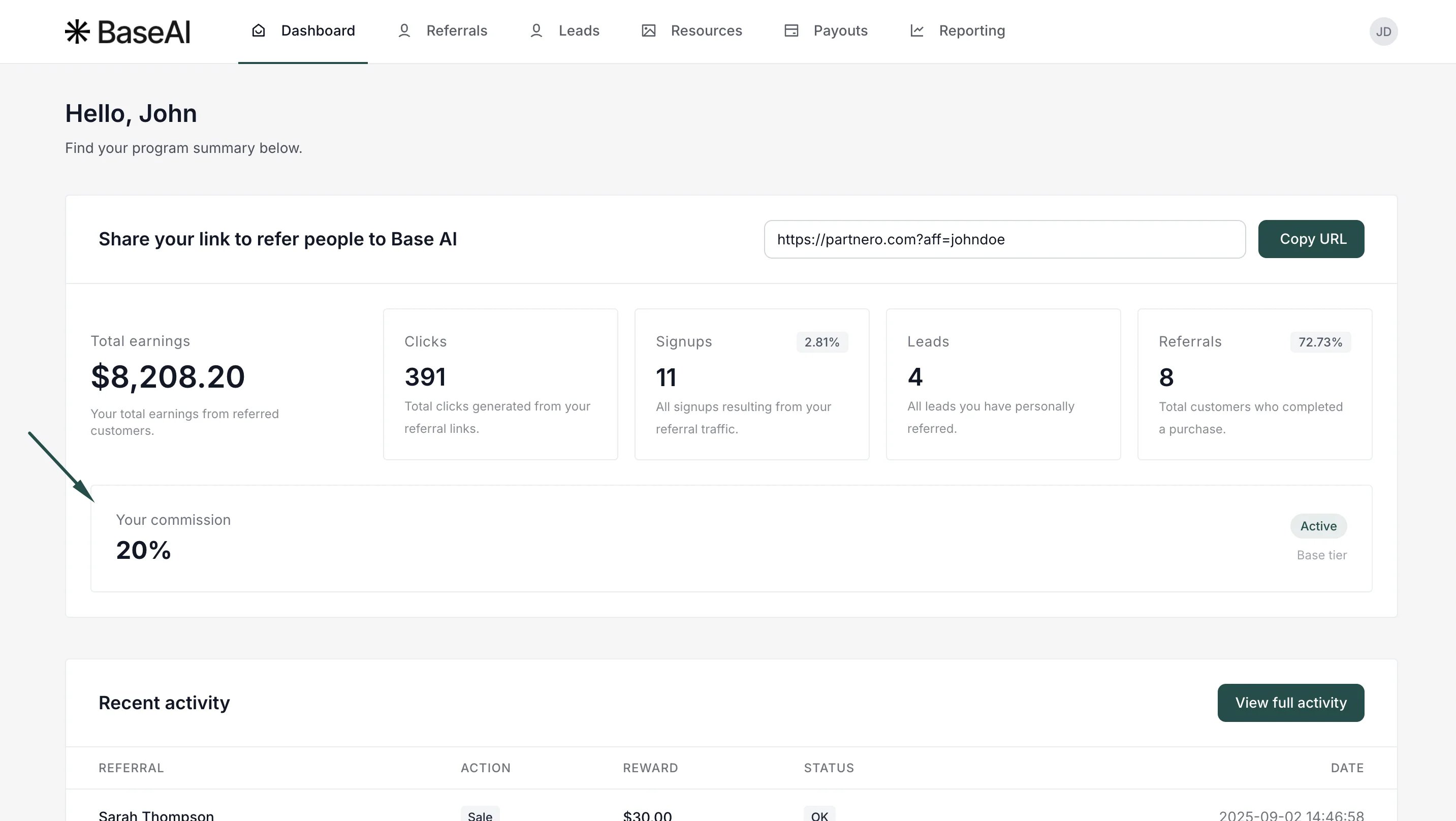 To achieve this:
1. Go to **Partner Portal →** **Settings** tab:
To achieve this:
1. Go to **Partner Portal →** **Settings** tab: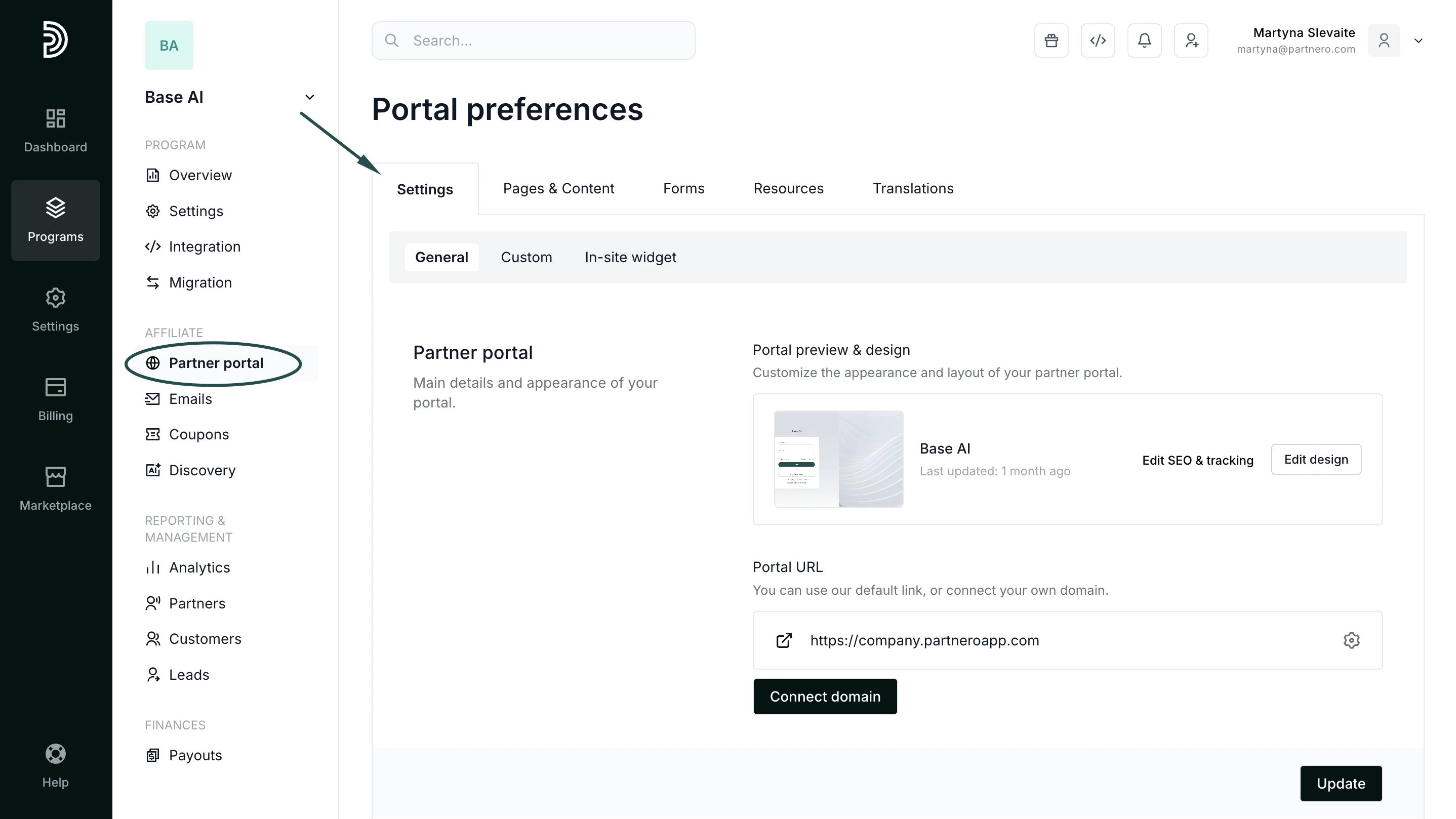 2. Scroll down to the **Partner permissions** section, and toggle **Show current commission on dashboard**: **
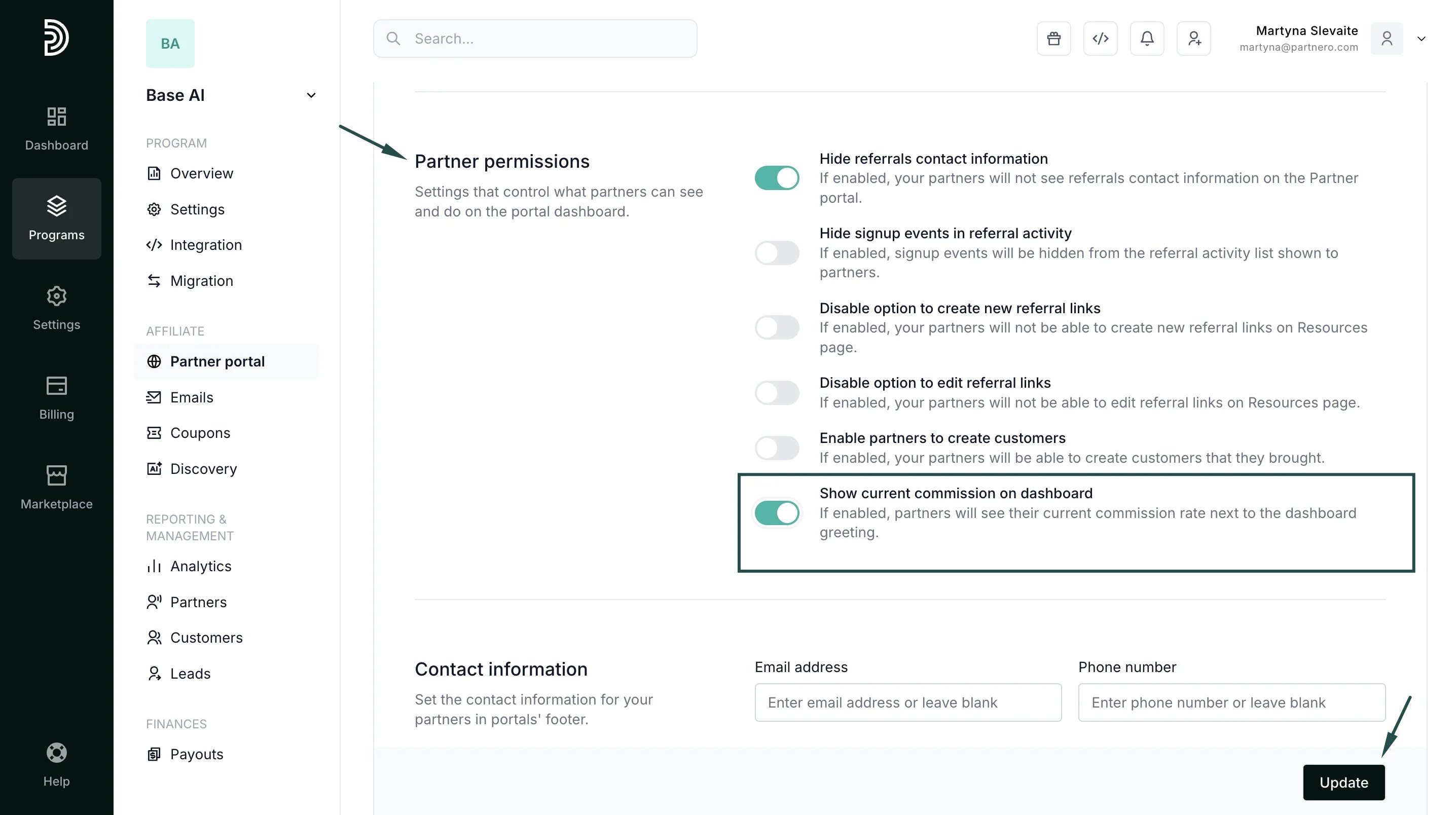 **
3. Click **Update** to save changes.
***
### Option 2: Add a Commission Structure block to the dashboard
For more detailed information, you can add a **Commission Structure** block directly to the partner dashboard.
**
3. Click **Update** to save changes.
***
### Option 2: Add a Commission Structure block to the dashboard
For more detailed information, you can add a **Commission Structure** block directly to the partner dashboard.
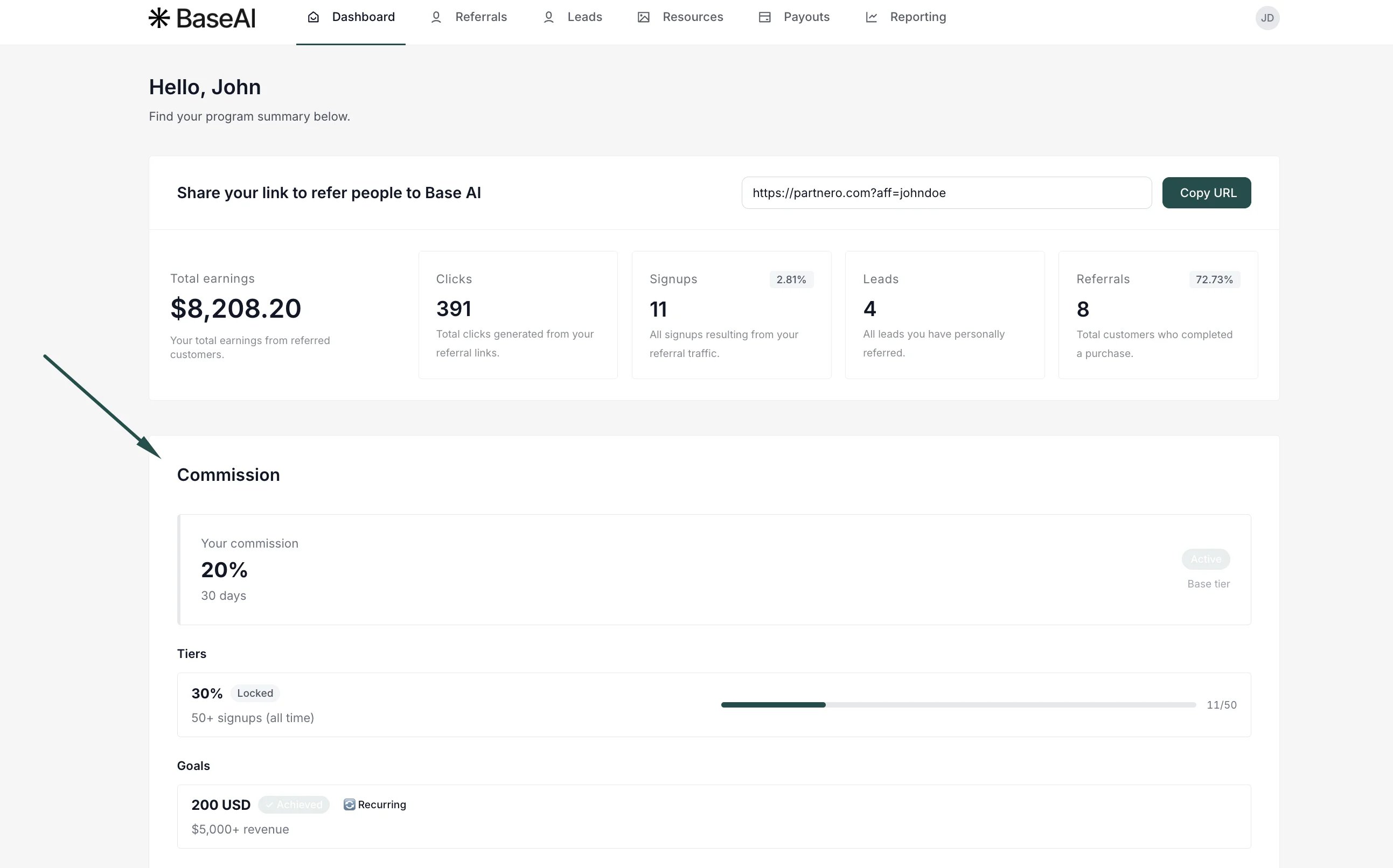 This option provides partners with a more complete view of how commissions work and how their performance affects earnings. This block displays:
* The main commission
* Commission tiers
* Goals and thresholds
* Progress toward the next tier or goal
To achieve this for your program:
1. Go to Partner portal → **Pages & Content** tab. Navigate to the **Partner dashboard** page and click to **Add resource**. Select **Commission structure**:
This option provides partners with a more complete view of how commissions work and how their performance affects earnings. This block displays:
* The main commission
* Commission tiers
* Goals and thresholds
* Progress toward the next tier or goal
To achieve this for your program:
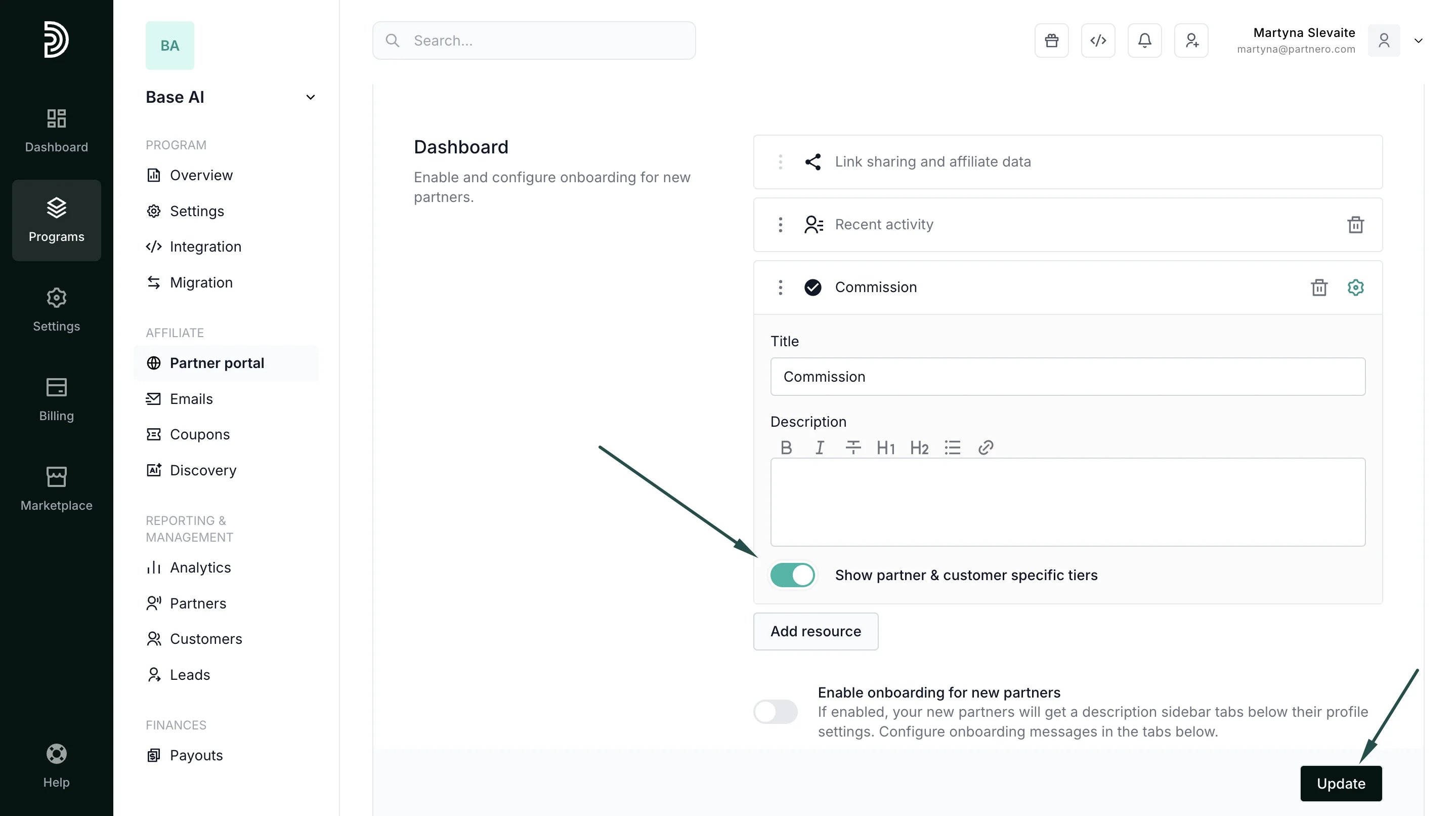
1. Go to Partner portal → **Pages & Content** tab. Navigate to the **Partner dashboard** page and click to **Add resource**. Select **Commission structure**: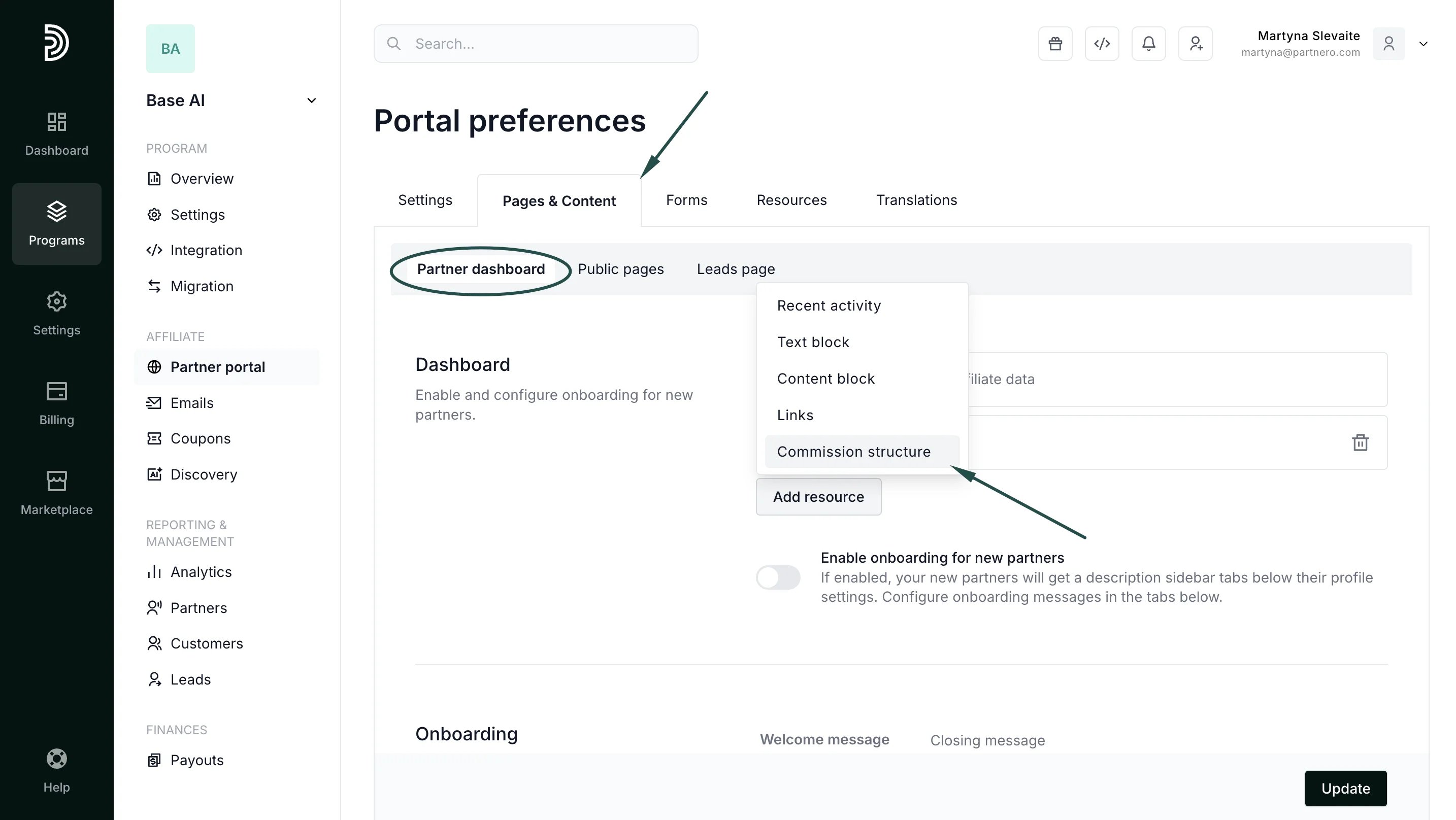 2. Toggle to **Show partner & customer-specific** tiers. If you'd like, edit the title and add a description (optional; the example shown has no description):
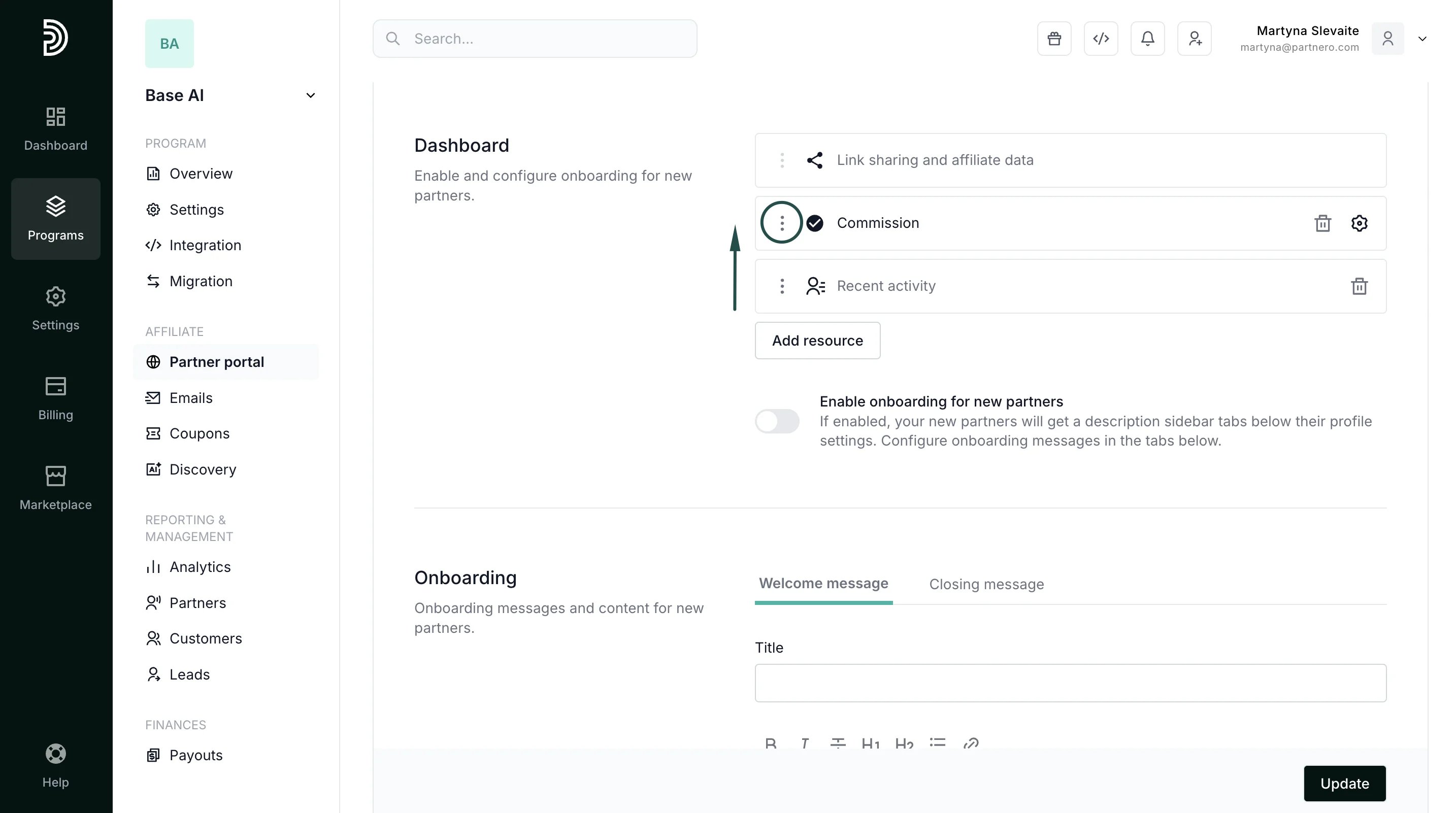
  3. Click the gear icon to collapse the modal, then use the **three-dot menu** on the new row to **drag** it into the second position in the layout:
 4. Click **Update** to save the changes.
This documentation is built and hosted on [Mintlify](https://mintlify.com), a developer documentation platform.
4. Click **Update** to save the changes.
This documentation is built and hosted on [Mintlify](https://mintlify.com), a developer documentation platform.