> ## Documentation Index
> Fetch the complete documentation index at: https://docs.partnero.com/llms.txt
> Use this file to discover all available pages before exploring further.
# Enable and edit social media sharing messages
With Partnero, you can enable and customize default messages for sharing on Facebook, Twitter, and LinkedIn. The quick-share buttons are available to your partners in the Resources section of the partner portal.
To customize the messages:
1. Open your affiliate program and go to **Partner portal** under **Affiliate**.
2. On the **Settings** tab, switch to **Custom**: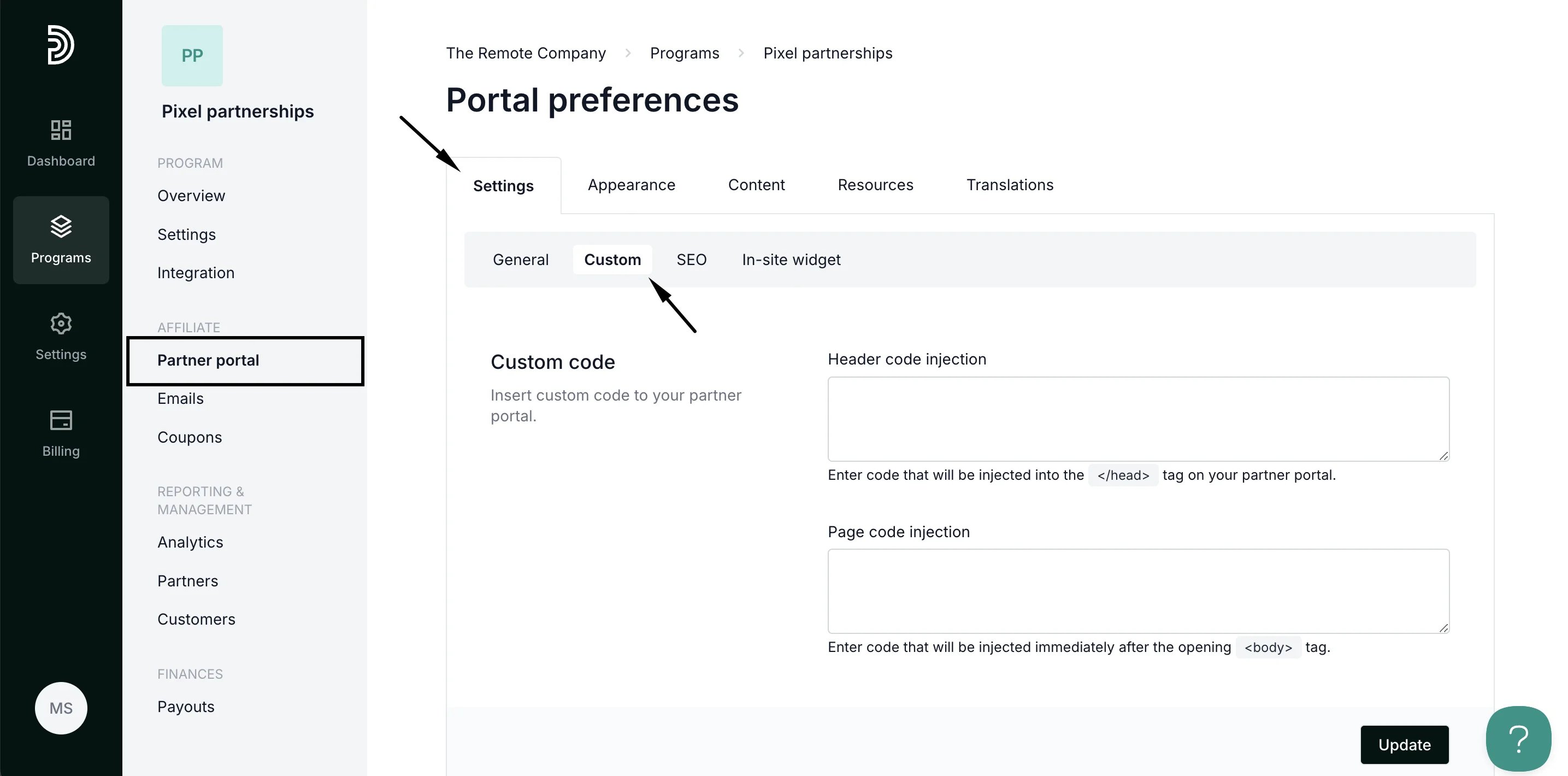 3. Scroll down to **Social media sharing**:
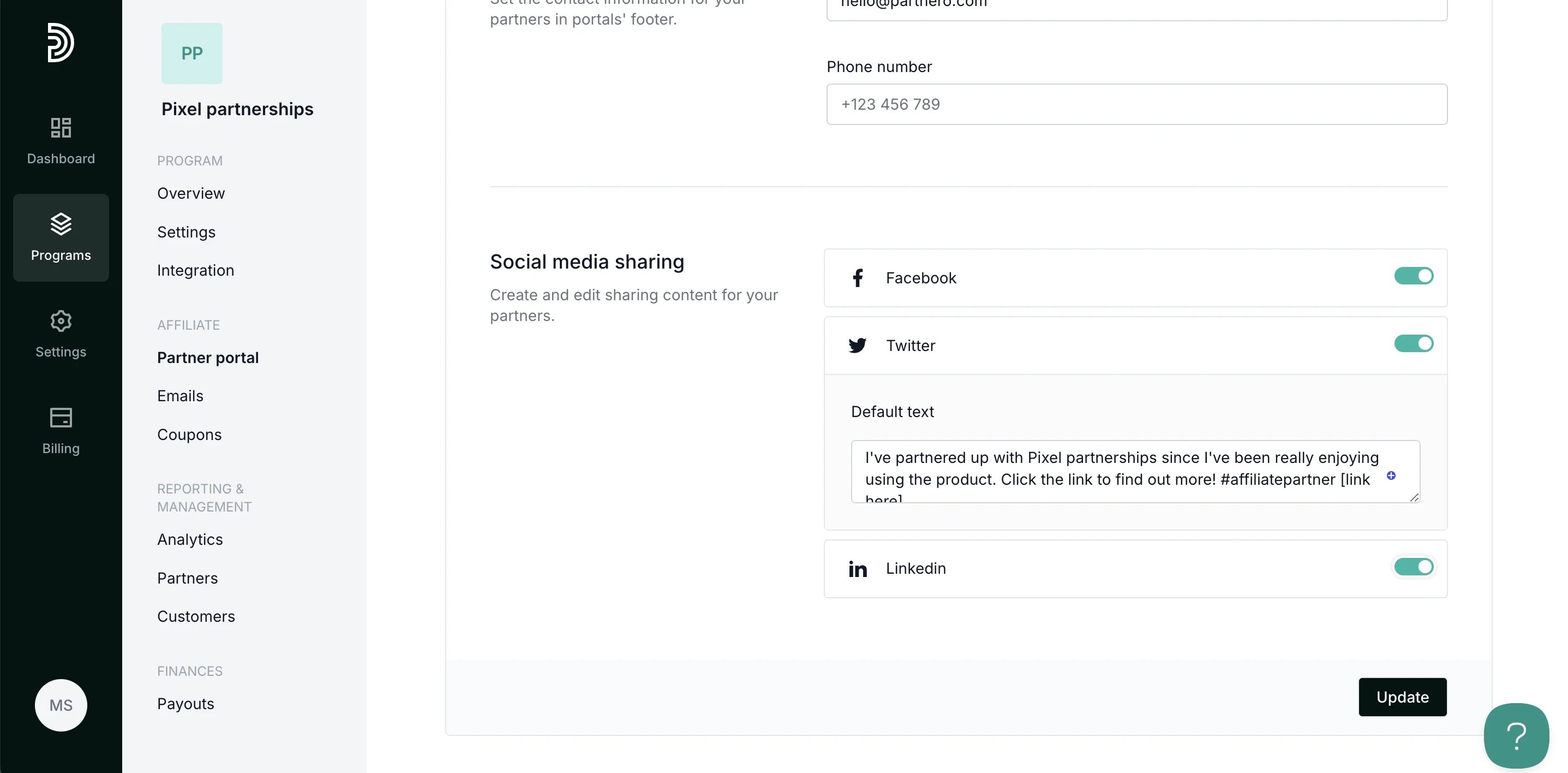 4. Toggle which platforms you'd like to be available to your partners and edit the message in the Default text field.
5. Click **Update** to save your changes.
***
### Where can partners access the quick share feature
The quick-share buttons are available to your partners in the Resources section of the partner portal:
4. Toggle which platforms you'd like to be available to your partners and edit the message in the Default text field.
5. Click **Update** to save your changes.
***
### Where can partners access the quick share feature
The quick-share buttons are available to your partners in the Resources section of the partner portal: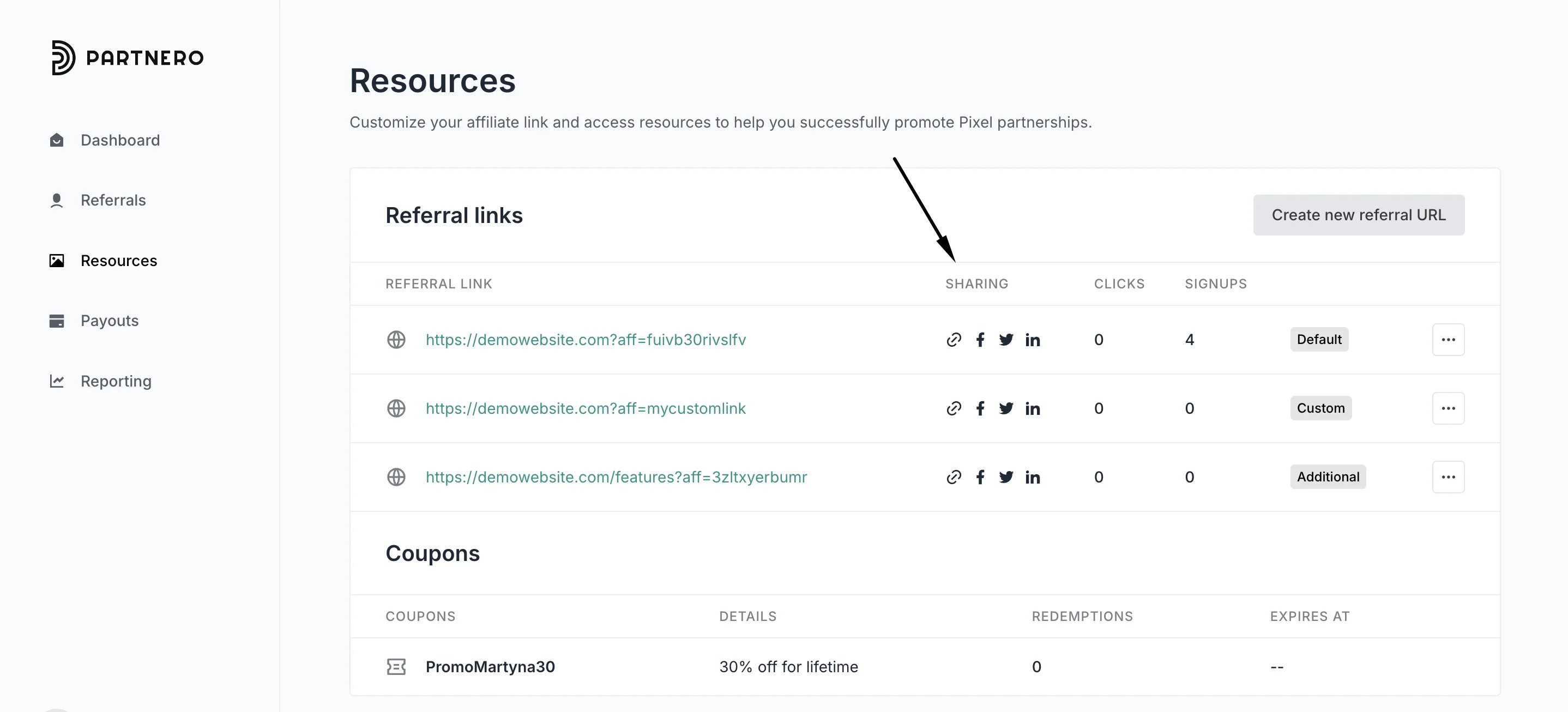 Once a partner clicks on any of the social media icons, they will be taken to the respective social media platform, and the default message will be populated with their unique affiliate link.
This documentation is built and hosted on [Mintlify](https://mintlify.com), a developer documentation platform.
Once a partner clicks on any of the social media icons, they will be taken to the respective social media platform, and the default message will be populated with their unique affiliate link.
This documentation is built and hosted on [Mintlify](https://mintlify.com), a developer documentation platform.