> ## Documentation Index
> Fetch the complete documentation index at: https://docs.partnero.com/llms.txt
> Use this file to discover all available pages before exploring further.
# Enable Google reCAPTCHA for partner portal
### What is Google reCAPTCHA?
Google reCAPTCHA is a fraud detection service that stops bots and other automated attacks while approving valid users. Usually, this is done by asking the user to check a box labeled “I’m not a robot” or by having the user complete a quick puzzle. [Read more](https://www.google.com/recaptcha/about/).
With Partnero, you can enable Google reCAPTCHA on your partner portal to add an additional layer of protection from spam, bots, and other abuse.
***
### How to enable reCAPTCHA
1. Log in to [Partnero](https://app.partnero.com/login) and open the program you want to work with.
2. Under **Partner portal**, go to **Settings** > **Custom**: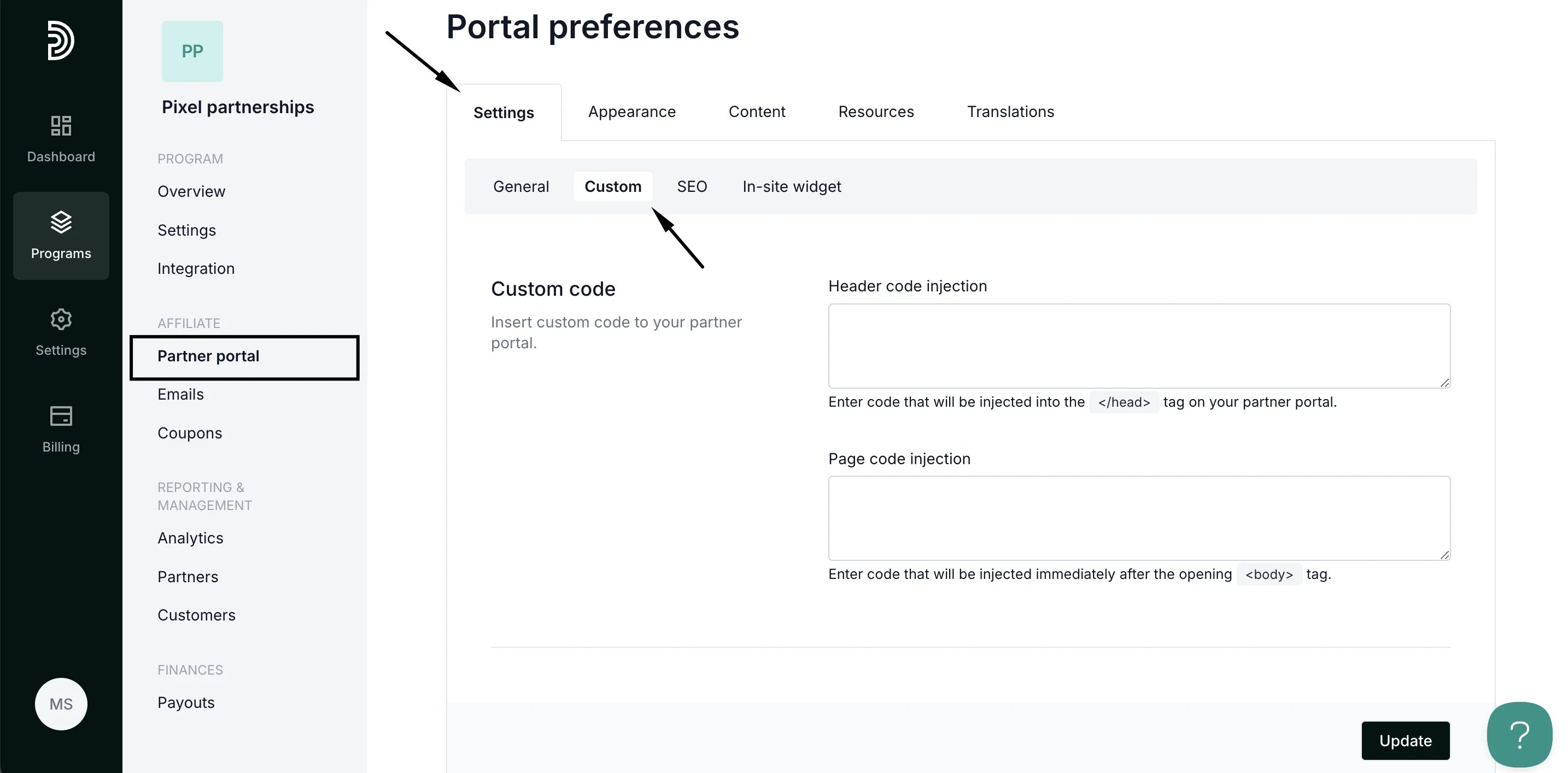 3. Scroll down to the **Security** section:
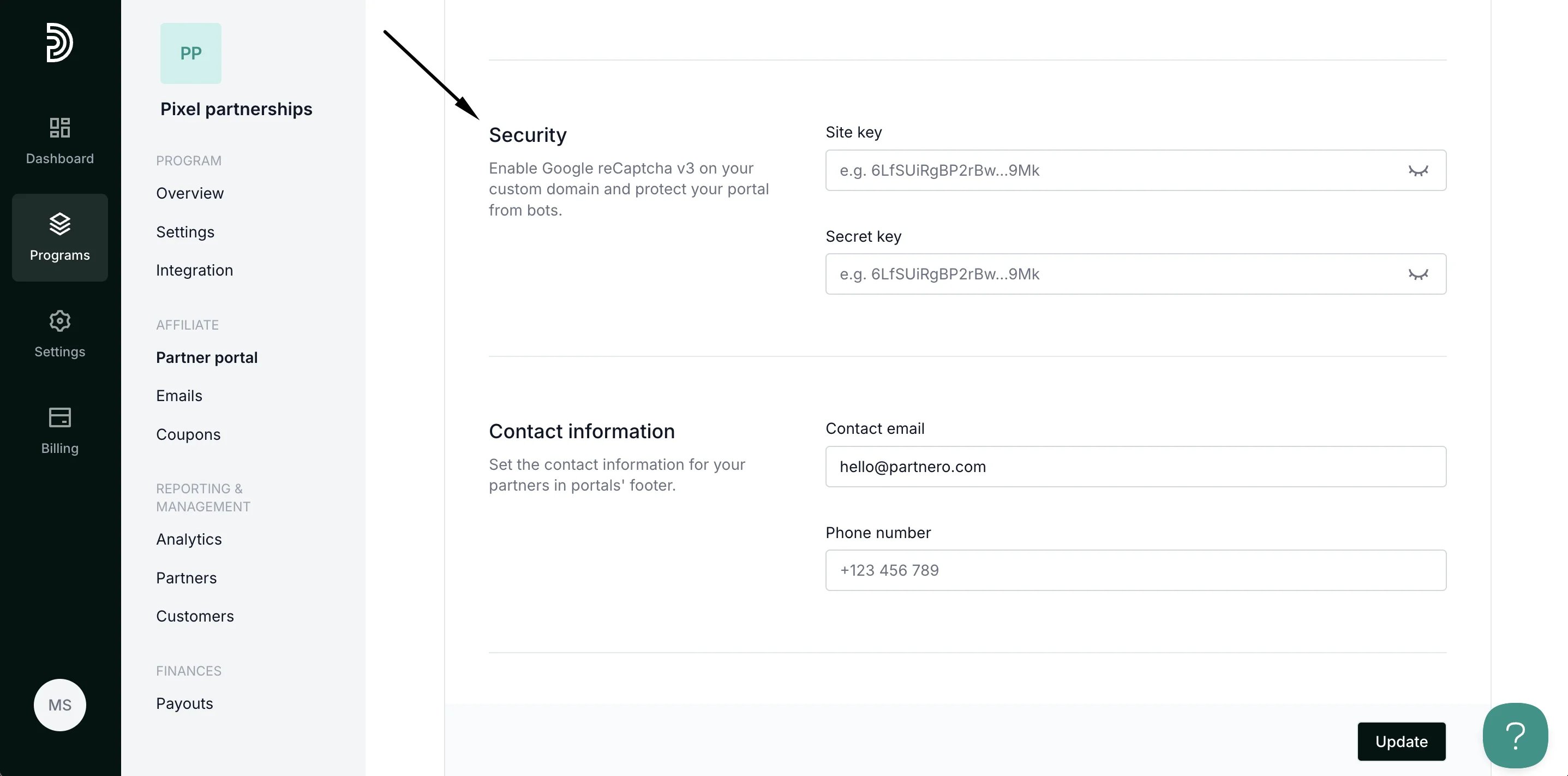 4. Here, you'll be asked to enter the **Site Key** and **Secret Key.** These credentials can be generated here:
[https://www.google.com/recaptcha/admin/create](https://www.google.com/recaptcha/admin/create)
5. Enter the details and click **Update**. That's it! Your partner portal will now have the reCAPTCHA protection.
This documentation is built and hosted on [Mintlify](https://mintlify.com), a developer documentation platform.
4. Here, you'll be asked to enter the **Site Key** and **Secret Key.** These credentials can be generated here:
[https://www.google.com/recaptcha/admin/create](https://www.google.com/recaptcha/admin/create)
5. Enter the details and click **Update**. That's it! Your partner portal will now have the reCAPTCHA protection.
This documentation is built and hosted on [Mintlify](https://mintlify.com), a developer documentation platform.