> ## Documentation Index
> Fetch the complete documentation index at: https://docs.partnero.com/llms.txt
> Use this file to discover all available pages before exploring further.
# Enable Google Social Login for Affiliate Portal
You can allow your affiliate partners to sign up and log in to the affiliate portal using their Google account. This provides a faster and more convenient login experience.
To enable the Google login:
1. Open your affiliate program and go to **Partner portal** under **Affiliate**.
2. You'll land on the **Settings** tab, **General** section: 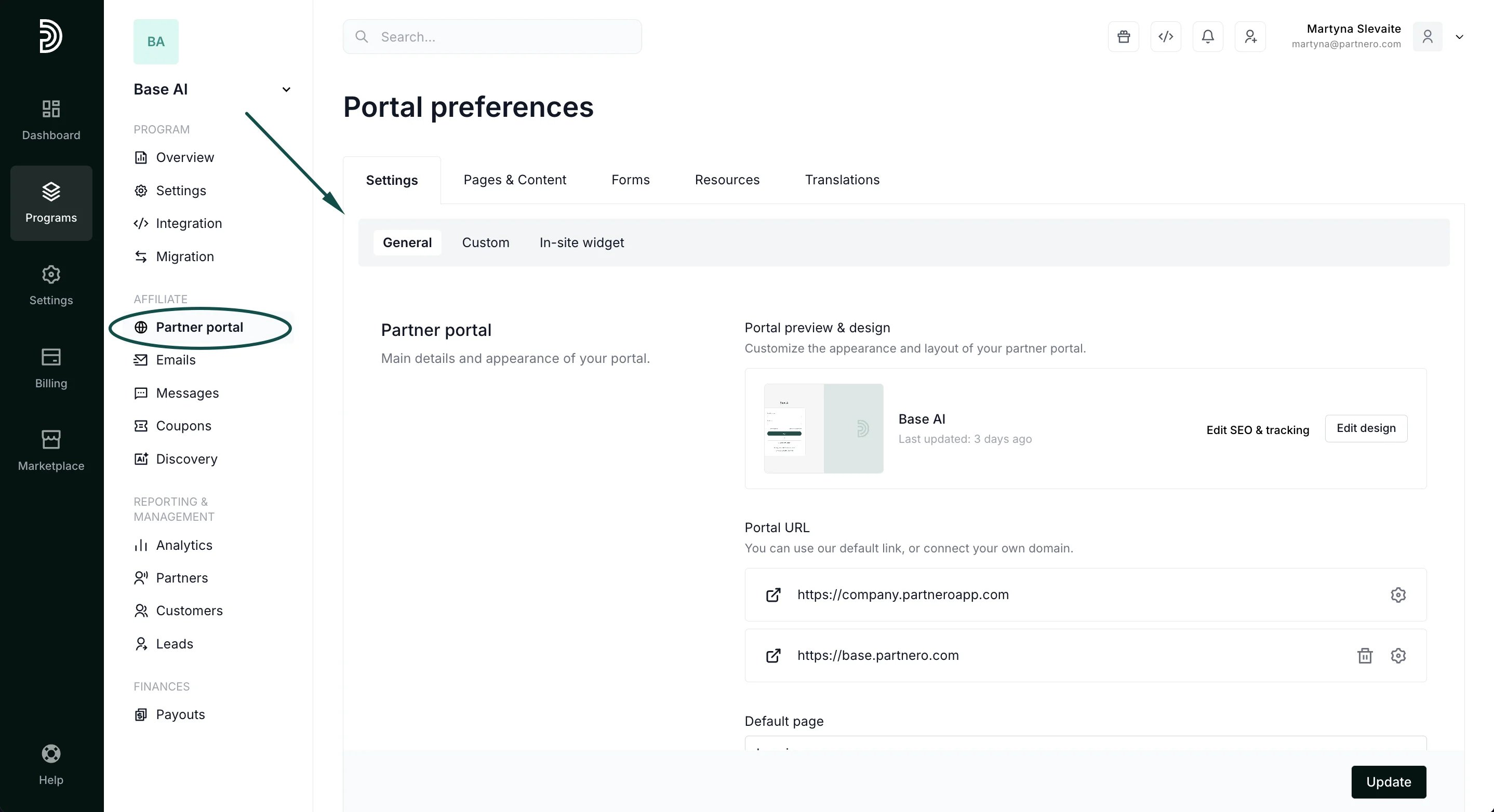 3. Scroll down to **Access & authentication**. Toggle to enable the Google login:
 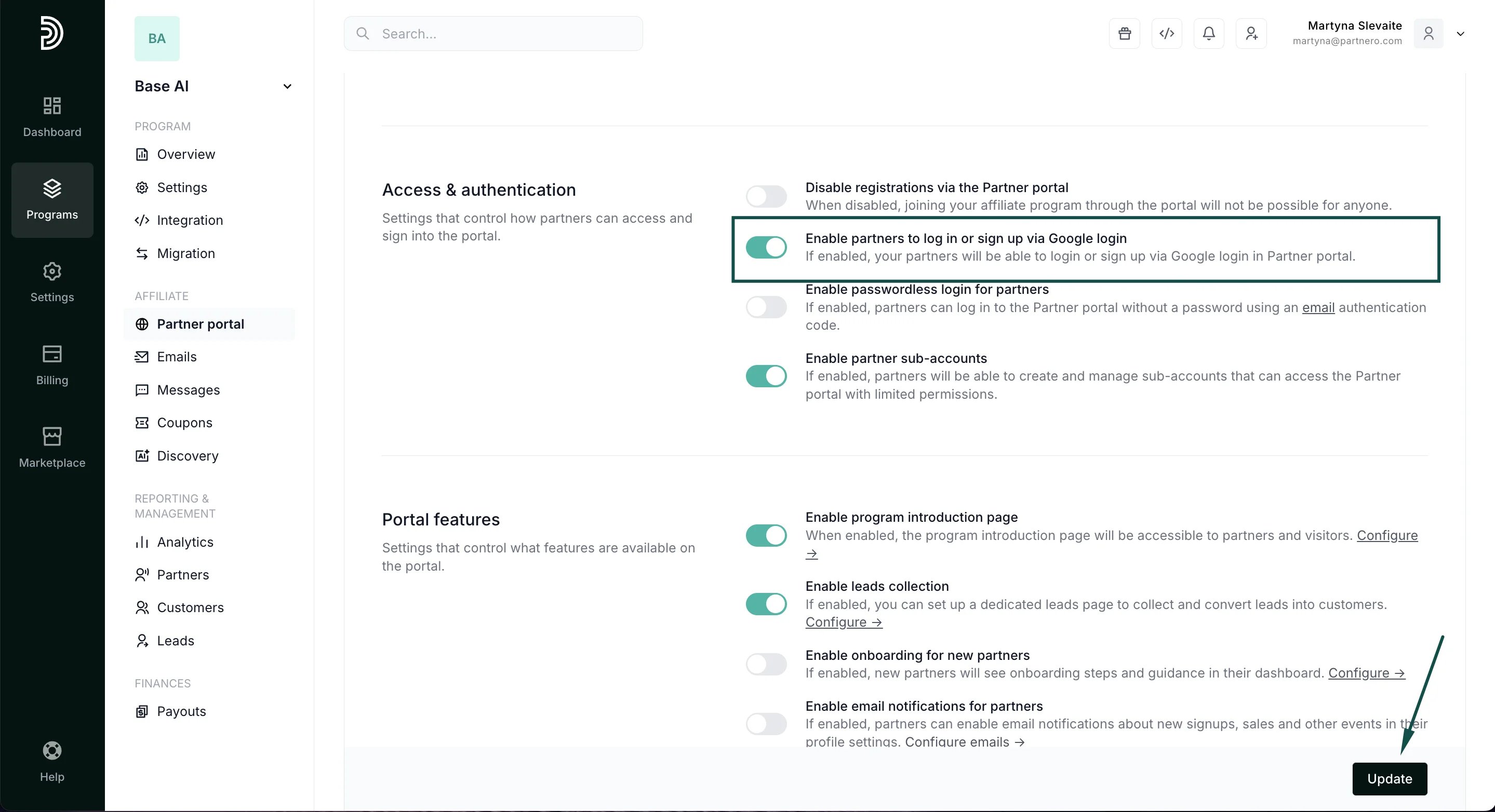 4. Click **Update**.
Once enabled, both the signup and login pages will have the option to use Google:
4. Click **Update**.
Once enabled, both the signup and login pages will have the option to use Google: 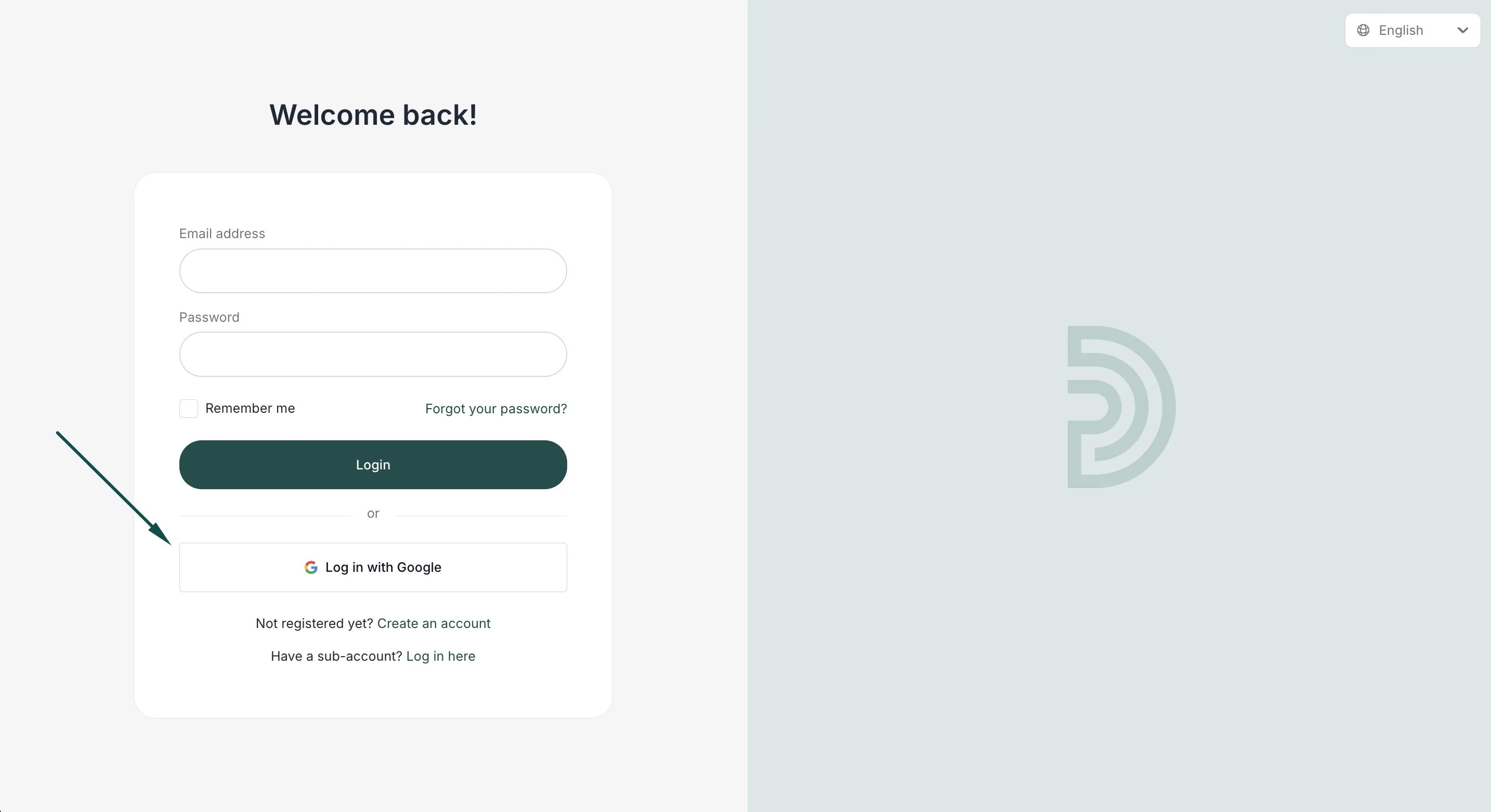 This documentation is built and hosted on [Mintlify](https://mintlify.com), a developer documentation platform.