> ## Documentation Index
> Fetch the complete documentation index at: https://docs.partnero.com/llms.txt
> Use this file to discover all available pages before exploring further.
# Enable partner tag selection on signup
You can add an option to your signup page that allows partners to select their own tags. This helps you categorize and segment partners automatically based on their selections during signup.
***
### How to add tags to a signup form
To add tags:
1. On the left sidebar, click on **Partner Portal** under **Affiliate**.
2. Navigate to the **Pages & Content** tab, **Public pages**, and then **Sign-up page**: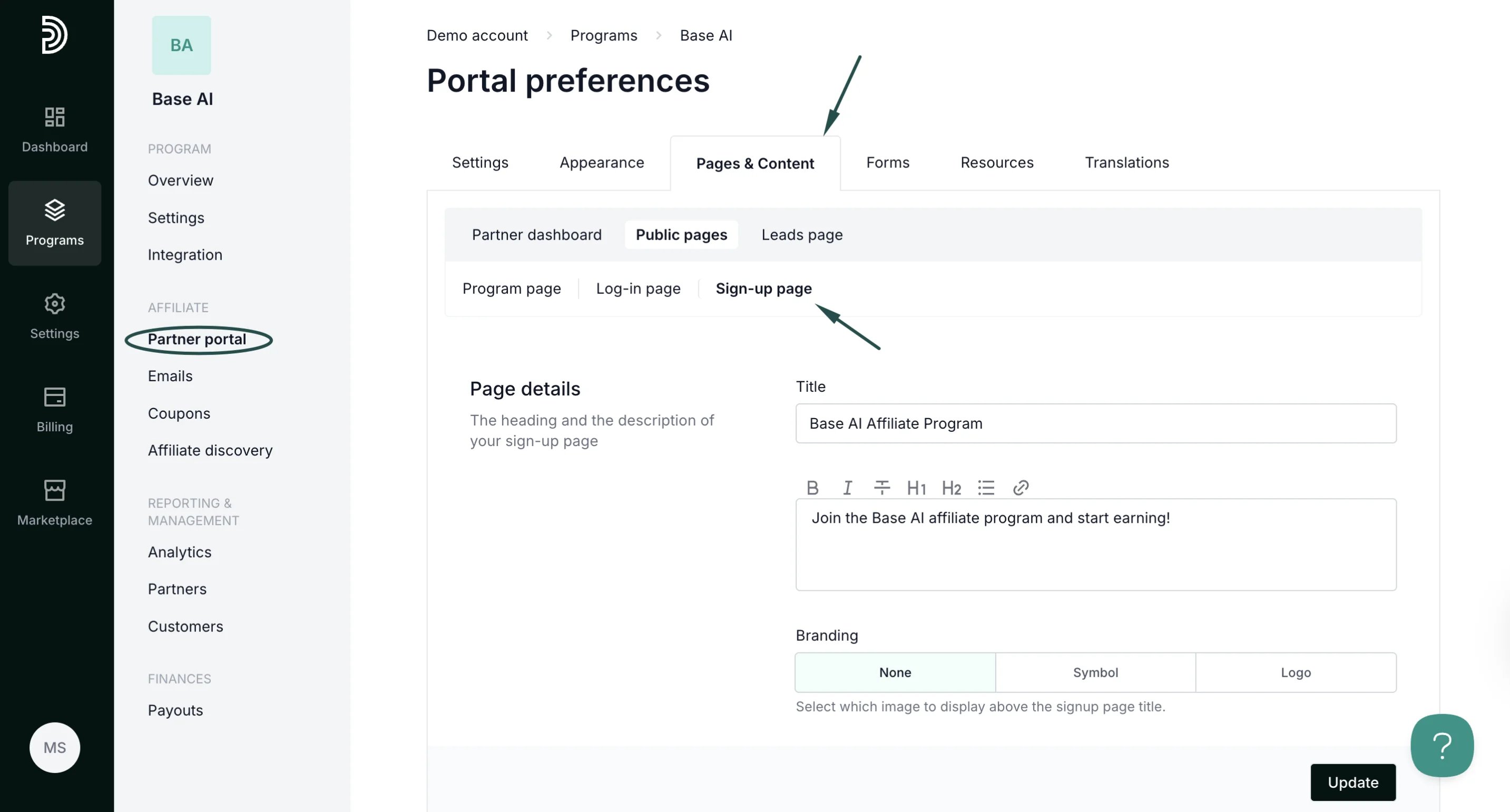 3. Scroll down to the **Registration form** and click **Add field**. Select **Partner tags**:
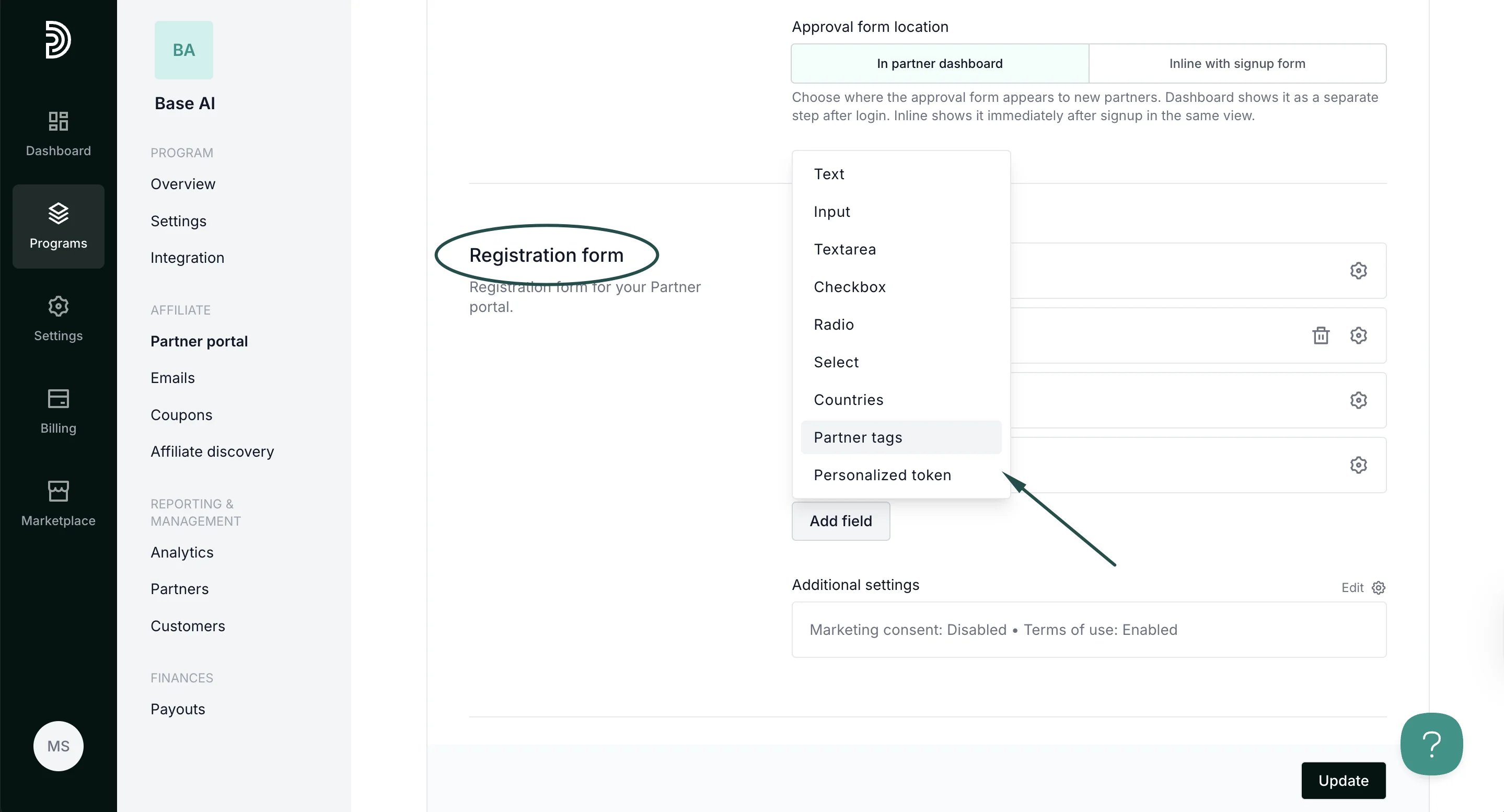 4. Add a label (name) and select which of the tags should be available.
Additionally, select the Input type:
\- **Checkbox** - allows selecting multiple tags
\- **Radio** - allows selecting one tag
\- **Dropdown** - allows selecting one tag
4. Add a label (name) and select which of the tags should be available.
Additionally, select the Input type:
\- **Checkbox** - allows selecting multiple tags
\- **Radio** - allows selecting one tag
\- **Dropdown** - allows selecting one tag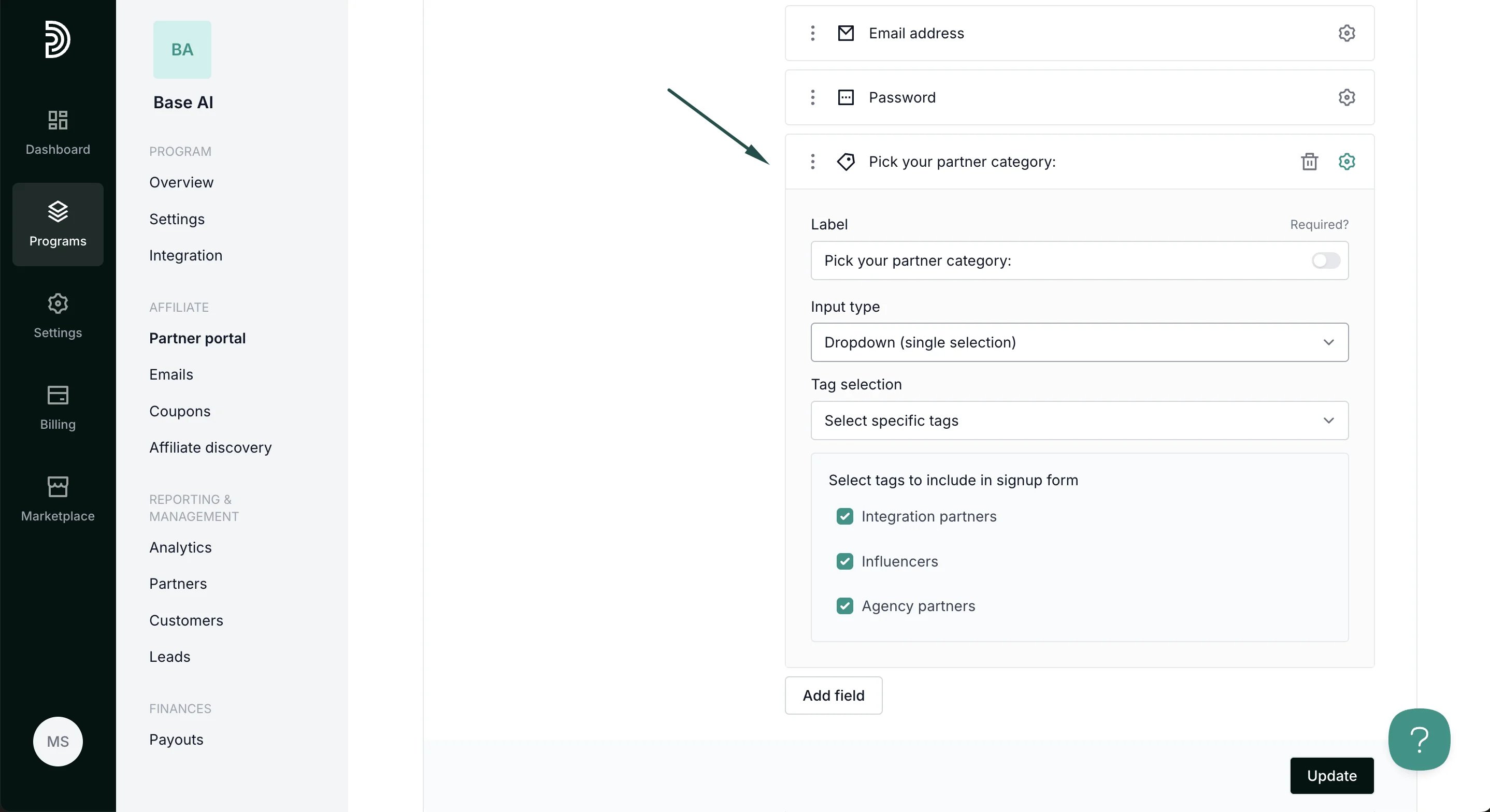 5. Click **Update** to apply changes.
The signup page will display a dropdown or checkbox list (depending on your configuration) with the label. Partners can click or check the tags that apply to them:
5. Click **Update** to apply changes.
The signup page will display a dropdown or checkbox list (depending on your configuration) with the label. Partners can click or check the tags that apply to them: 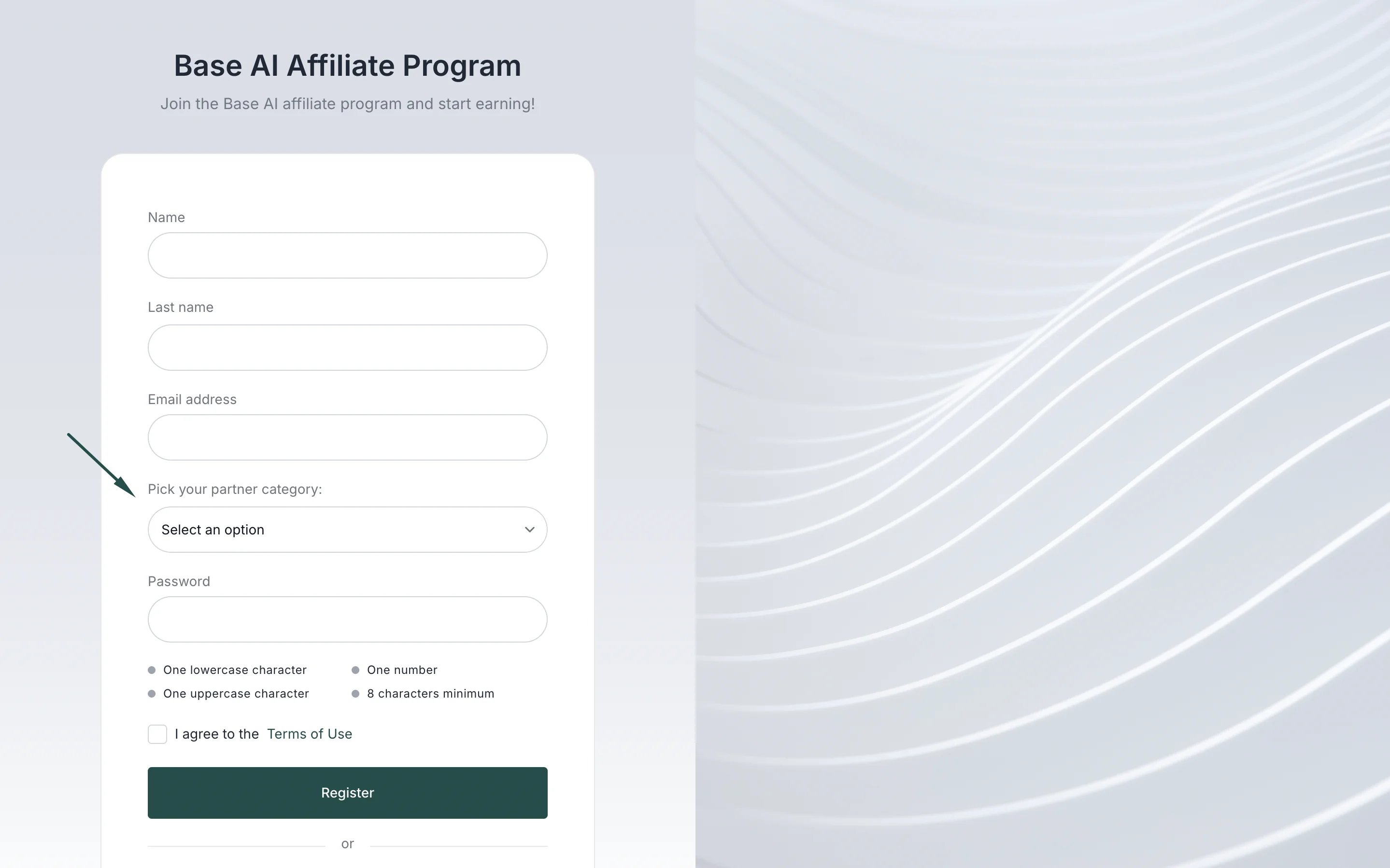 [Read more about partner tags here](/knowledge-base/partner-management/partner-tags-overview).
***
### Best practices
* **Keep it concise:** Limit the number of tags to avoid overwhelming partners.
* **Use meaningful tags:** Choose labels that are clear and relevant for reporting or segmentation.
* **Review periodically:** Update tags as your partner program evolves to keep the system organized.
This documentation is built and hosted on [Mintlify](https://mintlify.com), a developer documentation platform.
[Read more about partner tags here](/knowledge-base/partner-management/partner-tags-overview).
***
### Best practices
* **Keep it concise:** Limit the number of tags to avoid overwhelming partners.
* **Use meaningful tags:** Choose labels that are clear and relevant for reporting or segmentation.
* **Review periodically:** Update tags as your partner program evolves to keep the system organized.
This documentation is built and hosted on [Mintlify](https://mintlify.com), a developer documentation platform.