> ## Documentation Index
> Fetch the complete documentation index at: https://docs.partnero.com/llms.txt
> Use this file to discover all available pages before exploring further.
# Generate example assets
The generate example assets feature lets you quickly add **sample resource placeholders** to your program. You can then replace the placeholder items with your actual program resources.
This helps you see what resource options are available and provides a placeholder layout for the Resources page, making it easier to replace sample assets with your own files instead of starting from scratch.
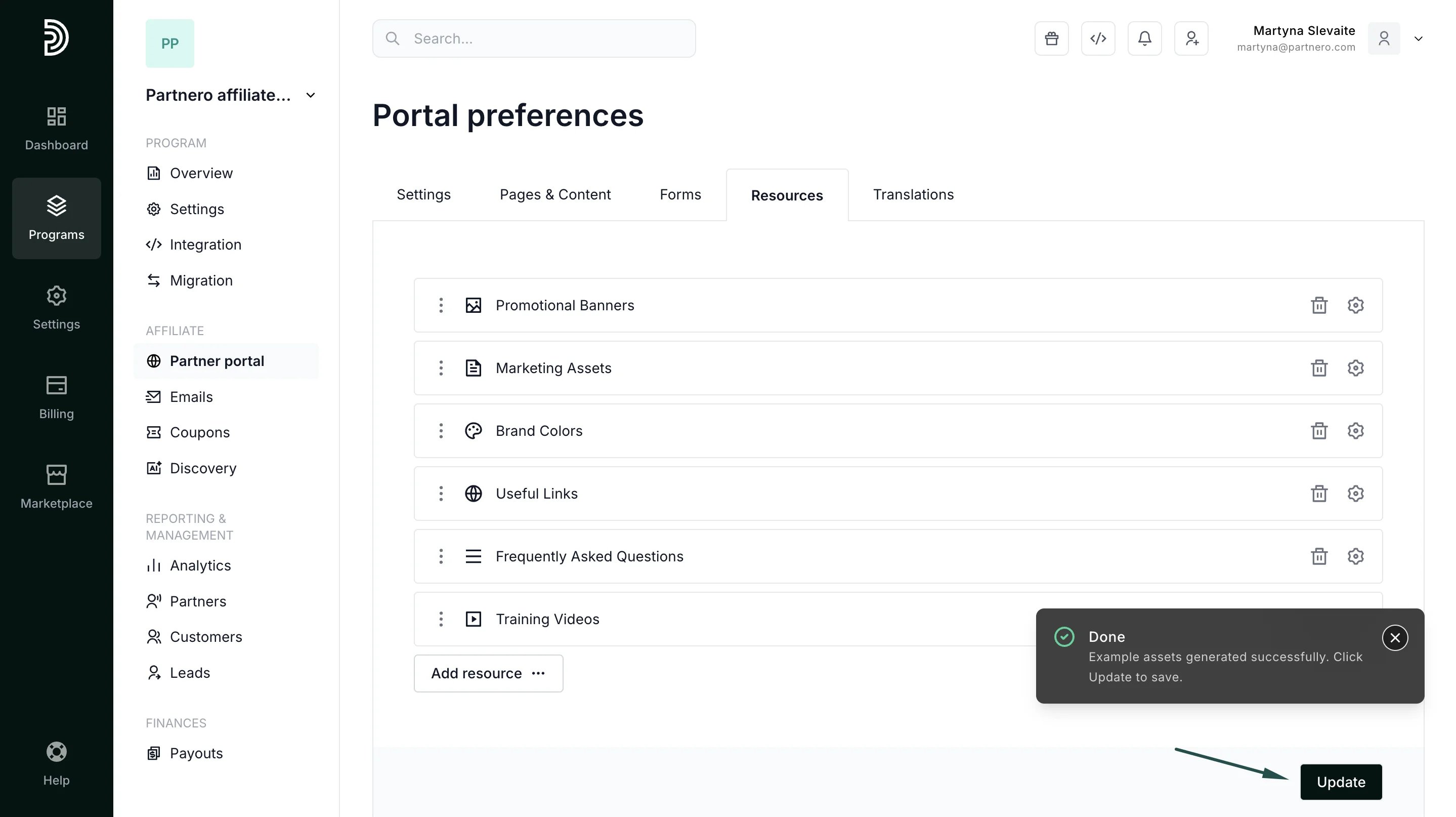
When generated, you'll find placeholders for:
* Banners
* Logos
* Links
* Videos
* FAQs and more.
Remove or replace these assets with your own files. The option to generate example assets is available only when no assets currently exist in your program.
***
### Generating example assets
To generate example assets:
1. Navigate to **Partner Portal** → **Resources** tab. Click **Generate example assets**: 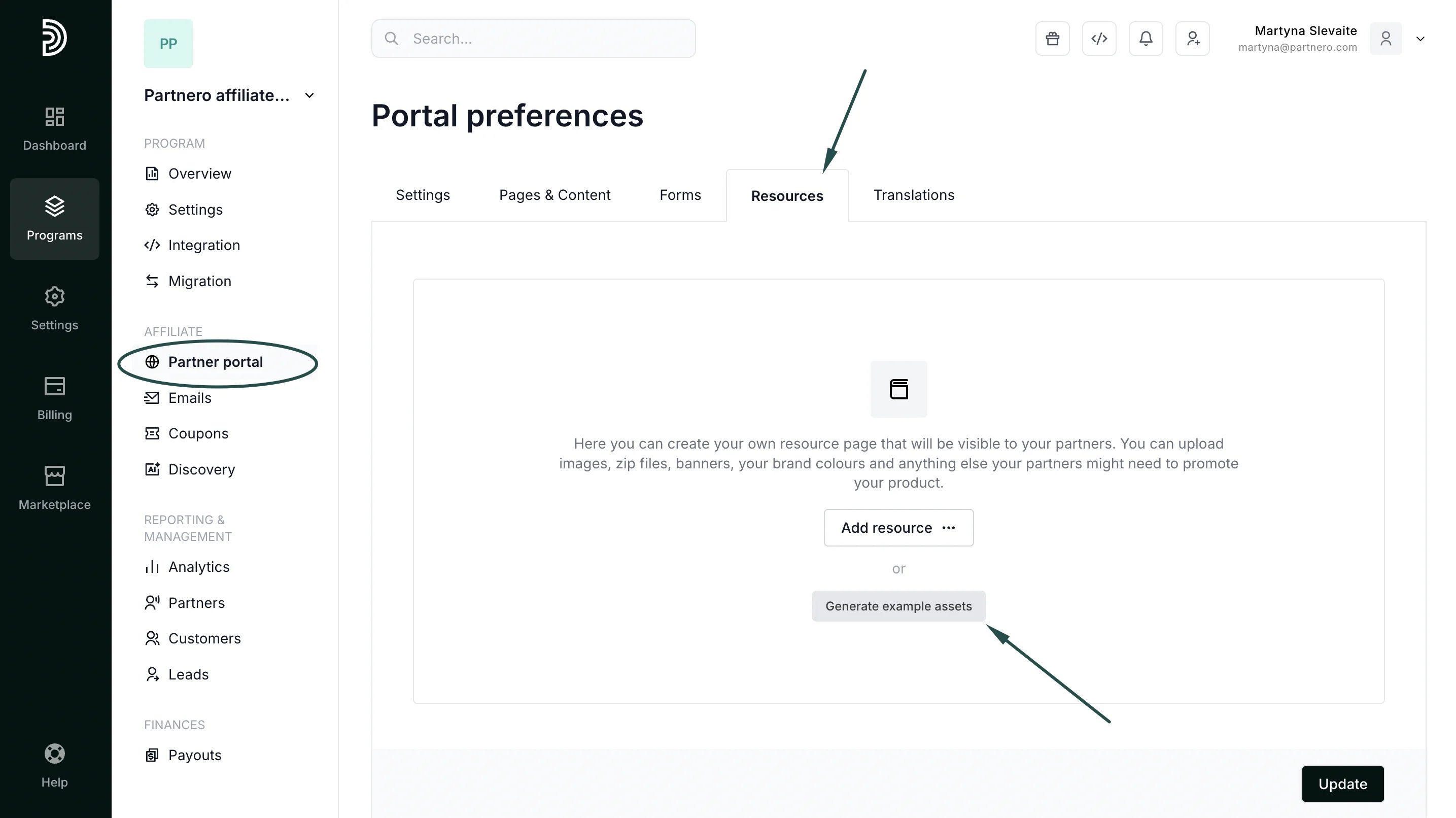 2. Click **Update** to save the assets:
  ***
### Replacing placeholder assets with your resources
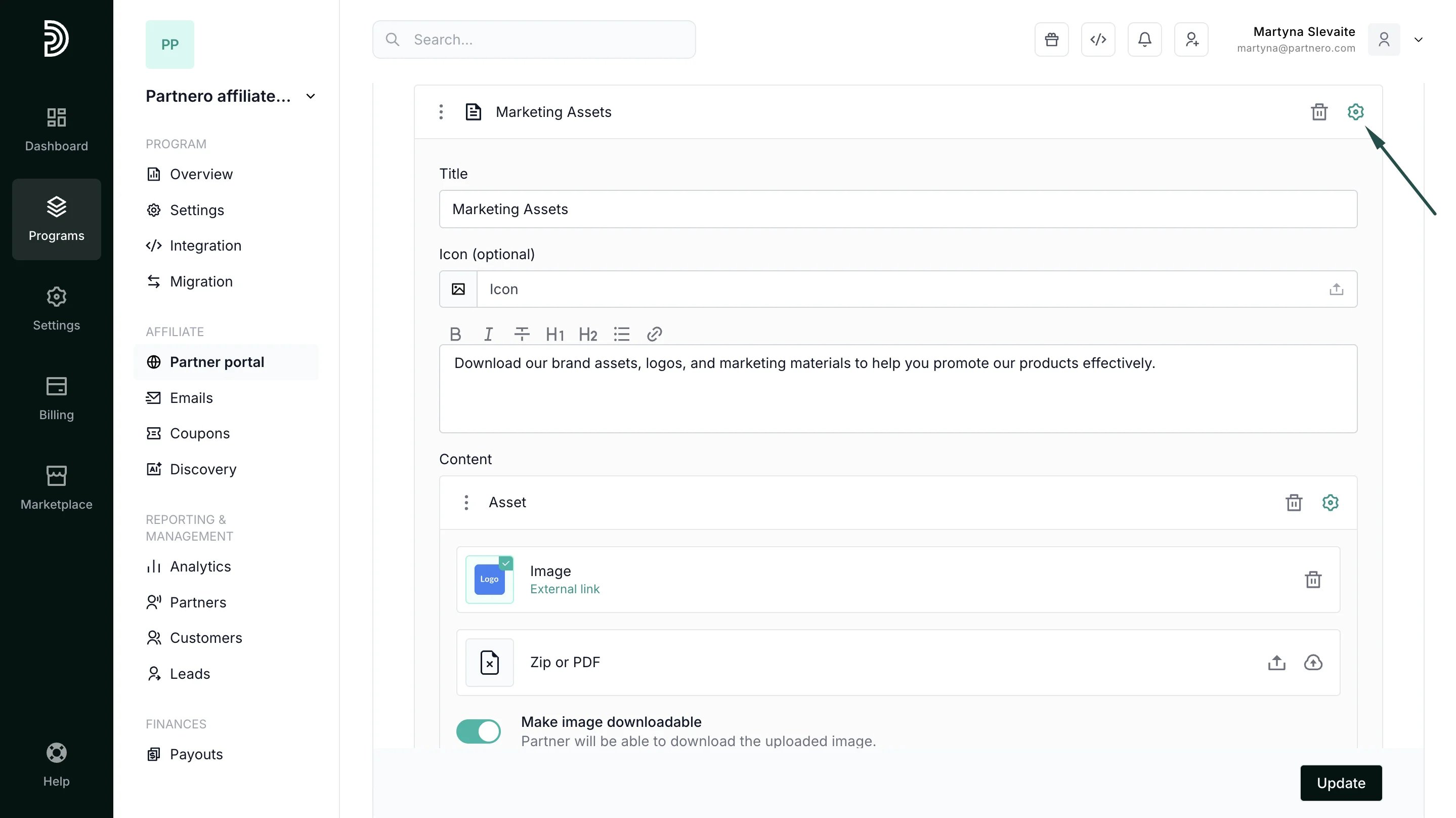
Once the placeholder assets are generated, you can click on the gear icon to upload your actual program resources, edit copy and make other changes:
***
### Replacing placeholder assets with your resources
Once the placeholder assets are generated, you can click on the gear icon to upload your actual program resources, edit copy and make other changes:
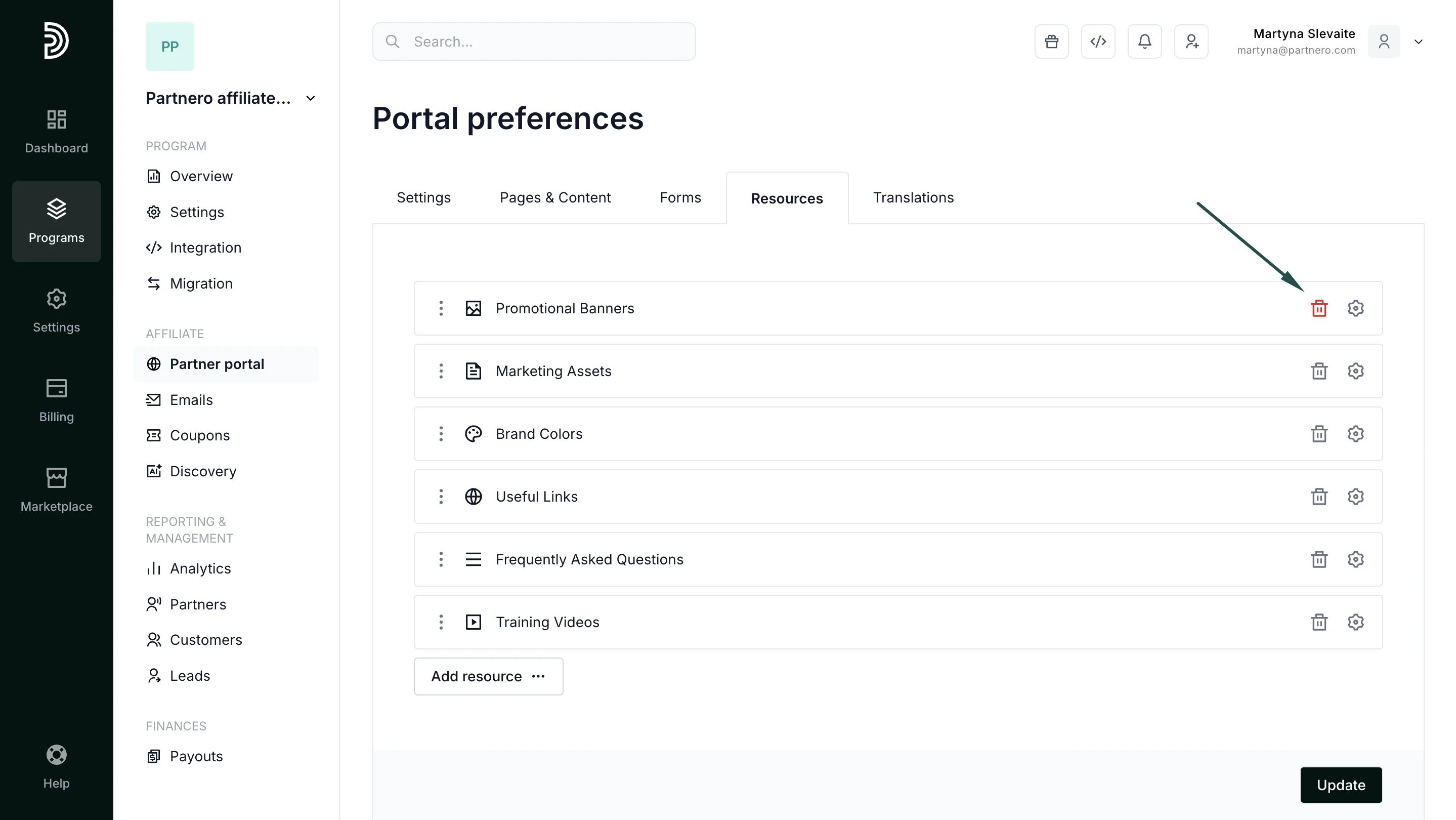
 Alternatively, if you're not planning to use a specific asset type, click the trash can icon to delete it:
  This documentation is built and hosted on [Mintlify](https://mintlify.com), a developer documentation platform.