> ## Documentation Index
> Fetch the complete documentation index at: https://docs.partnero.com/llms.txt
> Use this file to discover all available pages before exploring further.
# Multi-language support for Affiliate and Referral portals
You can enable multi-language support for your affiliate and referral portals. When this feature is activated, partners can choose from the available language options when accessing the portal.
***
### How to enable multi-language support
To enable multi-language support:
1. Open the program you’d like to work with.
2. On the left sidebar, click on **Partner Portal** under **Affiliate**.
3. You will land on the Settings tab: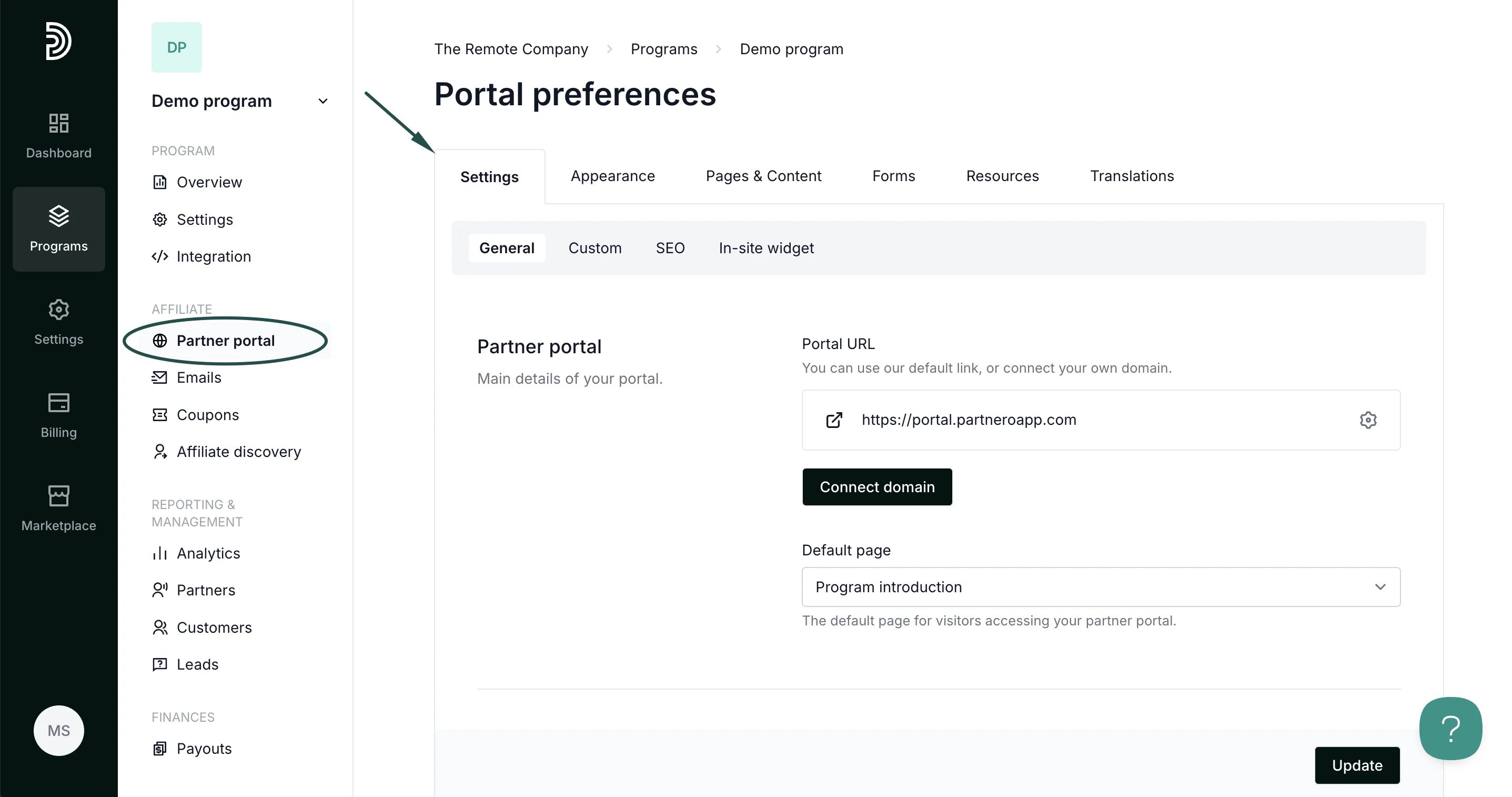 4. Scroll down to **Partner experience** and toggle the setting to **Enable multi-language support**.
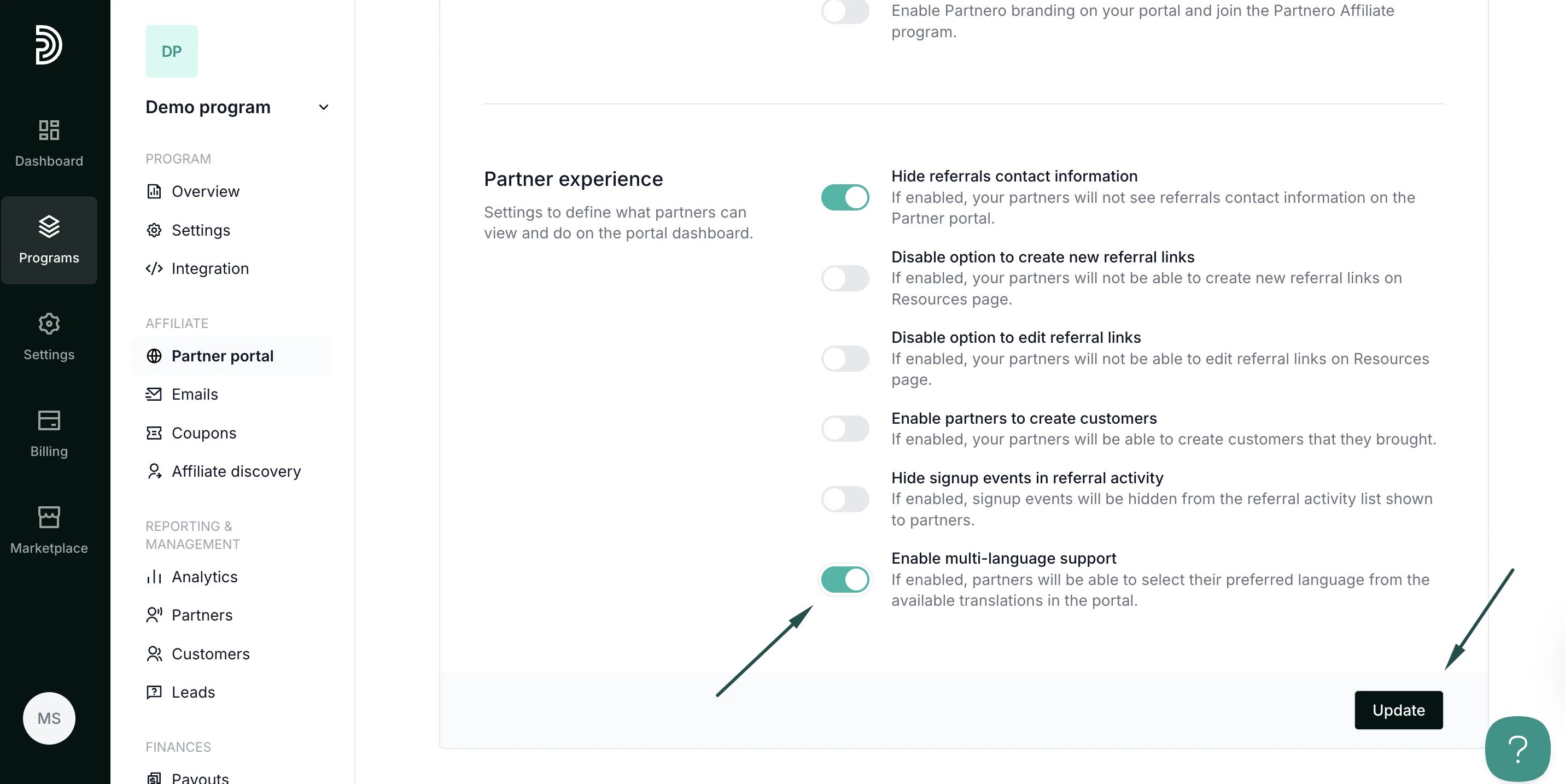 5. Click **Update** to save the changes.
***
### Partner view
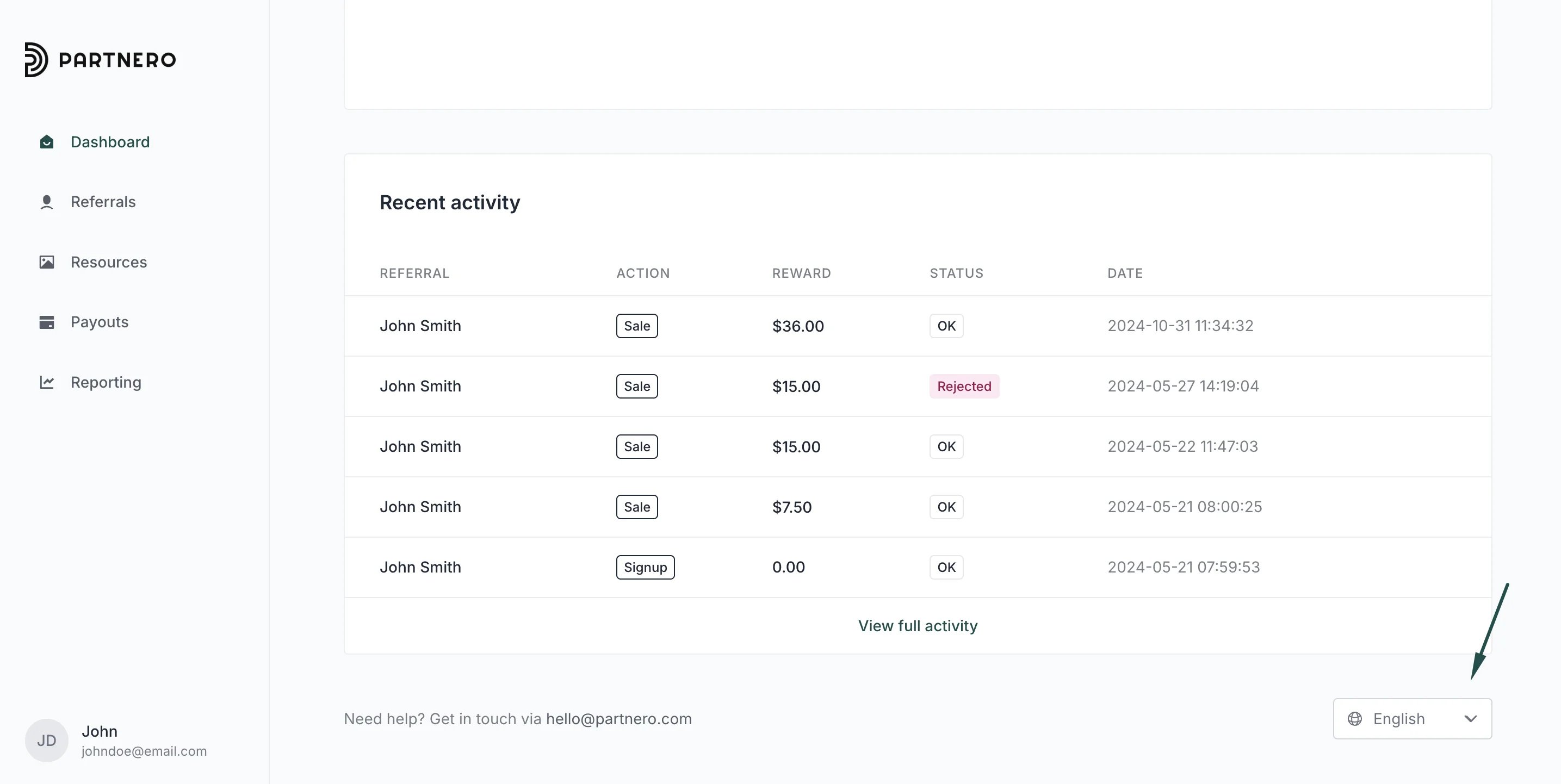
Below is an example of how it looks to your partners in the partner portal: they can select their preferred language using the language switcher located in the bottom-right corner of the portal.
5. Click **Update** to save the changes.
***
### Partner view
Below is an example of how it looks to your partners in the partner portal: they can select their preferred language using the language switcher located in the bottom-right corner of the portal.
 This documentation is built and hosted on [Mintlify](https://mintlify.com), a developer documentation platform.