> ## Documentation Index
> Fetch the complete documentation index at: https://docs.partnero.com/llms.txt
> Use this file to discover all available pages before exploring further.
# Redirect partner signup to an external URL
By default, signup links in the partner portal lead to Partnero's built-in registration form. You can redirect those links to a URL of your choice; for example, a form on your website or an internal onboarding page.
***
### How to enable it
1. Open your affiliate program.
2. In the left sidebar, go to **Partner Portal** under **Affiliate**.
3. Open the **Settings** tab.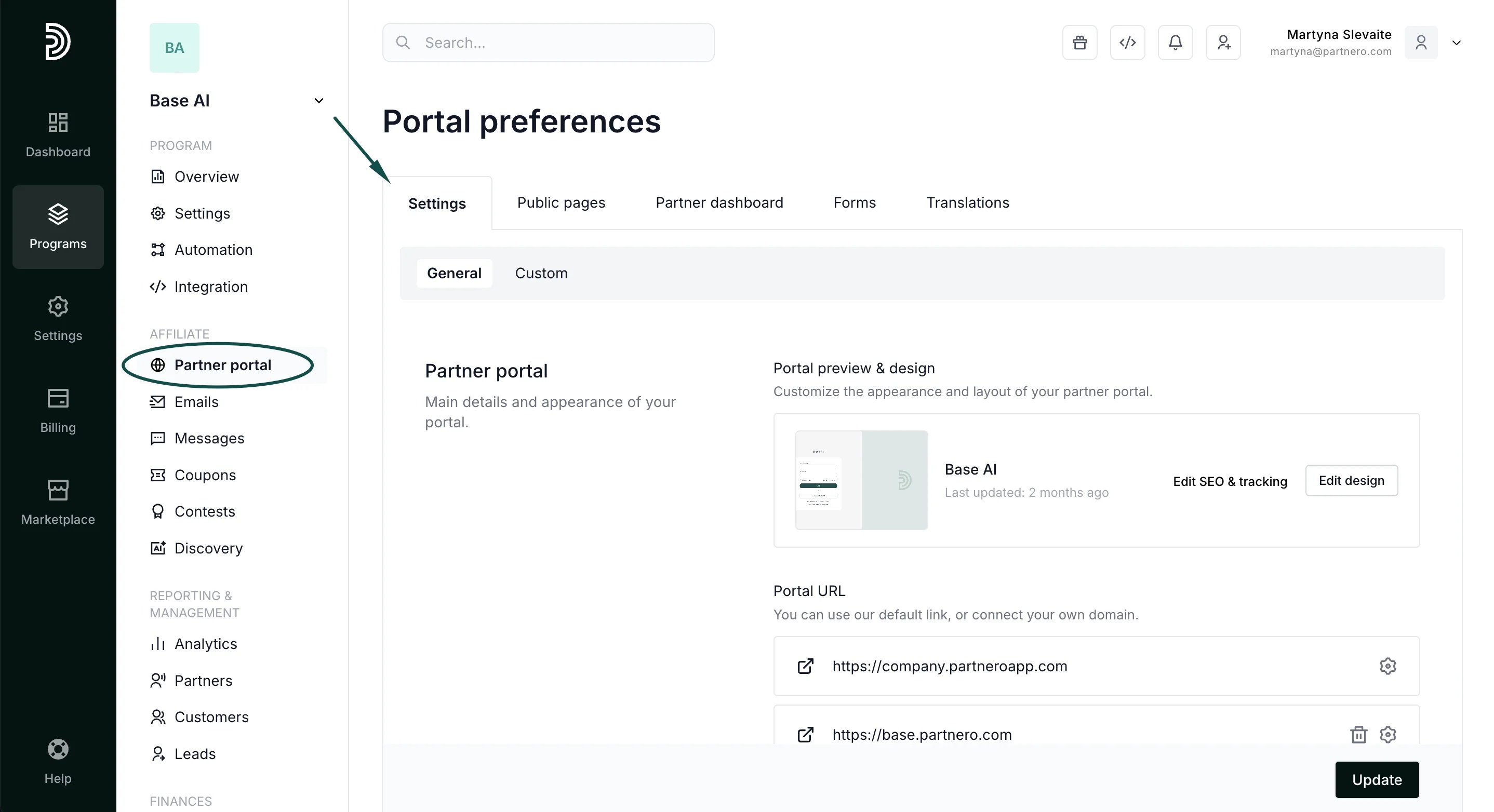 4. Scroll to **Access & Authentication**.
5. Enable **Redirect signup to an external URL**, and enter the URL you want to redirect to. Click **Update**:
4. Scroll to **Access & Authentication**.
5. Enable **Redirect signup to an external URL**, and enter the URL you want to redirect to. Click **Update**: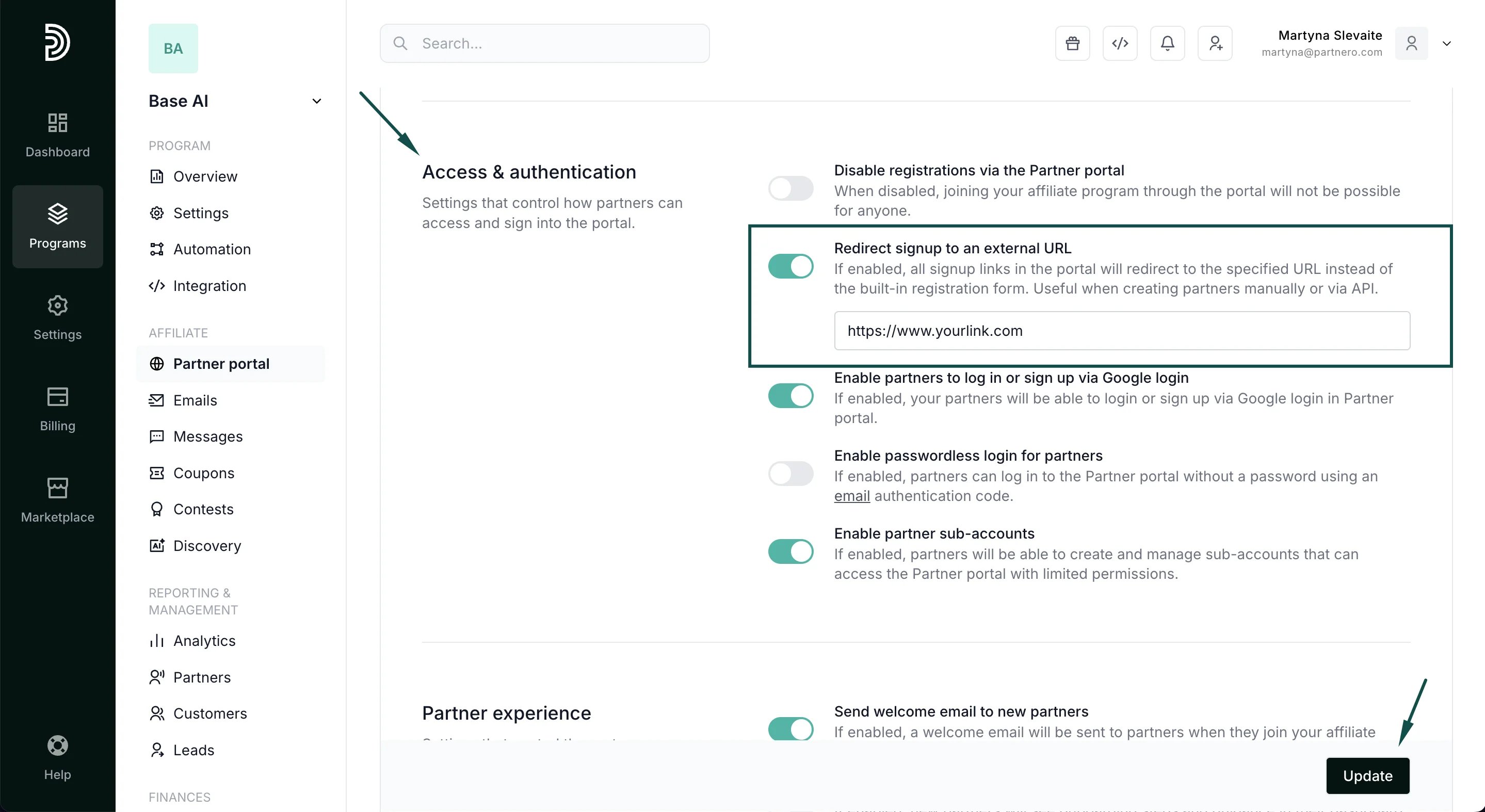 Once enabled, all signup links in the portal will redirect to the specified URL instead of the built-in registration form.
This documentation is built and hosted on [Mintlify](https://mintlify.com), a developer documentation platform.
Once enabled, all signup links in the portal will redirect to the specified URL instead of the built-in registration form.
This documentation is built and hosted on [Mintlify](https://mintlify.com), a developer documentation platform.