> ## Documentation Index
> Fetch the complete documentation index at: https://docs.partnero.com/llms.txt
> Use this file to discover all available pages before exploring further.
# Show multi-level signup link in partner dashboard
By default, affiliates only see their standard referral link in the partner portal dashboard. If you have multi-level commissions set up, you can also display a dedicated signup link that affiliates can share to recruit other affiliates into the program.
> **Note:** This option is only available if multi-level affiliate commission is enabled and configured for your program. [Learn how to set up multi-level commissions →](/knowledge-base/commissions-rewards/multi-tier-commission)
When enabled, the signup link appears alongside the default referral link in the partner portal dashboard, making it easy for affiliates to grow your affiliate network.
To enable it:
1. Go to **Settings** under Program, and scroll down to **Commission**.
2. Toggle to **Show multi-level signup link in partner portal**: 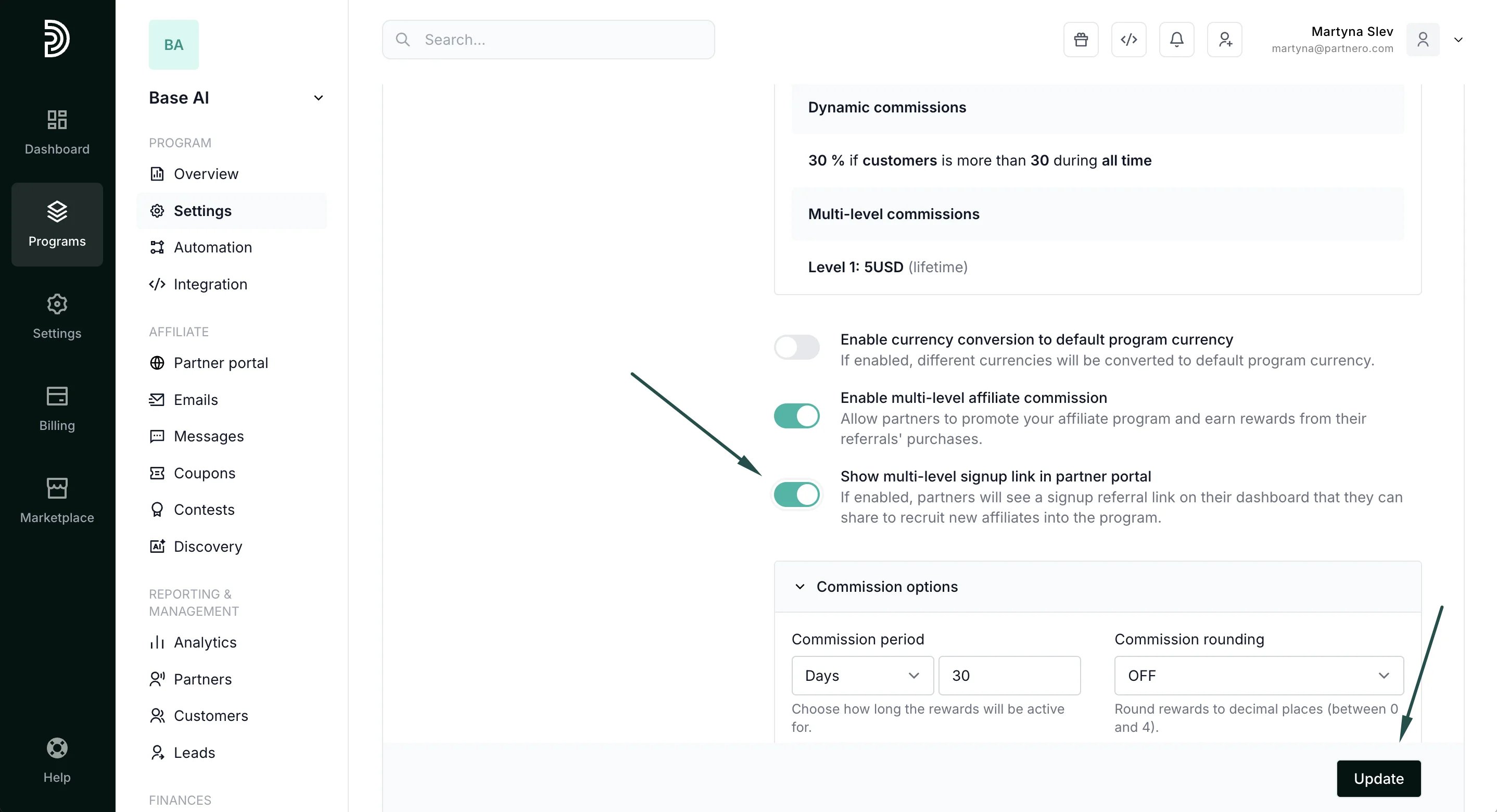 3. Click **Update**.
Here's how it looks on the partner portal:
3. Click **Update**.
Here's how it looks on the partner portal: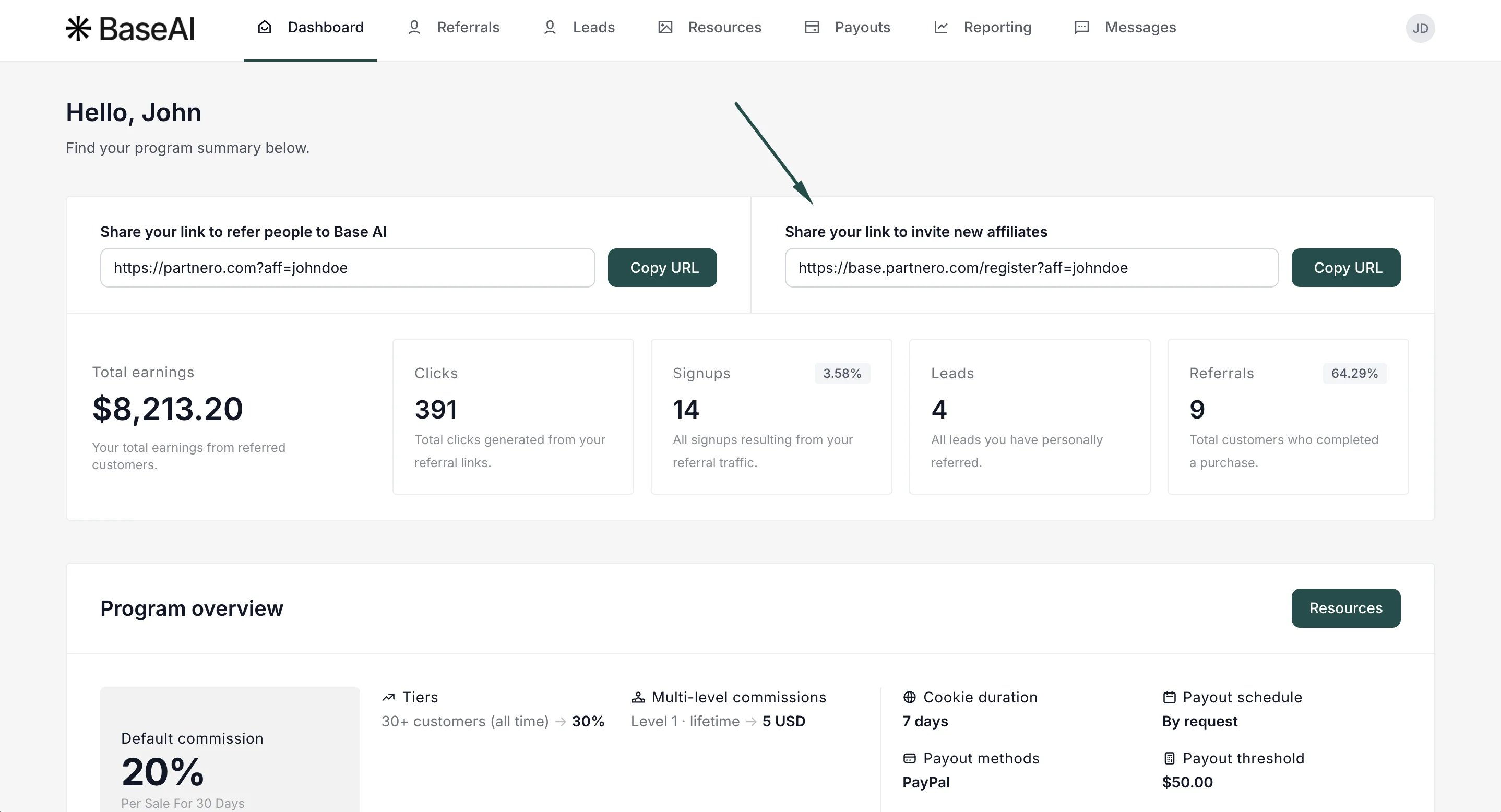 This documentation is built and hosted on [Mintlify](https://mintlify.com), a developer documentation platform.