> ## Documentation Index
> Fetch the complete documentation index at: https://docs.partnero.com/llms.txt
> Use this file to discover all available pages before exploring further.
# Add social media templates as resources
Affiliates can generate branded social media content directly from their portal. The template builder supports multiple platforms with platform-agnostic generators. Affiliates can customize templates, download them in multiple formats, and share them across their social channels to promote your product.
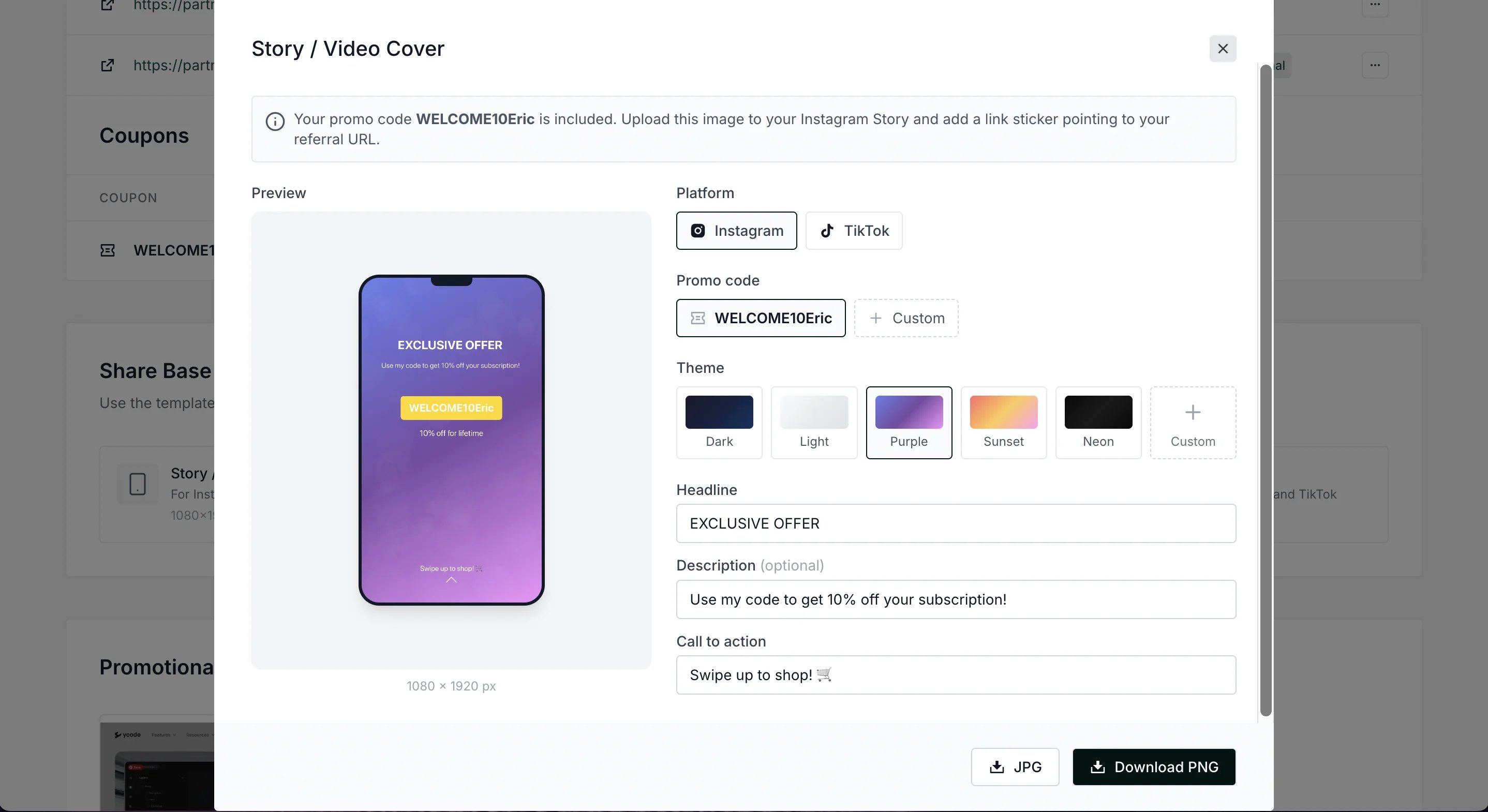 Partners will see ready-to-use templates for Instagram and TikTok that automatically include their promo codes and referral links:
* Story/Video cover templates (1080×1920)
* Square post templates (1080×1080)
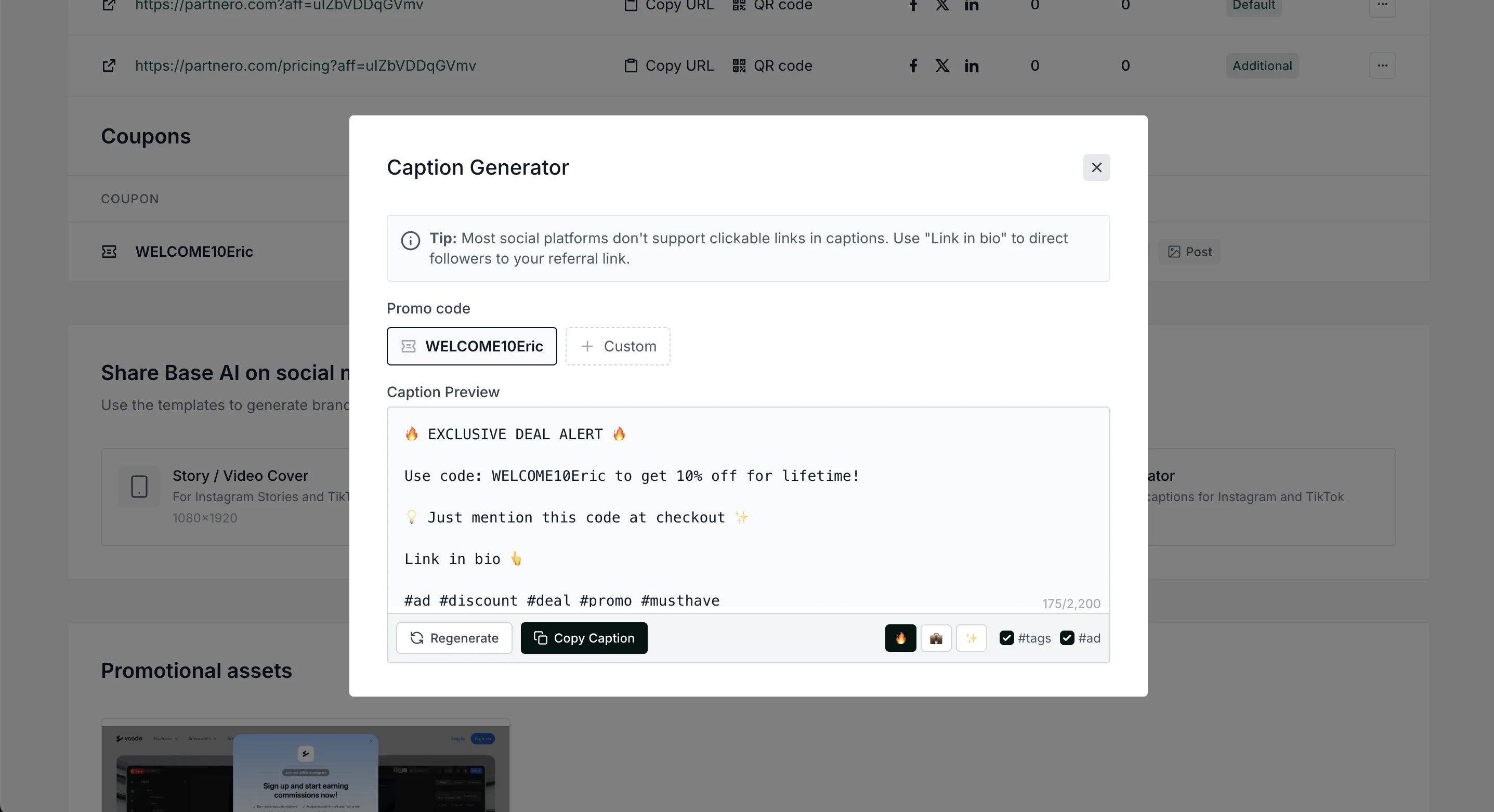
* Caption generator with platform-specific hashtags
***
### Add social media templates to partner portal
To add social media templates to the affiliates' partner portal:
1. Open your program and navigate to **Partner portal** under Affiliate.
2. Select the **Partner dashboard** tab, **Partner resources** section:
Partners will see ready-to-use templates for Instagram and TikTok that automatically include their promo codes and referral links:
* Story/Video cover templates (1080×1920)
* Square post templates (1080×1080)
* Caption generator with platform-specific hashtags
***
### Add social media templates to partner portal
To add social media templates to the affiliates' partner portal:
1. Open your program and navigate to **Partner portal** under Affiliate.
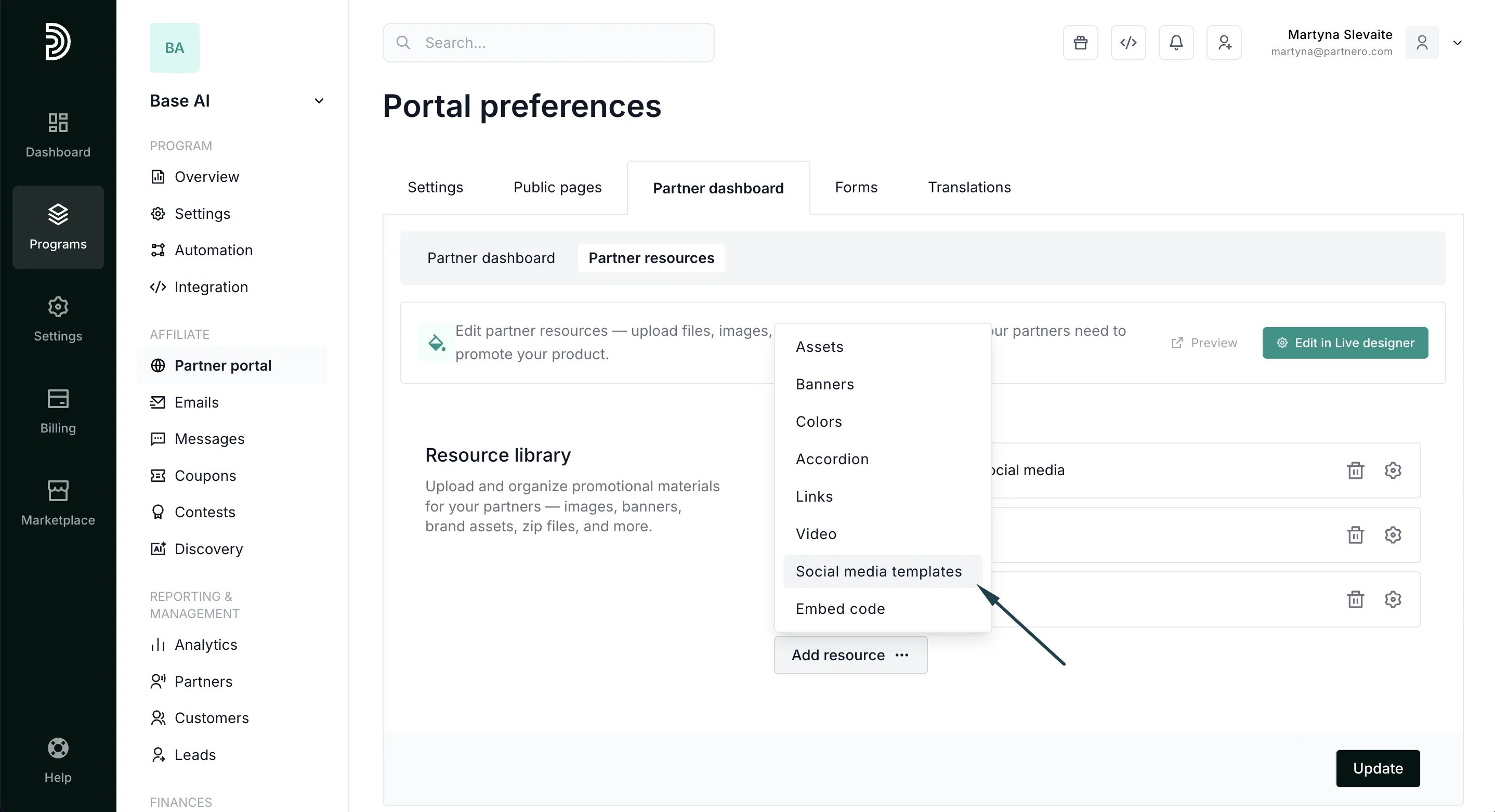
2. Select the **Partner dashboard** tab, **Partner resources** section: 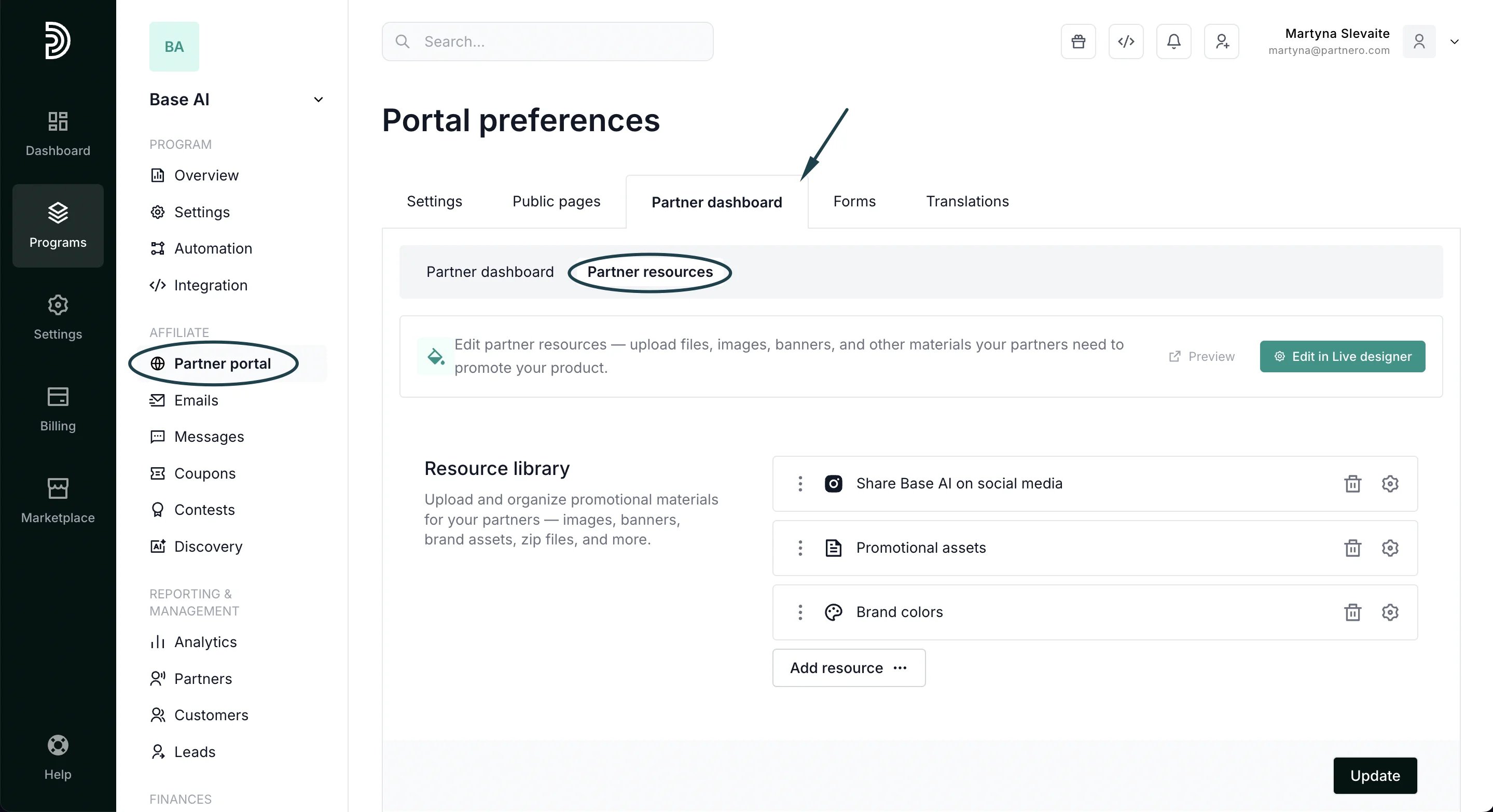 3. Click **Add resource** and select **Social media templates**:
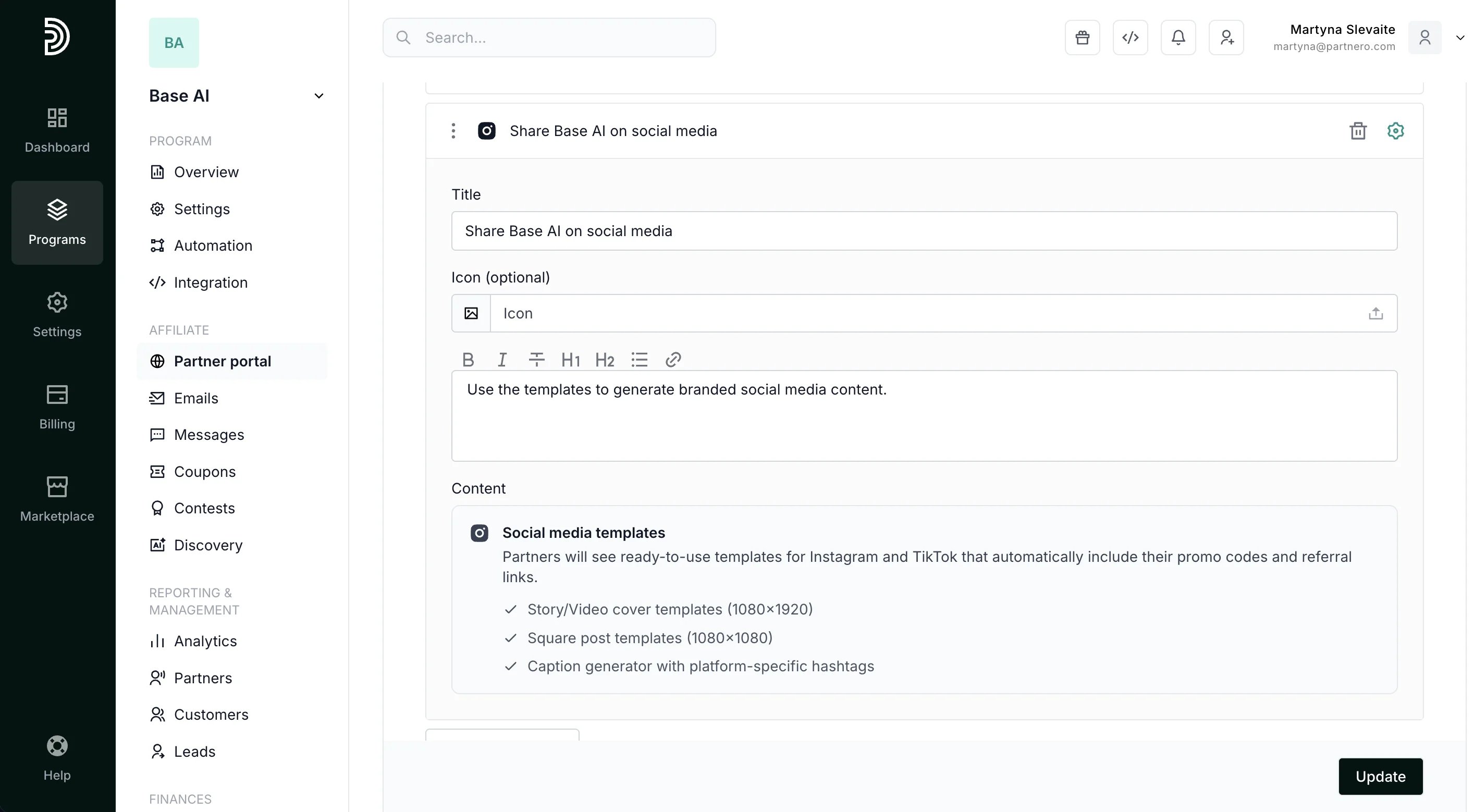
  4. Add title and description, and click **Update** to publish:
  ***
### Partner portal view
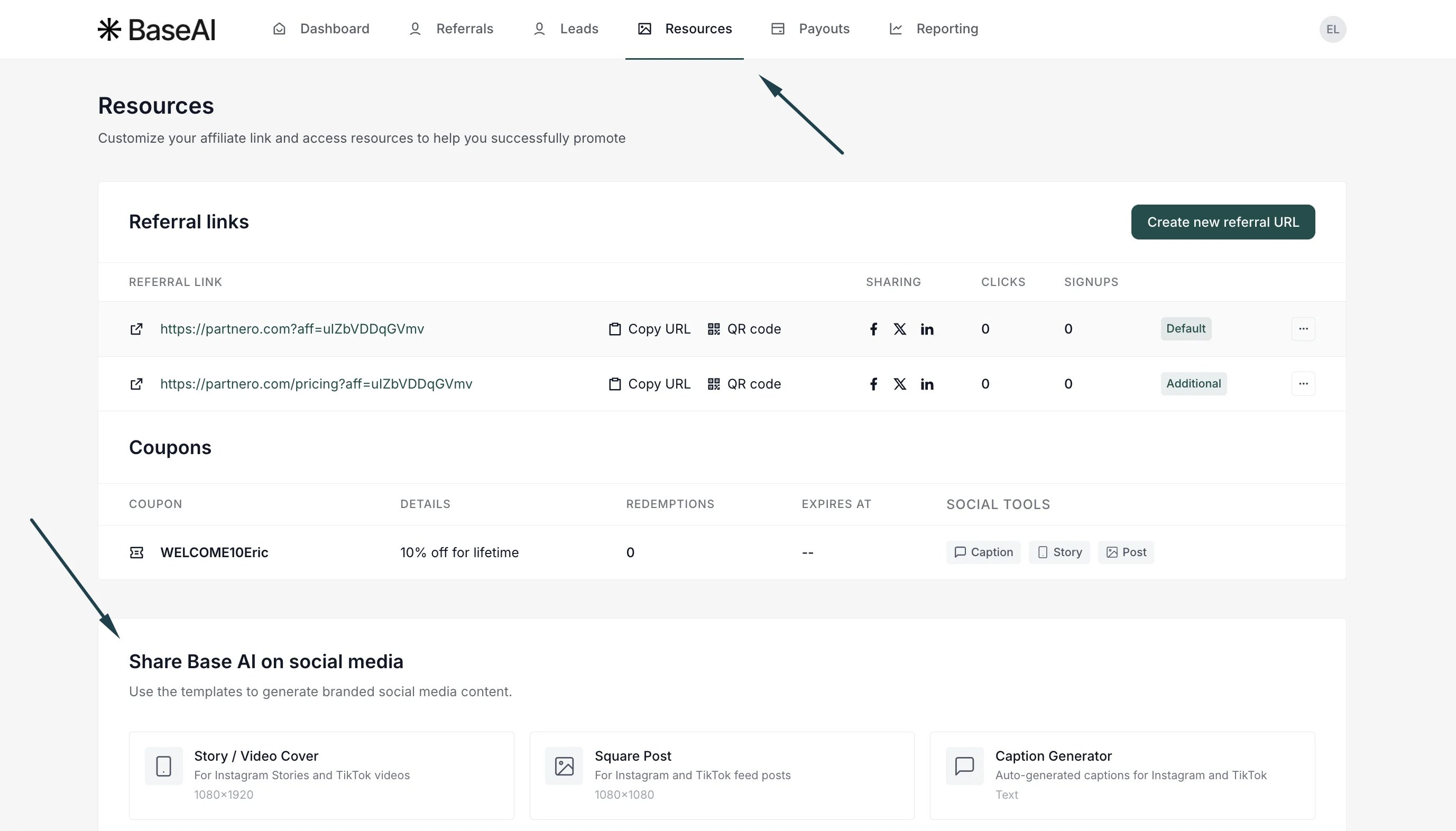
When added, affiliates will see the templates available in the partner portal's **Resources** section:
***
### Partner portal view
When added, affiliates will see the templates available in the partner portal's **Resources** section:
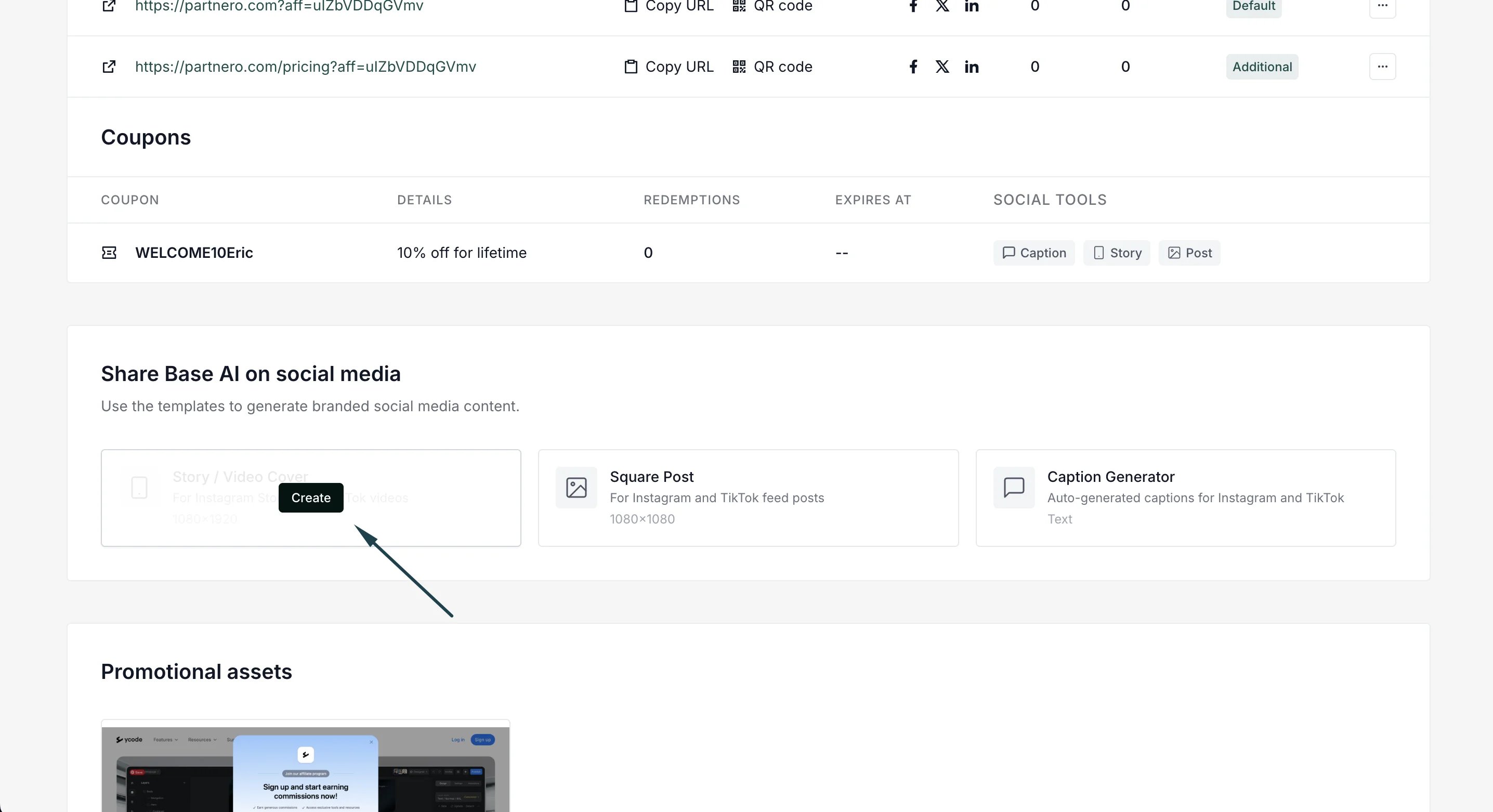
 Partners can click **Create** to customize and download the template:
  The social templates resource allows partners to:
* Create **Story/Video cover templates** (1080×1920):
The social templates resource allows partners to:
* Create **Story/Video cover templates** (1080×1920):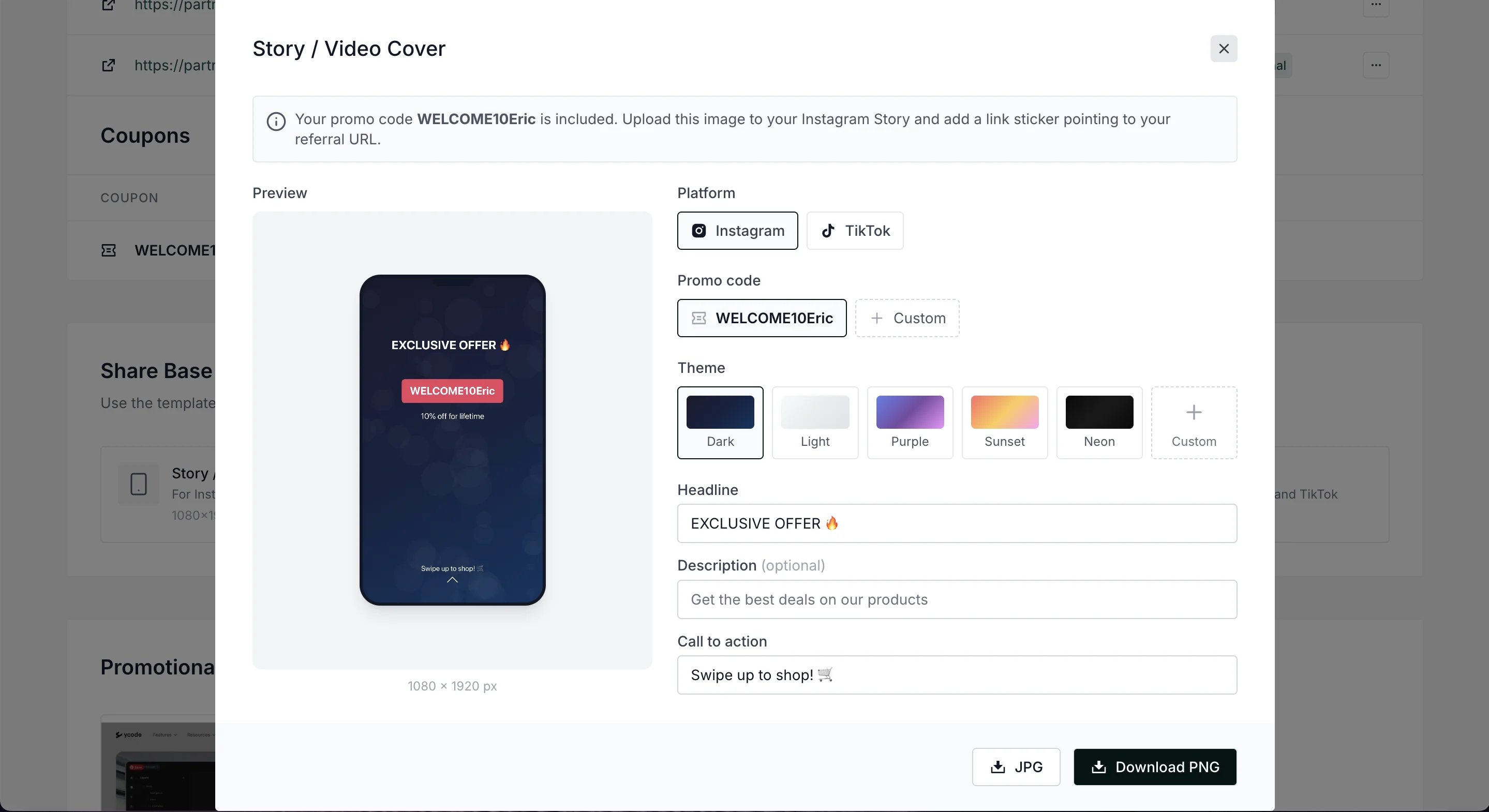 Available customization:
* Switch between Instagram and TikTok
* Include promo codes
* Select from different themes and add custom ones
* Edit headline, description, and CTA
* Download the template in JPG or PNG formats.
* Create **Square post templates** (1080×1080)
Available customization:
* Switch between Instagram and TikTok
* Include promo codes
* Select from different themes and add custom ones
* Edit headline, description, and CTA
* Download the template in JPG or PNG formats.
* Create **Square post templates** (1080×1080)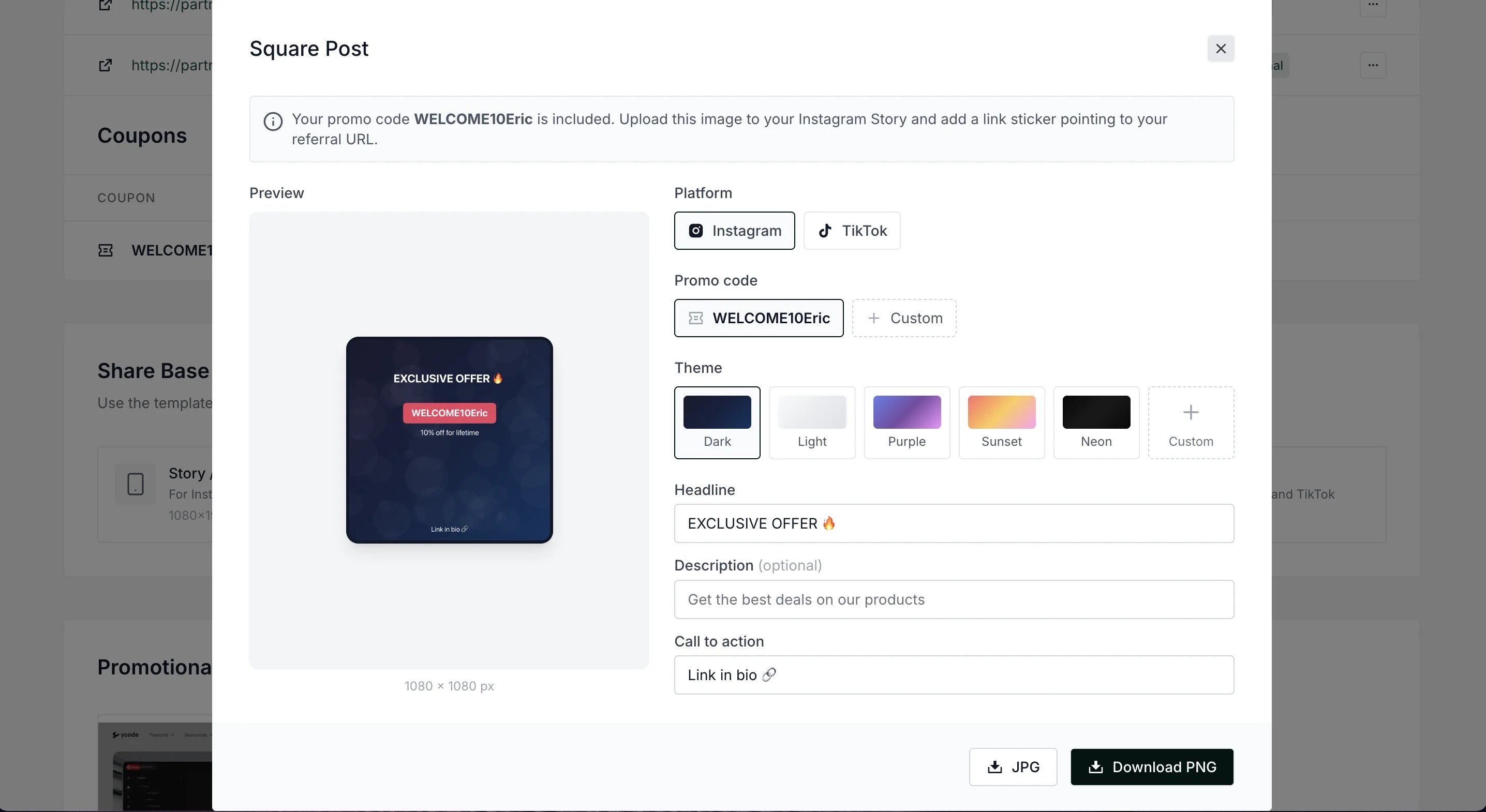 * Generate captions:
  This documentation is built and hosted on [Mintlify](https://mintlify.com), a developer documentation platform.