> ## Documentation Index
> Fetch the complete documentation index at: https://docs.partnero.com/llms.txt
> Use this file to discover all available pages before exploring further.
# Disable payout requests
You can now disable payout requests to have more control over when partners can request their earnings.
* **Program-wide setting**: When enabled, all partners in the program will not be able to request payouts, even if they meet the minimum payout threshold
* **Individual partner setting**: Useful for temporarily blocking payouts for individual partners while investigating activity or during onboarding periods
***
### How to disable payout requests
To disable payout requests for your program:
1. Go to your **Program** → **Settings** and scroll down to Payout Settings.
2. Toggle on **Disable payout requests**: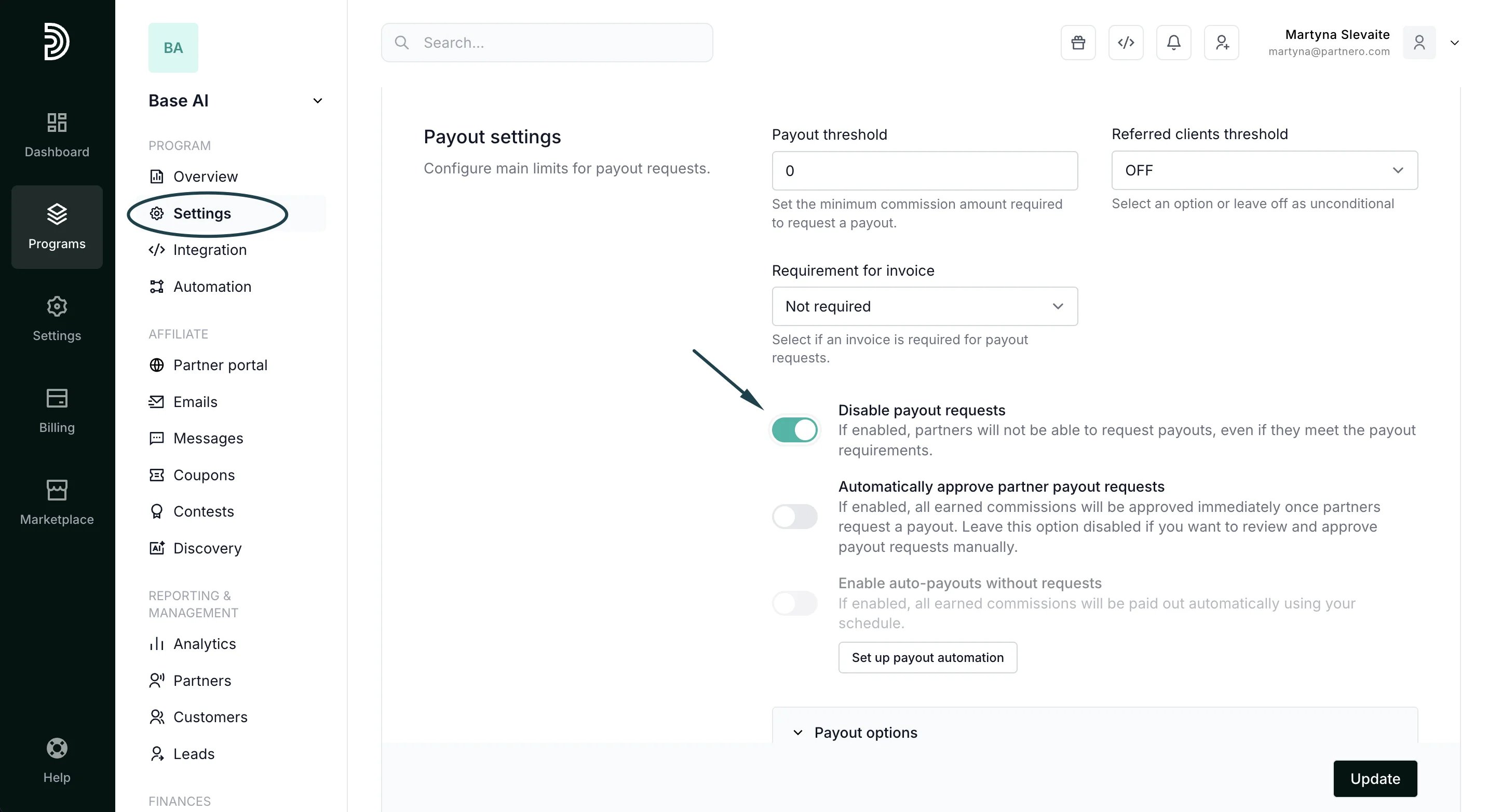 3. Click **Update** to save changes.
To disable payout requests for a specific partner:
1. Open any partner profile → **Manage**:
3. Click **Update** to save changes.
To disable payout requests for a specific partner:
1. Open any partner profile → **Manage**: 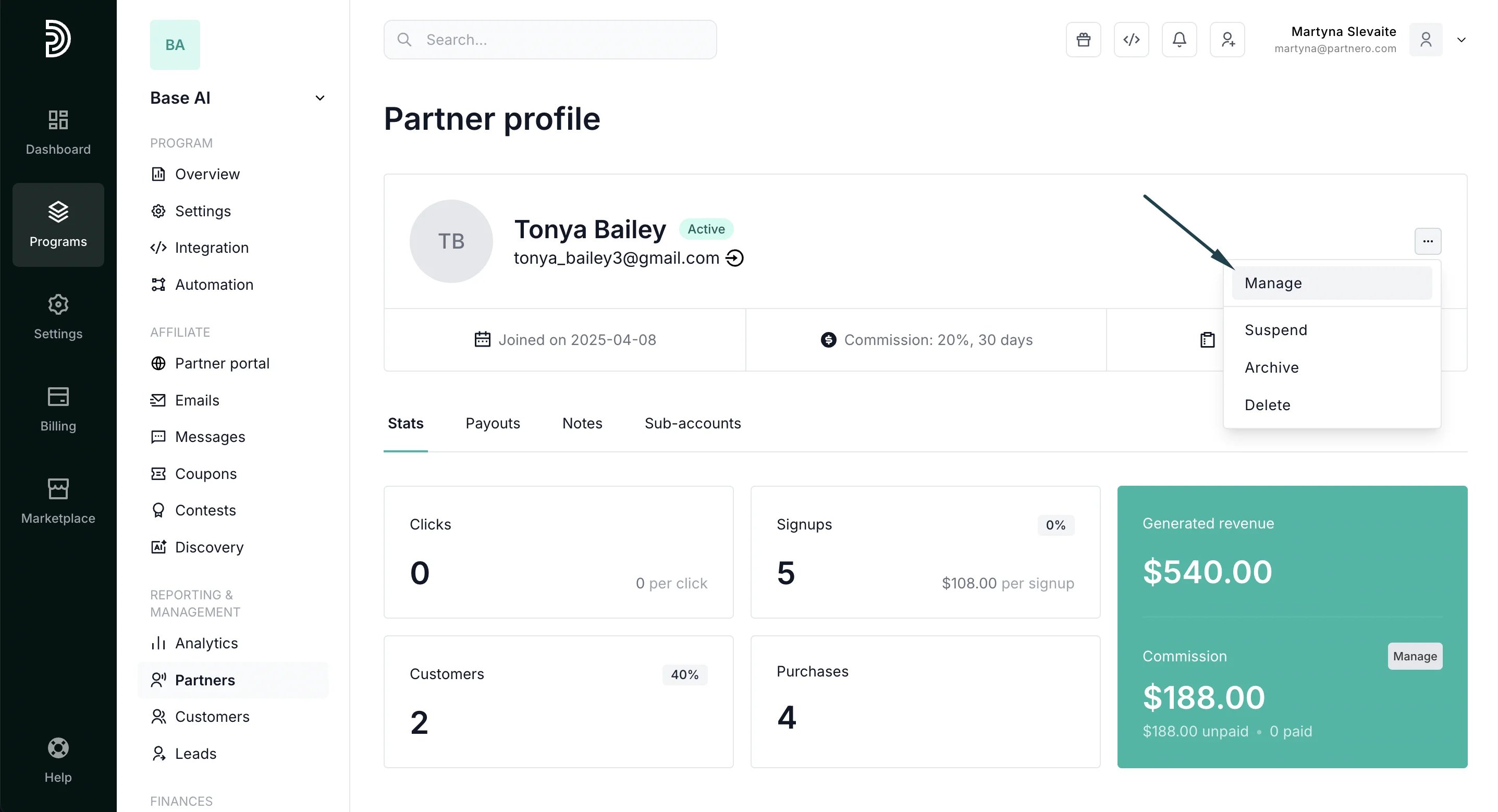 2. In the Profile tab, toggle **Disable payout requests** for that specific partner:
 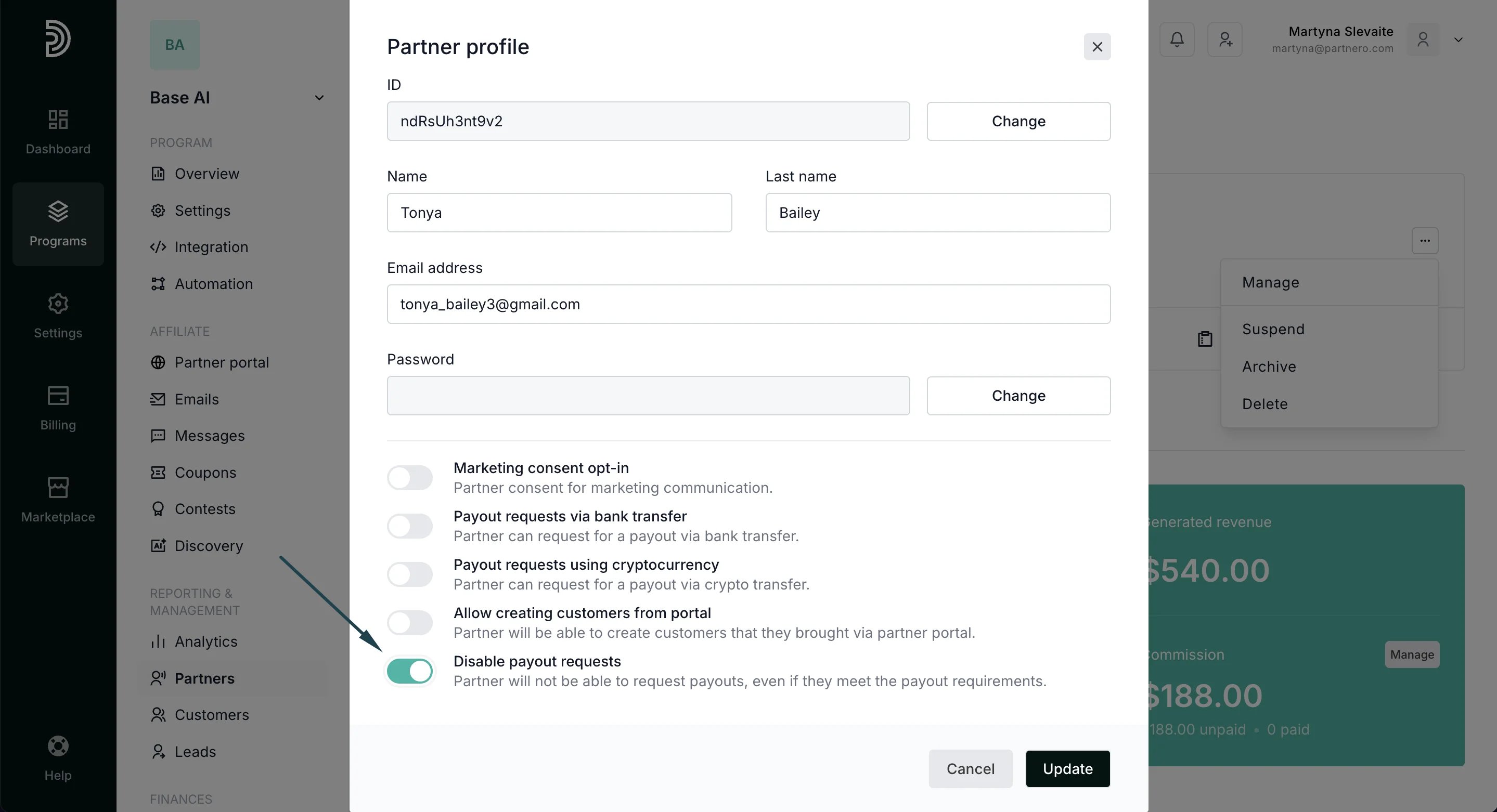 3. Click **Update** to save changes.
Note: Disabling payout requests at the program level takes precedence over individual partner settings
This documentation is built and hosted on [Mintlify](https://mintlify.com), a developer documentation platform.
3. Click **Update** to save changes.
Note: Disabling payout requests at the program level takes precedence over individual partner settings
This documentation is built and hosted on [Mintlify](https://mintlify.com), a developer documentation platform.