> ## Documentation Index
> Fetch the complete documentation index at: https://docs.partnero.com/llms.txt
> Use this file to discover all available pages before exploring further.
# Managed (intermediary) payouts
### Managed payouts explained
With managed payouts (also known as intermediary payouts), Partnero handles partner payments directly on behalf of the program owner, consolidating your invoicing into a single charge for your company. Managed payouts are currently available for PayPal payouts only.
**1. How does it work?**
With managed payouts, Partnero handles partner payments directly. As part of the setup, you will have to provide a card that will be used as the funding source. Partnero will charge the funds on your card and then distribute them to your affiliate partners.
**2. Is there an additional fee?**
Yes, an additional 7% fee will be applied to cover the payout and processing expenses. This fee is mostly used to cover PayPal payment fees.
**3. When will my card be charged?**
The card will be charged one day before the payouts are scheduled to go out.
**4. What if there are insufficient funds in my card?**
Payouts will be processed only if there are sufficient funds for the required payout amount. The client is responsible for ensuring sufficient funds.
***
### Set up managed payouts
To set up intermediary payouts:
1. Open your affiliate program.
2. Go to **Payouts**. Switch to **Managed payouts** tab: 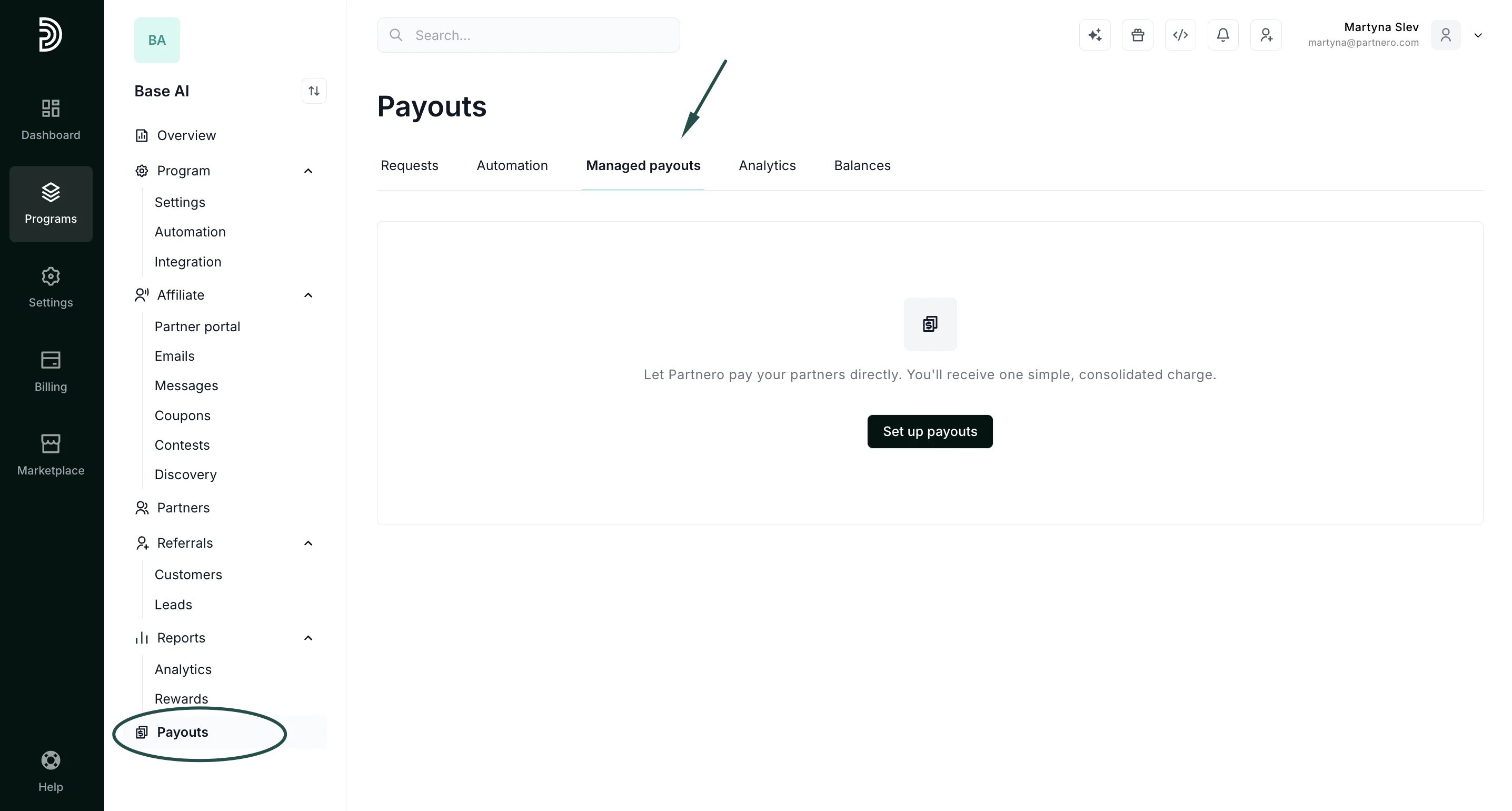 3. Click **Set up payouts**.
4. You will be presented with a modal:
3. Click **Set up payouts**.
4. You will be presented with a modal: 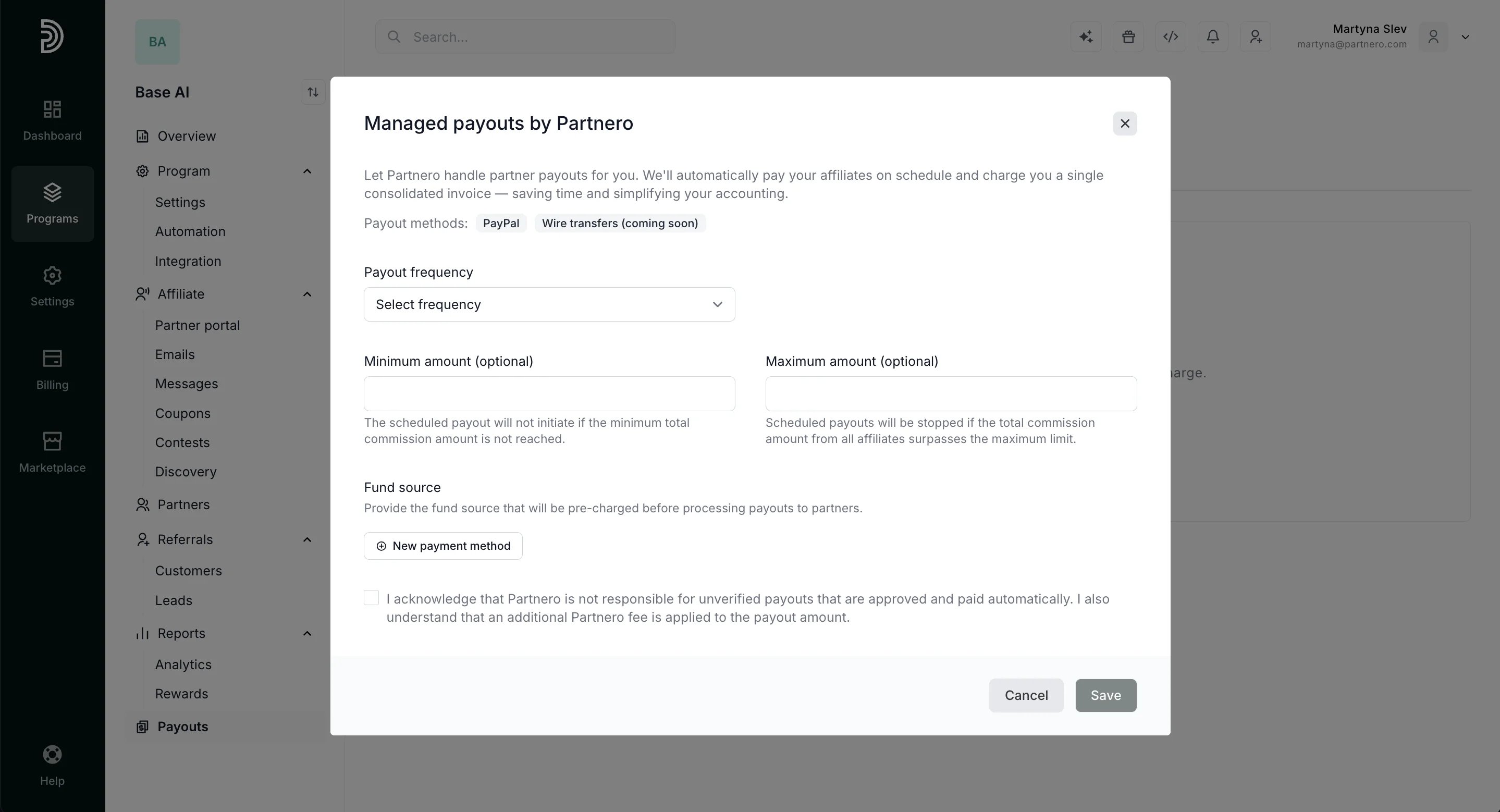 Here, configure the following details: - **Payout frequency**: select how often the payouts should be processed (daily, weekly, or monthly);
\- **Day of the week/month**: select when the payouts should be processed; for example, on the 1st day of every month or every Friday;
\- **Minimum amount**: select a minimum payout amount to be generated to process the payouts;
\- **Maximum amount** (optional): you can select a maximum amount that can be paid out automatically;
\- **Fund source**: add a fund source Partnero will pre-charge before processing payouts.
5. Click **Save**.
That's it! Partnero will handle payouts going forward. You can change any setting or edit the fund source at any time under **Payouts**:
Here, configure the following details: - **Payout frequency**: select how often the payouts should be processed (daily, weekly, or monthly);
\- **Day of the week/month**: select when the payouts should be processed; for example, on the 1st day of every month or every Friday;
\- **Minimum amount**: select a minimum payout amount to be generated to process the payouts;
\- **Maximum amount** (optional): you can select a maximum amount that can be paid out automatically;
\- **Fund source**: add a fund source Partnero will pre-charge before processing payouts.
5. Click **Save**.
That's it! Partnero will handle payouts going forward. You can change any setting or edit the fund source at any time under **Payouts**: 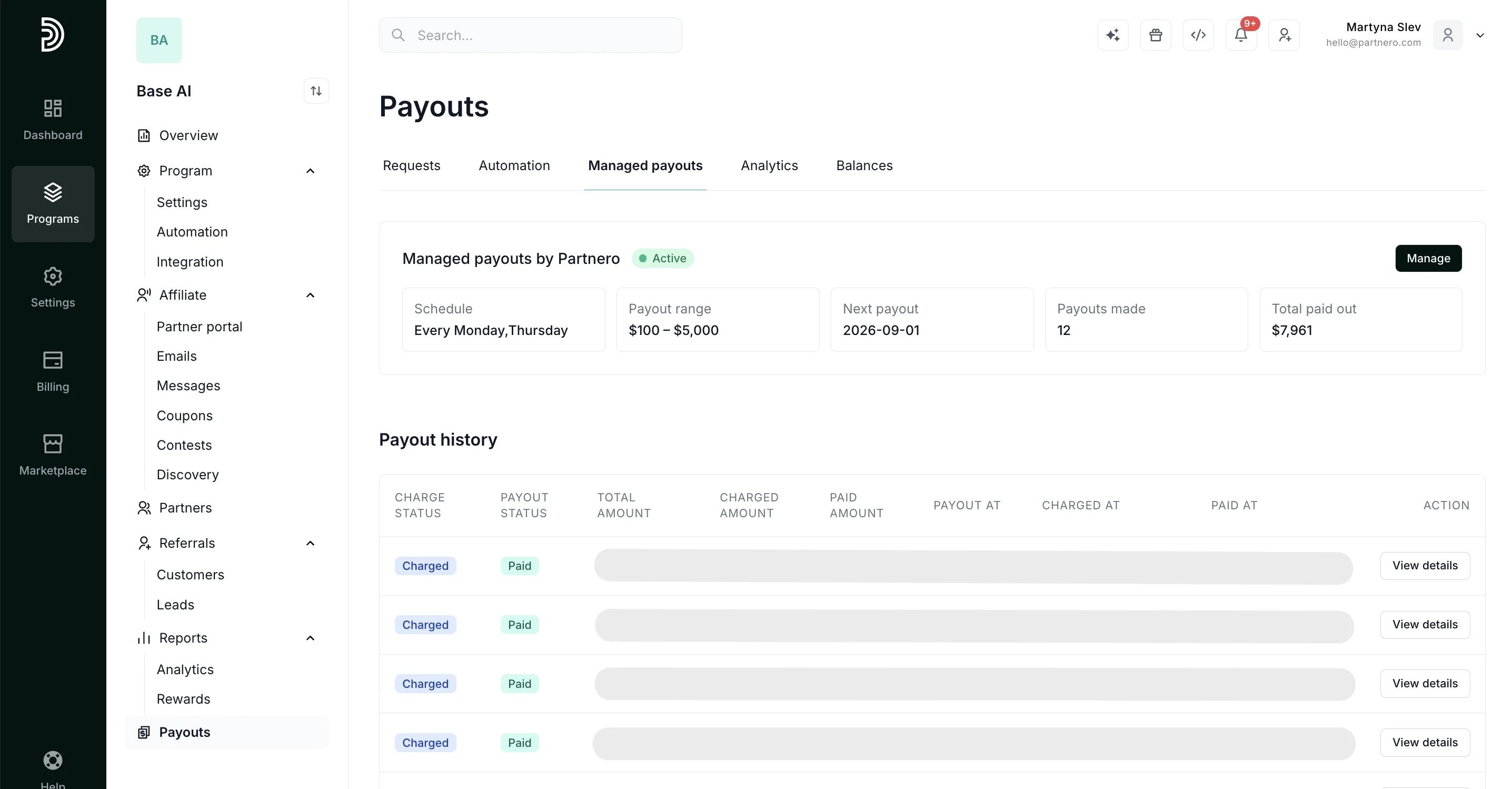 ***
This documentation is built and hosted on [Mintlify](https://mintlify.com), a developer documentation platform.
***
This documentation is built and hosted on [Mintlify](https://mintlify.com), a developer documentation platform.