> ## Documentation Index
> Fetch the complete documentation index at: https://docs.partnero.com/llms.txt
> Use this file to discover all available pages before exploring further.
# Payouts using Mass Pay file
With Partnero, you can pay all your affiliate partners in one go using the Mass Pay feature. Once you have approved payout requests, we will generate a special file that can be uploaded to PayPal (or other providers) to process all listed payments all at once.
> Note: You need to have PayPal Mass Payments enabled on your PayPal account to use this feature. [Please find a how-to guide here.](/knowledge-base/payout-management/enable-paypal-mass-pay-on-paypal)
***
### Download the Mass Pay file
1. Go to **Payouts** under **Finances**.
2. Approve the payout requests you'd like to process. This step will not be necessary if your program is set to automatically approve all payout requests.
3. Click **Mass Pay** in the upper right corner: 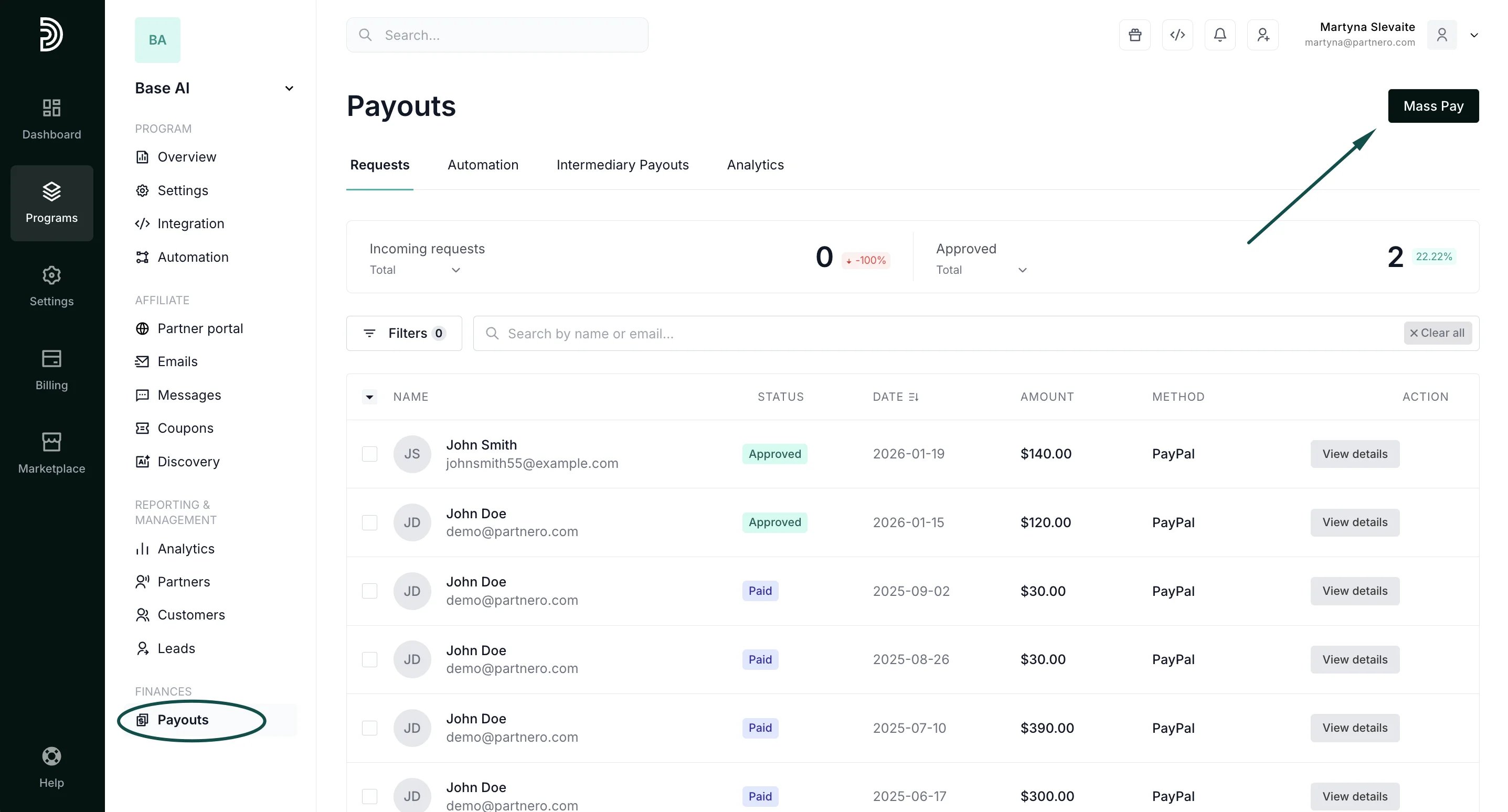 4. You will be presented with the full list of approved payouts and the **List download** payout options. Click **Download:
 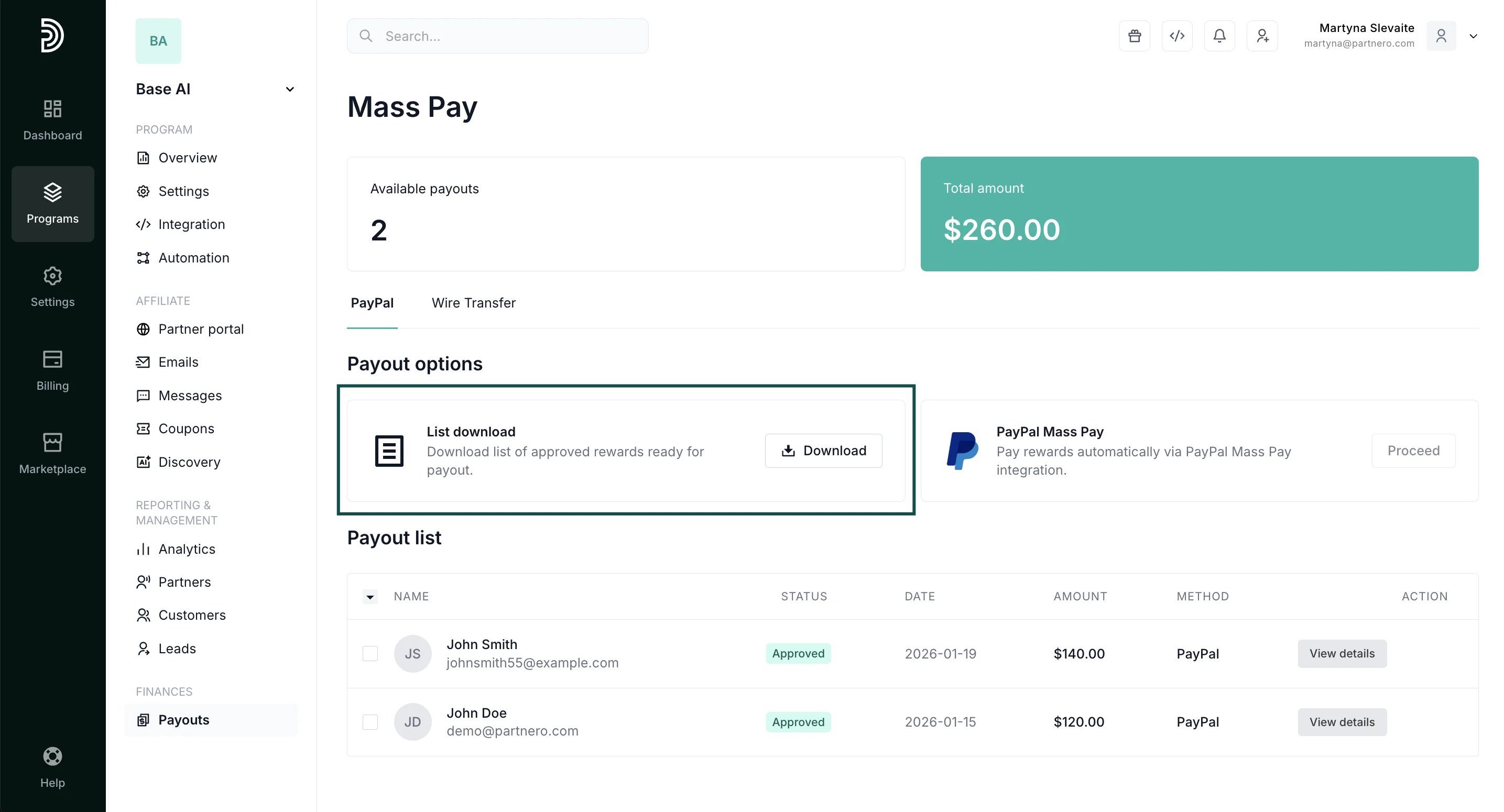 **
The downloaded file will be specially formatted to comply with the PayPal Mass Pay feature. Upload the file to your PayPal account to process the payouts. [Please find a how-to guide for using the PayPal Mass Pay feature here.](https://www.paypal.com/us/cshelp/article/how-do-i-send-a-payouts-mass-payment-help252)
After you've processed the payouts, simply upload the file back to Partnero to mark the payout requests as **Done**:
1. Go to **Payouts** under **Finances**.
2. Click **Mass Pay**.
3. Click **Upload** in the **Complete Payout** box:
**
The downloaded file will be specially formatted to comply with the PayPal Mass Pay feature. Upload the file to your PayPal account to process the payouts. [Please find a how-to guide for using the PayPal Mass Pay feature here.](https://www.paypal.com/us/cshelp/article/how-do-i-send-a-payouts-mass-payment-help252)
After you've processed the payouts, simply upload the file back to Partnero to mark the payout requests as **Done**:
1. Go to **Payouts** under **Finances**.
2. Click **Mass Pay**.
3. Click **Upload** in the **Complete Payout** box: 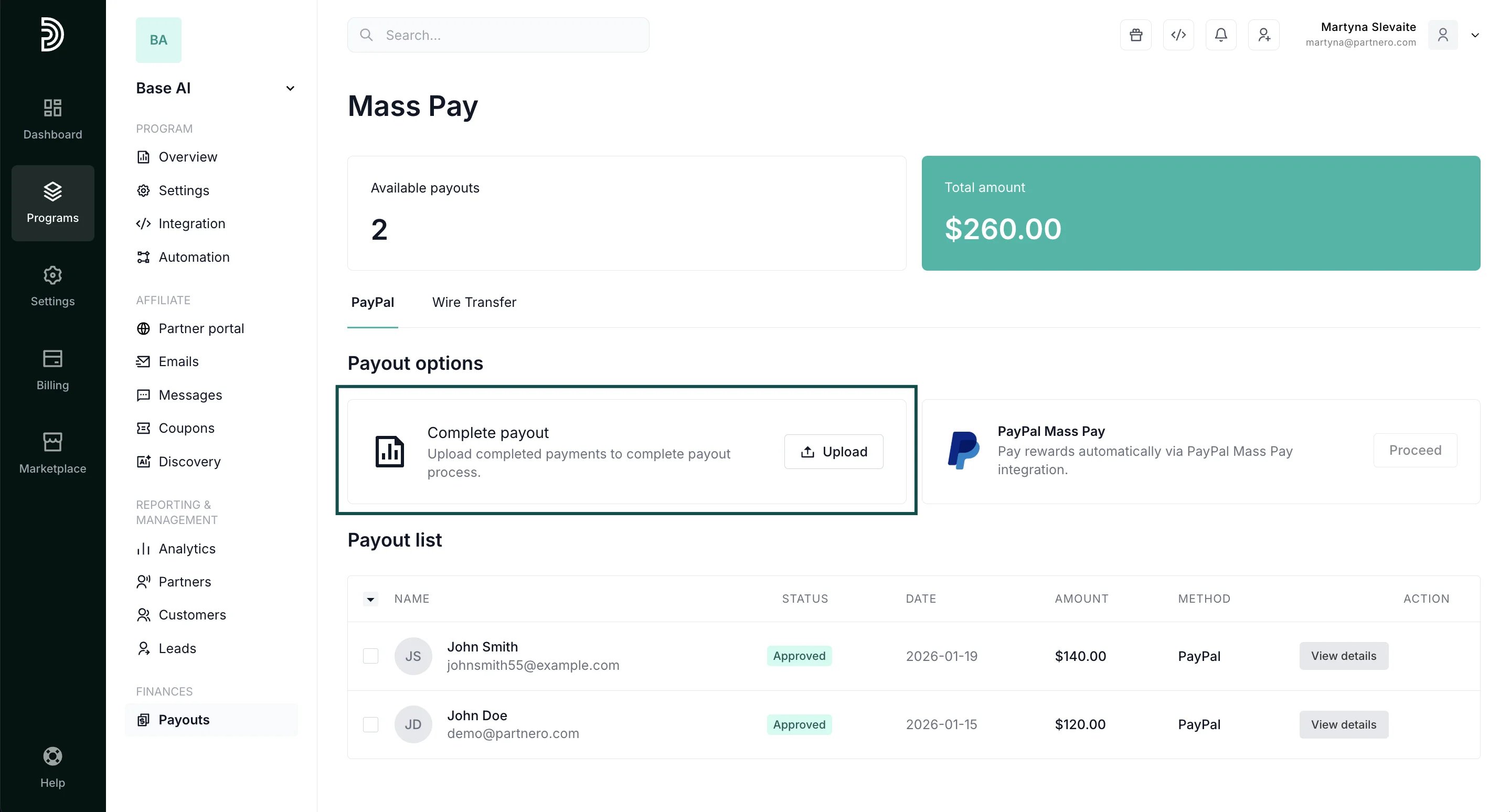 4. Select and upload the same file that you downloaded previously. Make edits before uploading, if necessary (e.g., if a payout did not go through on PayPal).
***
✅ **Tip:** Partnero also offers a PayPal Mass Pay integration, which enables you to process PayPal payments directly from your Partnero account. [Read more](/knowledge-base/payout-management/payouts-using-paypal-mass-pay-integration).
This documentation is built and hosted on [Mintlify](https://mintlify.com), a developer documentation platform.
4. Select and upload the same file that you downloaded previously. Make edits before uploading, if necessary (e.g., if a payout did not go through on PayPal).
***
✅ **Tip:** Partnero also offers a PayPal Mass Pay integration, which enables you to process PayPal payments directly from your Partnero account. [Read more](/knowledge-base/payout-management/payouts-using-paypal-mass-pay-integration).
This documentation is built and hosted on [Mintlify](https://mintlify.com), a developer documentation platform.