> ## Documentation Index
> Fetch the complete documentation index at: https://docs.partnero.com/llms.txt
> Use this file to discover all available pages before exploring further.
# Requesting a partial payout
Partial payout requests let partners choose which specific commissions to cash out, instead of always requesting their entire available balance. This gives partners more control over when and how much they get paid, without forcing you to pay out a balance they don't want yet.
The feature is opt-in per program, so turning it on for one affiliate program doesn't change behavior anywhere else.
***
### For merchants: enabling the setting
To enable partial payout requests:
1. Go to your program's **Settings** and scroll down to **Payout settings**.
2. Toggle "Let partners choose which commissions to request." 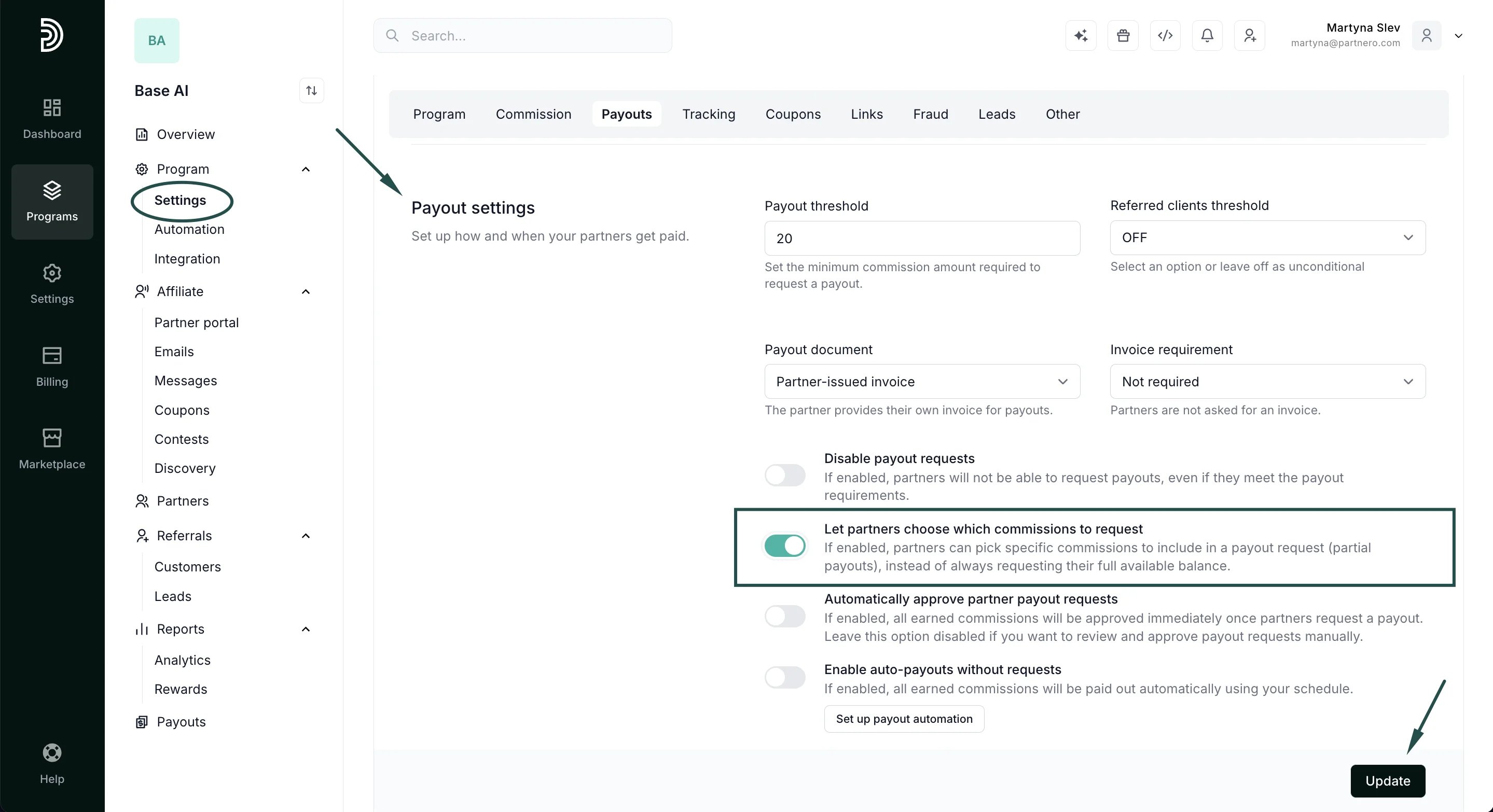 3. Click **Update**.
Once enabled, partners will see a commission checklist in their payout request window. If you leave it off, nothing changes: partners continue to request their full available balance as before.
***
### For partners: requesting a partial payout
1. In your partner portal, open **Payouts** and click **Request a payout**.
3. Click **Update**.
Once enabled, partners will see a commission checklist in their payout request window. If you leave it off, nothing changes: partners continue to request their full available balance as before.
***
### For partners: requesting a partial payout
1. In your partner portal, open **Payouts** and click **Request a payout**. 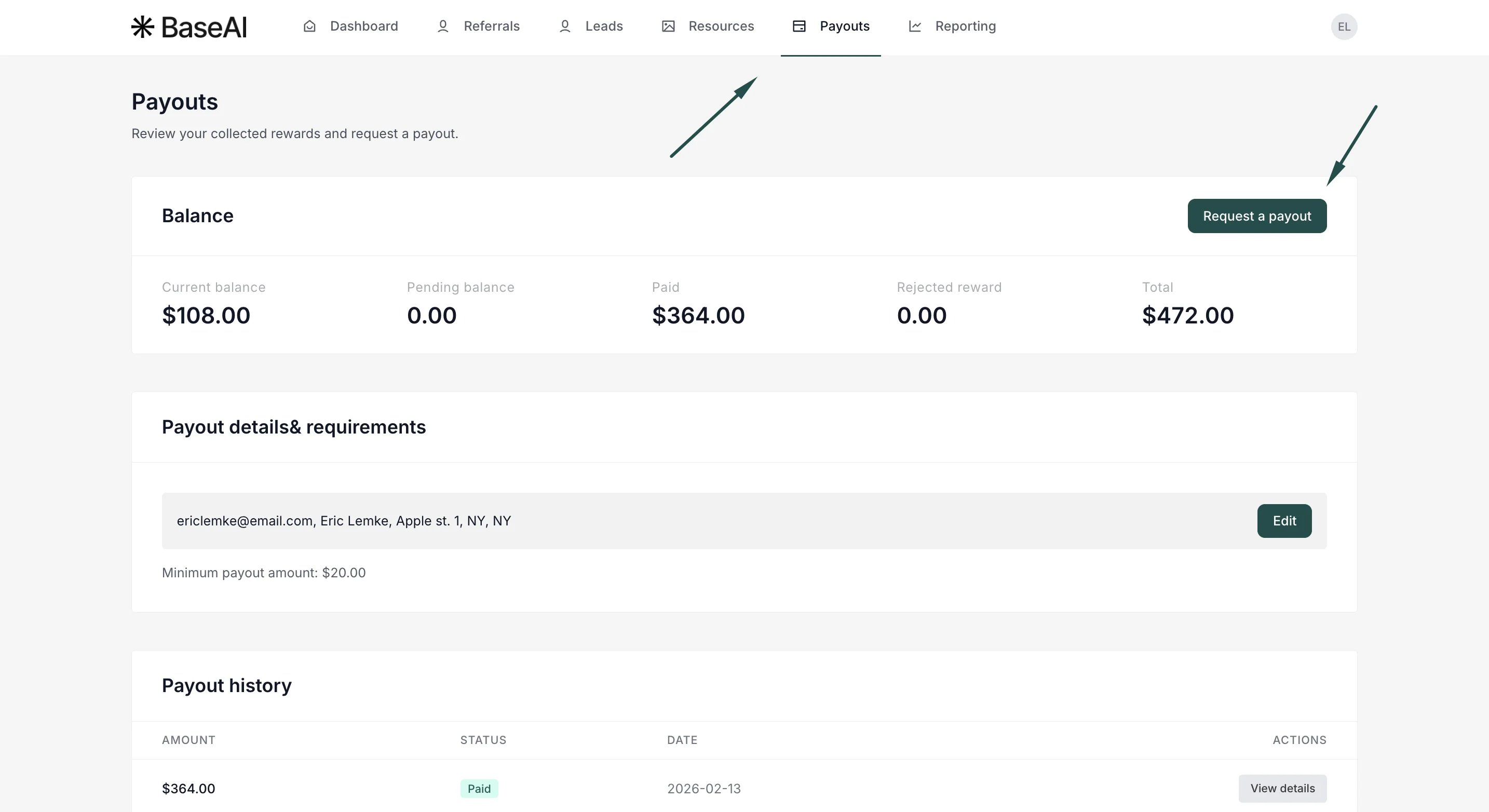 2. You'll see a list of your available commissions, each with its amount, plus a Select all option and a running total at the bottom. Tick the commissions you want to be paid for now. The total updates as you select.
 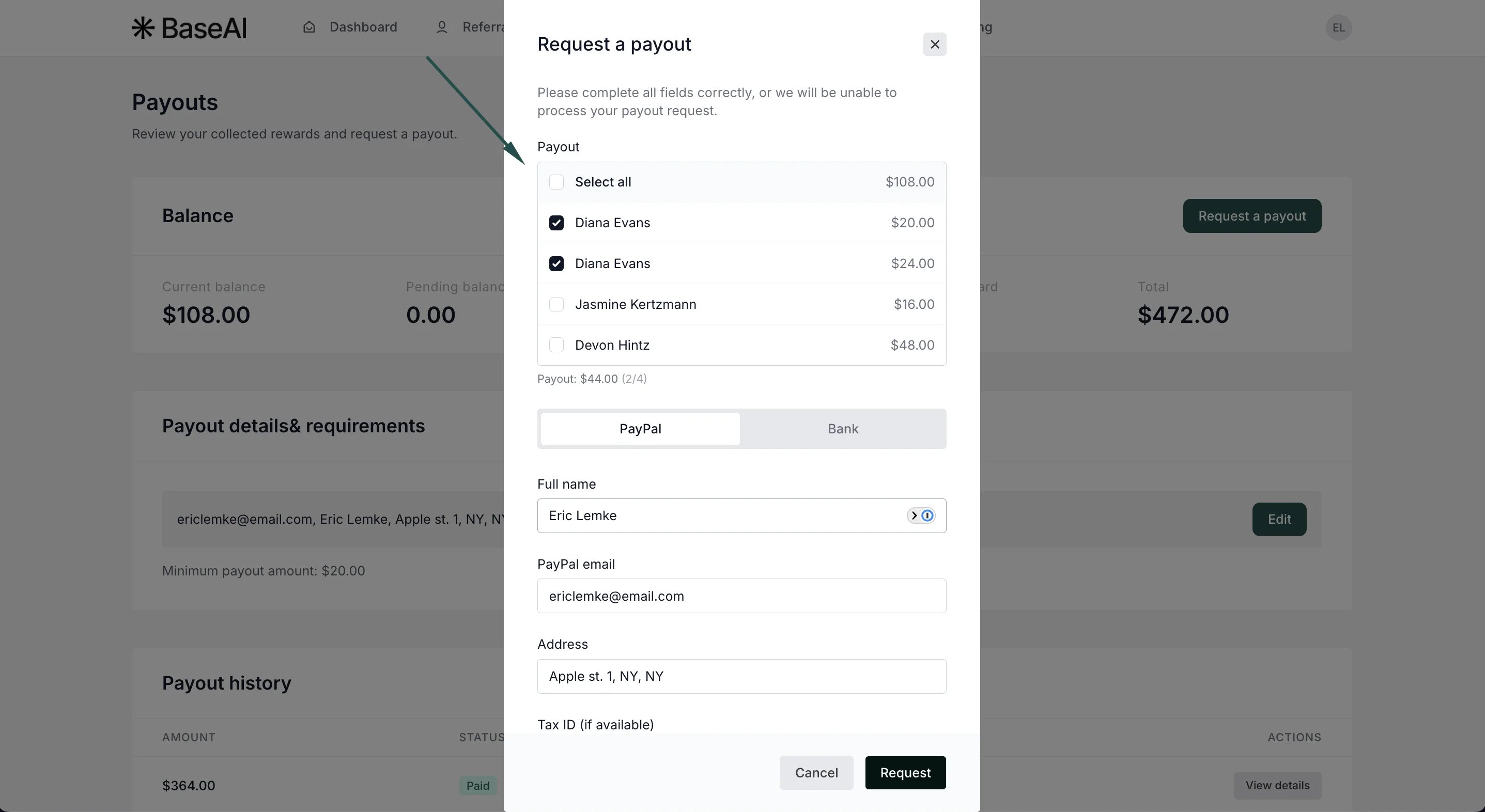 3. Choose your payout method, complete any required details, and submit.
The commissions you didn't select stay in your balance: you can request them in a future payout.
***
### Tracking what's been requested
The **Requested** (awaiting payout) card on the Payouts page shows the total you've requested that hasn't been paid yet.
In Payout history, click **View details** on any payout to see exactly which referrals/commissions are included, with their reward amounts and dates:
3. Choose your payout method, complete any required details, and submit.
The commissions you didn't select stay in your balance: you can request them in a future payout.
***
### Tracking what's been requested
The **Requested** (awaiting payout) card on the Payouts page shows the total you've requested that hasn't been paid yet.
In Payout history, click **View details** on any payout to see exactly which referrals/commissions are included, with their reward amounts and dates: 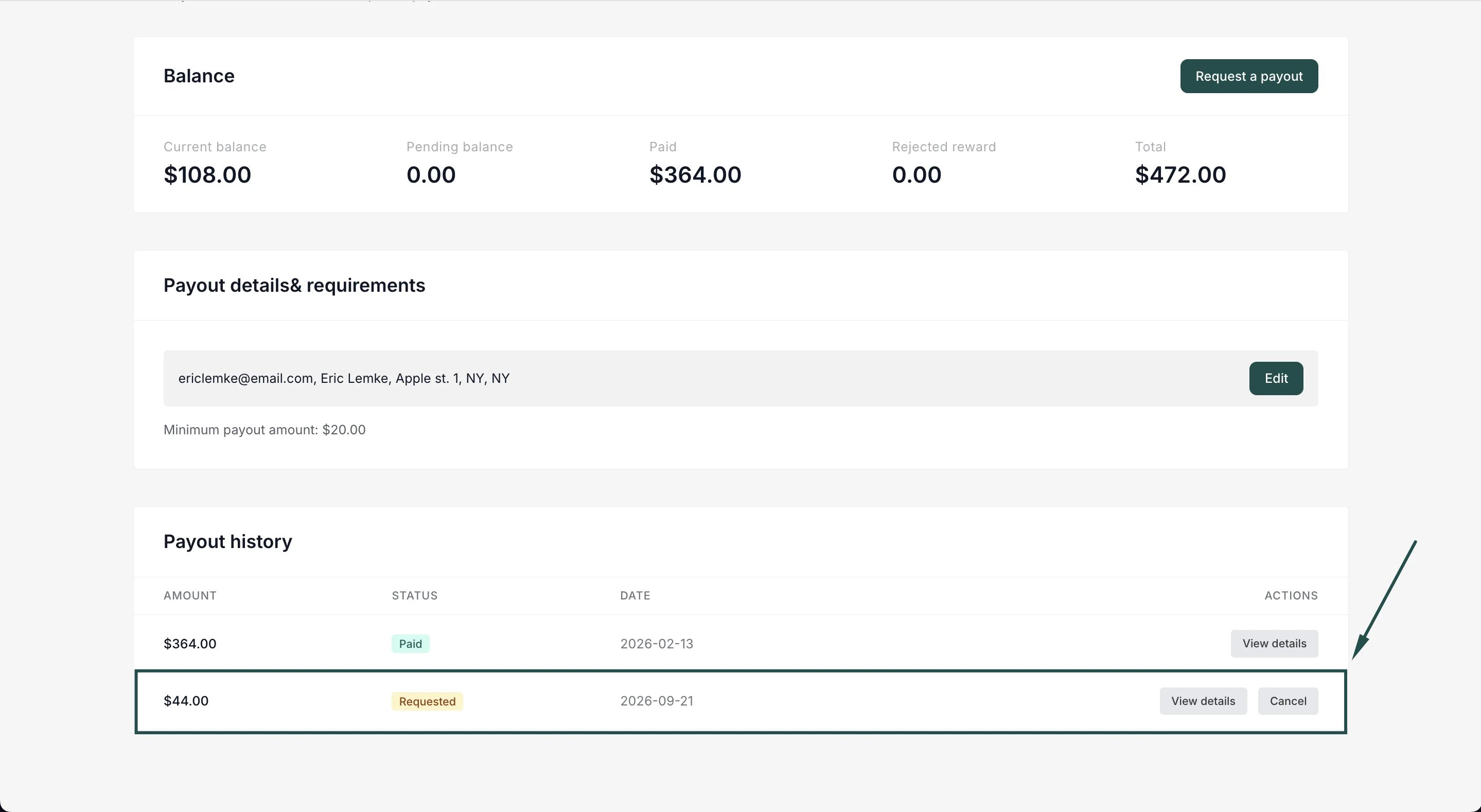 ***
### Good to know / FAQ
**Can I request an arbitrary amount, like exactly \$100?**
No, you select whole commissions. This keeps each commission tied to a single transaction and payout, which keeps your statements and invoices accurate. Pick the commissions that add up closest to what you want.
**Is there still a minimum payout?**
Yes. If your program has a payout threshold, your selected commissions must total at least that amount, otherwise the request is rejected.
**What happens to commissions I don't select?**
They remain available and can be requested in a later payout.
**Can I select a commission that's already been paid or is on another request?**
No, only commissions that are approved and not yet on a payout appear in the list.
**I don't see the checklist, just my full balance.**
Your program hasn't enabled per-commission selection. Contact the program owner.
This documentation is built and hosted on [Mintlify](https://mintlify.com), a developer documentation platform.
***
### Good to know / FAQ
**Can I request an arbitrary amount, like exactly \$100?**
No, you select whole commissions. This keeps each commission tied to a single transaction and payout, which keeps your statements and invoices accurate. Pick the commissions that add up closest to what you want.
**Is there still a minimum payout?**
Yes. If your program has a payout threshold, your selected commissions must total at least that amount, otherwise the request is rejected.
**What happens to commissions I don't select?**
They remain available and can be requested in a later payout.
**Can I select a commission that's already been paid or is on another request?**
No, only commissions that are approved and not yet on a payout appear in the list.
**I don't see the checklist, just my full balance.**
Your program hasn't enabled per-commission selection. Contact the program owner.
This documentation is built and hosted on [Mintlify](https://mintlify.com), a developer documentation platform.