> ## Documentation Index
> Fetch the complete documentation index at: https://docs.partnero.com/llms.txt
> Use this file to discover all available pages before exploring further.
# Send a welcome email to partners
You can send a welcome email to new partners when they join your affiliate program. This email is sent immediately after signup and can be used to share onboarding instructions, important links, and key information to help partners get started.
***
### Customize the welcome email
You can customize the content and design of the welcome email from the Emails section:
1. Go to **Emails** under **Affiliate** and switch to the **Emails** tab: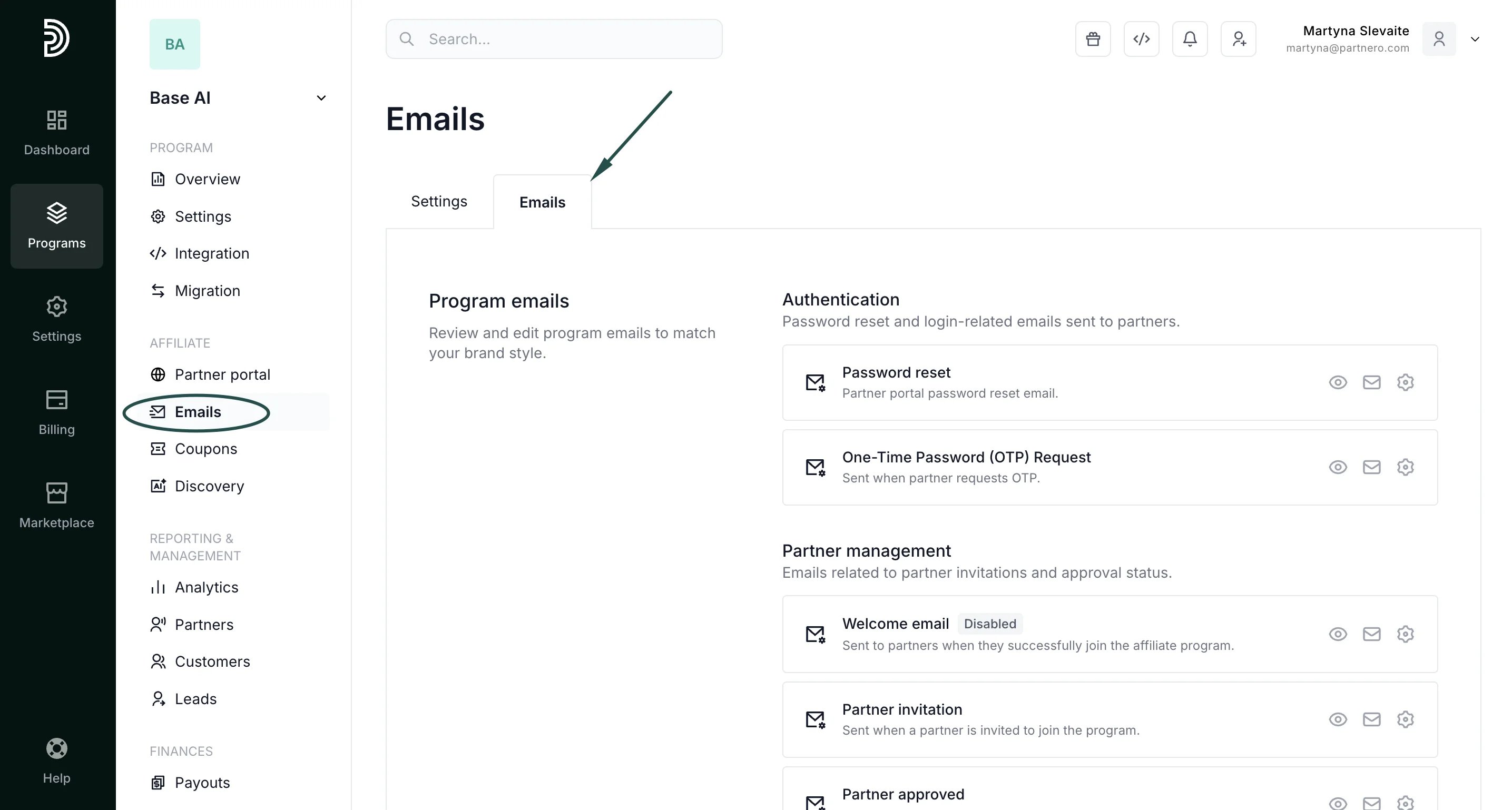 2. Locate the **Welcome email** template.
3. Click the gear icon to edit the subject line and email content as needed:
2. Locate the **Welcome email** template.
3. Click the gear icon to edit the subject line and email content as needed: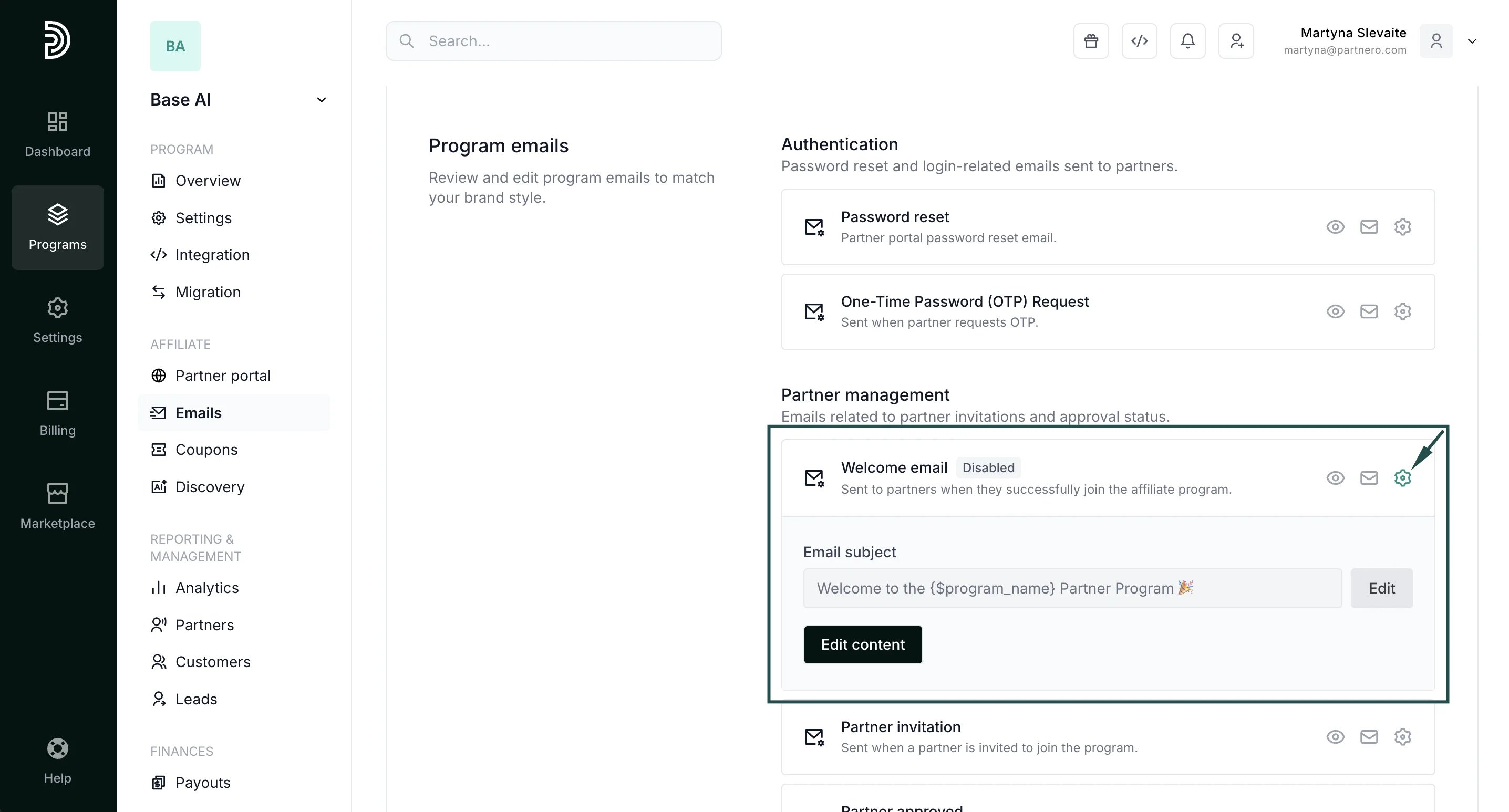 [Read more about editing program emails here](/knowledge-base/program-emails/email-settings).
***
### Enable the welcome email
To start sending welcome emails to new partners, you must enable it in the Partner Portal settings:
1. Go to **Partner Portal** under **Affiliate**:
[Read more about editing program emails here](/knowledge-base/program-emails/email-settings).
***
### Enable the welcome email
To start sending welcome emails to new partners, you must enable it in the Partner Portal settings:
1. Go to **Partner Portal** under **Affiliate**: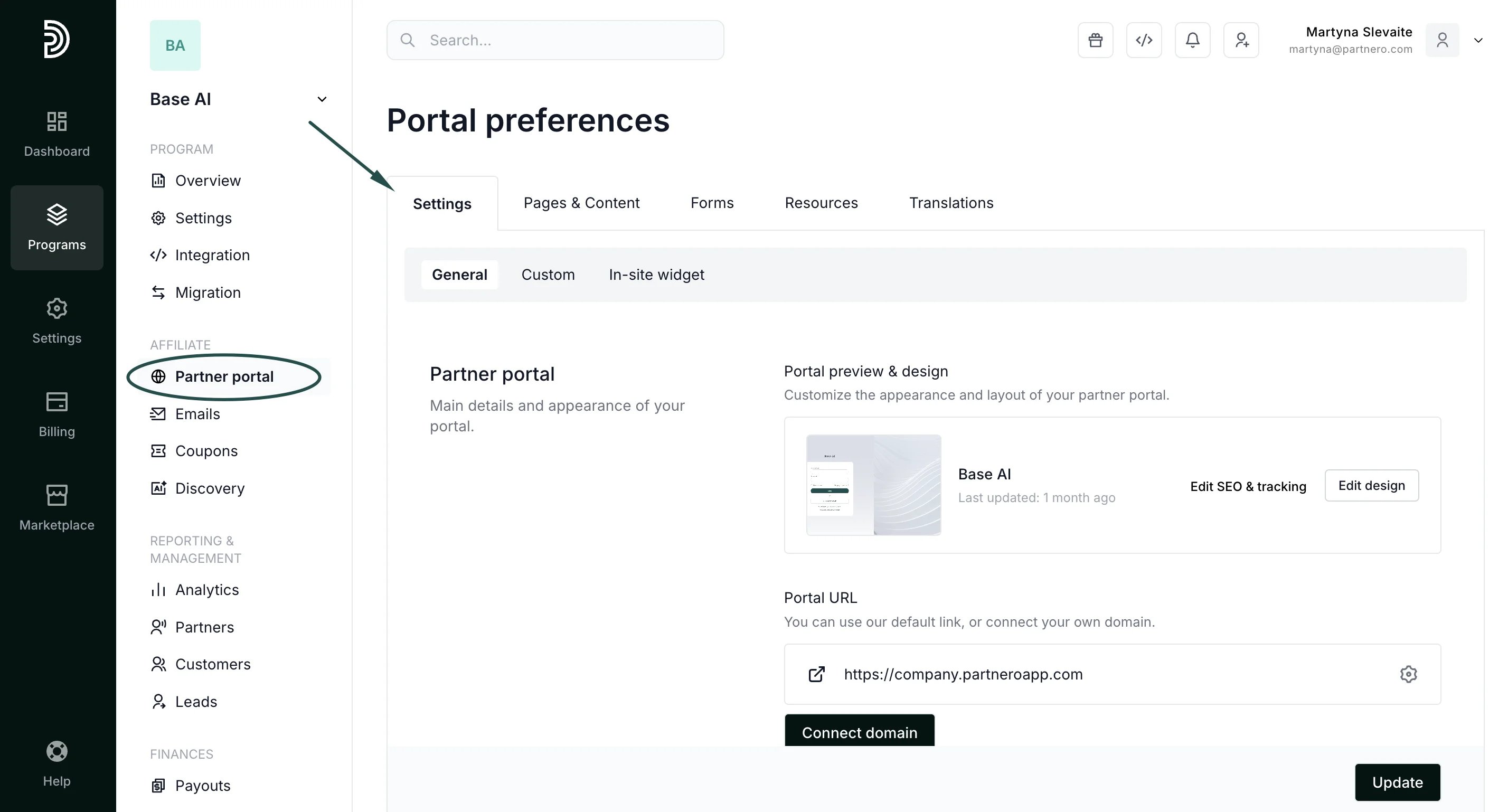 2. In the **Settings** tab, scroll to the **Portal features** section.
3. Enable **Send welcome email to new partners** and click **Update** to save changes:
2. In the **Settings** tab, scroll to the **Portal features** section.
3. Enable **Send welcome email to new partners** and click **Update** to save changes: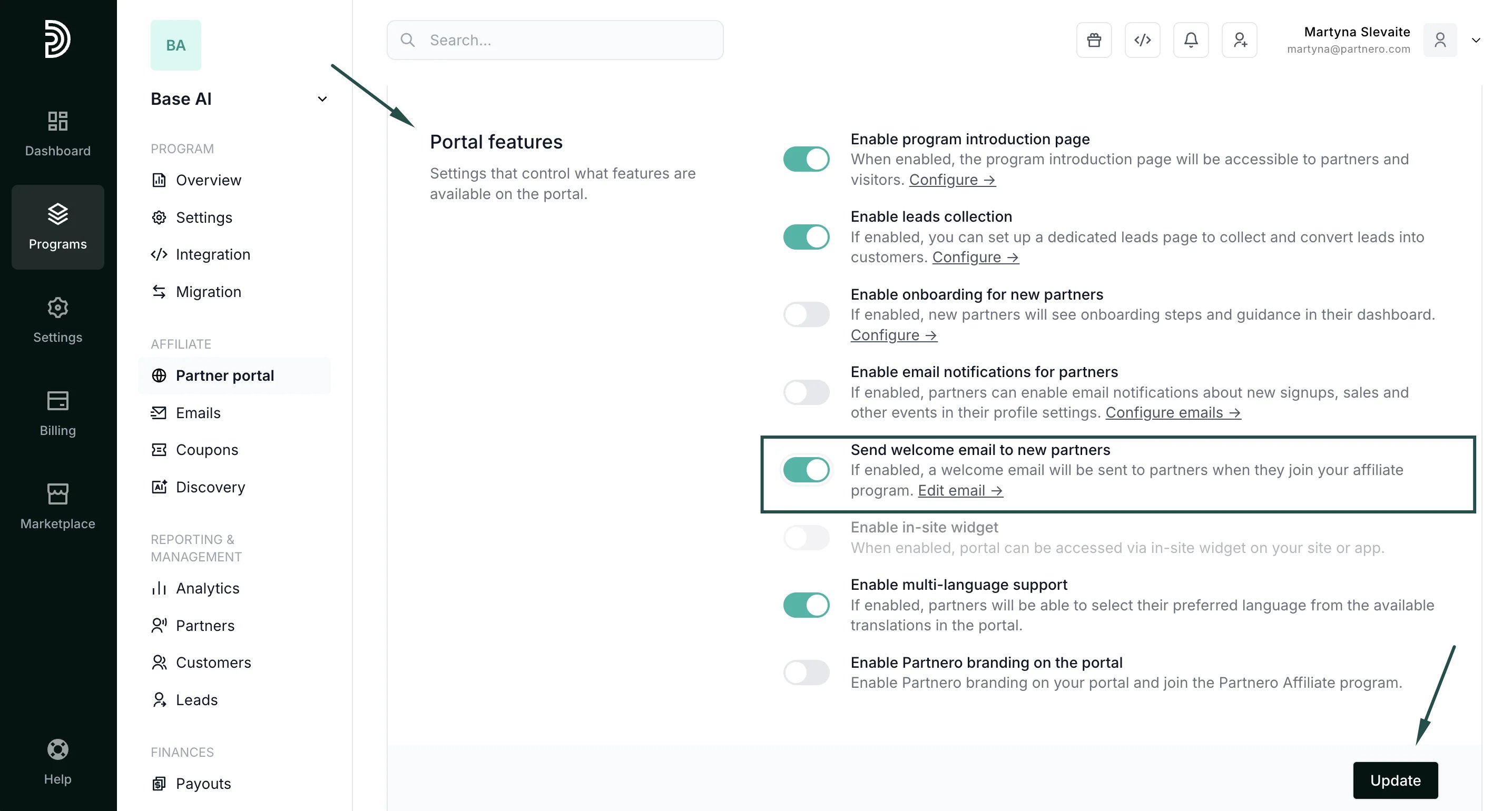 Once enabled, the welcome email will be sent to all newly approved partners.
This documentation is built and hosted on [Mintlify](https://mintlify.com), a developer documentation platform.
Once enabled, the welcome email will be sent to all newly approved partners.
This documentation is built and hosted on [Mintlify](https://mintlify.com), a developer documentation platform.