> ## Documentation Index
> Fetch the complete documentation index at: https://docs.partnero.com/llms.txt
> Use this file to discover all available pages before exploring further.
# Send program emails with Gmail
Various email notifications are sent to your partners, including partner portal password resets, approval notifications, payout notifications, and more.
By default, program emails are sent from the @partnero.email domain. To improve deliverability and ensure emails come from a familiar sender, you can connect your own domain. This allows you to customize the sender information using a Gmail account.
###
***
How to connect your Gmail account
To connect your Gmail account:
1. In your program, go to **Emails** under **Affiliate**.
2. In the **Settings** tab, click **Sign in** next to **Send with Gmail**: 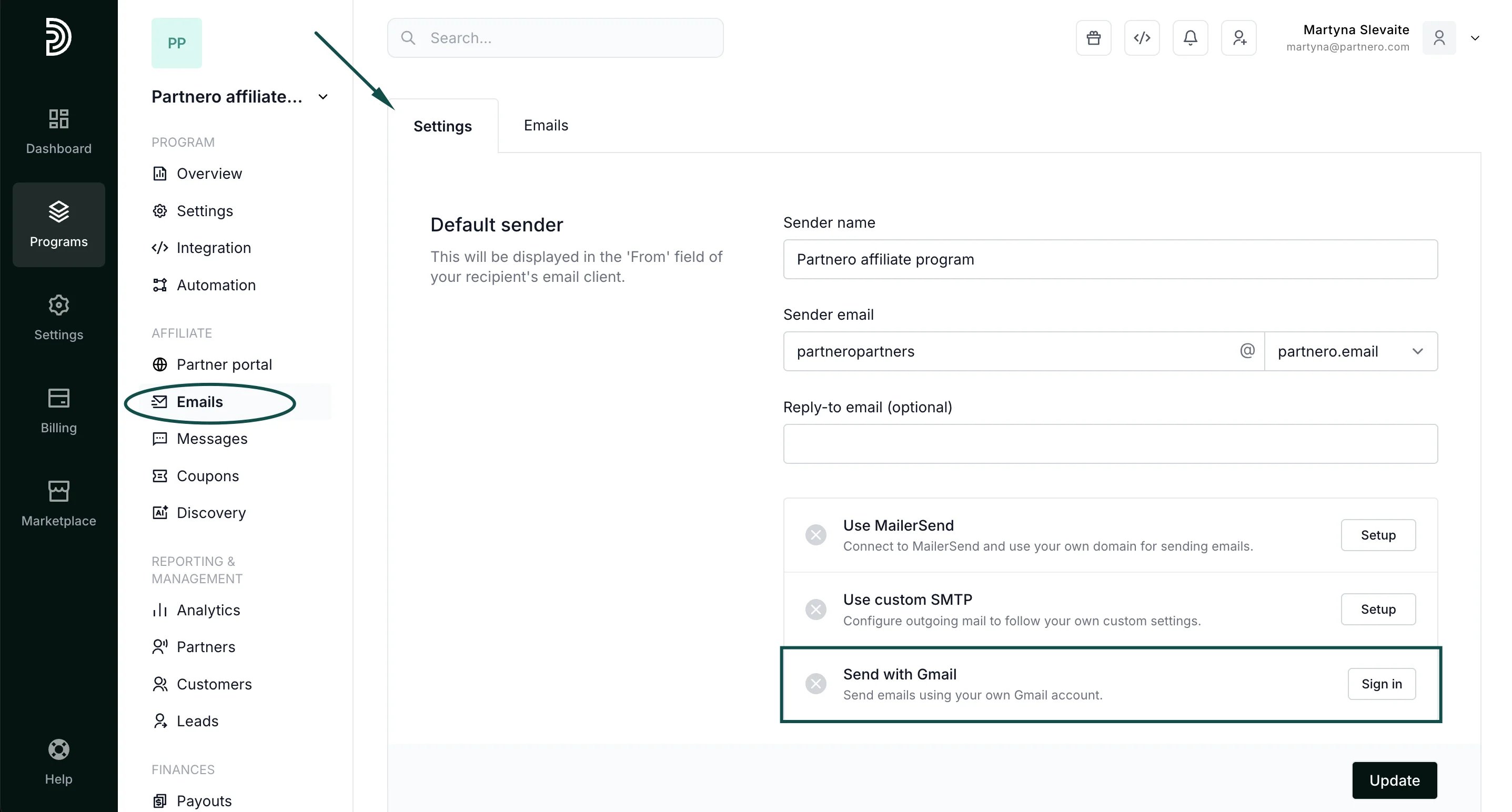 3. Click **Continue to sign** **in** and choose the Gmail account you'd like to connect.
4. Click **Continue** and **Allow** in the following screens.
3. Click **Continue to sign** **in** and choose the Gmail account you'd like to connect.
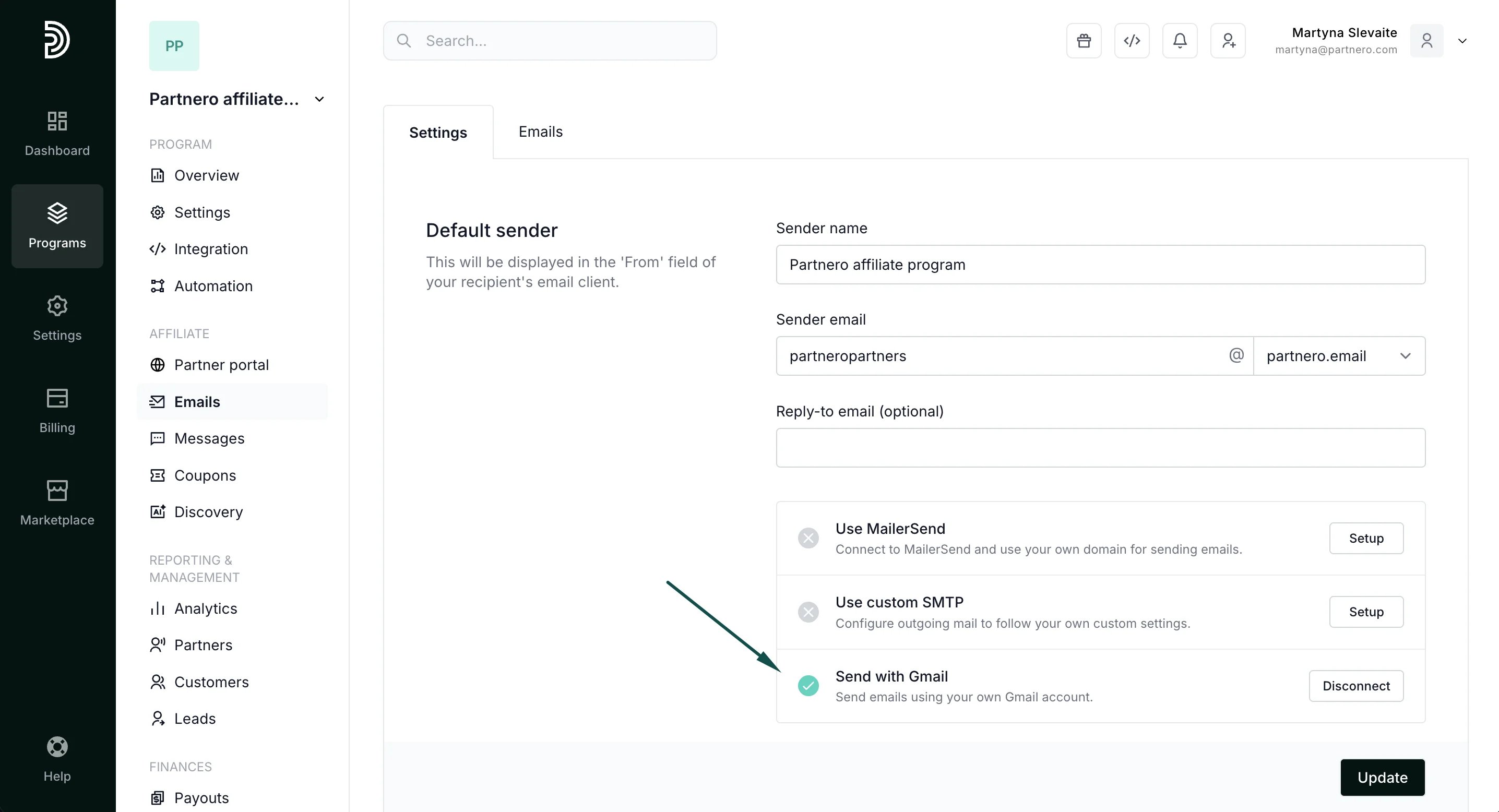
4. Click **Continue** and **Allow** in the following screens. 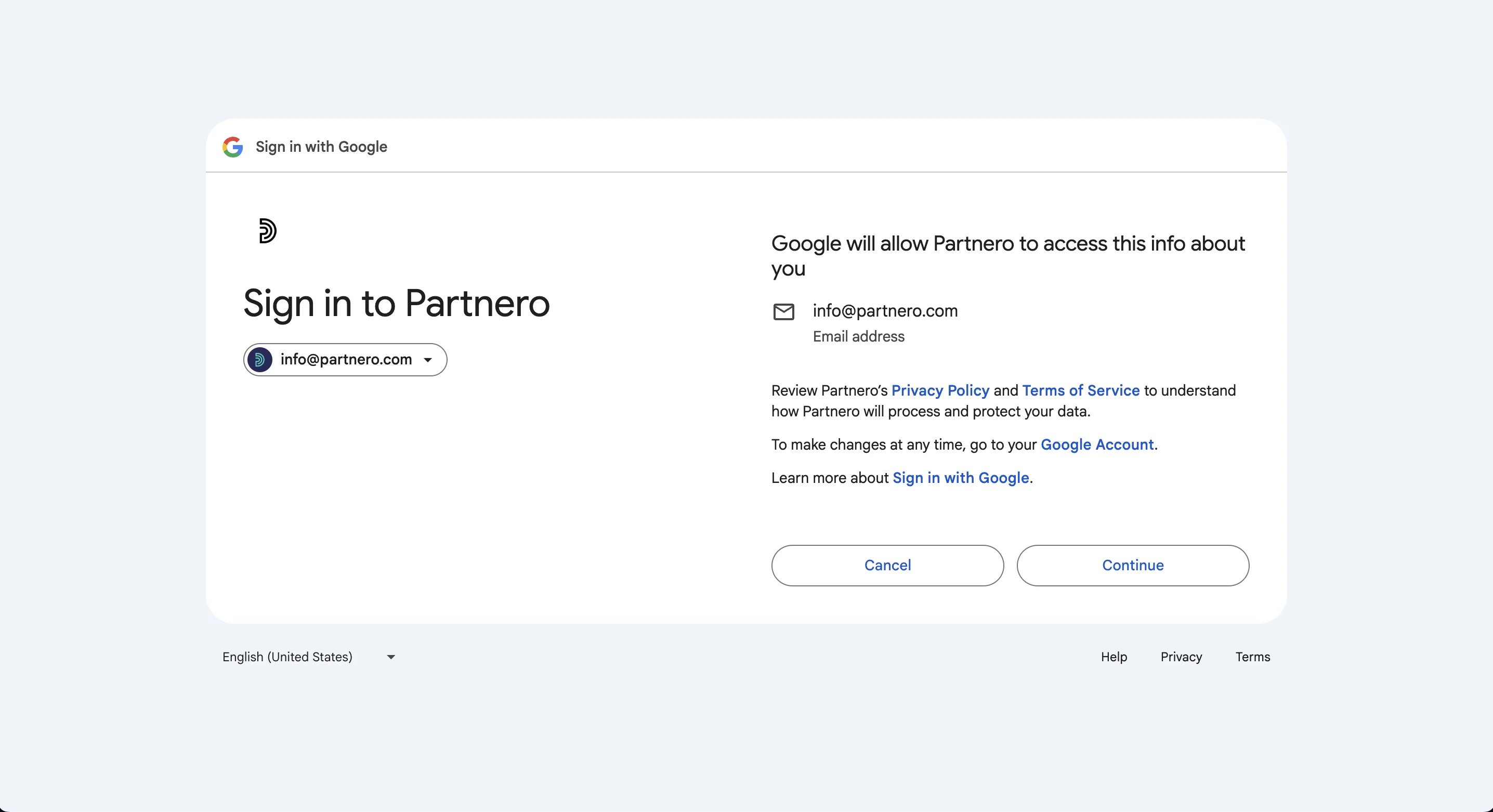 5. You will then be returned to your Partnero account, and the Send with Gmail option will have a green checkmark:
  6. The last step is to select the newly connected domain under **Sender domain** > **Gmail domains**: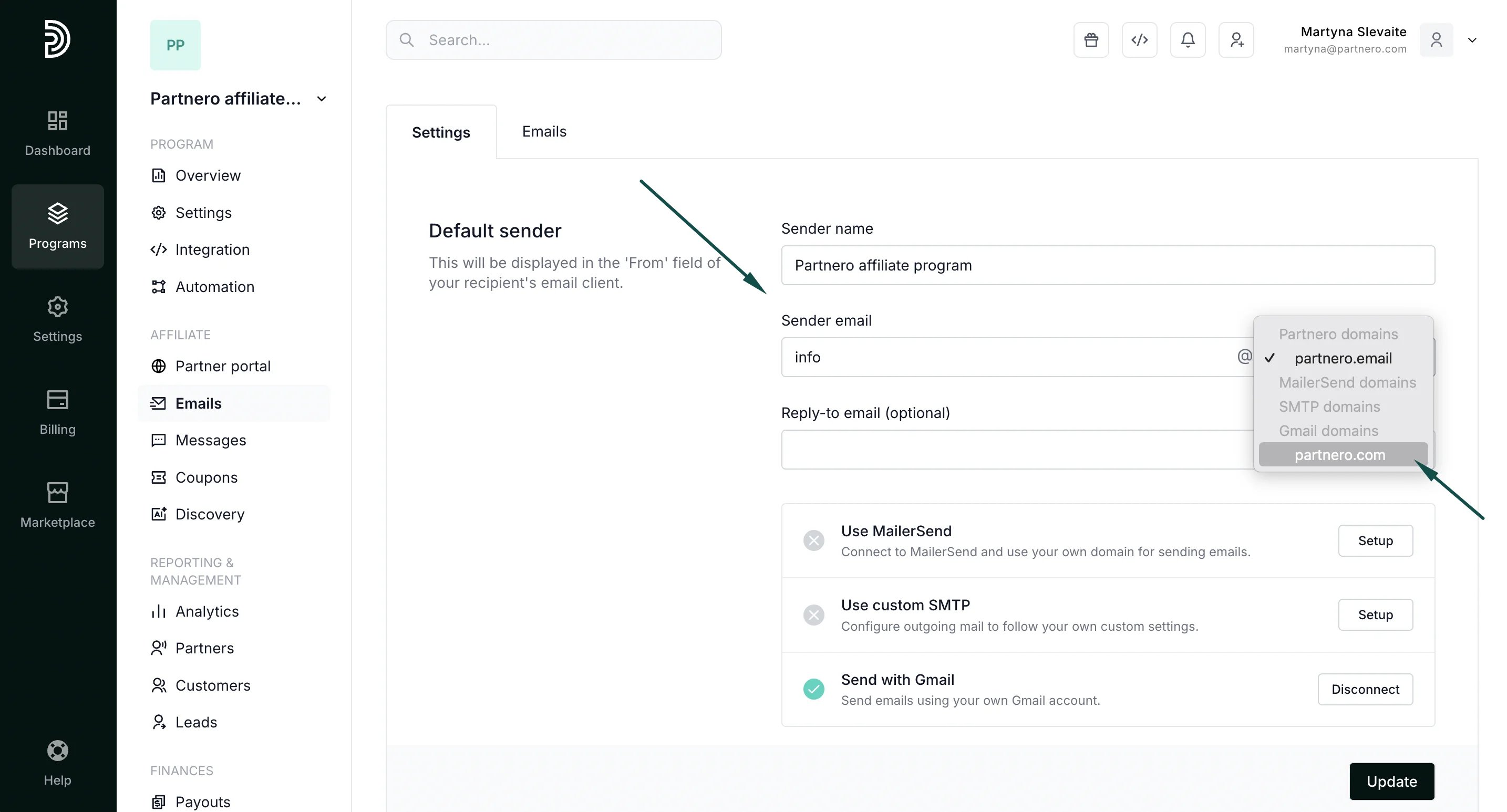
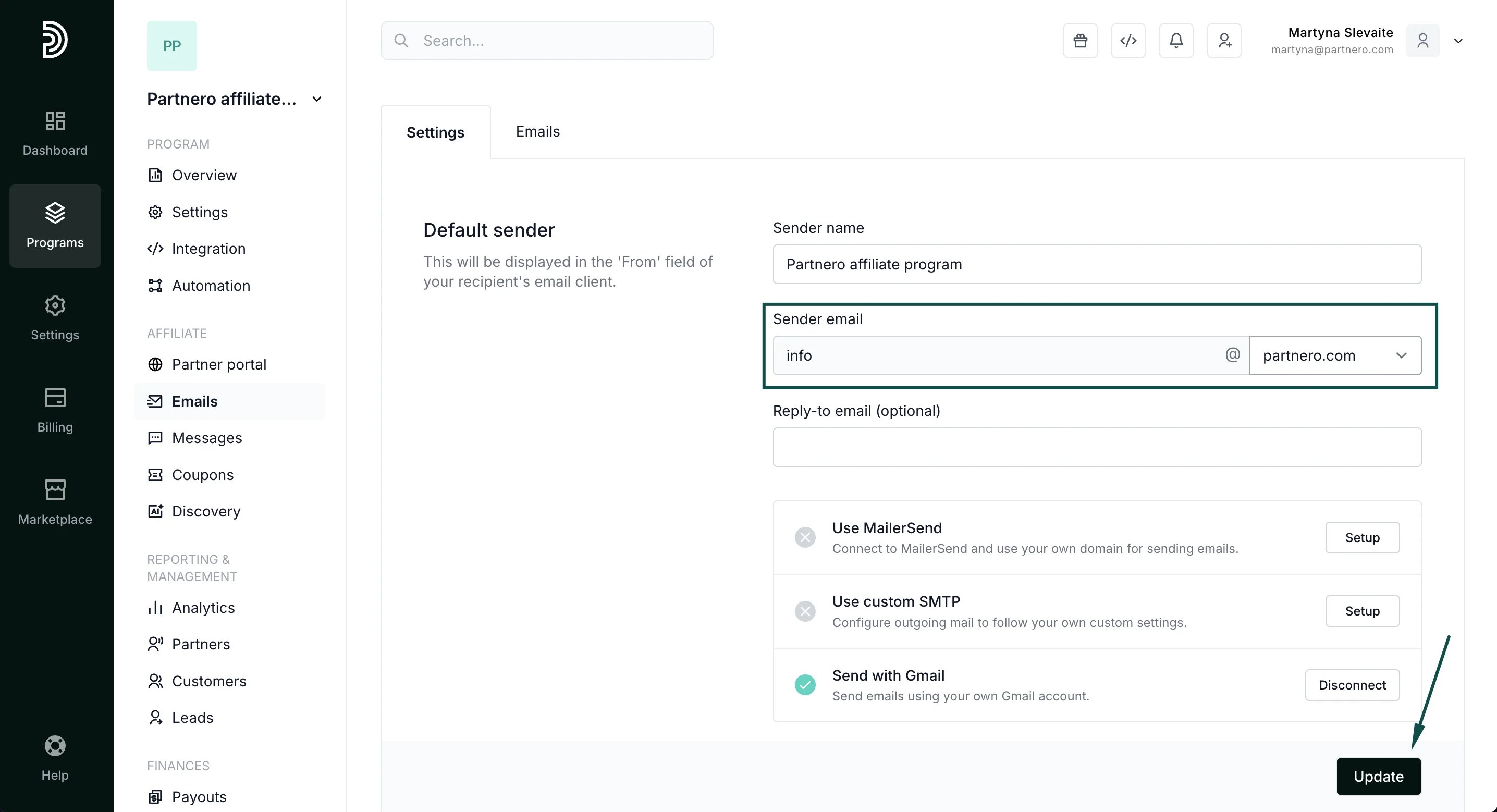 7. Click **Update** to save your changes.
This documentation is built and hosted on [Mintlify](https://mintlify.com), a developer documentation platform.
7. Click **Update** to save your changes.
This documentation is built and hosted on [Mintlify](https://mintlify.com), a developer documentation platform.