> ## Documentation Index
> Fetch the complete documentation index at: https://docs.partnero.com/llms.txt
> Use this file to discover all available pages before exploring further.
# Affiliate program settings
In this article, we'll cover the main affiliate program settings. If you haven't yet, you'll need to [create a program first](/knowledge-base/program-management/create-and-customize-an-affiliate-program).
The Program settings section has three tabs: *General*, *Notifications*, and *PartneroList*.
***
### Settings: General
Let's start with the **General** tab.
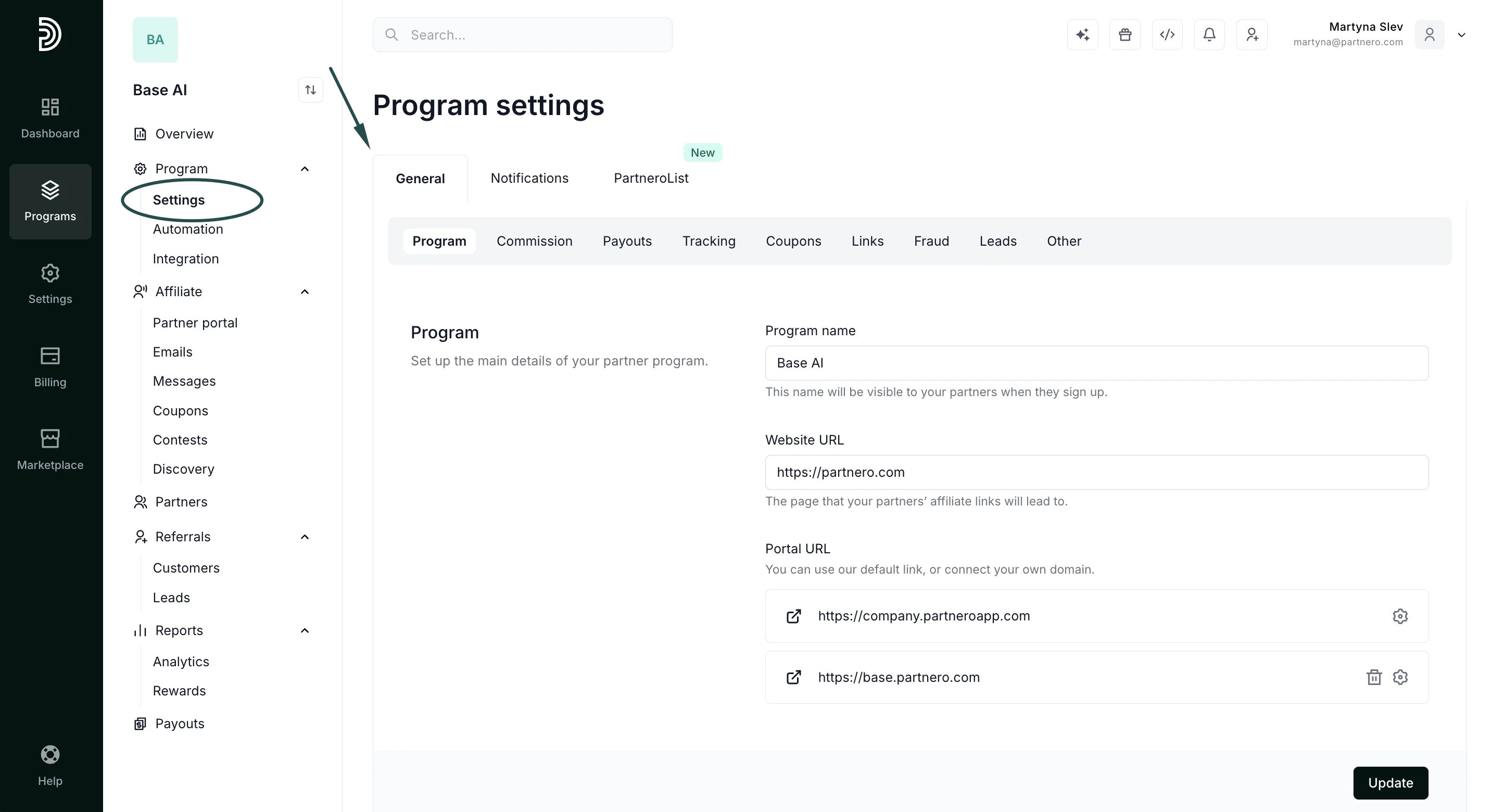 The **General** tab gives you the option to view and edit the main details of your program:
* Program name - this name will be visible to your partners when they sign up and is used in program emails.
* Website URL - the default page that your partners’ affiliate links will lead to.
* Partner portal URL - the partner portal login page. You can use our default link or connect your own domain.
Here you can:
* [Connect a custom partner portal URL](/knowledge-base/partner-portal/connect-a-partner-portal-domain)
* [Customize your commission structure](/knowledge-base/commissions-rewards/guide-to-commission-set-up)
The **General** tab gives you the option to view and edit the main details of your program:
* Program name - this name will be visible to your partners when they sign up and is used in program emails.
* Website URL - the default page that your partners’ affiliate links will lead to.
* Partner portal URL - the partner portal login page. You can use our default link or connect your own domain.
Here you can:
* [Connect a custom partner portal URL](/knowledge-base/partner-portal/connect-a-partner-portal-domain)
* [Customize your commission structure](/knowledge-base/commissions-rewards/guide-to-commission-set-up) 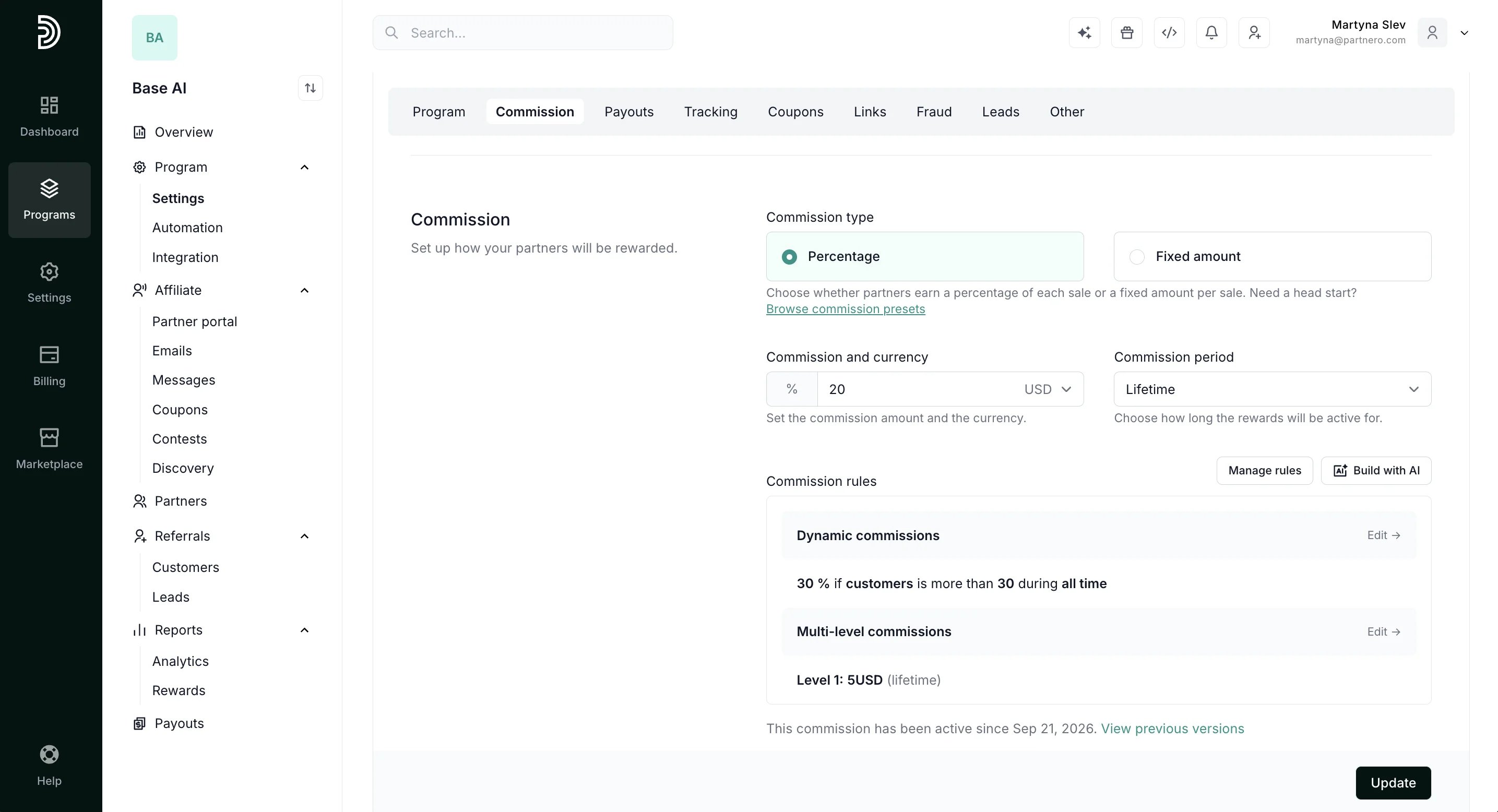 * [Customize payout settings and options](/knowledge-base/payout-management/payout-settings)
 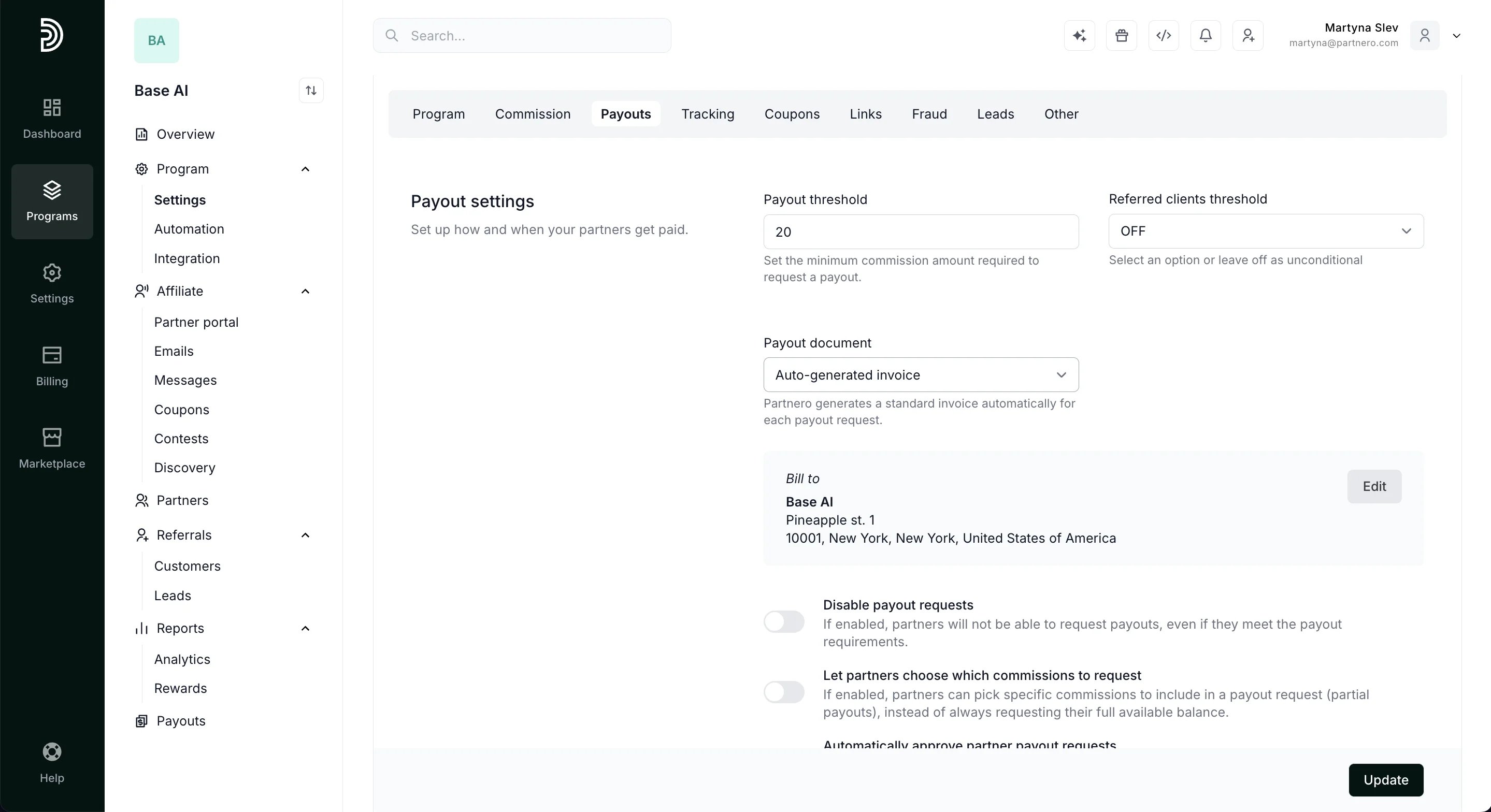 * [Configure tracking links and attribution](/knowledge-base/tracking-links-coupons/affiliate-program-default-tracking-settings)
 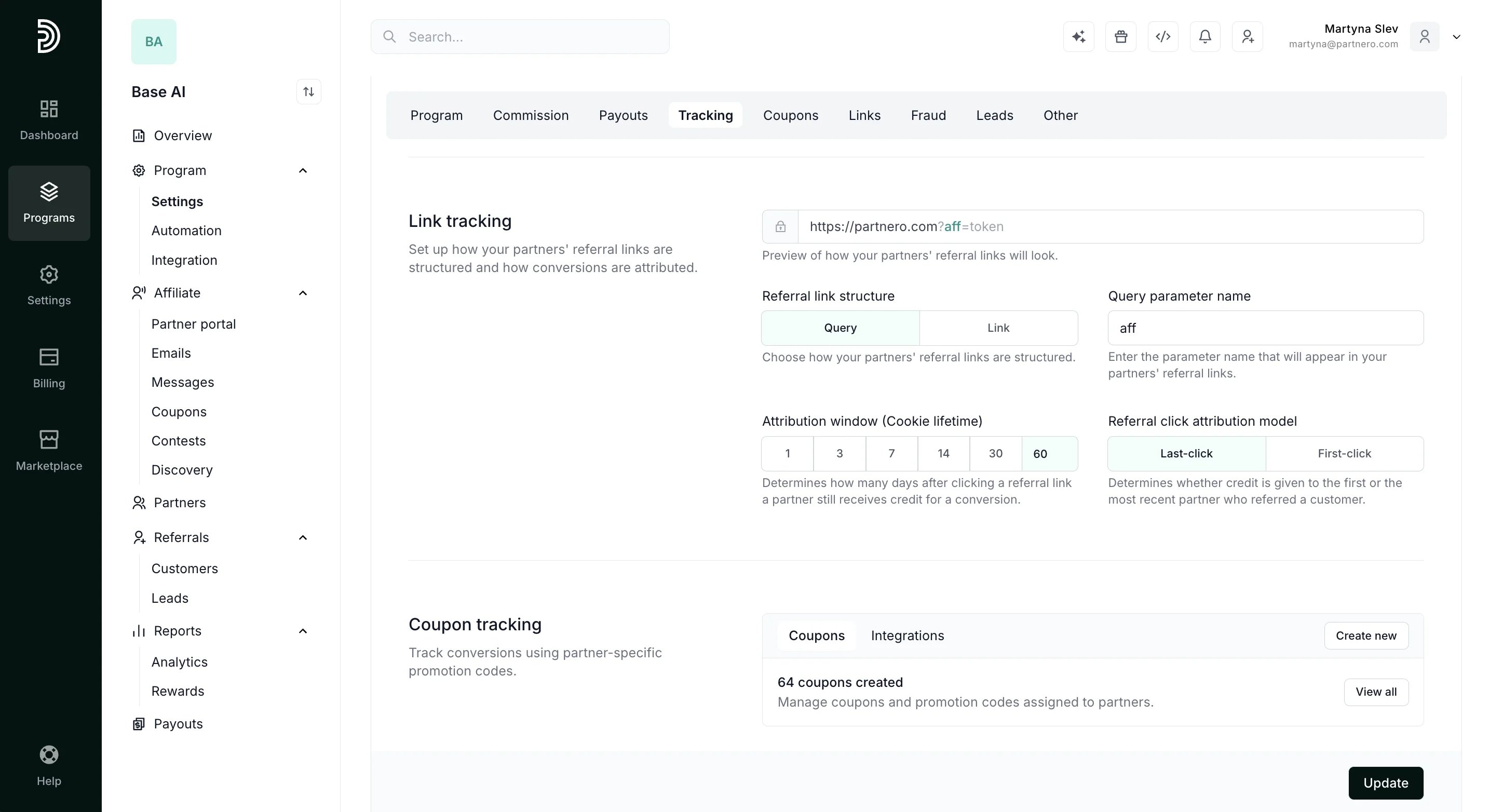 * [Manage coupon tracking](/knowledge-base/tracking-links-coupons/coupons-and-promotion-codes-explained)
 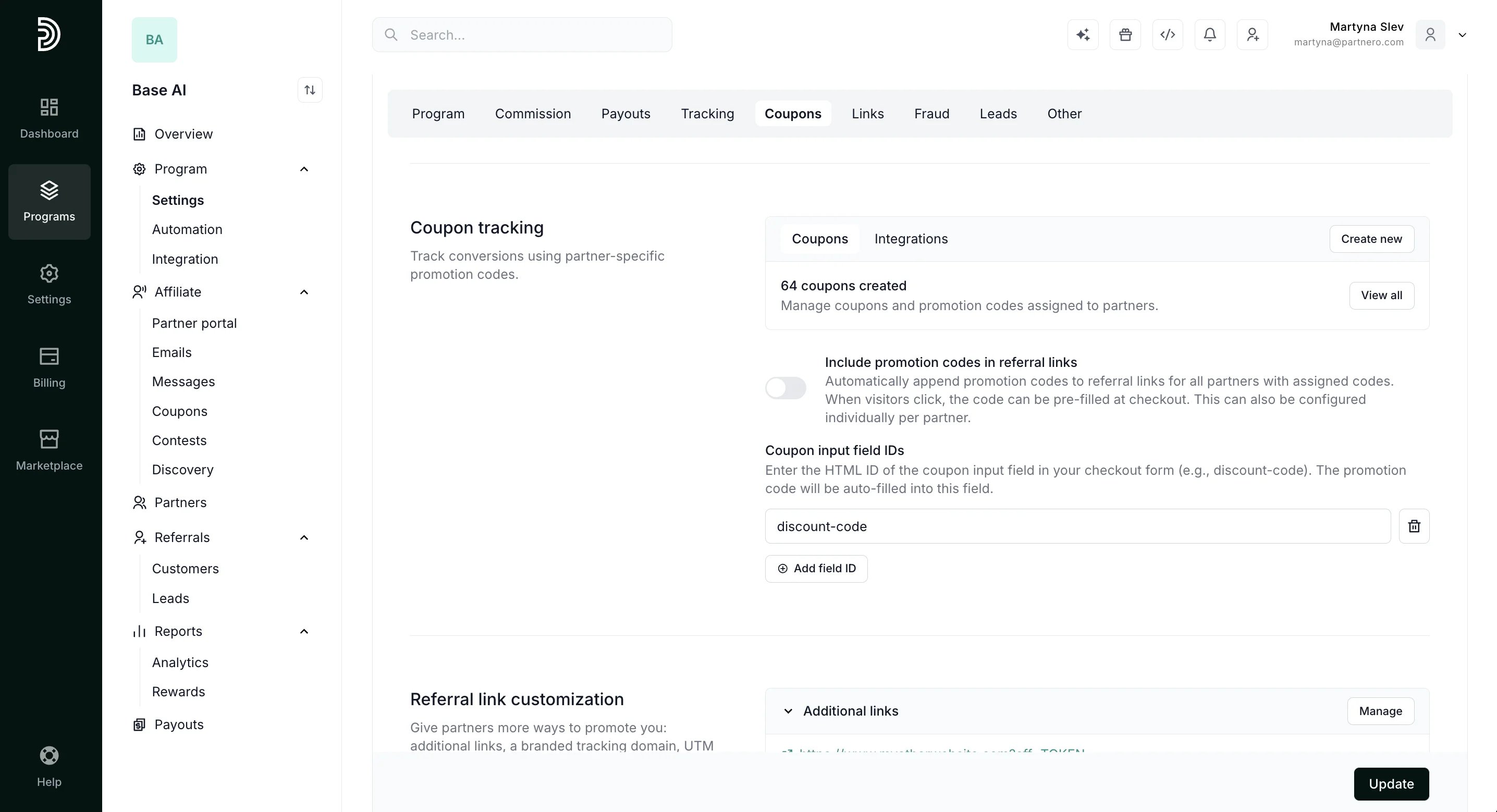 * [Connect additional tracking links through Advanced links](/knowledge-base/tracking-links-coupons/advanced-links)
* [Connect a custom domain for your tracking links](/knowledge-base/tracking-links-coupons/connect-a-custom-domain-for-referral-links)
* [Connect additional tracking links through Advanced links](/knowledge-base/tracking-links-coupons/advanced-links)
* [Connect a custom domain for your tracking links](/knowledge-base/tracking-links-coupons/connect-a-custom-domain-for-referral-links) 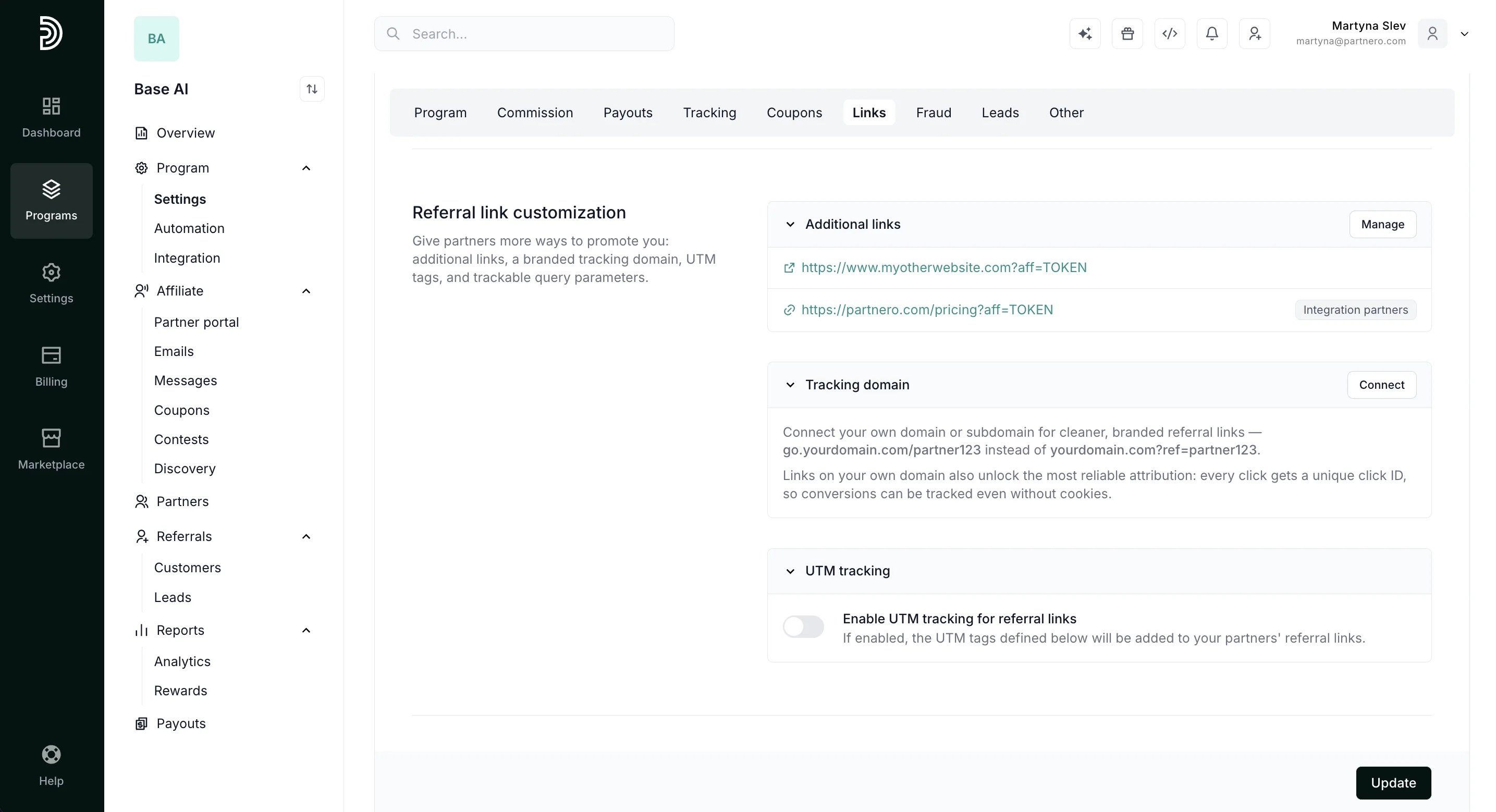 * [Update Transaction & Protection settings](/knowledge-base/referral-programs/transaction-settings)
 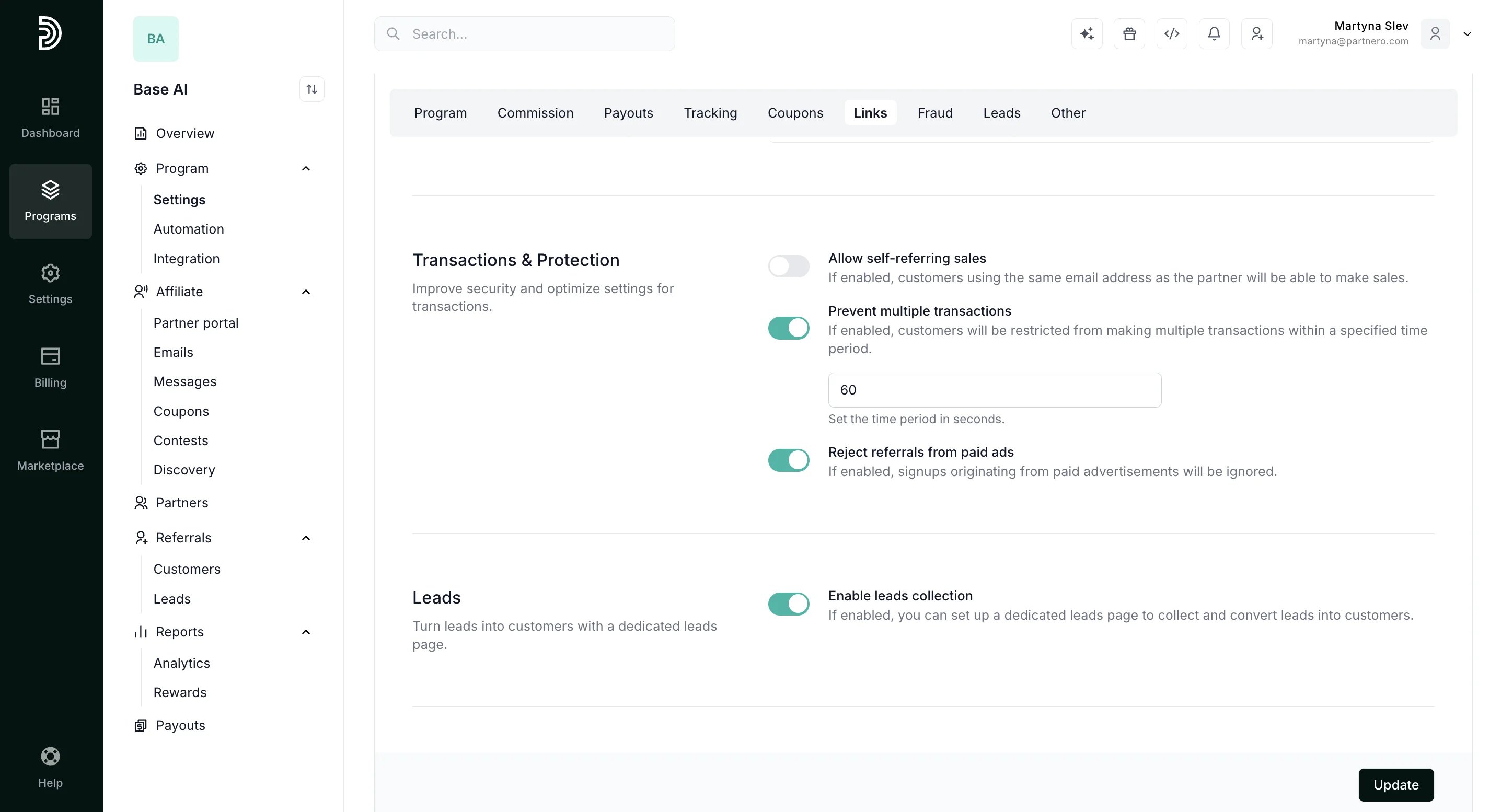 * [Enable leads collection](/knowledge-base/customers-leads/creating-a-lead-submission-page)
This Other section offers additional options for your program:
* Enable approval form for new partners - if enabled, new partners will have to fill out a form and get approved before accessing your program. Read more about approvals [here](/knowledge-base/partner-portal/create-an-approval-form).
* Enable approval form for partner customers - if enabled, customers created by partners will have to be approved.
* [Enable leads collection](/knowledge-base/customers-leads/creating-a-lead-submission-page)
This Other section offers additional options for your program:
* Enable approval form for new partners - if enabled, new partners will have to fill out a form and get approved before accessing your program. Read more about approvals [here](/knowledge-base/partner-portal/create-an-approval-form).
* Enable approval form for partner customers - if enabled, customers created by partners will have to be approved. 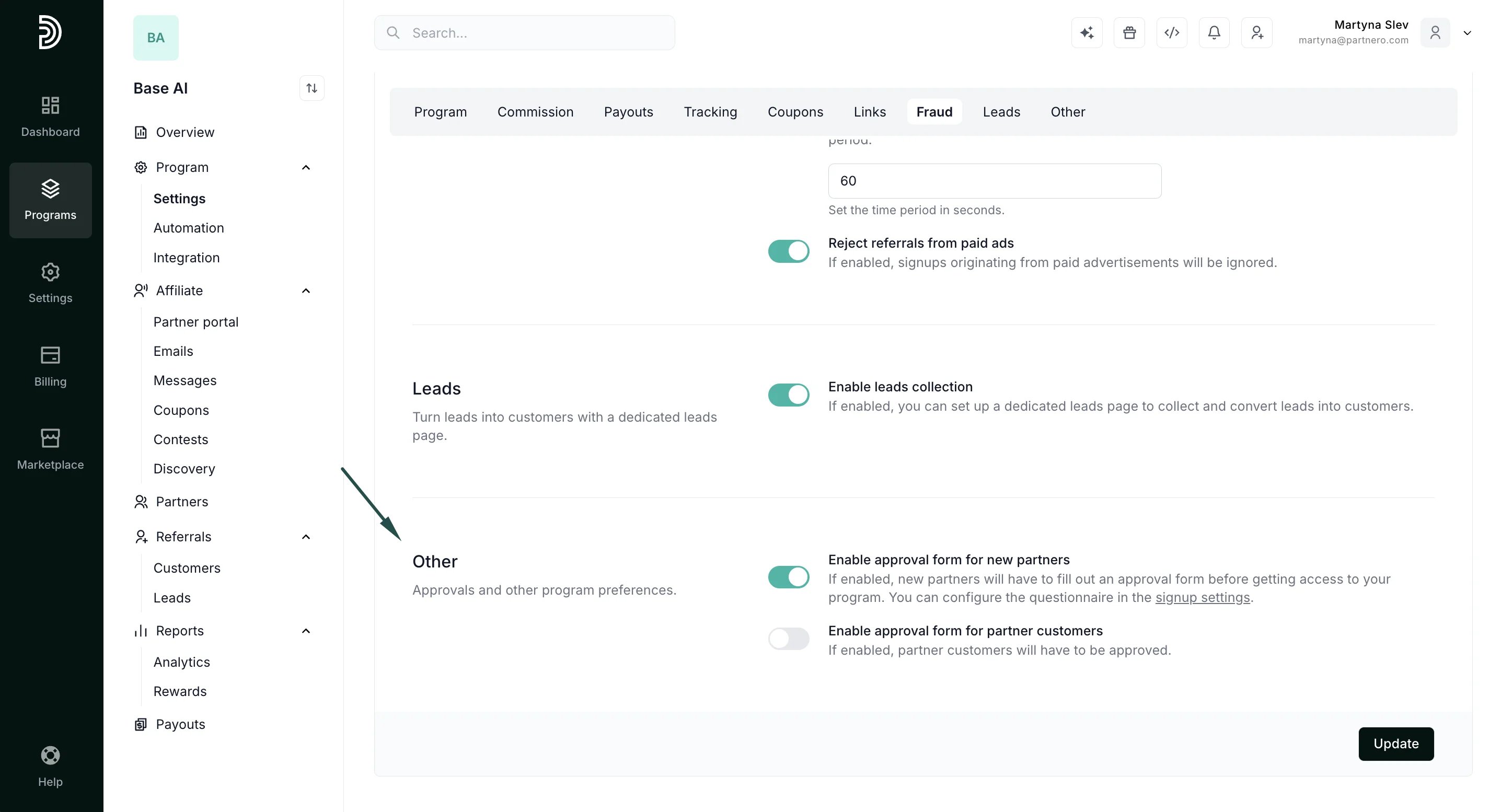 > Make sure to click **Update** after you make any changes
The last section on the General tab is to:
* review changes made to program settings,
* [delete](/knowledge-base/program-management/how-to-delete-a-program),
* [duplicate](/knowledge-base/program-management/duplicate-a-program),
* or reset your program:
> Make sure to click **Update** after you make any changes
The last section on the General tab is to:
* review changes made to program settings,
* [delete](/knowledge-base/program-management/how-to-delete-a-program),
* [duplicate](/knowledge-base/program-management/duplicate-a-program),
* or reset your program: 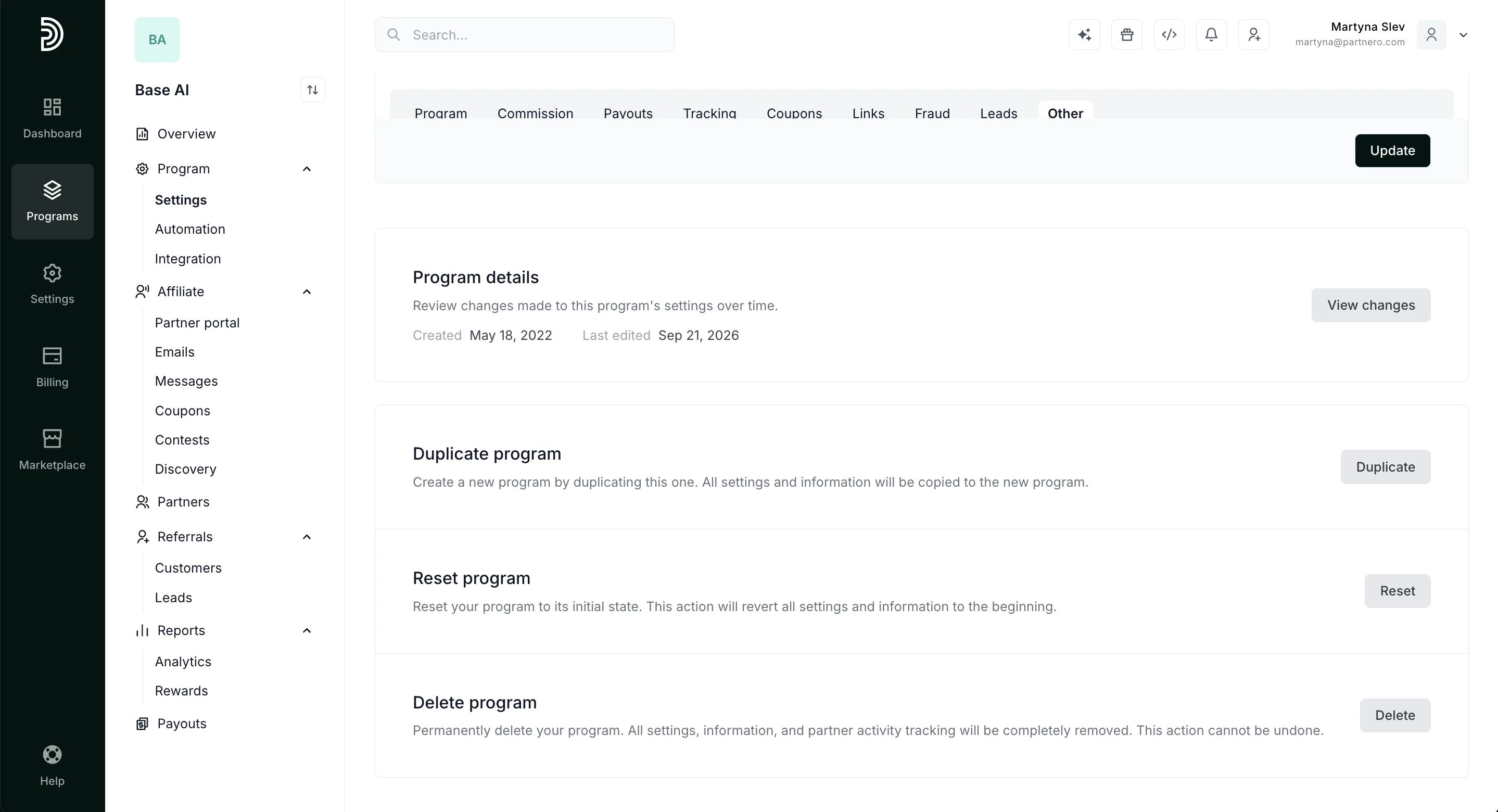 ***
### Settings: Notifications
The second tab in the program Settings section is **Notifications**:
***
### Settings: Notifications
The second tab in the program Settings section is **Notifications**: 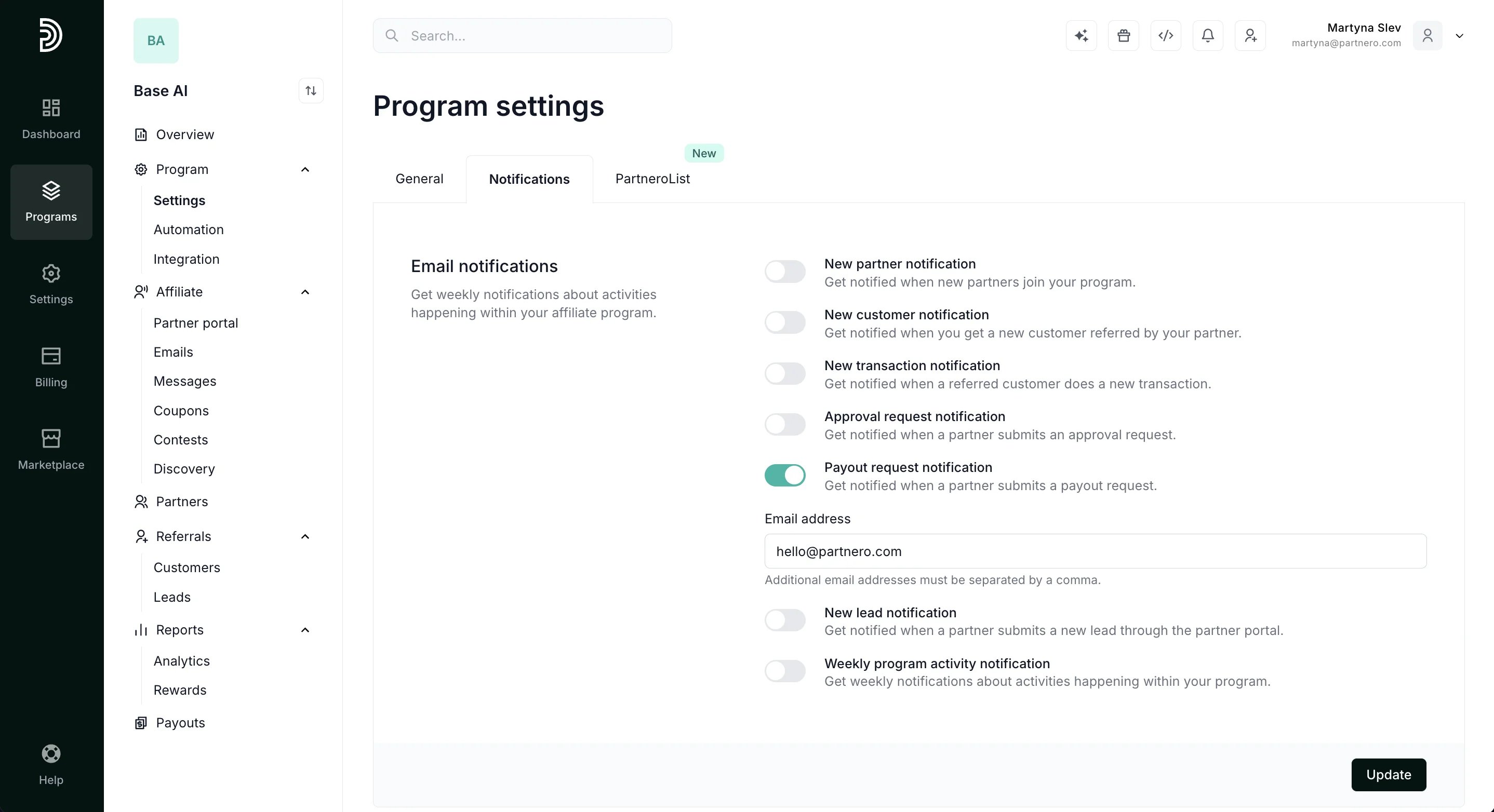 Here, you can enable email notifications for various events in your program. [Here's how](/knowledge-base/getting-started/program-email-notifications).
***
### Settings: PartneroList
Lastly, you can submit your program to PartneroList:
Here, you can enable email notifications for various events in your program. [Here's how](/knowledge-base/getting-started/program-email-notifications).
***
### Settings: PartneroList
Lastly, you can submit your program to PartneroList: 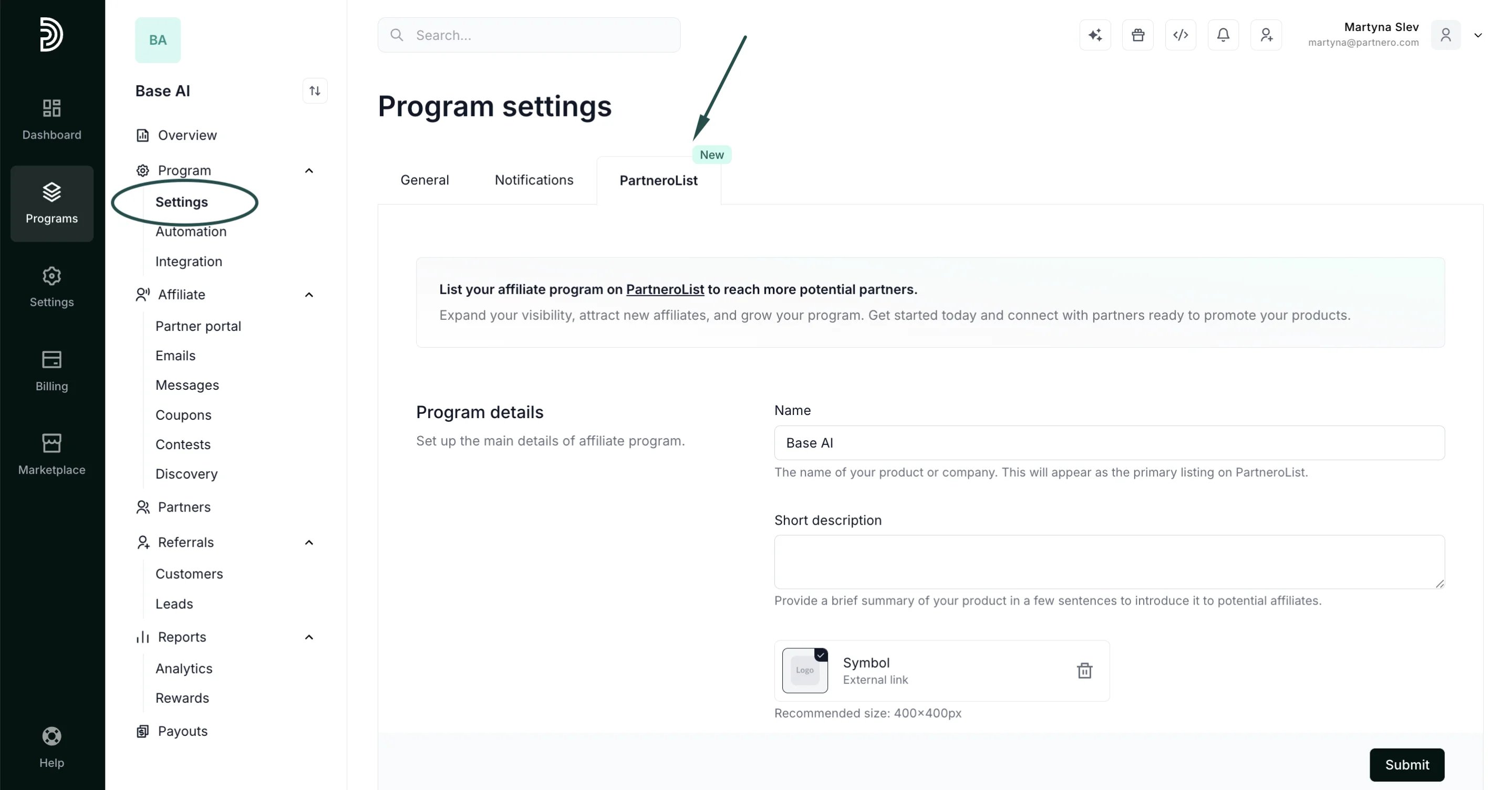 [Read more](/knowledge-base/program-management/submit-your-affiliate-program-to-partnerolist).
This documentation is built and hosted on [Mintlify](https://mintlify.com), a developer documentation platform.
[Read more](/knowledge-base/program-management/submit-your-affiliate-program-to-partnerolist).
This documentation is built and hosted on [Mintlify](https://mintlify.com), a developer documentation platform.