> ## Documentation Index
> Fetch the complete documentation index at: https://docs.partnero.com/llms.txt
> Use this file to discover all available pages before exploring further.
# Create an affiliate program
In this article, we'll show the first steps in creating an affiliate program.
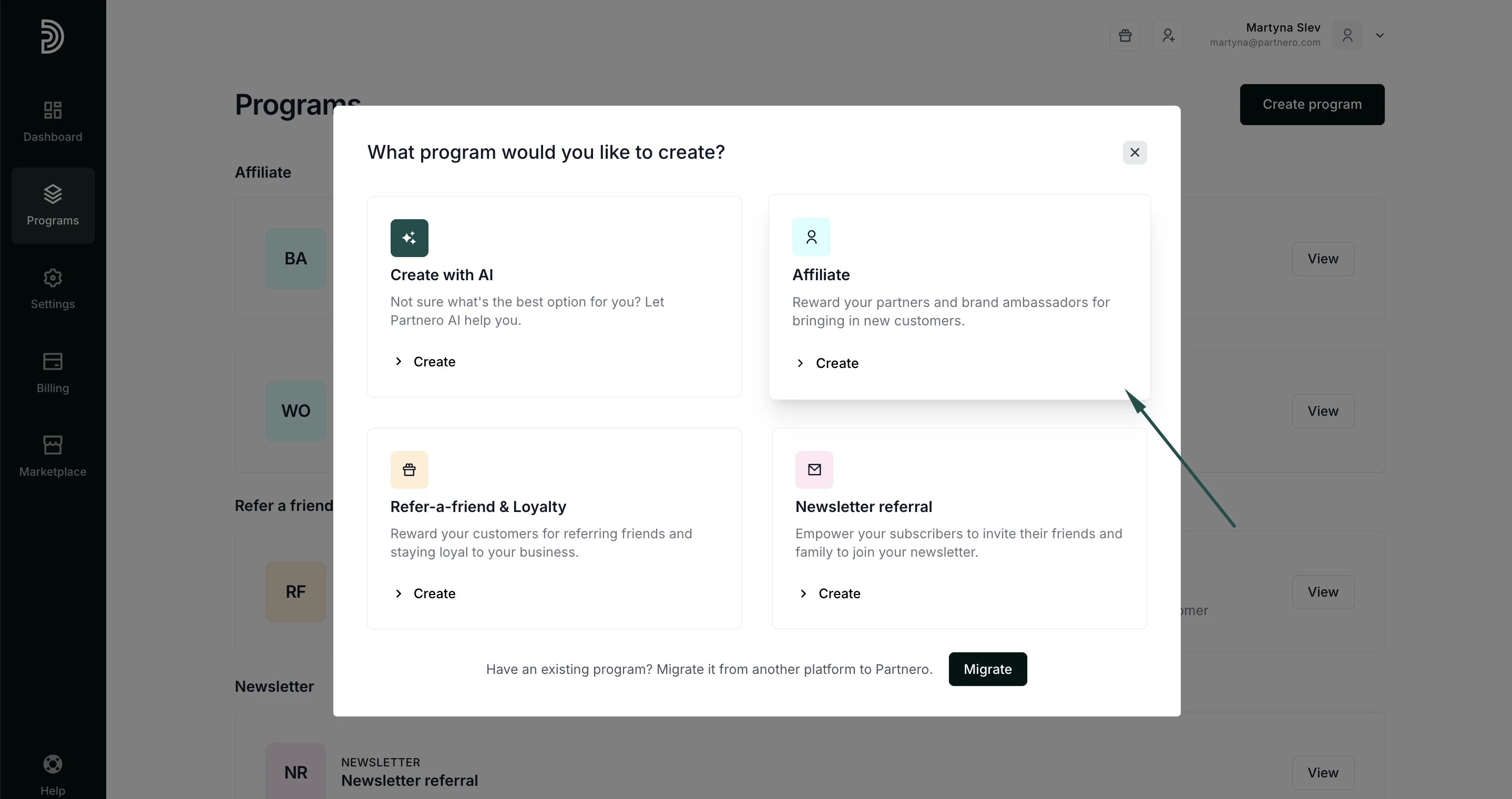
Navigate to the **Programs** page on the left-hand side menu and click **Create program**: 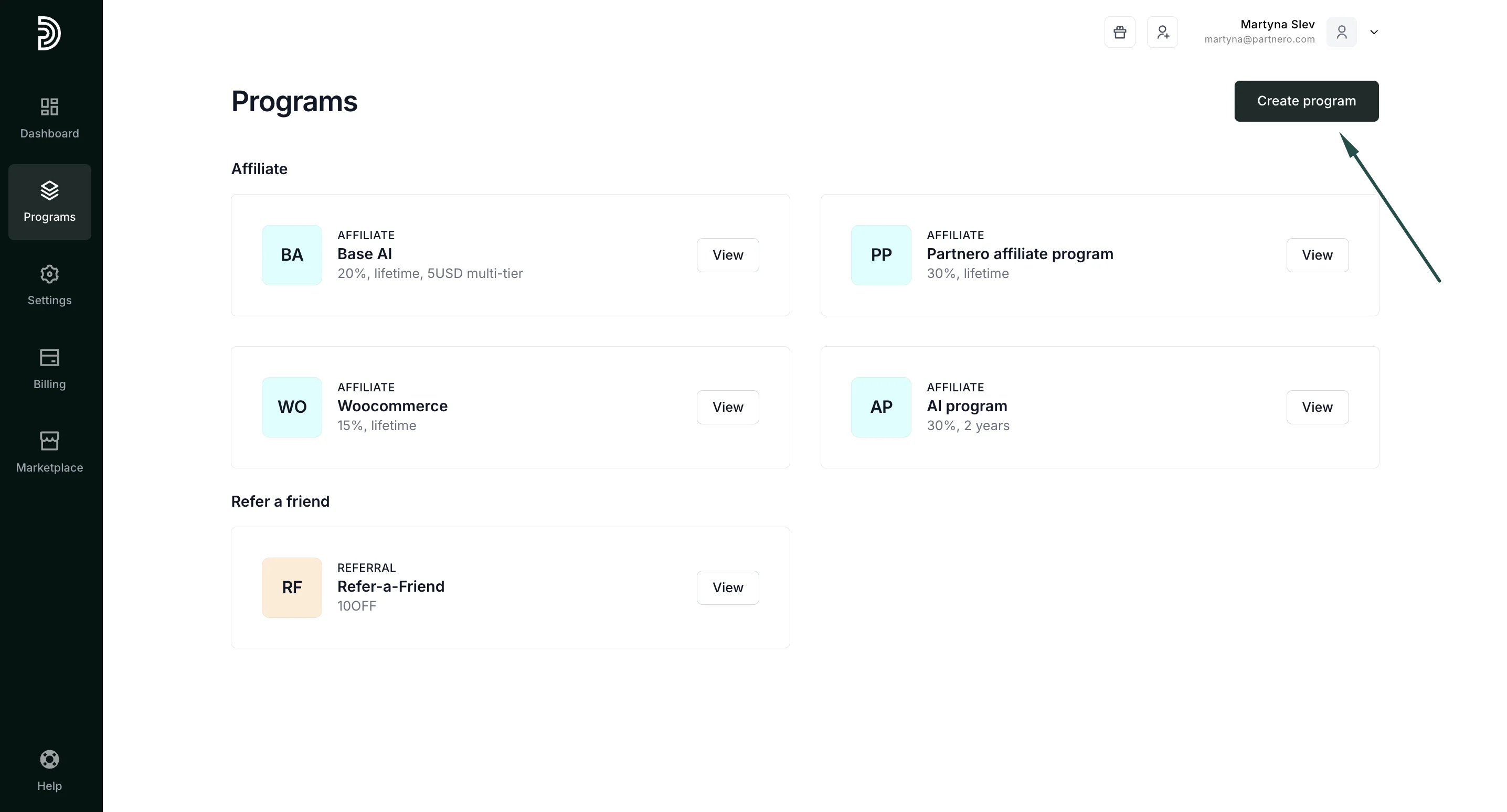 Select **Affiliate** as the program type:
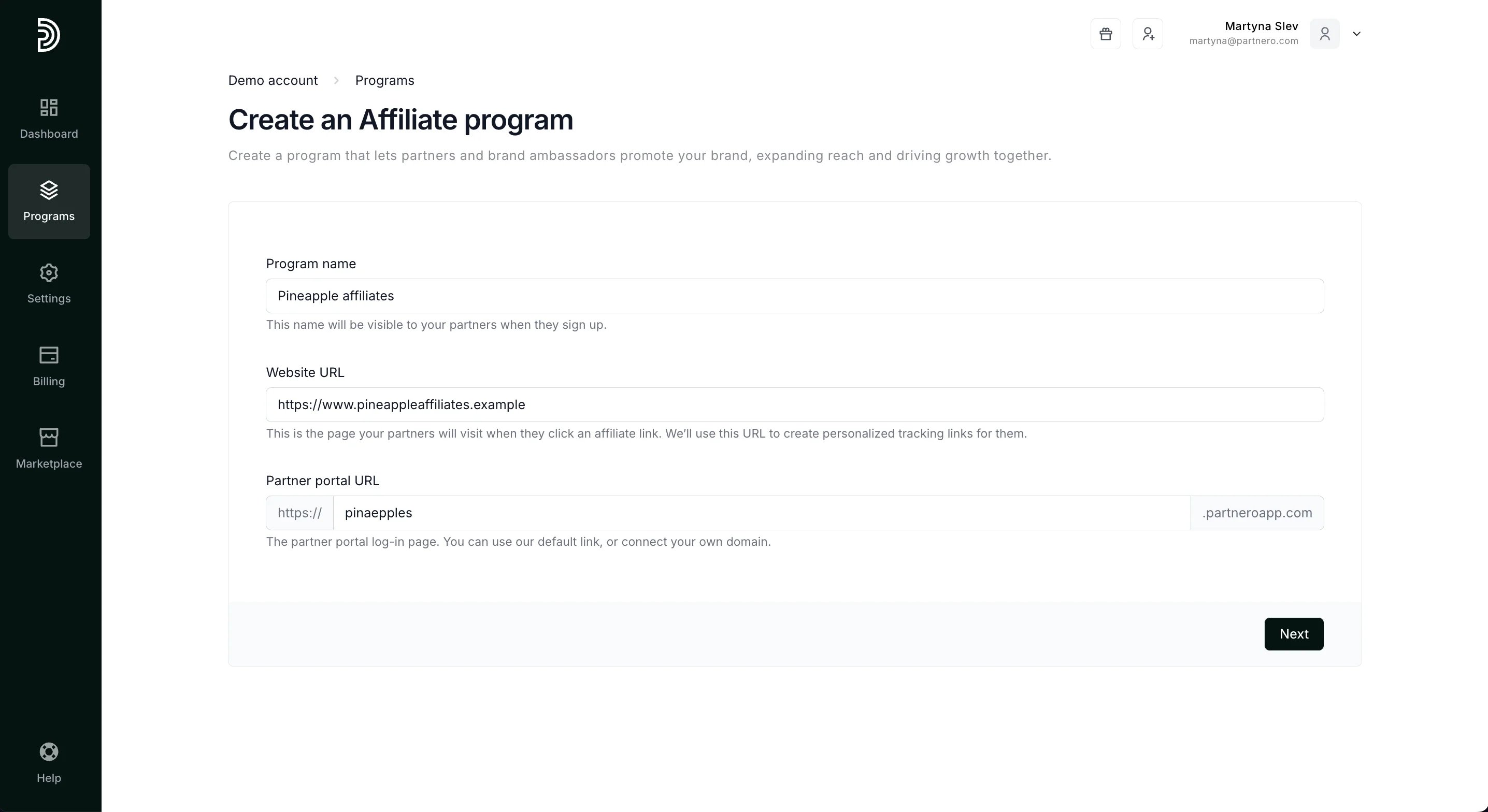
  Enter the program name, your website, and the partner portal links, and click **Next**:
  Next, define how your partners will be rewarded. You can choose from pre-set options, or enter a custom solution:
 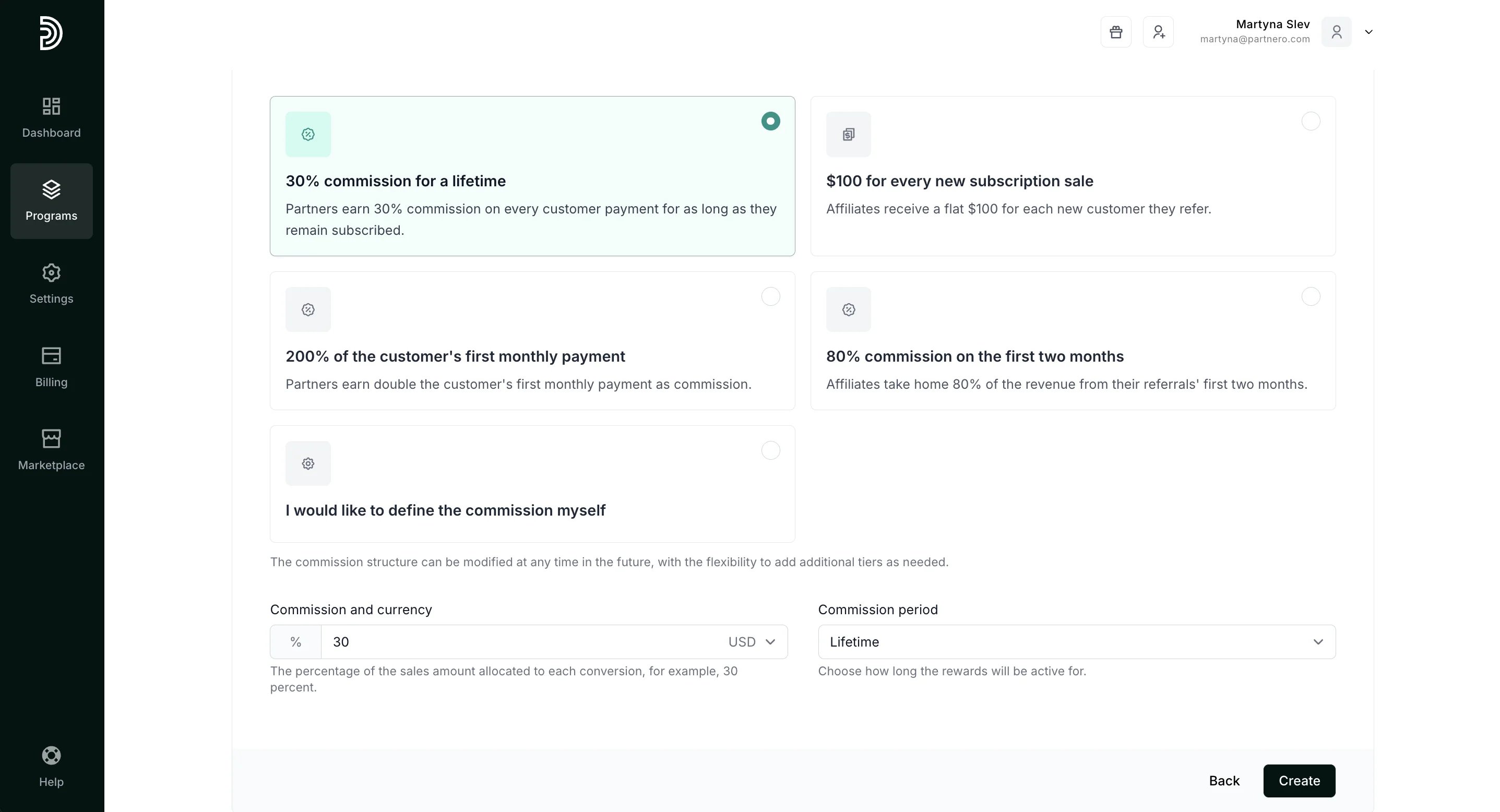 Click **Create**.
> Don’t worry; you can edit all of these details later.
You'll then be prompted to customize branding or proceed with the integration steps. You can follow the integration wizard or customize the program at your own pace.
Click **Create**.
> Don’t worry; you can edit all of these details later.
You'll then be prompted to customize branding or proceed with the integration steps. You can follow the integration wizard or customize the program at your own pace.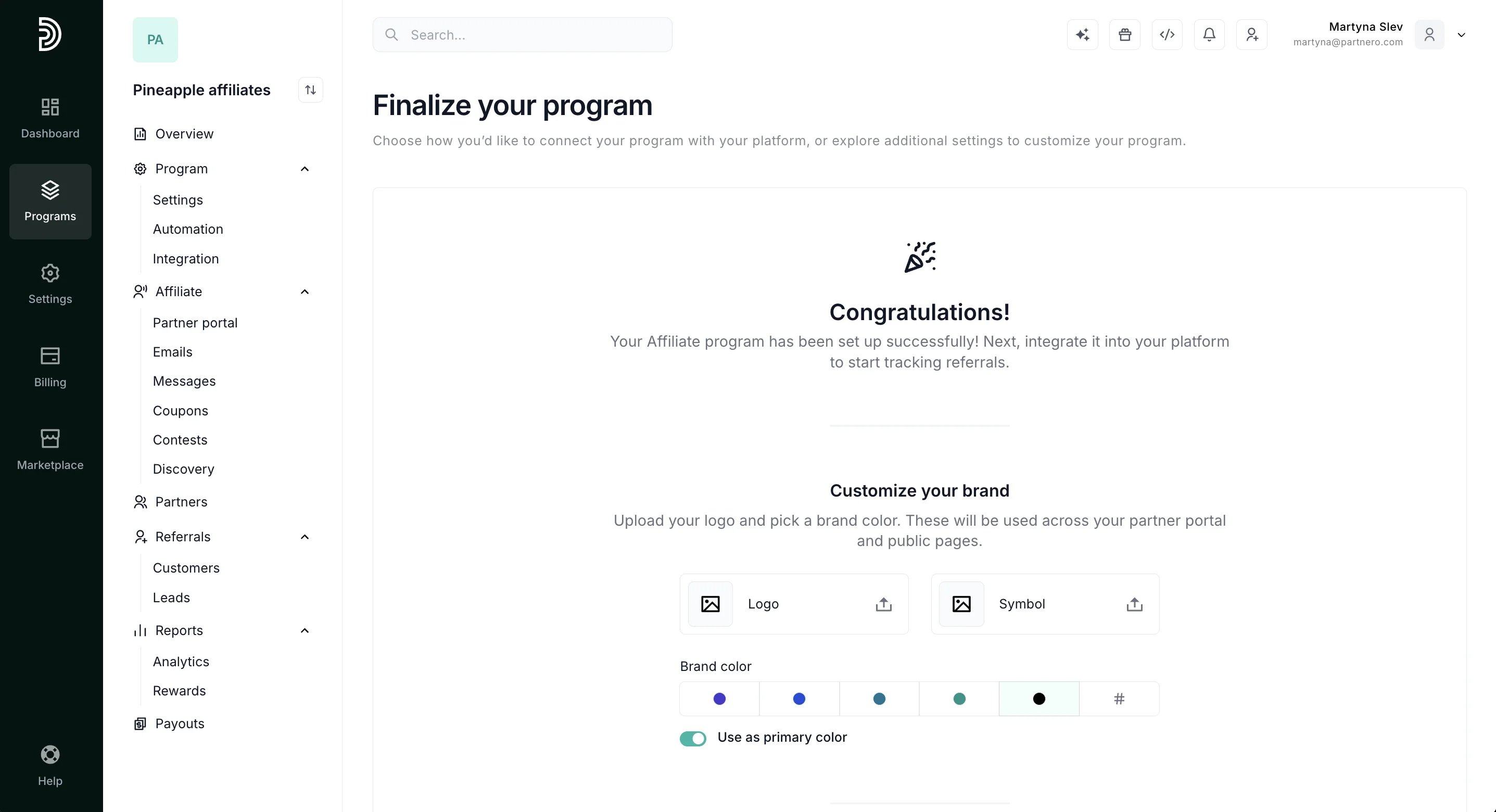 ***
### Program: Overview
The **Program Overview** page displays the steps required to finalize your program setup:
***
### Program: Overview
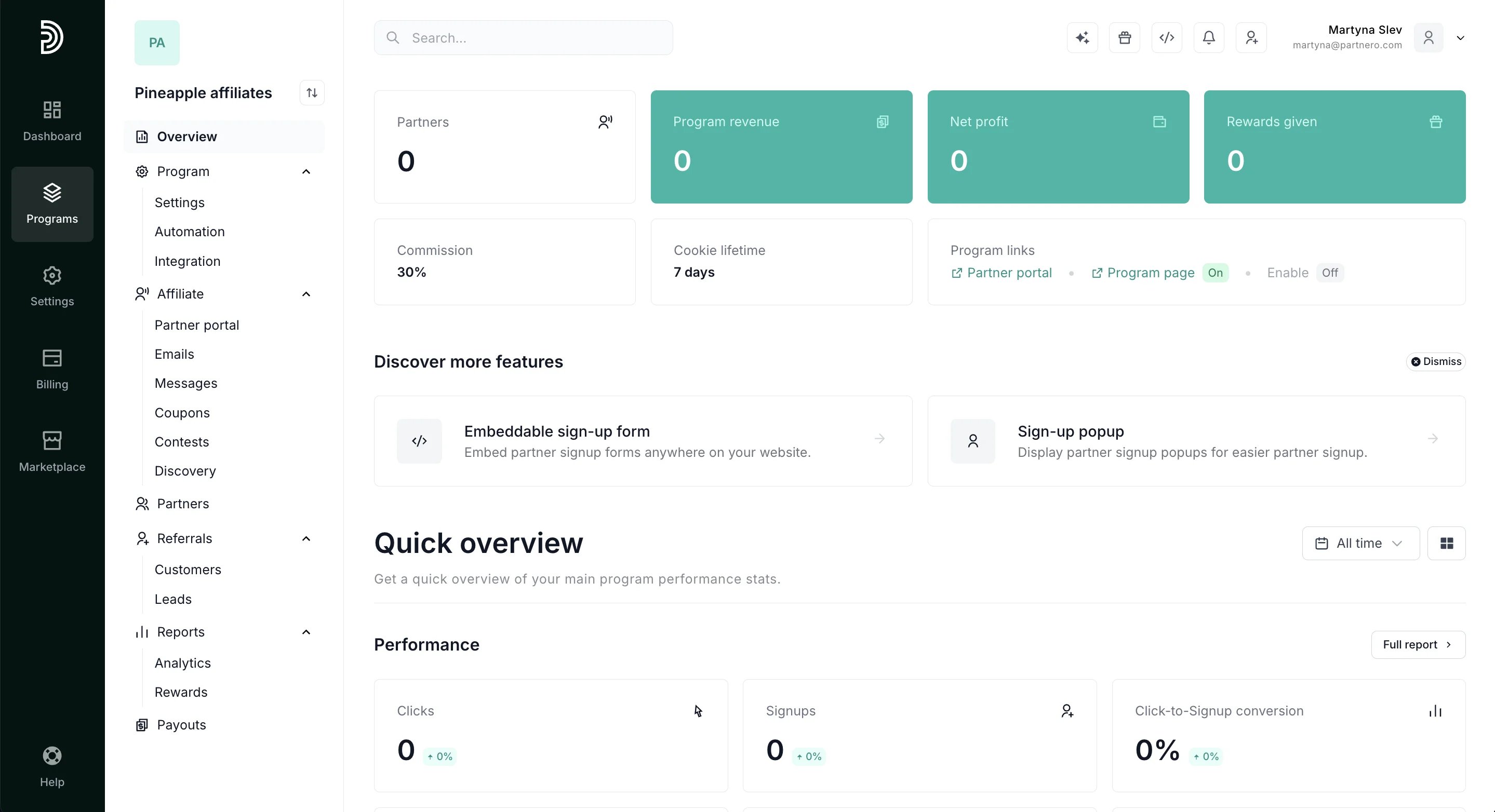
The **Program Overview** page displays the steps required to finalize your program setup: 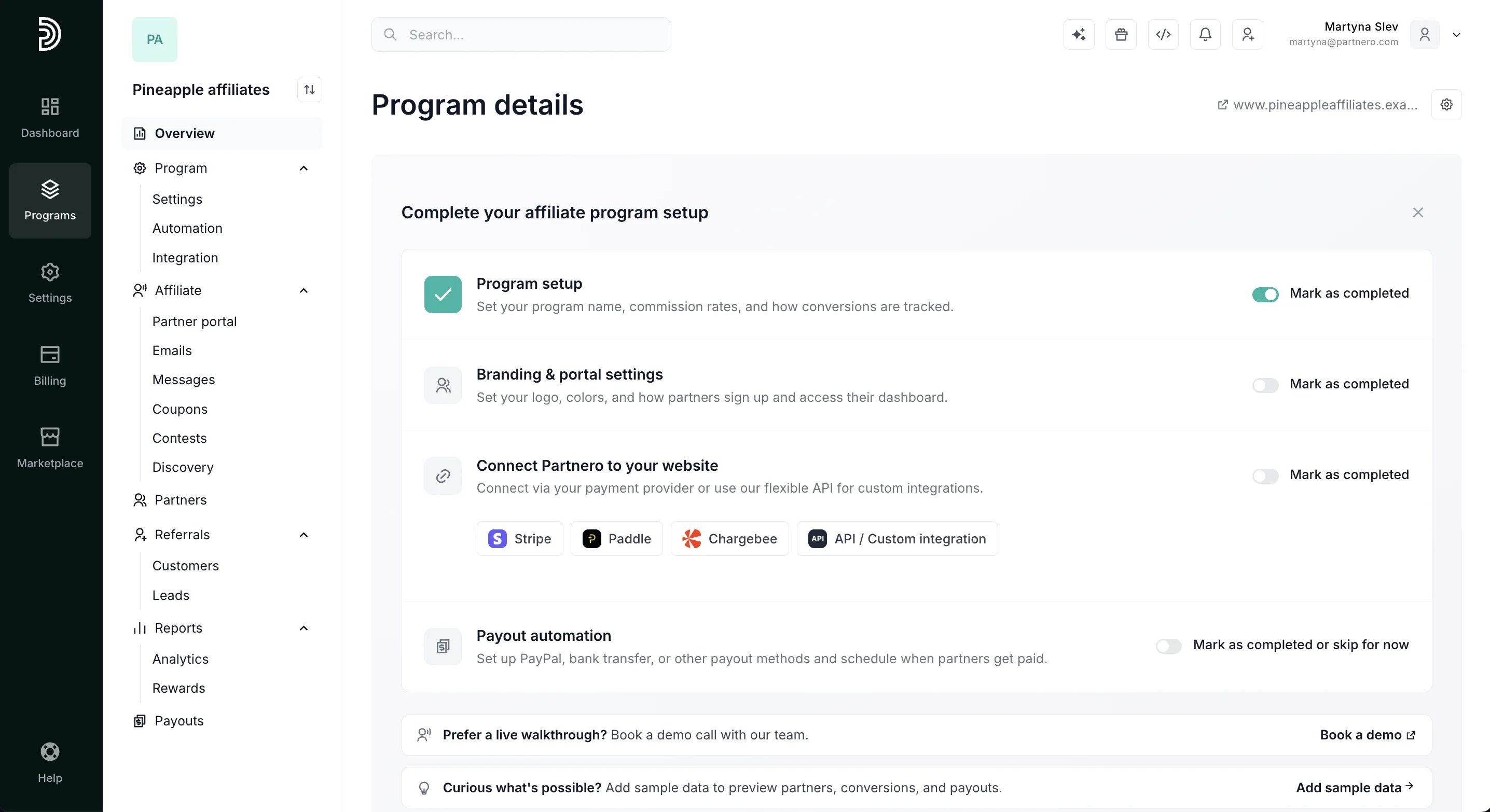 Below the setup wizard, you'll find your Program overview.
  **NEXT STEP**: [Customize your program settings →](/knowledge-base/program-management/affiliate-program-settings)
This documentation is built and hosted on [Mintlify](https://mintlify.com), a developer documentation platform.
**NEXT STEP**: [Customize your program settings →](/knowledge-base/program-management/affiliate-program-settings)
This documentation is built and hosted on [Mintlify](https://mintlify.com), a developer documentation platform.