> ## Documentation Index
> Fetch the complete documentation index at: https://docs.partnero.com/llms.txt
> Use this file to discover all available pages before exploring further.
# Duplicate a program
You can quickly create a copy of an existing program to use as a starting point for a new one. Duplicating a program saves time by carrying over settings, commission structures, content, and configurations so you don’t have to rebuild everything from scratch. This is useful when launching similar programs, testing variations, or creating seasonal campaigns.
To duplicate a program:
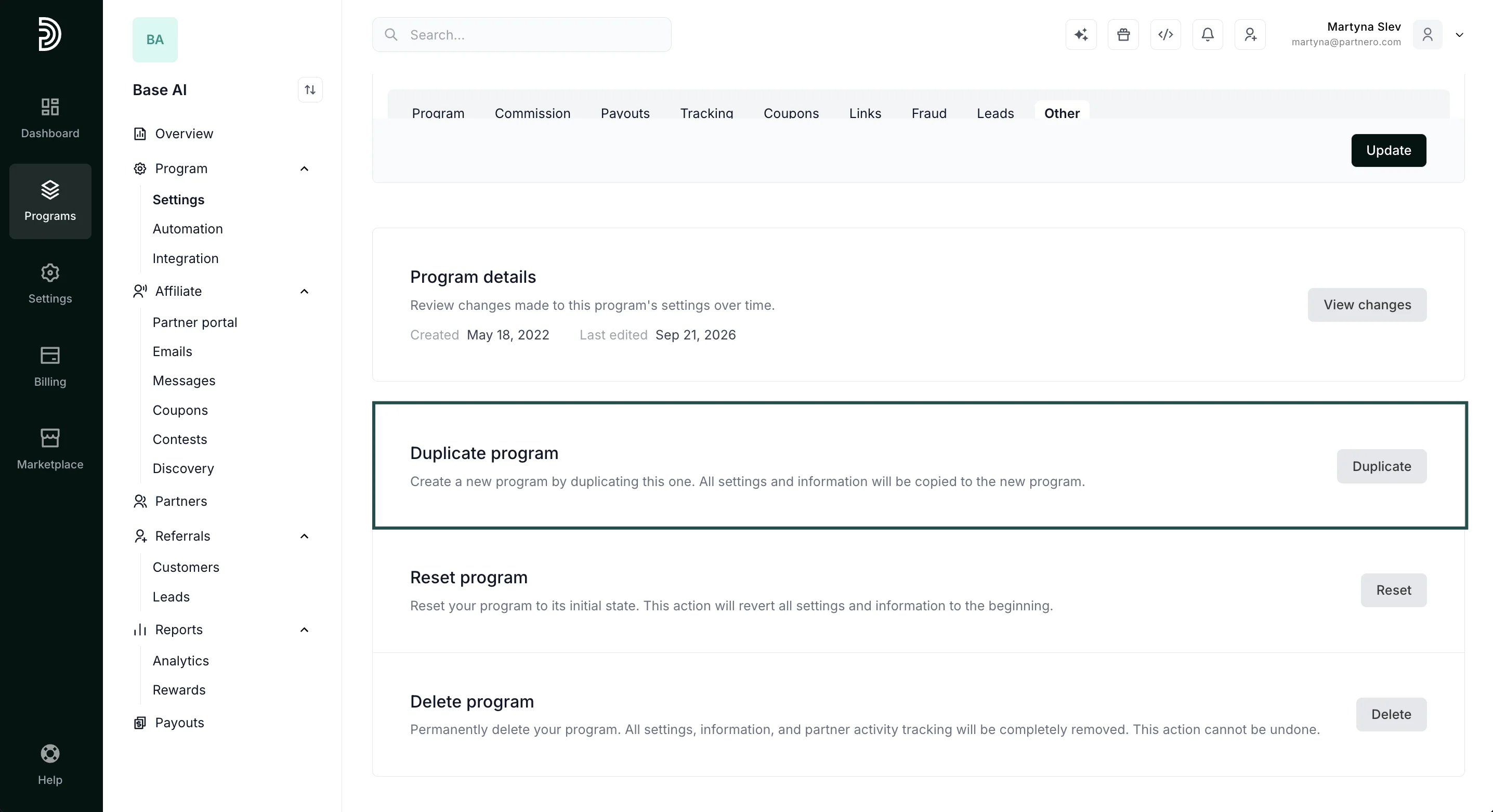
1. Open the program you'd like to duplicate and go to **Settings** under **Program**. 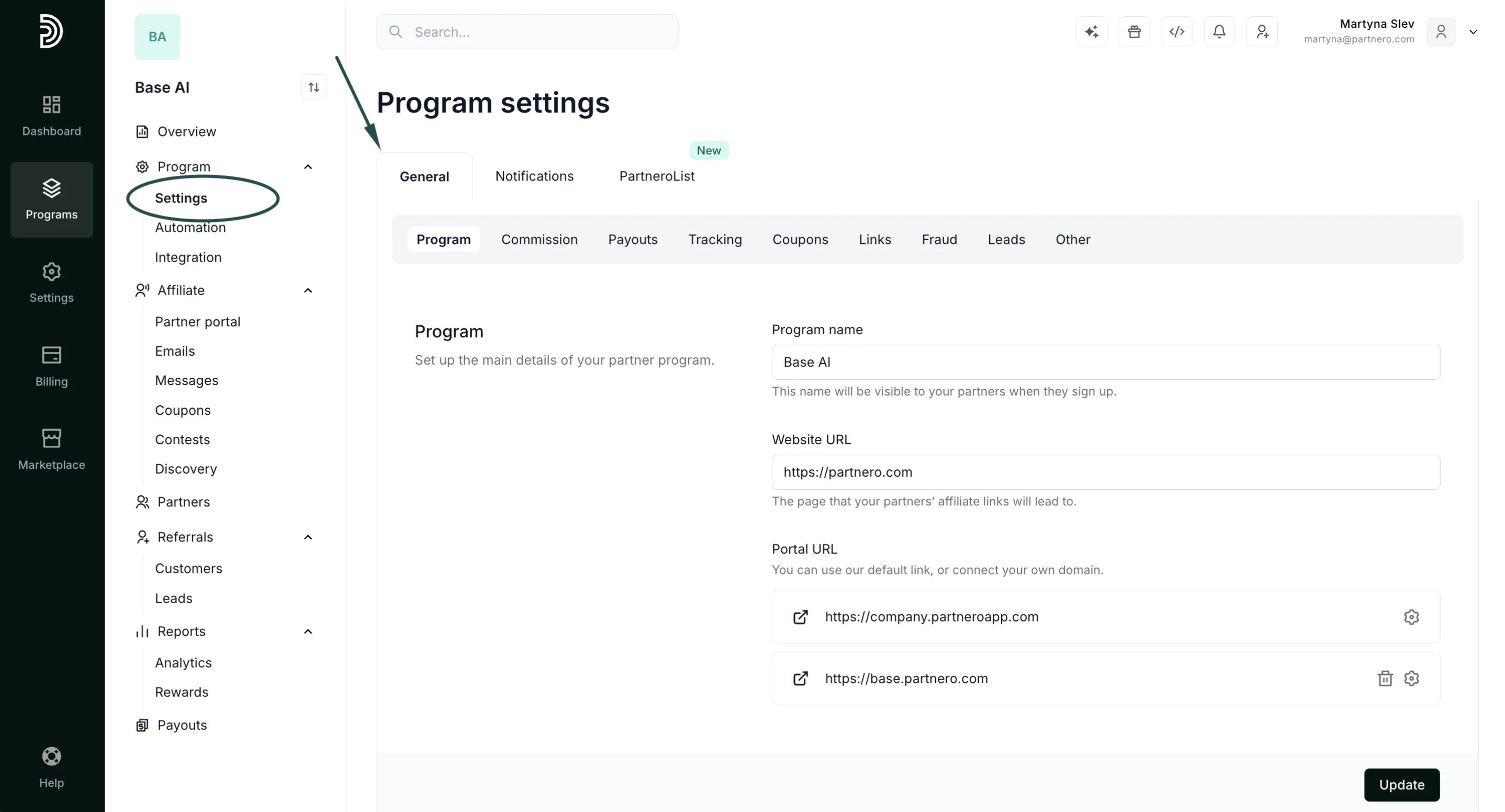 2. Scroll down to the Duplicate program section and click **Duplicate**:
  ***
This will duplicate:
* Program settings
* Partner portal settings.
* Translations
* Branding
* Emails
Partners, customers, transactions, and custom domains will **not** be duplicated
This documentation is built and hosted on [Mintlify](https://mintlify.com), a developer documentation platform.
***
This will duplicate:
* Program settings
* Partner portal settings.
* Translations
* Branding
* Emails
Partners, customers, transactions, and custom domains will **not** be duplicated
This documentation is built and hosted on [Mintlify](https://mintlify.com), a developer documentation platform.