> ## Documentation Index
> Fetch the complete documentation index at: https://docs.partnero.com/llms.txt
> Use this file to discover all available pages before exploring further.
# How to delete a program
To delete a program:
1. In your program, navigate to **Settings → General** tab: 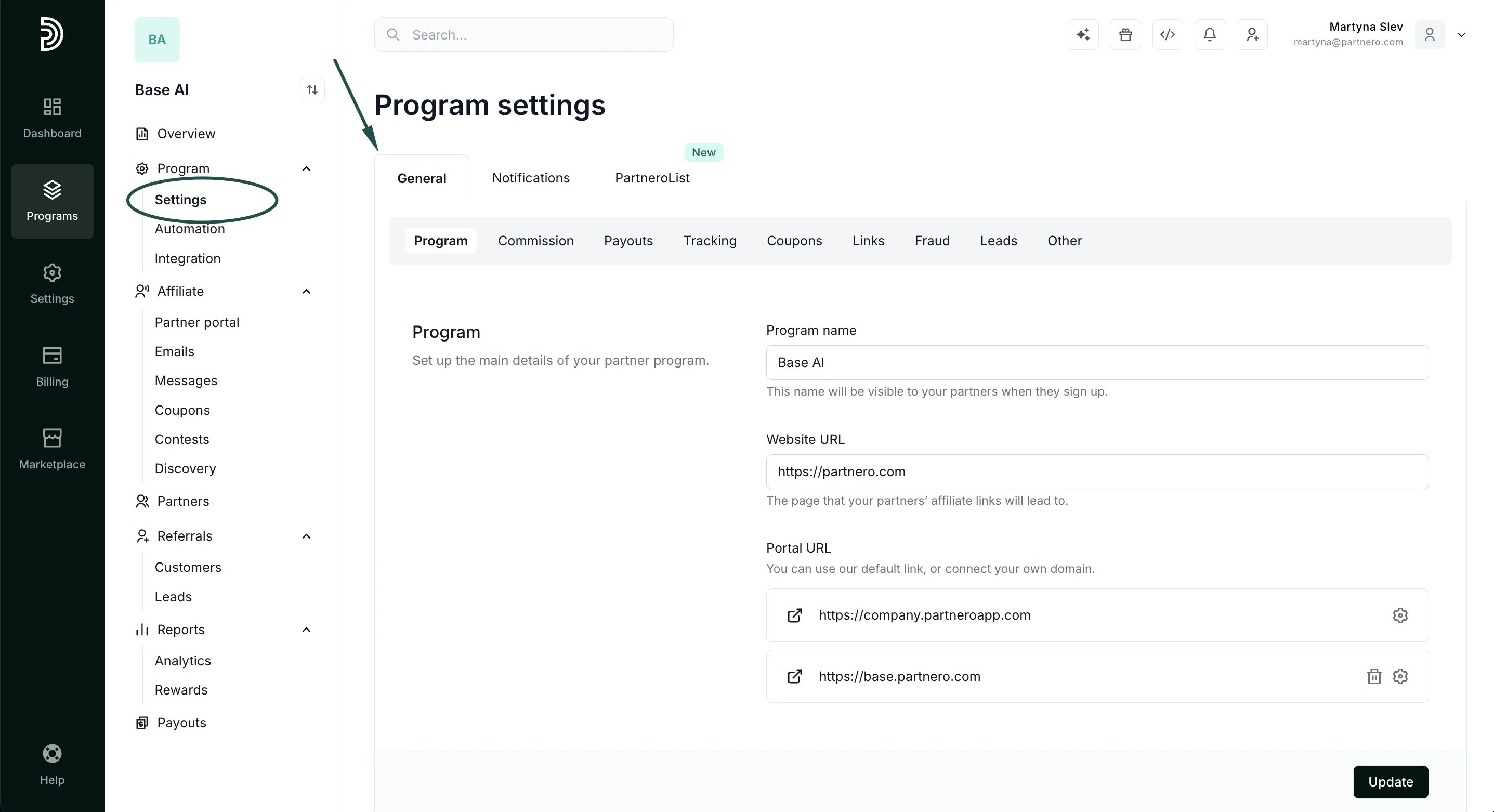 2. Scroll down to **Delete program** and click **Delete**:
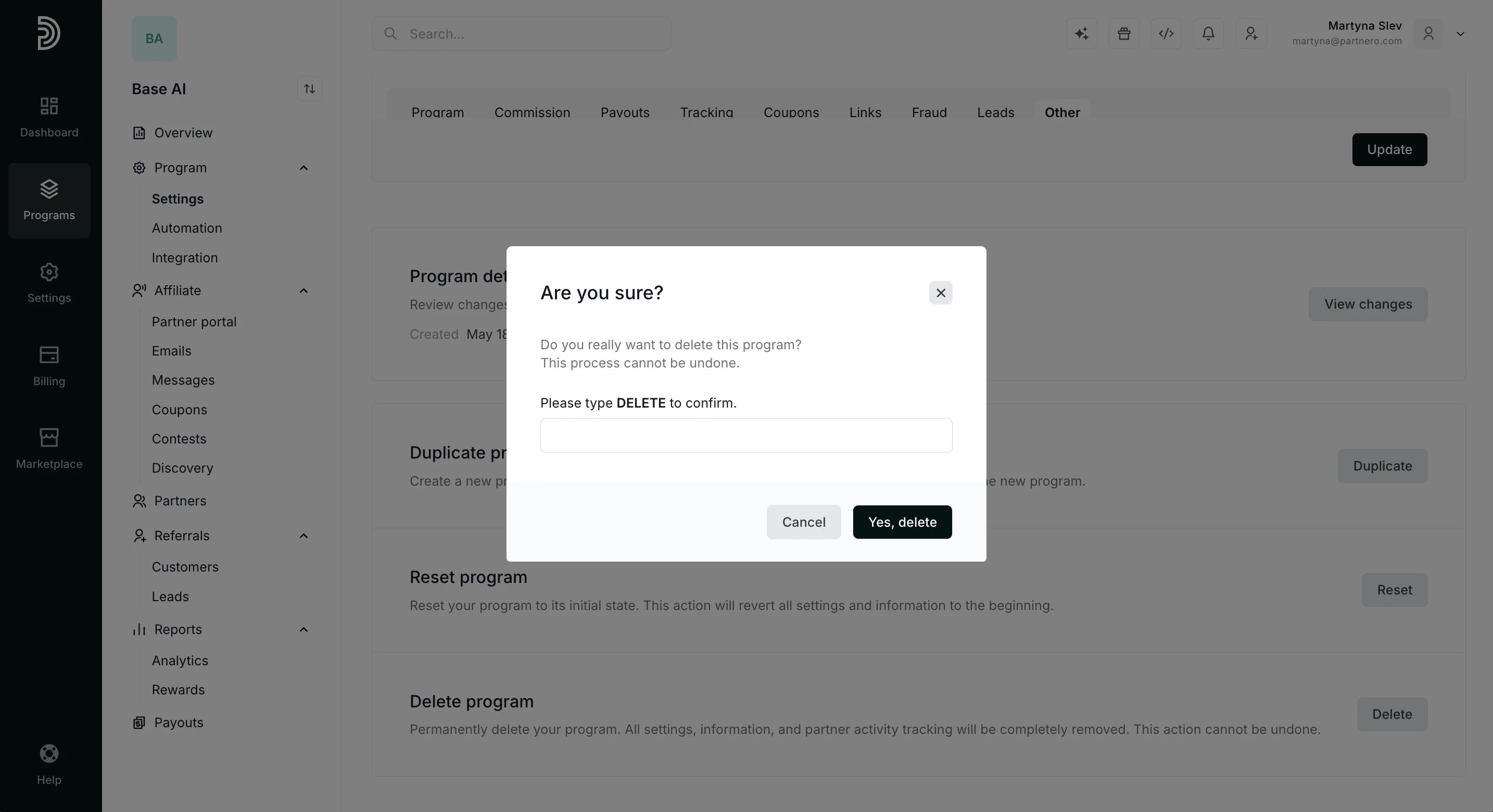
 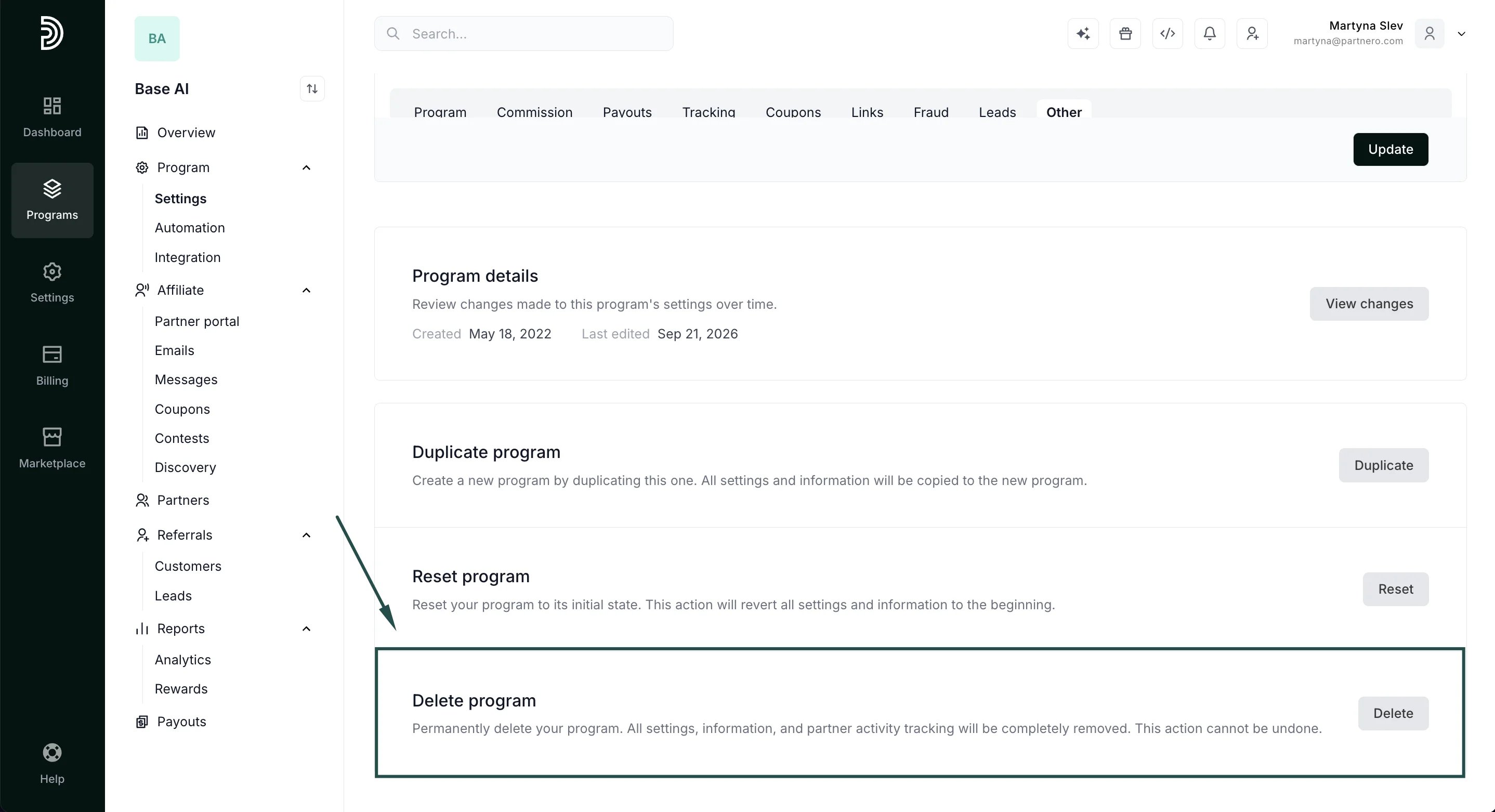 3. A confirmation window will appear; type DELETE. This additional step ensures a program isn’t deleted by accident, since it cannot be undone. Click **Yes, Delete**.
  This documentation is built and hosted on [Mintlify](https://mintlify.com), a developer documentation platform.