> ## Documentation Index
> Fetch the complete documentation index at: https://docs.partnero.com/llms.txt
> Use this file to discover all available pages before exploring further.
# How to find my API key
API (application programming interface) is code that sends information back and forth between two places. For example, you would use an API to automatically send partners from your Partnero account to your email service provider.
> ⚠️ You will need to create a new unique API key for every tool you'll want to integrate with.
#####
***
#### To find your Partnero account API key (Generate API token):
1. Log in to [Partnero](https://app.partnero.com/login).
2. Open the program you'd like to work with.
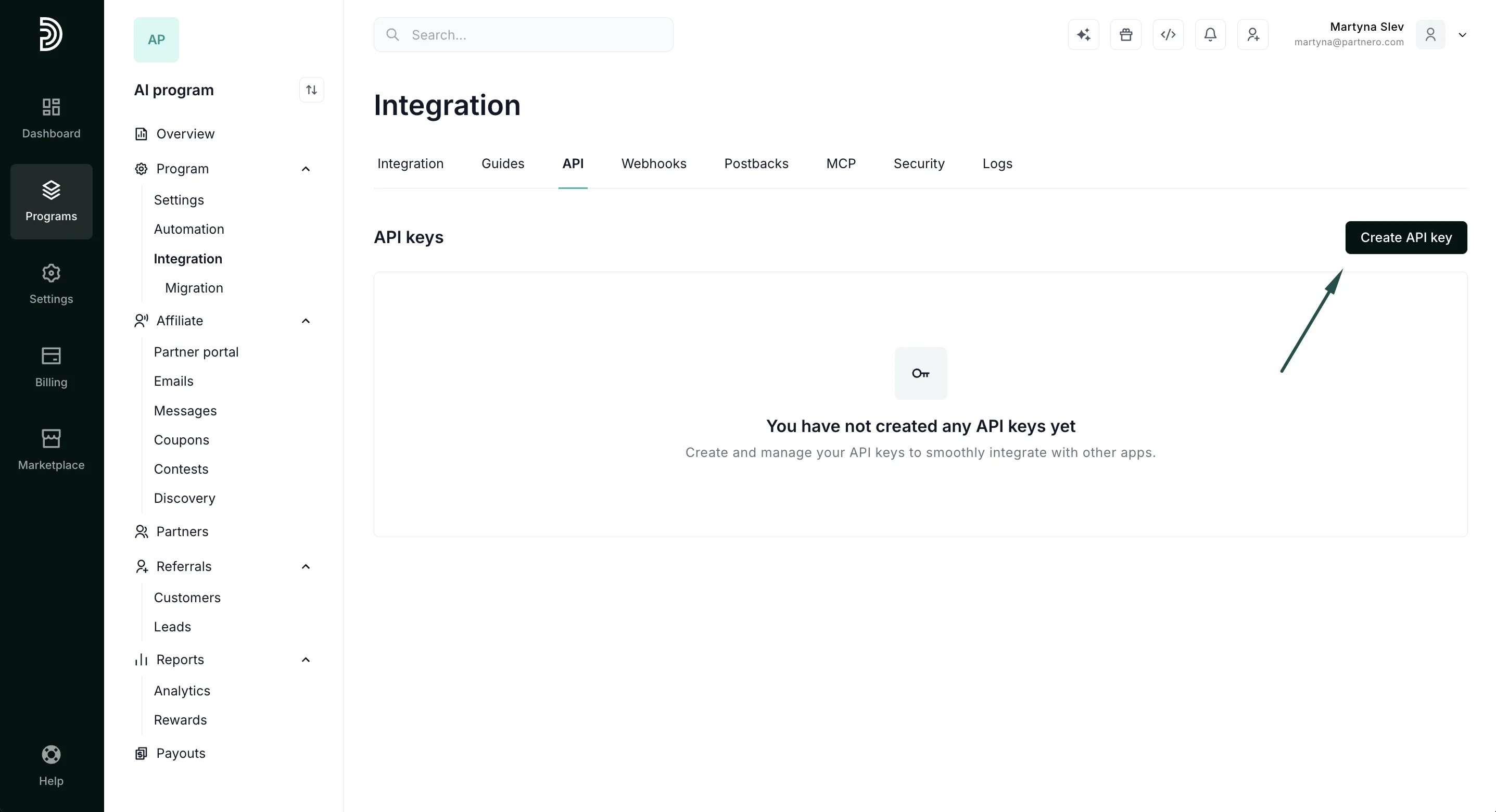
3. Navigate to **Integration** under **Programs** section and switch to the **API** tab: 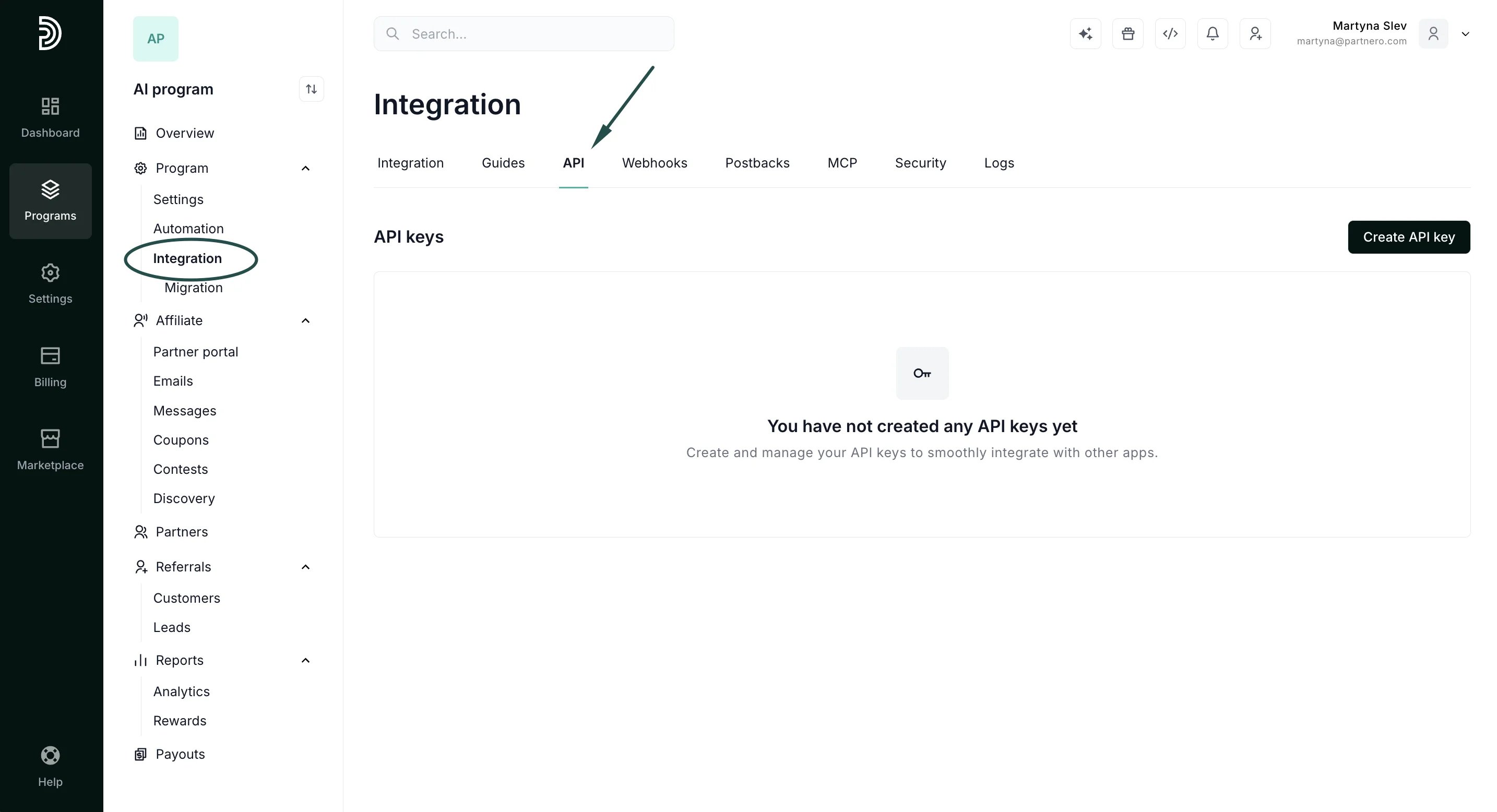 4. To generate a new key, click **Create API key**:
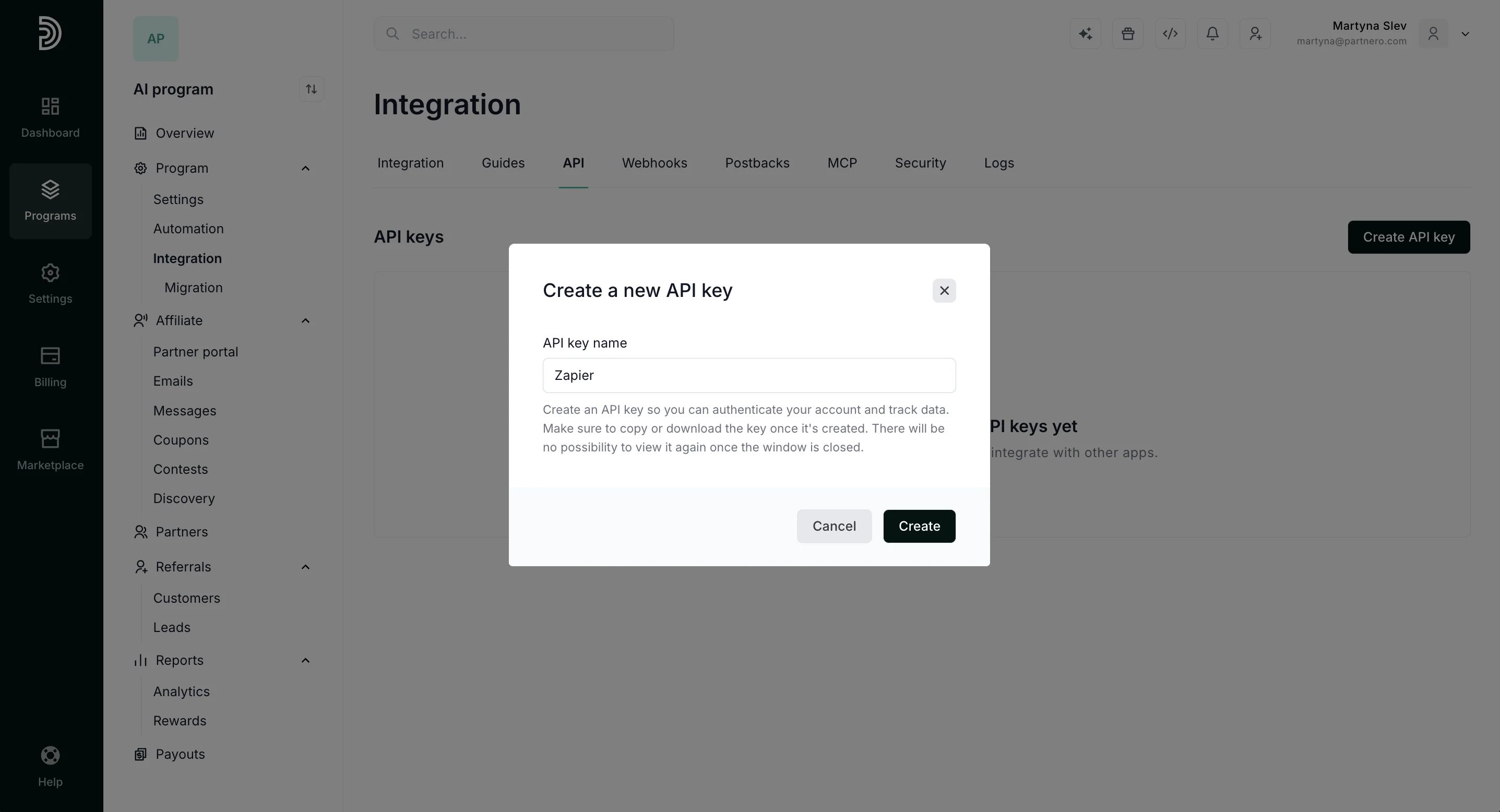
  5. Name your key so you can easily identify it (for example: Zapier) and click **Create**:
  6. Copy or download your API key to save it.
 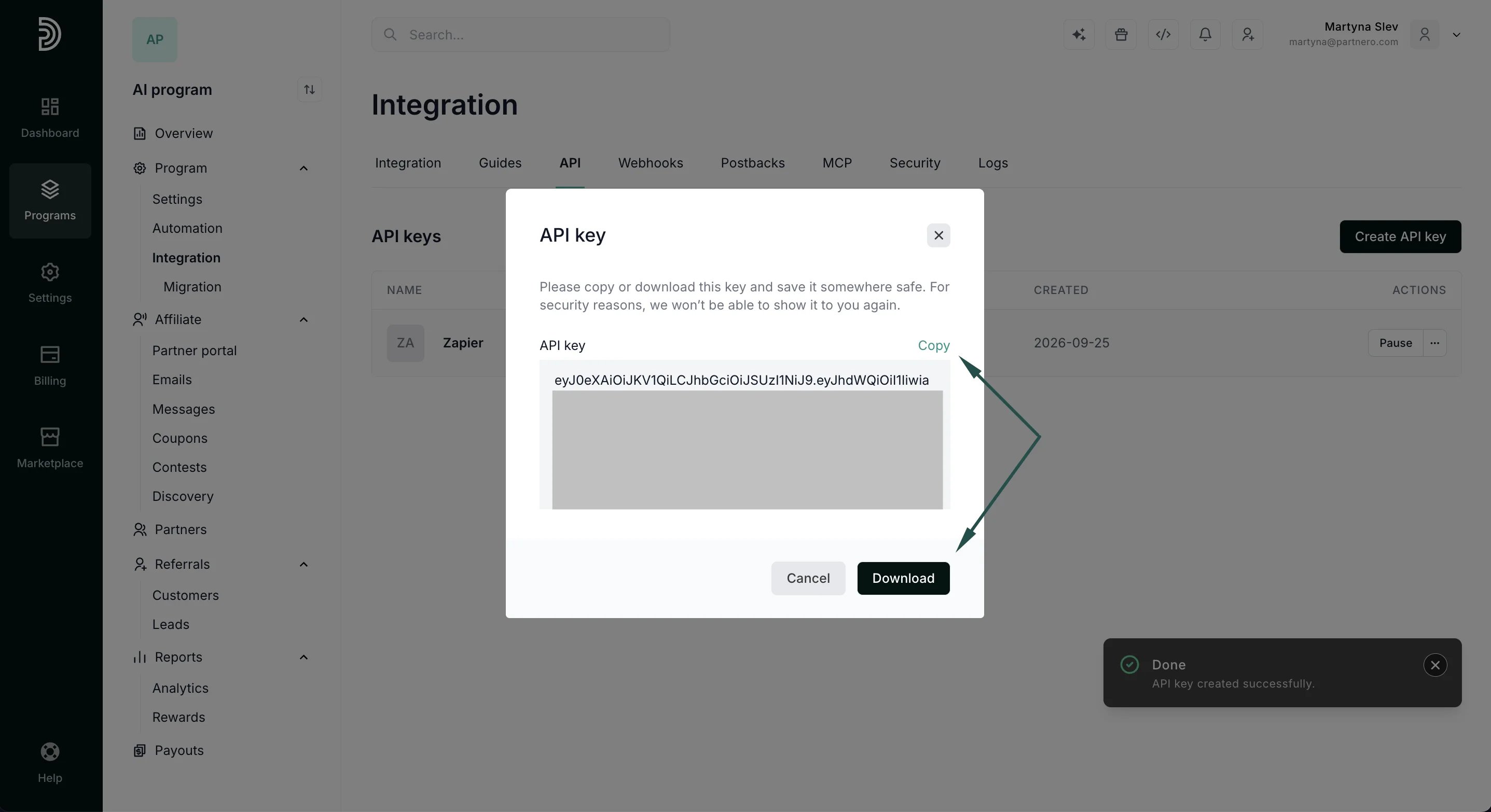 > ⚠️ **Important**: For security reasons an API key will only be shown once, when it's created. Make sure to download a copy before you close out the API modal if you'll need to access it in the future.
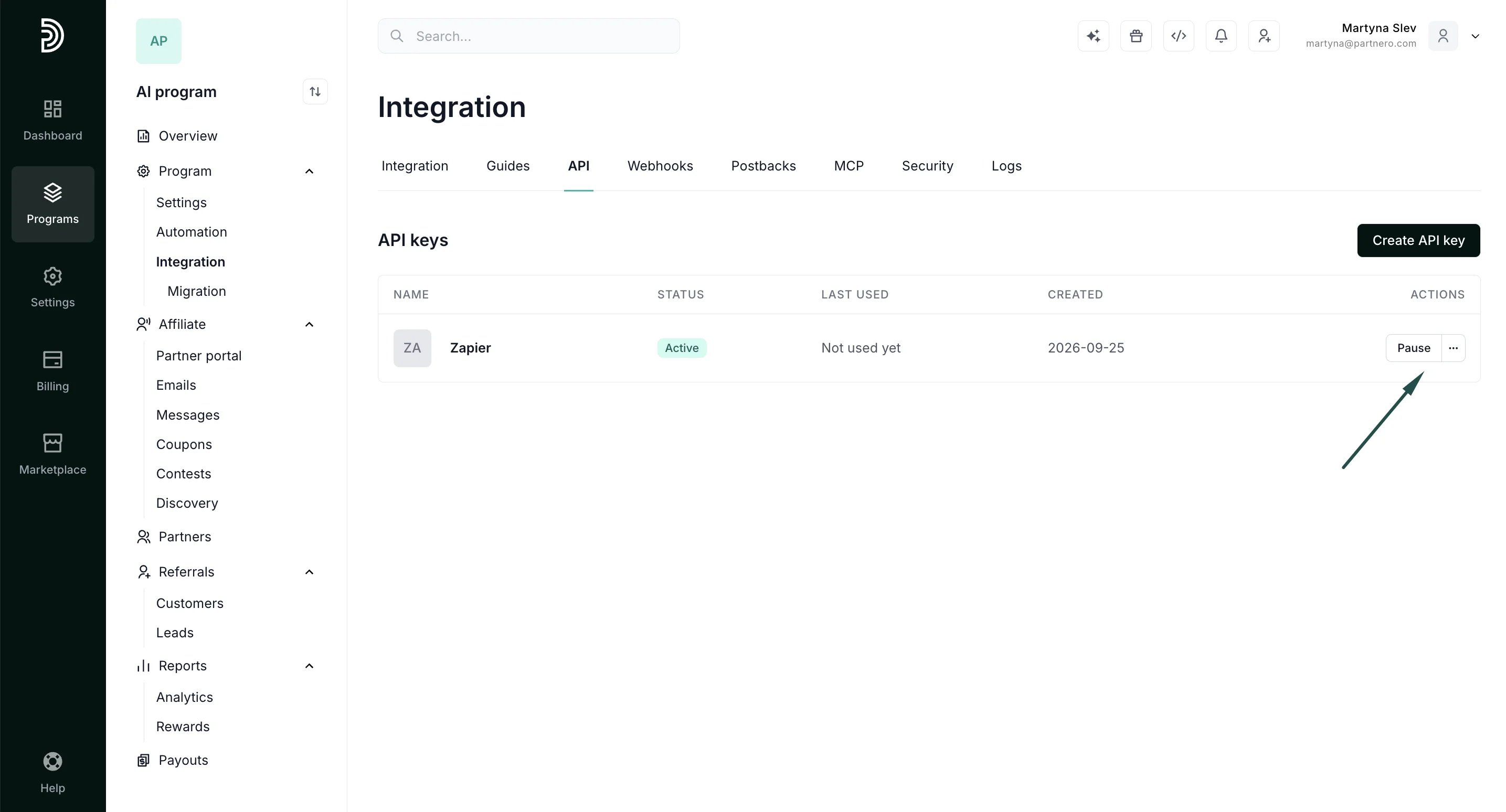
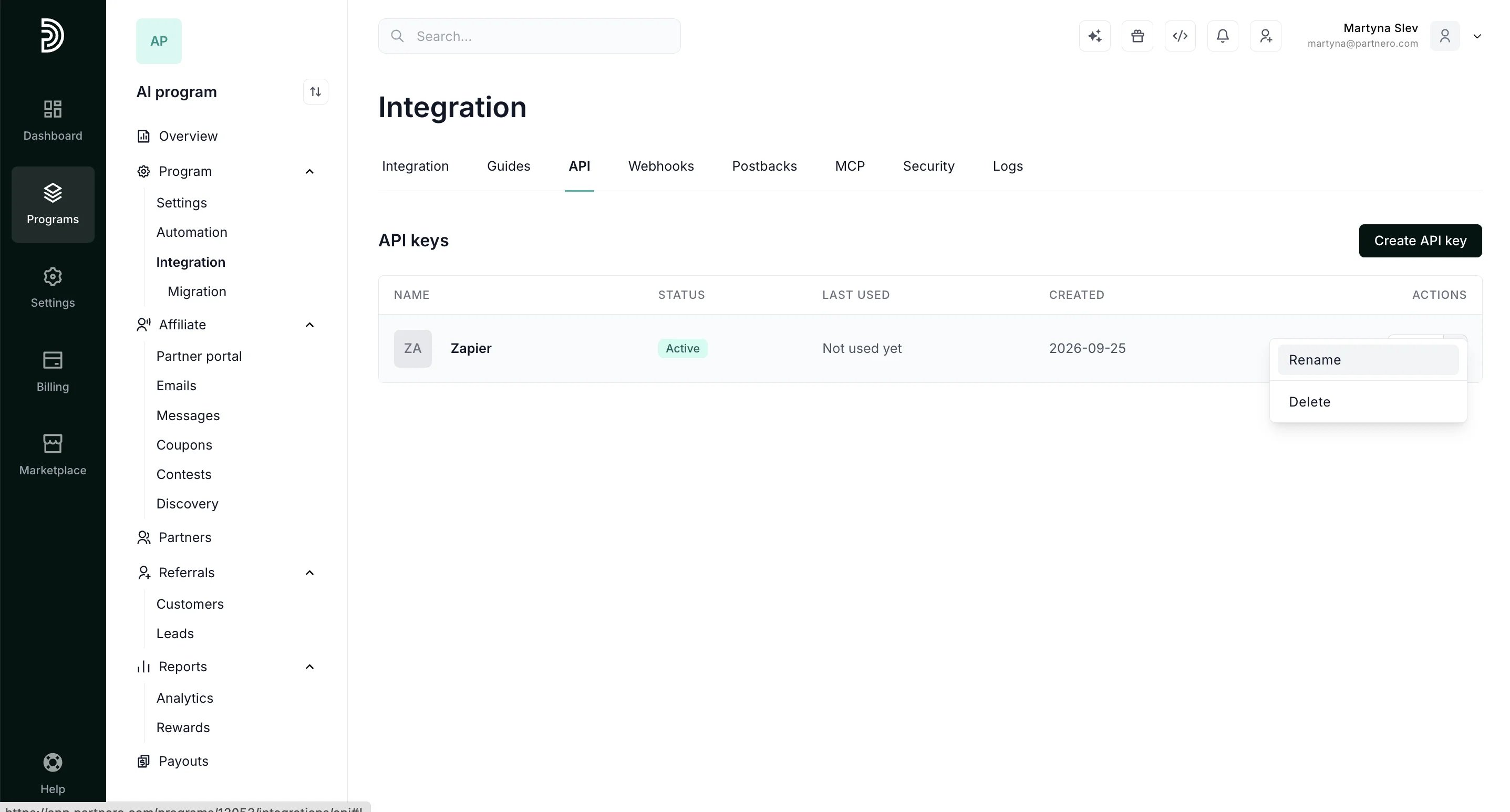
If at any point you need to pause, rename, or delete an API key, you can do so by using the options on the right-hand side:
> ⚠️ **Important**: For security reasons an API key will only be shown once, when it's created. Make sure to download a copy before you close out the API modal if you'll need to access it in the future.
If at any point you need to pause, rename, or delete an API key, you can do so by using the options on the right-hand side:
 This documentation is built and hosted on [Mintlify](https://mintlify.com), a developer documentation platform.