> ## Documentation Index
> Fetch the complete documentation index at: https://docs.partnero.com/llms.txt
> Use this file to discover all available pages before exploring further.
# In-app test data seeder
The in-app test data seeder lets you generate realistic sample data within your program to review and test your setup before going live.
When enabled, the seeder creates demo data such as:
* Partners
* Customers
* Transactions
This allows you to verify tracking, commission logic, and dashboard behavior, or demonstrate how the program works to internal stakeholders.
All test data can be easily removed once do
***
### Generate test data
To generate test data:
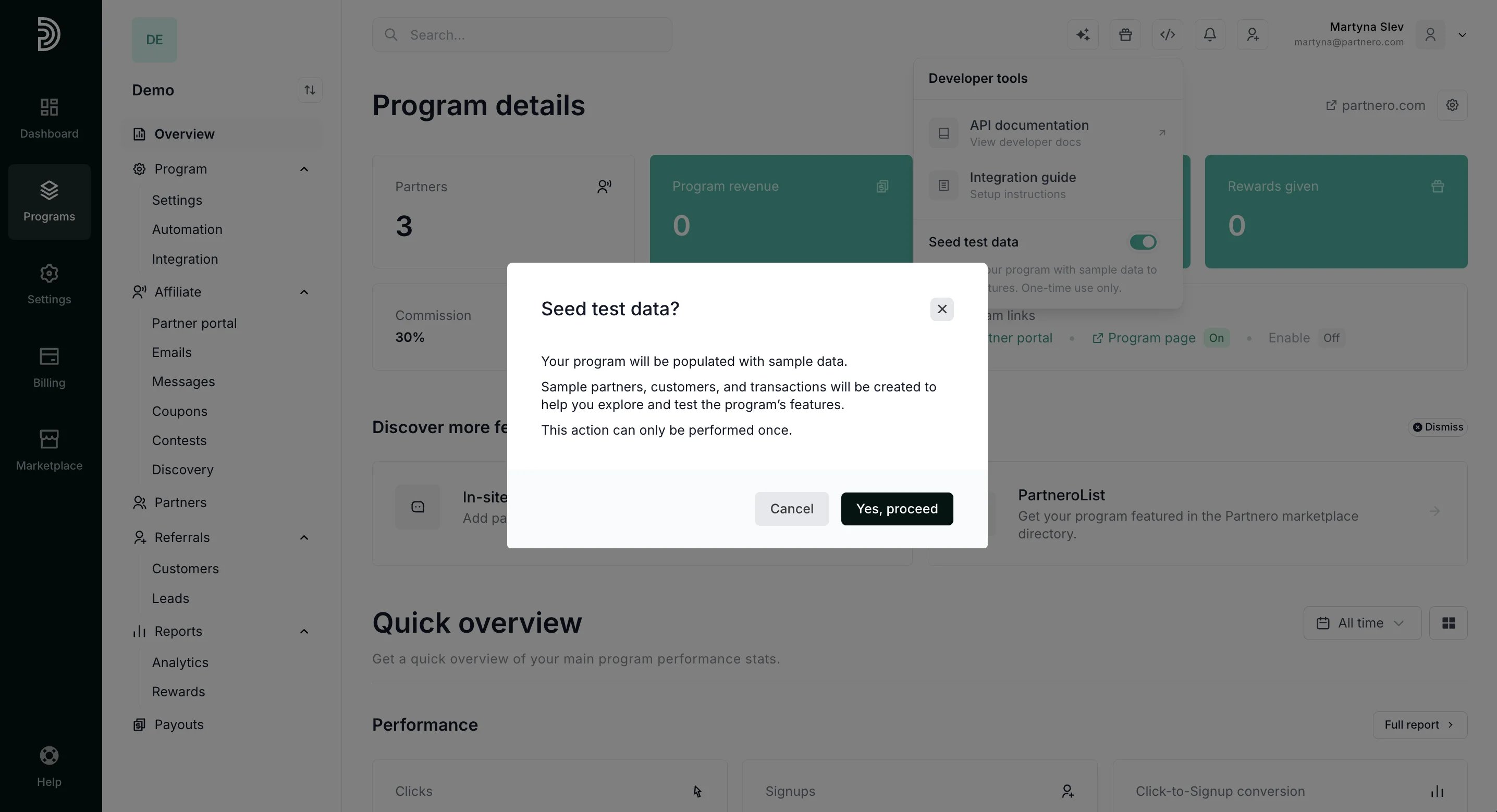
1. Click the **Developer tools** icon in the top-right corner of the app and toggle **Seed test data**: 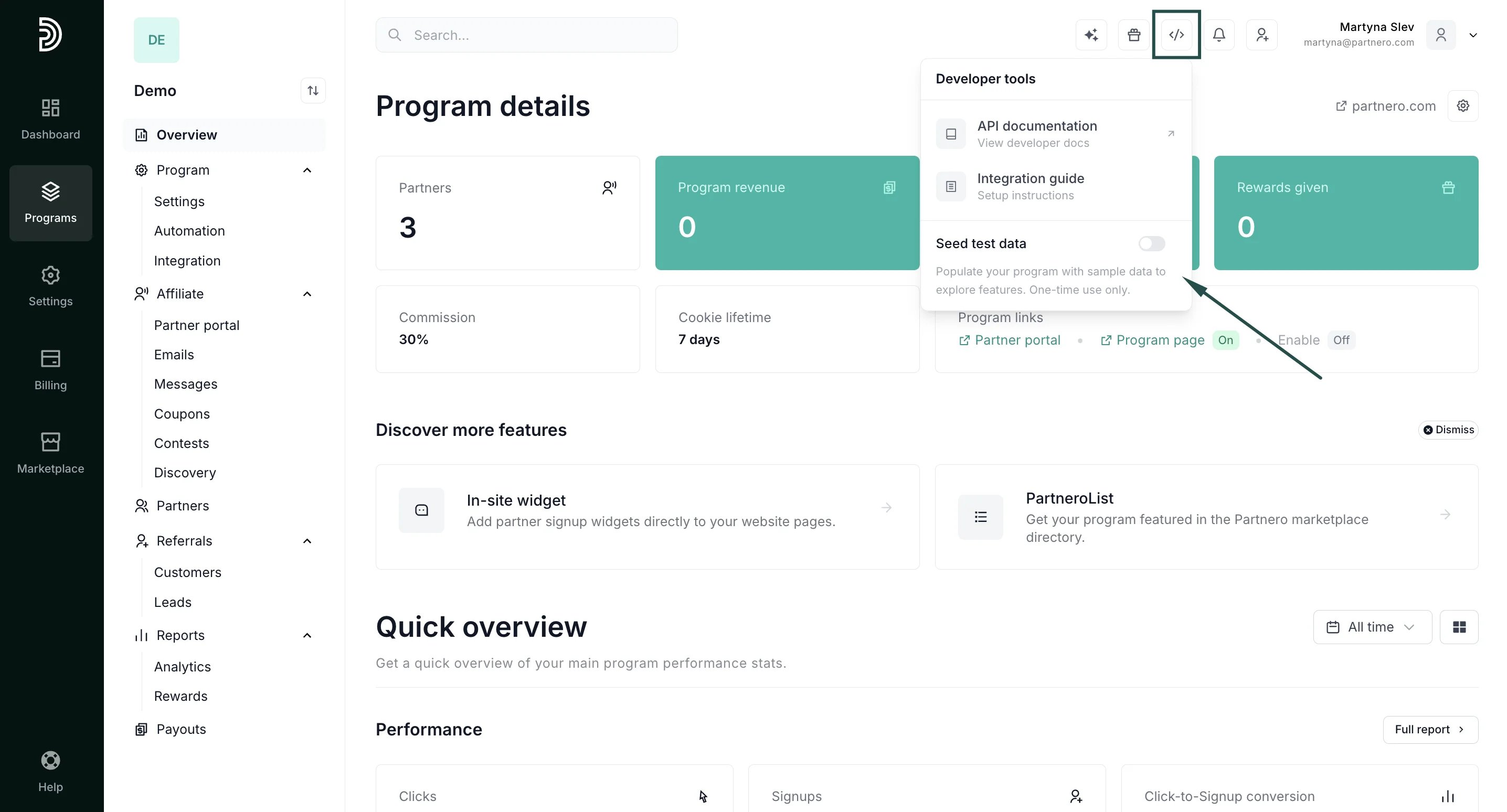 2. Click **Yes, proceed**:
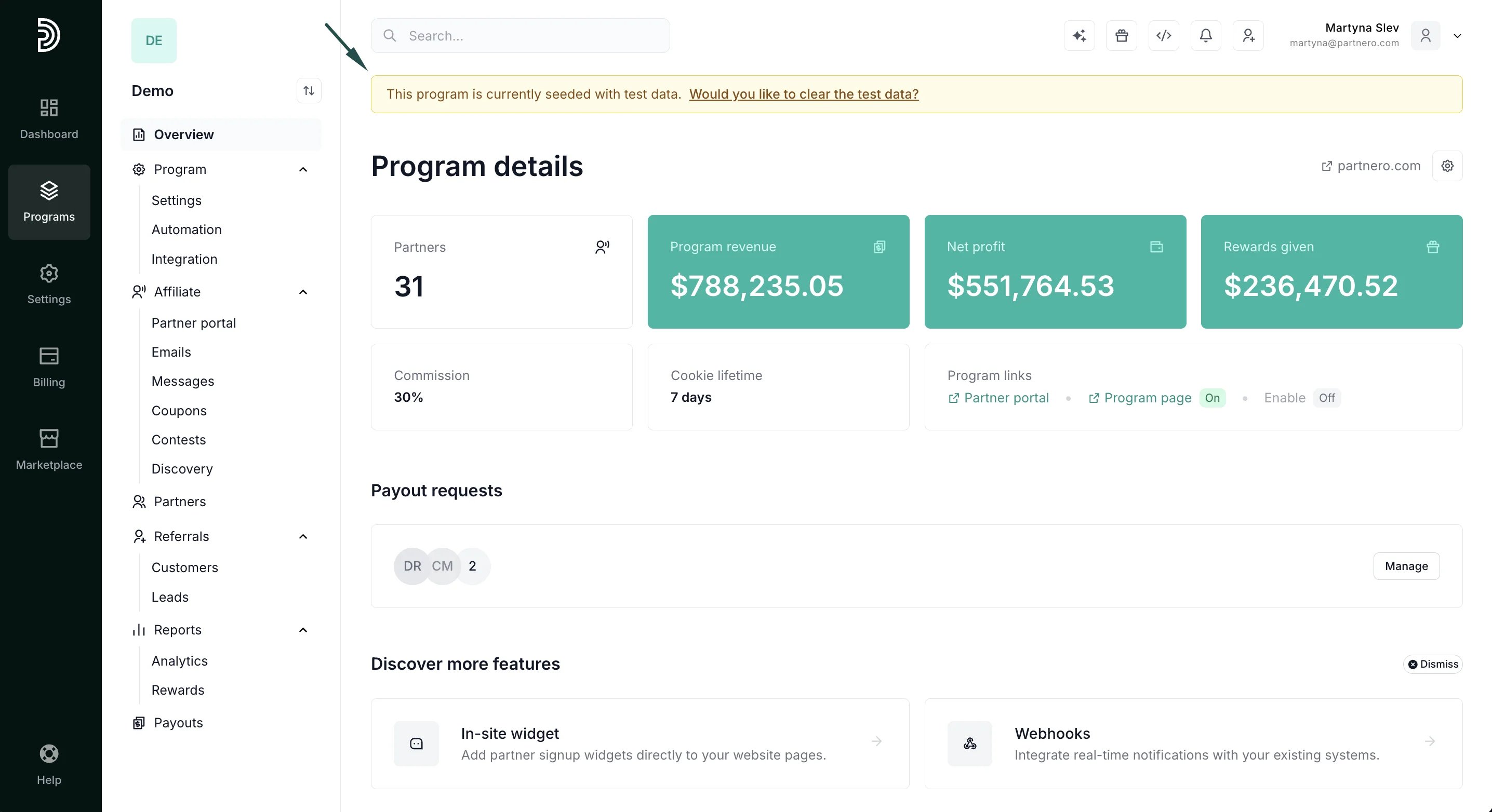
  3. **The process might take a few minutes**. Once finished, you'll see the data and a yellow notification bar at the top of the page:
  ***
### Clearing test data
> **⚠️ Important**: the test-seeder feature can be used only **once**, so make sure you've completed all required testing before clearing the data.
Once you're ready to clear the test data:
1. Click **Would you like to clear the test data?** in the test data notification bar:
2. Click **Yes, proceed**: **
***
### Clearing test data
> **⚠️ Important**: the test-seeder feature can be used only **once**, so make sure you've completed all required testing before clearing the data.
Once you're ready to clear the test data:
1. Click **Would you like to clear the test data?** in the test data notification bar:
2. Click **Yes, proceed**: **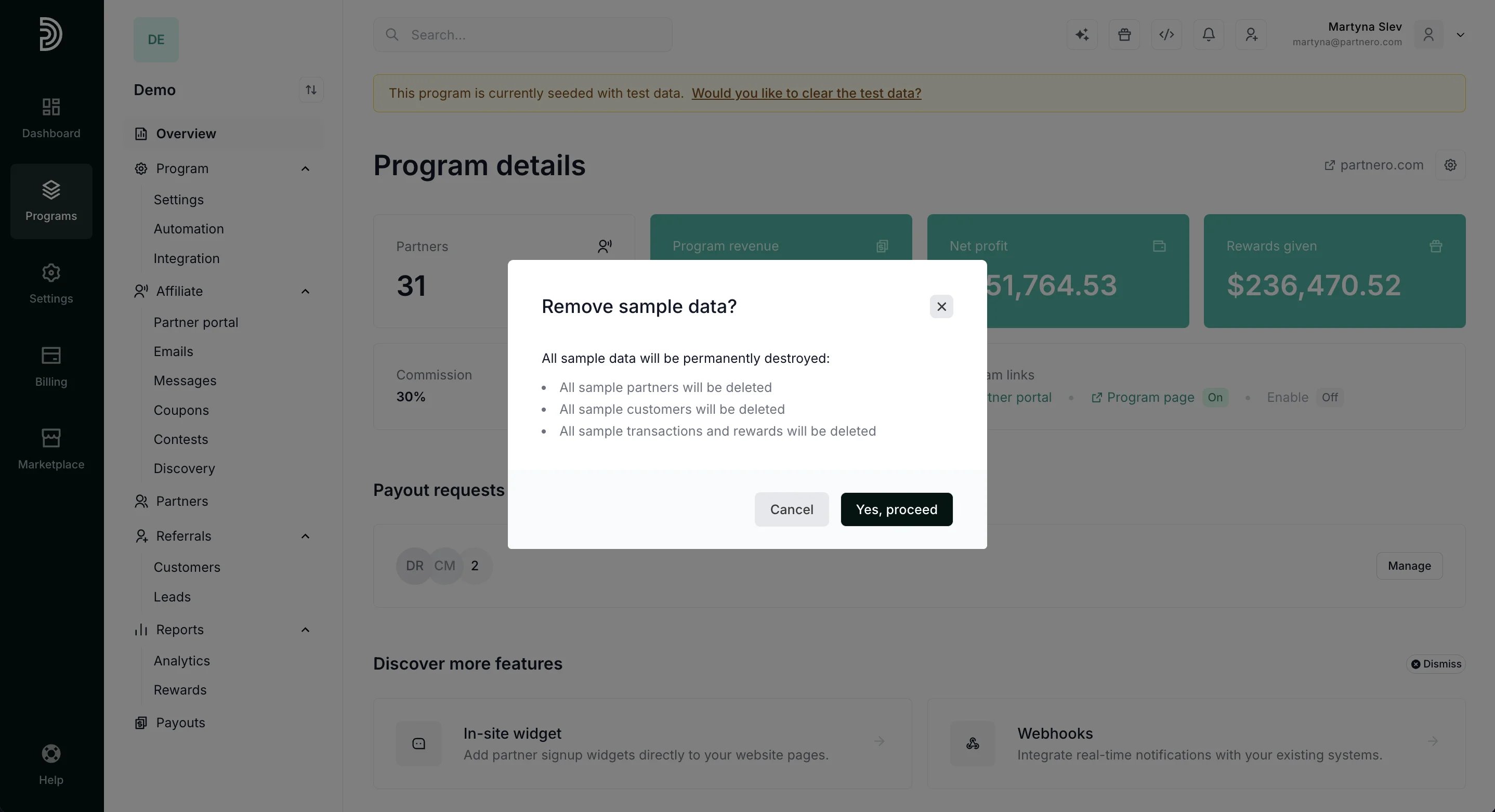 **
That's it! All test data is cleared, and your program is ready for launch.
This documentation is built and hosted on [Mintlify](https://mintlify.com), a developer documentation platform.
**
That's it! All test data is cleared, and your program is ready for launch.
This documentation is built and hosted on [Mintlify](https://mintlify.com), a developer documentation platform.