> ## Documentation Index
> Fetch the complete documentation index at: https://docs.partnero.com/llms.txt
> Use this file to discover all available pages before exploring further.
# Save your program terms on Partnero
Every partnership program should have clearly outlined Terms of Service (ToS) that partners have to agree to when joining. Program ToS are available on the Partner portal's sign-up page.
There are two ways of sharing your program ToS:
1. Host the program ToS on your website and share a link to the page.
2. Save your program ToS on Partnero.
***
### How to save your program terms on Partnero
If you'd like to save your program terms on Partnero:
1. Open the program you'd like to work with.
2. Under the **Partner portal**, switch to the **Public pages** tab → **Sign-up page**: 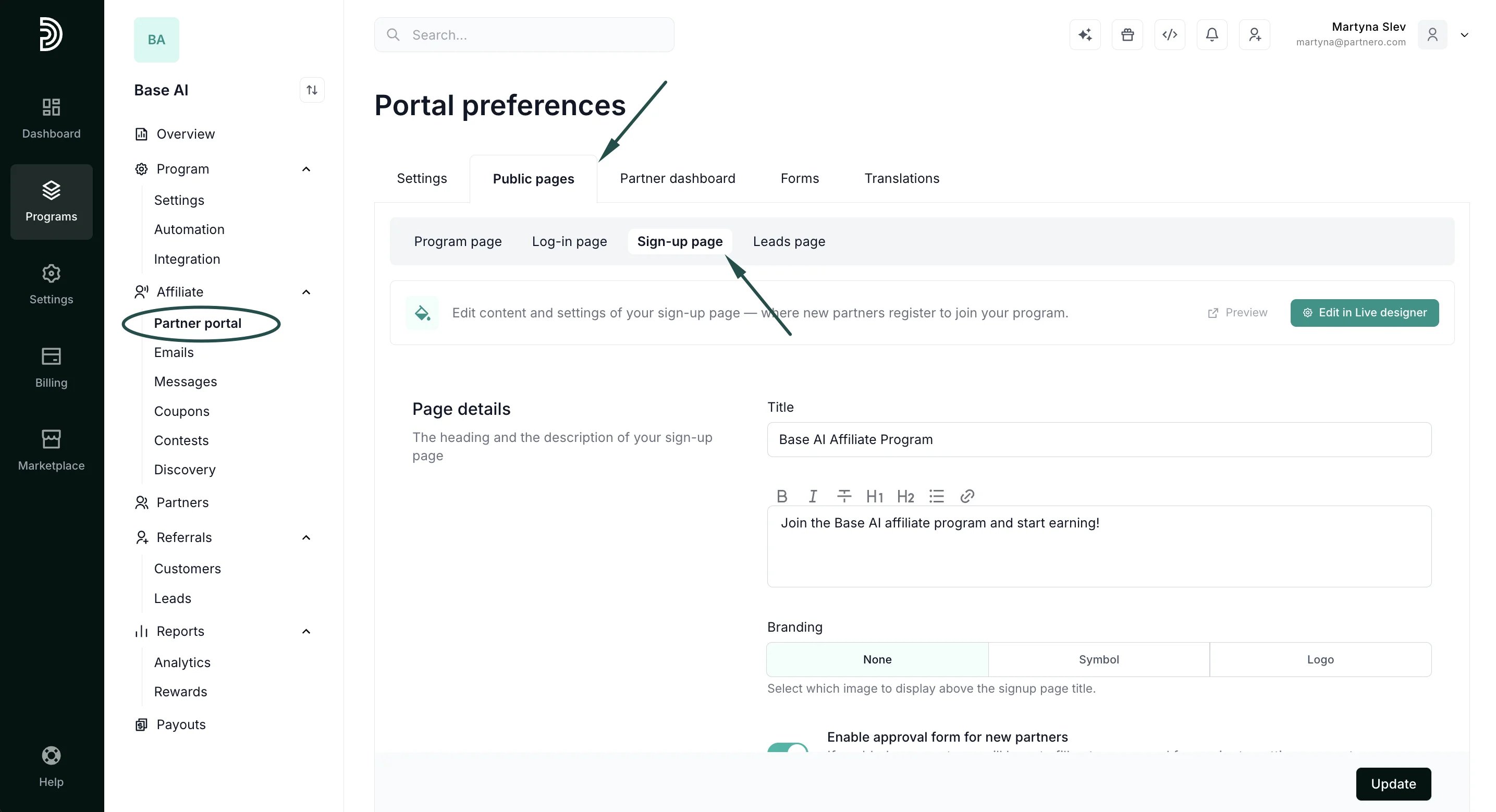 3. Scroll down to the **Registration form** section and click **Edit** next to **Additional settings**:
 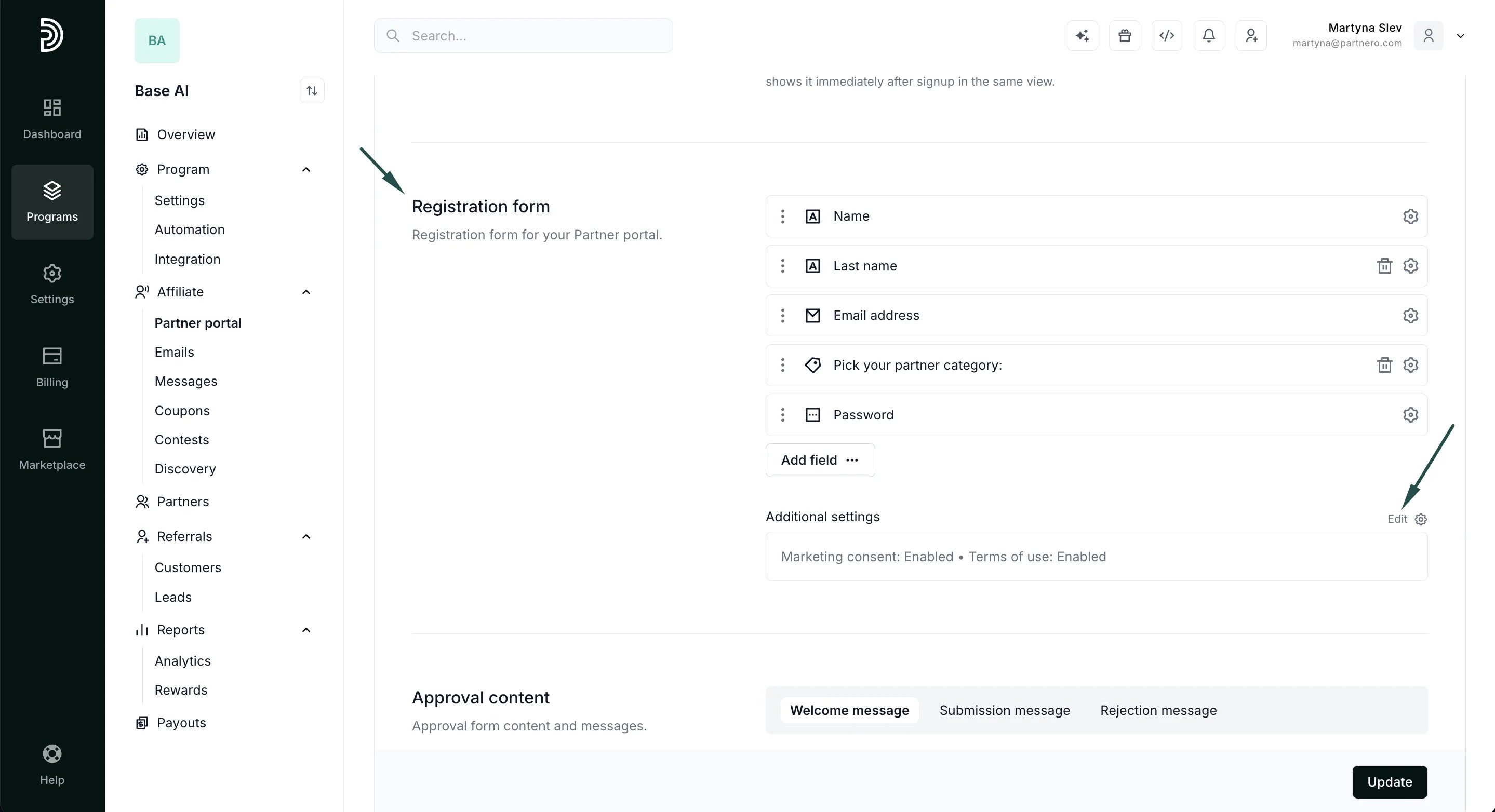 4. Toggle to **Save program terms on Partnero** and paste your program terms into the field:
 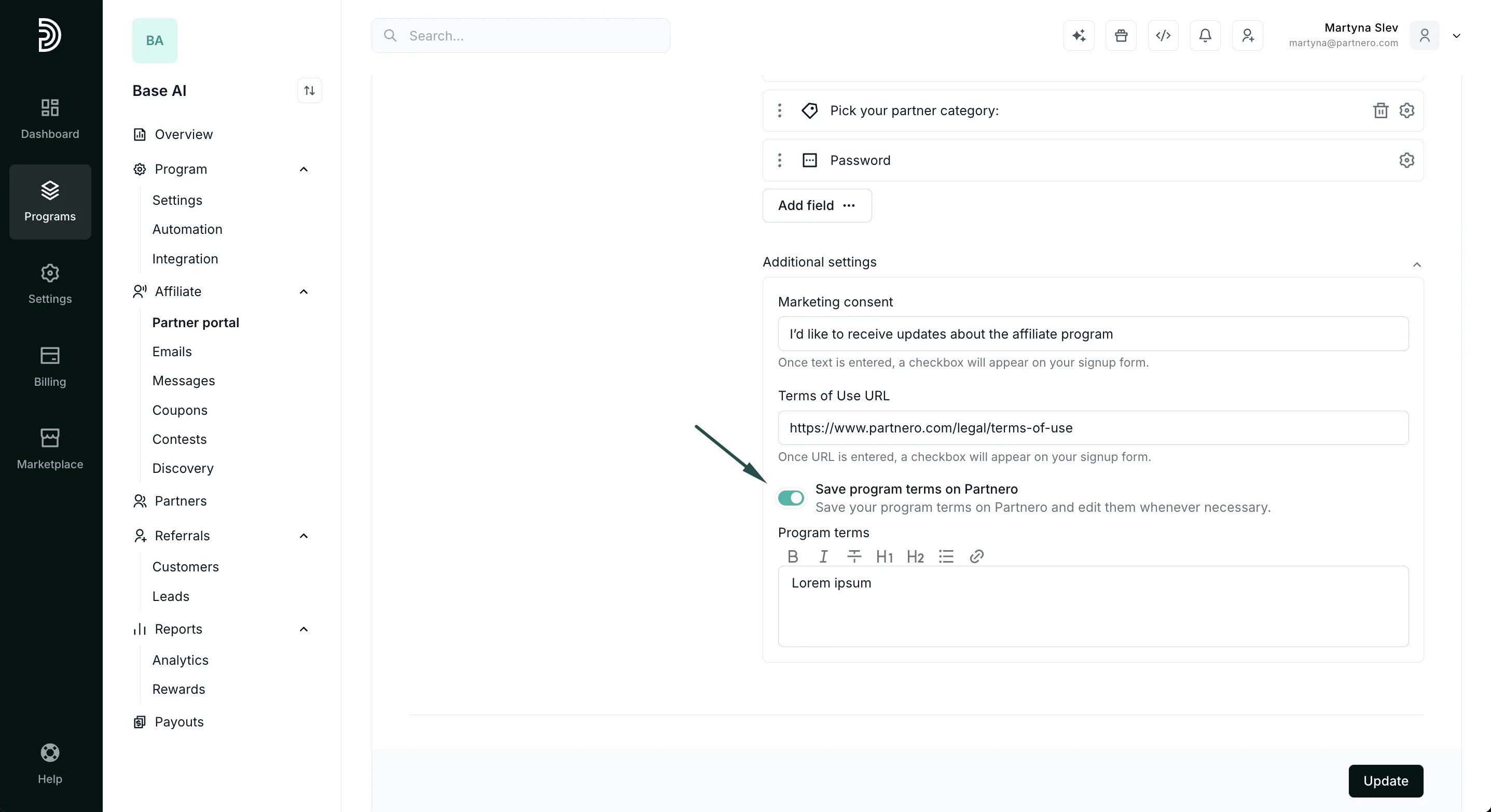 5. Click **Update** to save your changes.
***
### What a partner sees
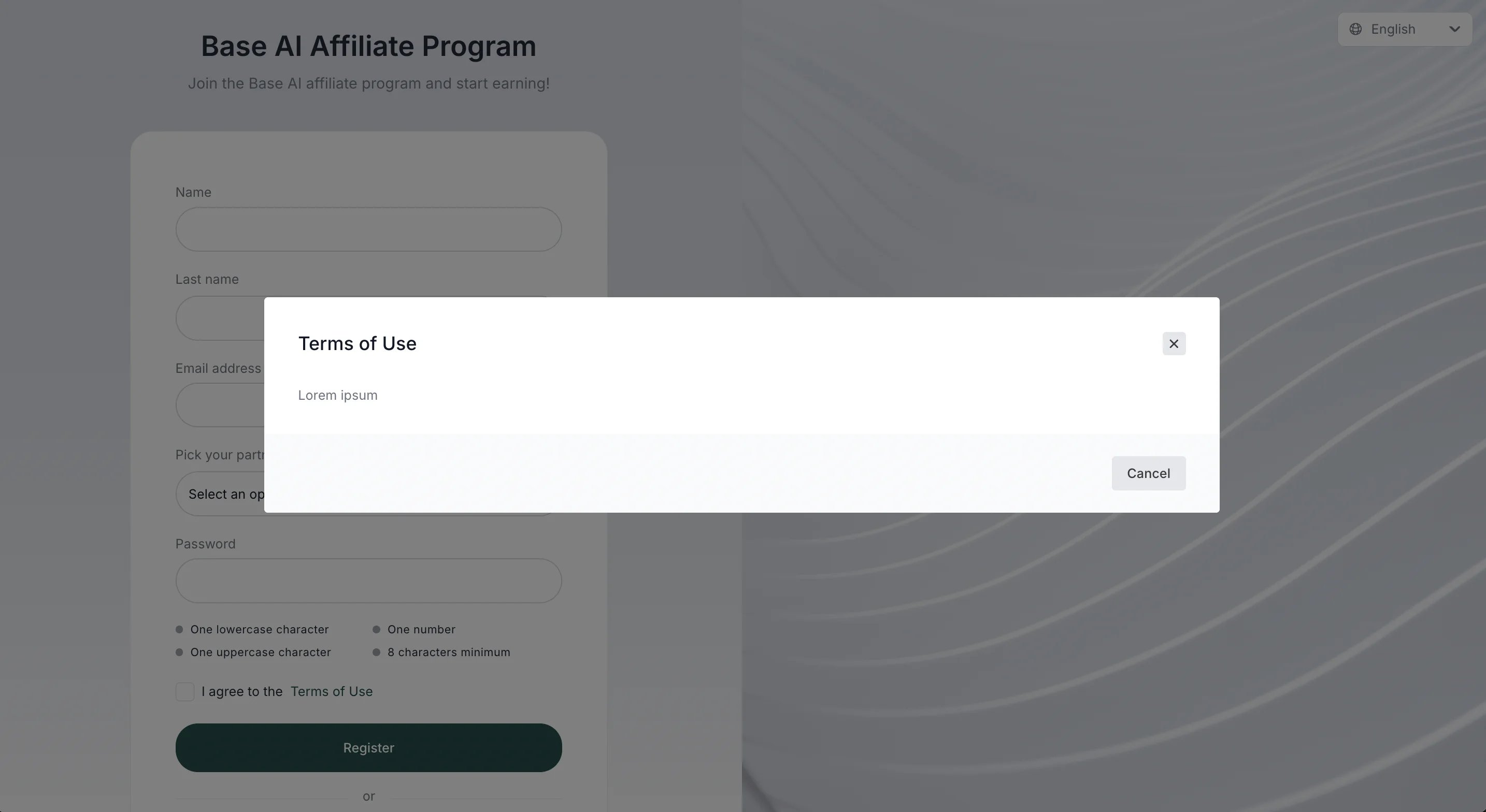
When your program terms are saved on Partnero, a partner will see the usual checkbox on the signup page:
5. Click **Update** to save your changes.
***
### What a partner sees
When your program terms are saved on Partnero, a partner will see the usual checkbox on the signup page: 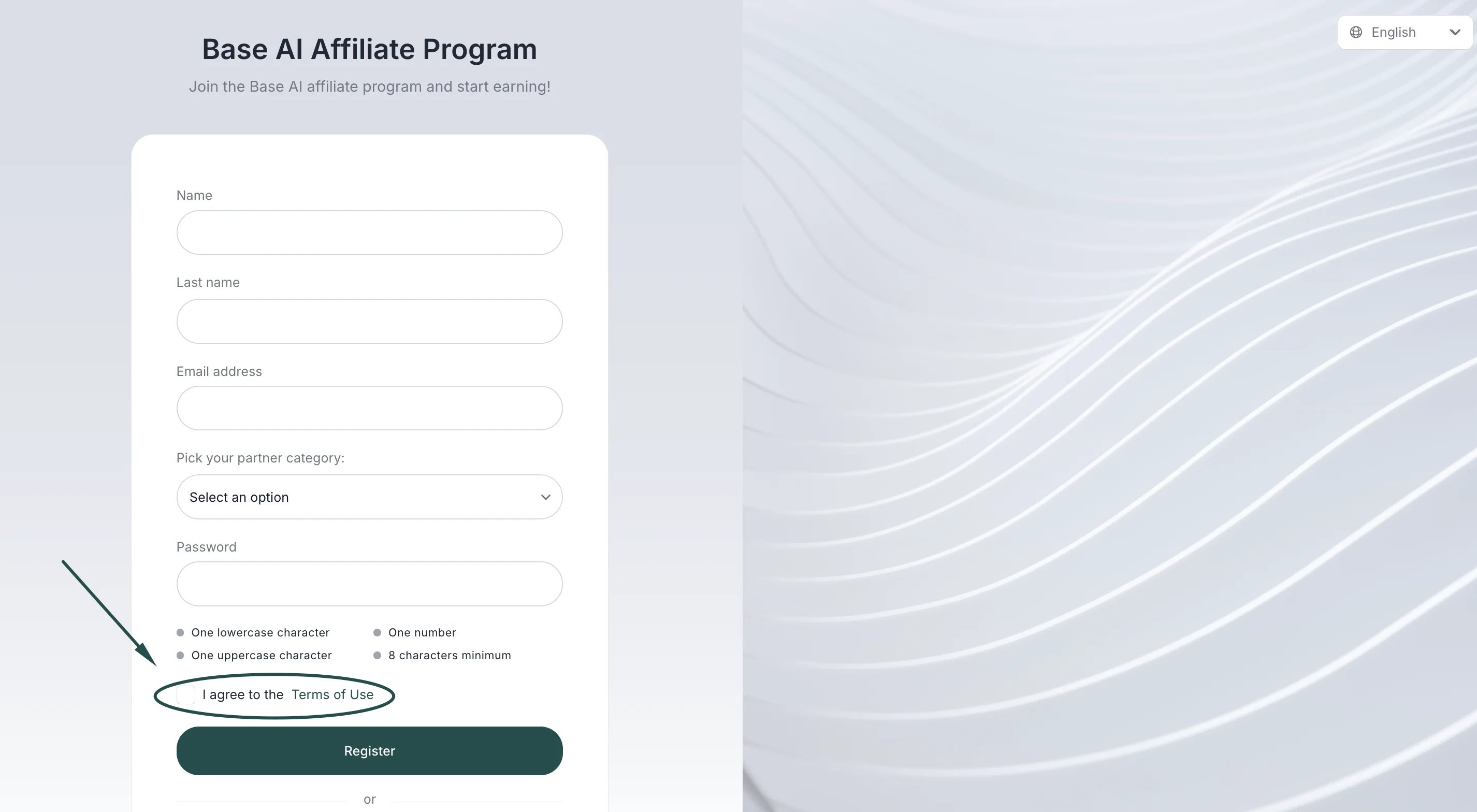 Once a partner clicks on the link, the terms will be displayed in a modal on the same page:
 This documentation is built and hosted on [Mintlify](https://mintlify.com), a developer documentation platform.