> ## Documentation Index
> Fetch the complete documentation index at: https://docs.partnero.com/llms.txt
> Use this file to discover all available pages before exploring further.
# Customize the referral portal
### What is a referral portal?
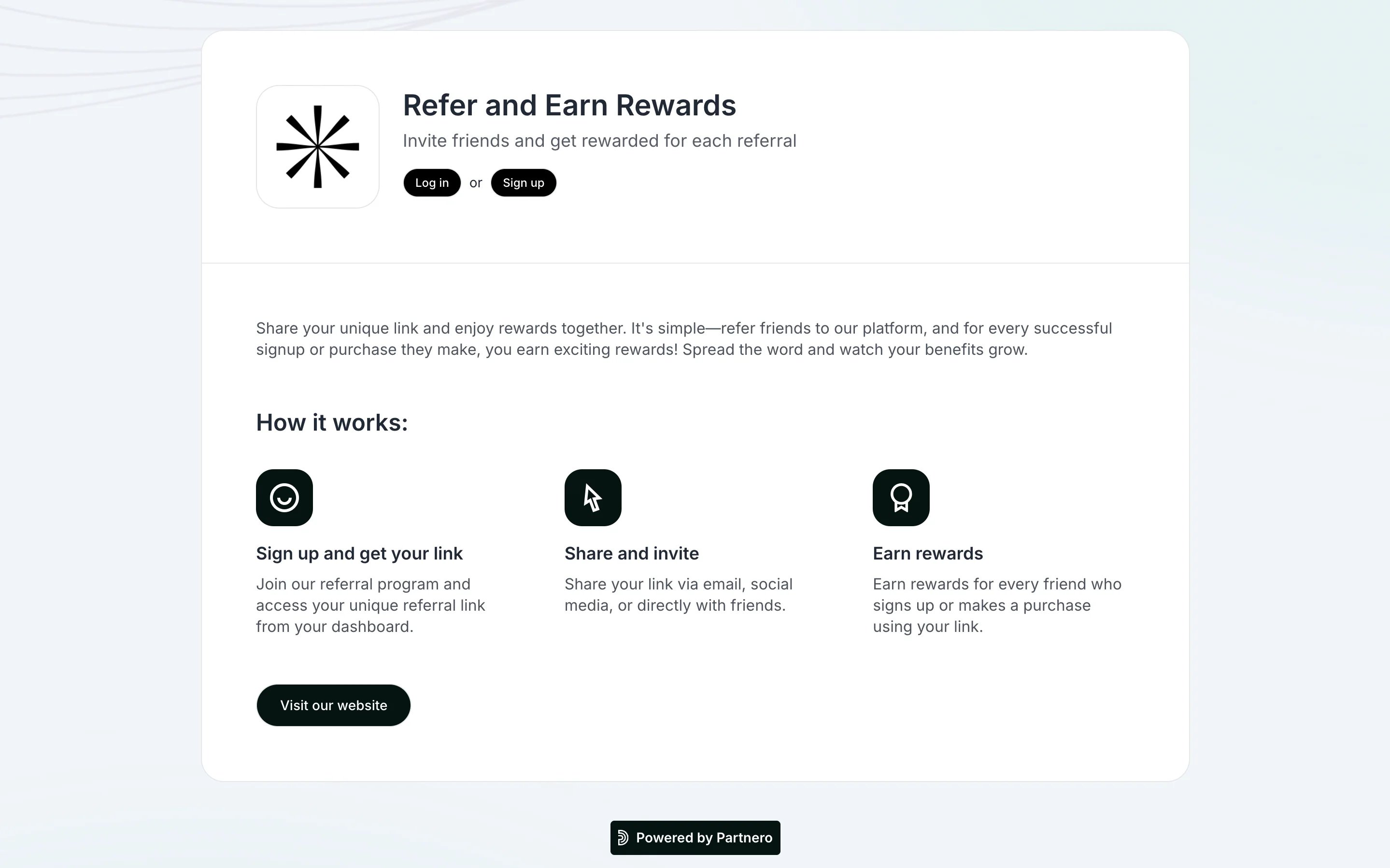
The referral portal is part of the refer-a-friend program. It is a customer-facing page that allows customers to access their referral link and track their progress.
Each customer has a unique referral portal URL, which displays their data only.
The referral portal is optional and needs to be enabled. [Read more](/knowledge-base/referral-programs/referral-portal-explained).
 ***
### Settings
The Settings tab contains information on the general referral portal and other settings.
***
### Settings
The Settings tab contains information on the general referral portal and other settings.
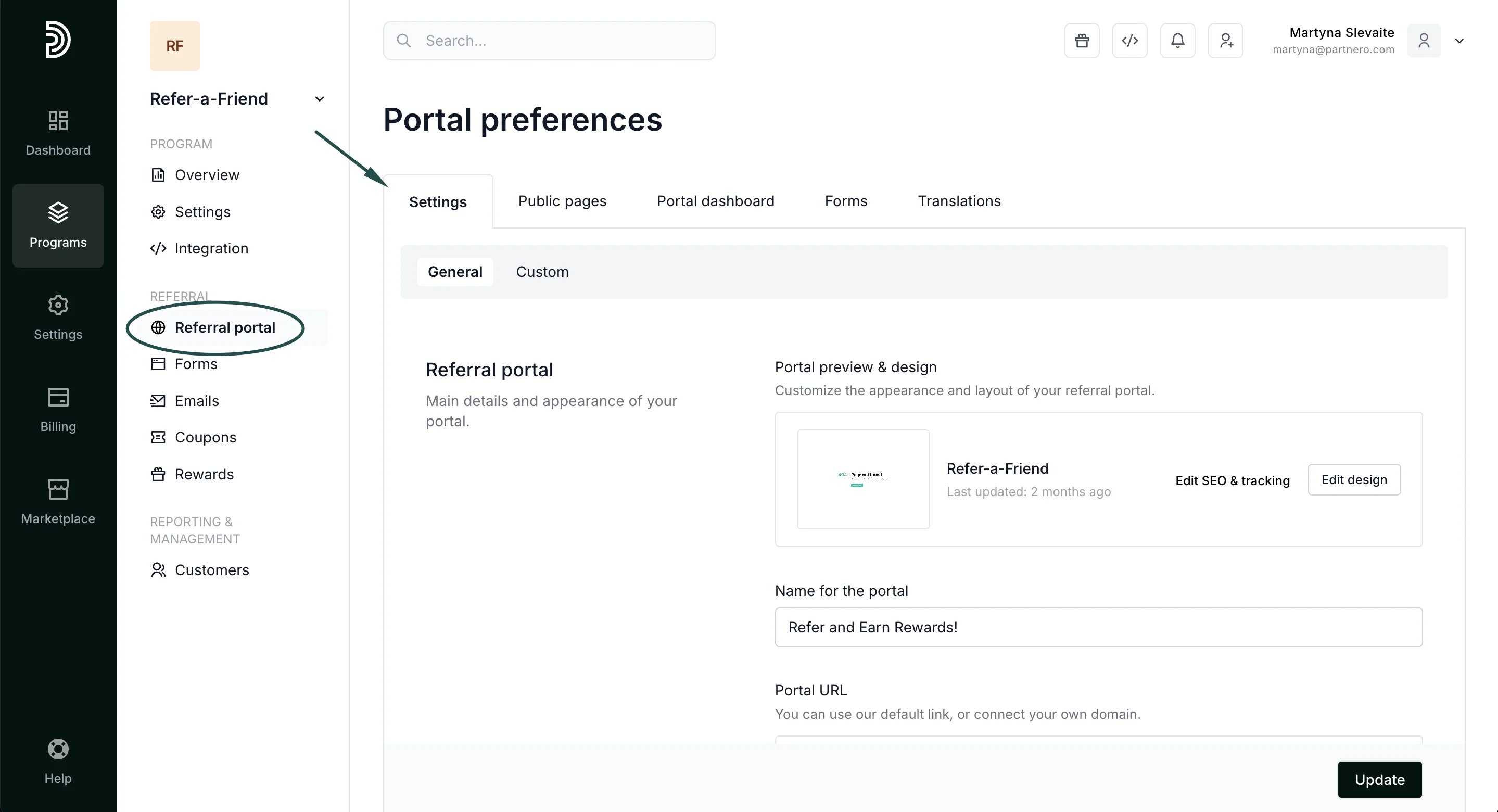 It includes two sections: General and Custom. Let's review each below.
#### 1. General section
It includes two sections: General and Custom. Let's review each below.
#### 1. General section
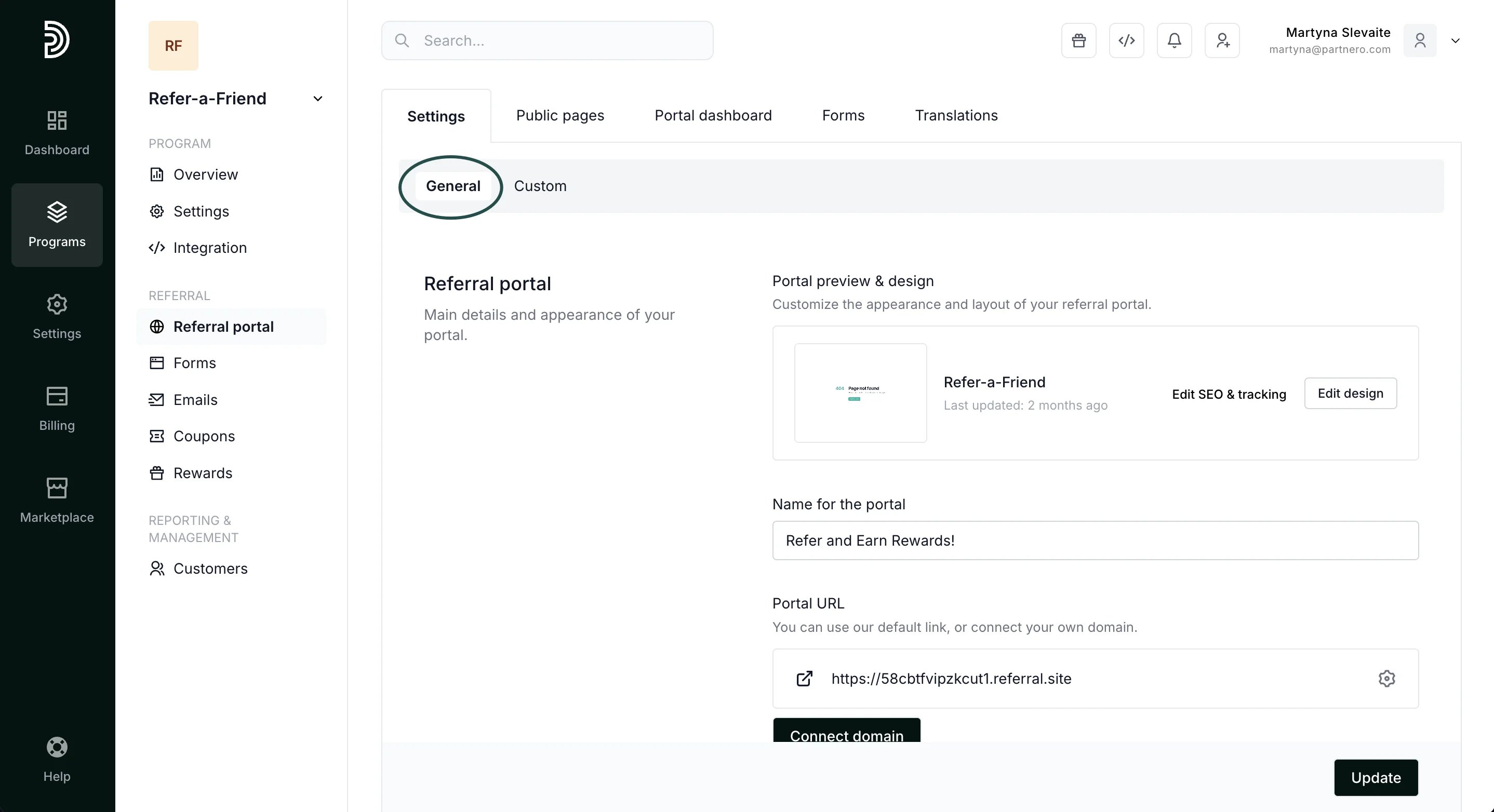 The first section allows you to:
* Customize the portal appearance and layout [using Live Designer](/knowledge-base/program-management/live-designer-overview).
* [Edit portal SEO and tracking](/knowledge-base/partner-portal/customize-partner-portal-seo-and-tracking).
* [Connect a custom portal domain](/knowledge-base/referral-programs/connect-a-custom-referral-portal-domain).
**Default page** setting allows you to choose where you want your main referral portal link to lead to:
* program page,
* login page, or
* sign-up page.
**Fallback URL** is a backup link that customers will be redirected to when the traffic cannot reach the main page for some reason.
The first section allows you to:
* Customize the portal appearance and layout [using Live Designer](/knowledge-base/program-management/live-designer-overview).
* [Edit portal SEO and tracking](/knowledge-base/partner-portal/customize-partner-portal-seo-and-tracking).
* [Connect a custom portal domain](/knowledge-base/referral-programs/connect-a-custom-referral-portal-domain).
**Default page** setting allows you to choose where you want your main referral portal link to lead to:
* program page,
* login page, or
* sign-up page.
**Fallback URL** is a backup link that customers will be redirected to when the traffic cannot reach the main page for some reason. 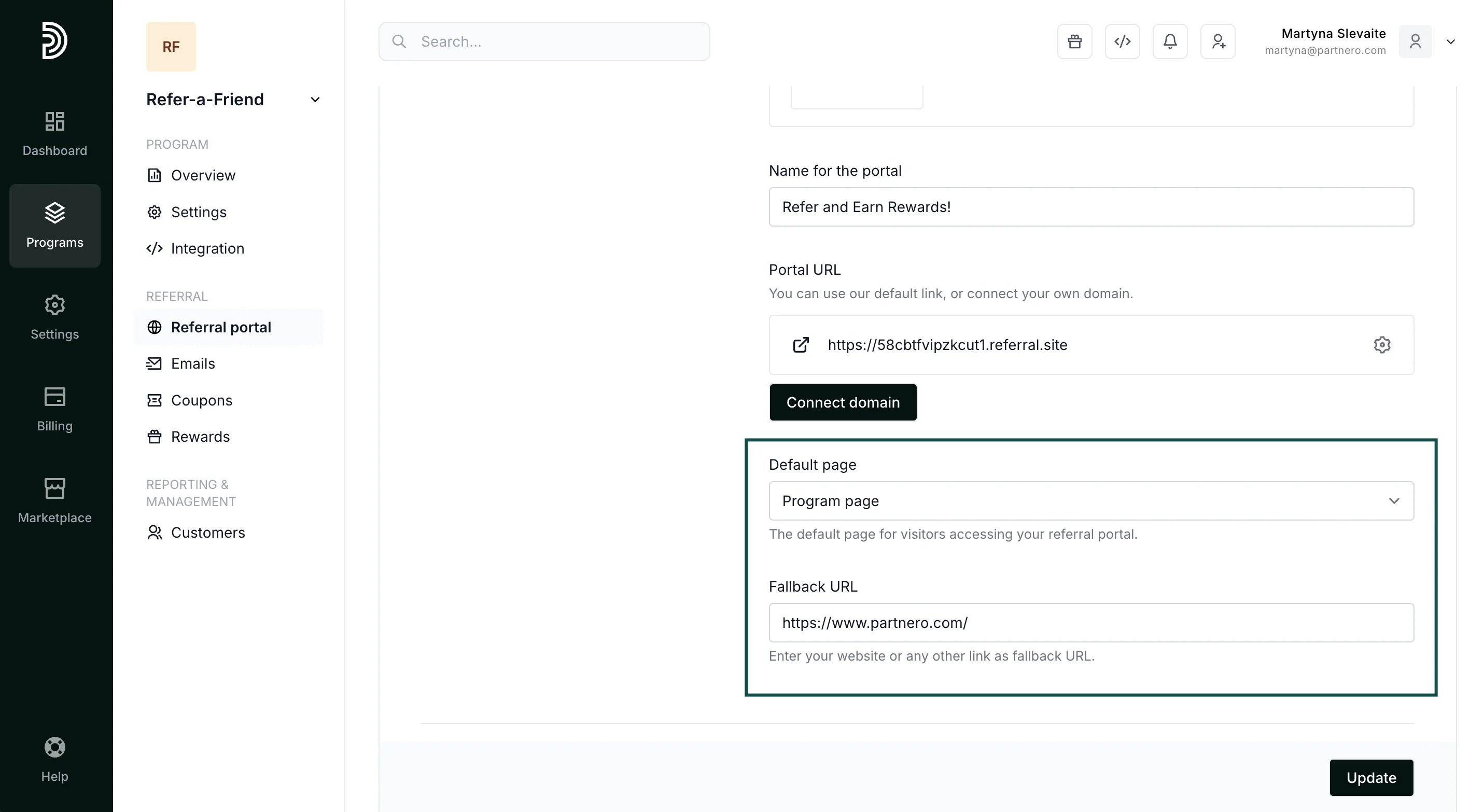 Remember to click **Update** if you make any changes!
Next, you'll find **Branding**:
Remember to click **Update** if you make any changes!
Next, you'll find **Branding**:
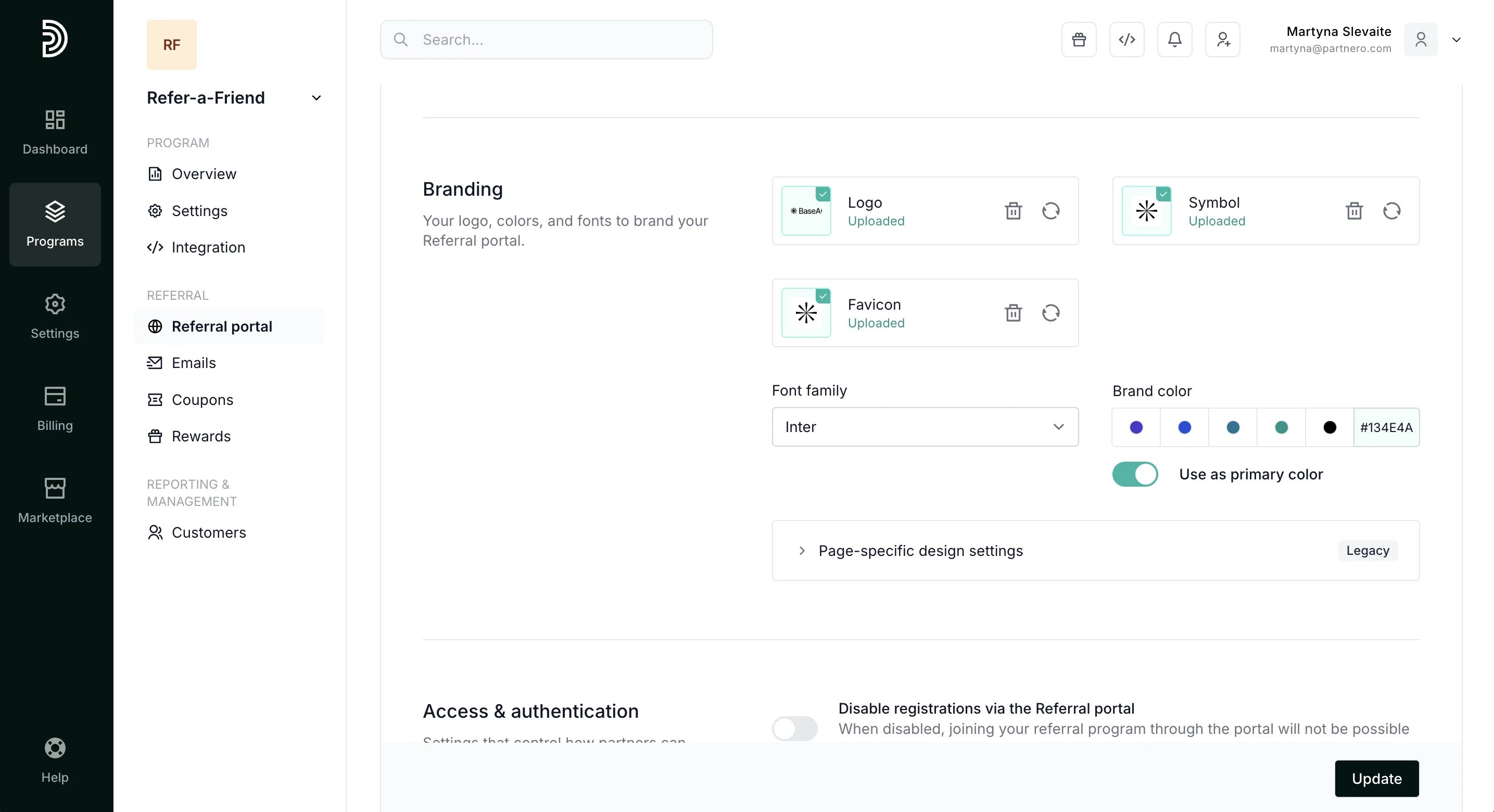 Here you can upload your logo, symbol, and favicon. Additionally, you can select your font family and primary brand color.
Next, you'll find **Access & Authentication** settings and **Portal features**:
Here you can upload your logo, symbol, and favicon. Additionally, you can select your font family and primary brand color.
Next, you'll find **Access & Authentication** settings and **Portal features**: 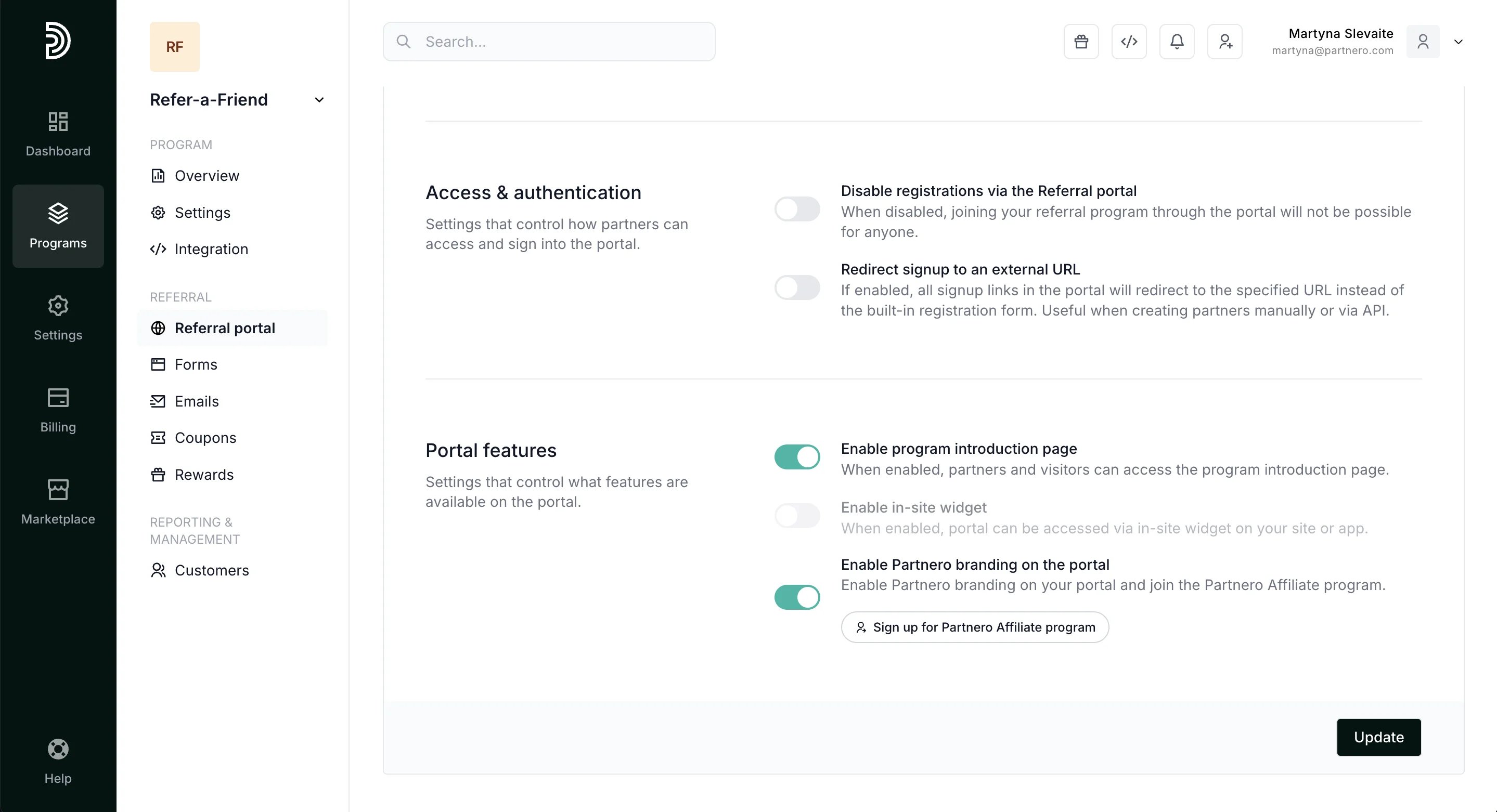 Here, you can:
* **Disable registrations via the Referral portal**
When disabled, no one will be able to join your referral program through the portal.
* **Redirect signup to an external URL**
If enabled, all signup links in the portal will redirect to the specified URL instead of the built-in registration form. Useful when creating partners manually or via API
* **Enable program introduction page**
When enabled, the program introduction page will be accessible.
* **Enable in-site widget**
When enabled, the portal can be accessed via an in-site widget on your site or app. [Read more](/knowledge-base/referral-programs/embed-an-in-site-referral-portal-widget).
* **Enable Partnero branding on the portal**
When enabled, Partnero branding will be shown on the portal and you will automatically participate in our [Affiliate program](https://www.partnero.com/partnero-affiliate-program).
Remember to click **Update** if you make any changes!
#### 2. Custom section
Here, you can:
* **Disable registrations via the Referral portal**
When disabled, no one will be able to join your referral program through the portal.
* **Redirect signup to an external URL**
If enabled, all signup links in the portal will redirect to the specified URL instead of the built-in registration form. Useful when creating partners manually or via API
* **Enable program introduction page**
When enabled, the program introduction page will be accessible.
* **Enable in-site widget**
When enabled, the portal can be accessed via an in-site widget on your site or app. [Read more](/knowledge-base/referral-programs/embed-an-in-site-referral-portal-widget).
* **Enable Partnero branding on the portal**
When enabled, Partnero branding will be shown on the portal and you will automatically participate in our [Affiliate program](https://www.partnero.com/partnero-affiliate-program).
Remember to click **Update** if you make any changes!
#### 2. Custom section
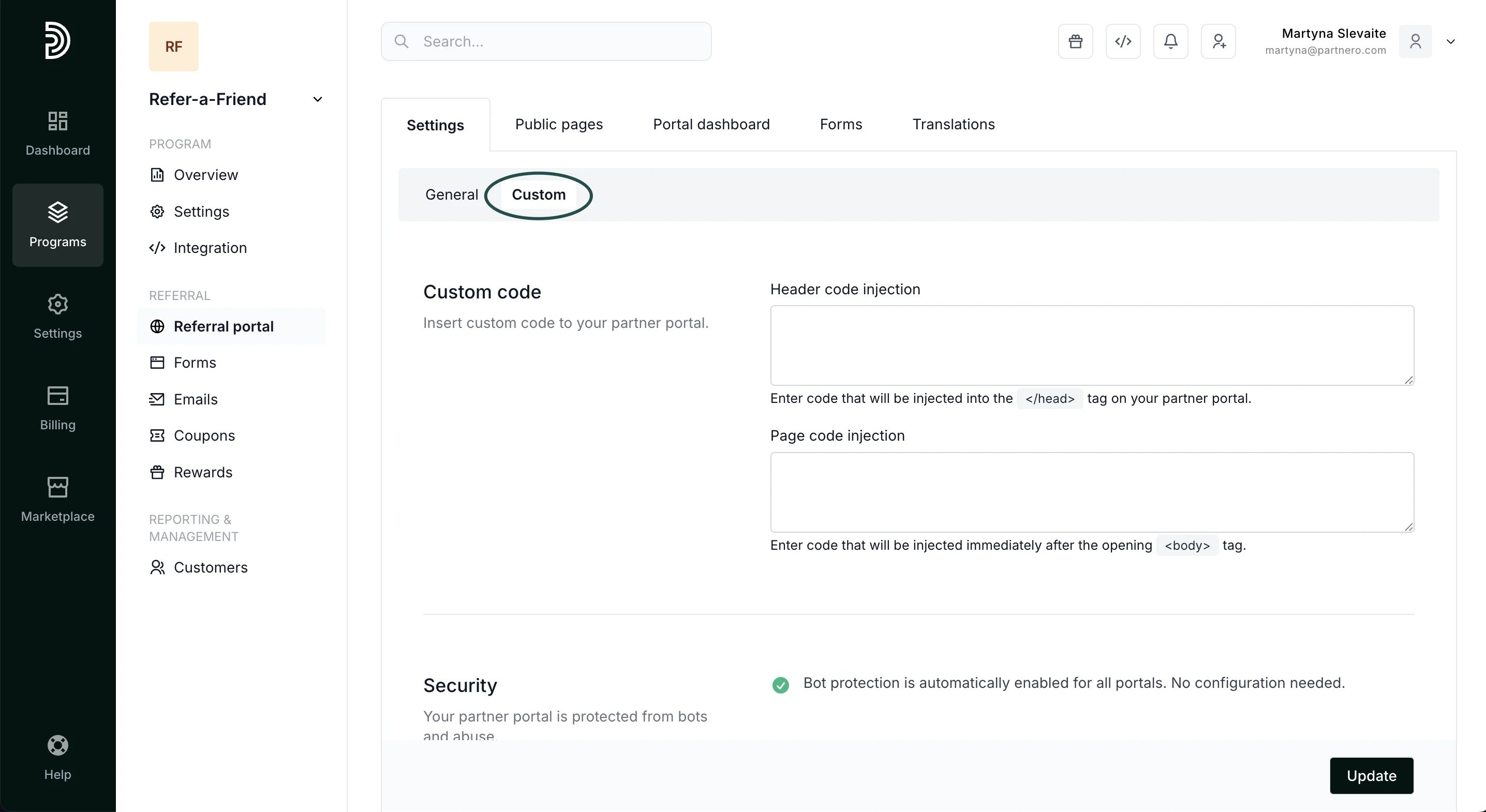 **Custom code:** Insert code into the *header* or *page* of your referral portal.
**Security:** Partner portal login and registration pages are now protected by Cloudflare Turnstile, a privacy-friendly CAPTCHA alternative.
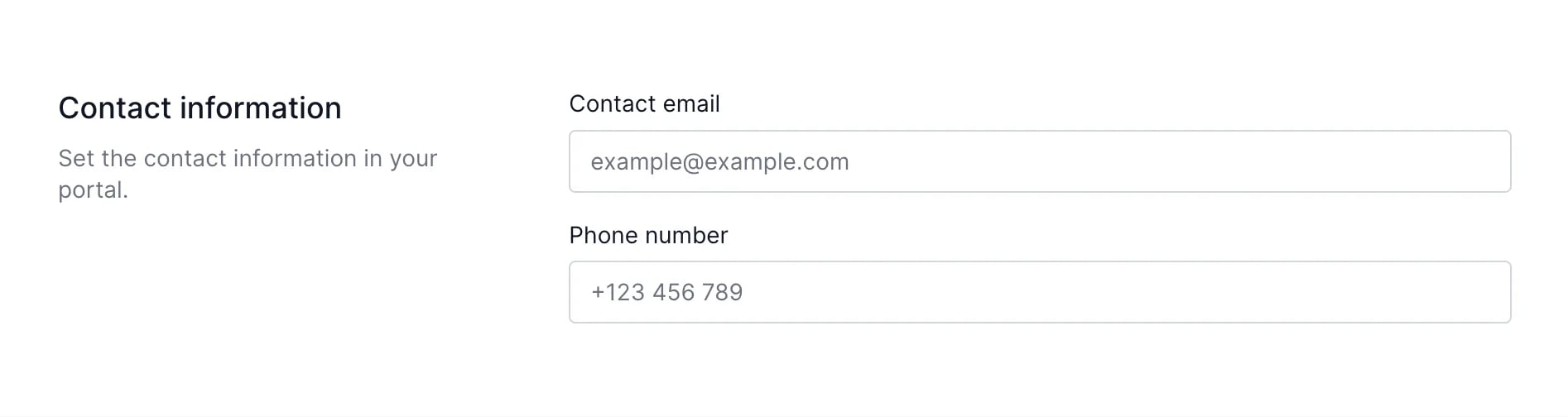
**Contact information:** add contact details, such as email address or phone number. The information added here will be visible to your customers on the referral portal.
**Custom code:** Insert code into the *header* or *page* of your referral portal.
**Security:** Partner portal login and registration pages are now protected by Cloudflare Turnstile, a privacy-friendly CAPTCHA alternative.
**Contact information:** add contact details, such as email address or phone number. The information added here will be visible to your customers on the referral portal.
 ***
### Public pages
Next, you'll find the Public pages tab, where you can configure the program, log-in and sign-up pages.
***
### Public pages
Next, you'll find the Public pages tab, where you can configure the program, log-in and sign-up pages.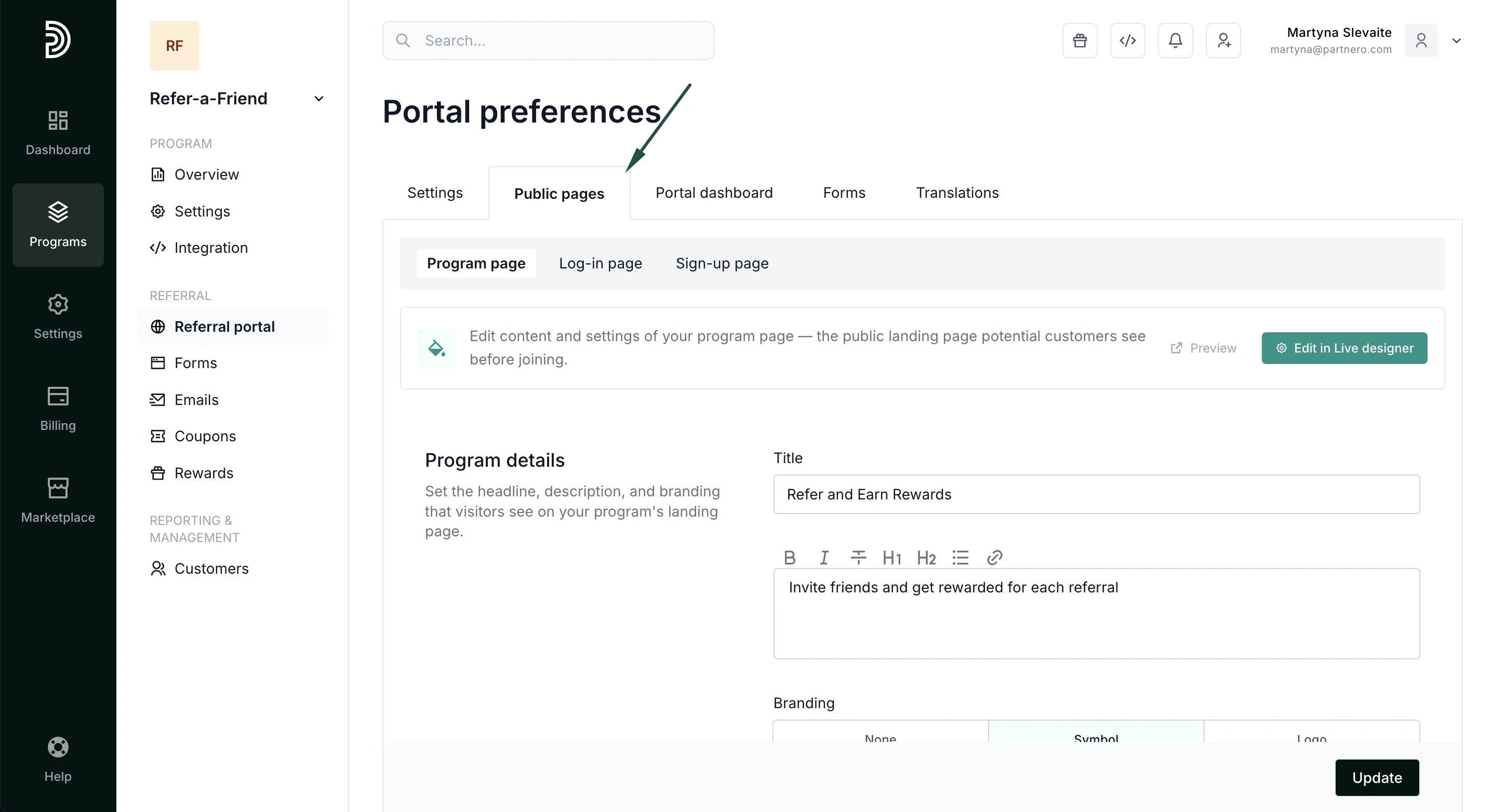 #### 1. Program page
Here, you can build the program page to promote your referral program. Add title and description, and choose whether you'd like to show sign-up and log-in links on the page. For easier editing, we recommend using our live designer editor.
#### 1. Program page
Here, you can build the program page to promote your referral program. Add title and description, and choose whether you'd like to show sign-up and log-in links on the page. For easier editing, we recommend using our live designer editor. 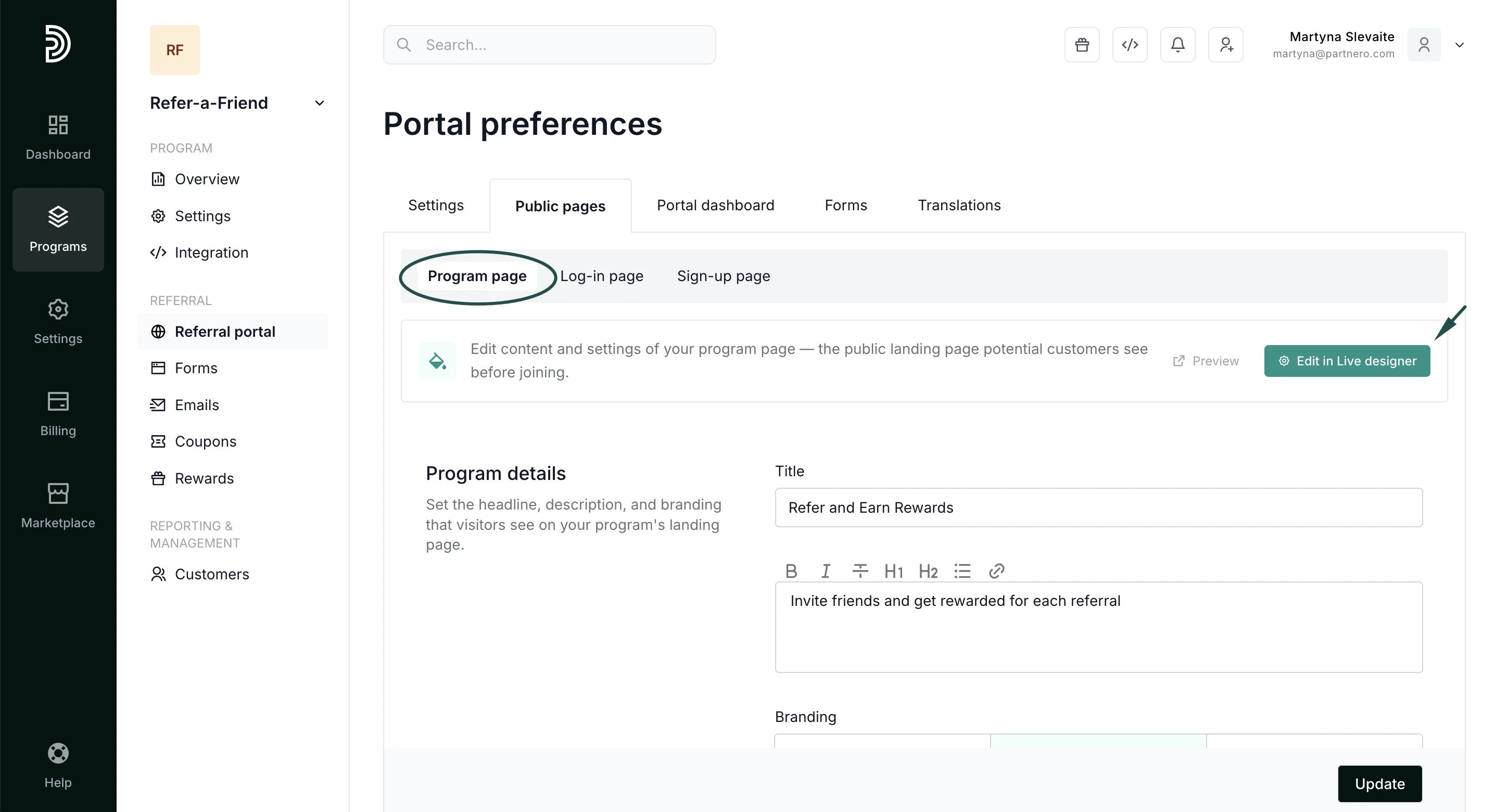 Alternatively, scroll down to the Page content section to add custom content blocks to the program page.
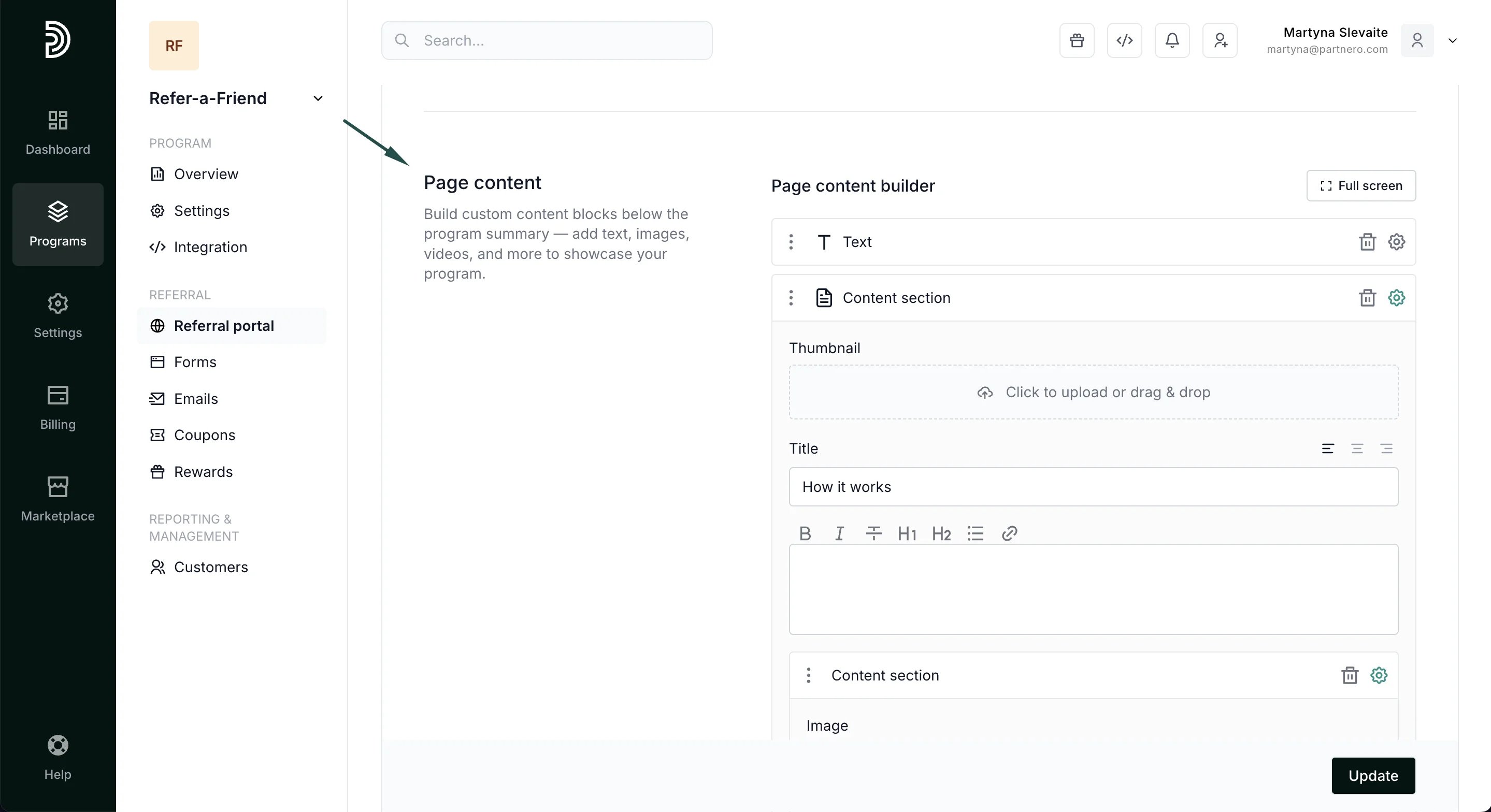 Make sure to click **Update** after you make any changes.
#### 2. Log-in page
Add a title and description for the login page and select branding options:
Make sure to click **Update** after you make any changes.
#### 2. Log-in page
Add a title and description for the login page and select branding options: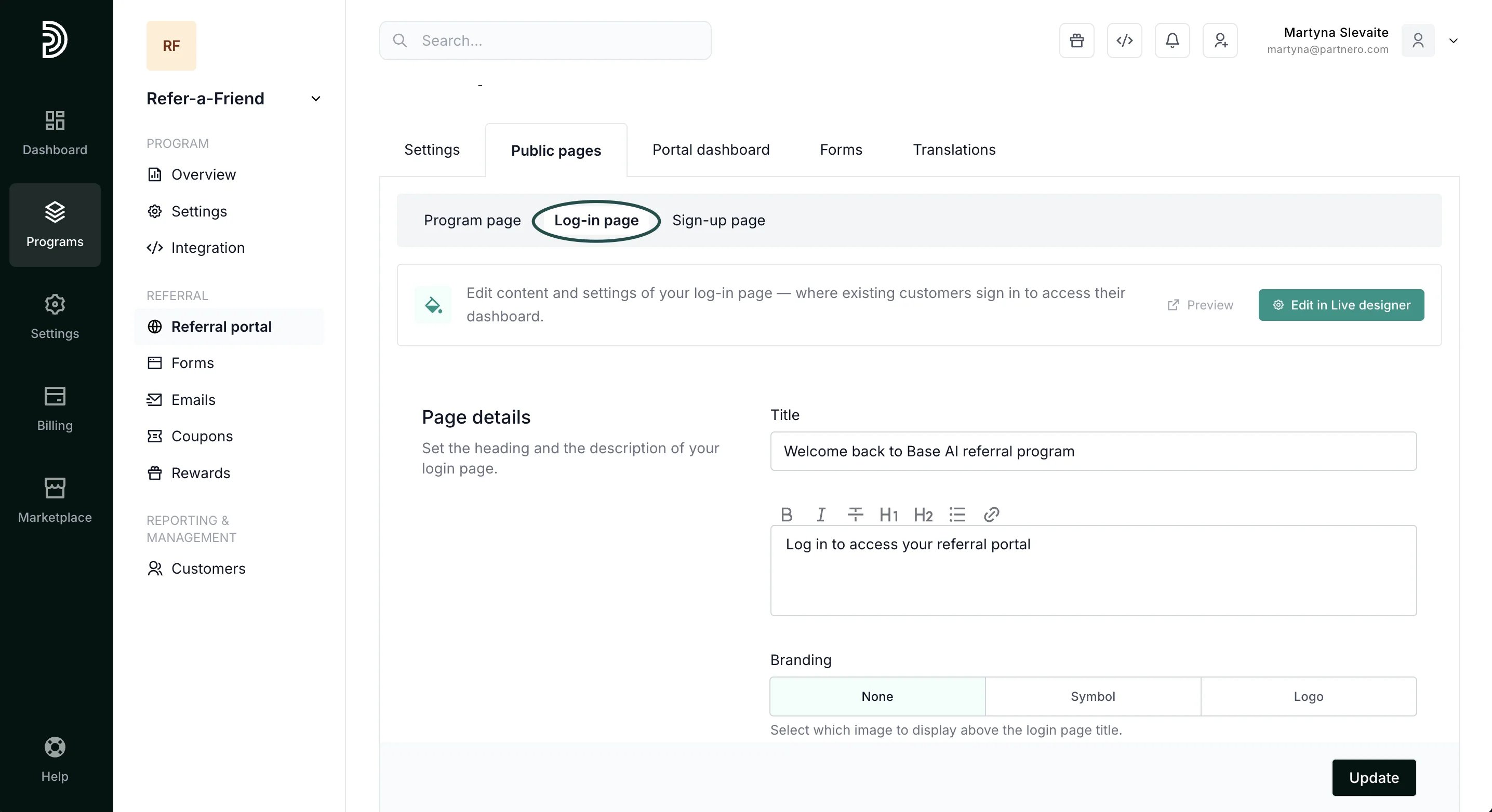 #### 3. Sign-up page
Configure the sign-up page for your referral portal.
#### 3. Sign-up page
Configure the sign-up page for your referral portal. 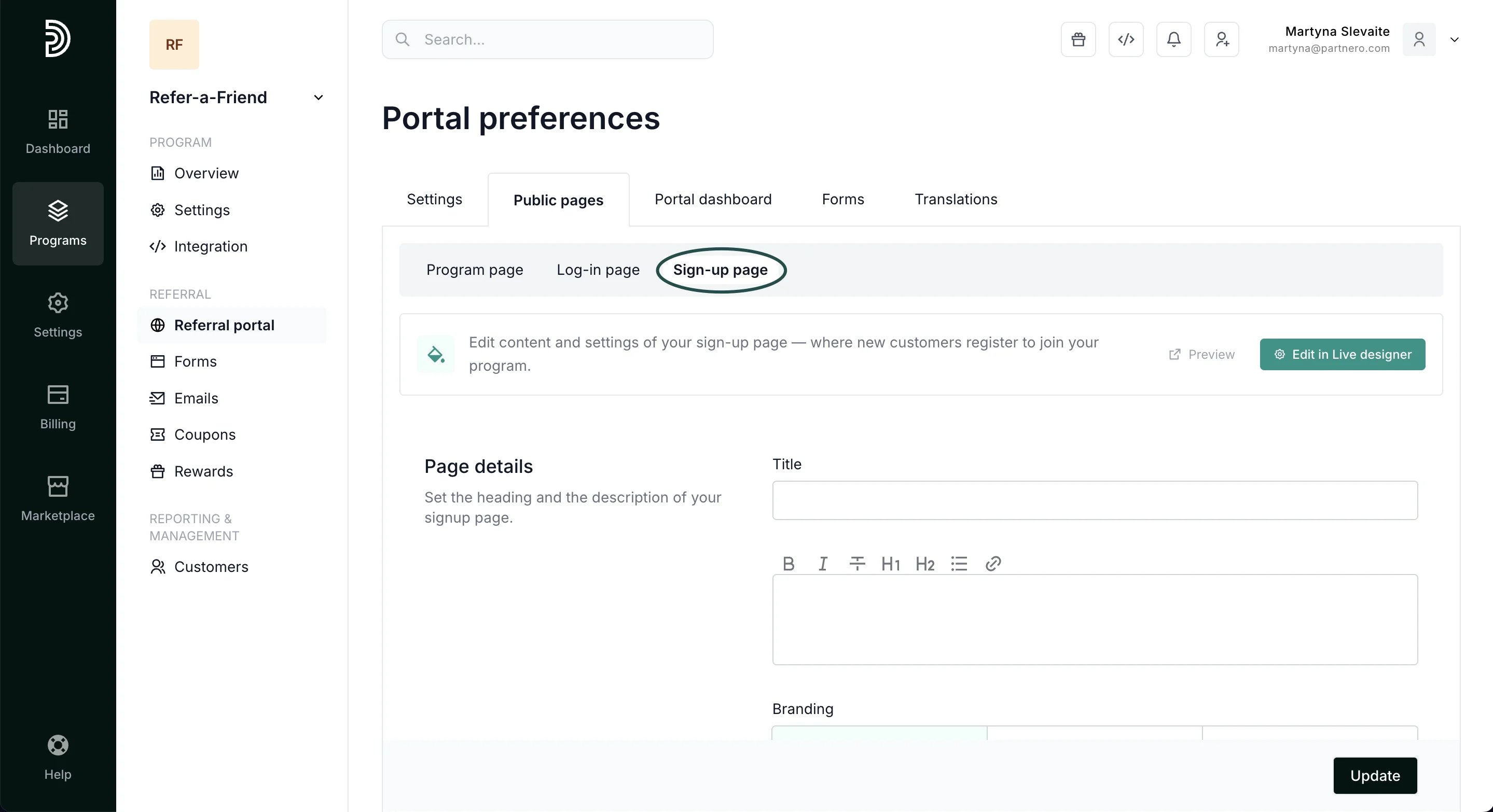 * **Page details**: add the title and description for the sign-up page.
* **Branding**: select what image to display above the signup page title.
* **Registration form**: add additional fields to the portal registration form.
* **Page details**: add the title and description for the sign-up page.
* **Branding**: select what image to display above the signup page title.
* **Registration form**: add additional fields to the portal registration form. 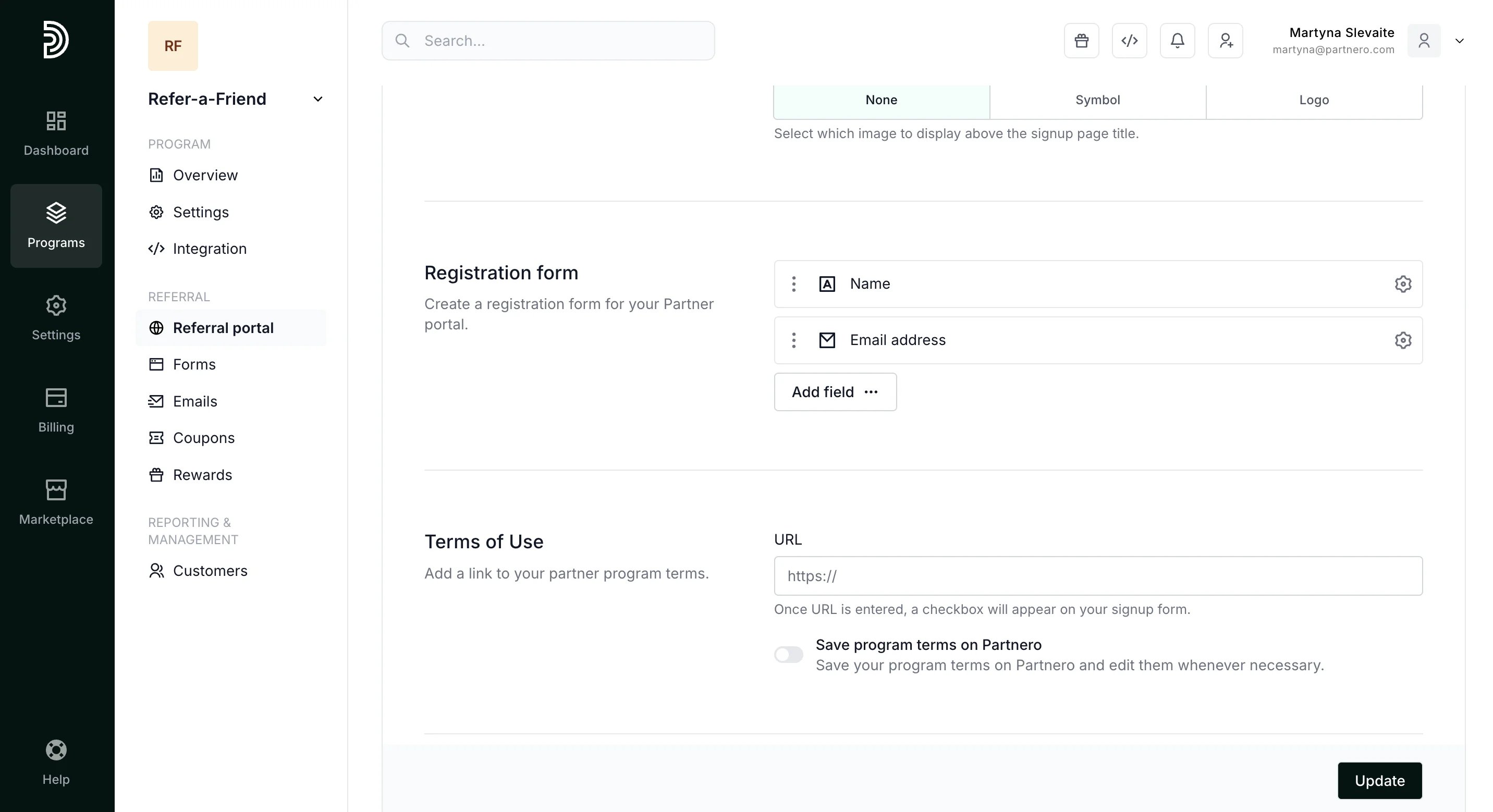 * **Terms of Use**: link to your referral program ToS. When added, a checkbox with a link will appear on the signup page.
* **Marketing consent**: collect marketing permissions. When text is added, a checkbox will be showing on the signup page.
* **Terms of Use**: link to your referral program ToS. When added, a checkbox with a link will appear on the signup page.
* **Marketing consent**: collect marketing permissions. When text is added, a checkbox will be showing on the signup page. 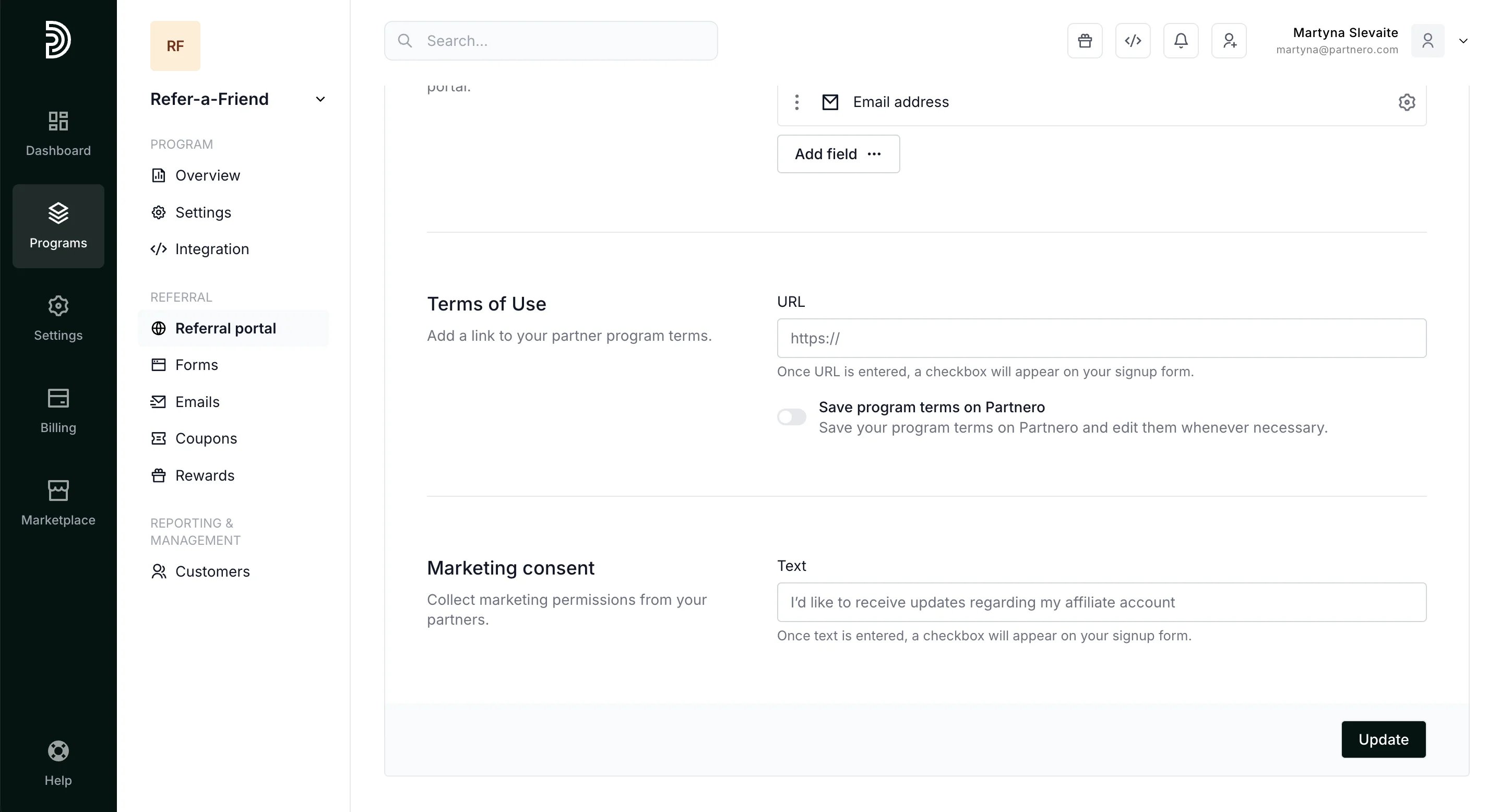 Click **Update** after you make any changes.
***
### Portal dashbaord
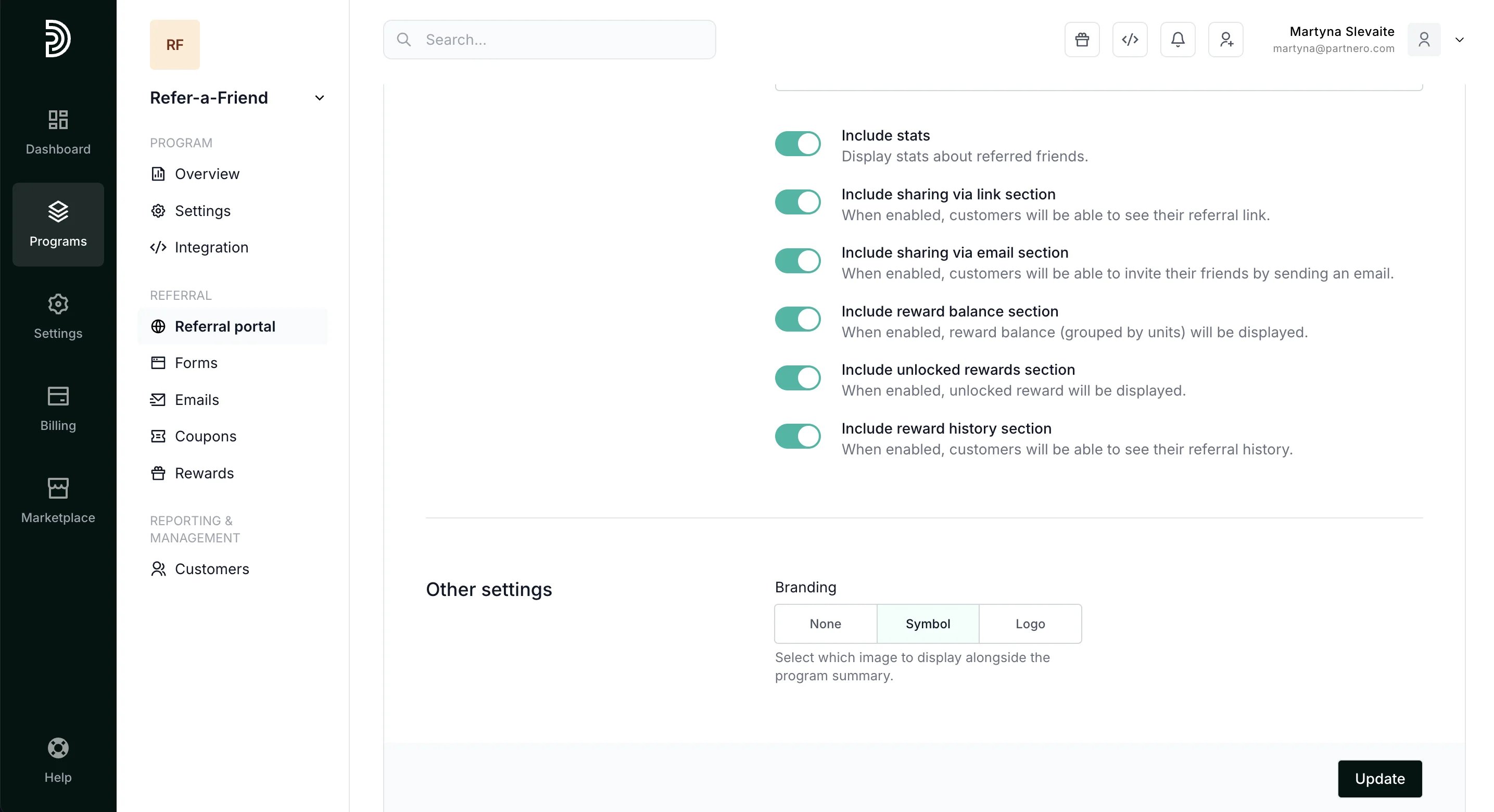
Customize the content and settings for the portal dashboard - the main page customers see after they log in.
Click **Update** after you make any changes.
***
### Portal dashbaord
Customize the content and settings for the portal dashboard - the main page customers see after they log in.
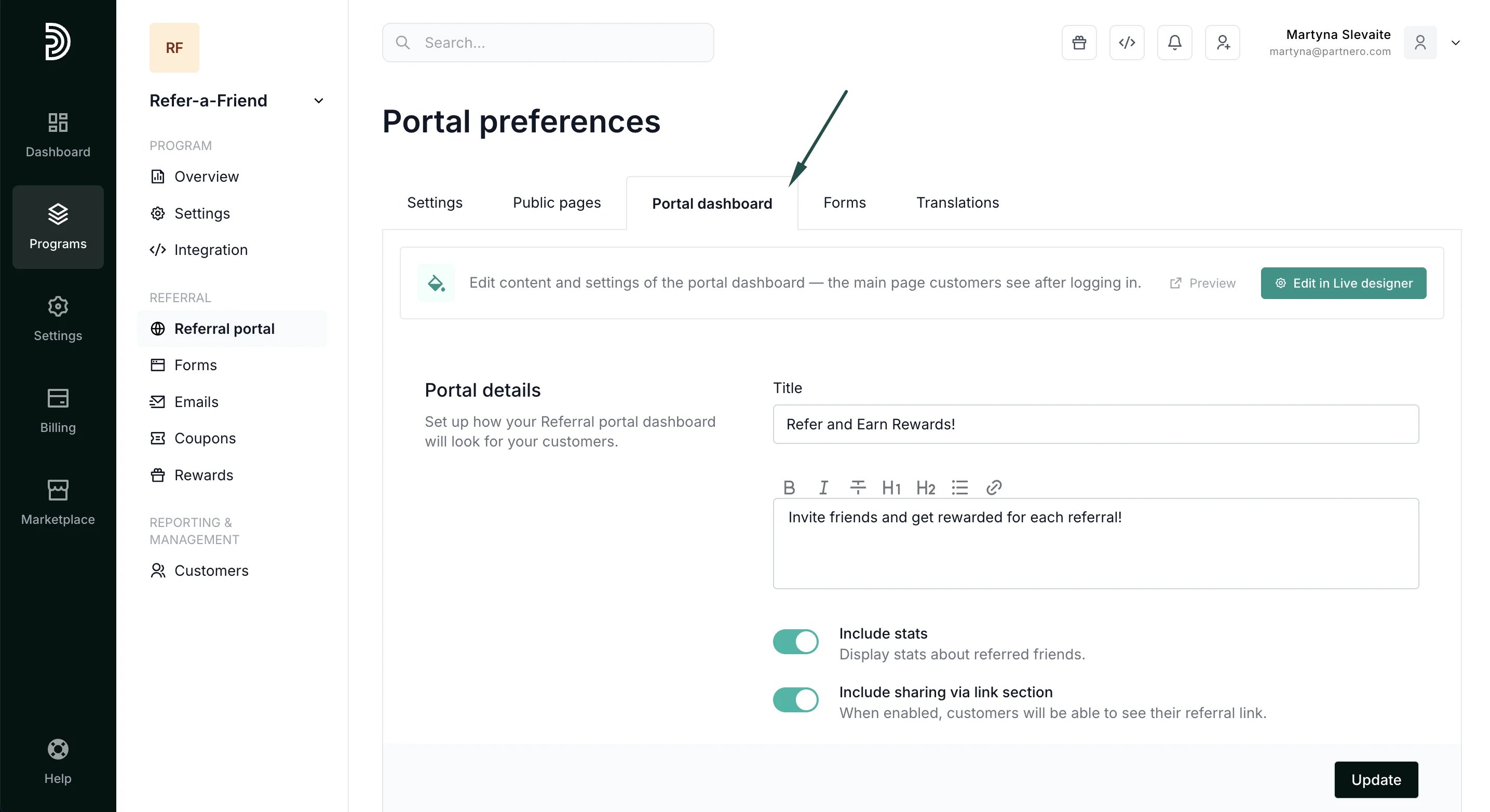 Here, you can decide what will be included in the referral portal dashboard:
* **Include stats**: display stats about referred friends.
* **Include sharing via link section**: when enabled, customers can see their referral link.
* **Include sharing via email section**: when enabled, customers will be able to invite their friends by sending an email.
* **Include unlocked rewards section**: when enabled, unlocked rewards will be displayed.
* **Include reward history section**: when enabled, customers will be able to view their referral history.
Additionally, you can select from available branding options.
Here, you can decide what will be included in the referral portal dashboard:
* **Include stats**: display stats about referred friends.
* **Include sharing via link section**: when enabled, customers can see their referral link.
* **Include sharing via email section**: when enabled, customers will be able to invite their friends by sending an email.
* **Include unlocked rewards section**: when enabled, unlocked rewards will be displayed.
* **Include reward history section**: when enabled, customers will be able to view their referral history.
Additionally, you can select from available branding options.
 Click **Update** after you make any changes.
***
### Forms
The Forms tab contains two sections, Refer-a-firend from and In-site widget.
Click **Update** after you make any changes.
***
### Forms
The Forms tab contains two sections, Refer-a-firend from and In-site widget. 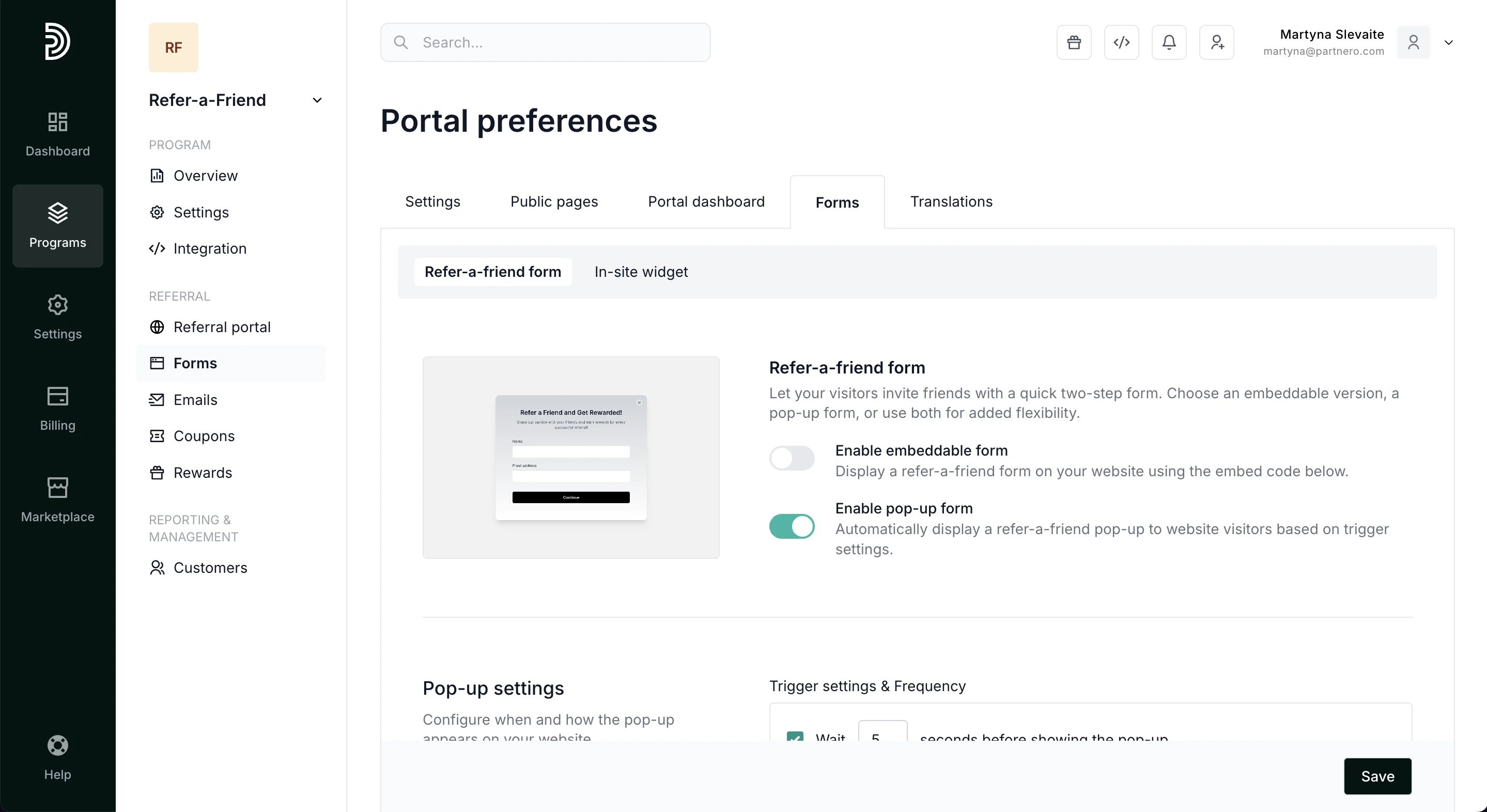 #### 1. Refer-a-friend form
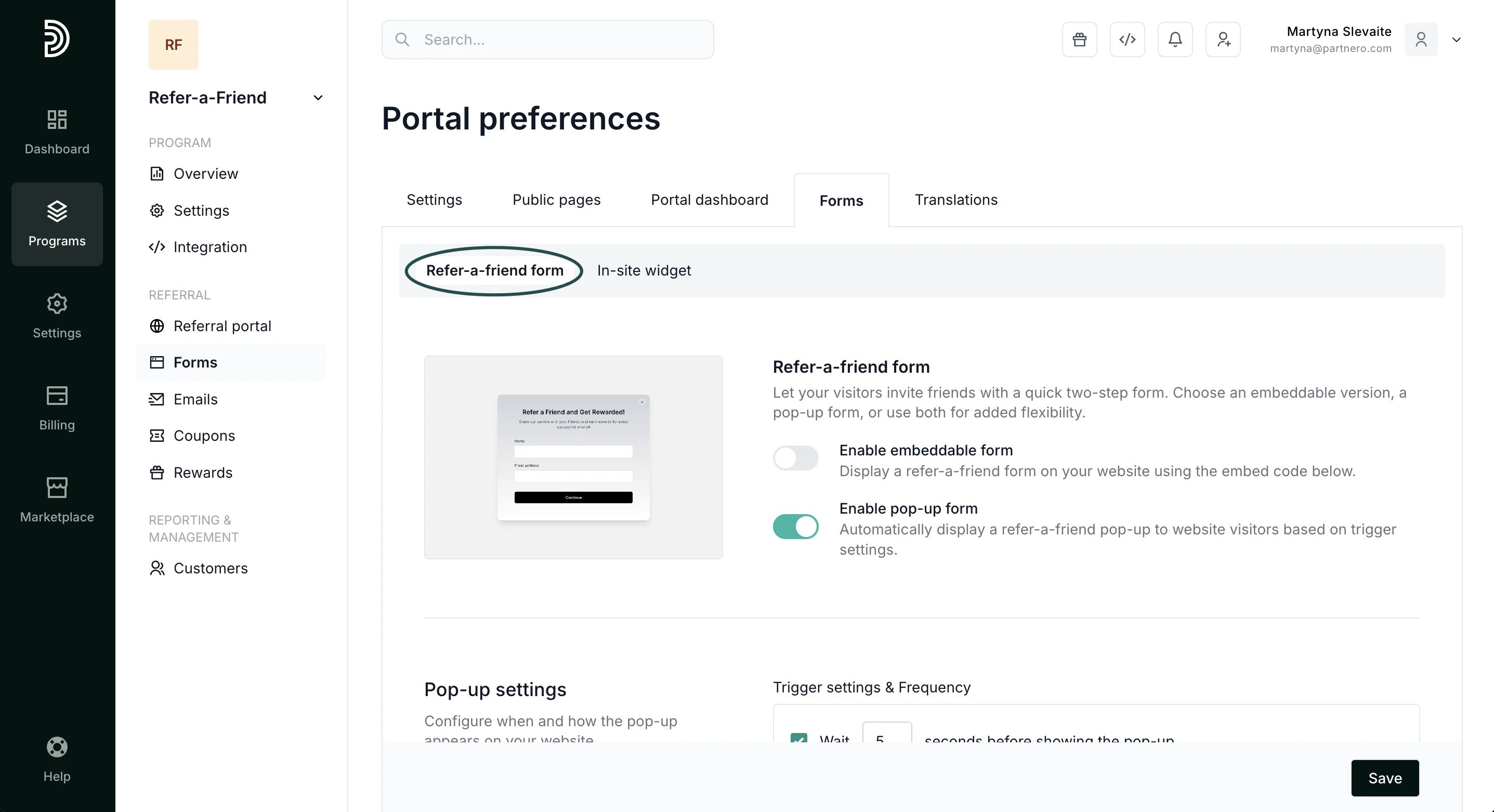 Set up a quick two-step form for your visitors to invite friends. Choose an embeddable version, a pop-up form, or use both for added flexibility. In this article, we'll review how to enable and customize the forms, rewards, and the process.
[Read more about refer-a-friend forms here](/knowledge-base/referral-programs/embeddable-and-popup-forms-for-refer-a-friend-programs).
#### 2. In-site widget
Set up a quick two-step form for your visitors to invite friends. Choose an embeddable version, a pop-up form, or use both for added flexibility. In this article, we'll review how to enable and customize the forms, rewards, and the process.
[Read more about refer-a-friend forms here](/knowledge-base/referral-programs/embeddable-and-popup-forms-for-refer-a-friend-programs).
#### 2. In-site widget
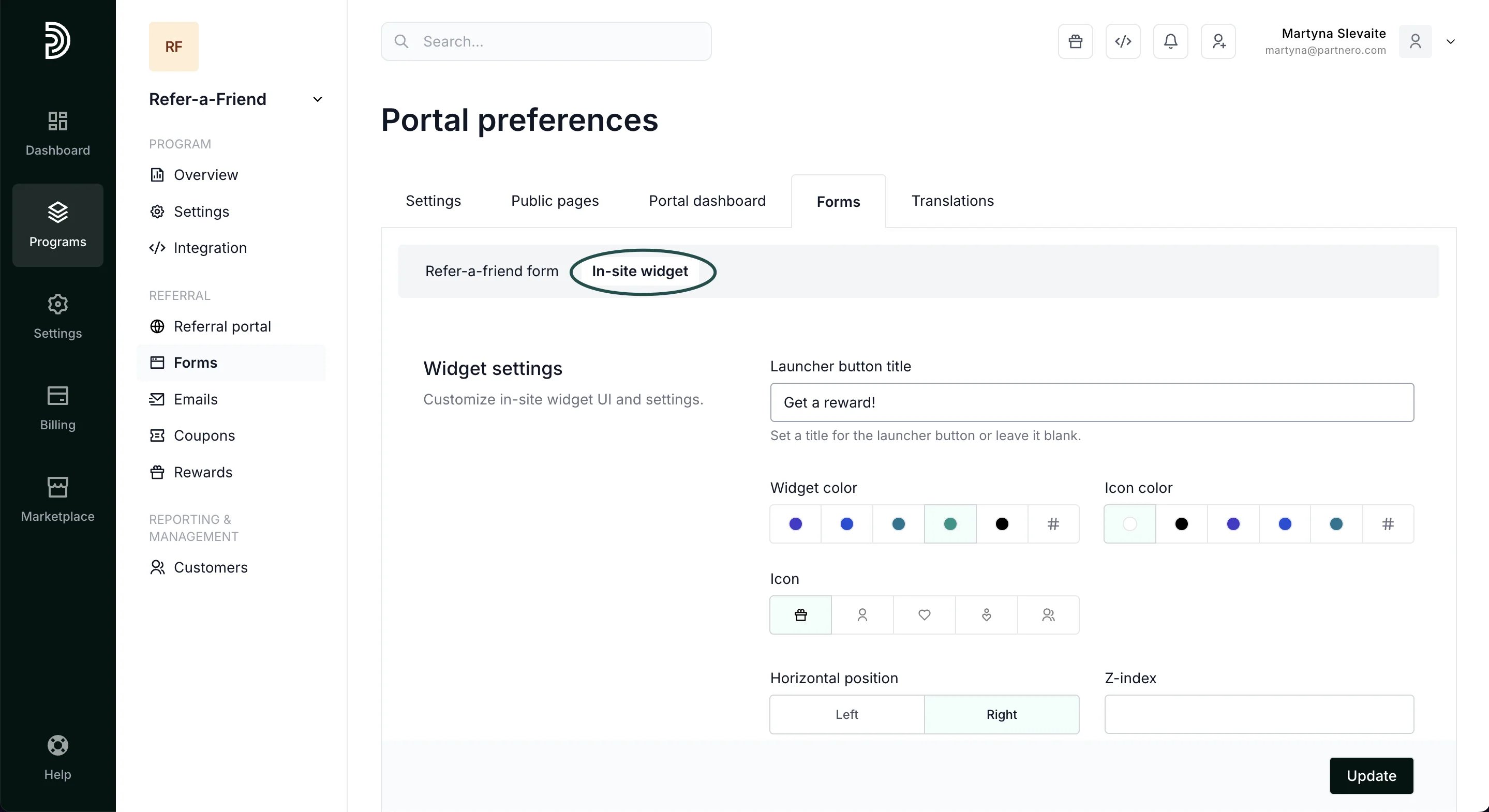 Here, you can customize the in-site widget, including the colors, icon, and positioning.
[Read more about how to embed the in-site widget](/knowledge-base/referral-programs/embed-an-in-site-referral-portal-widget).
***
### Translations
Here, you can customize the in-site widget, including the colors, icon, and positioning.
[Read more about how to embed the in-site widget](/knowledge-base/referral-programs/embed-an-in-site-referral-portal-widget).
***
### Translations
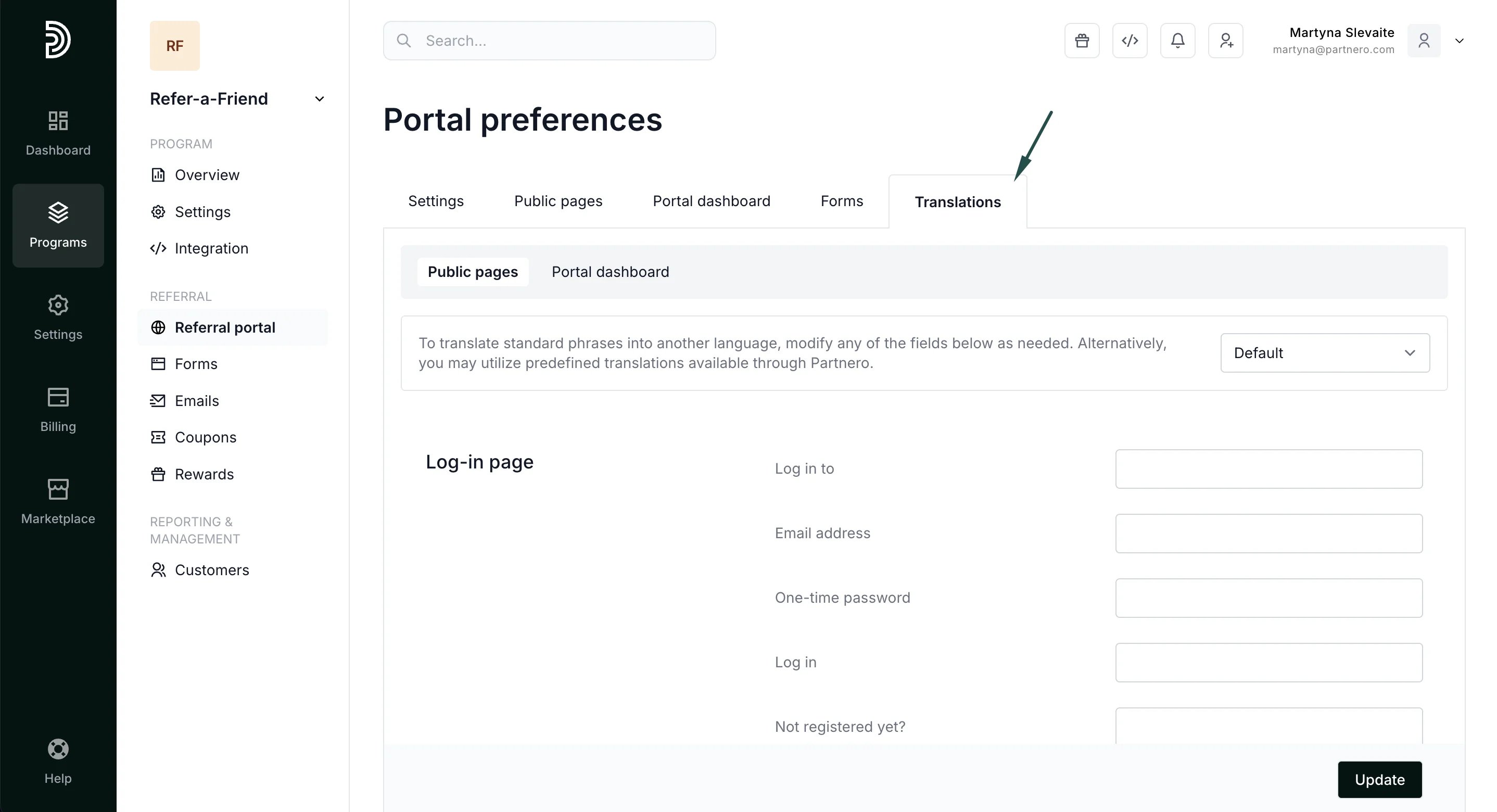 By default, all referral portal content will be displayed in English. However, you can manually change the content to a different language or wording, or utilize predefined translations available through Partnero. [Read more about translations here](/knowledge-base/partner-portal/partner-portal-translations).
This documentation is built and hosted on [Mintlify](https://mintlify.com), a developer documentation platform.
By default, all referral portal content will be displayed in English. However, you can manually change the content to a different language or wording, or utilize predefined translations available through Partnero. [Read more about translations here](/knowledge-base/partner-portal/partner-portal-translations).
This documentation is built and hosted on [Mintlify](https://mintlify.com), a developer documentation platform.